USB C Switch,Bi-Directional USB C Switcher 2 Computers,USB C Switch 2 in 1 Out,USB Type C KVM Switch 8K@30Hz 4K@120Hz Video/10Gbps Data Transfer/PD100W Charging,No Compatible with Docking Station
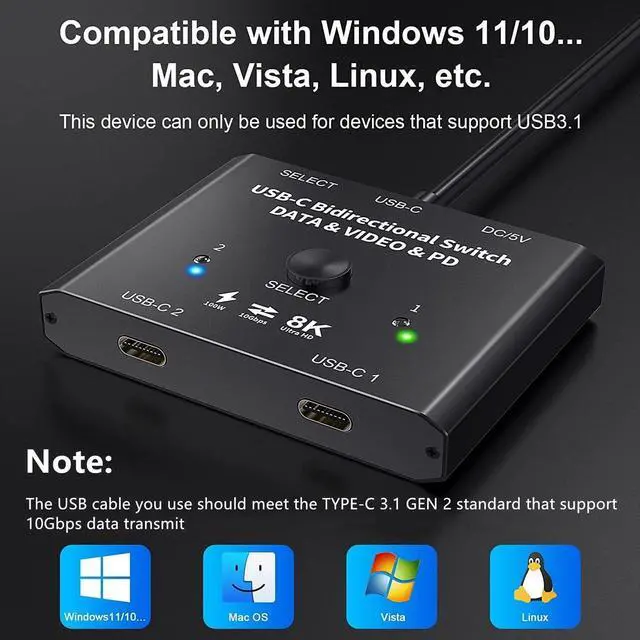
Note1. need use standard USB-C USB3.1 Gen2 cable and use USB DC 5Vpower cable to power the switch. 2.use a Type-C 20G USB male to male cable and the distance should not exceed 50 cm.3. If it does not work, please turn off the power and wait for five minutes before turning it back on.
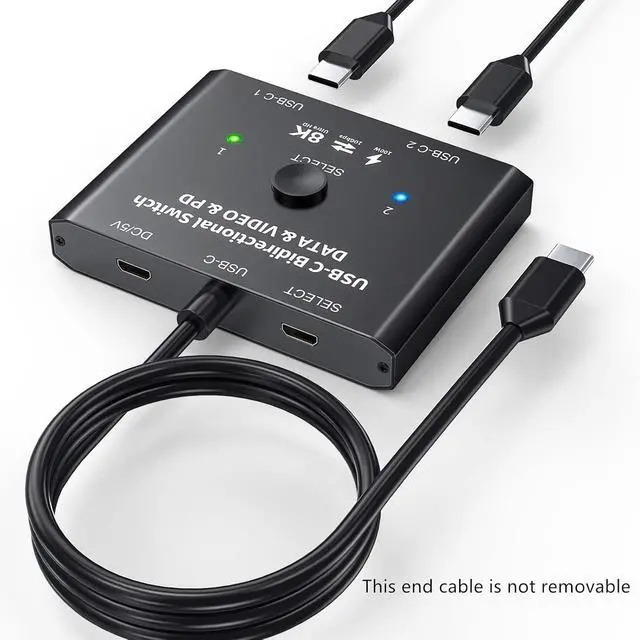
USB C Switch This USB-C switch allow 2 Laptops share 1USB C monitor. The USB-C port requires compatible with USB C ALT DP (alternative display port mode Full-featured TYPEC interface).This USB-C switch max 8K@60Hz 4K@120Hz 1080P@165Hz via our USB C Switch to your USB-C or HDMI Displays. Support ultra-wide screen output (3440*1440, etc.).
USB C Switch This USB-C switch allow 2 Laptops share 1USB C monitor. The USB-C port requires compatible with USB C ALT DP (alternative display port mode Full-featured TYPEC interface).This USB-C switch max 8K@60Hz 4K@120Hz 1080P@165Hz via our USB C Switch to your USB-C or HDMI Displays. Support ultra-wide screen output (3440*1440, etc.).
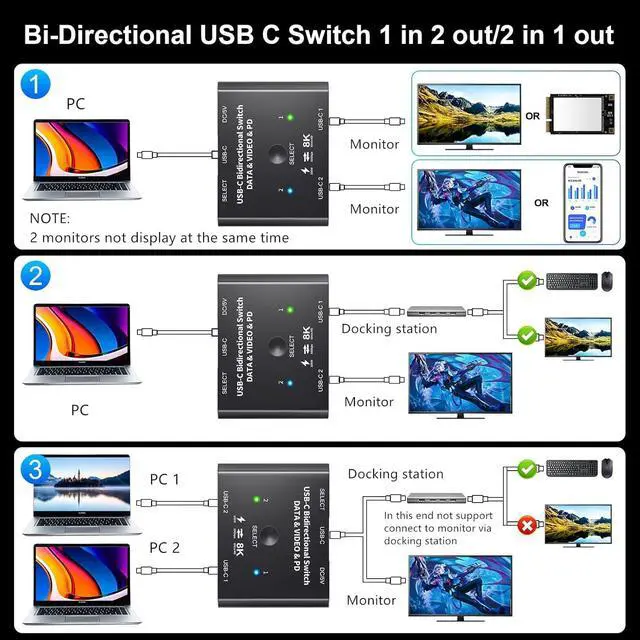
Compatible with some USB-C docking stationsIf my monitor has HDMI or DP ports, My can connect a docking station with HDMI/DP ports to the USB-C switch. we can also connect USB devices such as keyboard and mouse to the USB port of the docking station by using the USB-C Switch as a USB C KVM SwitchRequires DIY skills
+
+
Overview
Specs
Reviews
Any questions? Our AI beta will help you find out quickly.
Try me now
NAWEN 8K USB C switcher for 2 computers share 1 monitor
This USB C switch is mainly design for those user whose device has USB C ports. We pay attention to product development and testing, we do a lot of test and make comparision with similar product in the market. Our product performance has been optimized a lot, it will be a good choice if you are looking for a USB C switch.
How to set up? It's easy, plug and play, just connect 2 USB 3.1 Gen 2 cables to the USB C switch and your computer, please make sure the cable length not exceed 60cm. Please don't use the cable that only support charging.
Connect the supplied Micro USB cable to power adapter to provide power for the USB C switch.(This is necessary step to make the monitor has image)
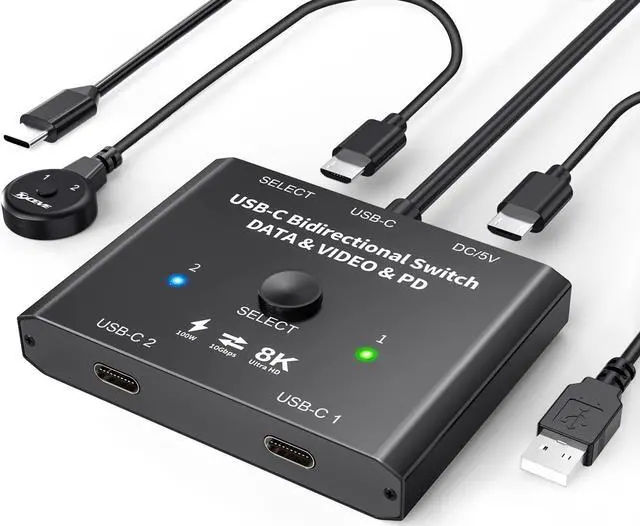
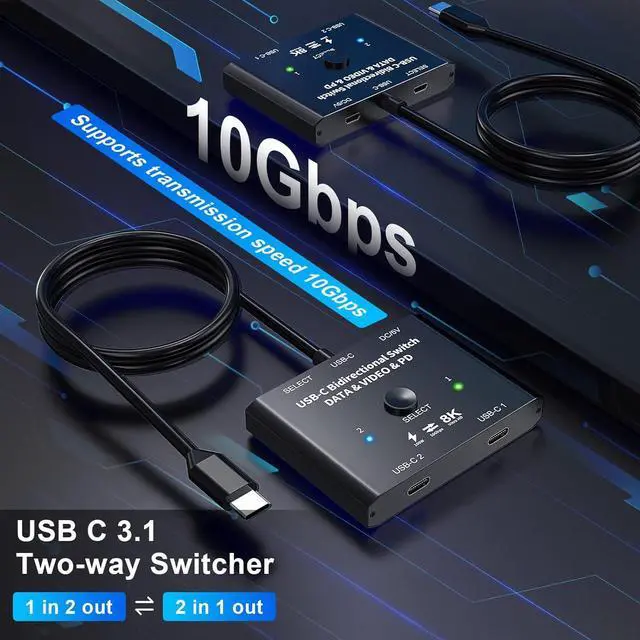
Support 2 in 1 out or 1 in 2 out
Used as 2 in 1 out type c swither allows you to connect 2 sources devices to 1 display.
Used as 1 in 2 out switch, allows you connect 1 source to 2 displays ( 2 monitors can't be display at the same time)
USC-C port not support connect a docking stationg for HDMI monitor connected, but USB-C 1 and USB-C 2 port can do this.
Supports: 8K@30Hz, 4K@120Hz/60Hz, 1440P@165Hz/144Hz/120Hz/60Hz, 1080P@165Hz/144Hz/120Hz/60Hz (Depending on the system and hardware)
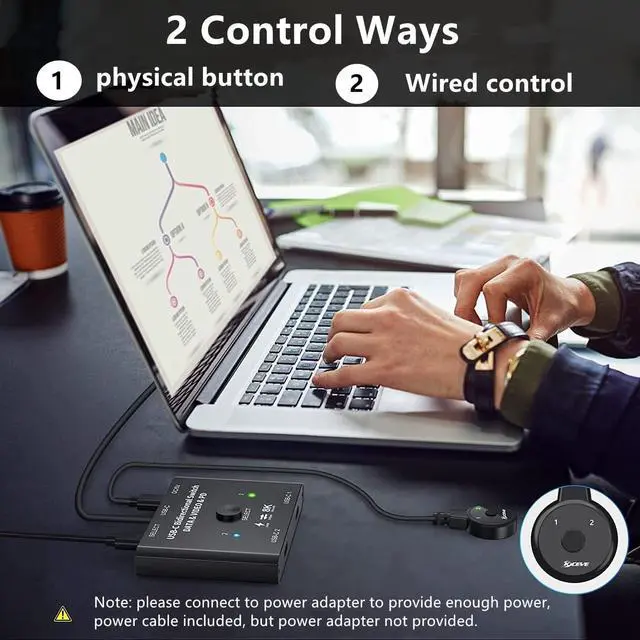
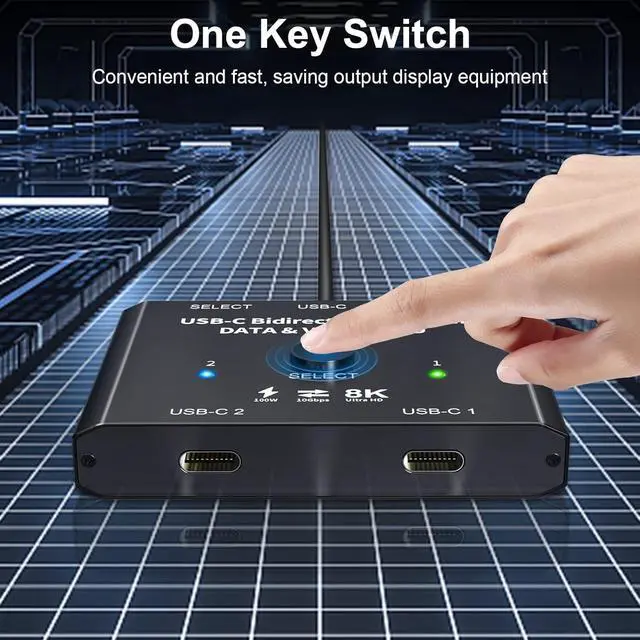
wired control
Wired control supplied, about 1.5m.
You can hide the USB C switch under the table and use this wired control, this is a convenient switch way.
10Gbps transmission
This usb-c switcher supports max transmissions speed 10Gbps(USB3.1 Gen2), transfer music, movies in seconds.
You can also transfer data from your computer, mobile phone, SSDs, etc.
DC5V power supply
Connect the supplied Micro USB cable to a power adapter to provide power for the USB C switch.
DC5V power cable supplied, about 1.5m.
Power adapter not supplied.
NAWEN 8K USB C switcher for 2 computers share 1 monitor
This USB C switch is mainly design for those user whose device has USB C ports. We pay attention to product development and testing, we do a lot of test and make comparision with similar product in the market. Our product performance has been optimized a lot, it will be a good choice if you are looking for a USB C switch.
How to set up? It's easy, plug and play, just connect 2 USB 3.1 Gen 2 cables to the USB C switch and your computer, please make sure the cable length not exceed 60cm. Please don't use the cable that only support charging.
Connect the supplied Micro USB cable to power adapter to provide power for the USB C switch.(This is necessary step to make the monitor has image)
Support 2 in 1 out or 1 in 2 out
Used as 2 in 1 out type c swither allows you to connect 2 sources devices to 1 display.
Used as 1 in 2 out switch, allows you connect 1 source to 2 displays ( 2 monitors can't be display at the same time)
USC-C port not support connect a docking stationg for HDMI monitor connected, but USB-C 1 and USB-C 2 port can do this.
Supports: 8K@30Hz, 4K@120Hz/60Hz, 1440P@165Hz/144Hz/120Hz/60Hz, 1080P@165Hz/144Hz/120Hz/60Hz (Depending on the system and hardware)
wired control
Wired control supplied, about 1.5m.
You can hide the USB C switch under the table and use this wired control, this is a convenient switch way.
10Gbps transmission
This usb-c switcher supports max transmissions speed 10Gbps(USB3.1 Gen2), transfer music, movies in seconds.
You can also transfer data from your computer, mobile phone, SSDs, etc.
DC5V power supply
Connect the supplied Micro USB cable to a power adapter to provide power for the USB C switch.
DC5V power cable supplied, about 1.5m.
Power adapter not supplied.
USB C Switch, Bi-Directional USB C Switcher 2 Computers, USB C Switch 2 in 1 Out, USB Type C KVM Switch 8K@30Hz 4K@120Hz Video/10Gbps Data Transfer/PD100W Charging, No Compatible with Docking Station
Learn more about the Generic Brand ZX-C201
Model
Brand
TRENDnet
Series
black
Model
ZX-C201
Part Number
ZX-C201
Details
Type
USB
PC Connectors
Plug In
Console Connectors
Plug In
Computer Connections
USB 2.0
Monitor Connections
4 Ports
PC Selection
Push Buttons
Monitors Supported
VGA DDC, DDC2, DDC2B
Features
Audio Features
Offers audio and microphone switching
USB Features
with USB support
SplitterOnly
VGA Monitor Splitter only
Application
Plug In, USB-C, push_button
Features
Plug In, USB-C, push_button, 0, IP00
Dimensions & Weight
Dimensions
14.33in W x 12.83in H x 9.06in D
Package Contents
Package Contents
with Built-in Cables
Additional Information
First Listed on Newegg
May 17, 2026
Customer Reviews of the Generic Brand ZX-C201
There are no reviews yet.
Do you own this product?
Warranty & Returns
Warranty, Returns, And Additional Information
Warranty
Please contact the Seller directly for warranty information. Warranty information may also be found on the Manufacturer's website.