• $88.99
  • Free 30-day Returns
  • Sold by Weilis elect

    Shipped by Weilis elect

    Price alert
    Shop it at NeweggBusiness.

    Meet Your Seller

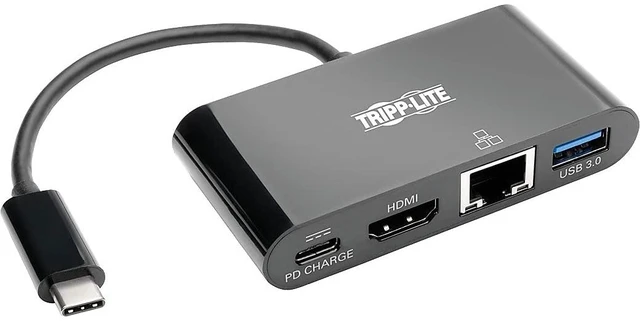
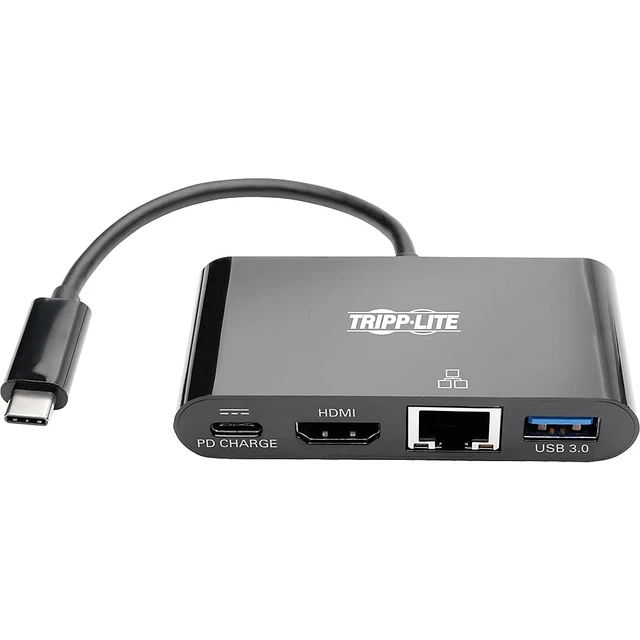
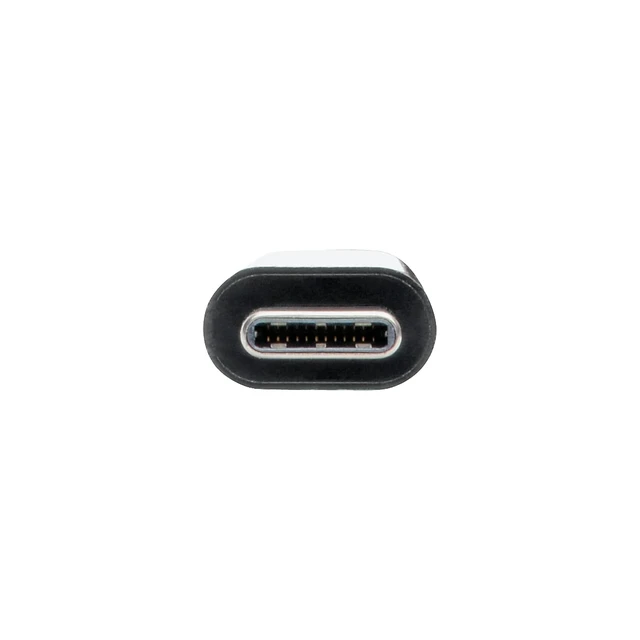
    USB-C Multiport Adapter Converter Docking Station, HDMI 4K @ 30Hz Video, USB-A Hub, Gigabit Ethernet, 60W Charging, Thunderbolt 3 USB-C Compatible, Black, 3-Year Warranty (U444-06N-H4GUBC)

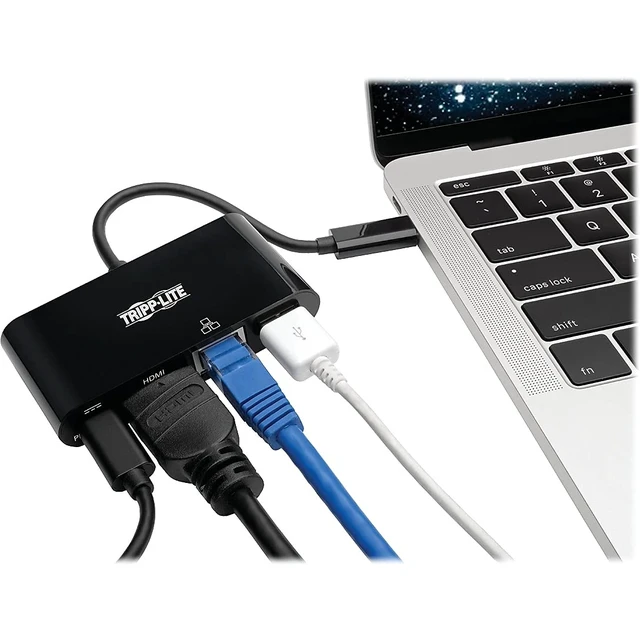
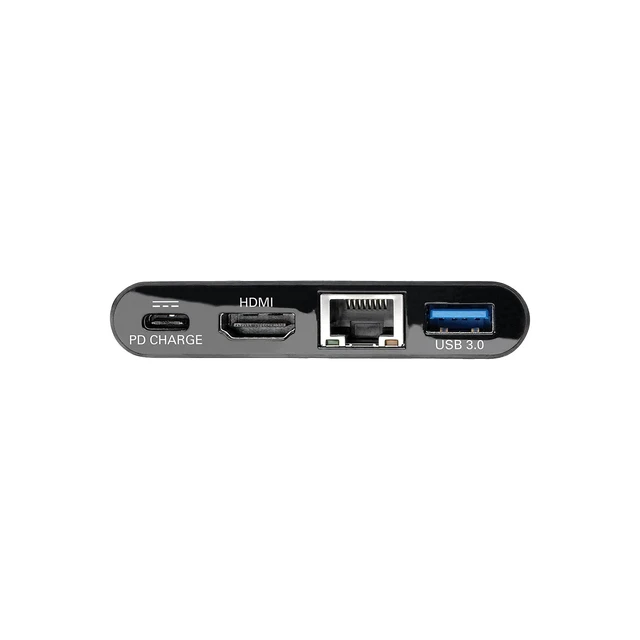
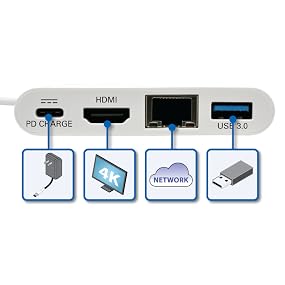
    • USB-C TO HDMI ADAPTER WITH USB-A HUB, GIGABIT ETHERNET PORTS: Adds 4K HDMI, USB-A, USB-C PD charging and Gigabit Ethernet ports to your tablet, laptop, notebook, smartphone or PC. Ideal apple usb c adapter / macbook usb c adapter.
    • CRYSTAL-CLEAR 4K VIDEO AND DIGITAL AUDIO: Transmits DisplayPort signals from sources supporting USB DisplayPort Alt Mode. Delivers UHD picture quality at resolutions up to 3840 x 2160 (4K x 2K) @ 30 Hz.
    • CONNECT, CHARGE (1.5A) & TRANSFER DATA FOR USB DEVICES: The USB-A port accepts USB peripherals, such as a flash drive, mouse, keyboard or printer. It supports fast USB 3.1 Gen 1 data transfer rates up to 5 Gbps. BC 1.2-compliant USB-A port provides up to 1.5A of fast-charging power.
    • CHARGE A CONNECTED DEVICE & ACCESS WIRED GIGABIT ETHERNET NETWORK: USB-C charger powers and charges PD Charging-compliant devices, such as MacBooks and Chromebooks. The RJ45 port Connects you to a wired Ethernet network when no Wi-Fi is available.
    • RELIABLE PRODUCT FULLY BACKED AND SUPPORTED: This product is covered by a 3-Year Limited Warranty and is supported by Tripp Lite's Chicago-based expert technical support team over phone and email.
    +
    +
    Overview
    Specs
    Reviews

    Any questions? Ask CelesteSM will help you find out quickly.
    https://m.media-amazon.com/images/S/aplus-media/vc/ed808625-27b3-4fdd-bd99-9733db5e01ce._SR970,300_.png
    https://m.media-amazon.com/images/S/aplus-media/vc/bab1a879-aa78-4fcd-af0c-3b502714ef95._SR285,285_.png

    Typical Applications
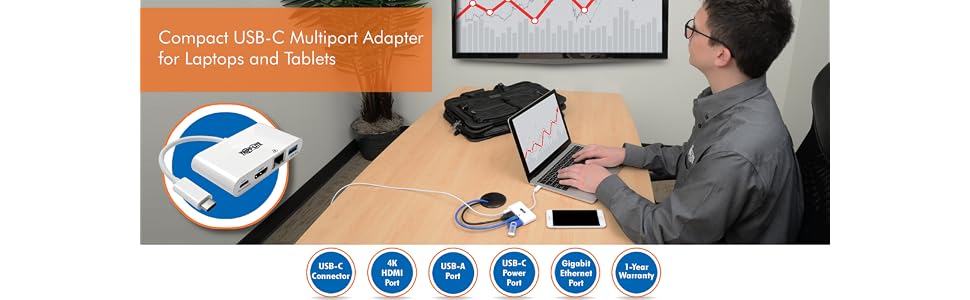
    • Convert your MacBook or Chromebook into a powerful and portable workstation
    • Use the USB-C port on a laptop or tablet to send audio/4K video to an HDMI monitor, add a USB peripheral, charge your device and connect to a Gigabit Ethernet network
    • Connect to a large screen for meetings, presentations or trade shows
    • When Wi-Fi isn’t available, use the RJ45 port to support a Gigabit Ethernet connection

    Transform Your Laptop’s USB-C Port into a Multiport Workstation Wherever You Go

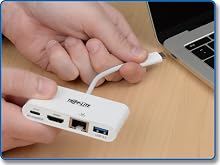
    Newer tablets, laptops, Chromebooks, MacBook notebooks and even desktop computers often have one or more USB-C (USB Type-C) ports, but come equipped with few others. Tripp Lite’s USB-C to 4K HDMI Multiport Docking Station expands the functionality of the USB-C (or Thunderbolt 3) port on your device and makes it compatible with your existing equipment. From a single USB-C port, you can:
    • Send audio/video to an HDMI monitor
    • Add a USB-A peripheral
    • Power and charge your laptop
    • Connect to a Gigabit Ethernet network

    https://m.media-amazon.com/images/S/aplus-media/vc/f879c4b9-d05b-43f4-aa27-adfaad497a23._SL220__.png

    Travel with a Bus-Powered, All-In-One USB-C Docking Station

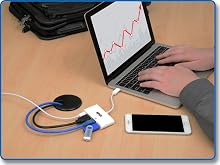
    Because just one USB-C connection provides four different ports, you don’t need multiple docking station while on the go. This docking station is also bus-powered, so you don’t have to travel with the weight of a separate external power supply.

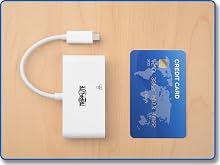
    - With a footprint similar in size to a credit card, this portable docking station fits almost anywhere.

    - Lightweight, streamlined design doesn’t add weight to your load.

    - Built-in cable eliminates the chance of losing or forgetting the USB-C cord.

    - Plug-and-play operation means you don’t need software or drivers.

    https://m.media-amazon.com/images/S/aplus-media/vc/95ad14b8-da05-45c5-b4bd-bbf5bfeab742._SL220__.png

    Display 4K UHD Video on an HDMI Monitor

    This docking station supports USB DisplayPort Alternate Mode (Alt Mode) for carrying digital audio and ultra high-definition video to an HDMI monitor, television or projector. It supports video resolutions up to 3840 x 2160 (4K x 2K) at 30 Hz.

    - Show the same audio/video on your laptop and a second monitor.

    - Use a second monitor as your primary screen.

    - Extend audio/video across a second monitor.

    - Share audio/video in a conference room, classroom or auditorium setting.
    https://m.media-amazon.com/images/S/aplus-media/vc/5e5261f0-a2f4-4c30-b35c-066b4529a447._SL220__.png

    Connect a USB Peripheral

    A USB-A port provides a place to connect a USB peripheral, like a flash drive or a USB mouse. Or, you can connect a printer with a USB cable when a wireless connection isn’t feasible. The docking station supports USB 3.1 Gen 1 data transfer rates up to 5 Gbps. It’s also backward compatible with previous USB generations.
    https://m.media-amazon.com/images/S/aplus-media/vc/e8b585be-e208-4081-8776-a3ff0ef365a0._SL220__.png

    Keep Ports Available While Your Laptop Charges

    Limited USB-C ports can force you to choose between connecting a peripheral and charging your laptop’s battery. The USB-C Power Delivery (PD) port powers and charges your laptop without affecting the other connections. Your laptop’s wall charger connects to the USB-C PD port, which supports power input up to 20V, 3A.

    https://m.media-amazon.com/images/S/aplus-media/vc/e3da9d10-025e-458d-8ab0-301e6d848b8a._SR970,300_.png
    https://m.media-amazon.com/images/S/aplus-media/vc/142e1d58-e8e1-44a9-9abe-885523ff90fc._SR970,300_.jpg
    https://m.media-amazon.com/images/S/aplus-media/vc/ed808625-27b3-4fdd-bd99-9733db5e01ce._SR970,300_.png

    Transform Your Laptop’s USB-C Port into a Multiport Workstation Wherever You Go

    Typical Applications
    • Convert your MacBook or Chromebook into a powerful and portable workstation
    • Use the USB-C port on a laptop or tablet to send audio/4K video to an HDMI monitor, add a USB peripheral, charge your device and connect to a Gigabit Ethernet network
    • Connect to a large screen for meetings, presentations or trade shows
    • When Wi-Fi isn’t available, use the RJ45 port to support a Gigabit Ethernet connection
    https://m.media-amazon.com/images/S/aplus-media/vc/bab1a879-aa78-4fcd-af0c-3b502714ef95._SR285,285_.png

    Newer tablets, laptops, Chromebooks, MacBook notebooks and even desktop computers often have one or more USB-C (USB Type-C) ports, but come equipped with few others. Tripp Lite’s USB-C to 4K HDMI Multiport Docking Station expands the functionality of the USB-C (or Thunderbolt 3) port on your device and makes it compatible with your existing equipment. From a single USB-C port, you can:

    • Send audio/video to an HDMI monitor
    • Add a USB-A peripheral
    • Power and charge your laptop
    • Connect to a Gigabit Ethernet network
    https://m.media-amazon.com/images/S/aplus-media/vc/f879c4b9-d05b-43f4-aa27-adfaad497a23._SL220__.png

    Travel with a Bus-Powered, All-In-One USB-C Docking Station

    Because just one USB-C connection provides four different ports, you don’t need multiple docking station while on the go. This docking station is also bus-powered, so you don’t have to travel with the weight of a separate external power supply.

    - With a footprint similar in size to a credit card, this portable docking station fits almost anywhere.

    - Lightweight, streamlined design doesn’t add weight to your load.

    - Built-in cable eliminates the chance of losing or forgetting the USB-C cord.

    - Plug-and-play operation means you don’t need software or drivers.

    https://m.media-amazon.com/images/S/aplus-media/vc/95ad14b8-da05-45c5-b4bd-bbf5bfeab742._SL220__.png

    Display 4K UHD Video on an HDMI Monitor

    This docking station supports USB DisplayPort Alternate Mode (Alt Mode) for carrying digital audio and ultra high-definition video to an HDMI monitor, television or projector. It supports video resolutions up to 3840 x 2160 (4K x 2K) at 30 Hz.

    - Show the same audio/video on your laptop and a second monitor.

    - Use a second monitor as your primary screen.

    - Extend audio/video across a second monitor.

    - Share audio/video in a conference room, classroom or auditorium setting.

    https://m.media-amazon.com/images/S/aplus-media/vc/5e5261f0-a2f4-4c30-b35c-066b4529a447._SL220__.png

    Connect a USB Peripheral

    A USB-A port provides a place to connect a USB peripheral, like a flash drive or a USB mouse. Or, you can connect a printer with a USB cable when a wireless connection isn’t feasible. The docking station supports USB 3.1 Gen 1 data transfer rates up to 5 Gbps. It’s also backward compatible with previous USB generations.

    https://m.media-amazon.com/images/S/aplus-media/vc/e8b585be-e208-4081-8776-a3ff0ef365a0._SL220__.png

    Keep Ports Available While Your Laptop Charges

    Limited USB-C ports can force you to choose between connecting a peripheral and charging your laptop’s battery. The USB-C Power Delivery (PD) port powers and charges your laptop without affecting the other connections. Your laptop’s wall charger connects to the USB-C PD port, which supports power input up to 20V, 3A.

    https://m.media-amazon.com/images/S/aplus-media/vc/e3da9d10-025e-458d-8ab0-301e6d848b8a._SR970,300_.png
    https://m.media-amazon.com/images/S/aplus-media/vc/142e1d58-e8e1-44a9-9abe-885523ff90fc._SR970,300_.jpg
    USB-C Multiport Adapter Converter Docking Station, HDMI 4K @ 30Hz Video, USB-A Hub, Gigabit Ethernet, 60W Charging, Thunderbolt 3 USB-C Compatible, Black, 3-Year Warranty (U444-06N-H4GUBC)

    Warranty & Returns

    Warranty, Returns, And Additional Information

    Warranty

    • Please contact the Seller directly for warranty information. Warranty information may also be found on the Manufacturer's website.
    • CONTACT

    Return Policies

    Manufacturer Contact Info

    LOADING...