USB C Docking Station Dual Monitor, 10-in-1 USB C to Dual HDMI Adapter with 2HDMI Ports, USBC & USBA 3.0, SD/Micro SD, 100W PD, Laptop Docking Station for Dell XPS/HP/Lenovo/Mac/Surface etc
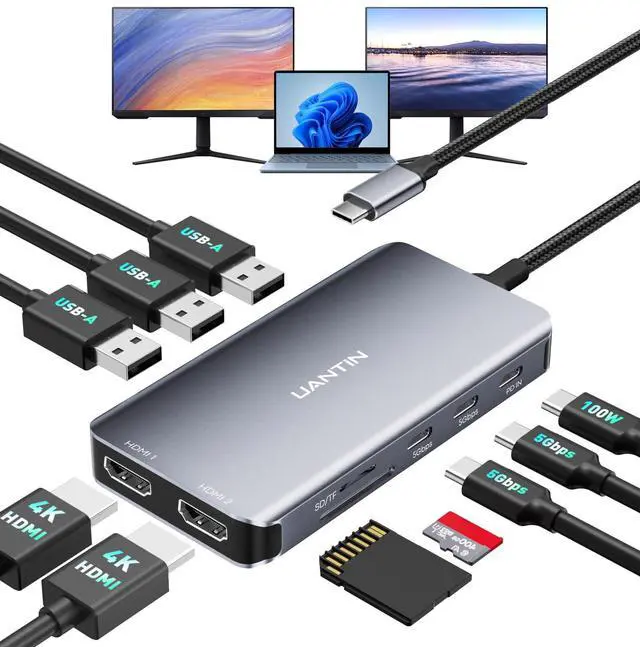
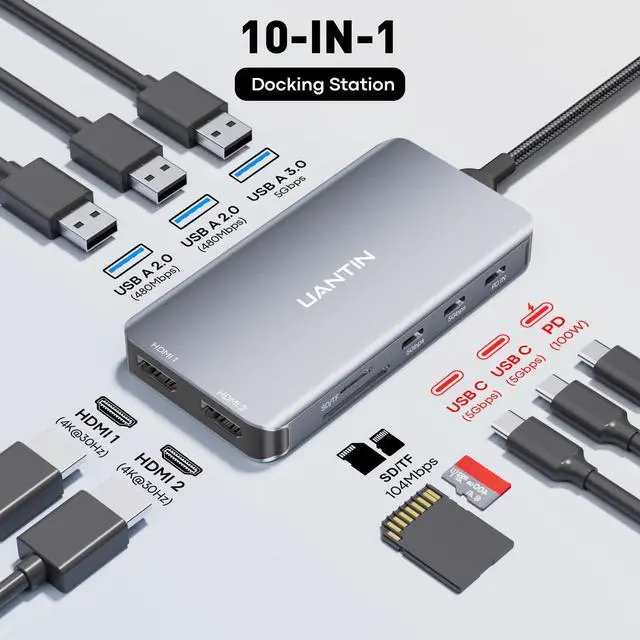
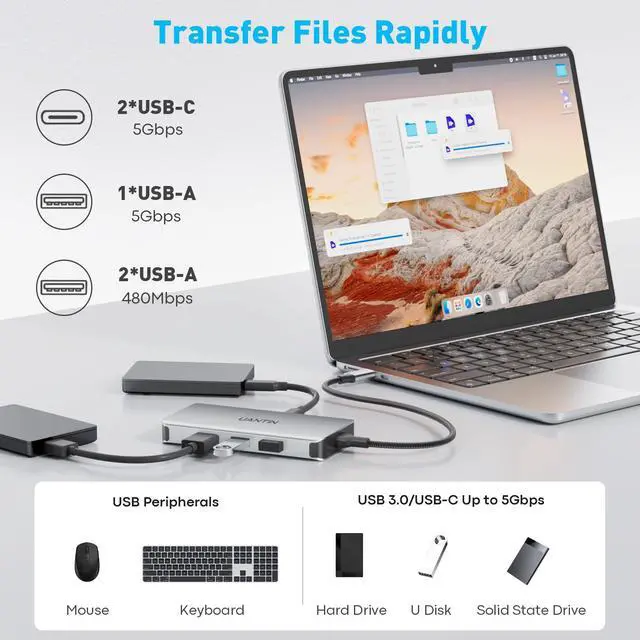
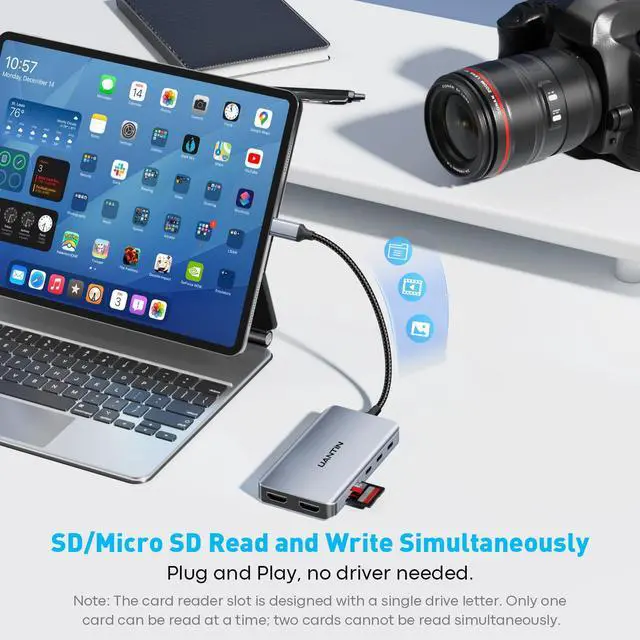
10-in-1 Docking StationInstantly transform your laptop's single USB-C port into a full-featured workstation. This 10-in-1 USB-C docking station includes two 4K HDMI ports, two USB-C ports, two USB 3.0 ports (5Gbps), two USB 2.0 ports (480Mbps), a 100W USB-C PD port, and an SD/TF card reader (104Mbps). Note: Ensure your laptop features a USB-C port supporting video output (DP Alt Mode).
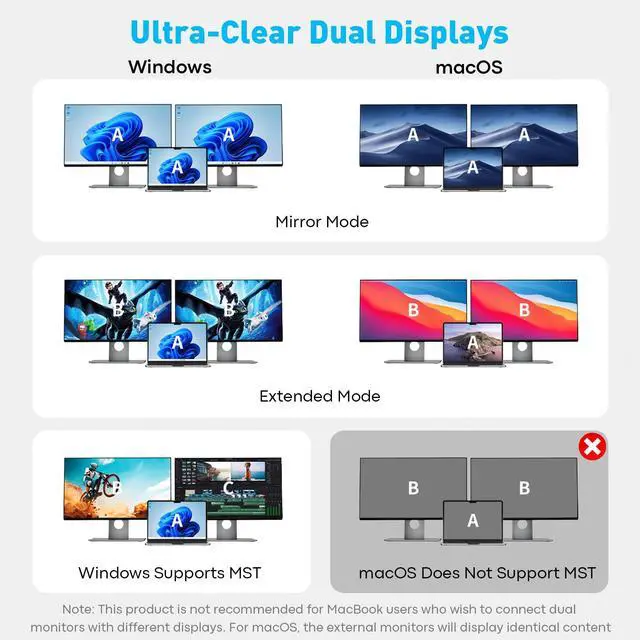
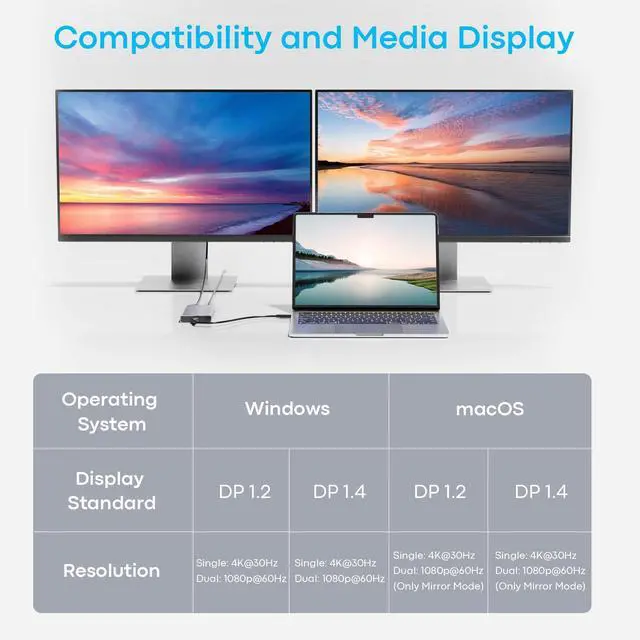
Dual-Screen Expansion - Seamless CollaborationConnect your laptop or other source device via this USB-C docking station dual monitor adapter to achieve triple independent displays (MST technology) on Windows systems. A single device can expand to two HDMI displays, supporting up to 4K@30Hz resolution. Ideal for multitasking scenarios in office, design, finance, and more, significantly boosting productivity. Note: macOS does not support expansion mode; mirror mode only.
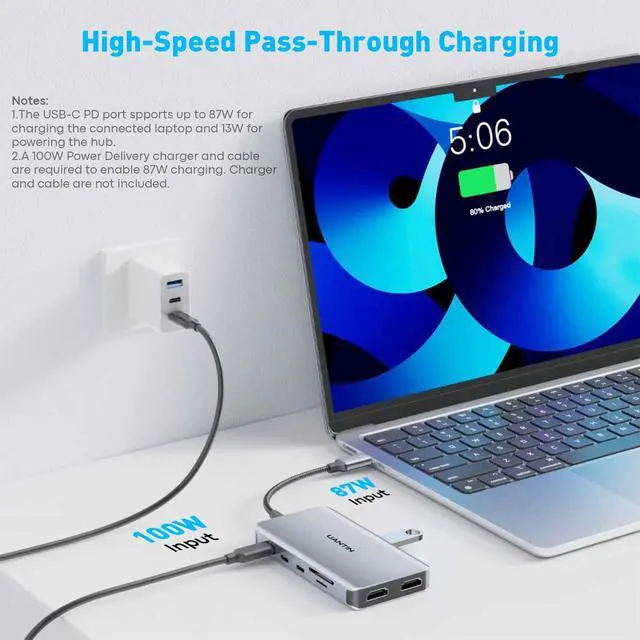
Ultra-Fast Data Transfer & 100W PD Fast ChargingThe Laptop docking station features two USB-C 3.0 ports and one USB-A 3.0 port, delivering data transfer speeds up to 5Gbps. The USB-A 2.0 port seamlessly connects peripherals like mice and keyboards for instant responsiveness. The 100W PD charging port enables rapid laptop charging while maintaining high productivity.
+
+
Overview
Specs
Reviews
Any questions? Our AI beta will help you find out quickly.
USB C Docking Station Dual Monitor, 10-in-1 USB C to Dual HDMI Adapter with 2HDMI Ports, USBC & USBA 3.0, SD/Micro SD, 100W PD, Laptop Docking Station for Dell XPS/HP/Lenovo/Mac/Surface etc
Learn more about the Generic Brand Docking Station
Model
Brand
UANTIN
Model
Docking Station
Part Number
USB C Docking Station
Details
Color
Grey
Type
10
Ports
10
Transfer Rate
5 gigabits_per_second
Weight
0.1 kilograms
Additional Information
First Listed on Newegg
March 17, 2026
Customer Reviews of the Generic Brand Docking Station
There are no reviews yet.
Do you own this product?
Warranty & Returns
Warranty, Returns, And Additional Information
Warranty
Please contact the Seller directly for warranty information. Warranty information may also be found on the Manufacturer's website.