





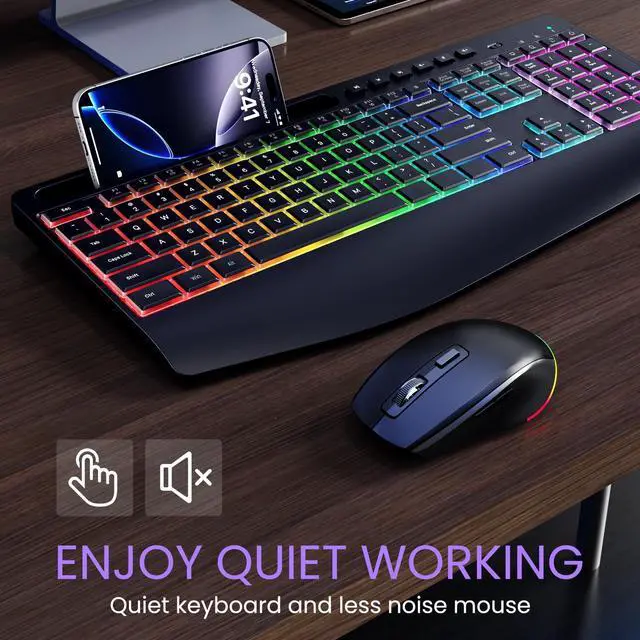


WIRELESS KEYBOARD MOUSE COMBO
More Enjoyable Work

Hi, here is VEILZOR
We are a company born out of that idea of Just for you to enjoy the OFFICE. We aim to bring you the most comfortable office keyboard.
Our factory has a wealth of keyboard production experience, we will continue to work hard to create "high-performance, high-level, the most cost-effective keyboard"

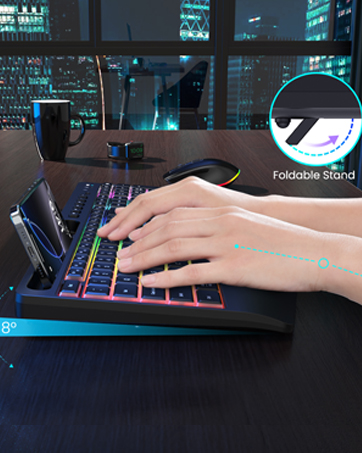
Ergonomic design for comfortable typing
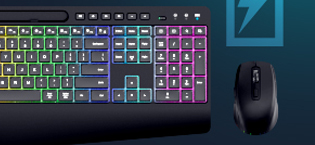
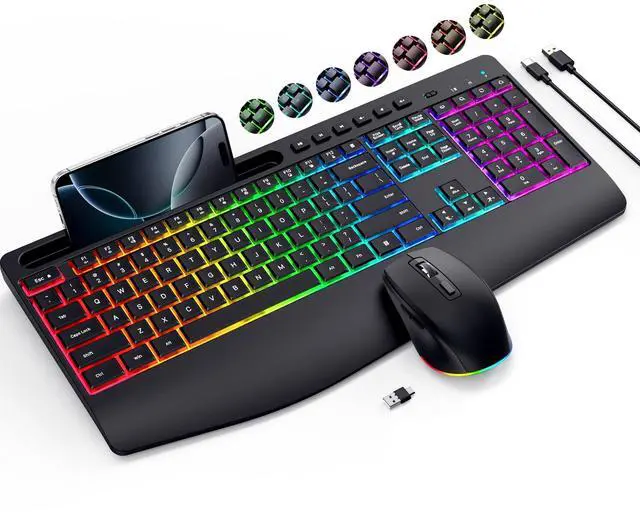
WIRELESS KEYBOARD
- Wider Wrist Rest -no fatigue during long office typing
- 12 + 6 Independent Multimedia Hotkeys
- 8° Foldable Stand
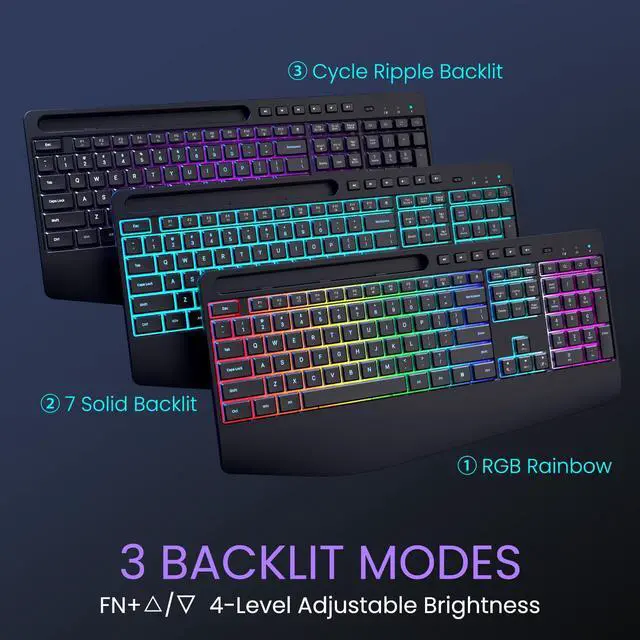
- 3 Lighting Modes
- Rechargeable Battery
WIRELESS MOUSE
- 800/1200/1600 DPI
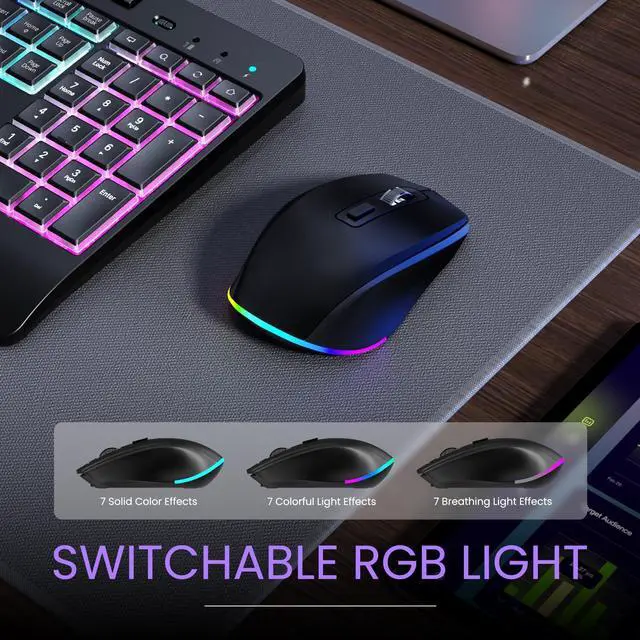
- 22 RGB Light Modes
- Rechargeable Battery
What makes our products unique?
We listen to every customer's feedback, thank you for your praise, and appreciate your criticism. Every voice of yours is the driving force for our improvement.
Why do we love what we do?
Because you chose VEILZOR. We are extremely proud every time we hear customers say that our products can help them at work. Keen on office products.
What will you get?
Is it just a wireless keyboard and mouse combo? No, you will get lifetime after-sales service and a one-year unconditional return and exchange. Welcome to join the VEILZOR family.


Ensure All-day Comfort
- 54%+ soft wrist support is designed to reduce strain and discomfort on the hands, wrists, and arms.
- Foldable tilt leg allowing anyone to adjust the angle and height of the keyboard to their preferences.


Rechargeable Combo
Alongs with auto-sleep and on/off switches can effectively extend the battery life, or activate keyboard by pressing any button.

No Noise
Wireless keyboard mouse combo provides whisper silent click, no need to worry about disturbing others to rest while working or playing.

3 Indicator Lights
The caps or number lock indicator light helps reduce typing errors. The battery indicator light can remind us to charge in time.

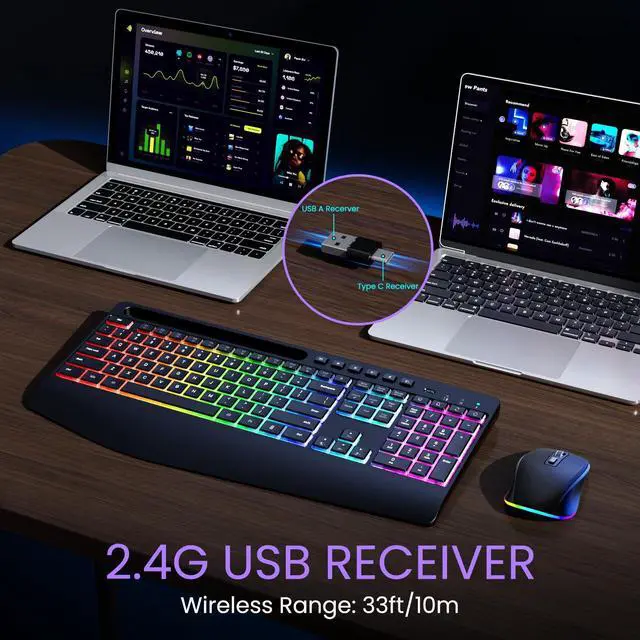
2-IN-1 Receiver
Wireless keyboard and mouse is designed for both Windows and Mac layouts. No Delays, effective up to 33ft of range.

How long can it be used after one charge?
About a week. Using it without light can extend the usage time. It is recommended to turn off the power switch (at the right top of the keyboard) when not in use for a long time.
How to know when keyboard mouse combo needs charging?
When the battery is low, the power button on the far right side of the keyboard will flash, while the mouse DPI button will flash. Now it’s time to charge the combo. Tip: When fully charged, the charging indicator light will automatically turn off.
How to adjust the lighting modes?
Press FN+Home, wireless keyboard will switch 3-level modes. Computer mouse has 22 backlit modes switched by RGB button(back of the mouse).
Is there any way to turn off the lights?
Sure, press FN+Insert to turn off the light of keyboard. Long press RGB button(back of the mouse) to turn off the light of mouse.
Where can I find the dongle?
Placed above the back of the keyboard. Keyboard and mouse share a receiver.


Ensure All-day Comfort
- 54%+ soft wrist support is designed to reduce strain and discomfort on the hands, wrists, and arms.
- Foldable tilt leg allowing anyone to adjust the angle and height of the keyboard to their preferences.
Rechargeable Combo
Alongs with auto-sleep and on/off switches can effectively extend the battery life, or activate keyboard by pressing any button.
No Noise
Wireless keyboard mouse combo provides whisper silent click, no need to worry about disturbing others to rest while working or playing.
3 Indicator Lights
The caps or number lock indicator light helps reduce typing errors. The battery indicator light can remind us to charge in time.
2-IN-1 Receiver
Wireless keyboard and mouse is designed for both Windows and Mac layouts. No Delays, effective up to 33ft of range.

How long can it be used after one charge?
About a week. Using it without light can extend the usage time. It is recommended to turn off the power switch (at the right top of the keyboard) when not in use for a long time.
How to know when keyboard mouse combo needs charging?
When the battery is low, the power button on the far right side of the keyboard will flash, while the mouse DPI button will flash. Now it’s time to charge the combo. Tip: When fully charged, the charging indicator light will automatically turn off.
How to adjust the lighting modes?
Press FN+Home, wireless keyboard will switch 3-level modes. Computer mouse has 22 backlit modes switched by RGB button(back of the mouse).
Is there any way to turn off the lights?
Sure, press FN+Insert to turn off the light of keyboard. Long press RGB button(back of the mouse) to turn off the light of mouse.
Where can I find the dongle?
Placed above the back of the keyboard. Keyboard and mouse share a receiver.
WIRELESS KEYBOARD MOUSE COMBO
More Enjoyable Work
Hi, here is VEILZOR
We are a company born out of that idea of Just for you to enjoy the OFFICE. We aim to bring you the most comfortable office keyboard.
Our factory has a wealth of keyboard production experience, we will continue to work hard to create "high-performance, high-level, the most cost-effective keyboard"
Ergonomic design for comfortable typing
WIRELESS KEYBOARD
- Wider Wrist Rest -no fatigue during long office typing
- 12 + 6 Independent Multimedia Hotkeys
- 8° Foldable Stand
- 3 Lighting Modes
- Rechargeable Battery
WIRELESS MOUSE
- 800/1200/1600 DPI
- 22 RGB Light Modes
- Rechargeable Battery
What makes our products unique?
We listen to every customer's feedback, thank you for your praise, and appreciate your criticism. Every voice of yours is the driving force for our improvement.
Why do we love what we do?
Because you chose VEILZOR. We are extremely proud every time we hear customers say that our products can help them at work. Keen on office products.
What will you get?
Is it just a wireless keyboard and mouse combo? No, you will get lifetime after-sales service and a one-year unconditional return and exchange. Welcome to join the VEILZOR family.