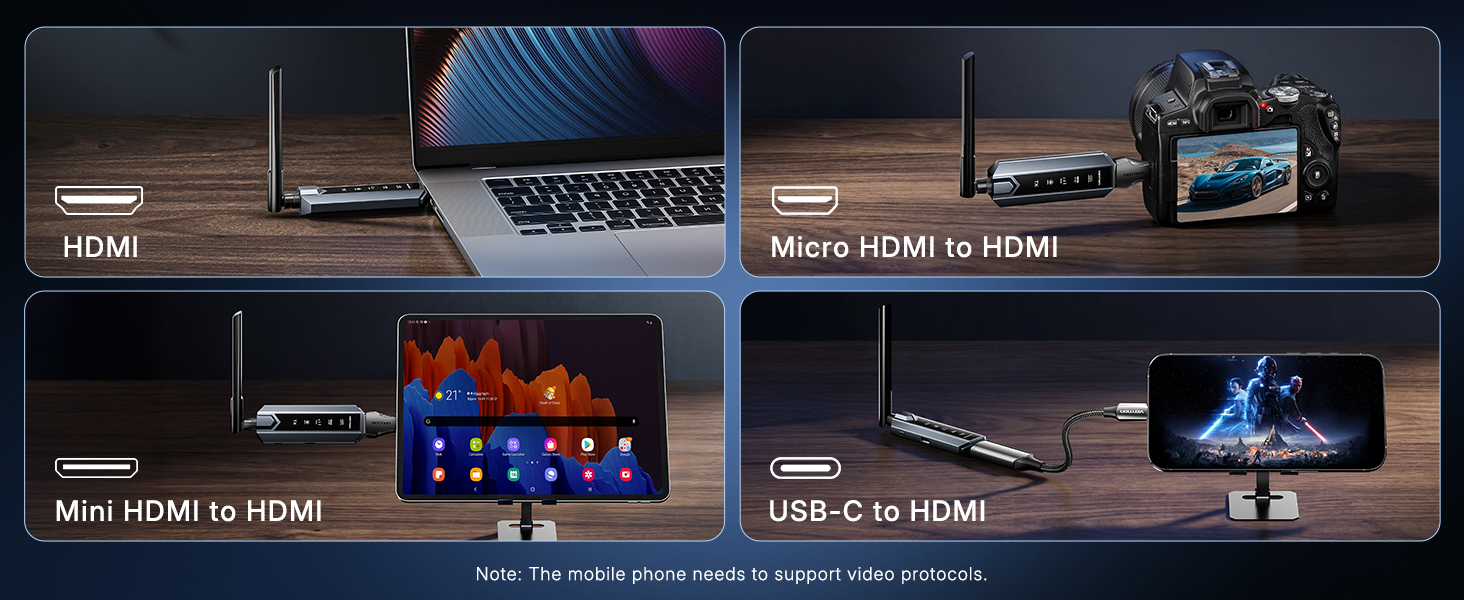
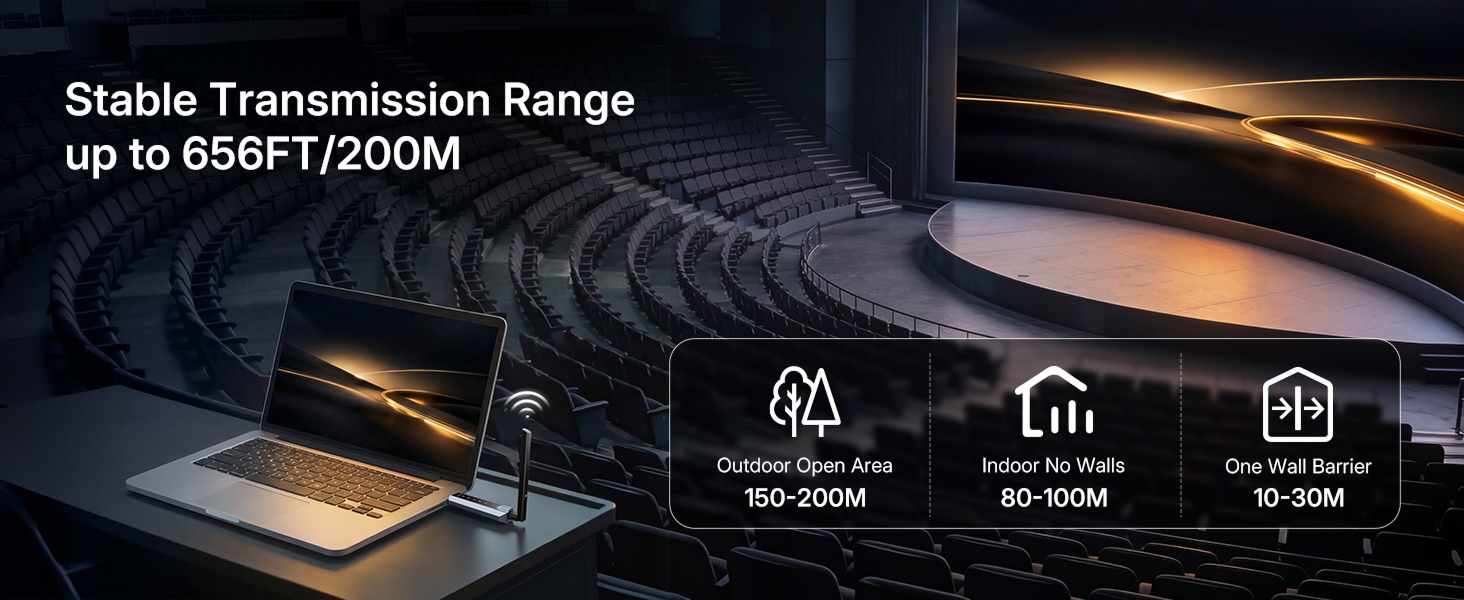
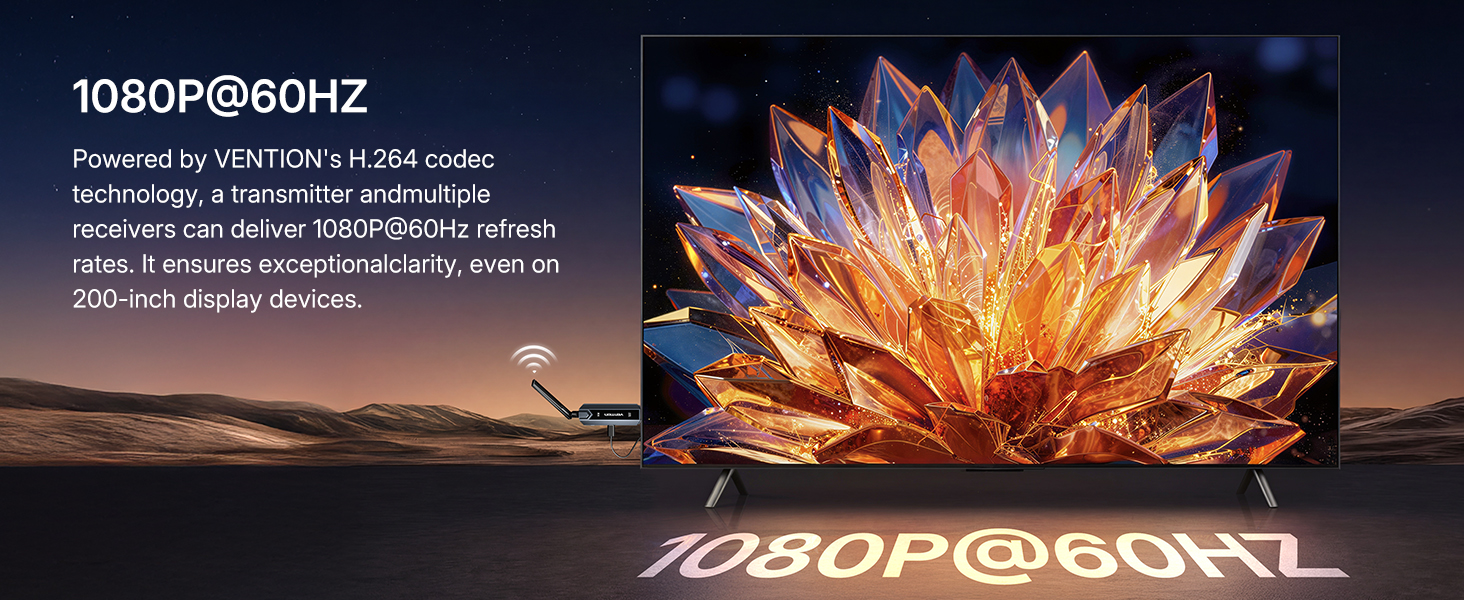
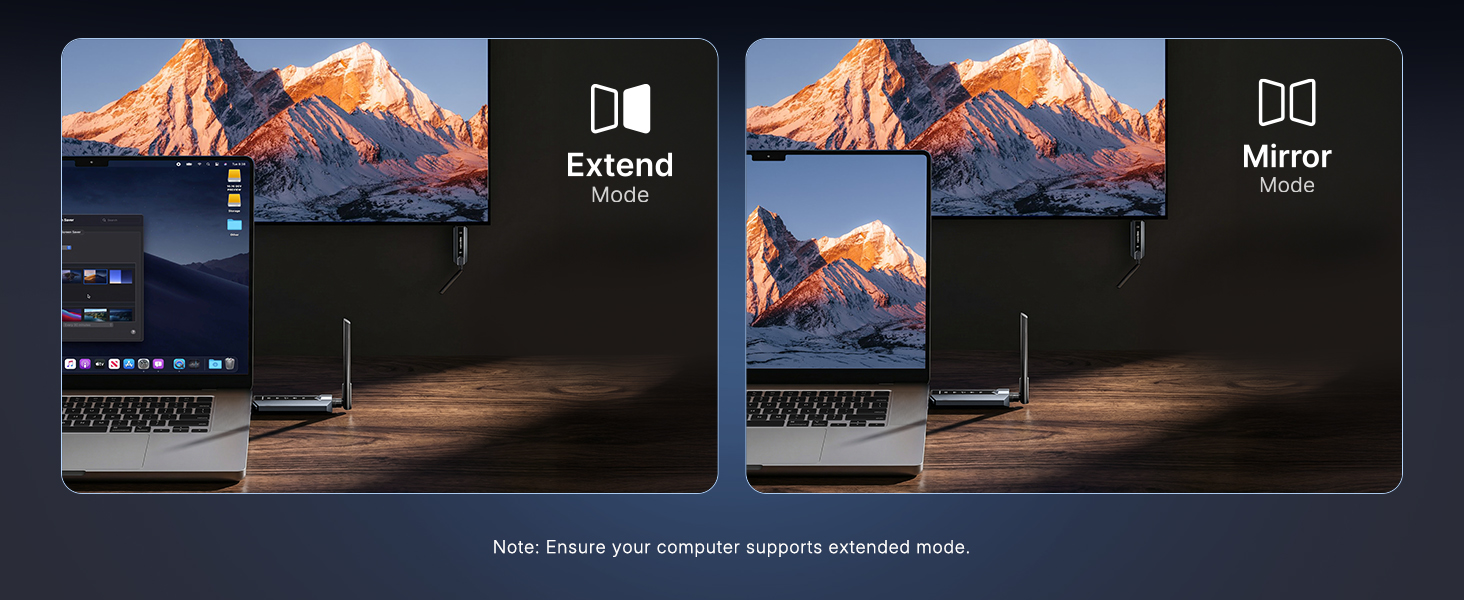
here!
here!
I’m your shopping assistant for PC builds, upgrades, and everything tech.
Got questions? Ask away!
Start a conversation
here!
I’m your shopping assistant for PC builds, upgrades, and everything tech.
Got questions? Ask away!
Start a conversation






Any questions? Ask CelesteSM will help you find out quickly.
Why does the product require a power connection?
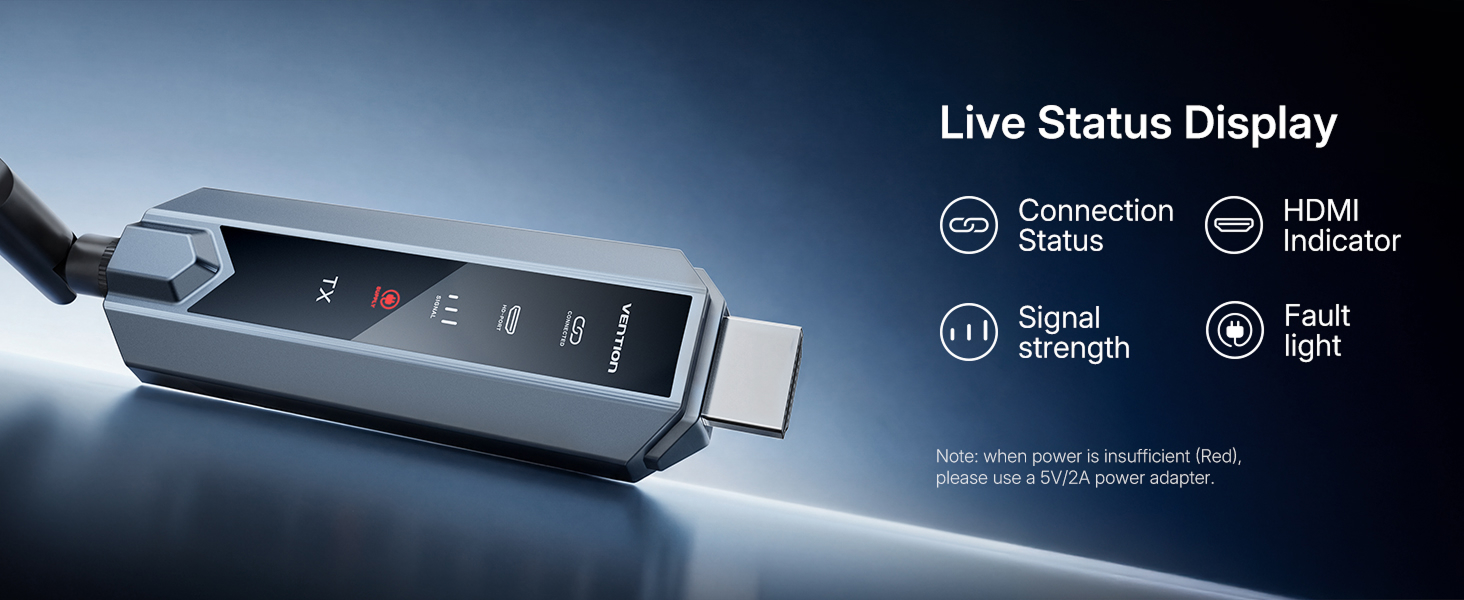
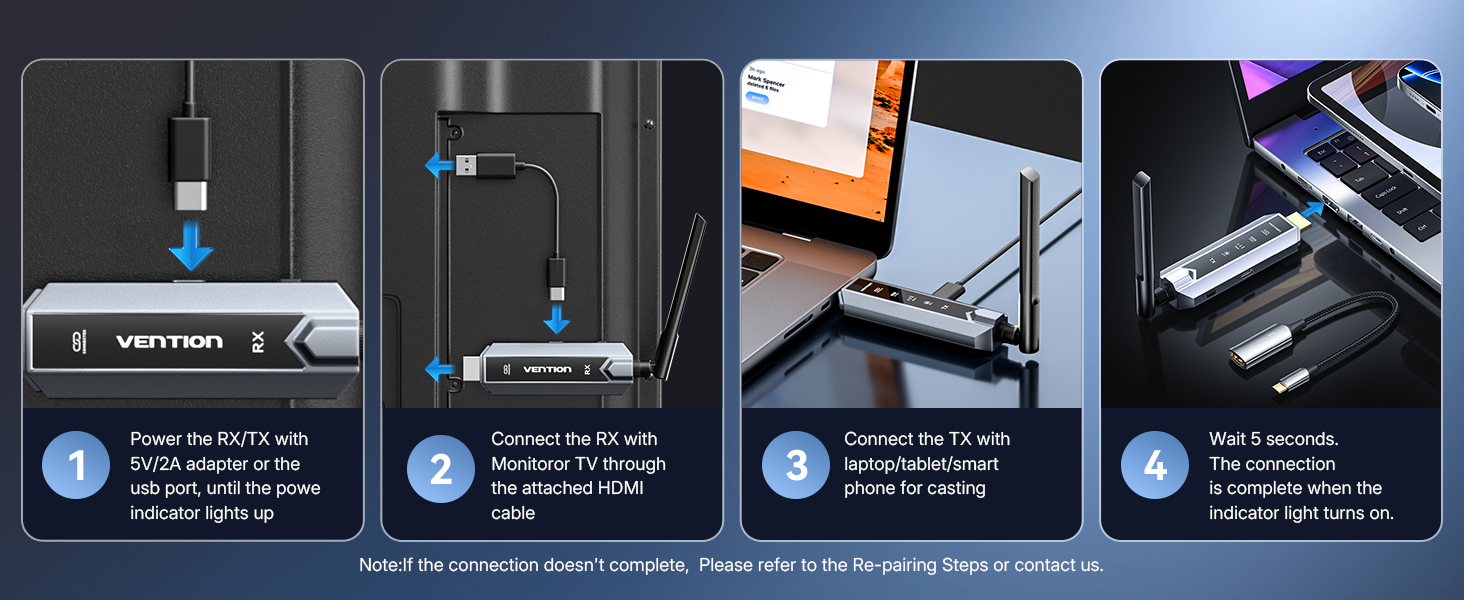
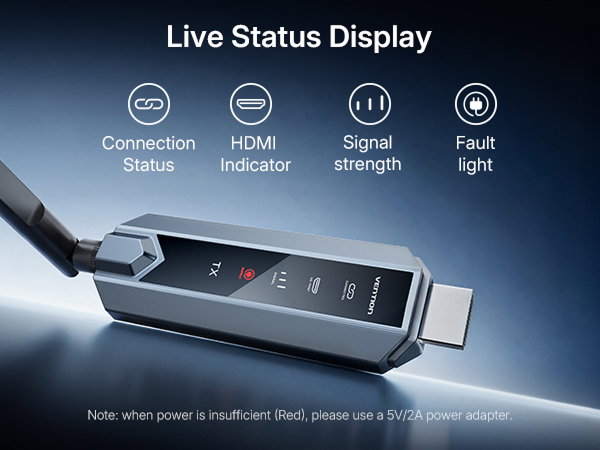
While computers can provide power, the fluctuating current can affect performance. Connecting to a 5V/2A power supply ensures a more stable connection for both the signal transmitter and receiver.
How to differentiate between the signal transmitter and receiver?
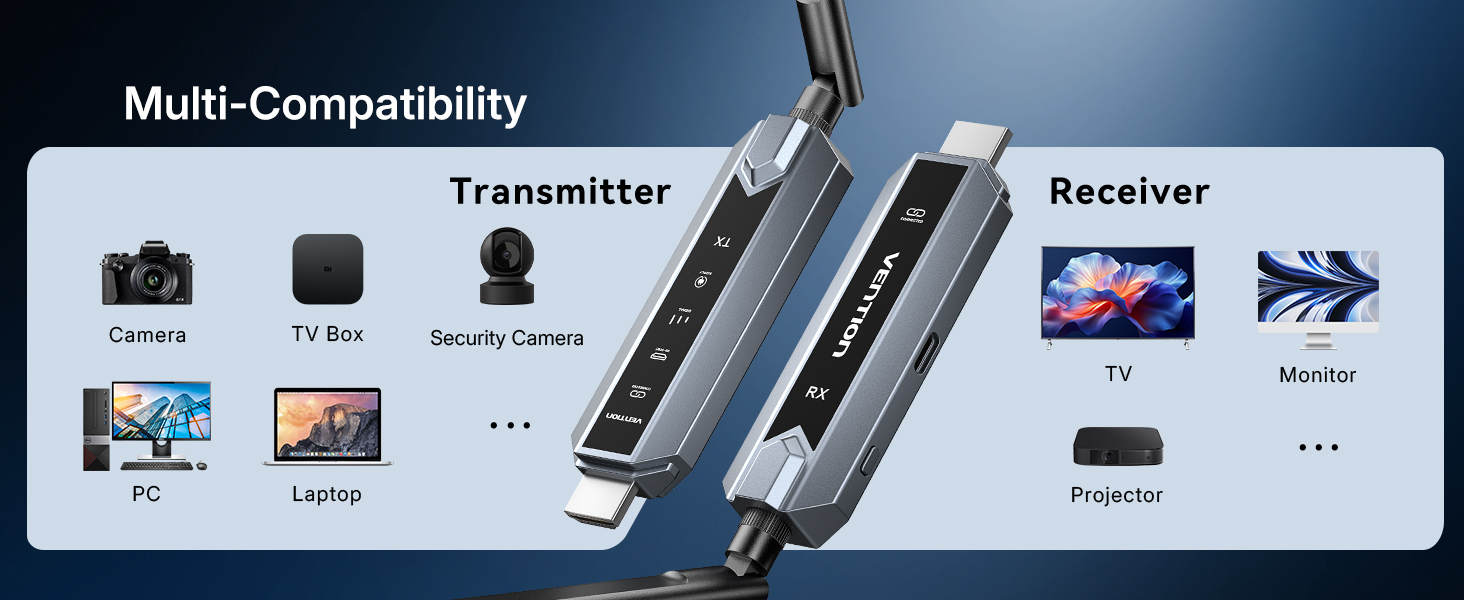
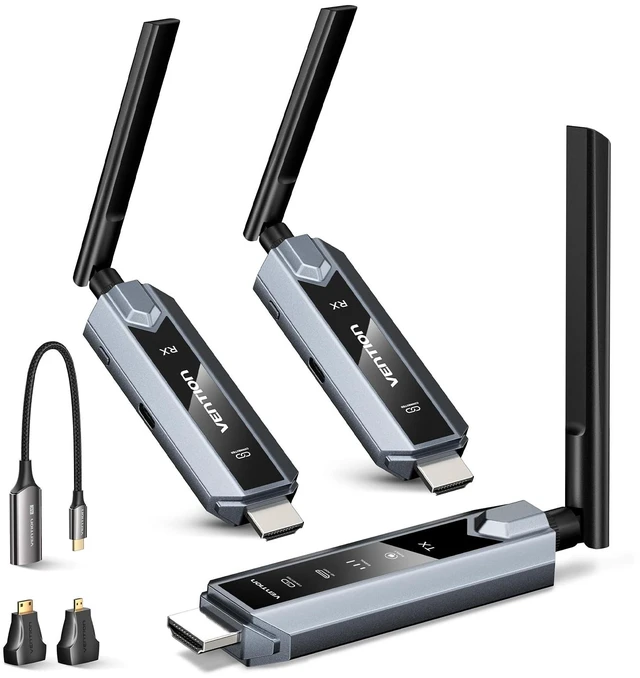
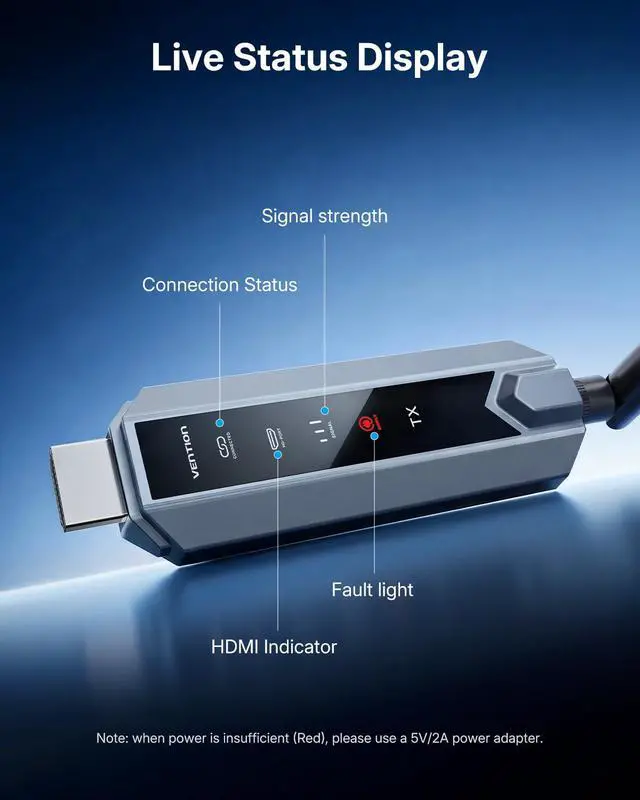
The product is labeled on the body as TX (transmitter) and RX (receiver). Note that if the signal transmitter and receiver are connected in reverse, the product will not function properly!
How should the product be used?
1.Connect the receiver (RX) to the display device's HDMI port and power it.
2.Select the correct HDMI input source to display the signal.
3.Connect the transmitter (TX) to the computer's HDMI port and power it.
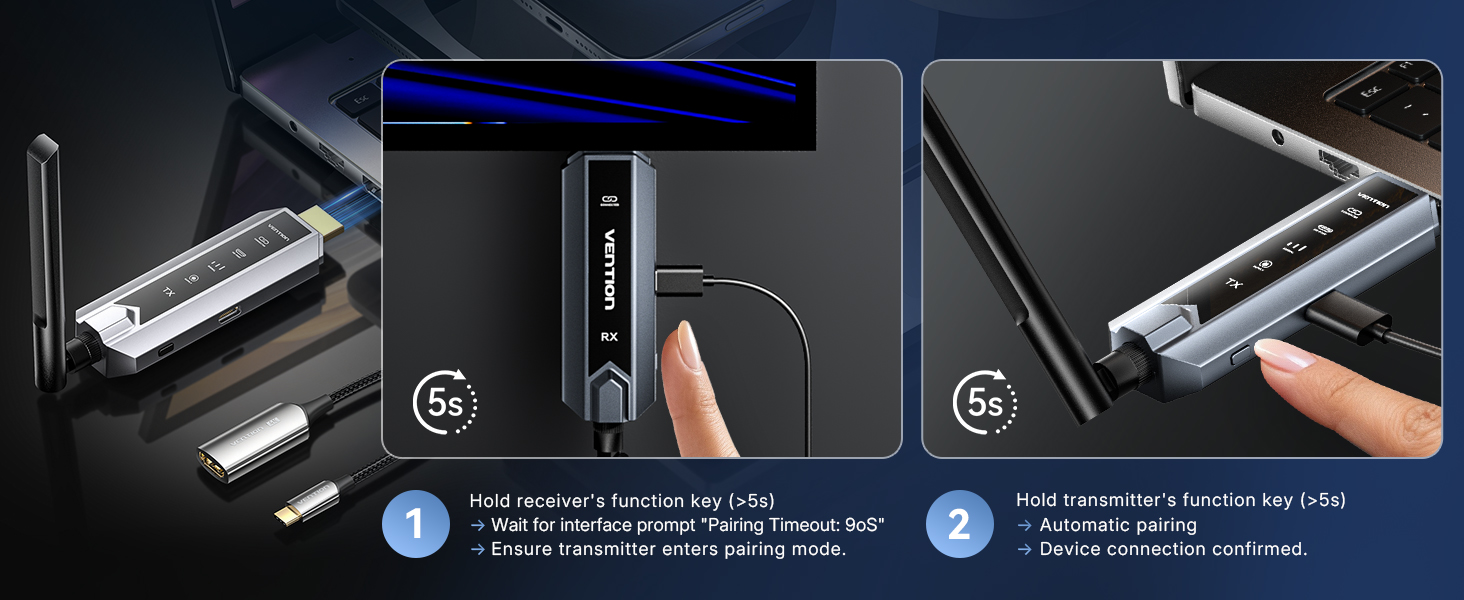
What are the steps to take when you can't connect?
1.Ensure the input power supply meets the 5V/2A requirement.
2.Check whether the power indicator light on.(When the light is on, it indicates power is low.)
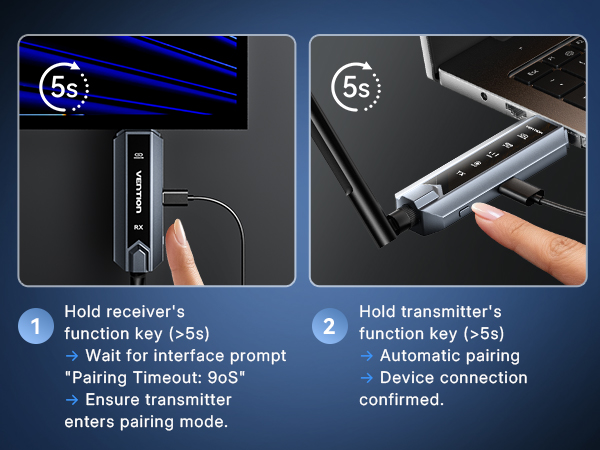
3.Refer to the manual or product details page to re-connect the device.
Just bought it and the price dropped. What should I do?
We offer a "7-Day Price Protection" service! No need to return items or reorder. Once verified, we'll back the price difference.
(Counting from the date of order.)


Why does the product require a power connection?
While computers can provide power, the fluctuating current can affect performance. Connecting to a 5V/2A power supply ensures a more stable connection for both the signal transmitter and receiver.
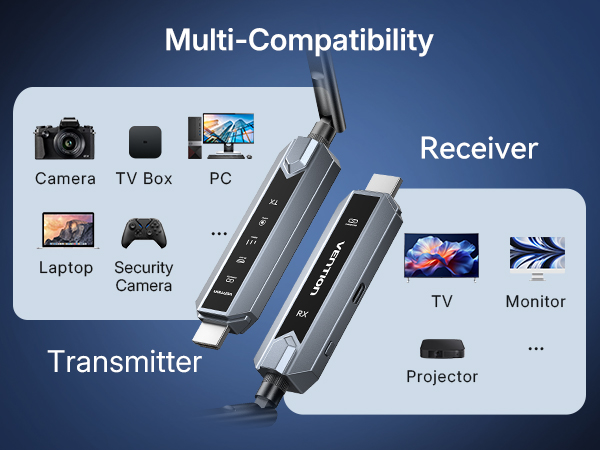
How to differentiate between the signal transmitter and receiver?
The product is labeled on the body as TX (transmitter) and RX (receiver). Note that if the signal transmitter and receiver are connected in reverse, the product will not function properly!
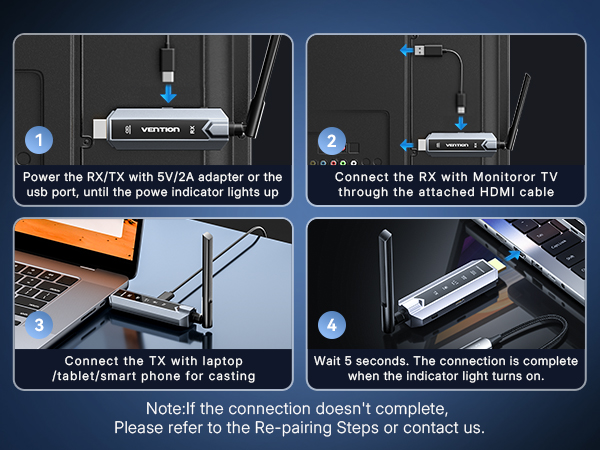
How should the product be used?
1.Connect the receiver (RX) to the display device's HDMI port and power it.
2.Select the correct HDMI input source to display the signal.
3.Connect the transmitter (TX) to the computer's HDMI port and power it.
What are the steps to take when you can't connect?
1.Ensure the input power supply meets the 5V/2A requirement.
2.Check whether the power indicator light on.(When the light is on, it indicates power is low.)
3.Refer to the manual or product details page to re-connect the device.
Just bought it and the price dropped. What should I do?
We offer a "7-Day Price Protection" service! No need to return items or reorder. Once verified, we'll back the price difference.
(Counting from the date of order.)