





Vlogging
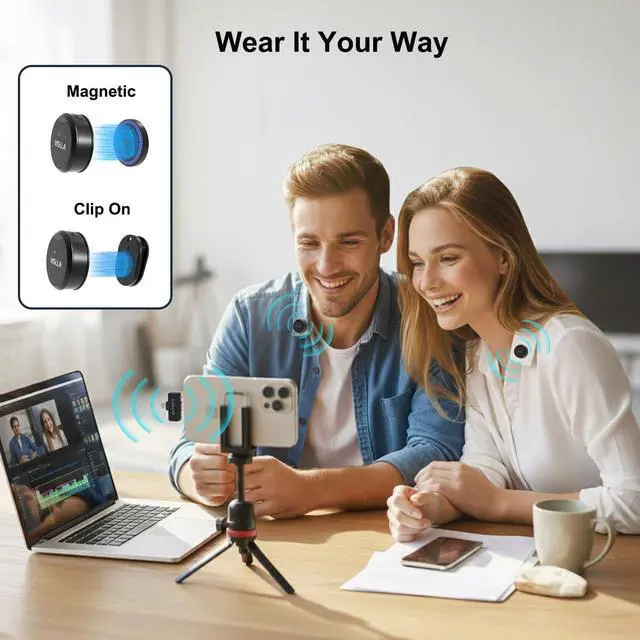
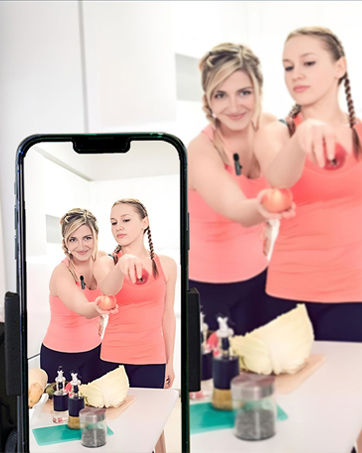
Lightweight & Clip-On Freedom Capture clear voice anywhere you go — hands-free, compact, and perfect for on-the-move vlogging

Live Streaming
Stable Audio in Real Time Low-latency sound keeps your voice clear and in sync

Interview
Hands-Free, Natural Sound Clip on and focus on the conversation, not the equipment

Online Teaching
Clear Speech for Every Lesson Delivers clean, consistent audio for online classes

Which devices are compatible?
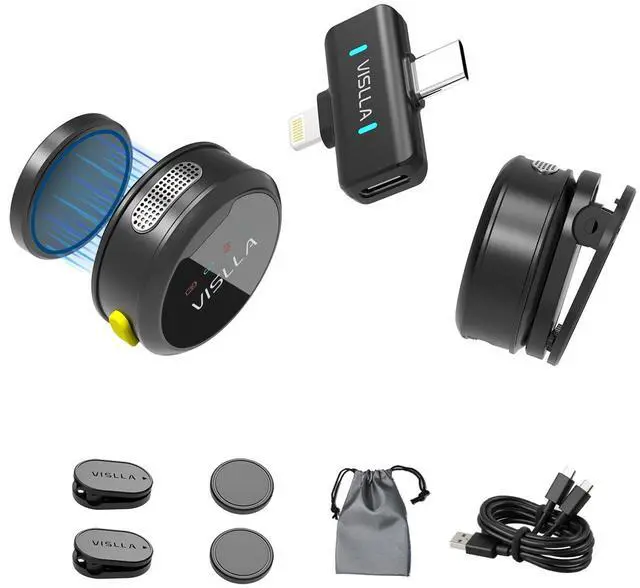
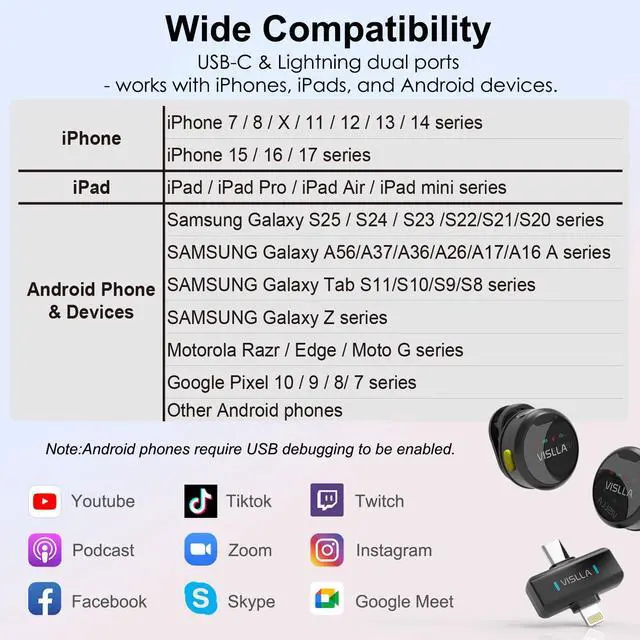
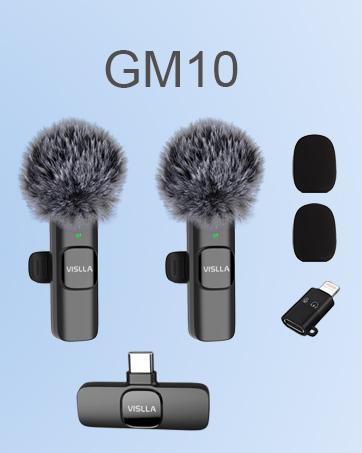
This product supports most modern mobile devices:
iOS: iPhones and iPads with a Lightning port.
Android/Others: Most devices with a USB-C port, including Samsung, Motorola, and Google Pixel phones.
My Android device doesn't recognize the microphone?
Some Android phones require you to manually enable the OTG connection feature. Please go to your phone's [Settings] > [Connections] or [System] menu to find and turn on "OTG" or "USB debugging".
The noise reduction doesn't seem to work?
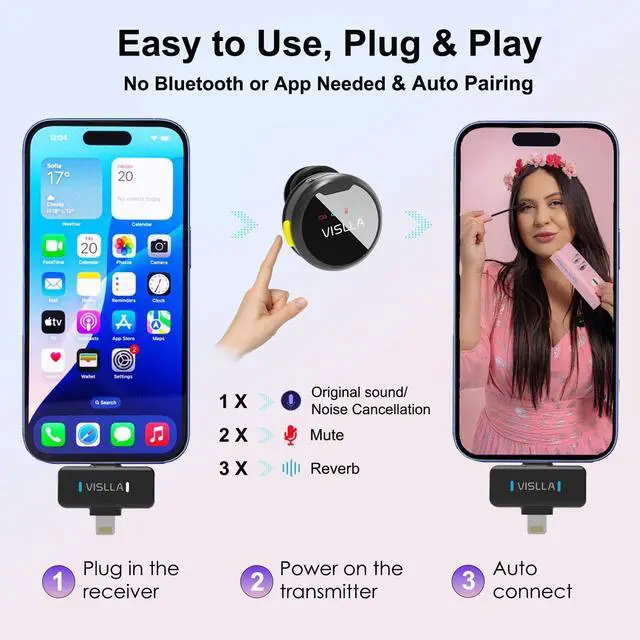
This is often due to a poor connection. Fully unplug and firmly re-insert the receiver into your device's port.
There's a lot of background noise. How effective is the noise reduction?
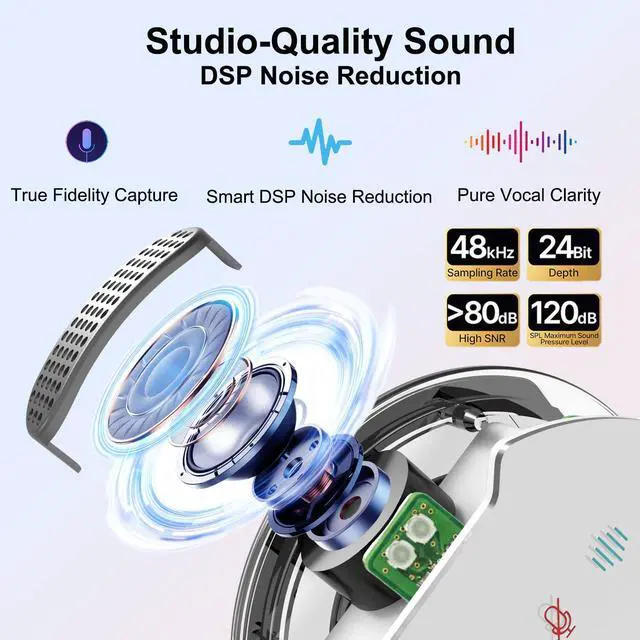
The built-in smart noise reduction effectively suppresses continuous low-frequency ambient noise (A/C, fans, traffic).
Note: It is optimized for voice clarity and cannot fully eliminate close, sharp transient noises (keyboard clicks, door slams).
What if I have another issue?
Please contact service for help using the details found at the end of the user manual or on the product packaging.


VISLLA AUDIO
VISLLA is committed to providing users with high-quality audio products. We continuously pursue innovation, introducing advanced technology to bring users more convenient and intelligent audio solutions. User experience is always our focus; we listen to user feedback, continuously optimizing product design and features to meet evolving user needs.


Vlogging
Lightweight & Clip-On Freedom Capture clear voice anywhere you go — hands-free, compact, and perfect for on-the-move vlogging
Live Streaming
Stable Audio in Real Time Low-latency sound keeps your voice clear and in sync
Interview
Hands-Free, Natural Sound Clip on and focus on the conversation, not the equipment
Online Teaching
Clear Speech for Every Lesson Delivers clean, consistent audio for online classes

Which devices are compatible?
This product supports most modern mobile devices:
iOS: iPhones and iPads with a Lightning port.
Android/Others: Most devices with a USB-C port, including Samsung, Motorola, and Google Pixel phones.
My Android device doesn't recognize the microphone?
Some Android phones require you to manually enable the OTG connection feature. Please go to your phone's [Settings] > [Connections] or [System] menu to find and turn on "OTG" or "USB debugging".
The noise reduction doesn't seem to work?
This is often due to a poor connection. Fully unplug and firmly re-insert the receiver into your device's port.
There's a lot of background noise. How effective is the noise reduction?
The built-in smart noise reduction effectively suppresses continuous low-frequency ambient noise (A/C, fans, traffic).
Note: It is optimized for voice clarity and cannot fully eliminate close, sharp transient noises (keyboard clicks, door slams).
What if I have another issue?
Please contact service for help using the details found at the end of the user manual or on the product packaging.
VISLLA AUDIO
VISLLA is committed to providing users with high-quality audio products. We continuously pursue innovation, introducing advanced technology to bring users more convenient and intelligent audio solutions. User experience is always our focus; we listen to user feedback, continuously optimizing product design and features to meet evolving user needs.