

Your Browsing History
- Free 30-day Returns
$239.29
Ships from China.


Meet Your Seller



Vszerda 8K@60Hz USB3.0 DisplayPort KVM Switch 3 Monitors 4 Computers, DP1.4 Triple Monitor KVM Switch with Audio Microphone Output and 3 USB3.0 Ports, Black, Manual Switch
Limited time offer, ends 10/17 By YuXuan Technology
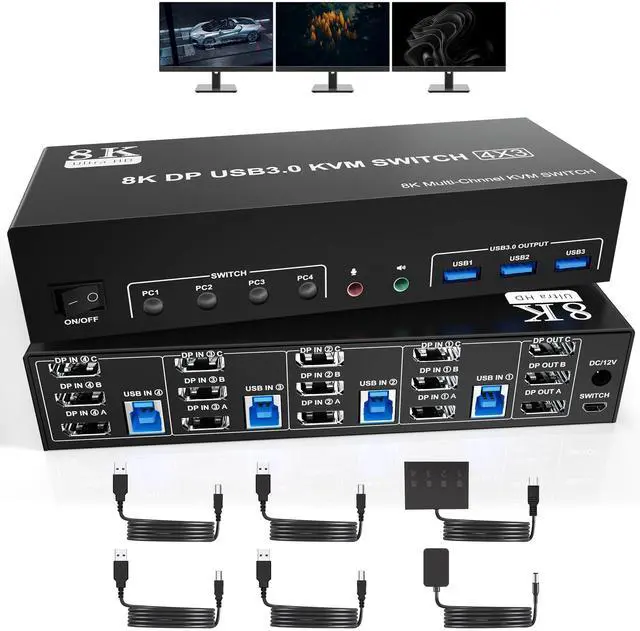
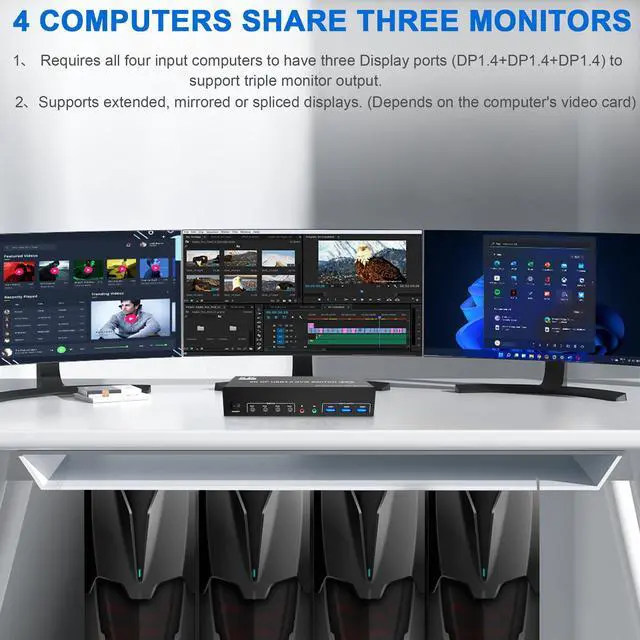
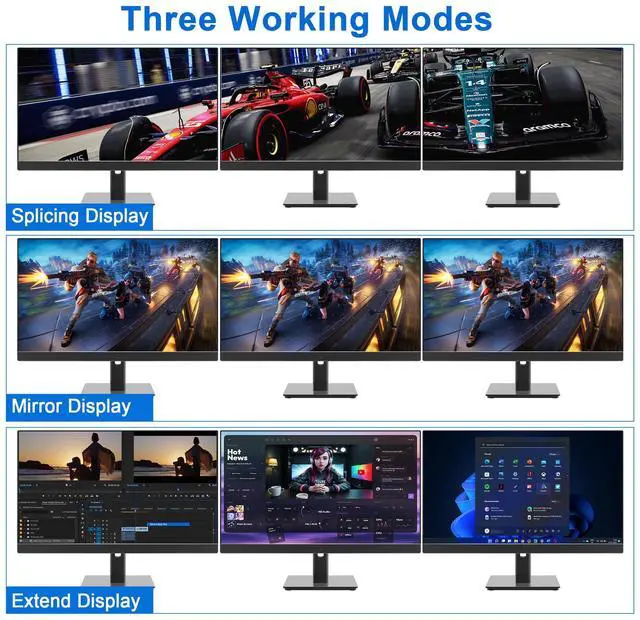
- 3 Displayport KVM SWITCH TRIPLE MONITOR For 4Computers: This kvm switch perfect for hooking up 4 desktops or laptops to share one set of keyboard, mouse and 3 monitors for extended, mirrored display; Perfect for computers with 3 Displayport monitors for the display outputs. Each computer needs to have 3 displayport video connection to the triple monitor displayport KVM.
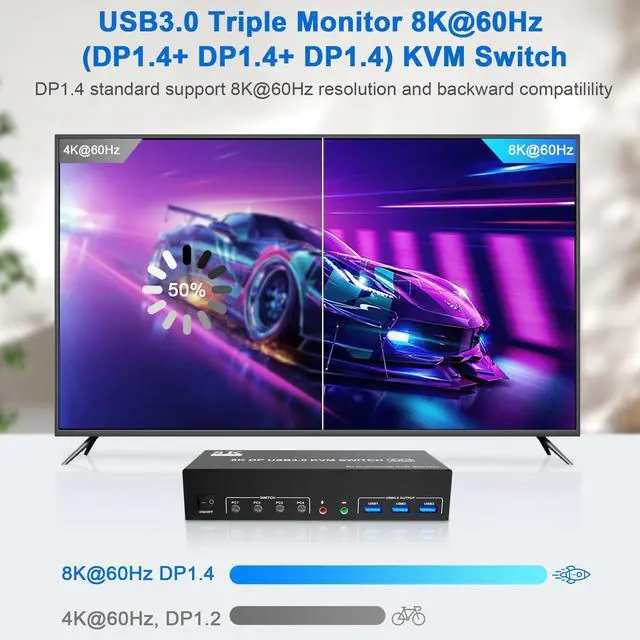
- KVM Switch Triple Monitor Ultra HD 8K@60Hz: The DP 1.4 triple monitors ( DisplayPort +DisplayPort +DisplayPort) 4Ports kvm switch supports resolution up to 8K@60Hz and downwards. Please be reminded it only when both your computer Graphics card and monitor support 8K@60Hz then you can get 8K@60Hz effect.
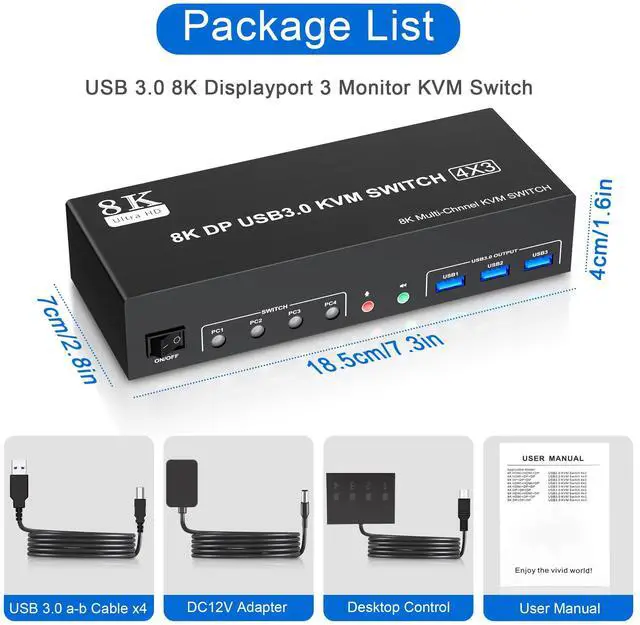
- 2 Switching Mode: You can press the button on the panel or use the wired remote controller (included in the package) to switch the computers. It provides several switching options for different scenarios. Please use the 5V power adapter ( include in the packge) to power this Displayport triple Monitors KVM Switch.
+
+
Overview
Specs
Reviews

Any questions? Our AI mode will help you find out quickly.
Try me now
USB 3.0 Triple Monitor 3 DisplayPort KVM Switch for 4 Computers
Features:
4 computers / laptops share one set of keyboard, mouse and 3 monitors (3 DisplayPort)
Triple monitors output support up to 4K@60Hz for extended and mirrored display
Two Switching modes: Button switch and wired remote.
With extra 3 USB 3.0 and Audio Microphone output
The ports that need to plug in DisplayPort/USB cables are all hidden behind the KVM, so the desktop doesn't get clutteredinstallation steps:
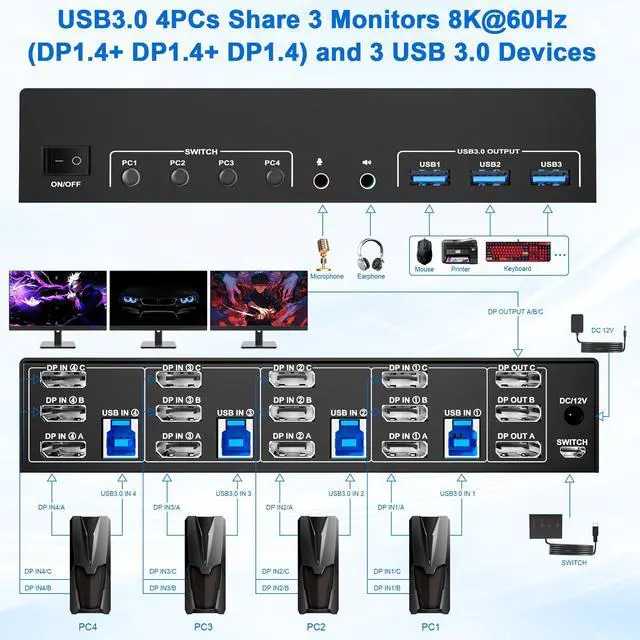
1. Insert the adapter into the KVM ;
2. Plug the 3*Displayport cable into the KVM switch and monitor;(Output)
3. Plug the Displayport cable and USB cable into the KVM switch and your computer/laptop (DP cables are not included)(Input)
Please check whether DP IN1A, DP IN1B, DP IN1C and USB IN1 are corresponding, whether DP IN2A, DP IN2B, DP IN2C and USB IN2 are corresponding, whether DP IN3A, DP IN3B, DP IN3C and USB IN3 are corresponding, whether DP IN4A, DP IN4B, DP IN4C and USB IN4 are corresponding. Mixed insertion is not supported.
DP IN1A + DP IN1B + DP IN1C + USB IN1=PC1
DP IN2A + DP IN2B + DP IN2C + USB IN2=PC2
DP IN3A + DP IN3B + DP IN3C + USB IN3=PC3
DP IN4A + DP IN4B + DP IN4C + USB IN4=PC44. Insert the mouse and keyboard into the KVM switch
5. If needed, you can connect a microphone and audio port
KVM Switch Triple Monitor Ultra HD 8K@60Hz:
The DP 1.4 triple monitors ( DisplayPort +DisplayPort +DisplayPort ) 4Ports kvm switch supports resolution up to 8K@60Hz and downwards.
Please be reminded it only when both your computer Graphics card and monitor support 8K@60Hz then you can get 8K@60Hz effect.
4 PCs Share 3 USB 3.0 Devices
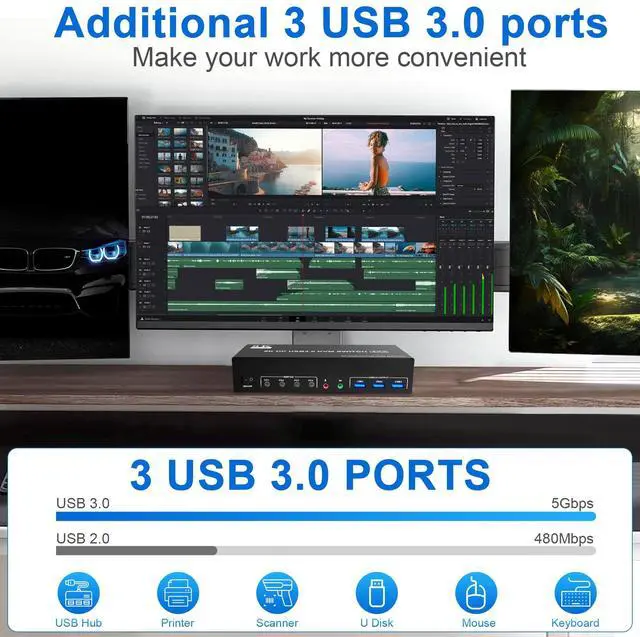
This kvm switch 3 monitors 4 computers with 3 USB 3.0 Ports for keyboard, mouse, printers, USB headsets or webcams.
Additional Features
- 3 USB3.0 & Audio & Microphone Output: Triple monitor (3* DisplayPort) KVM switch with 3 integrated USB 3.0 ports which can recognize keyboard, mouse, printer, scanner and other USB devices. Supports ultra-fast USB 3.0 data transfer up to 5Gbps, backward compatible with USB 2.0/1.1 devices. Also supports separate audio and microphone output. Plug and play without any software needed.
- What You Get: 1x 8K@60Hz 4Ports USB 3.0 DisplayPort Triple Monitor KVM Switch, 4x USB 3.0 Cables, 1x Power Adapter, 1x Wired Button Switch, 1x User's manual. We offer 18 months warranty. If you have any questions about the product, please contact us.
Warranty & Returns
Warranty, Returns, And Additional Information
Warranty
- Please contact the Seller directly for warranty information. Warranty information may also be found on the Manufacturer's website.
- CONTACT
Return Policies
- Return for refund within: 30 days
- Return for replacement within: 30 days
- This item is covered by YuXuan Technology Return Policy
Manufacturer Contact Info
- For a directory of all our manufacturers, please click below.
- Manufacturers Directory
LOADING...