




 here!
here!
I’m your shopping assistant for PC builds, upgrades, and everything tech.
Got questions? Ask away!
Start a conversation
here!
I’m your shopping assistant for PC builds, upgrades, and everything tech.
Got questions? Ask away!
Start a conversation



Any questions? Ask CelesteSM will help you find out quickly.
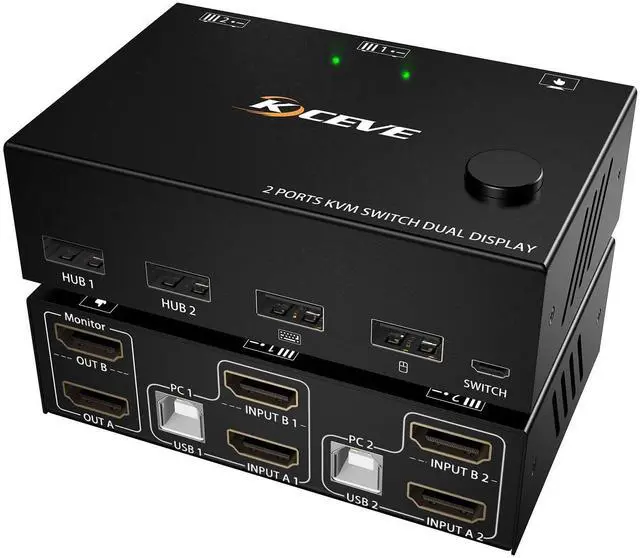
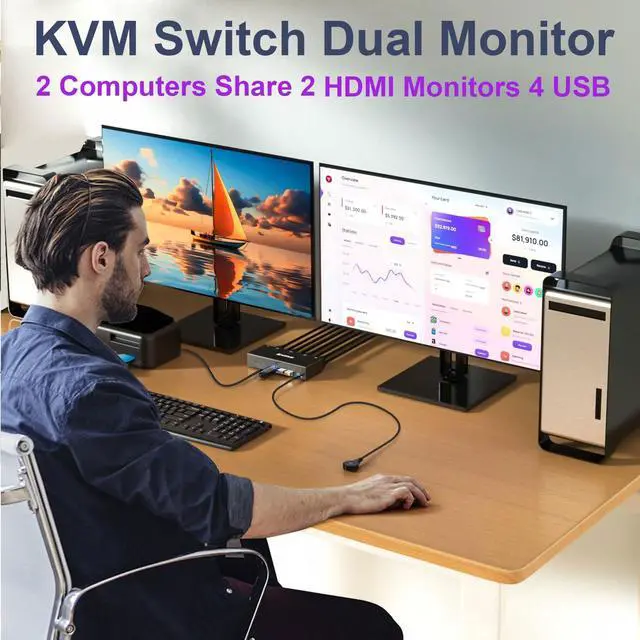
Dual Monitor KVM Switch 2 Computers Share 2 Monitor and 4 USB Devices
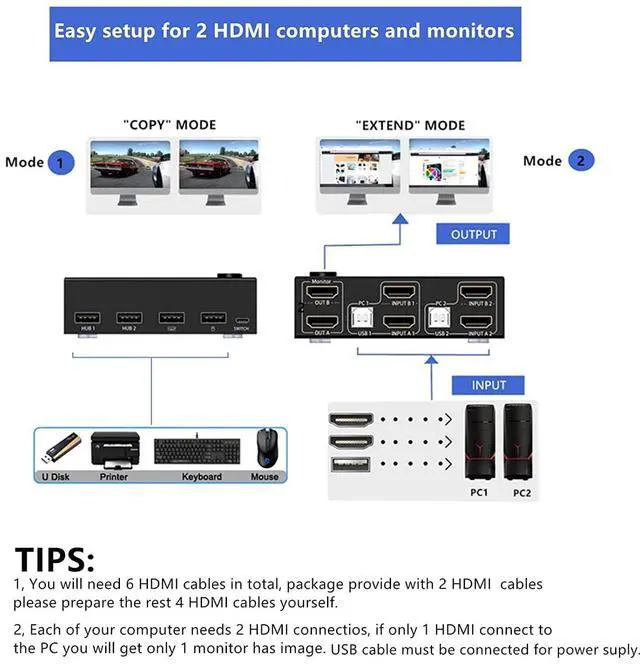
2 computers share one set of mouse, keyboard, printer, scanner, and display on 2 monitors
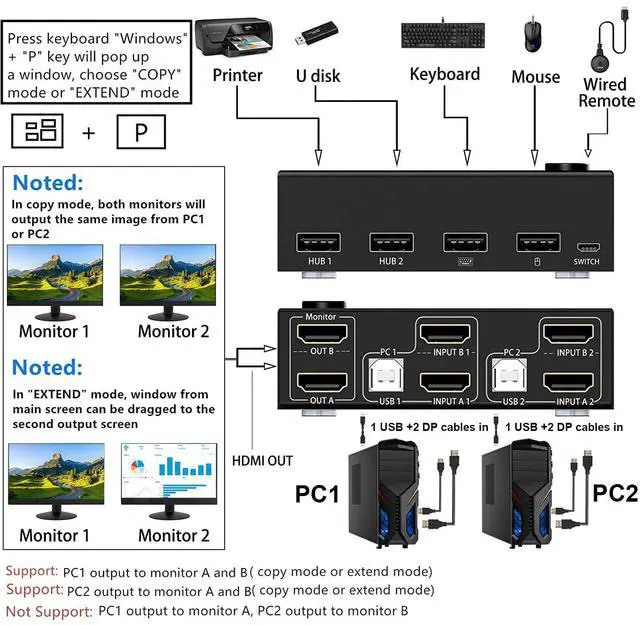
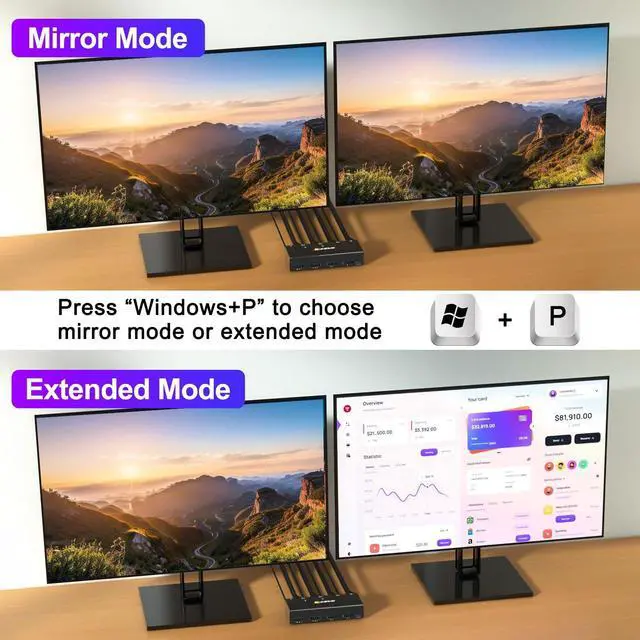
Choose extended screen mode or mirror mode by pressing Windows+P
2 Switching methods: Switched by 1.5m Wired Remote & Button Switch
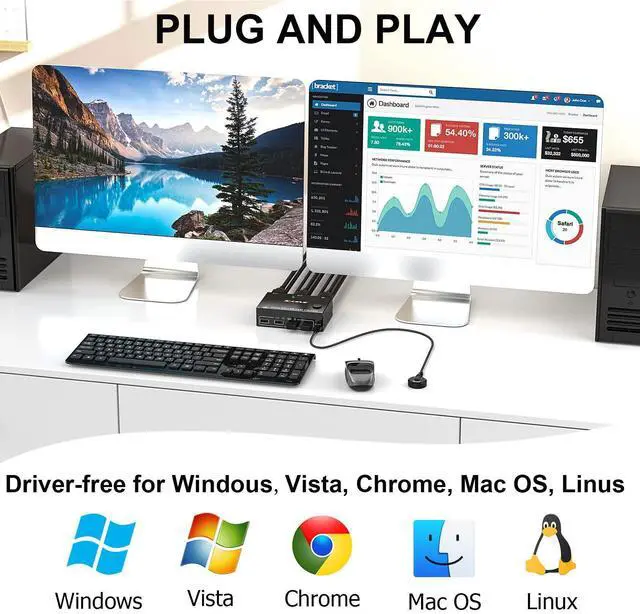
Plug and play. No driver software required
LED light indicate which computer is active
Great Compatibility
Compatible with Windows11/10/8/7/XP/Vista/Chrome/Mac OS/Linux system
Support most HDMI interfaces input device: PC, laptop, TV Box, Apple TV, PS3, PS4, PS5, HDTV, monitor, projectors. Compliant with HDMI 1.4, HDCP2.0, YUV: 4:4:4
UHD Resolution Visual Enjoyment
Support 4K@30Hz, 1920x1080P@120Hz or lower resolution
Please Note: Using 8K cables will solve the problem of flickering and black screen.
Connection Steps:
Step 1. Connect 2*HDMI cables+1*USB cable between PC1 and KVM (USB 1, INPUT A1, INPUT B1)
Step 2. Connect 2*HDMI cables+1*USB cable between PC2 and KVM (USB 2, INPUT A2, INPUT B2)
Step 3. Connect 2*HDMI cables between the KVM (OUT A, OUT B) and the monitors.
Step 4. Connect keyboard mouse to the KVM USB ports
Step 5. Insert your USB devices into the USB port
Step 6. Insert "Wired Remote" port to remotely switch between PC1 and PC2
Specification:
Input: Each PC (HDMI A+B), 1 x USB
Video Out: 2 x HDMI(Monitor)
Build-in: ESD protection system
Shell Material: Metal
Powered by DC 5V Power
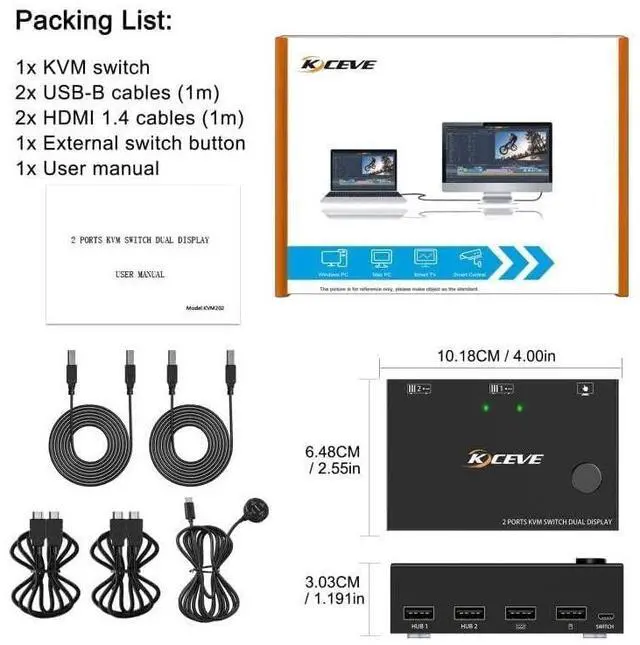
Packing List:
1 x KVM Switch Dual monitor
2 x USB Cable 1.5m
1 x Wired Remote 1.5m
1 x User Manual


