


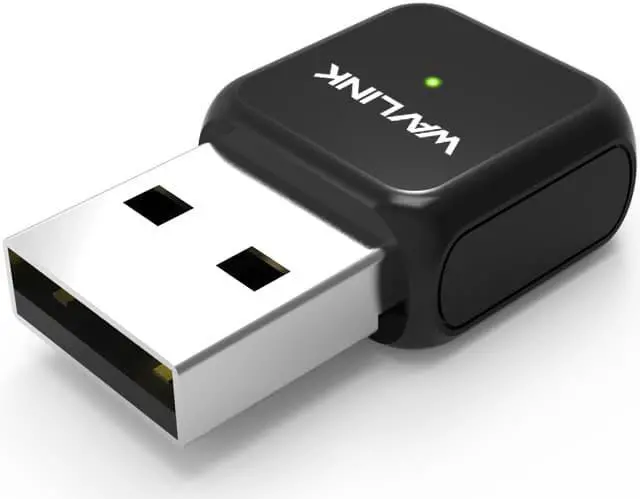
AC650 Dual Band USB WiFi Adapter
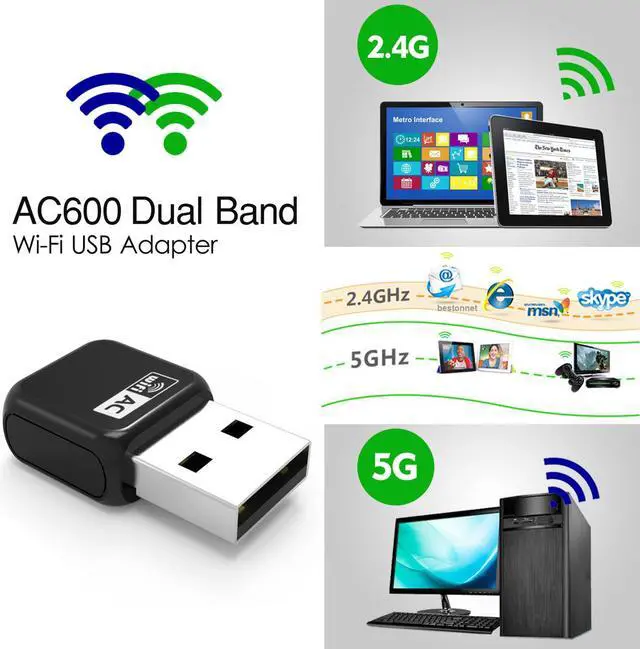
The AC650 Dual Band WiFi Adapter delivers powerful wireless AC technology to your desktop or notebook computer. Simply plug the adapter into an available USB port and connect to a wireless network to access a secure, high-speed internet connection – 2.4GHz (200Mbps) or 5GHz (up to 433Mbps). And with integrated Dual Band technology, you’ll reduce Wi-Fi interference to maximize throughput for faster streaming, gaming, and Skype calls.
- Dual-Band: Alternative 5GHz and 2.4GHz connections for TV shows, HD movies, streaming, and online gaming to avoid wireless interference. 433Mbps Wireless Speed at 5GHz band or 200Mbps Speed at 2.4GHz band
- Support 802.11 ac standard WIFi. Support Soft AP mode to create a Wi-Fi hot spot.
- Support Wi-Fi encryption of WPA/WPA2 to secure your network.
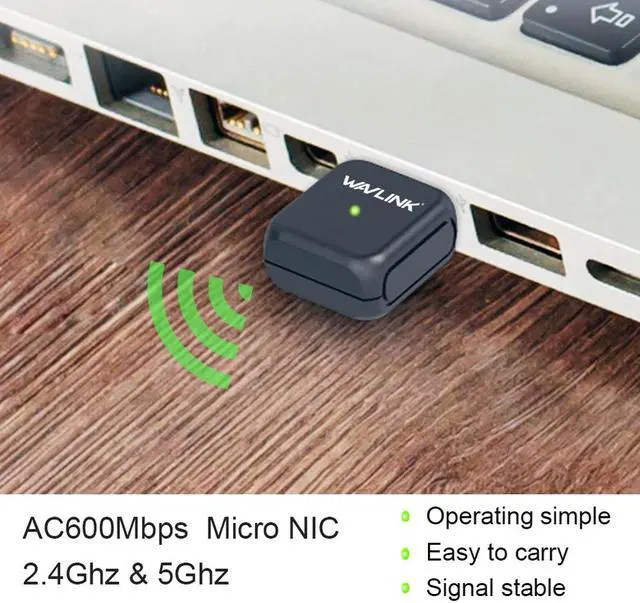
- Internal antenna, Exquisite compact. Mini & portable design for easy carrying.
- Support WPA/WPA2 data encryption. Compatible with Windows XP/7/8/10, Mac OS X operating system.
Dual Band WiFi Connections
Supporting 256QAM technology increases 2.4GHz data rate from 150Mbps to 200Mbps for 33% faster performance. Providing both 2.4GHz and 5GHz Wi-Fi bands, making it possible to enjoy 433Mbps ultra-fast 5GHz Wi-Fi speed, no longer have to endure the slow and crowded on 2.4GHz.
Soft-AP Mode
With Soft-AP mode, Our Wavlink wireless USB adapter can turn a wired internet connection to a PC or Laptop into a Wi-Fi hot spot, offer Wi-Fi signal to your mobile devices.
Built-in Windows Driver
Delete the anti-virus software during the drive installation process for Windows, and load the drive free version of UCB network card driver into the computer driver program that has been connected and installed. That is to say, for Windows users, you don’t have to download the driver and this Wireless adapter has the built-in Windows Driver, just install this when plugged in your computer first time.
WPA/WPA2 Encryption
Support Wi-Fi encryption of WPA/WPA2 to secure your network.
Compact Design
Mini size, don’t worry about the space. Just plug and forget it.
Wavlink AC650 USB WiFi Adapter
Driver:
https://www.wavlink.com/en_us/drivers.html
Please feel free to contact us at
Ruichuangnewegg@hotmail.com
The AC650 Dual Band Adapter delivers powerful wireless AC technology to your desktop or notebook computer. Simply plug the adapter into an available USB port and connect to a wireless network to access a secure, high-speed internet connection – 2.4GHz (200Mbps) or 5GHz (up to 433Mbps). And with integrated Dual Band technology, you’ll have reduced Wi-Fi interference to maximize throughput for faster streaming, gaming, and Skype calls.
Features:
Dual-Band: Alternative 5GHz and 2.4GHz connections for TV shows, HD movies, streaming, and online gaming to avoid wireless interference. 433Mbps Wireless Speed at 5GHz band or 200Mbps Speed at 2.4GHz band
Support 802.11 ac standard WIFi. Support Soft AP mode to create a Wi-Fi hot spot.
Support Wi-Fi encryption of WPA/WPA2 to secure your network.
Internal antenna, Exquisite compact. Mini & portable design for easy carrying.
Support WPA/WPA2 data encryption. Compatible with Windows XP/7/8/10, Mac OS X operating system.
Dual Band WiFi Connections
Supporting 256QAM technology increases 2.4GHz data rate from 150Mbps to 200Mbps for 33% faster performance. Providing both 2.4GHz and 5GHz Wi-Fi bands, making it possible to enjoy 433Mbps ultra-fast 5GHz Wi-Fi speed, no longer have to endure the slow and crowded on 2.4GHz.
Universal Compatibility
Whether you are a Windows user, an Apple fan, as long as you need a wireless usb adapter, our Wavlink USB WiFi adapter can meet your needs. It is compatible with Windows XP/Vista/7/8/8.1/10, Mac OS. For Windows user, you don’t have to download the driver. For Mac User, please download the the driver from Wavlink official website.
Soft-AP Mode
With Soft-AP mode, Our Wavlink wireless USB adapter can turn a wired internet connection to a PC or Laptop into a Wi-Fi hot spot, offer Wi-Fi signal to your mobile devices.
Built-in Windows Driver
Delete the anti-virus software during the drive installation process for Windows, and load the drive free version of UCB network card driver into the computer driver program that has been connected and installed. That is to say, for Windows users, you don’t have to download the driver and this Wireless adapter has the built-in Windows Driver, just install this when plugged in your computer first time.
Compact Design
Mini size, don’t worry about the space. Just plug and forget it.
Driver: https://www.wavlink.com/en_us/drivers.html
Please feel free to contact us AT Ruichuangnewegg@hotmail.com and we would be very happy to assist.