




 here!
I’m your shopping assistant for PC builds, upgrades, and everything tech.
Got questions? Ask away!
Start a conversation
here!
I’m your shopping assistant for PC builds, upgrades, and everything tech.
Got questions? Ask away!
Start a conversation







Any questions? Ask CelesteSM will help you find out quickly.


Q1: What real-world speed should I expect on Windows and macOS?
A1: Real-world throughput varies by host and network. Typical results are ~9.4Gbps on Windows and ~6.7Gbps on macOS when using a 20Gbps+ USB-C port, 10GbE equipment, and Cat6/Cat6a cabling. On macOS, use “Autoselect” instead of “5000Base-T” for higher speed.
Q2:How can I get higher speed?
A2:You can get 10Gpe speed through plug on your device, except when you plug it into a thunderbolt device, such as MacoOS We recommend you to follow these steps if you face this problem. please ensure the following conditions are met to achieve higher speeds: ******Your Ethernet cable is Cat 6 or higher. ******Your router or switch port supports 10 Gbps speeds.*******Your internet service provider (ISP) provides a plan with 10 Gbps bandwidth. *****The latest network drivers are installed on your system. *****You can get a better experience when you use a USB 3.2 Gen 2x2 (20Gbps) USB-C port or higher. *****If there are other questions or problems, please let us know.
Q3:What settings on my switch can affect adapter performance?
A3:Check the Flow Control setting on your device. If it is enabled, disable it and test again.
Q4: I’m not getting the expected network speed with this adapter. What should I do?
A4: Install the latest Realtek PCIe FE/GbE/2.5GbE/5G/10G driver. Although the adapter is plug-and-play, the default system driver may limit performance. Updating the driver may improve speed and stability.
Q5. Is it normal for the adapter to get warm?
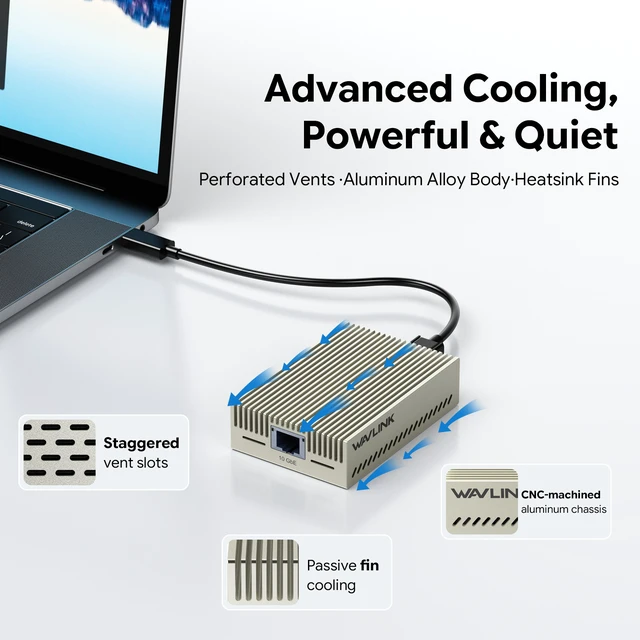
A5: Yes, it may feel warm during heavy data transfers. Keep it in a well-ventilated area.


Q1: What real-world speed should I expect on Windows and macOS?
A1: Real-world throughput varies by host and network. Typical results are ~9.4Gbps on Windows and ~6.7Gbps on macOS when using a 20Gbps+ USB-C port, 10GbE equipment, and Cat6/Cat6a cabling. On macOS, use “Autoselect” instead of “5000Base-T” for higher speed.
Q2:How can I get higher speed?
A2:You can get 10Gpe speed through plug on your device, except when you plug it into a thunderbolt device, such as MacoOS We recommend you to follow these steps if you face this problem. please ensure the following conditions are met to achieve higher speeds: ******Your Ethernet cable is Cat 6 or higher. ******Your router or switch port supports 10 Gbps speeds.*******Your internet service provider (ISP) provides a plan with 10 Gbps bandwidth. *****The latest network drivers are installed on your system. *****You can get a better experience when you use a USB 3.2 Gen 2x2 (20Gbps) USB-C port or higher. *****If there are other questions or problems, please let us know.
Q3:What settings on my switch can affect adapter performance?
A3:Check the Flow Control setting on your device. If it is enabled, disable it and test again.
Q4: I’m not getting the expected network speed with this adapter. What should I do?
A4: Install the latest Realtek PCIe FE/GbE/2.5GbE/5G/10G driver. Although the adapter is plug-and-play, the default system driver may limit performance. Updating the driver may improve speed and stability.
Q5. Is it normal for the adapter to get warm?
A5: Yes, it may feel warm during heavy data transfers. Keep it in a well-ventilated area.
Feature
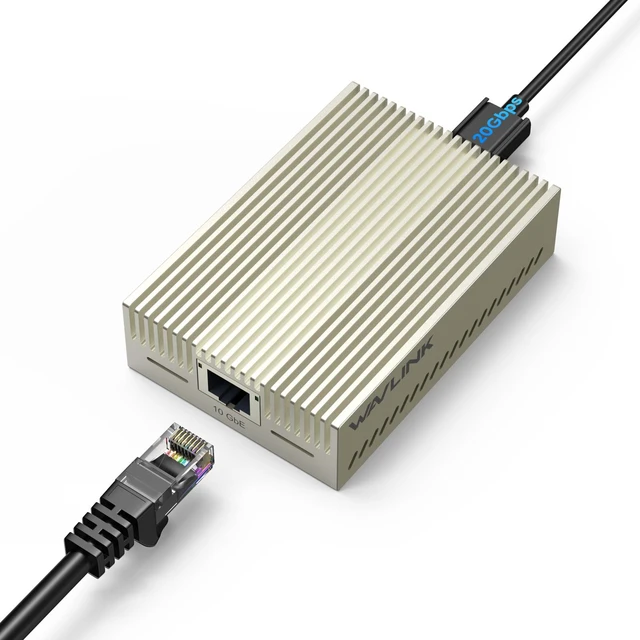
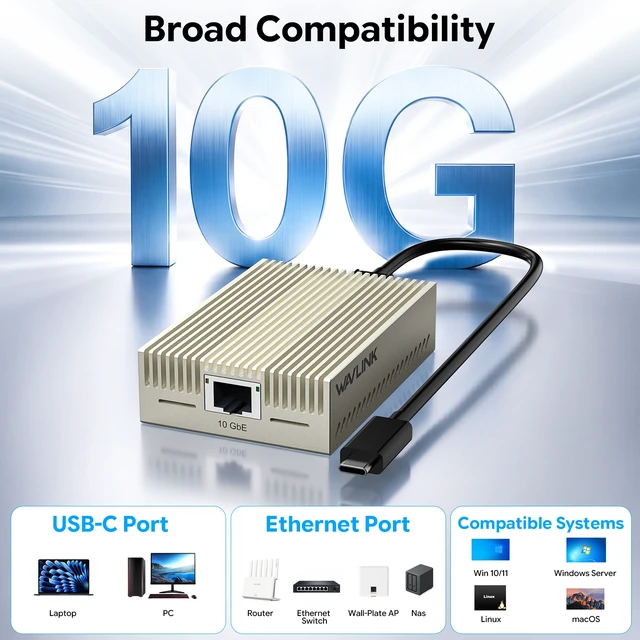
- One RJ45 Ethernet port provides a reliable wired Internet at speeds of 10Gbps.
- Ethernet compliant with the IEEE 802.3u (10/100Mbps), the IEEE 802.3ab (1000Mbps), the IEEE 802.3bz (2.5G/5G BASE-T) and the IEEE 802.3an (10G BASE-T).
- USB-C supports USB3.2 GEN2 20Gbps and is backward compatible with USB3.0/USB2.0.
- Support Microsoft Wake Packet Detection (WPD).
- Support 'Wake-On-Lan' and 'RealWoW' to remotely enable a sleeping PC through the Internet.
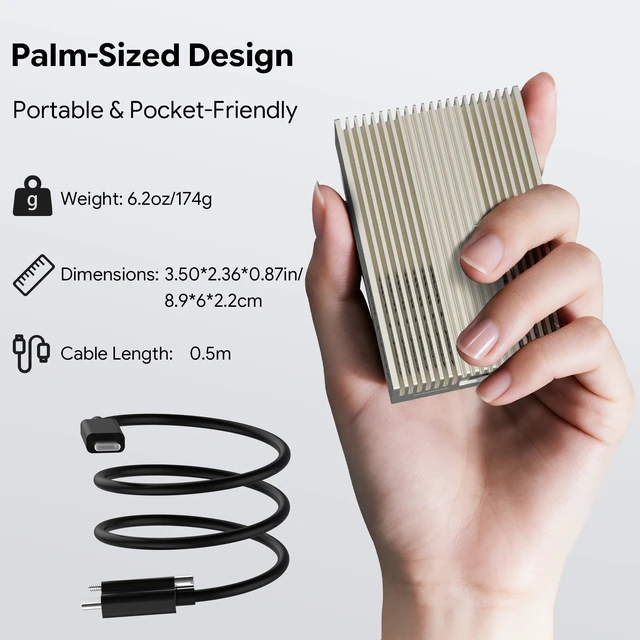
- Compact design to save space at home, in the office, or in your bag.
- High-quality aluminum casing and built-in heat dissipation design for high durability.
In the Box
- 1× USB-C 10 Gigabit Ethernet Adapter
- 1× USB C to C Cable (50cm)
- 1× Quick Start Guide
System Requirement
Microsoft Windows 10/11,
Linux 6.10 and higher.
Instructions for driver installation:
Mac OS includes native drivers. Windows 10/11, Linux requires manual driver installation. Check WAVLINK for specific Os versions or advanced features, found here: www.wavlink.com/en_us/WL-NWU343G or www.wavlink.com>SUPPORT>Driver>PC Peripherals>WL-NWU343G.
Note:
- Mobile phones are not supported.
- It works with most USB-C devices (e.g. MacBooks, Windows/Linux laptops). Verify your USB-C port supports USB4 or Thunderbolt 3/4/5.
- Ensure your router/switch, Ethernet cable(Cat6a/Cat7), and network interface support 10GBase-T. Internet speed depends on your service plan.
Important Note for Mac Users :
Mac Compatibility: Supports macOS, but no Mac supports the USB 3.2 Gen 2x2 protocol. Actual speed on Mac will be limited to 5-7Gbps.
To achieve full 10Gbps: Your computer MUST have a USB 3.2 Gen 2x2 (20Gbps) Type-C port. Please verify your port specs before purchasing.
LED:
Link (LED1)
- Green, solid(The connection is active at a10Gbps speed)
- Orange, solid(The connection is active at speeds of 5G/2.5G/1G/100M/10M)
ACT(LED2)
- Green, solid(No data)
- Green, flashing(Data is being transferred)


