Large capacity supported
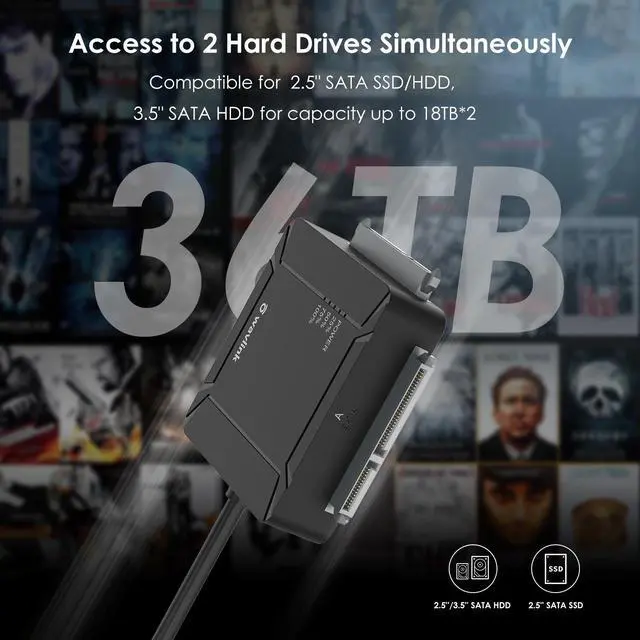
Dual-bay adapter enables you to connect with two of HDDs or SSDs at the same time, supports with expanding a maximum 18TB*2 large capacity.
Additional USB3.0 ports
Two built-in USB 3.0 Type A ports support fast charging for your mobile phone or other compatible devices and support other extended functions of USB port.
LED indicators
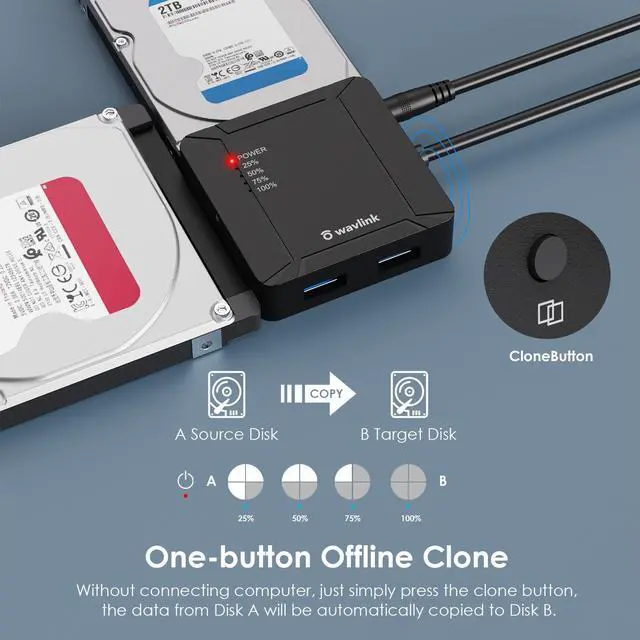
One red-light power indicator and four blue-light working status indicators, which help you easily obtain the information of the adapter's power status and cloning progress.
Wavlink USB 3.0 to Dual Bay SATA Adapter, Fully "Expand" the Joy of Your Life
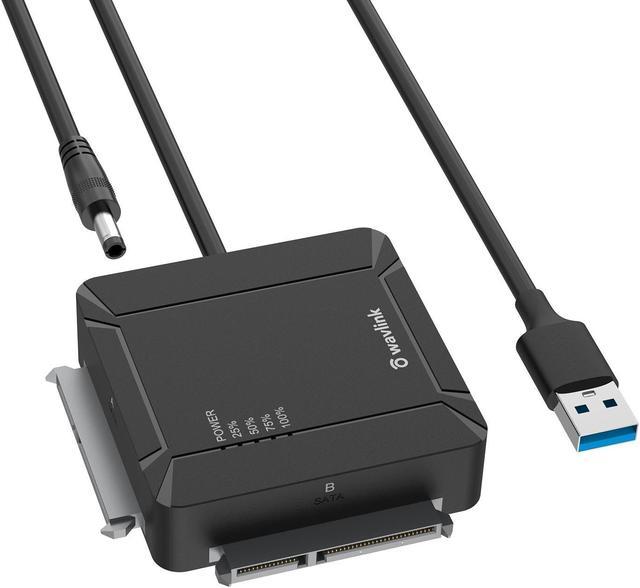
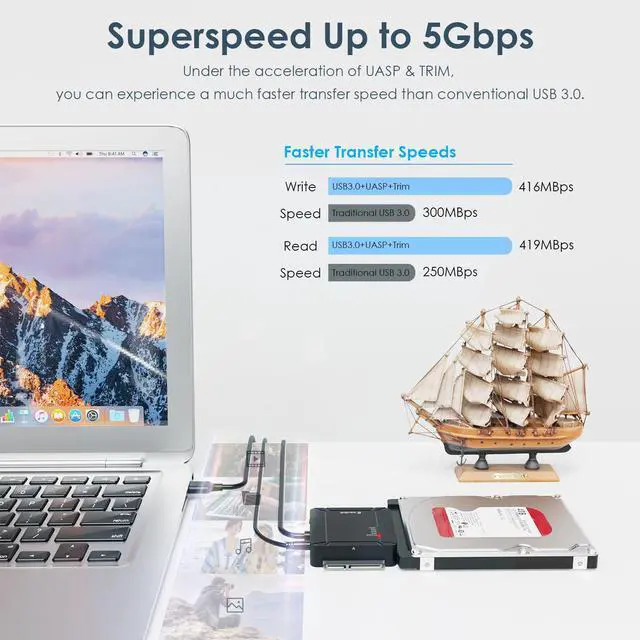
A universal USB 3.0 to dual-bay SATA cable, compatible with most 2.5 -inch and 3.5 -inch SATA SSDs/HDDs on the market. Connect your desktops, notebooks and other devices through the USB 3.0 port with transmission rate up to 5Gbps. Allows to read 2 hard drives at the same time, each capacity can be up to 18TB. One-button offline cloning can be easily operated to make data backup more convenient. Equipped with two additional USB 3.0 ports that support BC 1.2 fast charging and along with 0.5 meters' USB-A cable. Support plug and play, small and portable, it is an essential companion for digital enthusiasts.
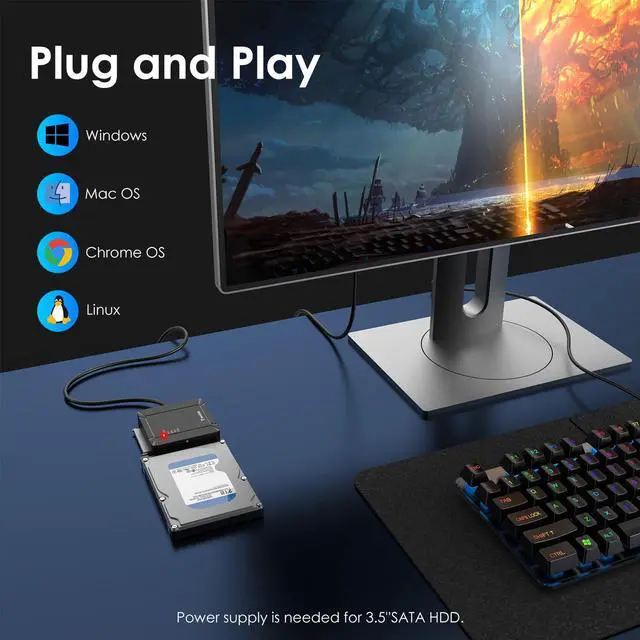
Easy Setup for Plug and Play
1. Insert the hard drive into the SATA connector and make sure your HDD/SSD is mounted correctly;
2. Plug the adapter in a power outlet and connect it to the sata adapter. (For 2.5 '' hard drives might not be needed);
3. Connect the USB 3.0 cable to your laptop ( the LED light on the adapter will blink), then you can start using.
Notes:
The new disk window may pop up or you have to find it in ''This PC'' then start using it.
Please make a partition for the new hard drive disk at the first use.
Please remember to safely remove the USB adapter on your PC/laptop first then remove manually.
One-Button Offline Clone
Simply pressing "Clone" button to backup files from one hard drive to another (No need to connect with PC).
How to operate Offline Clone (A to B)?
1. Insert your SATA HDD/SSD into adapter's
A/B ports (Capacity requirement: BA) and connect the power supply;
2. Start clone by pressing Clone Button 3 seconds, then releasing and quickly clicking it at a time;
3. Four LED lights indicate the cloning process(25%, 50%, 75%, 100%). Work is done when all indicators light up;
4. Connect the target drive B with your PC and set its status into "Online" in Disk Management.
Notes:
Make sure that the USB cable is disconnected from any computer during the cloning.
Please backup files before cloning. Any files in the target hard drive will be overwritten when offline cloning occurs.
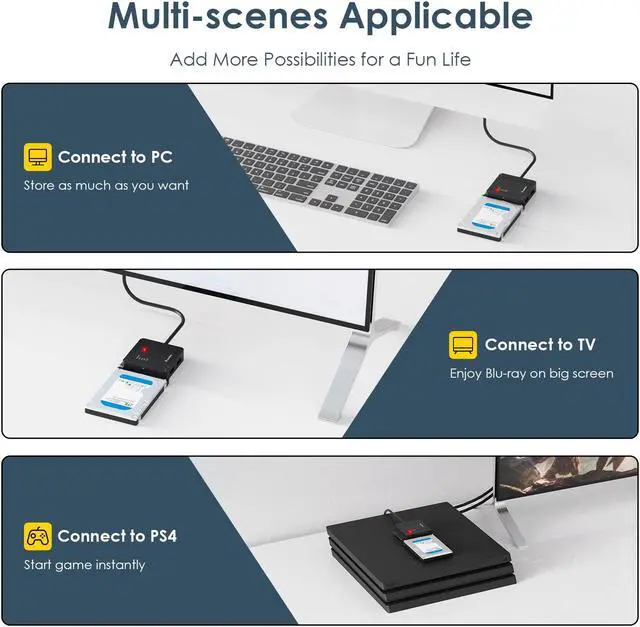
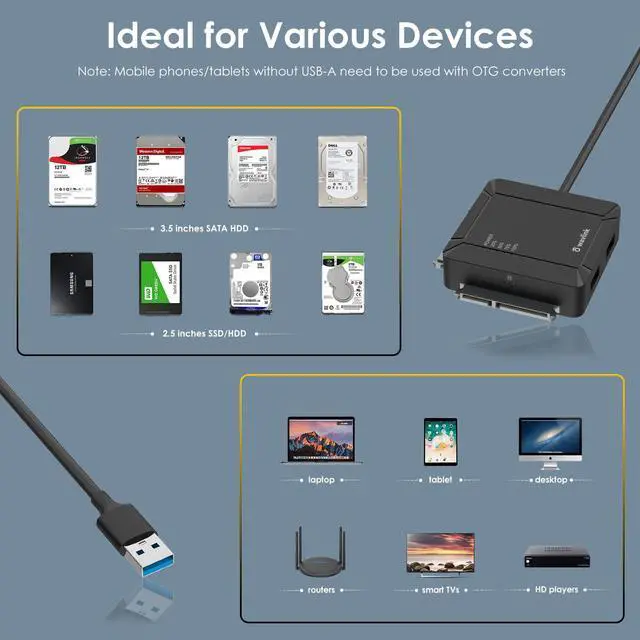
Multi-scenes applicable: widely used in home and office with connecting to laptops, routers, smart TVs, PS3/4, Xbox, simply to realize expanding file storage, watching movies and playing games.
Large capacity supported: dual-bay adapter enables you to connect with two of HDDs or SSDs at the same time, supports with expanding a maximum 18TB*2 large capacity.
Additional USB 3.0 ports: two built-in USB 3.0 Type A ports support fast charging for your mobile phone or other compatible devices and support other extended functions of USB port.
LED indicators: one red-light power indicator and four blue-light working status indicators, which help you easily obtain the information of the adapter's power status and cloning progress.
Auto-sleep mode: the auto-sleep mode is supported for 15-minute no data transferring of the adapter, which effectively helps to extend the lifespan of your hard drives.
Specification
- The maximum data transfer rate is around 5Gbps.
- Compliant with Universal Serial Bus 3.0 Specification Revision 1.0.
- Compliant with Universal Serial Bus 2.0 Revision.
- Compliant with Serial Bus ATAII Specification 1.0 Version.
- Compatible with 2.5, 3.5 HDD & 2.5 SSD.
- 2 x USB 3.0
- 2 x SATA III
- Offline clone
System requirement
-Microsoft windows 10, 8, 8.1, 7, Vista, XP
-Mac OS 9, 10, 11 or later
-Linux
-Chrome OS
In the box
1 x USB 3.0 to Dual-Bay SATA Adapter;
1 x Power Adapter;
1 x Quick Start Guide.
Warning
- Please do not damage this product on purpose or crush the device with external force.
- Please do not disassemble this product without the help of professionals.
- Please avoid humid environment.
- Remember to safely remove your disk on laptop/PC first.