here!
here!
I’m your shopping assistant for PC builds, upgrades, and everything tech.
Got questions? Ask away!
Start a conversation
here!
I’m your shopping assistant for PC builds, upgrades, and everything tech.
Got questions? Ask away!
Start a conversation



Any questions? Ask CelesteSM will help you find out quickly.
Key Features
>Equipped with 2.0 inch powerful speaker drivers for full range audio.
>Custom proprietary bass reflex port optimizes bass performance.
>Upgraded with hi-definition DSP decoding chip for Hi-Fi sound quality.
>Volume knob on the back allows for directly system volume control.
>USB/USB-C plug and play, very easy to use.
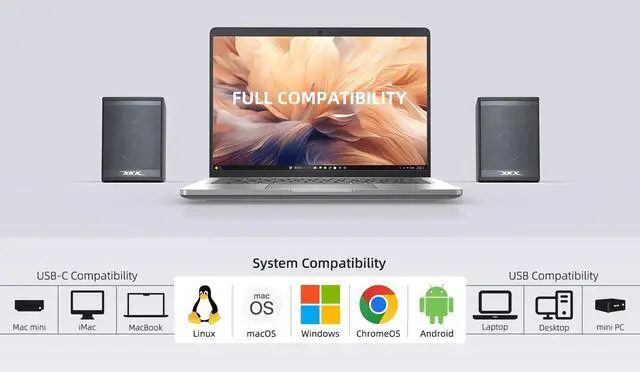
>Compatible with Windows, macOS, ChromeOS and Linux system.
>Compatible with desktop, laptop, mini PC, MacBook, Chromebook devices.
Upgraded Features
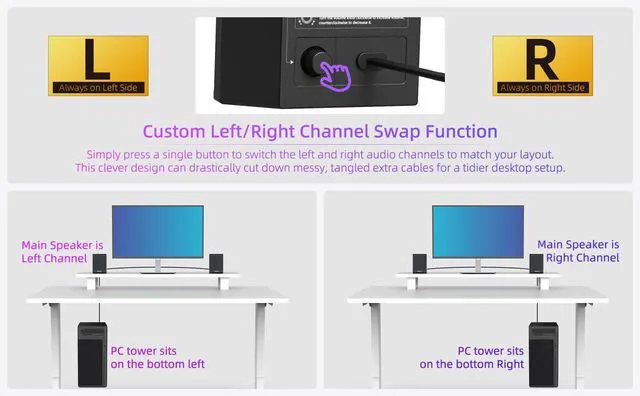
>Simply press a single button to swap the left and right audio channels to suit your desk arrangement.
>Comes with USB-C to USB Adapter expands the compatibility with USB-C devices, including new MacBook, Mac mini, iMac, iPad, Android tablets.
10W Powerful Output
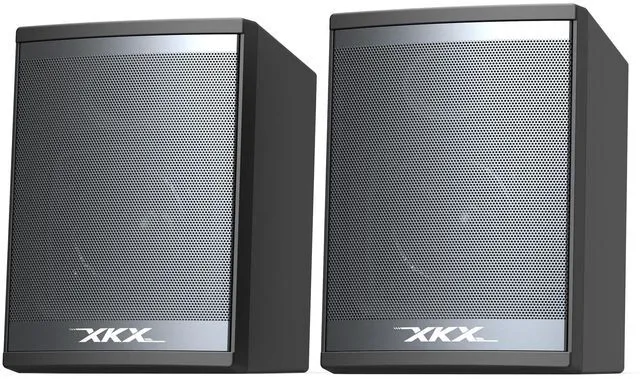
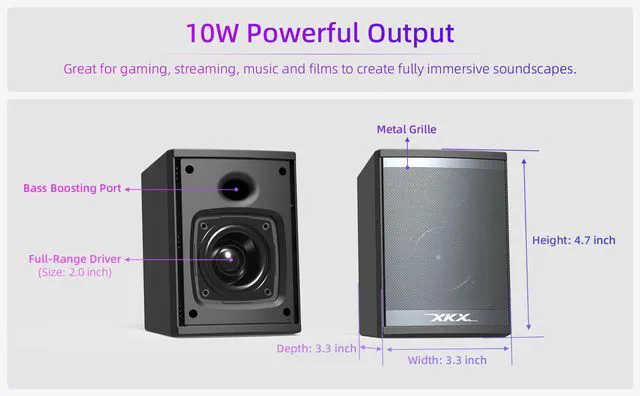
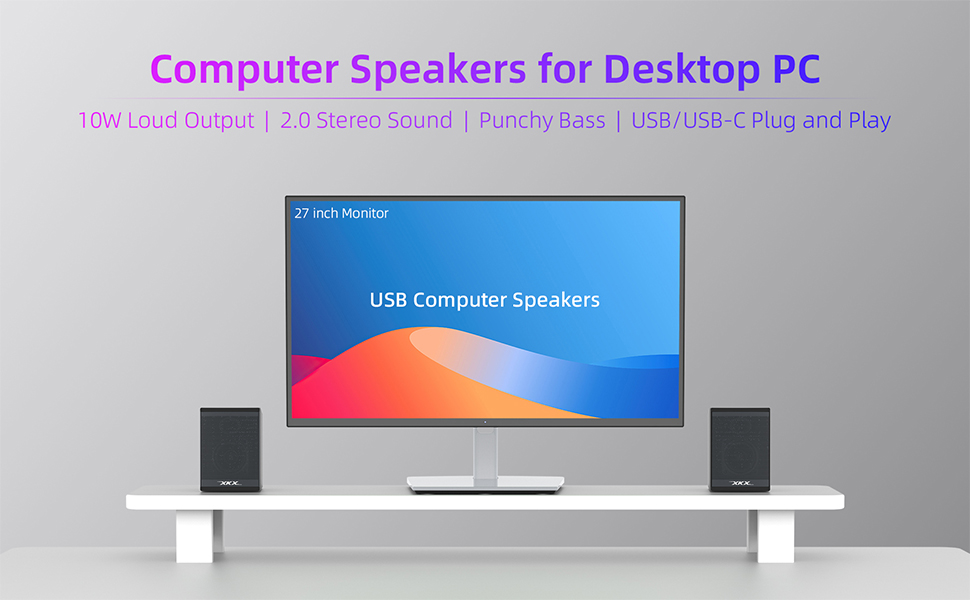
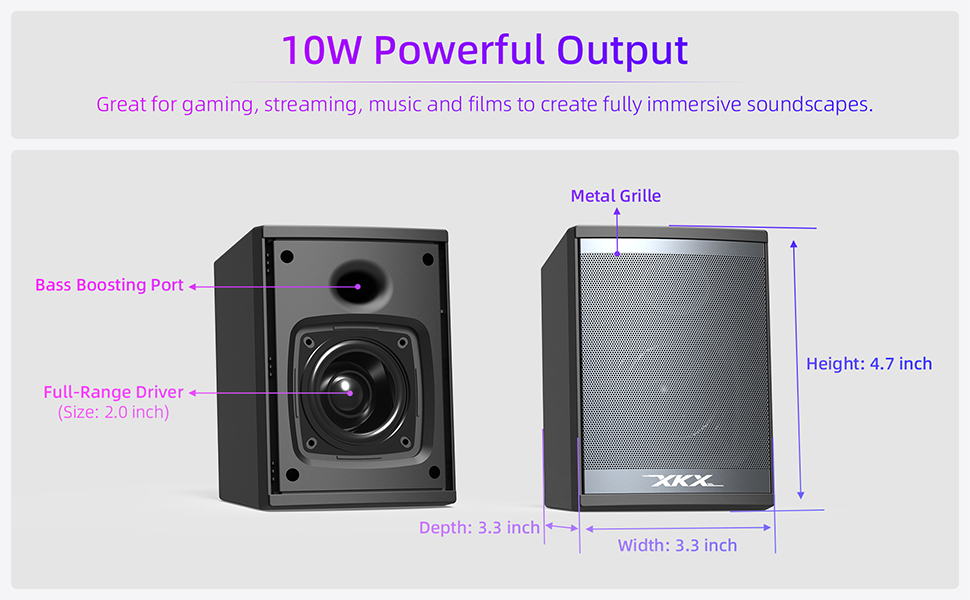
Fitted with dual large 2.0-inch full-range drivers, the desktop computer speakers deliver 10W loud, rich stereo audio. Clear sound details remain preserved even at high volumes. Great for gaming, streaming, music and films to create fully immersive soundscapes.
Tight, Punchy Bass
Custom proprietary bass reflex port optimizes bass performance inside the limited speaker cavity, boosting bass effect by around 50% over ordinary passive radiators. Enjoy fuller, bouncier low tones for movie sound effects and dynamic music with heightened immersive sound. It rivals the bass quality of 2.1-channel desktop speaker systems equipped with a separate subwoofer.
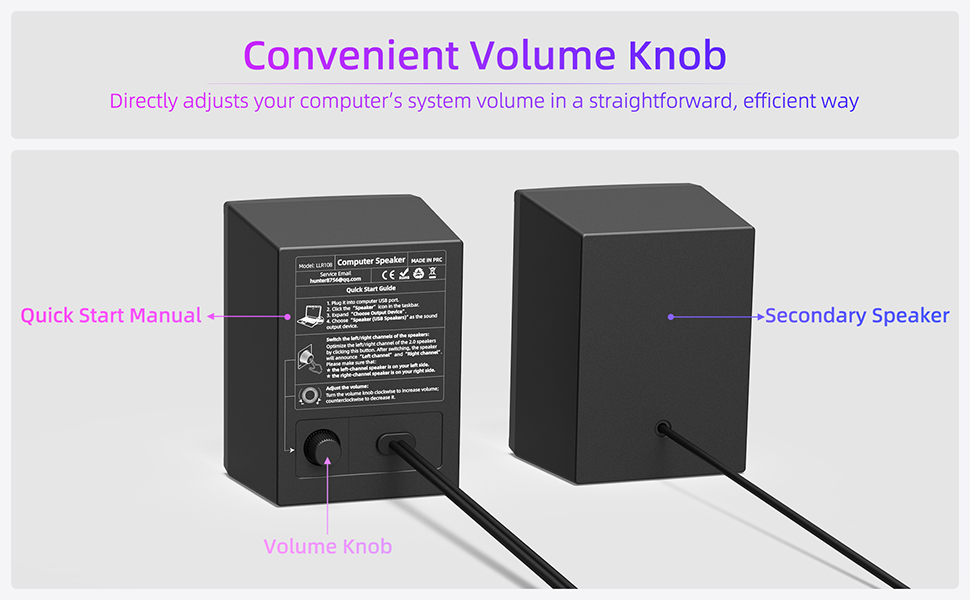
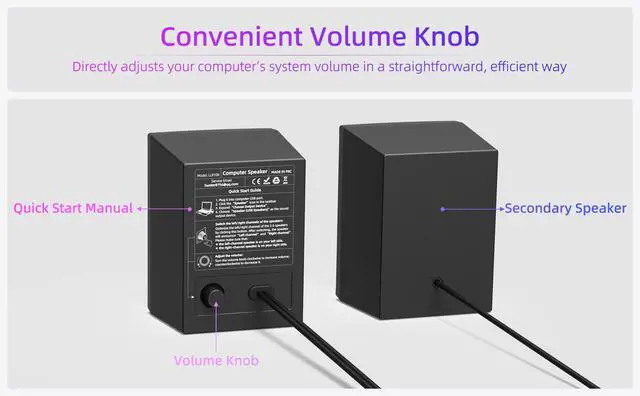
The built-in volume knob of our PC speakers directly adjusts your computer’s system volume in a straightforward, efficient way. Unlike traditional AUX-input speakers that require repeated tweaking between PC system volume and speaker volume, this design eliminates cumbersome dual-volume adjustment.
Universal USB Compatibility
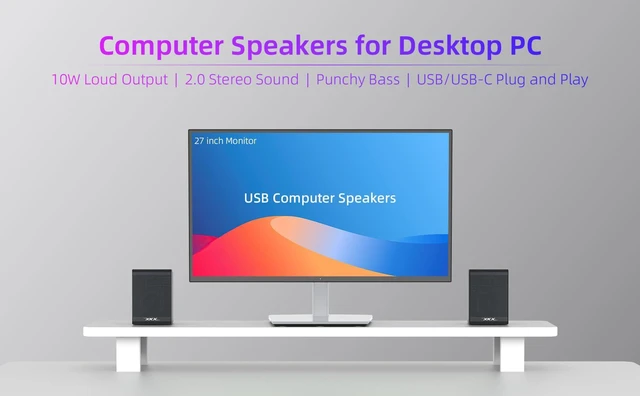
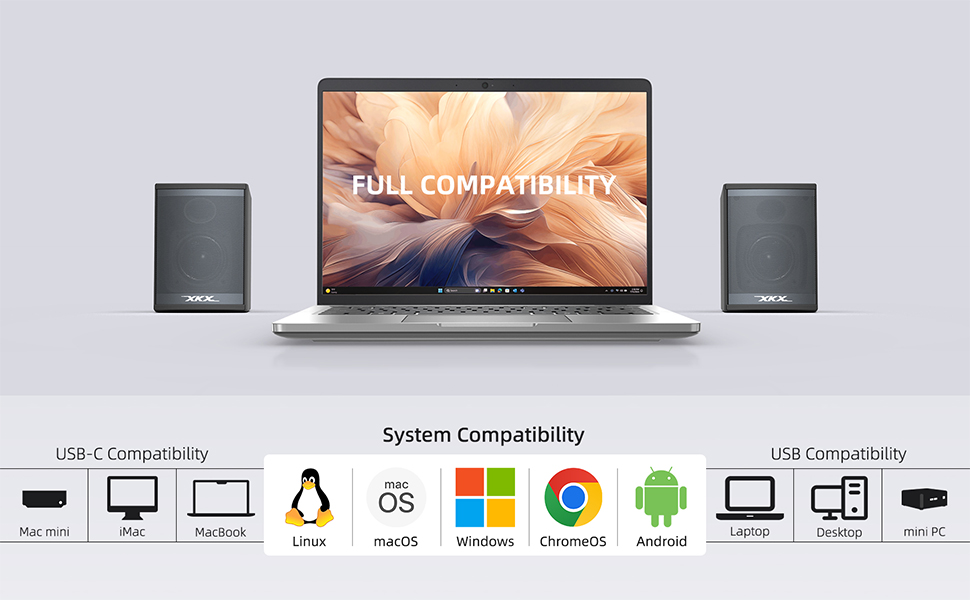
This plug-and-play USB-powered speaker works seamlessly with all USB-equipped desktop and laptop devices. It fully supports standard desktops, notebooks, mini PCs, and all-in-one computers across mainstream operating systems. No extra driver or auxiliary cable is required; just plug the single USB cable in to get instant audio output for your daily office, study and entertainment use.
USB-C Compatible for Wide Device Match
This external laptop speaker comes with a complimentary USB-C to USB adapter for seamless connection to Apple devices, including MacBook Neo, MacBook Air, MacBook Pro, Mac mini, iMac and iPad models. It also delivers stable audio performance with mainstream USB-C gadgets such as Windows ultrabooks, Chromebooks and Linux laptops.
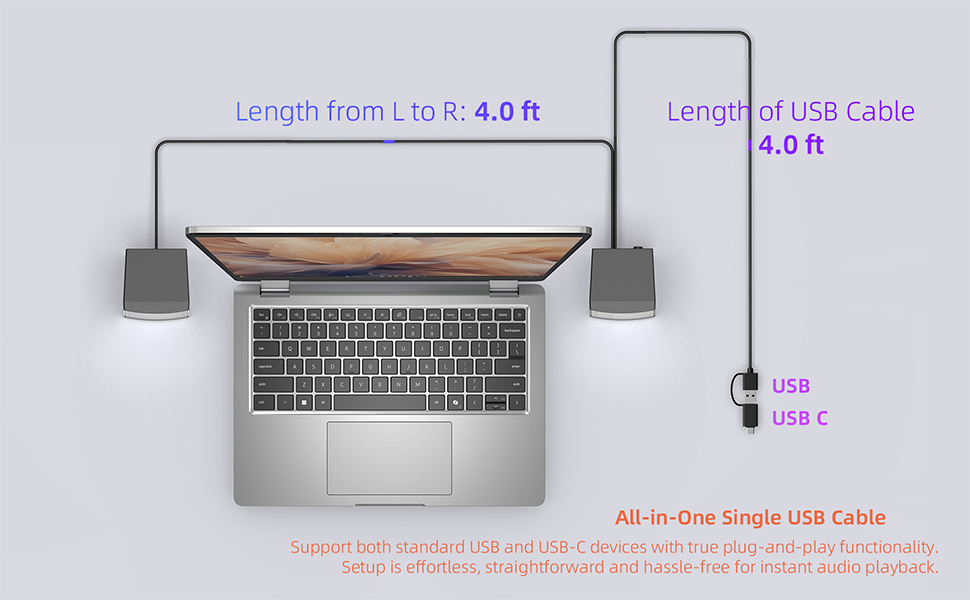
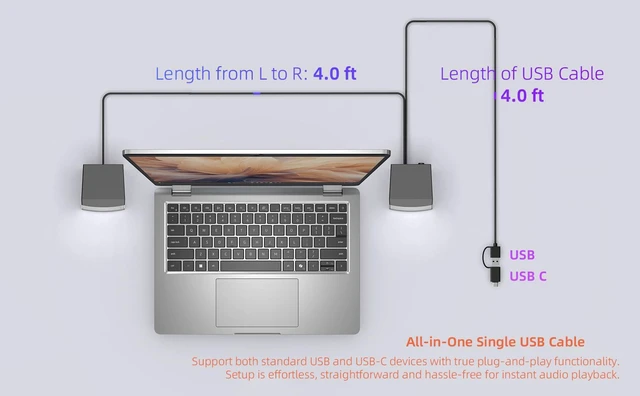
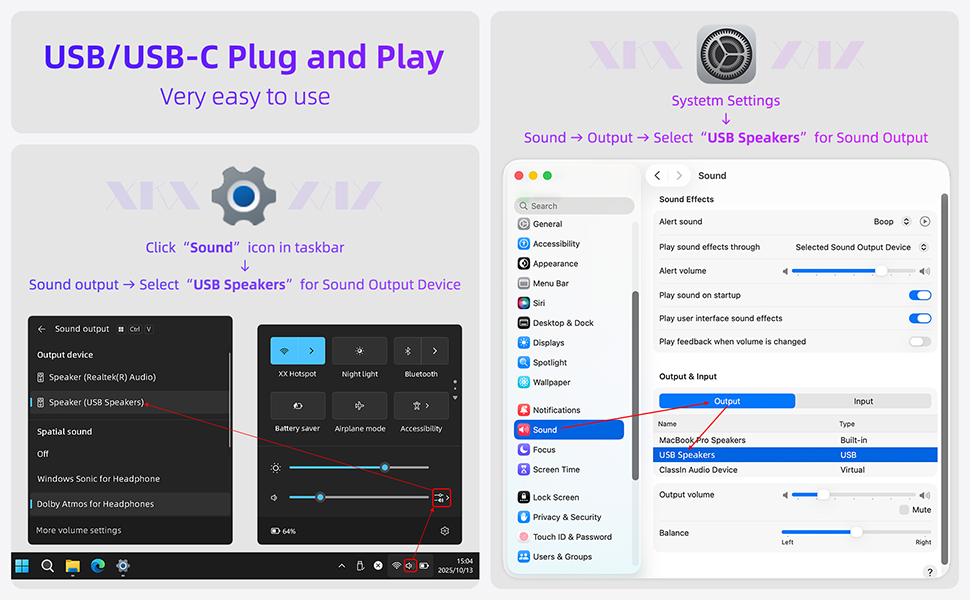
Our speakers support both standard USB and USB-C devices with true plug-and-play functionality. Setup is effortless, straightforward and hassle-free for instant audio playback.
Key Specifications
Input: Computer USB Port
Sound Channel: 2.0 Stereo
Rated Power: 6W (2*3W)
Maximum Power: 10W (2*5W)
Speaker Type: Super-Magnetic Driver
Drive Size: 2.0 inch (Increase by 10%)
Enhanced Bass: Bass-Boosting Port
Frequency Response: 80Hz – 20kHz
Length of USB Cable: 4.0ft
Cable Length from L to R: 4.0ft
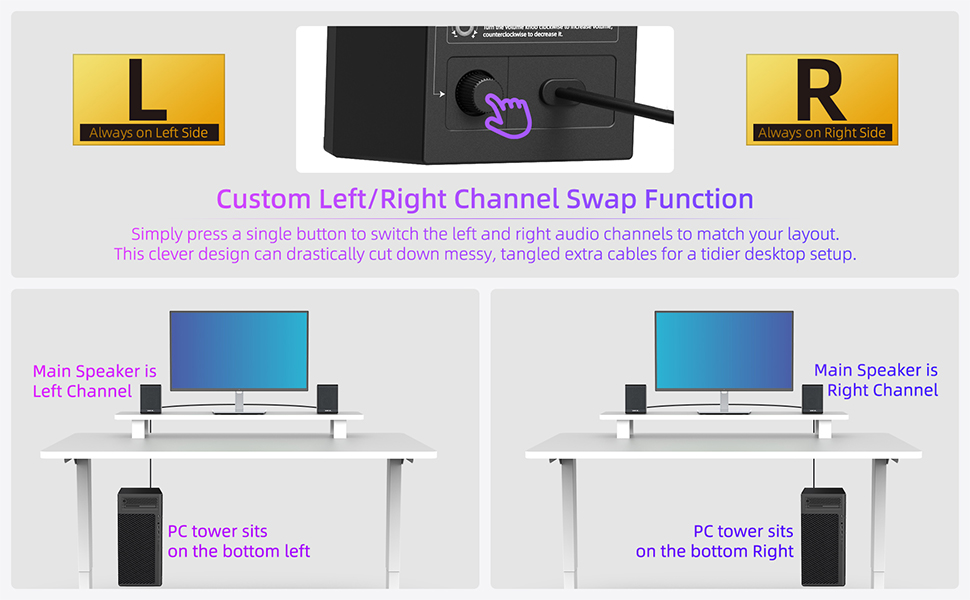
No matter if your PC tower sits on the bottom left or bottom right of your desk, you can place the primary speaker on the same side as your tower PC. Simply press a single button to switch the left and right audio channels to match your desktop layout. This clever design can drastically cut down messy, tangled extra cables for a tidier desktop setup.
Q: Does it work with the latest Mac mini, MacBook Pro, MacBook Air and MacBook Neo?
A: Absolutely. Simply plug in the included adapter for smooth, glitch-free audio playback on all these devices.
Q: Does it work with the latest iPhone, iPad, Android phones and tablets?
A: The included USB-C to USB adapter delivers broad compatibility with USB-C portable devices such as new iPhones, iPads, Android phones and tablets. Please note that mobile devices limit power output to protect their USB-C ports, which may result in reduced speaker volume or intermittent audio playback pauses.
Q: Can this speaker work with TVs, TV boxes, projectors, Xbox or PStation consoles?
A: Unfortunately, it only works with computers. USB ports built into TVs, media boxes, projectors and game consoles cannot supply enough power to run the speaker, which will lead to weak maximum volume output.
Q: Can I plug this speaker into a USB hub?
A: We strongly advise against using any USB hub. Hubs often fail to deliver sufficient power to run the speaker, which may trigger audio problems including distortion, muddled sound, popping noises, or frequent audio cutouts at high volume. For stable performance, connect the speaker directly to the rear USB ports of your PC tower instead.
Q: Why does the speaker fail to work after plugging in?
A: First, confirm your PC’s sound card audio drivers are fully updated and the computer USB port functions normally.
Head to Settings > System > Sound, then select this “USB Speaker” from the Output device dropdown list.
Next, click the speaker icon on your taskbar and raise the main volume slider. Finally, open the volume mixer to verify no individual apps are muted or set to low volume.
Q: Does this speaker come with a built-in microphone?
A: This speaker has no built-in mic. We recommend using an external desktop microphone for video calls. Head to System > Sound > Input Device and select your external mic as the audio input source.
Key Features
>Equipped with 2.0 inch powerful speaker drivers for full range audio.
>Custom proprietary bass reflex port optimizes bass performance.
>Upgraded with hi-definition DSP decoding chip for Hi-Fi sound quality.
>Volume knob on the back allows for directly system volume control.
>USB/USB-C plug and play, very easy to use.
>Compatible with Windows, macOS, ChromeOS and Linux system.
>Compatible with desktop, laptop, mini PC, MacBook, Chromebook devices.
Upgraded Features
>Simply press a single button to swap the left and right audio channels to suit your desk arrangement.
>Comes with USB-C to USB Adapter expands the compatibility with USB-C devices, including new MacBook, Mac mini, iMac, iPad, Android tablets.
10W Powerful Output
Fitted with dual large 2.0-inch full-range drivers, the desktop computer speakers deliver 10W loud, rich stereo audio. Clear sound details remain preserved even at high volumes. Great for gaming, streaming, music and films to create fully immersive soundscapes.
Tight, Punchy Bass
Custom proprietary bass reflex port optimizes bass performance inside the limited speaker cavity, boosting bass effect by around 50% over ordinary passive radiators. Enjoy fuller, bouncier low tones for movie sound effects and dynamic music with heightened immersive sound. It rivals the bass quality of 2.1-channel desktop speaker systems equipped with a separate subwoofer.
The built-in volume knob of our PC speakers directly adjusts your computer’s system volume in a straightforward, efficient way. Unlike traditional AUX-input speakers that require repeated tweaking between PC system volume and speaker volume, this design eliminates cumbersome dual-volume adjustment.
Universal USB Compatibility
This plug-and-play USB-powered speaker works seamlessly with all USB-equipped desktop and laptop devices. It fully supports standard desktops, notebooks, mini PCs, and all-in-one computers across mainstream operating systems. No extra driver or auxiliary cable is required; just plug the single USB cable in to get instant audio output for your daily office, study and entertainment use.
USB-C Compatible for Wide Device Match
This external laptop speaker comes with a complimentary USB-C to USB adapter for seamless connection to Apple devices, including MacBook Neo, MacBook Air, MacBook Pro, Mac mini, iMac and iPad models. It also delivers stable audio performance with mainstream USB-C gadgets such as Windows ultrabooks, Chromebooks and Linux laptops.
Our speakers support both standard USB and USB-C devices with true plug-and-play functionality. Setup is effortless, straightforward and hassle-free for instant audio playback.
Key Specifications
Input: Computer USB Port
Sound Channel: 2.0 Stereo
Rated Power: 6W (2*3W)
Maximum Power: 10W (2*5W)
Speaker Type: Super-Magnetic Driver
Drive Size: 2.0 inch (Increase by 10%)
Enhanced Bass: Bass-Boosting Port
Frequency Response: 80Hz – 20kHz
Length of USB Cable: 4.0ft
Cable Length from L to R: 4.0ft
No matter if your PC tower sits on the bottom left or bottom right of your desk, you can place the primary speaker on the same side as your tower PC. Simply press a single button to switch the left and right audio channels to match your desktop layout. This clever design can drastically cut down messy, tangled extra cables for a tidier desktop setup.
Q: Does it work with the latest Mac mini, MacBook Pro, MacBook Air and MacBook Neo?
A: Absolutely. Simply plug in the included adapter for smooth, glitch-free audio playback on all these devices.
Q: Does it work with the latest iPhone, iPad, Android phones and tablets?
A: The included USB-C to USB adapter delivers broad compatibility with USB-C portable devices such as new iPhones, iPads, Android phones and tablets. Please note that mobile devices limit power output to protect their USB-C ports, which may result in reduced speaker volume or intermittent audio playback pauses.
Q: Can this speaker work with TVs, TV boxes, projectors, Xbox or PStation consoles?
A: Unfortunately, it only works with computers. USB ports built into TVs, media boxes, projectors and game consoles cannot supply enough power to run the speaker, which will lead to weak maximum volume output.
Q: Can I plug this speaker into a USB hub?
A: We strongly advise against using any USB hub. Hubs often fail to deliver sufficient power to run the speaker, which may trigger audio problems including distortion, muddled sound, popping noises, or frequent audio cutouts at high volume. For stable performance, connect the speaker directly to the rear USB ports of your PC tower instead.
Q: Why does the speaker fail to work after plugging in?
A: First, confirm your PC’s sound card audio drivers are fully updated and the computer USB port functions normally.
Head to Settings > System > Sound, then select this “USB Speaker” from the Output device dropdown list.
Next, click the speaker icon on your taskbar and raise the main volume slider. Finally, open the volume mixer to verify no individual apps are muted or set to low volume.
Q: Does this speaker come with a built-in microphone?
A: This speaker has no built-in mic. We recommend using an external desktop microphone for video calls. Head to System > Sound > Input Device and select your external mic as the audio input source.