






 Computer Speakers for Desktop PC | 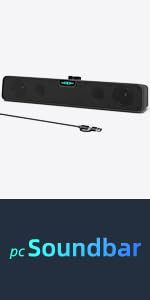 Computer Speakers for Desktop PC Mac | 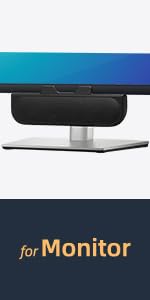 Computer Speakers for Desktop PC Monitor | 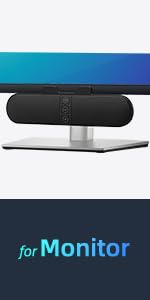 Computer Speakers for Desktop PC Monitor |  Computer Speakers for Desktop PC Monitor | |
|---|---|---|---|---|---|
| Customer Reviews | — | — | — | — | — |
| Price | — | — | — | — | — |
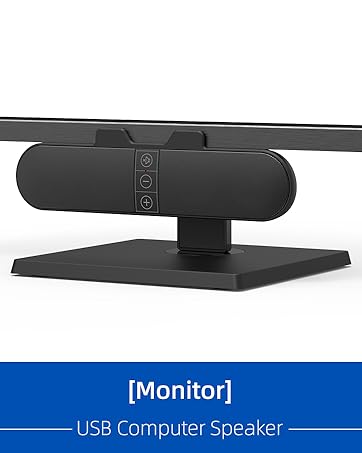
| Volume Control | Touch Control | Volume Knob | - no data | Touch Control | Volume Knob |
| Rated Power | 6W (2*3W) | 6W (2*3W) | 6W (2*3W) | 6W (2*3W) | 6W (2*3W) |
| Maximum Power | 8W (2*4W) | 10W (2*5W) | 8W (2*4W) | 10W (2*5W) | 10W (2*5W) |
| Speaker Driver Size | 1.8 inch | 2.0 inch | 1.6 inch | 1.6 inch | 1.6 inch |
| Speaker Driver Type | Super-Magnetic Drivers | Super-Magnetic Drivers | Ultra-Magnetic Drivers | Ultra-Magnetic Drivers | Ultra-Magnetic Drivers |
| Bass Enhancement | Passive Radiator | Dual Bass Boosting Ports | Passive Radiator | Dual Passive Radiators | Dual Passive Radiators |
| Dynamic Units | 3 | 4 | 3 | 4 | 4 |
| Frequency Response | 100Hz - 20kHz | 80Hz - 20kHz | 100Hz - 20kHz | 80Hz - 20kHz | 80Hz - 20kHz |
| Length of USB Cable | 3.8 ft | 5.0 ft | 5.0 ft | 5.0 ft | 5.0 ft |

[Upgraded] Computer Speakers for Desktop PC Monitor
The Reasons for Choosing This Computer Speaker:
1>Equipped with dual ultra-magnetic drivers for crystal-clear sound.
2>Enhanced bass with dual front-facing passive radiators.
3>Easy to clip onto monitors ranging from 0.1inch to 1.0inch in thickness.
4>Intuitive volume knob on the front allows for effortless volume control.
5>Compatible with USB Devices, including Windows, macOS, ChromeOS PCs, laptops, and desktop computers.
The Most Important Reasons:
6>Built-in G-Sensor for Auto-Channel-Switching.
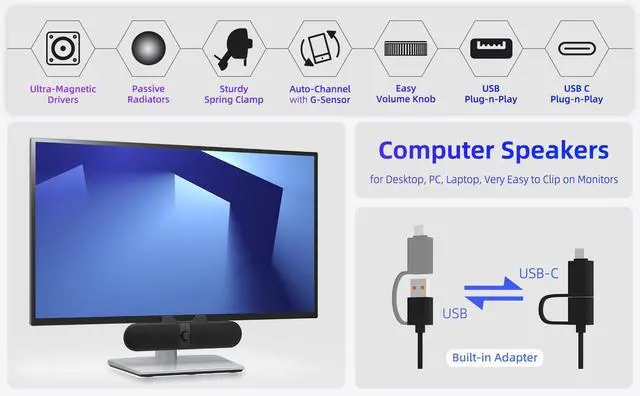
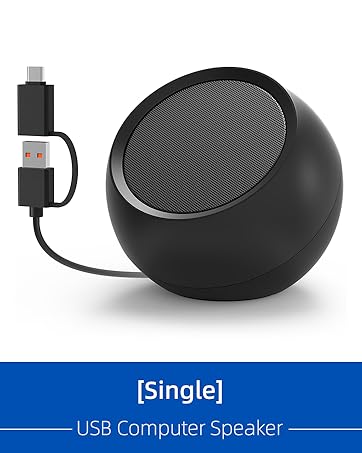
7>Built-in USB-C to USB Adapter expands the compatibility with USB-C devices, including new MacBook, Mac mini, iMac, iPad, Android phones, and tablets.

Product Details
Clip-on Mount & Stand Alone
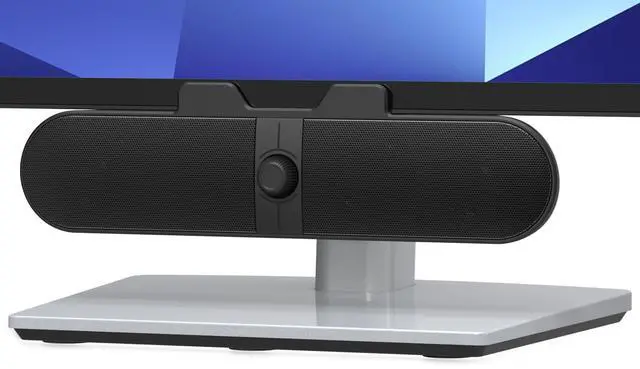
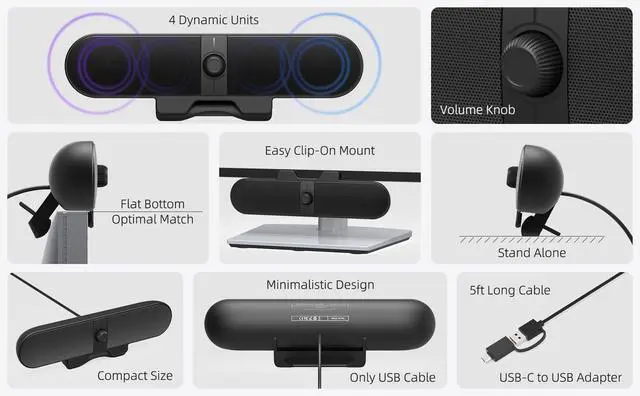
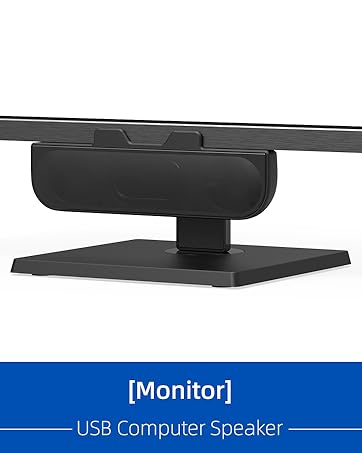
Our monitor speakers, upgraded with non-slip and enhanced clamping force, make it easy and secure to clip onto the top, bottom, or sides of monitors, and it can also stand sturdily and independently on your desk.
Easy Volume Knob
The computer speakers feature a premium rotary encoder knob for smooth, precise, and effortless volume control. What’s more, this volume knob can seamlessly sync with your computer's system volume for more intuitive control.

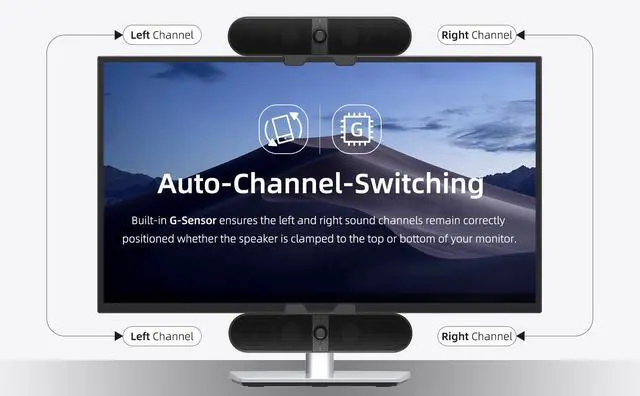
Auto-Channel-Switching
The external speaker is boasting G-Sensor to ensure the left and right sound channels remain correctly positioned whether the speaker is clamped to the top or bottom of your monitor.

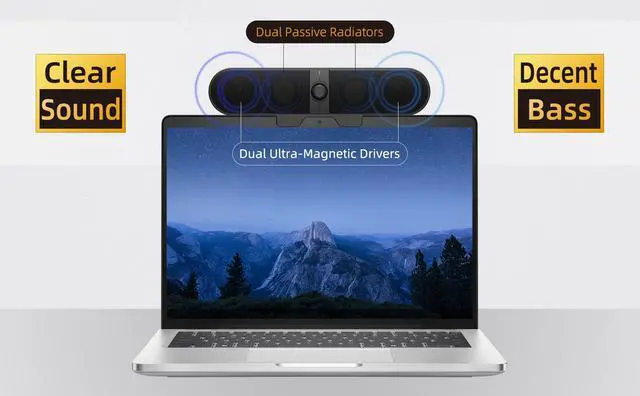
Clear Sound with Decent Bass
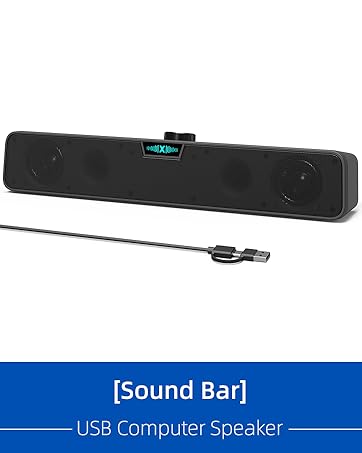
This is a small soundbar for PC, which is equipped with dual ultra-magnetic drivers and dual passive radiators, providing crystal-clear sound with decent bass for a satisfying audio experience.
Specifications
>Sound Channel: 2.0 Stereo
>Rated Power: 6W (2*3W)
>Maximum Power: 8W (2*4W)
>Speaker Type: Ultra-Magnetic Drivers
>Speaker Size: 1.6 inch
>Bass Enhancement: Dual Passive Radiators
>Frequency Response: 80Hz - 20kHz

Full Compatibility
Compatible with USB Devices
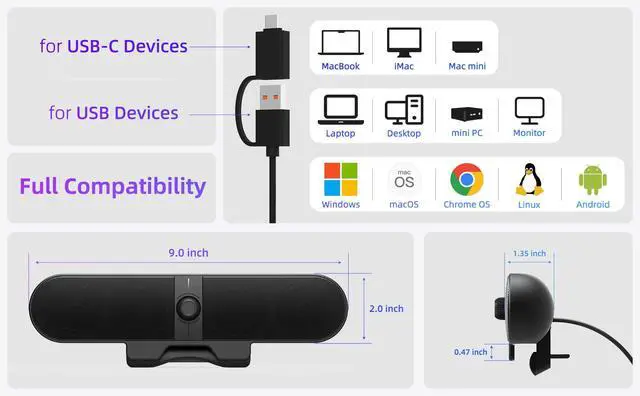
The USB Speaker is compatible with Windows, macOS, ChromeOS, and Linux system, making it ideal for PC, laptop, and desktop computer.
Compatible with USB-C Devices
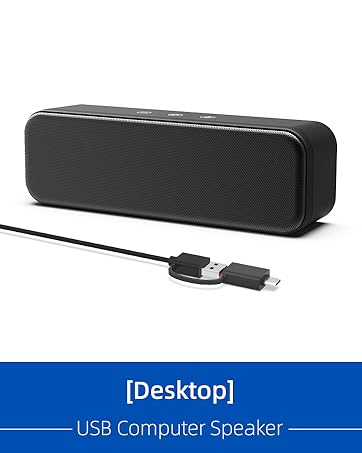
Thanks to the built-in USB-C to USB Adapter, our USB-C speakers are now compatible with devices that only have USB-C interface, such as the new MacBook, Mac mini, iMac, iPad, Android phones, and tablets.

Frequently Asked Questions (FAQ)
Q: Is it compatible with new MacBook, iPad, or Android Tablets?
A: Yes. You can easily connect and enjoy a seamless experience across all those devices.
Q: Is it compatible with new iPhone or Android Phones?
A: The native USB-C connector is thoughtfully designed to offer seamless compatibility with a wide range of USB-C devices. It works naturally with popular portable devices such as the latest iPhones and Android phones. Please note that some devices may limit power output as a protective measure for their ports, which could lead to slightly reduced speaker volume or occasional pauses in playback.
Q: Is it compatible with TV, TV-Box, Projector, Xbox, or PStation?
A: Unfortunately, it is not recommended for use with these devices. Our USB speaker is designed to work best with computers, as they typically provide stable power through their USB ports. Other devices may not supply enough power, which could result in lower volume or unstable performance.
Q: Is it okay if I connect it to a USB hub?
A: We kindly recommend avoiding the use of a USB hub, as it may not supply sufficient power for our speaker, which could lead to audio issues like distortion, unclear sound, or occasional popping sounds—especially at higher volumes. For the best experience, please connect the speaker directly to a USB port on the back of your PC.
Q: Why the connection fails after pairing?
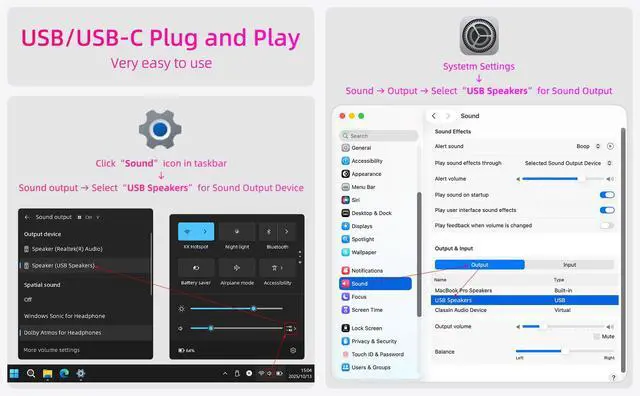
A: Ensure your computer's audio driver is up to date and the USB port works properly. Go to Settings > System > Sound, select the speaker under "Output device," and adjust the master volume via the taskbar speaker icon. Check individual app volumes to make sure they aren't muted or too low.
Q: Is there a mic built-in?
A: The device doesn't include a built-in microphone, so we recommend using an external computer microphone for video calls. To set it up, simply go to System > Sound > Input Device, and select your preferred microphone as the sound input.
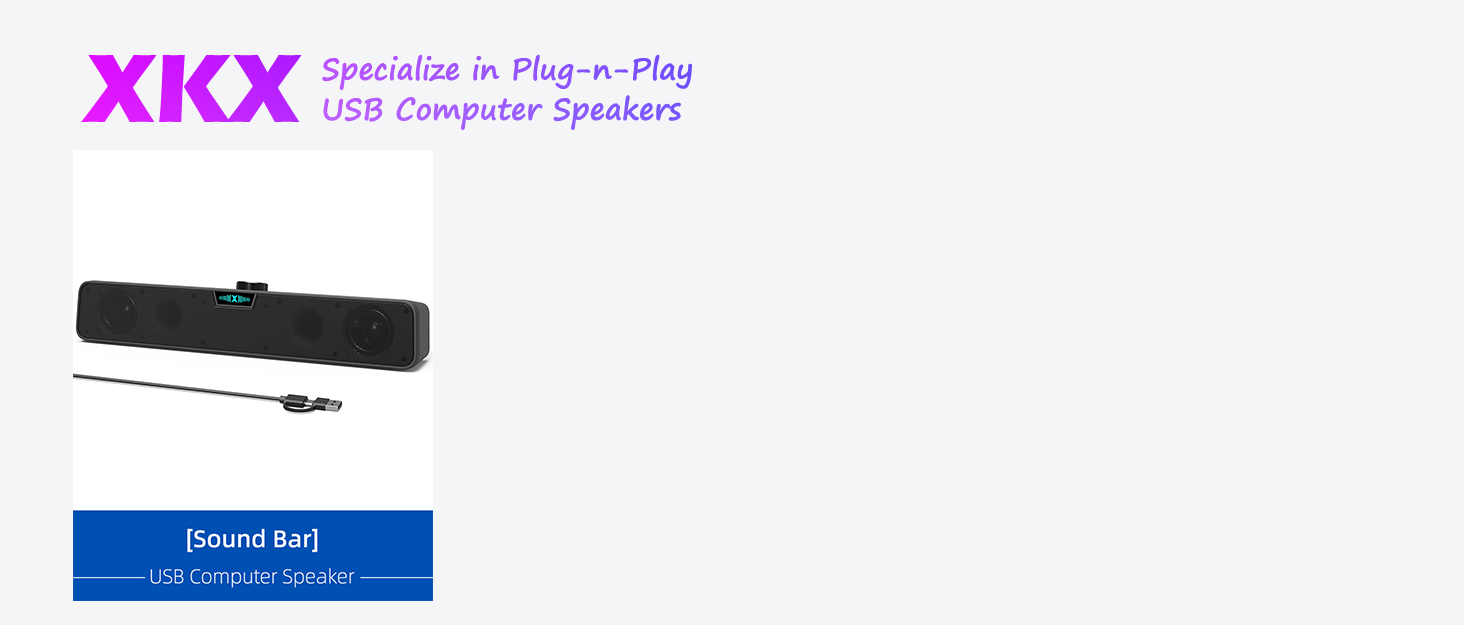

Computer Speakers for Desktop PC | Computer Speakers for Desktop PC Mac | Computer Speakers for Desktop PC Monitor | Computer Speakers for Desktop PC Monitor | Computer Speakers for Desktop PC Monitor | |
|---|---|---|---|---|---|
| Customer Reviews | — | — | — | — | — |
| Price | — | — | — | — | — |
| Volume Control | Touch Control | Volume Knob | - no data | Touch Control | Volume Knob |
| Rated Power | 6W (2*3W) | 6W (2*3W) | 6W (2*3W) | 6W (2*3W) | 6W (2*3W) |
| Maximum Power | 8W (2*4W) | 10W (2*5W) | 8W (2*4W) | 10W (2*5W) | 10W (2*5W) |
| Speaker Driver Size | 1.8 inch | 2.0 inch | 1.6 inch | 1.6 inch | 1.6 inch |
| Speaker Driver Type | Super-Magnetic Drivers | Super-Magnetic Drivers | Ultra-Magnetic Drivers | Ultra-Magnetic Drivers | Ultra-Magnetic Drivers |
| Bass Enhancement | Passive Radiator | Dual Bass Boosting Ports | Passive Radiator | Dual Passive Radiators | Dual Passive Radiators |
| Dynamic Units | 3 | 4 | 3 | 4 | 4 |
| Frequency Response | 100Hz - 20kHz | 80Hz - 20kHz | 100Hz - 20kHz | 80Hz - 20kHz | 80Hz - 20kHz |
| Length of USB Cable | 3.8 ft | 5.0 ft | 5.0 ft | 5.0 ft | 5.0 ft |
[Upgraded] Computer Speakers for Desktop PC Monitor
The Reasons for Choosing This Computer Speaker:
1>Equipped with dual ultra-magnetic drivers for crystal-clear sound.
2>Enhanced bass with dual front-facing passive radiators.
3>Easy to clip onto monitors ranging from 0.1inch to 1.0inch in thickness.
4>Intuitive volume knob on the front allows for effortless volume control.
5>Compatible with USB Devices, including Windows, macOS, ChromeOS PCs, laptops, and desktop computers.
The Most Important Reasons:
6>Built-in G-Sensor for Auto-Channel-Switching.
7>Built-in USB-C to USB Adapter expands the compatibility with USB-C devices, including new MacBook, Mac mini, iMac, iPad, Android phones, and tablets.
Product Details
Clip-on Mount & Stand Alone
Our monitor speakers, upgraded with non-slip and enhanced clamping force, make it easy and secure to clip onto the top, bottom, or sides of monitors, and it can also stand sturdily and independently on your desk.
Easy Volume Knob
The computer speakers feature a premium rotary encoder knob for smooth, precise, and effortless volume control. What’s more, this volume knob can seamlessly sync with your computer's system volume for more intuitive control.
Auto-Channel-Switching
The external speaker is boasting G-Sensor to ensure the left and right sound channels remain correctly positioned whether the speaker is clamped to the top or bottom of your monitor.
Clear Sound with Decent Bass
This is a small soundbar for PC, which is equipped with dual ultra-magnetic drivers and dual passive radiators, providing crystal-clear sound with decent bass for a satisfying audio experience.
Specifications
>Sound Channel: 2.0 Stereo
>Rated Power: 6W (2*3W)
>Maximum Power: 8W (2*4W)
>Speaker Type: Ultra-Magnetic Drivers
>Speaker Size: 1.6 inch
>Bass Enhancement: Dual Passive Radiators
>Frequency Response: 80Hz - 20kHz
Full Compatibility
Compatible with USB Devices
The USB Speaker is compatible with Windows, macOS, ChromeOS, and Linux system, making it ideal for PC, laptop, and desktop computer.
Compatible with USB-C Devices
Thanks to the built-in USB-C to USB Adapter, our USB-C speakers are now compatible with devices that only have USB-C interface, such as the new MacBook, Mac mini, iMac, iPad, Android phones, and tablets.
Frequently Asked Questions (FAQ)
Q: Is it compatible with new MacBook, iPad, or Android Tablets?
A: Yes. You can easily connect and enjoy a seamless experience across all those devices.
Q: Is it compatible with new iPhone or Android Phones?
A: The native USB-C connector is thoughtfully designed to offer seamless compatibility with a wide range of USB-C devices. It works naturally with popular portable devices such as the latest iPhones and Android phones. Please note that some devices may limit power output as a protective measure for their ports, which could lead to slightly reduced speaker volume or occasional pauses in playback.
Q: Is it compatible with TV, TV-Box, Projector, Xbox, or PStation?
A: Unfortunately, it is not recommended for use with these devices. Our USB speaker is designed to work best with computers, as they typically provide stable power through their USB ports. Other devices may not supply enough power, which could result in lower volume or unstable performance.
Q: Is it okay if I connect it to a USB hub?
A: We kindly recommend avoiding the use of a USB hub, as it may not supply sufficient power for our speaker, which could lead to audio issues like distortion, unclear sound, or occasional popping sounds—especially at higher volumes. For the best experience, please connect the speaker directly to a USB port on the back of your PC.
Q: Why the connection fails after pairing?
A: Ensure your computer's audio driver is up to date and the USB port works properly. Go to Settings > System > Sound, select the speaker under "Output device," and adjust the master volume via the taskbar speaker icon. Check individual app volumes to make sure they aren't muted or too low.
Q: Is there a mic built-in?
A: The device doesn't include a built-in microphone, so we recommend using an external computer microphone for video calls. To set it up, simply go to System > Sound > Input Device, and select your preferred microphone as the sound input.