



• $55.89
  • Free 30-day Returns
  • Price alert
    Shop it at NeweggBusiness.

    Meet Your Seller

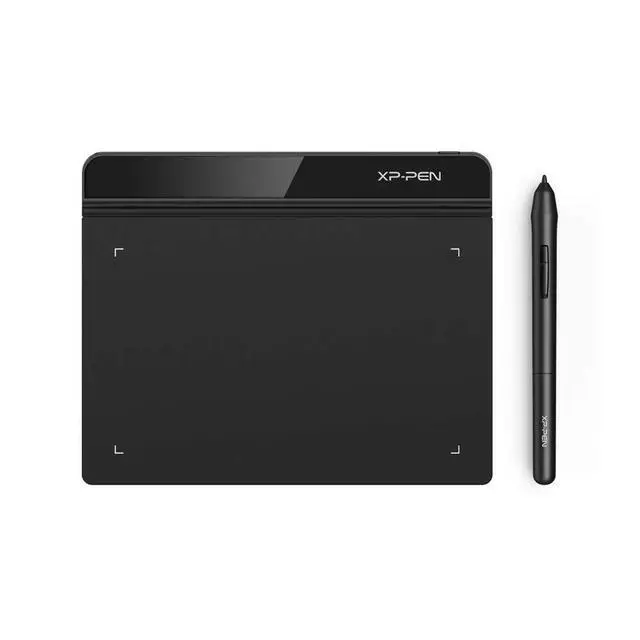
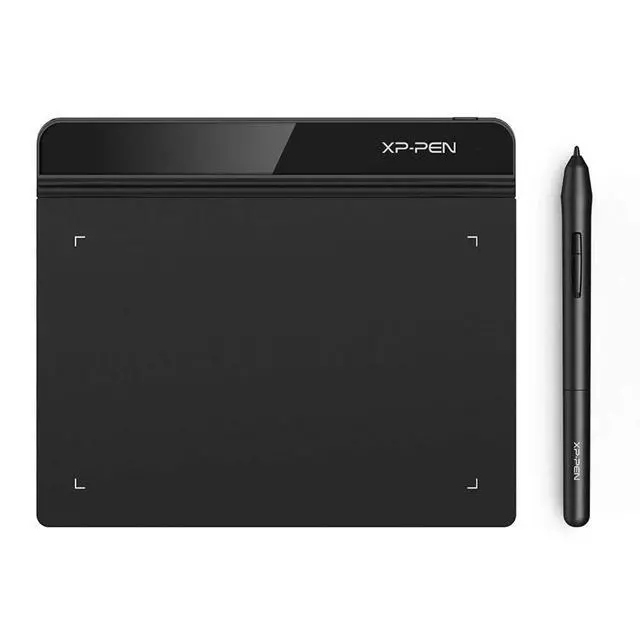
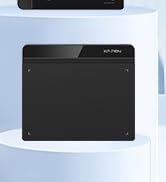
    Drawing Tablet XPPen StarG640 Digital Graphic Tablet 6x4 Inch Art Tablet with Battery-Free Stylus Pen Tablet for Mac, Windows and Chromebook (Drawing/E-Learning/Remote-Working)

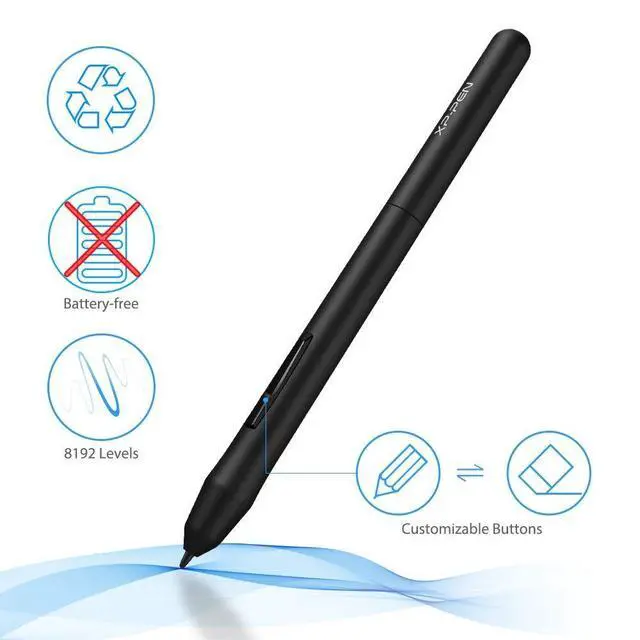
    • Battery-Free Pen: StarG640 drawing tablet is the perfect replacement for a traditional mouse! The XPPen advanced Battery-free PN01 stylus does not require charging, allowing for constant uninterrupted Draw and Play, making lines flow quicker and smoother, enhancing overall performance
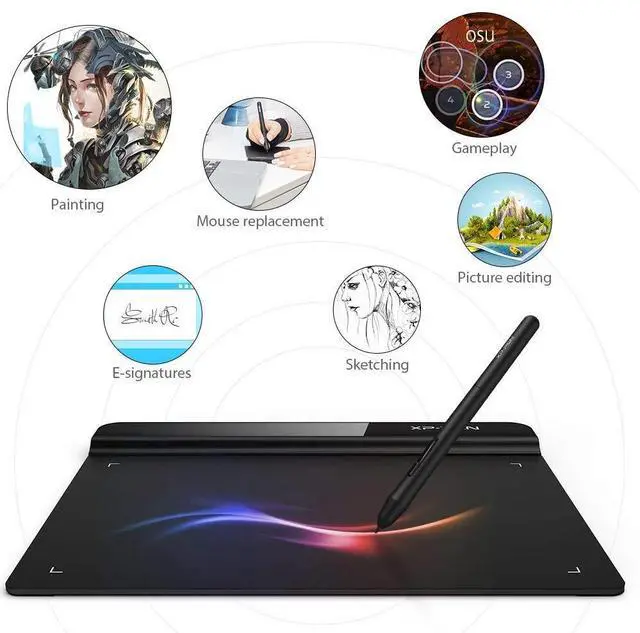
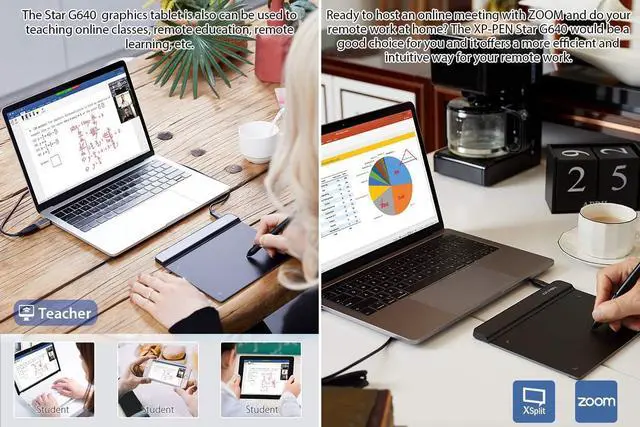
    • Ideal for Online Education: XPPen G640 graphics tablet is designed for digital drawing, painting, sketching, E-signatures, online teaching, remote work, photo editing, it's compatible with Microsoft Office apps like Word, PowerPoint, OneNote, Zoom, Xsplit etc. Works perfect than a mouse, visually present your handwritten notes, signatures precisely
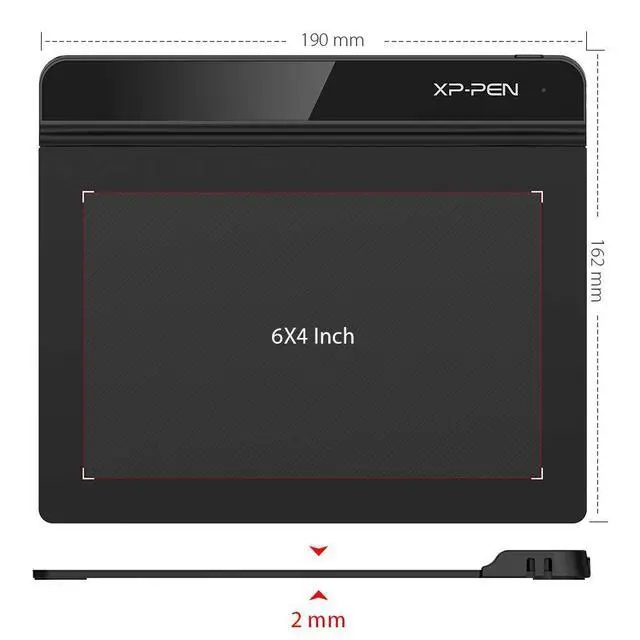
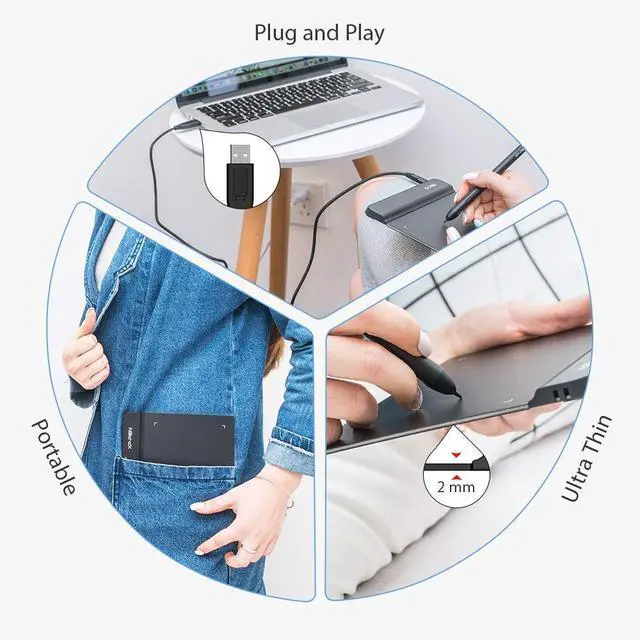
    • Compact and Portable: The G640 art tablet is only 2 mm thick, it's as slim as all primary level graphic tablets, allowing you to carry it with you on the go
    • Chromebook Supported: XPPen G640 digital drawing tablet is ready to work seamlessly with Chromebook devices now, so you can create information-rich content and collaborate with teachers and classmates on Google Jamboards whiteboard; Take notes quickly and conveniently with Google Keep, and effortlessly sketch diagrams with the Google Canvas
    • Multipurpose Use: Designed for playing OSU! Game, digital drawing, painting, sketch, sign documents digitally, this writing tablet also compatible with Microsoft Office programs like Word, PowerPoint, OneNote and more. Create mind-maps, draw diagrams or take notes as replacement for mouse
    +
    +
    Overview
    Specs
    Reviews
    avatar

    Any questions? Our AI beta will help you find out quickly.

    starG 640 drawing tablet
    graphic drawing tablet 1
    drawing monitor 1

    Super Slim and Compact Design

    XPPen StarG640 Graphic Drawing Tablet is only 2mm thin, with its 6X4 inch active area for drawing, e-learning, and remote teaching.

    drawing monitor 2

    Easy to Carry

    The StarG640 drawing tablet is easy to carry, and plug and play. You can take it anywhere you want, like at home, classroom, etc.

    drawing tablet 3

    Easy to Connect

    As long as your computer or laptop has a USB-A port, you can plug and play it. If don't have one, you can use an adapter to convert the connection.

    drawing tablet 4

    Package List

    1xG640 Drawing Tablet / 1xPN01 Battery-free Pen / 20xReplacement Pen nibs / 1xUSB Cord / 1xPen nib Clip / 1xQuick Guide

    drawing tablet compatibility 1

    Compatible with Windows 7 or bove, Mac 10.10 or above and Chrome OS 88 or above, Linux and etc.

    drawing tablet compatibility 2

    Works with free programs like Krita, firealpaca, gimp, medibang, etc. Or other paid programs like: Photoshop, Adobe Illustrator, adobe premiere, adobe after effect, sai version 2, clip studio paint, etc.

    starG 640 graphic tablet
    graphic drawing tablet 2
    drawing monitor 1

    Super Slim and Compact Design

    XPPen StarG640 Graphic Drawing Tablet is only 2mm thin, with its 6X4 inch active area for drawing, e-learning, and remote teaching.

    drawing monitor 2

    Easy to Carry

    The StarG640 drawing tablet is easy to carry, and plug and play. You can take it anywhere you want, like at home, classroom, etc.

    drawing tablet 3

    Easy to Connect

    As long as your computer or laptop has a USB-A port, you can plug and play it. If don't have one, you can use an adapter to convert the connection.

    drawing tablet 4

    Package List

    1xG640 Drawing Tablet / 1xPN01 Battery-free Pen / 20xReplacement Pen nibs / 1xUSB Cord / 1xPen nib Clip / 1xQuick Guide

    drawing tablet compatibility 1

    Compatible with Windows 7 or bove, Mac 10.10 or above and Chrome OS 88 or above, Linux and etc.

    drawing tablet compatibility 2

    Works with free programs like Krita, firealpaca, gimp, medibang, etc. Or other paid programs like: Photoshop, Adobe Illustrator, adobe premiere, adobe after effect, sai version 2, clip studio paint, etc.

    1. Important Reminder
    XP-PEN StarG640 graphics drawing tablet must be connected to a Laptop/desktop/Chromebook to work, it's compatible with Windows 7 and above, MAC OS 10.10 or above OS, Chrome OS 88.0.4324.109 and above OS.
    2. Connection Tips
    Your laptop/desktop needs to have USB-A port available for the connection. If your computer does not have USB-A port, then you need an extra converter for the connection, such as USB-C to USB-A etc. (Depends on what ports that your laptop/desktop has).
    3. Install the XP-PEN Driver on Your Computer
    1-Before Driver Installation: Please Remove Other Brands Driver from your computer and reboot before installing the XP-PENs driver, or there will driver conflict problems.
    2-Driver Download: Our driver will be regularly updated, so please go to our official web to download the newest driver, and install it on your computer.
    3-For Windows UsersPlease close all drawing programs and run the XP-PEN driver as Administrator when installing. (IMPORTANT)
    4. For Mac Mojave (10.14), Catalina (10.15) and above OS Users:
    Mac Mojave (10.14) or above OS has upgraded in the security section, you need to put programs you newly downloaded into the accessibility list first to normally use it. Details steps please see the FAQ section on the XP-PEN web.
    5. After-sale Service from XP-PEN
    Please checks the Quick Guide, or search XP-PEN online to find a way to us for further assistance whenever you encounter problems with the use of the StarG640 graphics tablet, we are always standing by to help! XP-PEN provides a one-year warranty and lifetime tech support.
    6. Programs
    Please install a programs to your computer before your art creation/online teaching/remote work.
    Free drawing programs like gimp, firealpaca, krita , medibang, etc.
    Or register your xppen StarG640 graphics tablet on xp-pen web to apply for the Explain Everything program.


    Product information

    Brand XP-PEN
    Connectivity Technology USB
    Pressure Sensitivity 8192 Levels
    Operating System Windows 7 and above, Mac OS X version 10.10 or later
    Special Feature Battery-free Stylus Pen
    Model Name Star G640
    Built-In Media Battery-free Stylus Pen, USB Cable, Quick Start Guide, Power Cord
    Target Audience Teacher
    Model Number G640
    Manufacturer XP-PEN
    UPC 758232357569 758232357163
    Mfr Part Number StarG640
    Warranty Description One-Year Warranty
    External Testing Certification Não aplicável
    Unit Count 1.0 Count
    Additional Features Battery-free Stylus Pen
    Specific Uses For Product Drawing, Painting, Writing, Teaching, Editing, Designing, Animation, Remote Work
    Compatible Devices Windows 7 and above, Mac OS X 10.10 (or later), Chrome OS 88 (or later)
    Display Type LCD
    Native Resolution 8192 levels
    Screen Size 6 Inches
    Item Weight 170 Grams

    Warranty & Returns

    Warranty, Returns, And Additional Information

    Warranty

    • Please contact the Seller directly for warranty information. Warranty information may also be found on the Manufacturer's website.
    • CONTACT

    Return Policies

    Manufacturer Contact Info

    LOADING...