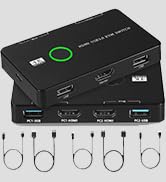
USB 3.0 Switch Selector, USB Switcher 2 Computers Sharing 3X Type A/USB C | USB C Switcher with 3 Cable, Hub PC Mouse Keyboard Hard Drives Printer One Button Switch Adapter with Windows Mac Linux
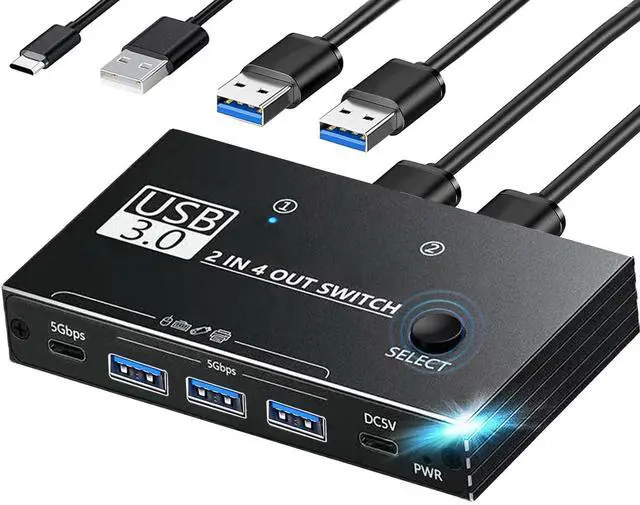
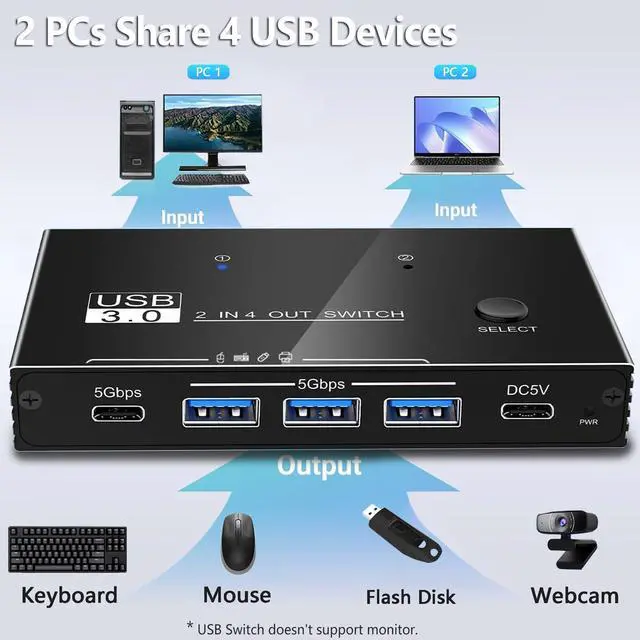
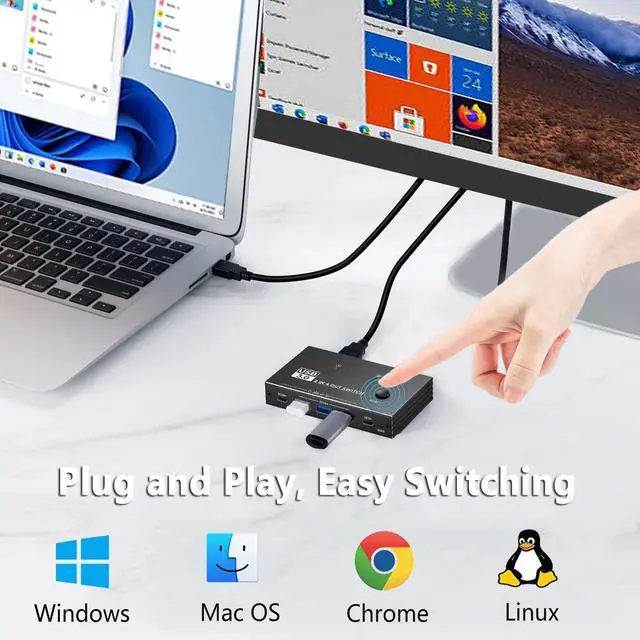
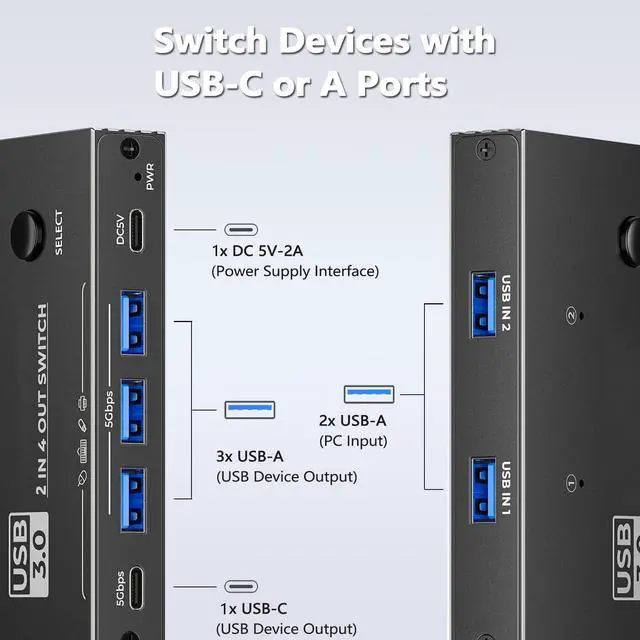
2 Computer Sharing Multiple Devices: 2 in 4 out USB 3.0 switch supports 2 computers to share 3 USB Type A,1 USB C devices,such as keyboard, mouse,USB flash drive, Hard Drives,scanner,printer,etc. Driver free, plug and play,compatible with multiple operating systems such as Windows XP/Vista/7/8/10/11, Mac OS and Linux. (Non- USB KVM switch,doesn't support monitor or video transfer function)
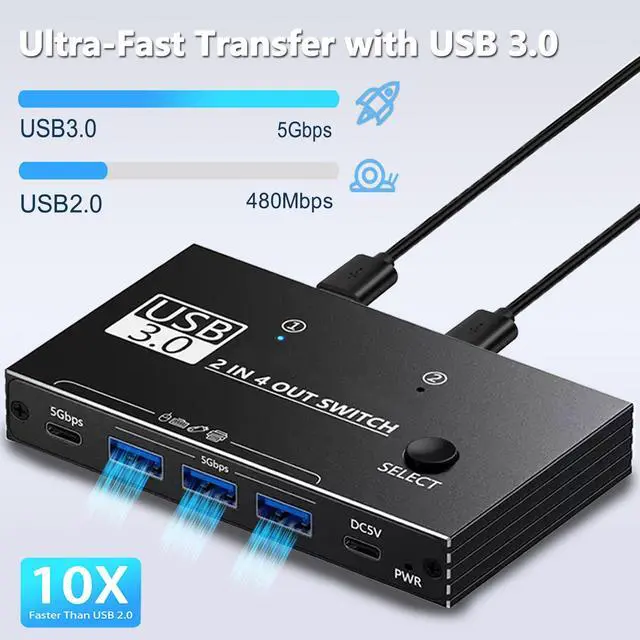
SuperSpeed USB 3.0: Theoretically delivers data transfer speeds of up to 5Gbps bandwidth, up to 10x faster than USB 2.0. Transfer files, HD movies and songs to your USB devices in just seconds. Note: Don't press the toggle button during data transfer, and it is not recommended to use this USB switcher for charging
One-Botton Switch: The switcher features a push-button and LED design that makes it easy to switch connected USB devices between two computers with the click of a button, and the LED on the side of the switcher shows which computer is in use.(When Indicator 1 is on, the USB device is for PC 1 only; when Indicator 2 is on, the USB device is for PC 2 only.)
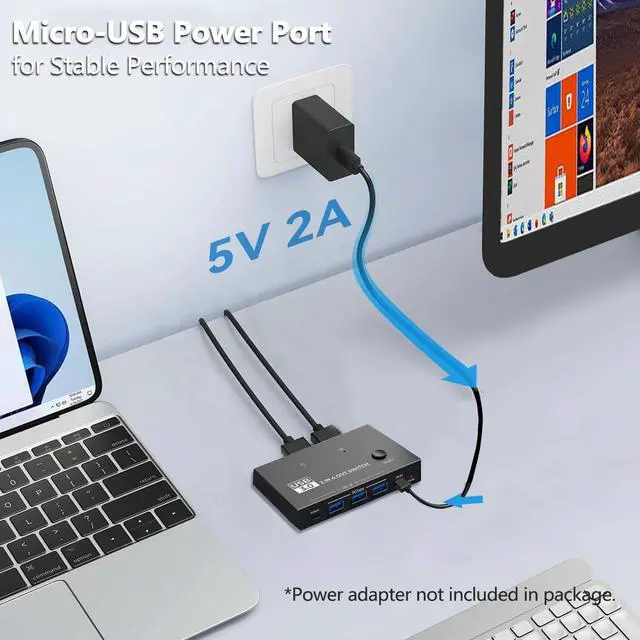
Stable Connection: The USB switch is designed with an additional USB-C power port. If you are using some high power devices, such as hard disk,docking station, printer, etc., you may need to connect an additional power source for stable performance. (USB C to USB-A power cable included, power adapter not included)
+
+
Overview
Specs
Reviews
Any questions? Our AI mode will help you find out quickly.
Try me now
With this USB switch, you can switch between two computers with a single click and share four USB devices, such as keyboards, mice, and printers. No more plugging and unplugging cables, saving space and improving work efficiency.
The technical and design team has more than 8 years of experience in the field of computer accessories. Through the research of various chip solutions, all of our computer accessories use more stable chips and circuit design solutions to bring professional products and services to our customers!
Is our product quality high?
Our products are strictly quality controlled and inspected before leaving the factory. If you encounter any problems, let me know - there is no need to rush to return the product. We will solve the problem to your satisfaction!
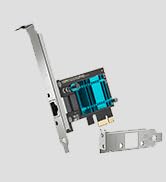
PCIE to USB Card
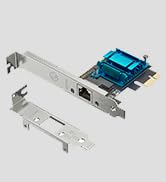
Gigabit Network Card
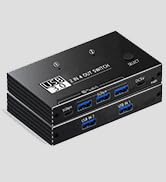
KVM USB Switch
With this USB switch, you can switch between two computers with a single click and share four USB devices, such as keyboards, mice, and printers. No more plugging and unplugging cables, saving space and improving work efficiency.
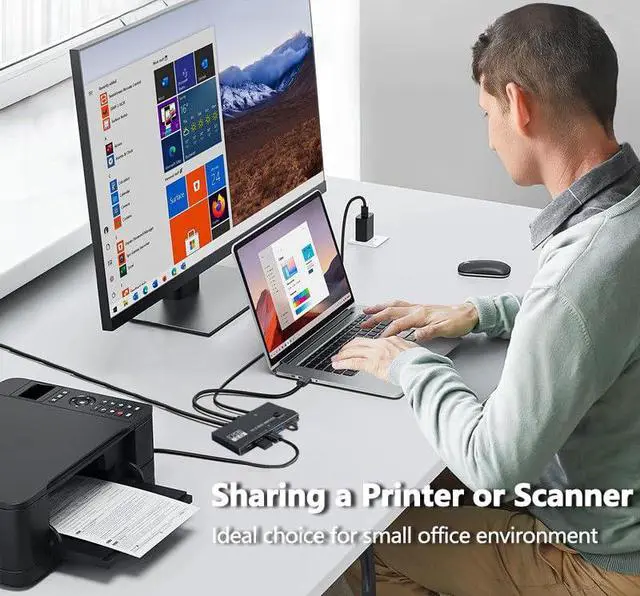
2 Computers Sharing a Printer
Improve Your Work Efficiency
Usage Scenarios
What makes our products unique?
The technical and design team has more than 8 years of experience in the field of computer accessories. Through the research of various chip solutions, all of our computer accessories use more stable chips and circuit design solutions to bring professional products and services to our customers!
Is our product quality high?
Our products are strictly quality controlled and inspected before leaving the factory. If you encounter any problems, let me know - there is no need to rush to return the product. We will solve the problem to your satisfaction!
PCIE to USB Card
Gigabit Network Card
KVM USB Switch
USB 3.0 Switch provides the perfect solution for sharing multiple external USB devices between two computers, helping to save desk space.
Product specification
Interface Type: 2 in 4 out
Data Transfer Rate: Up to 5Gbps
Input Ports: 2x Type USB A
Output Ports:: 1x USB C, 3x USB Type-A
Extra Power Port Power: 5V-2A (please use 5V-2A power adapter to power the device)
Operating System: Support Windows XP/Vista/2008/7/Windows 8/10/11, Linux.
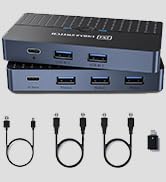
Package includes USB switcher, 2 x USB-A to USB A cables, 1 x USB-C to USB-A power cable.
Note:
1. When Indicator 1 is on, the USB device is for PC 1 only; when Indicator 2 is on, the USB device is for PC 2 only.
2. The input port of this switcher doesnt have USB-C, if the computer only has USB-C port, you need to configure USB-A to USB-C adapter.
3. When using high-power devices such as printers, mechanical keyboards, etc., please connect the device to an additional power source to ensure that the device will not fail to work properly due to insufficient power.
4. This is a USB C switch, not a KVM switch, and doesn't support monitors; USB-C input doesn't support video, and there is no HDMI input.
5. Don't connect the device through a hub, but connect it directly to the USB port on the computer's motherboard, as this may result in unstable signal transmission, device unrecognition, or connection interruption.
6. It is not recommended to connect wireless devices to USB 3.0 switches due to 2.4G hz co-channel interference.
Learn more about the No Limits Publications ULS-USB Switch 3
Model
Brand
YEELIYA
Series
4K
Model
ULS-USB Switch 3
Part Number
ULS-USB Switch 3
Details
Type
Switches
PC Connectors
Plug In
Console Connectors
Plug In
Computer Connections
Plug In
Monitor Connections
1 Port
Video Resolution
USB Switch, usb
PC Selection
Push Buttons
Monitors Supported
usb, Plug In
Wire Gauge
2 amps
Environmental
Temperature
136 degrees_fahrenheit to -68 degrees_fahrenheit
Features
Audio Features
Plug In, usb
Power Features
5 volts, false
USB Features
Plug In, USB Switch
SplitterOnly
USB Switch, 4K, 2x USB-A to USB-A Cables,1x USB-C Power Cables
Application
Plug In, usb, push_button
Features
Plug In, usb, push_button, 1, IP54
Dimensions & Weight
Dimensions
4.191 cm x 12.2936 cm x 17.0942 cm
Package Contents
Package Contents
2x USB-A to USB-A Cables,1x USB-C Power Cables
Additional Information
First Listed on Newegg
September 15, 2026
Customer Reviews of the No Limits Publications ULS-USB Switch 3
There are no reviews yet.
Do you own this product?
Warranty & Returns
Warranty, Returns, And Additional Information
Warranty
Please contact the Seller directly for warranty information. Warranty information may also be found on the Manufacturer's website.