• $258.99
  • Free 30-day Returns
  • Ships from China.
    Price alert
    Top Rated
    Shop it at NeweggBusiness.

    Vszerda 8K@60Hz Displayport USB3.0 KVM Switch 2 Monitor for 4 Computer, DP1.4 KVM Switch 4 Port with Audio Microphone Output and 3 USB 3.0 Ports, 8K DP Monitor Switch for 4PC 2Monitor

    Limited time offer, ends 02/03 By Jinwen Electronics

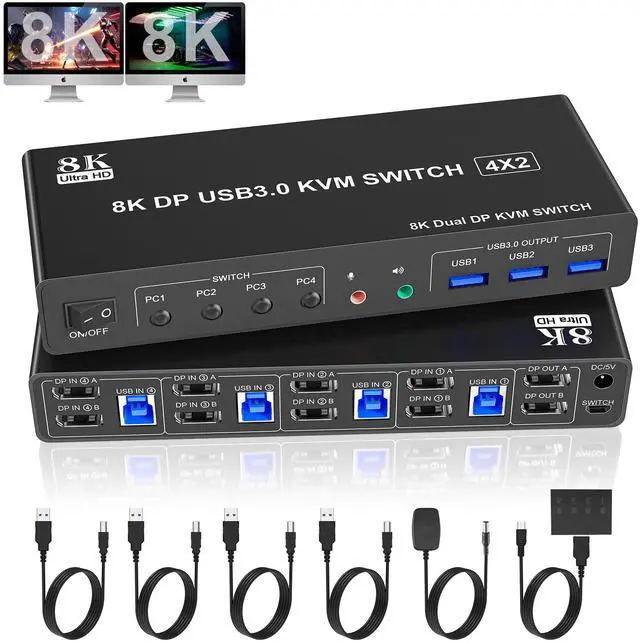
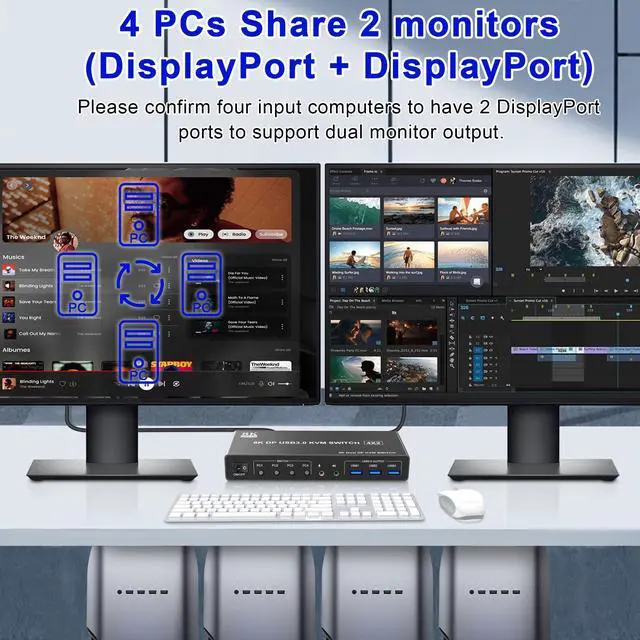
    • 4 Port Displayport KVM Switch: This 4 IN 2 OUT DP KVM Switch allow 4 desktops or laptops to share one set of keyboard, mouse and 2 monitors for extended, mirrored display. Only when your computer supports dual display or multi display, you can use this KVM to achieve 4 PC to share 2 monitors. (Extended or mirrored display modes depend on your computer's graphics card).
    • Ultra HD 8K@60Hz 4K@144Hz: This Dual monitor 4 port DP KVM Switch supports resolutions and refresh rates up to 8K@60Hz 4K@144Hz, and also supports 4K@60Hz or other lower resolution (Downward Compatible). Note: Only when both your computer Graphics card, monitor and DP cable support 8K@60Hz then you can get 8K@60Hz effect, so if you want the max resolution you have to check your devices first.
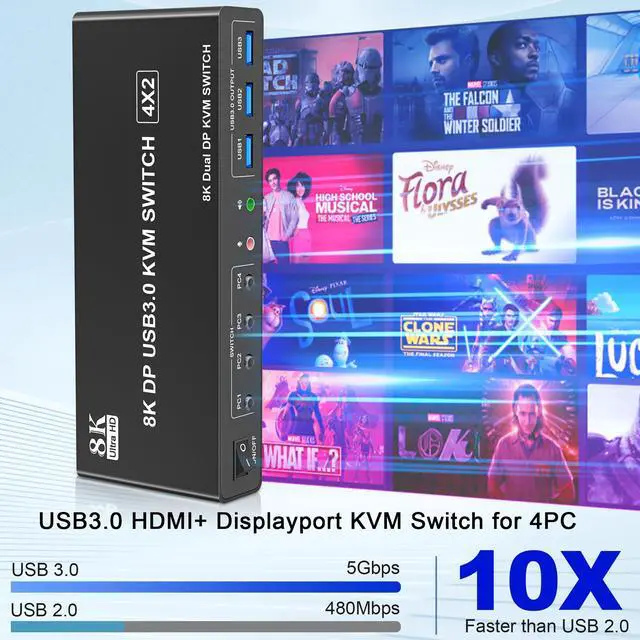
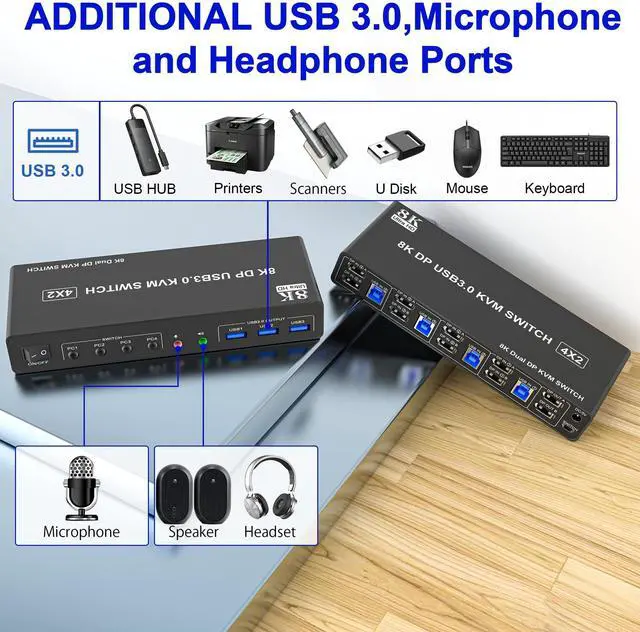
    • 8K Displayport Switch with USB 3.0 Ports: Dual monitor Displayport KVM switch with 3 USB 3.0 ports which can recognize keyboard,mouse,printer,scaner and other USB devices. Plug and play without any software needed. The transmission speed of USB3.0 is as high as 5Gbps, while USB 2.0 offers data transfer speeds of only 480Mbps.
    • Great Compatibility & 2 Switching Modes: 4 IN 2 OUT DP KVM Switch driver-free for Windows, Linux, Mac, Unix, Ubuntu, Raspberry and most other major OS. Plug and play. You can press the button on the panel or use the wired remote controller (included in the package) to switch the computers. The LED indicate the active computer.
    +
    +
    Overview
    Specs
    Reviews

    8K@60H 4 Port Displayport USB 3.0 Dual Monitor KVM Switch 4 computers share 2 monitors and 3 USB3.0 devices

    Ultra HD 8K@60Hz Dual Monitor KVM Switch

    Supports up to 8K@60Hz/4K@144Hz, Ultra HD, HDR 10, Dolby vision, 3D effect.

    Support DP 1.4 , transfer rates up to 32.4Gbps, backwards compatible with DP 1.2

    Note: Only when both your computer Graphics card, monitor and DP cable support 8K@60Hz you can get the 8K@60Hz effect, so if you want the max resolution you have to check your devices first.

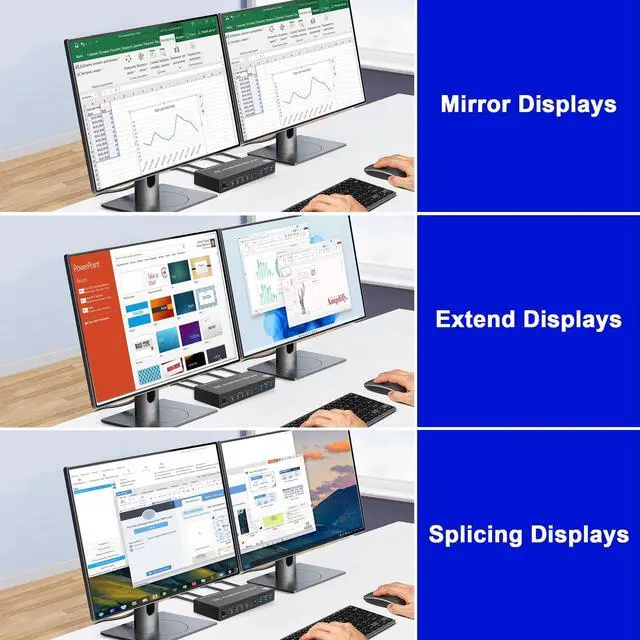
    3 Display Modes

    Extended Display

    Mirrored Display

    Spliced Display

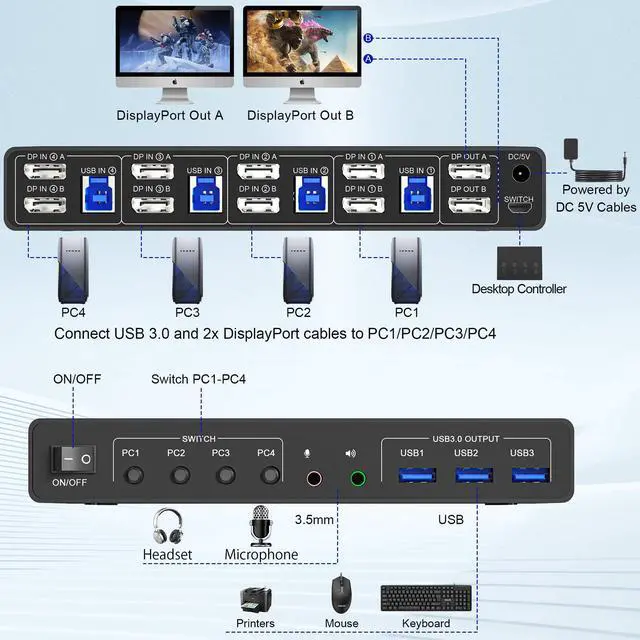
    Installation steps:

    1. Insert the adapter into the KVM ;

    2. Plug the 2*Displayport cable into the KVM switch and monitor;(Output)

    3. Plug the Displayport cable and USB cable into the KVM switch and your computer/laptop (DP cables are not included)(Input)

    DP IN1 A + DP IN1 B + USB IN1=PC1

    DP IN2 A + DPIN2 B + USB IN2=PC2

    DP IN3 A + DPIN3 B + USB IN3=PC3

    DP IN4 A + DPIN4 B + USB IN4=PC4

    4. Insert the mouse and keyboard into the KVM switch

    5. If needed, you can connect a microphone and audio port

    Wired Remote Control

    Switch by Panel button

    LED Indicator

    When switching to which PC, the LED will tell you whether PC1 or PC2 or PC3 or PC4 is active.

    Audio and microphone output

    KVM switch 4 computers displayport comes with a 3.5mm Audio Jack port with a DAC chip inside, which can be inserted into a 3-segment 3.5mm earpiece device, and a 3.5mm microphone interface, which can be inserted into a 3-segment microphone

    Additional Features

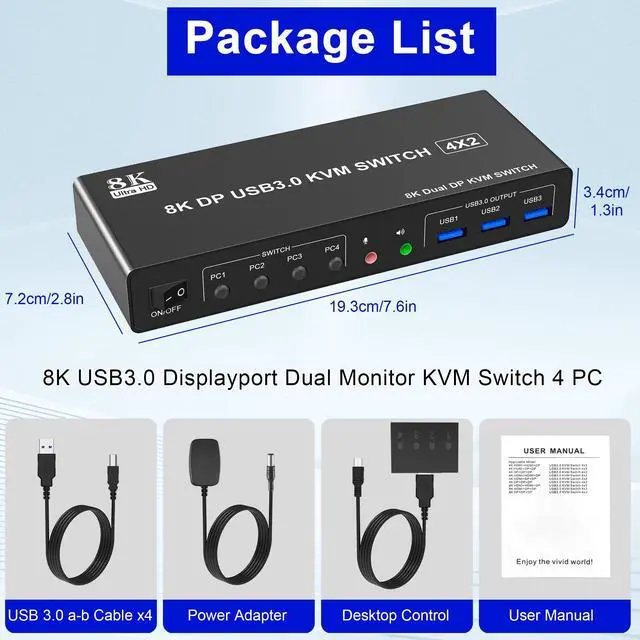
    • What You Get: 1x 4 Port 8K USB 3.0 DisplayPort KVM Switch, 4 x USB 3.0 Cables, 1x Power Adapter, 1x Wired Button Contorller, 1x User's manual.
    • Important: After connecting the computers and the monitors through KVM, you need to set the screen output mode on the computer (press Windows+P) and select the output mode in the pop-up window on the screen.We offer 24 months warranty. Tips 1: If you encounter problems when using the KVM connection, please contact us for after-sales support in time.Tips 2: hotkey switching is not supported.

    Warranty & Returns

    Warranty, Returns, And Additional Information

    Warranty

    • Please contact the Seller directly for warranty information. Warranty information may also be found on the Manufacturer's website.
    • CONTACT

    Return Policies

    Manufacturer Contact Info

    LOADING...