• $34.99
  • Free 30-day Returns
  • Price alert
    Shop it at NeweggBusiness.

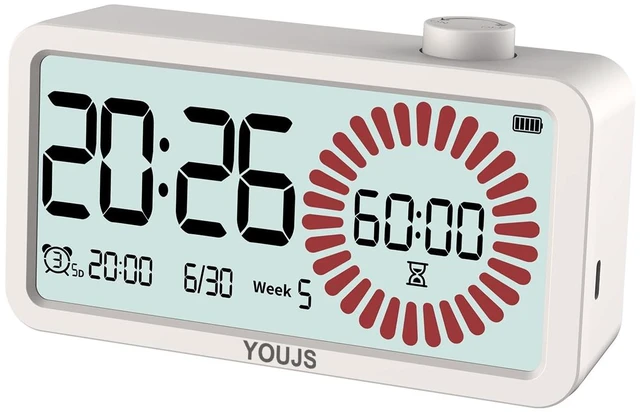
    Visual Timer 4-in-1 Alarm Clock,for Heavy Sleepers Student Kids | 3 Programmable SettingUSB-C Charging3 working modelsVisual countdown,Built-in Battery,Study,LCD Eyecare,ADHD Focus

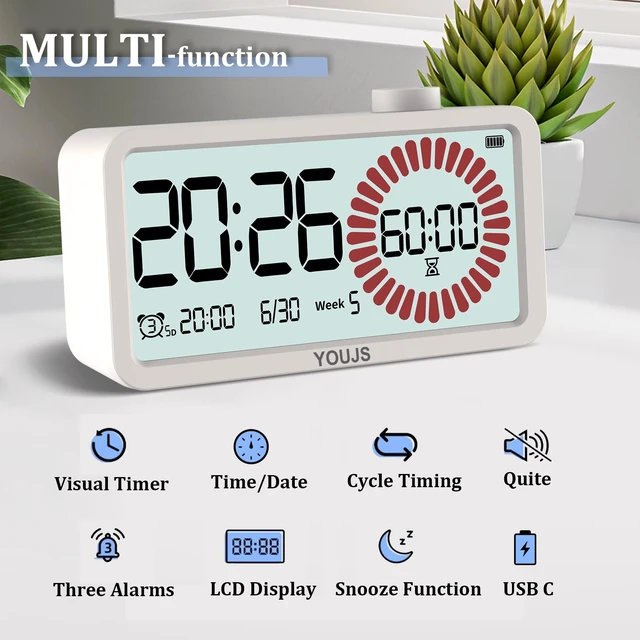
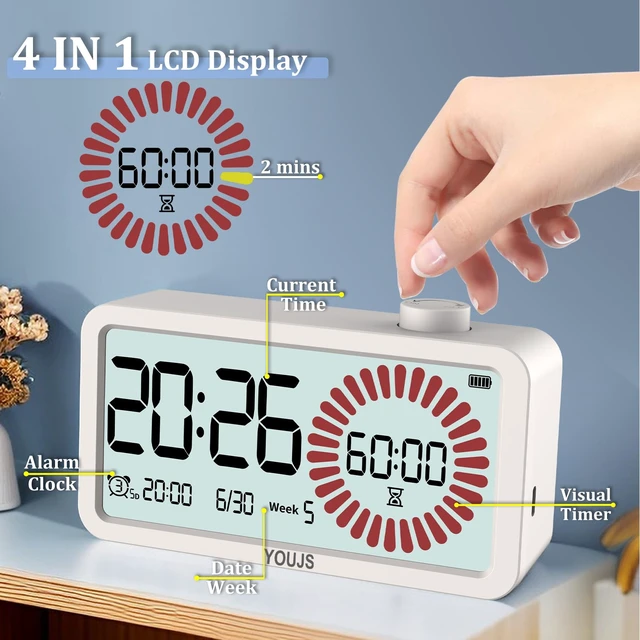
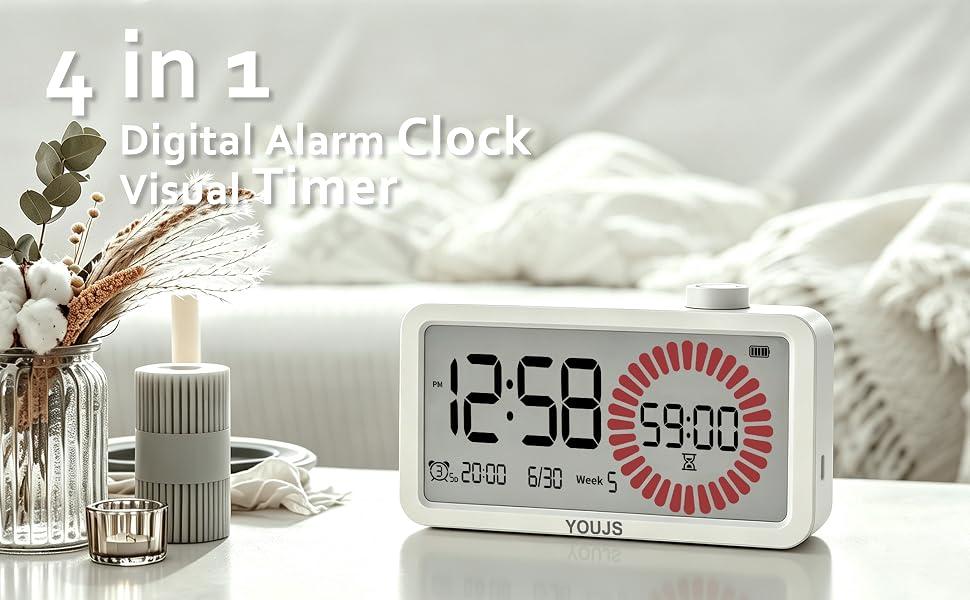
    • Multi-functions in One: This visual timer clock features an LCD wide-screen high-definition display of time, date, day of the week and various mode statuses. With a circular visual timing bar, customizable timing function, and supports Type-C charging. The digital timer is a desk companion for improving efficiency and time management
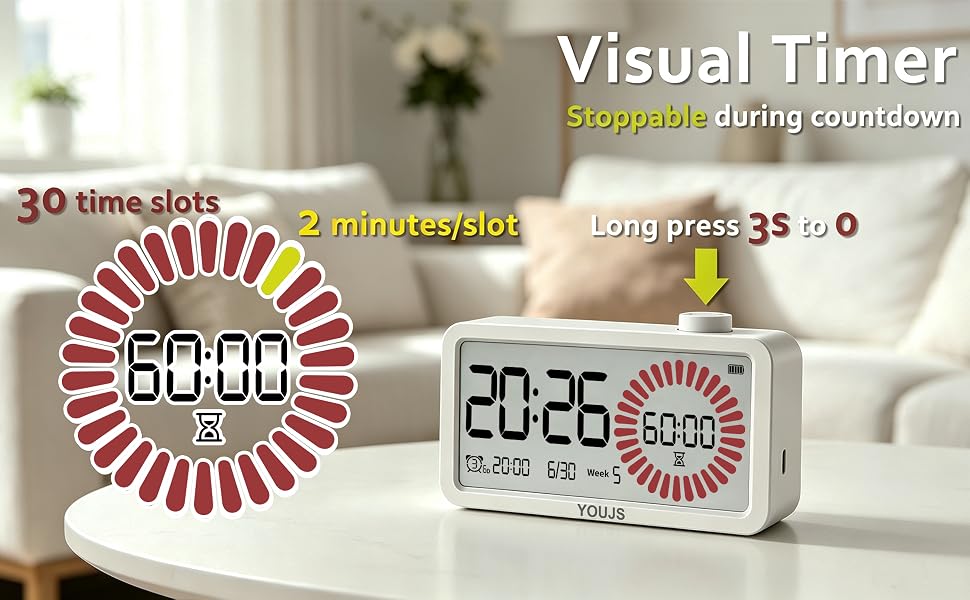
    • Circular Calculating Timer: The unique circular progress bar of countdown timer visually tracks timing progress (0-60 minutes), supports stop counting, long press 3s to clear the timer setting
    • Quiet Movement with Comprehensive Display: The silent electronic movement completely eliminates the disturbing ticking sound at night, ensuring peaceful sleep. The screen clearly shows current time (12/24 Switchable), date, day of the week, and the alarm clock setting
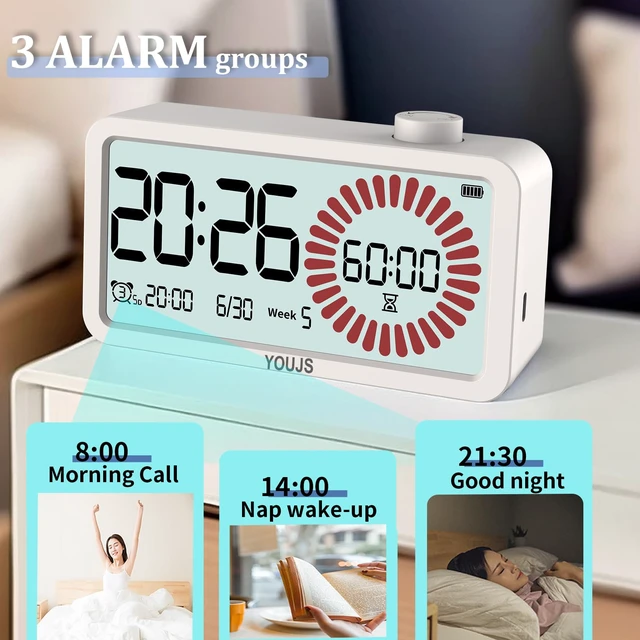
    • 3 Sets Alarm Clock: You don't need to worry about missing the important moment while there are 3 sets of alarm clock available. No more oversleep for you, multiple routines, one clock
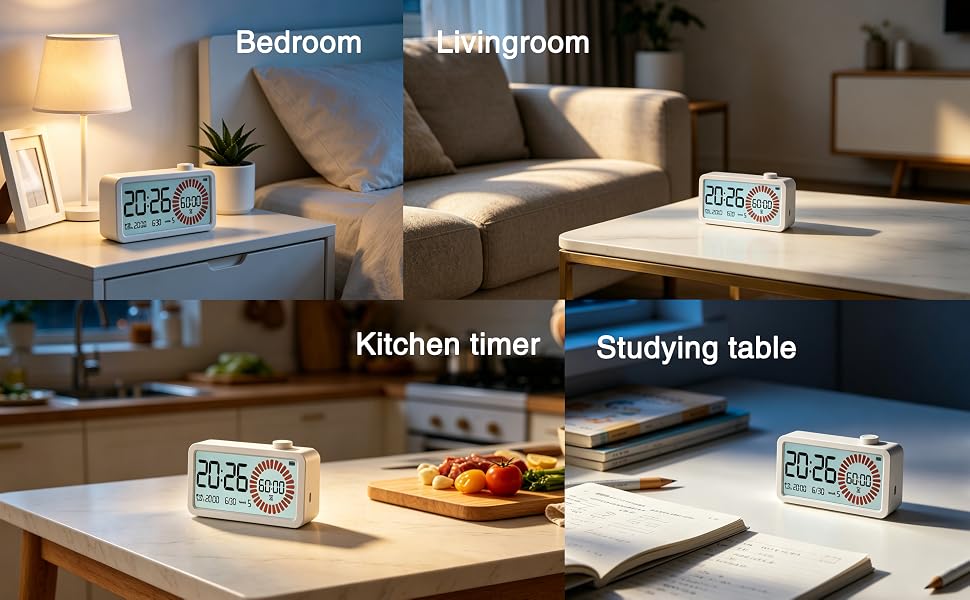
    • Versatile for Many Occasions: Small and compact for desks, offices, bedside tables, kitchens, and more. It serves as a focus timer for students, a productivity tool for professionals, and a cooking timer for families, helping you manage every moment efficiently
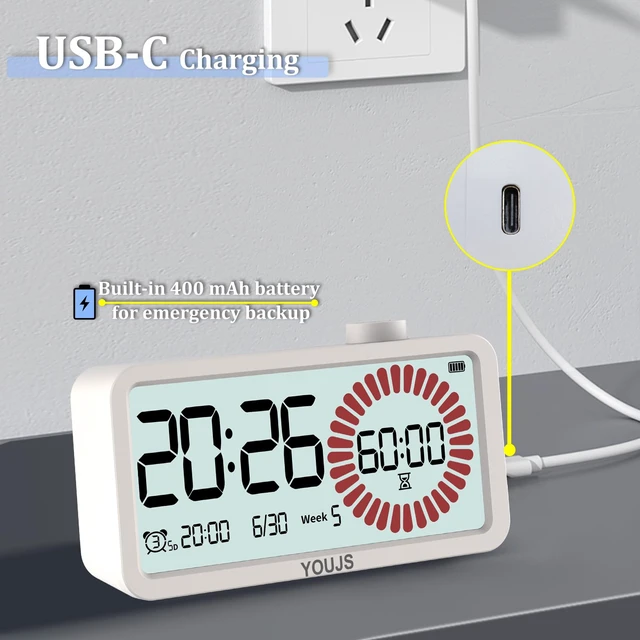
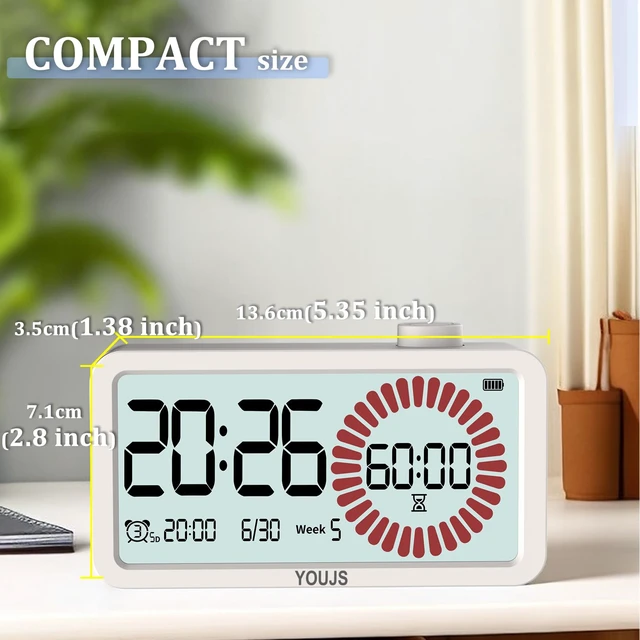
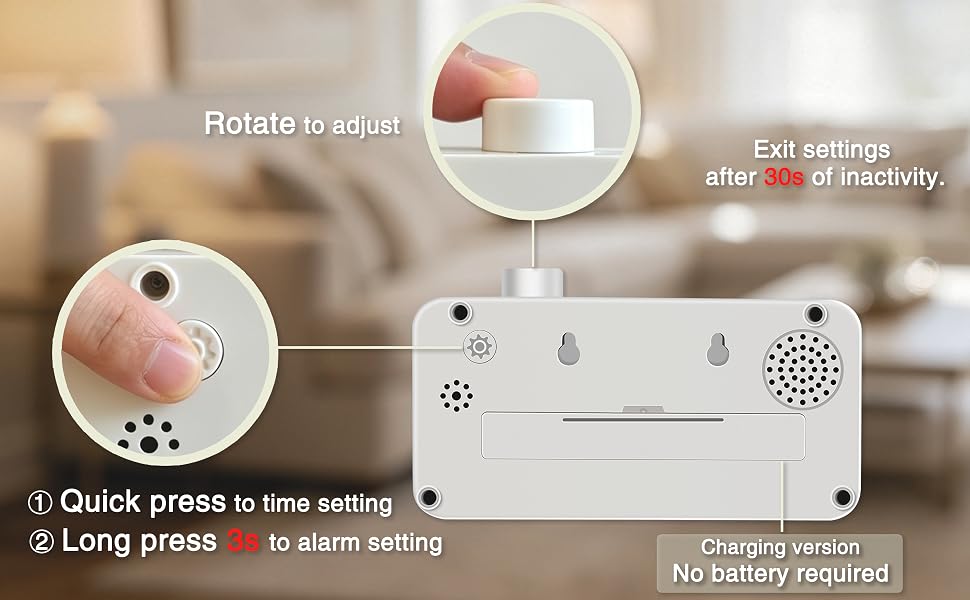
    • Specifications and Power Options: Size measures 2.8x1.38x5.35 inch. This alarm clock features a built-in 400mh battery and Type-C charging port, we suggest you to use via cable for optimal performance
    +
    +
    Overview
    Specs
    Reviews
    avatar

    Any questions? Our AI mode will help you find out quickly.
    you have to get one for your family

    NOT just a Clock or a Timer

    • Current time display
    • Flexible visual timer
    • 3 clock setting
    • Clean date display

    One of the key features

    mainly use this timer function

    No more just numbers to see

    • 30 icons =60 minutes, each one stands for 2 minutes
    • Made a mistake in the middle? No problem – a 3-second long press resets everything.
    • The flower-like countdown icons let you instantly tell the remaining time while the timer runs.Time becomes visual, not just numerical.

    how to use the setting of alarm and time

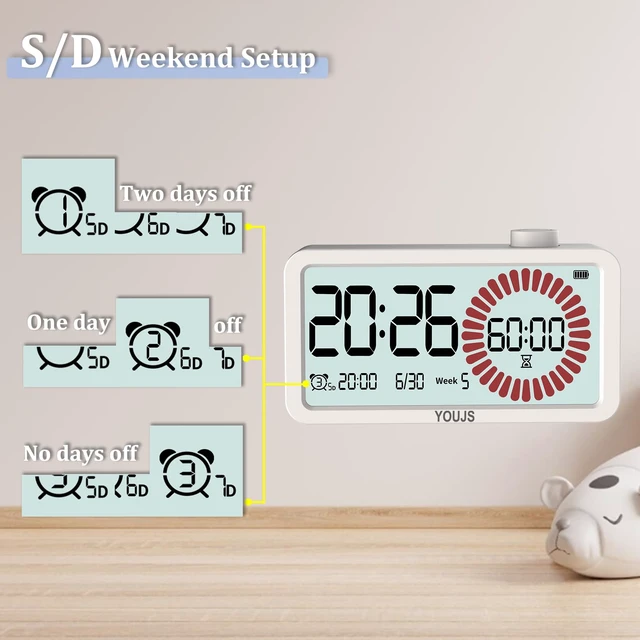
    What the Alarm Setting Means

    good weekend with 2 days rest

    Great Weekend with 2 days off

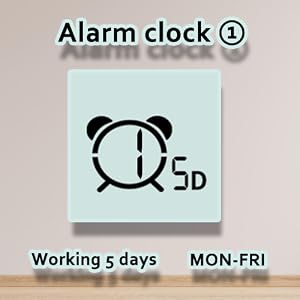
    • “5D” means the alarm will ring from Monday to Friday..
    • Weekday Alarm ON

    usual weekend with 1 day rest

    weekend with 1 day off

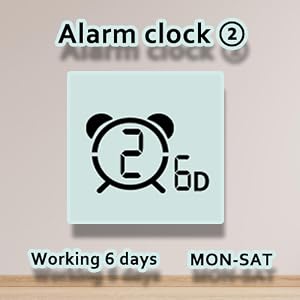
    • “6D” means the alarm will ring from Monday to Saturday.
    • Alarm for 6-day workweek ON

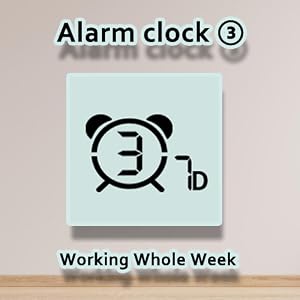
    sad weekend with no rest whole week

    Keep working in whole week

    • “7D” means the alarm rings every day of the week.
    • Setting for working every day.
    • Turn off the alarm clock by setting it to 0D

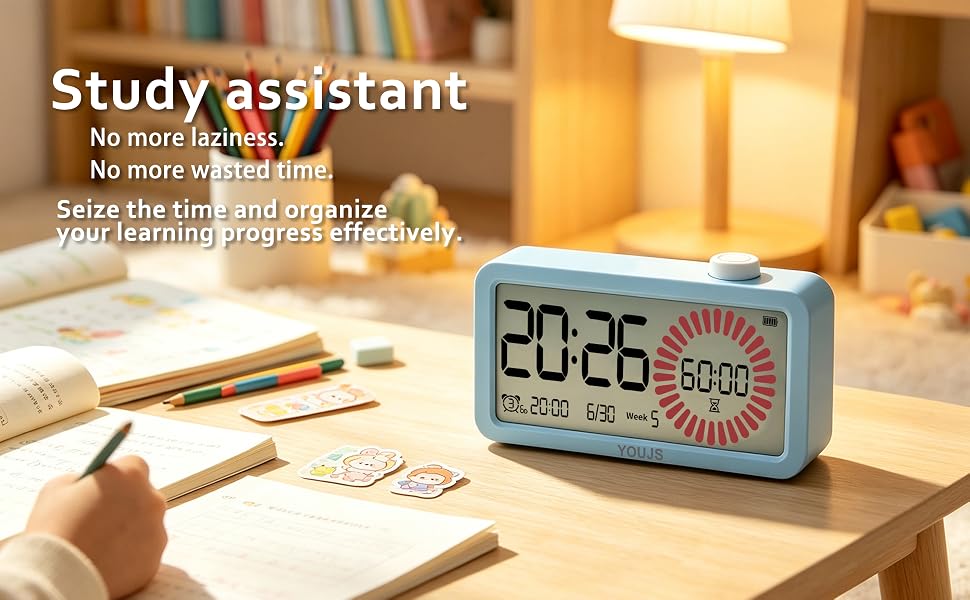
    as time monitor when children are studying

    Application Scenarios

    suitable for any places that need timer and time

    1. Kitchen Cooking Countdown timer , with specific time display to track the cooking progress. Rotary dial easy to set up; time's up with loud beeping voice.
    2. Fitness & Workouts Timer for interval training (e.g., planks, jumping jacks); stoppable during the countdown, give you time to adjust some details.
    3. Office & Study Pomodoro-style focus timer; Silent mode available, easy blind operation, no battery needed– keeps your desk tidy.
    4. Sleep & Relaxation Set a timer for meditation or power naps; Soft LCD backlight,plug in and use ,
    5. Daily Reminders Timed alerts for laundry, parking, face masks, etc. Date display keeps you aware of the day. hassle-free for all ages.

    you have to get one for your family

    NOT just a Clock or a Timer

    • Current time display
    • Flexible visual timer
    • 3 clock setting
    • Clean date display

    One of the key features

    mainly use this timer function

    No more just numbers to see

    • 30 icons =60 minutes, each one stands for 2 minutes
    • Made a mistake in the middle? No problem – a 3-second long press resets everything.
    • The flower-like countdown icons let you instantly tell the remaining time while the timer runs.Time becomes visual, not just numerical.

    how to use the setting of alarm and time

    What the Alarm Setting Means

    good weekend with 2 days rest

    Great Weekend with 2 days off

    • “5D” means the alarm will ring from Monday to Friday..
    • Weekday Alarm ON

    usual weekend with 1 day rest

    weekend with 1 day off

    • “6D” means the alarm will ring from Monday to Saturday.
    • Alarm for 6-day workweek ON

    sad weekend with no rest whole week

    Keep working in whole week

    • “7D” means the alarm rings every day of the week.
    • Setting for working every day.
    • Turn off the alarm clock by setting it to 0D

    as time monitor when children are studying

    Application Scenarios

    suitable for any places that need timer and time

    1. Kitchen Cooking Countdown timer , with specific time display to track the cooking progress. Rotary dial easy to set up; time's up with loud beeping voice.
    2. Fitness & Workouts Timer for interval training (e.g., planks, jumping jacks); stoppable during the countdown, give you time to adjust some details.
    3. Office & Study Pomodoro-style focus timer; Silent mode available, easy blind operation, no battery needed– keeps your desk tidy.
    4. Sleep & Relaxation Set a timer for meditation or power naps; Soft LCD backlight,plug in and use ,
    5. Daily Reminders Timed alerts for laundry, parking, face masks, etc. Date display keeps you aware of the day. hassle-free for all ages.

    Visual Timer 4-in-1 Alarm Clock, for Heavy Sleepers Student Kids | 3 Programmable SettingUSB-C Charging3 working modelsVisual countdown, Built-in Battery, Study, LCD Eyecare, ADHD Focus

    Warranty & Returns

    Warranty, Returns, And Additional Information

    Warranty

    • Please contact the Seller directly for warranty information. Warranty information may also be found on the Manufacturer's website.
    • CONTACT

    Return Policies

    Manufacturer Contact Info

    LOADING...