• $18.88
  • Free 30-day Returns
  • Ships from China.
    Price alert
    Sold by FEIFANSHOP

    Shipped by FEIFANSHOP

    Shop it at NeweggBusiness.

    Meet Your Seller

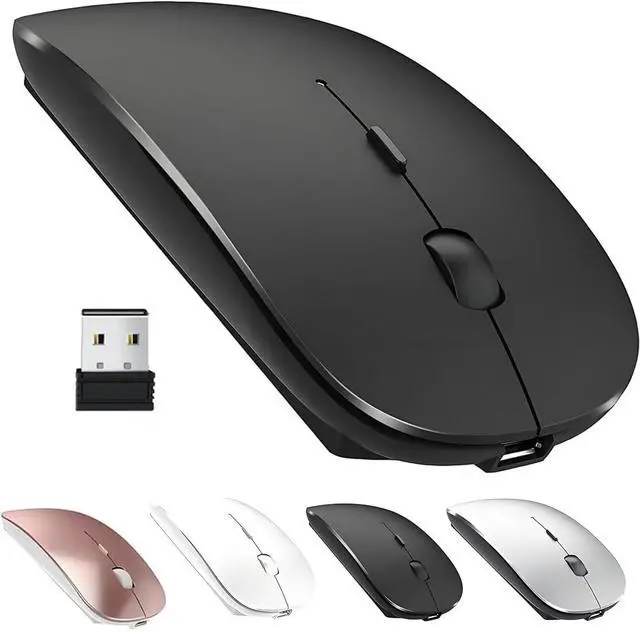
    ZERU Bluetooth Mouse,Rechargeable Wireless Mouse for MacBook Pro/MacBook Air/Laptop/PC/Mac/iPad pro/Computer,Bluetooth 5.2 + 3.0 +2.4G USB Receiver

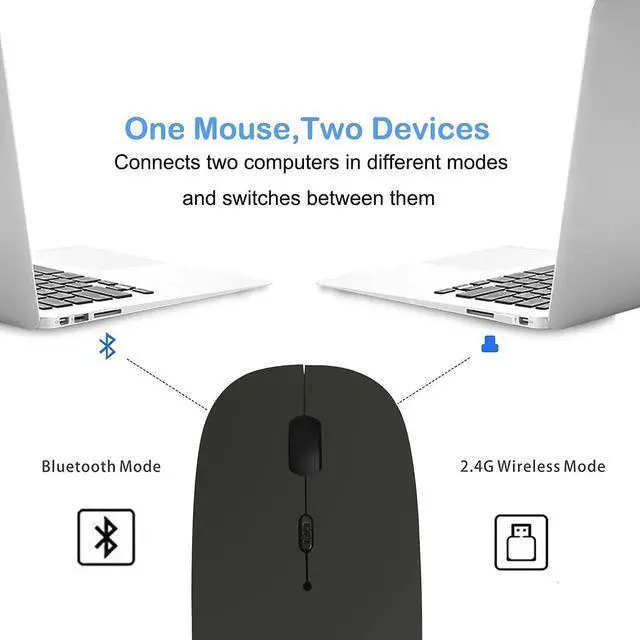
    • [2025 New upgraded chip] - Achieve a faster connection. BLUETOOTH 5.2 + 3.0 +2.4G USB Receiver.The newly optimized chips make the connectivity more stable. Compatible with more than 99% Bluetooth devices. Connect macbook pro/macbook air/Mac/iPad/ipad pro/Phone/Laptop/PC/Computer
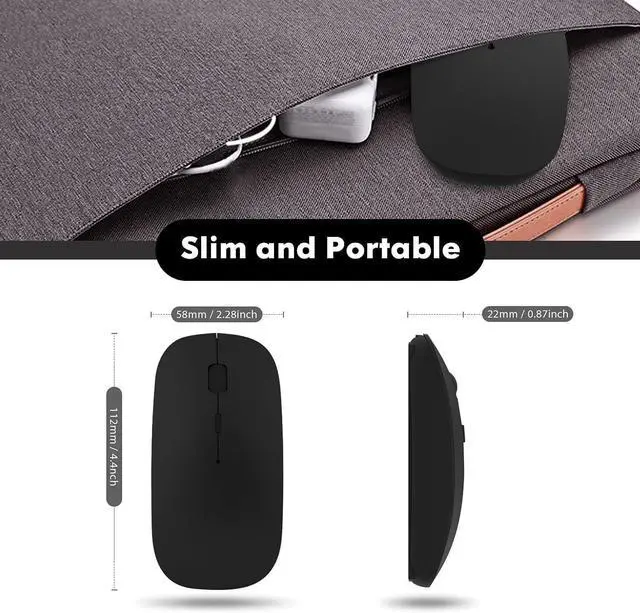
    • Skin-Friendly for ComfortSilent click Mouse with classic design with anti-fingerprint finish offers your hand maximum support and comfort. The sturdy anti-slip rubber scroll wheel ensures that your hand will not slip when scrolling.
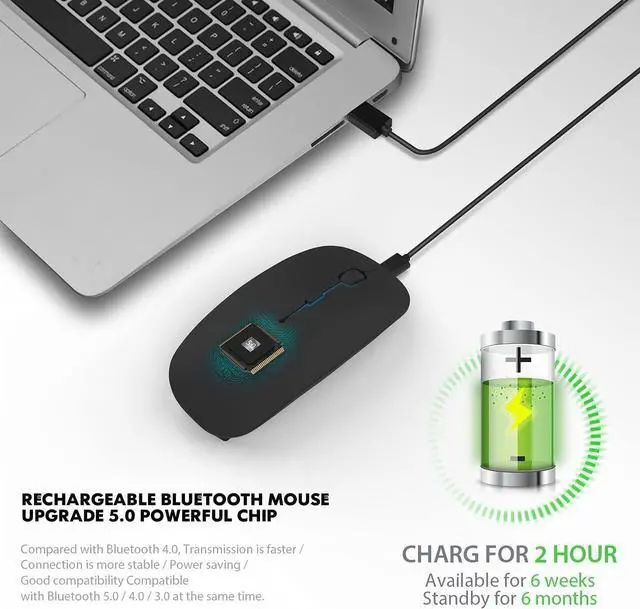
    • Rechargeable Optical Wireless MouseBuilt-in durable 500mAh lithium rechargeable battery can last up to 500 hours after fully charged, and standby time is super long with auto sleep and wake mode. Easily recharged through the included USB cable, no need to change the battery.
    • NOISE FREEQuiet click sound when pressing buttons, which makes you away from worrying about bothering others, especially at home while other family members having rest, so that you can stay focused on your work.
    • QUALITY GUARANTEE: One year quality warranty for this bluetooth mouse from ZERU
    +
    +
    Overview
    Reviews
    avatar

    Any questions? Our AI beta will help you find out quickly.

    1

    Support Devices Including:WindowsAndroidmacbook Series

    Pad Series ( Note: Updated System to Pad OS 13 or Above and Turn on the Assistive TouchYou need to open the function of AssistiveTouch with the following steps to set it: Setting - Accessibility - AssistiveTouch )

    New Pad 10.2 2019, Pad 9.7 Inch 2018, Pad 9.7 2017, Pad Pro 12.9" / 11.0" / 10.5" / 9.7", Pad Air 10.5 / Air 2, Pad mini 5/ 4.

    Phone Series ( Note: Updated System to iOS

    * Bluetooth version: Bluetooth 4.0

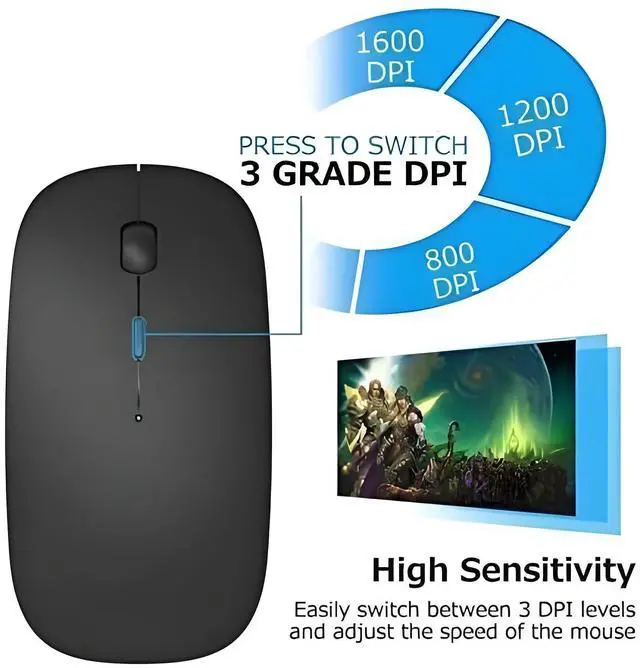
    * Photoelectric resolution: 3 adjustable DPI level (1000 / 1200 / 1600DPI)

    How to use the Bluetooth mouse:

    1. Charge for 2 hours before first usethe blue light is on when charging, the blue light is automatically extinguished when fully chargedpairing open the Bluetooth mouse (switch to "on"position), press the black circle "Bluetooth connection button"More than 3 seconds.

    2. Turn on the computer Bluetooth or toward the Bluetooth signal in the bottom right corner of the computer screen. Right click to select "add device", then the Bluetooth will enter the search state. (Note: Bluetooth normally has a Bluetooth logo in the lower right corner of the computer, if it normally starts.)

    3. Wait for the computer to search interface into the Bluetooth device, the Bluetooth computer can search a mouse shape icon or "Bluetooth Mouse", that is the Bluetooth mouse, and then click next to start the match, the pairing is successful mouse begin work.

    Note!!

    If your device does not have Bluetooth, you need to install the Bluetooth adapter first.

    If you do not use the mouse for a long time, turn off the "ON / OFF" switch.

    In order to save battery life, please do not charge the mouse when there is electricity.

    Rarely occurs on the mouse connection problem, if the connection is not on the deletion of the current Bluetooth driver, and download the correct Bluetooth

    Warranty & Returns

    Warranty, Returns, And Additional Information

    Warranty

    • Please contact the Seller directly for warranty information. Warranty information may also be found on the Manufacturer's website.
    • CONTACT

    Return Policies

    • Return for refund within: 30 days
    • Return for replacement within: non-replaceable
    • This item is covered by FEIFANSHOP Return Policy

    Manufacturer Contact Info

    LOADING...