

Your Browsing History






Featured Brands




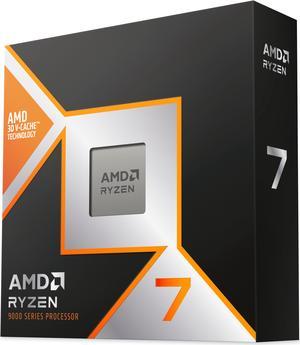
AMD Ryzen 7 9800X3D - Ryzen 7 9000 Series Zen 5 8-Core 5.2 GHz - Socket AM5 120W - AMD Radeon Graphics Desktop Processor - 100-100001084WOF
+ $20 off w/ promo code AMD2114, limited offer
- Series: Ryzen 7 9000 Series
- L3 Cache: 96MB
- L2 Cache: 8MB
- Cooling Device: Cooling device not included - Processor Only
- Model #: 100-100001084WOF
- Item #: N82E16819113877
- Return Policy: 30-Day Return Policy
- $507.99
- $469.00 –
- Save: 7%
- More options from $379.00 - $810.90
- Free Shipping
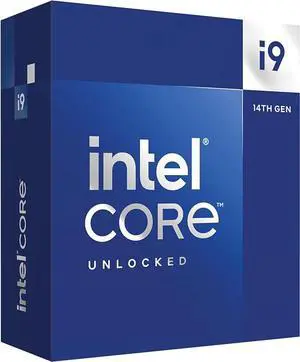
Intel Core i9-14900K - Core i9 14th Gen 24-Core (8P+16E) LGA 1700 125W Intel UHD Graphics 770 Desktop Processor - Boxed - BX8071514900K
+ $80 off w/ promo code INT216, limited offer
- Series: Core i9 14th Gen
- L3 Cache: 36MB
- L2 Cache: 32MB
- Cooling Device: Cooling device not included - Processor Only
- Model #: BX8071514900K
- Item #: N82E16819118462
- Return Policy: 30-Day Return Policy
- $599.00
- $559.00 –
- Save: 6%
- More options from $495.99 - $690.31
- Free Shipping
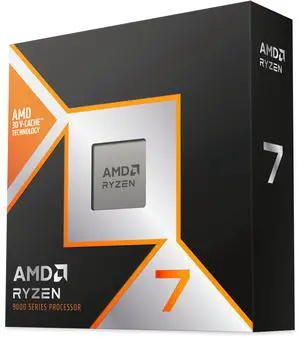
AMD Ryzen 7 9850X3D - Ryzen 7 9000 Series 8-Core 5.6GHz - Socket AM5 120W - AMD Radeon Graphics Desktop Processor - 100-100001973WOF
Free Cooler Master Elite Liquid 240 CPU AIO Cooler and Onimusha Game Bundle, limited offer
- Series: Ryzen 9000 Series
- L3 Cache: 96MB
- L2 Cache: 8MB
- Cooling Device: Cooling device not included - Processor Only
- Model #: 100-100001973WOF
- Item #: N82E16819113934
- Return Policy: 30-Day Return Policy
- $484.00 –
- More options from $484.00 - $639.99
- Free Shipping
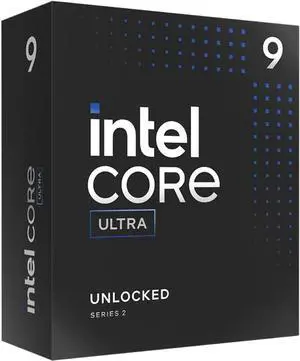
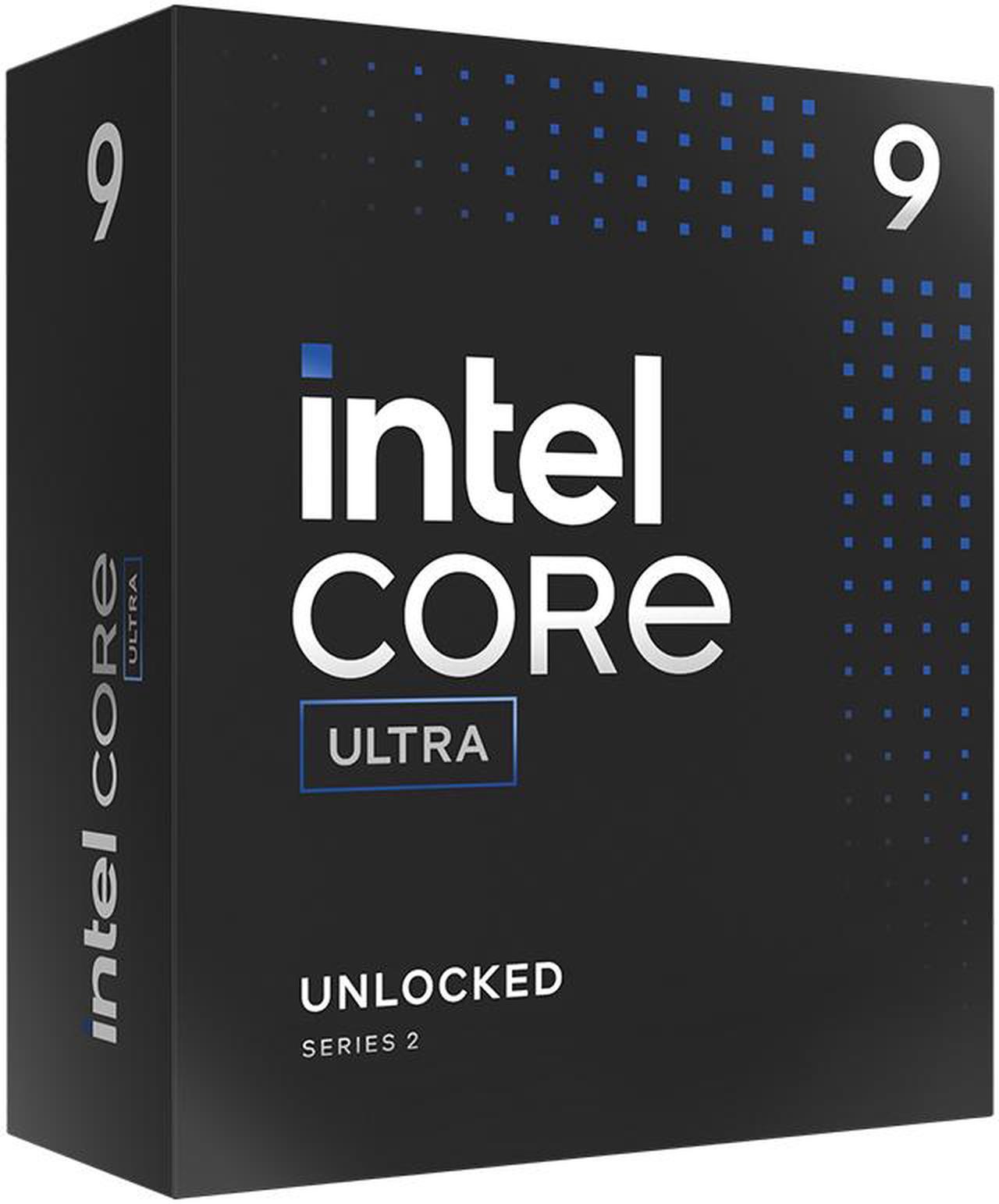
Intel Core Ultra 9 285K, Arrow Lake 24-Core (8P+16E), LGA 1851, 125W Desktop Processor - BX80768285K
+ $65 off w/ promo code BTS3323, limited offer
- Series: Core Ultra 9 (Series 2)
- L3 Cache: 36MB
- L2 Cache: 40MB
- Cooling Device: Cooling device not included - Processor Only
- Model #: BX80768285K
- Item #: N82E16819118505
- Return Policy: 30-Day Return Policy
- $579.00 –
- More options from $525.55 - $799.16
- Free Shipping
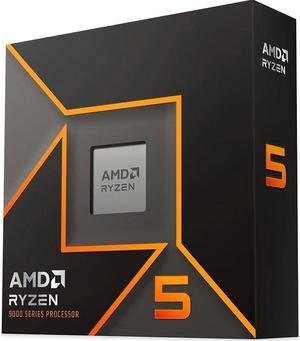
AMD Ryzen 5 9600X - Ryzen 5 9000 Series Granite Ridge (Zen 5) 6-Core 3.9 GHz - Socket AM5 65W - Radeon Graphics Processor - 100-100001405WOF
+ $25 off w/ promo code AMD2115, limited offer
- Series: Ryzen 5 9000 Series
- L3 Cache: 32MB
- L2 Cache: 6MB
- Cooling Device: Cooling device not included - Processor Only
- Model #: 100-100001405WOF
- Item #: N82E16819113844
- Return Policy: 30-Day Return Policy
- $279.00
- $199.99 –
- Save: 28%
- More options from $172.55 - $269.99
- Free Shipping
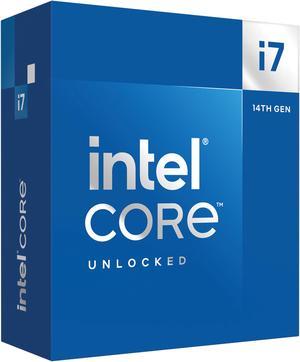
Intel Core i7-14700K - Core i7 14th Gen 20-Core (8P+12E) LGA 1700 125W Intel UHD Graphics 770 Processor - Boxed - BX8071514700K
+ $15 off w/ promo code INT218, limited offer
- Series: Core i7 14th Gen
- L3 Cache: 33MB
- L2 Cache: 28MB
- Cooling Device: Cooling device not included - Processor Only
- Model #: BX8071514700K
- Item #: N82E16819118466
- Return Policy: 30-Day Return Policy
- $390.99 –
- More options from $390.99 - $524.93
- Free Shipping

AMD Ryzen 9 9950X3D - Ryzen 9 9000 Series Granite Ridge (Zen 5) 16-Core 4.3 GHz Socket AM5 170W AMD Radeon Graphics Desktop CPU Processor - 100-100000719WOF
+ $30 off w/ promo code AMD2111, limited offer
- Series: Ryzen 9 9000 Series
- L3 Cache: 128MB
- L2 Cache: 16MB
- Cooling Device: Cooling device not included - Processor Only
- Model #: 100-100000719WOF
- Item #: N82E16819113884
- Return Policy: 30-Day Return Policy
- $699.00 –
- More options from $666.00 - $889.99
- Free Shipping
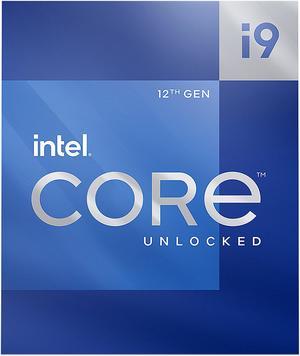
Intel Core i9-12900K - Core i9 12th Gen Alder Lake 16-Core (8P+8E) 3.2 GHz LGA 1700 125W Intel UHD Graphics 770 Desktop Processor - BX8071512900K
+ $60 off w/ promo code INT219, limited offer
- Series: Core i9 12th Gen
- L3 Cache: 30MB
- L2 Cache: 14MB
- Cooling Device: Cooling device not included - Processor Only
- Model #: BX8071512900K
- Item #: N82E16819118339
- Return Policy: 30-Day Return Policy
- $549.99
- $429.99 –
- Save: 21%
- More options from $323.99 - $583.00
- Free Shipping
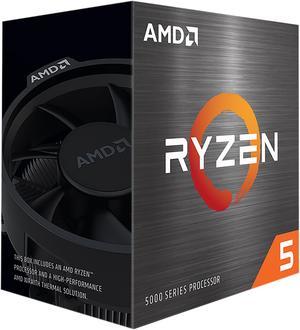
AMD Ryzen 5 5500 - Ryzen 5 5000 Series Cezanne (Zen 3) 6-Core 3.6 GHz Socket AM4 65W No Integrated Graphics Desktop CPU Processor - 100-100000457BOX
+ $25 off w/ promo code AMD2119, limited offer
- Series: Ryzen 5 5000 Series
- L3 Cache: 16MB
- L2 Cache: 3MB
- Cooling Device: Wraith Stealth
- Model #: 100-100000457BOX
- Item #: N82E16819113737
- Return Policy: 30-Day Return Policy
- $159.00
- $99.00 –
- Save: 37%
- More options from $79.95 - $139.99
- Free Shipping
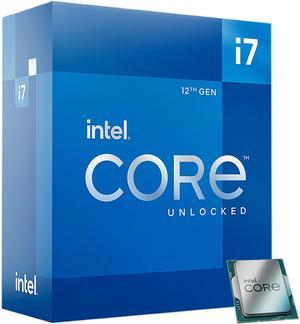
Intel Core i7-12700K - Core i7 12th Gen Alder Lake 12-Core (8P+4E) 3.6 GHz LGA 1700 125W Intel UHD Graphics 770 Desktop Processor - BX8071512700K
+ $15 off w/ promo code INT220, limited offer
- Series: Core i7 12th Gen
- L3 Cache: 25MB
- L2 Cache: 12MB
- Cooling Device: Cooling device not included - Processor Only
- Model #: BX8071512700K
- Item #: N82E16819118343
- Return Policy: 30-Day Return Policy
- $339.99 –
- More options from $272.99 - $459.00
- Free Shipping
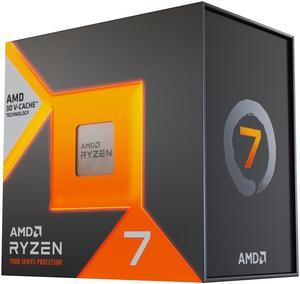
AMD Ryzen 7 7800X3D - Ryzen 7 7000 Series Zen 4 8-Core 4.2 GHz - Socket AM5 120W - AMD Radeon Graphics Desktop Processor - 100-100000910WOF
+ $60 off w/ promo code AMD2116, limited offer
- Series: Ryzen 7 7000 Series
- L3 Cache: 96MB
- L2 Cache: 8MB
- Cooling Device: Cooling device not included - Processor Only
- Model #: 100-100000910WOF
- Item #: N82E16819113793
- Return Policy: 30-Day Return Policy
- $449.00 –
- More options from $9.99 - $599.90
- Free Shipping
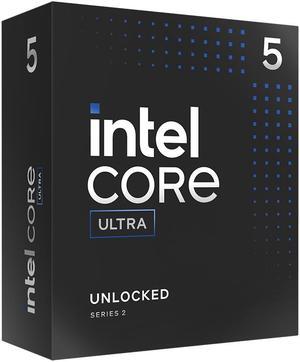
Intel Core Ultra 5 245K, Arrow Lake 14-Core (6P+8E), LGA 1851, 125W Desktop Processor - BX80768245K
+ $20 off w/ promo code INT211, limited offer
- Series: Core Ultra 5 (Series 2)
- L3 Cache: 24MB
- L2 Cache: 26MB
- Cooling Device: Cooling device not included - Processor Only
- Model #: BX80768245K
- Item #: N82E16819118508
- Return Policy: 30-Day Return Policy
- $214.99 –
- More options from $179.99 - $289.99
- Free Shipping
| Learn about CPUs & Processors | |
|---|---|
Understanding Modern CPUsA CPU, or central processing unit, is the core decision-maker of your system. It reads instructions, performs calculations, and coordinates how quickly your PC responds to everything from opening a browser tab to rendering a 4K timeline. You will find processors in desktops, laptops, servers, game consoles, and many smart devices — but desktop processors are still the benchmark for maximum performance and upgrade flexibility. Modern CPUs combine higher clock speeds with more cores and threads to deliver both strong single-threaded responsiveness and multi-threaded throughput. Technologies such as boost clocks, large L3 cache, and integrated memory controllers all work together to reduce bottlenecks in gaming, content creation, and AI workloads. When paired with a compatible motherboard, fast DDR4 or DDR5 memory, and proper cooling, today's CPUs can sustain high performance under heavy loads. The CPU Landscape: AMD Ryzen and Intel CoreOn the AMD side, the latest Ryzen 9000 series brings Zen 5 architecture, up to 16 cores / 32 threads, PCIe 5.0, and DDR5 support for high-end gaming and production. The Ryzen 7000 / 8000 series offers excellent value with Zen 4 cores, integrated RDNA 3 graphics on many SKUs, and an NPU for on-device AI. For cost-effective upgrades on AM4, the Ryzen 5000 series remains popular thanks to strong IPC and wide motherboard availability. On the Intel side, the new Arrow Lake Core Ultra desktop processors (Core Ultra 200 Series) focus on power efficiency and AI acceleration, with a five-chiplet design, up to 24 cores (performance and efficiency cores), an integrated NPU, DDR5 support, PCIe 5.0, and the LGA 1851 socket. Previous-gen Intel 12th, 13th, and 14th Gen CPUs introduced hybrid architecture (P-cores + E-cores), support DDR4 or DDR5 depending on platform, and use the LGA 1700 socket across Core i3, i5, i7, and i9 segments. Desktop, and Server CPU Options
No matter which platform you choose, Newegg carries a wide range of CPUs, coolers, and compatible motherboards so you can balance performance, power efficiency, and budget. Need Help Picking the Right CPU?
|
Choosing the Right CPU for Your BuildThe best CPU depends on how you use your PC. Before you buy, decide whether your priority is gaming, content creation, AI workloads, or everyday productivity — and then match the core count, clock speeds, and platform features to that goal. Use Cases and Recommendations
Platform, Compatibility, and Cooling
New at Newegg
|
Last Updated: June 2026 | Newegg CPUs & Processors Buying Guide
CPU / Processor FAQs:
What does a CPU do in a computer, and why is it important?
A CPU is the main processor that handles instructions, calculations, and overall system responsiveness. It plays a major role in gaming, multitasking, productivity, and how quickly your PC handles everyday workloads.
What do core count and thread count mean on a processor?
Core count refers to how many processing units a CPU has, while thread count reflects how many tasks it can handle at once. More cores and threads can improve multitasking, content creation, and heavier workloads.
What is CPU clock speed, and how does it affect performance?
Clock speed is how quickly a processor can complete cycles of work, usually measured in GHz. Higher clock speeds can improve responsiveness in lightly threaded tasks, but overall CPU performance also depends on architecture, cores, and cache.
What is the difference between cache sizes (L1, L2, L3) in a CPU?
CPU cache is high-speed memory built into the processor to reduce delays when accessing frequently used data. Larger and more efficient cache can help improve performance in gaming, productivity, and other demanding applications.
What is TDP (Thermal Design Power), and why does it matter when choosing a CPU?
TDP is a guideline for how much heat a processor may generate under normal workloads. It matters because it affects cooler choice, case airflow, power needs, and how well the system can handle sustained performance.
What’s the difference between Intel Core and AMD Ryzen processors?
Intel Core and AMD Ryzen CPUs both offer strong options across gaming, productivity, and multitasking. On Newegg, the better choice usually comes down to the exact generation, price, motherboard platform, and how you plan to use the system.
How do Ryzen 7000/9000 CPUs compare to Intel Core Ultra and Core i-series processors?
These processor families can all deliver strong modern performance, but they differ in platform, efficiency, feature set, and total build cost. The best value usually depends on the specific CPU model, motherboard pairing, and target workload.
What’s the difference between desktop CPUs and server CPUs like Xeon or Threadripper?
Desktop CPUs are generally aimed at gaming and mainstream productivity, while server and workstation CPUs target heavier multitasking, professional software, and specialized platforms. The right option depends on whether you need mainstream performance or higher-end compute capacity.
How do high-core-count CPUs compare to higher-clock-speed CPUs for performance?
High-core-count CPUs are often better for multitasking, rendering, and parallel workloads, while higher clock speeds can help more in lighter or more gaming-focused tasks. The best choice depends on whether your software benefits more from more cores or faster per-core performance.
What’s the difference between unlocked CPUs and locked CPUs?
Unlocked CPUs are designed for overclocking on supported platforms, while locked CPUs generally run at stock settings only. For most shoppers, the decision depends on whether they want extra tuning flexibility or a simpler setup.
How do I choose the right CPU for gaming vs productivity?
For gaming, buyers often focus on strong per-core performance and overall platform value, while productivity users may benefit more from additional cores and threads. On Newegg, comparing CPU series, socket type, and intended workload is a practical way to narrow your options.
What CPU should I buy for a mid-range gaming PC?
A strong mid-range gaming CPU should balance price, gaming performance, and platform longevity. The best fit depends on your GPU, budget, and whether you want room for future upgrades on the same motherboard platform.
Is it worth upgrading my CPU or should I upgrade my GPU instead?
That depends on where your current system is limited. Many gaming-focused builds benefit more from a GPU upgrade first, but CPU upgrades can make a bigger difference in older systems, CPU-heavy games, or multitasking workloads.
How important is CPU compatibility with my motherboard socket?
CPU compatibility is critical because the processor must match the motherboard socket and supported platform. Before buying on Newegg, always check socket type, chipset support, and any BIOS requirements to avoid installation issues.
Should I choose a newer CPU generation or a higher-tier older CPU?
A newer generation may offer better efficiency, platform features, and upgrade path, while a higher-tier older CPU may still deliver strong value at the right price. The best decision depends on total platform cost and how long you plan to keep the system.
Are there common overheating issues with high-performance CPUs?
High-performance CPUs can run hotter under sustained loads, especially with limited cooling or airflow. Matching the processor with an appropriate cooler and case setup is one of the most important steps for stable long-term performance.
Do CPUs degrade over time or lose performance?
CPUs generally do not lose performance quickly under normal use, but heat, voltage, and long-term stress can affect stability over time. For most users, good cooling and a stable system setup are more important than worrying about rapid degradation.
What are the risks of choosing a CPU that is not compatible with my motherboard?
An incompatible CPU may not install, boot, or work properly with the motherboard. Socket mismatch, unsupported chipset, or missing BIOS support are common reasons a processor upgrade can fail.
Are budget CPUs reliable for long-term use?
Budget CPUs can be very reliable when matched with the right platform and realistic workload expectations. The bigger question is usually whether they deliver enough performance headroom for your future needs.
What issues do users commonly report after upgrading their CPU?
Common issues include BIOS support problems, incorrect cooler mounting, temperature spikes, and memory or stability problems after installation. Verifying compatibility before upgrading helps avoid most of these issues.
How do I install a CPU safely on a motherboard?
Carefully align the CPU with the socket markers, lower it into place without forcing it, and secure the retention mechanism according to the motherboard instructions. Take your time and avoid touching socket contacts or processor pins.
Do I need to apply thermal paste when installing a CPU?
In many cases, yes, unless your cooler already has paste pre-applied. A proper thermal paste application helps transfer heat from the CPU to the cooler more efficiently.
How do I check if my BIOS supports a new CPU?
Check your motherboard model and review the manufacturer CPU support list and BIOS notes before installation. On Newegg, matching socket type alone is not enough if the board also needs a BIOS update.
How do I monitor CPU temperature and performance after installation?
Use motherboard software, BIOS tools, or trusted monitoring utilities to check temperature, clock behavior, and system stability. This is especially helpful after a new build or processor upgrade.
What cooling solution should I use for my CPU?
The right cooler depends on the processor’s heat output, your case space, and how heavily you plan to use the system. Higher-performance CPUs often benefit from stronger air coolers or liquid cooling solutions.
Bestselling CPU / Processor Reviews:
Vann L.
8/4/2026 10:31:56 AM
AMD Ryzen 9 9900X
“ I would recommend this AMD CPU for any build its a really power house of a CPU and that's what I wanted. ”
AMD Ryzen 9 9900X - Ryzen 9 9000 Series Granite Ridge (Zen 5) 12-Core 4.4 GHz - Socket AM5 120W - Radeon Graphics Processor - 100-100000662WOFBrylan B.
7/26/2026 1:06:25 AM
Mid gaming build, works very well
“ Sparkle Intel Arc B580 Titan OC gpu, Thermaltake UX200 SE cpu cooling fan, Montec Century II 850W psu, and encased inside a DIYPC ARGB-G5-BK Black shell. ”
AMD Ryzen 5 9600X - Ryzen 5 9000 Series Granite Ridge (Zen 5) 6-Core 3.9 GHz - Socket AM5 65W - Radeon Graphics Processor - 100-100001405WOFAnonymous
7/13/2026 4:18:59 PM
Awesome
“ Upgraded this over my AM3 AMD and let me tell you this thing is awesome. ”
Intel Core i7-12700KF - Core i7 12th Gen Alder Lake 12-Core (8P+4E) 3.6 GHz LGA 1700 125W Desktop Processor - BX8071512700KFJeff K.
6/29/2026 9:24:53 AM
This AMD Ryzen 5 5000 Cezanne 6-Core 3.6 GHz Socket AM4 65watt with No Interated Graphics
“ Works like it should no doubt, but runs a bit hotter than it's equivalent - the Intel Core i5-11600 ”
AMD Ryzen 5 5500 - Ryzen 5 5000 Series Cezanne (Zen 3) 6-Core 3.6 GHz Socket AM4 65W No Integrated Graphics Desktop CPU Processor - 100-100000457BOXchristopher l.
6/12/2026 7:50:16 AM
AMD is reliable
“ This time I switch to AMD. ”
AMD Ryzen 7 5800X - Ryzen 7 5000 Series Vermeer (Zen 3) 8-Core 3.8 GHz Socket AM4 105W None Integrated Graphics Desktop CPU Processor - 100-100000063WOFAndrew W.
6/11/2026 7:59:30 AM
7600X - Still Great in 2026!
“ Great performance for the price! Ive been running AMD CPUs for over a decade and they have really knocked it out of the park with the Zen 4 architecture. ”
AMD Ryzen 5 7600X - Zen 4 6-Core 4.7 GHz - Socket AM5 - 105W Desktop Processor (100-100000593WOF)DJ
5/26/2026 9:31:29 AM
Best CPU!
“ Very fast CPU! Waaaaaaaay better then anything AMD has put out there! ”
Intel Core Ultra 7 265K - Core Ultra 7 (Series 2) Arrow Lake 20-Core (8P+12E), LGA 1851, 125W Desktop Processor - BX80768265KAnonymous
5/24/2026 3:16:04 PM
Great upgrade from 13700k
“ I just stopped trusting 13-14 generations of Intel CPUs. ”
Intel Core Ultra 7 265K - Core Ultra 7 (Series 2) Arrow Lake 20-Core (8P+12E), LGA 1851, 125W Desktop Processor - BX80768265K