-
Deactivated Item
-
-

Similar Items
Not the product you're looking for? We can make some suggestions to help you decide on a product that fits your needs.
view similar products
-
Manufacturer Contact Info
Return Policies
This item is covered by Newegg.com's Standard Return Policy.
- Return for refund within: 30 days
- Return for replacement within: 30 days
- Restocking Fee: Yes
|
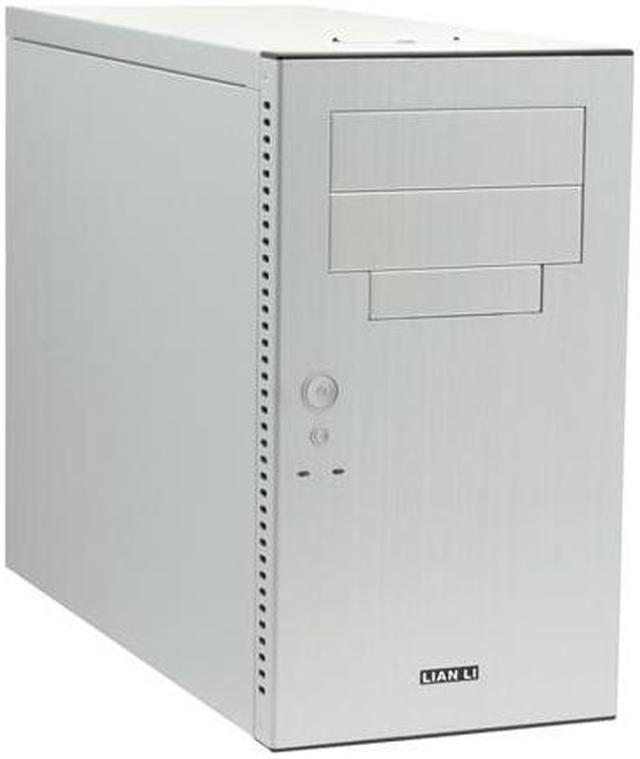
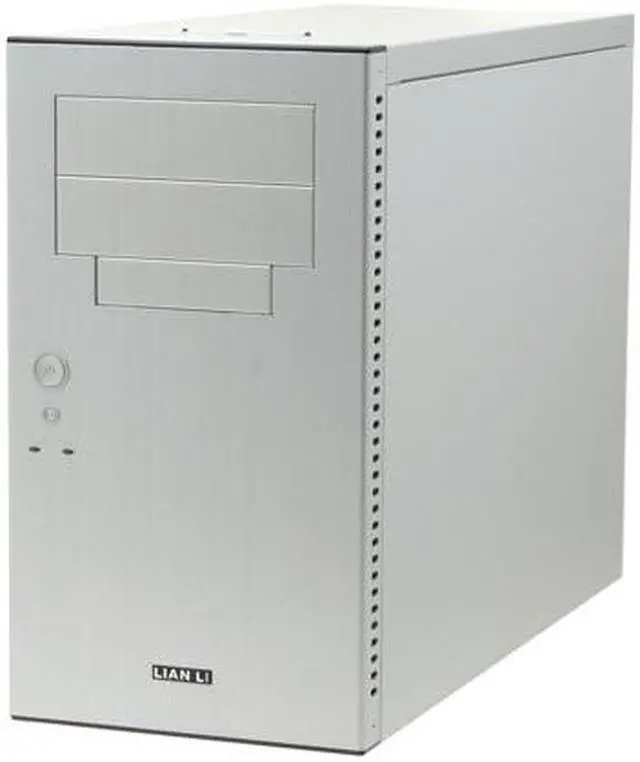
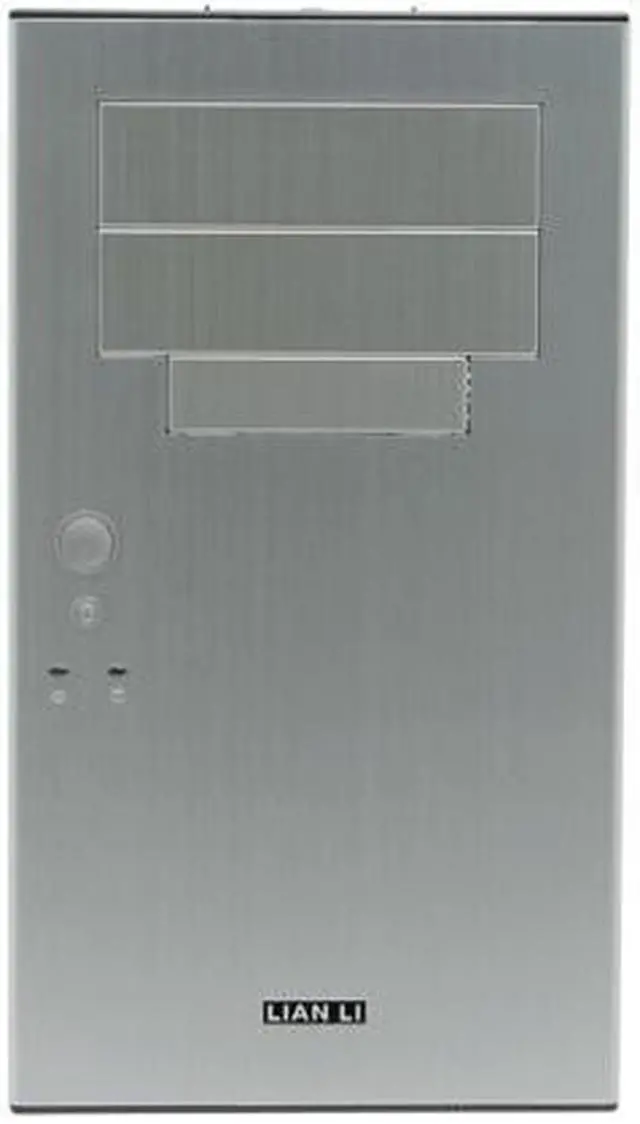
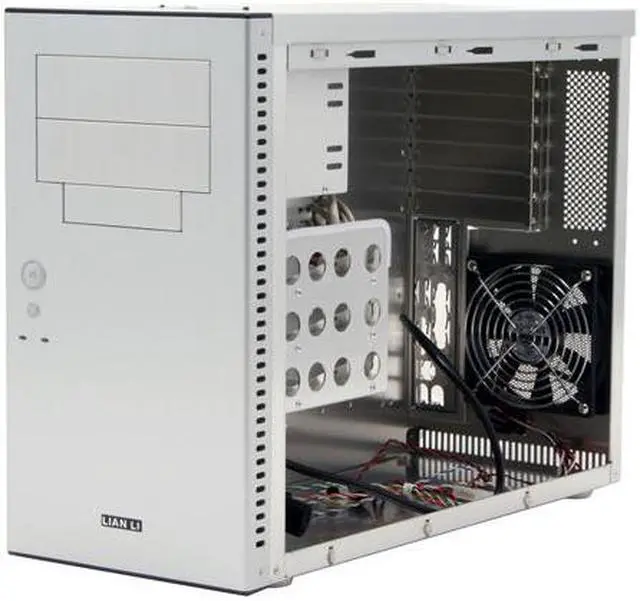
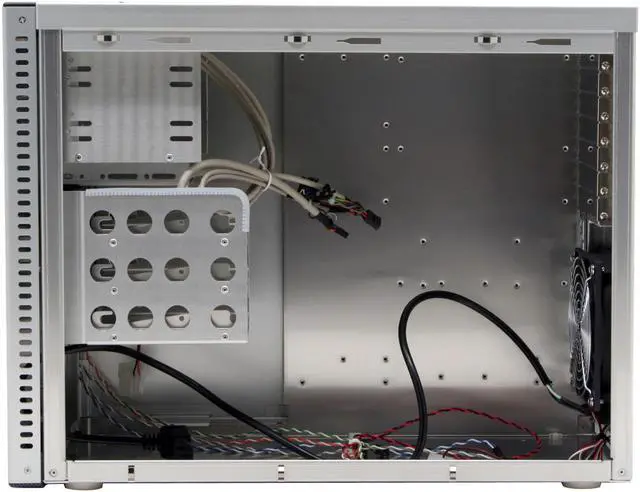
Clean modern lines combined with ultra-modern performance, Lian-li's PC-A05-A is the ideal tower. Housing two 5.25" and one 3.5" External drive bays, it saves space by leaving out redundant drive bays made obsolete by today's multipurpose ROM drives.
It hasn't forgotten the internal hard drives that are so necessary today, leaving space for three 3.5" internal drives. It also gives easy access to two USB 2.0 ports ,an IEEE 1394 (Firewire) port and two audio ports up front. This case makes cooling a literal breeze. It has two 120mm ball bearing fans: one located in front of the hard drives for intake, and another in the rear of the case for exhaust.
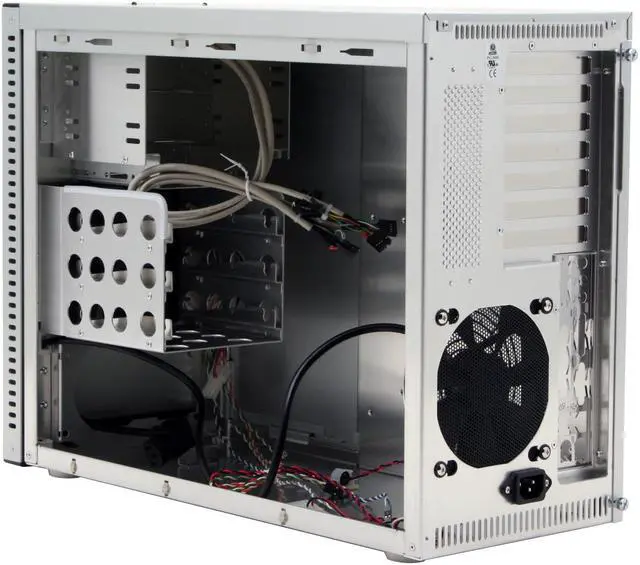
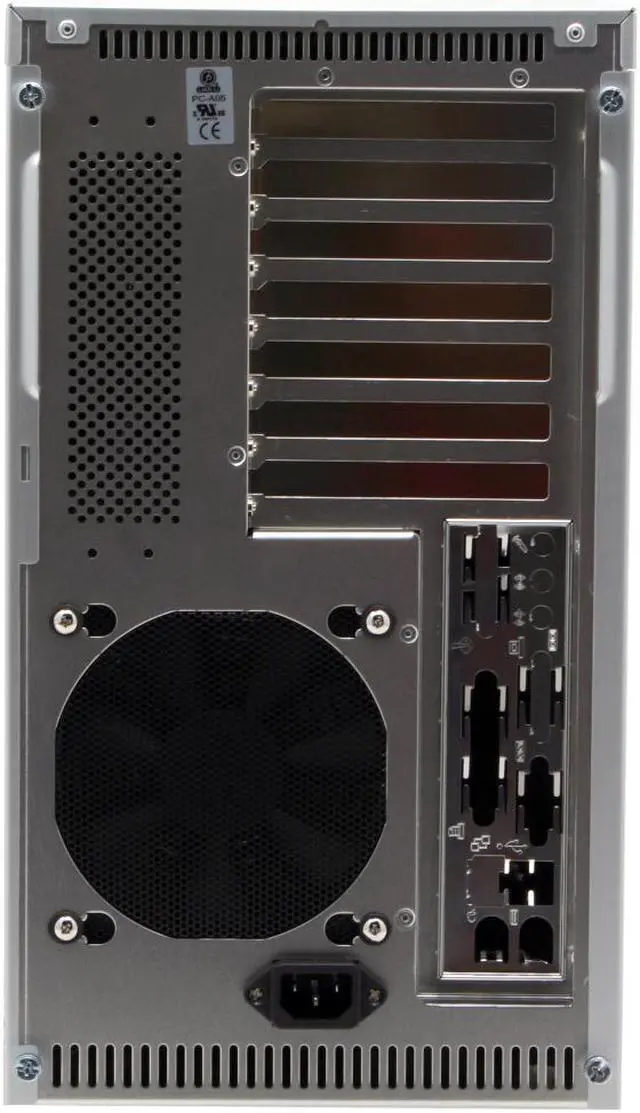
This causes a constant cooling cross breeze over all your sensitive equipment protecting them from the ravages of heat. The A05-A supports ATX Motherboards 12" x 9.6" or smaller, with 7 PCI expansion slots in the rear.
-
- 5
-

- 78%
- 4
-

- 14%
- 3
-

- 4%
- 2
-
- 0%
- 1
-

- 4%
| Product Rating: |
   
|
| Total Reviews: |
28 |
Top quality + efficient use of space
- Pros: Quality is typical Lian Li top notch quality. The layout while a bit odd at first has several (BTX like) advantages.
The CPU is placed on the bottom of the case near the intake fan. Not only dose this place the CPU in the coolest location in the case the close proximity to the intake fan gives it a constant supply of cool air.
The hard drives and fans are soft-mounted minimizing the resonance from the drives and fans.
All three hard dives receive excellent cooling via the 120mm exhaust fan in front of the hard drive cage.
- Cons: The video card is isolated from any direct air flow paths due to the inverted nature of the card. This might be a problem for hotter running passive cards but shouldn't be an issue for any card with active cooling.
The internal AC PSU cable is several inches longer then it has to be making clean wiring management a bit more difficult then it needs to be.
- Other Thoughts: Contrary to the Newegg specs there are two 120mm fans, not one.
The visible fan is the intake in the back of the case while the exhaust (not visible) is located in the hard drive cage. They are also removable for those looking quieter operation or higher performance.
Quiet and small
- Pros: Short height - I needed a case that would fit under a 15" desk, and this fit the bill.
Quiet - the two 120mm fans are really quiet, and they seem to provide great cooling (intake next to CPU, output next to hard drives).
Well constructed - no sharp edges, easy access to everything, all the panels come off easily, but stay on snugly.
- Cons: The power supply sits at the front of the case, and the power cable leading from the back of the case to the power supply is about 6" longer than it should be, leaving the cabling kind of cluttered. It also seems like the airflow to the PSU might be slightly obstructed given that the exterior fan is covered by the face plate.
Also, once the PSU is installed, you can't easily access the power switch on the PSU without removing the face plate - you have to unplug the power cable instead to remove power.
I like having a separate motherboard tray, which some other cases provide. It can be a little tricky doing all the cabling in-place without one.
- Other Thoughts: My wife got a new desk, and this is the only ATX case I could find that would fit under it (needs to be less than 15"). That was the main reason I bought this case, but now that I have it, it's my favorite.
| Model | PC-A05 A |
| Type | ATX Mid Tower |
| Color | Silver |
| Case Material | Aluminum |
| With Power Supply | No |
-
- 5
-

- 78%
- 4
-

- 14%
- 3
-

- 4%
- 2
-
- 0%
- 1
-

- 4%
| Product Rating: |
   
|
| Total Reviews: |
28 |
why buy steel when you get a Lian Li?
- Pros: The reasons I bought this case where 1. Aluminum and small sizeI(I guess thats 2 things). 2 Firewire and front panel on top.
This is an excellent case as described and my temps are quite low. I have a 120mm copper cpu cooler. I also wanted a quiet box. It is all the above with one exception. I am happy with this case and would buy one again. Why pay almost the same amount for all those steel finger cutting case when this is about the same price or a little more.Buy the way the free card reader works in vista os x and windows 7.
- Cons: One of the main reasons I bought this is because of the fire on the top panel, except it isnt there any more. This really miffed me as its a main reason I bought this box. They apparently changed the model reversing the fans for better air flow and omitted the firewire. I almost sent it backbut its to much work.
- Other Thoughts: I can pick up the unbuilt box with one finger, it is very light.
While its strong enough you need to take some care or it could dent easily. I would nice if neweg sold the accessorizes for this case, like the dvd bezel.
for my Ubuntu GNU/Linux build
- Pros: Lian LI Quality. Compact and not flashy. fans have a molex adapter if you want to use directly with your power supply, remove the adapter to connect both fans to your motherboard.
- Cons: Fans are loud. You can replace them with scythe FDB for about $30.
- Other Thoughts: very nice
Pretty case with heat issues
- Pros: Good price for a nice case. Roomy and light. Took a bit of getting used to for the Lian Li specific HD mountings and the backwards facing Power Supply mount but no big deal. The design reduces the overall height by mounting the power supply in the bottom/front below the drive cages. It has a nice finish and very clean lines.
- Cons: Heat. The design forces the power supply to draw warm air from the inside of the case and exhausts it into the front cover of the case where the 120mm front fan picks up this warm air to blow back into the case over the hard drives. You are essentially recycling the warm air. There are vent holes on the sides of the front cover but it's questionable as to how much fresh air gets to drawn in when a 120mm power supply fan (My PS has a 120mm fan) is force-feeding the 120mm front fan under that same front cover.
- Other Thoughts: There is a 120mm rear fan blowing in air over the CPU area towards the front where the only place for it to go out is through the power supply, unless it manages to circle around in the case back to the back where you have the field of vent holes on either side of the rear fan's intake. Be sure to have plenty of clearance in the rear to help in ventilation since this may be your only source cool air. I bought the case to house an older set of hardware when I upgraded. Old case ran at 37C. This new case runs at 51C under similar load.
| Model |
| Brand |
LIAN LI |
| Model |
PC-A05 A |
| Spec |
| Type |
ATX Mid Tower |
| Color |
Silver |
| Case Material |
Aluminum |
| With Power Supply |
No |
| Motherboard Compatibility |
12" x 9.6" ATX |
| With Side Panel Window |
No |
| Expansion |
| External 5.25" Drive Bays |
2 |
| External 3.5" Drive Bays |
1 |
| Internal 3.5" Drive Bays |
3 |
| Expansion Slots |
7 |
| Front Ports |
| Front Ports |
2 x USB2.0 ; 2 x Audio ; 1 x IEEE1394 |
| Cooling System |
| 80mm Fans |
No |
| 120mm Fans |
1 x 120mm Ball bearing rear fan |
| Side Air duct |
No |
| Physical Spec |
| Dimensions(L x W x H) |
8.3'' x 15'' x 19.3'' |
| Features |
| Features |
The idea for creating PC-A05, is to save user's space, and no need to use poor performance hardware, PC-A05 can fit standard ATX motherboard, power supply and powerful long graphics card.
The front mounted standard ATX PS/2 power supply unit, allow PC-A05 to be shorter, and smaller, but still easy to be install and service, the perfect balance of space & hardware performance.
|
Introduction
Clean modern lines combined with ultra-modern performance, Lian-li's PC-A05-A is the ideal tower. Housing two 5.25" and one 3.5" External drive bays, it saves space by leaving out redundant drive bays made obsolete by today's multipurpose ROM drives.
It hasn't forgotten the internal hard drives that are so necessary today, leaving space for three 3.5" internal drives. It also gives easy access to two USB 2.0 ports ,an IEEE 1394 (Firewire) port and two audio ports up front. This case makes cooling a literal breeze. It has two 120mm ball bearing fans: one located in front of the hard drives for intake, and another in the rear of the case for exhaust.
This causes a constant cooling cross breeze over all your sensitive equipment protecting them from the ravages of heat. The A05-A supports ATX Motherboards 12" x 9.6" or smaller, with 7 PCI expansion slots in the rear.
Highlights
 |
Expandability with 6 Drive Bays The LIAN LI PC-A05A boasts two external 5.25" drive bays, one external and three internal 3.5" drive bays for hard drive expandability.
|
 |
Effective Cooling The LIAN LI PC-A05A features two 12cm ball bearing fans in the front and at the rear for the optimum cooling performance.
|
 |
Easy Installation for Hard Drives The LIAN LI PC-A05A features easy assembling modules for convenient and quick installation of hard drives.
|
 |
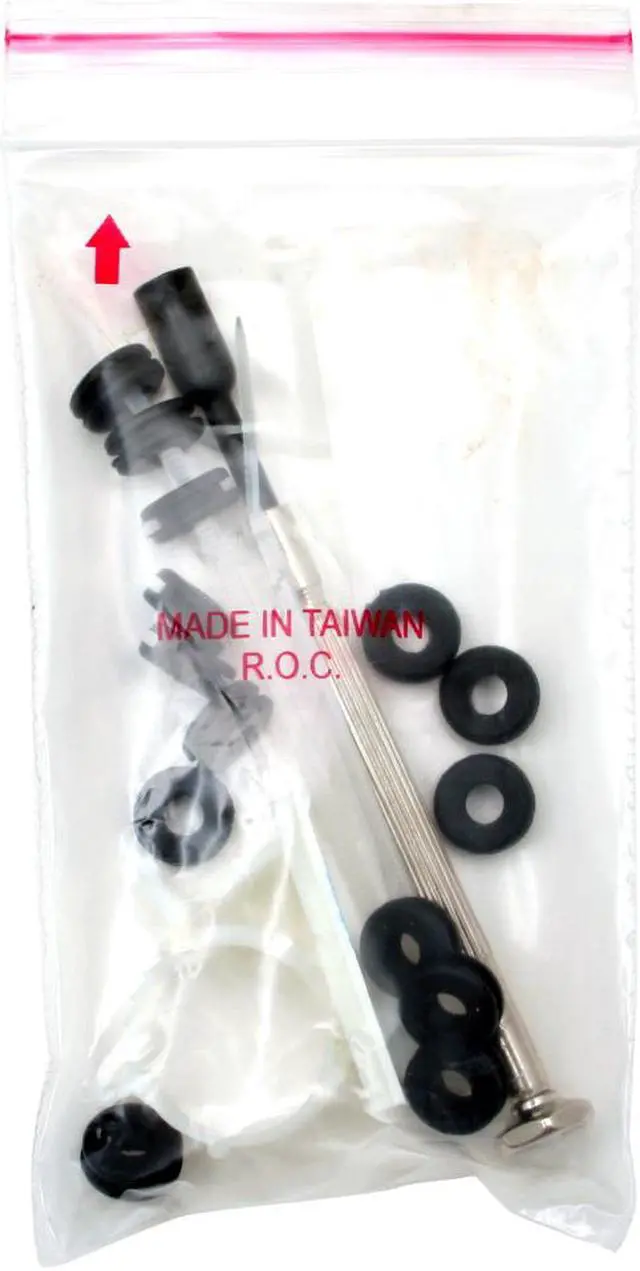
Anti-vibration Feature The LIAN LI PC-A05A features anti-vibration rubber rings in each hard drive assembling module for reduced vibration and noise.
|
 |
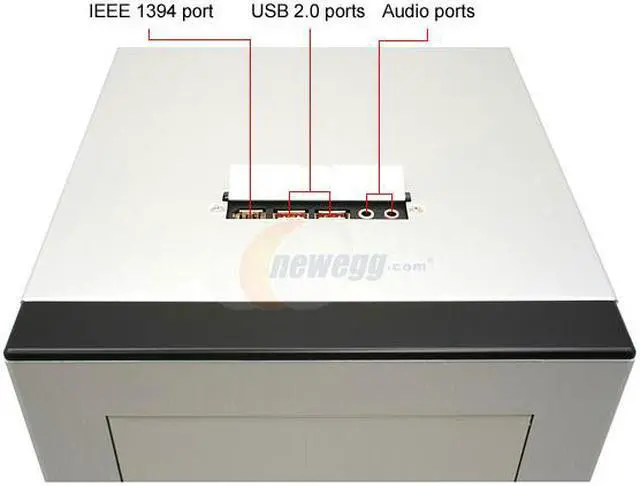
Multimedia I/O Panel The LIAN LI PC-A05 A's top I/O panel enables remarkably convenient access to two USB 2.0 ports, one IEEE 1394 port, one microphone jack and one headphone jack.

|
Quick Specs
| Brand | LIAN LI |
| Case Material | Aluminum |
| Color | Silver |
| Motherboard Compatibility | 12" x 9.6" ATX |
| Type | ATX Mid Tower |
| External 5.25" Drive Bays | 2 |
| External 3.5" Drive Bays | 1 |
| Internal 3.5" Drive Bays | 3 |
| Expansion Slots | 7 |
| 120mm Fans | 1 |
| Front Ports | USB, Audio, IEEE 1394 |
|