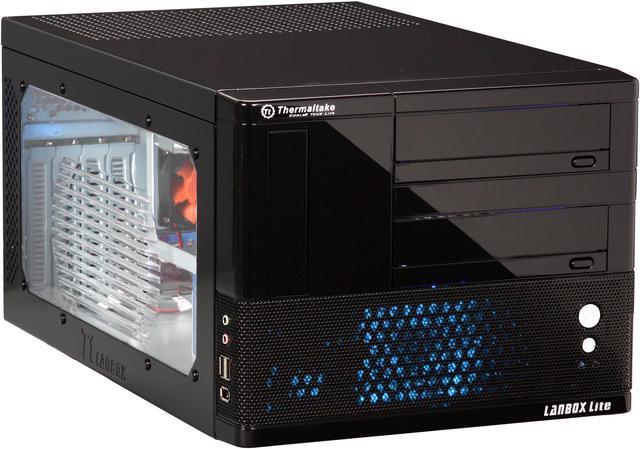
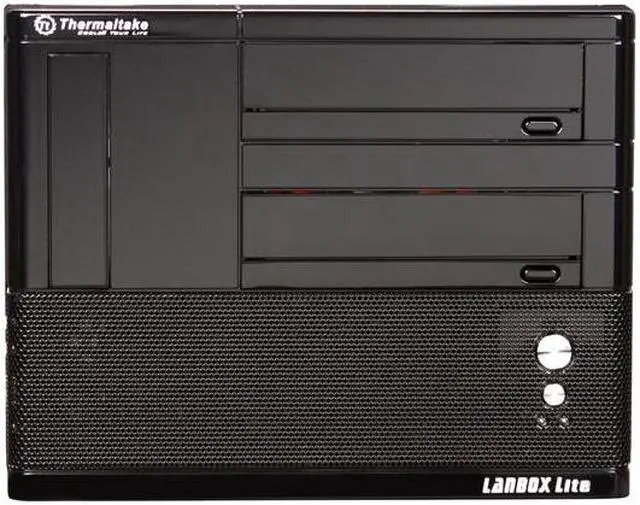
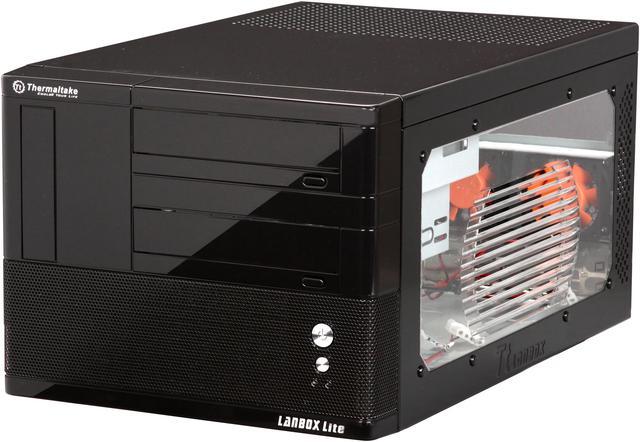
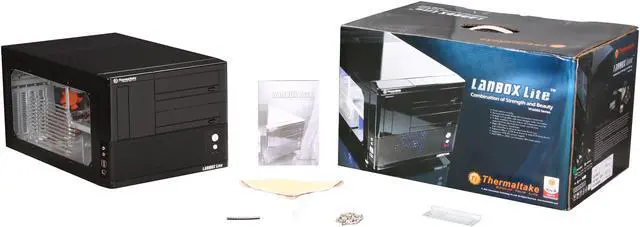
Thermaltake presents a compact yet powerful case armed with extreme-venting capability and advanced features that make it an unprecedented mobile gaming powerhouse. The Thermaltake LANBOX Lite VF6000BWS comes with a 5.25" and a 3.5" external drive bay, as well as two 3.5" internal drive bays. But what sets it apart is the 7" external drive bay for the express use of an integrated monitor that could be converted to a second 5.25" drive bay if needed.
Putting this system together is a breeze. Everything from the motherboard tray to the external and internal drive bay cages is removable with a twist of the thumb screws for easy installation. Your system will be kept cool thanks to the aerodynamically-designed ventilation holes, a 90mm blue LED front fan and two 60mm rear fans.
The LANBOX Lite VF6000BWS enables the use of most high-end CPUs, powerful graphic cards and even a full-size power supply. With all this, what more could you ask for? How about the strength and durability of steel to protect your investment? This could indeed be the total package that'll allow you to kick some serious LAN!
Thermaltake presents a compact yet powerful case armed with extreme-venting capability and advanced features that make it an unprecedented mobile gaming powerhouse. The Thermaltake LANBOX Lite VF6000BWS comes with a 5.25" and a 3.5" external drive bay, as well as two 3.5" internal drive bays. But what sets it apart is the 7" external drive bay for the express use of an integrated monitor that could be converted to a second 5.25" drive bay if needed.
Putting this system together is a breeze. Everything from the motherboard tray to the external and internal drive bay cages is removable with a twist of the thumb screws for easy installation. Your system will be kept cool thanks to the aerodynamically-designed ventilation holes, a 90mm blue LED front fan and two 60mm rear fans.
The LANBOX Lite VF6000BWS enables the use of most high-end CPUs, powerful graphic cards and even a full-size power supply. With all this, what more could you ask for? How about the strength and durability of steel to protect your investment? This could indeed be the total package that'll allow you to kick some serious LAN!
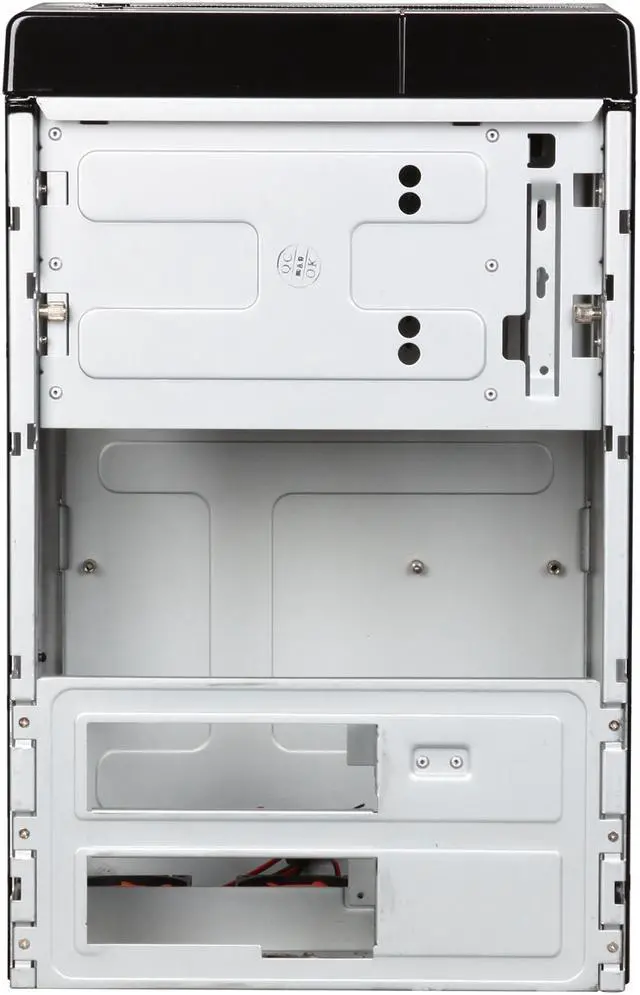
 Useful Expandability with 5 Drive BaysBoasting two external 5.25" or 7" drive bays (support Thermaltake 7" LCD monitor), and three 3.5" drive bays (one external and two internal), the Thermaltake LANBOX Lite VF6000BWS provides useful expandability.
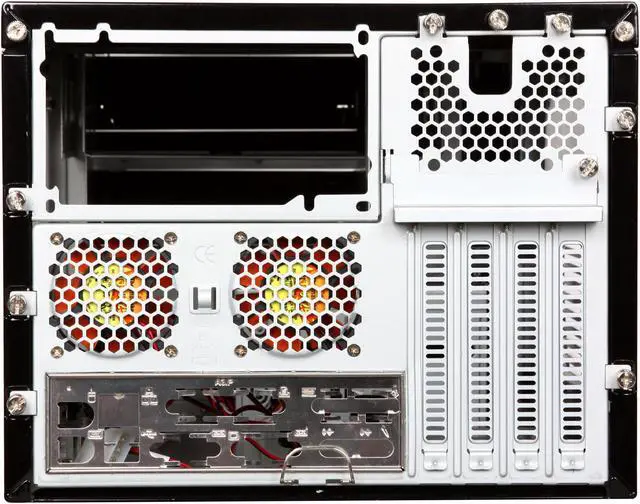
 Aerodynamically Designed VentilationThe Thermaltake LANBOX Lite VF6000BWS features an aerodynamic ventilation design including ventilation holes on front, side and top panels with a 90mm front fan that draws fresh air all around the case, and vented rear panel with dual 60mm fans for blowing hot inner air out of the box for maximum cooling effect.
 Great for NVIDIA SLI ApplicationsWith the chassis' highly-efficient ventilation, build a powerful gaming box using NVIDIA SLI technology and still enjoy all the benefits of a small form factor system!
 Easy InstallationThis fully modular chassis features components that are totally removable from the body for easier installation. Everything from the motherboard tray to the 5.25" drive cage can be removed with just a few twists of the thumb screws.
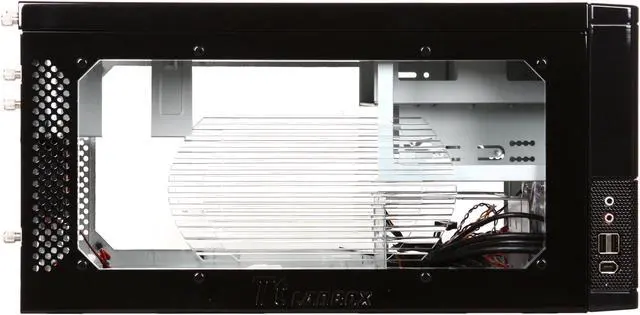
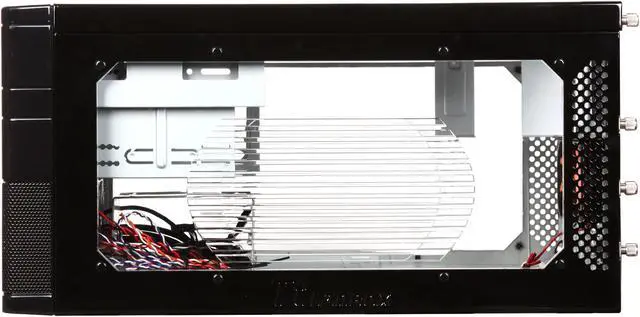
 Transparent Side Panel WindowThe Thermaltake LANBOX Lite VF6000BWS's fantastic transparent side panel window provides a direct view of the inner system.
 Convenient Side I/O PanelThe Thermaltake LANBOX Lite VF6000BWS features a convenient side I/O panel for easy access to two USB 2.0 ports, one IEEE 1394 port and two audio ports.



 Holiday Shipping Details & Extended Holiday Returns


 Useful Expandability with 5 Drive BaysBoasting two external 5.25" or 7" drive bays (support Thermaltake 7" LCD monitor), and three 3.5" drive bays (one external and two internal), the Thermaltake LANBOX Lite VF6000BWS provides useful expandability.
 Aerodynamically Designed VentilationThe Thermaltake LANBOX Lite VF6000BWS features an aerodynamic ventilation design including ventilation holes on front, side and top panels with a 90mm front fan that draws fresh air all around the case, and vented rear panel with dual 60mm fans for blowing hot inner air out of the box for maximum cooling effect.
 Great for NVIDIA SLI ApplicationsWith the chassis' highly-efficient ventilation, build a powerful gaming box using NVIDIA SLI technology and still enjoy all the benefits of a small form factor system!
 Easy InstallationThis fully modular chassis features components that are totally removable from the body for easier installation. Everything from the motherboard tray to the 5.25" drive cage can be removed with just a few twists of the thumb screws.
 Transparent Side Panel WindowThe Thermaltake LANBOX Lite VF6000BWS's fantastic transparent side panel window provides a direct view of the inner system.
 Convenient Side I/O PanelThe Thermaltake LANBOX Lite VF6000BWS features a convenient side I/O panel for easy access to two USB 2.0 ports, one IEEE 1394 port and two audio ports.