Skip to: |

Newegg.com - A great place to buy computers, computer parts, electronics, software, accessories, and DVDs online. With great prices, fast shipping, and top-rated customer service - once you know, you Newegg.

If you are reading this message, Please click this link to reload this page.(Do not use your browser's "Refresh" button). Please email us if you're running the latest version of your browser and you still see this message.

Newegg.com - Computer Parts, Laptops, Electronics, HDTVs, Digital Cameras and More!

  • | Wish List
  • Help
Home
Home > 
Computer Hardware > 
Computer Cases > 
Computer Cases > 
Rosewill > 
Item#: N82E16811147163

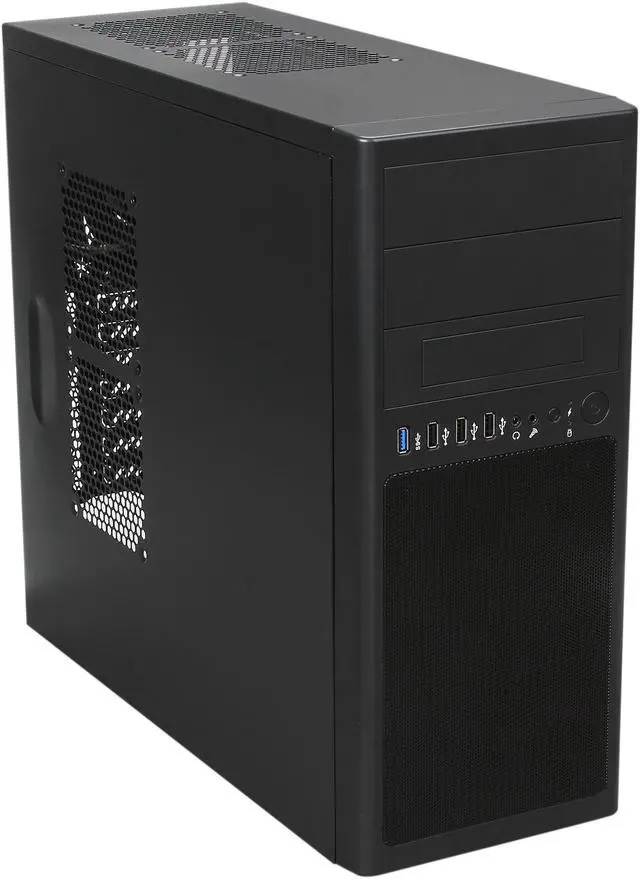
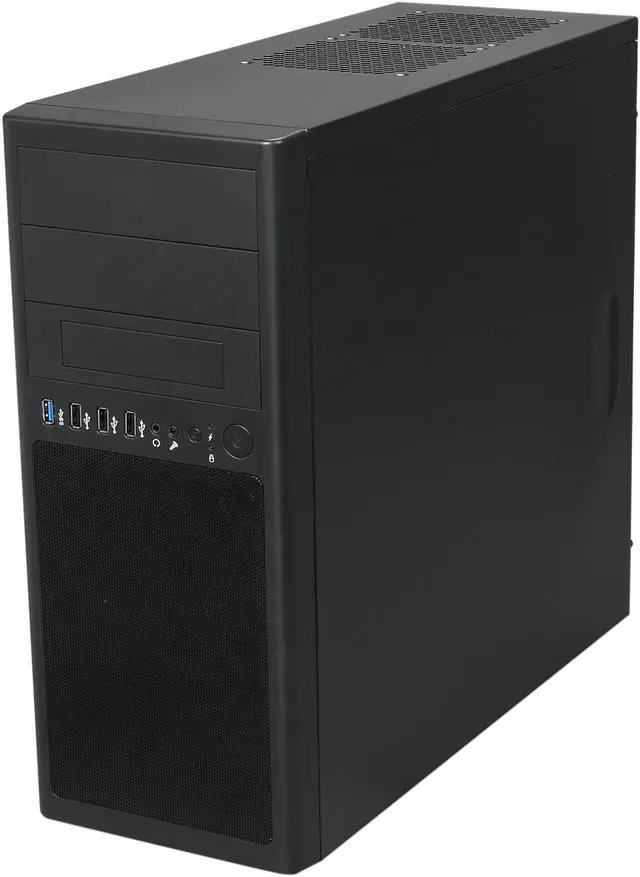
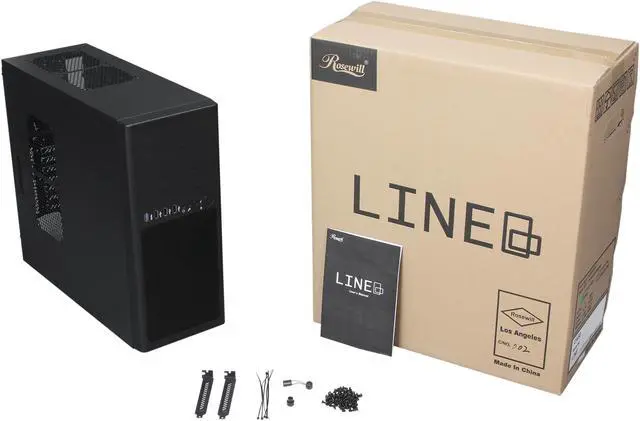
Rosewill LINE ATX Mid Tower Computer Case,one USB 3.0,come with Three Fans,Support up to 7 Fans

  • Dual Front Fans
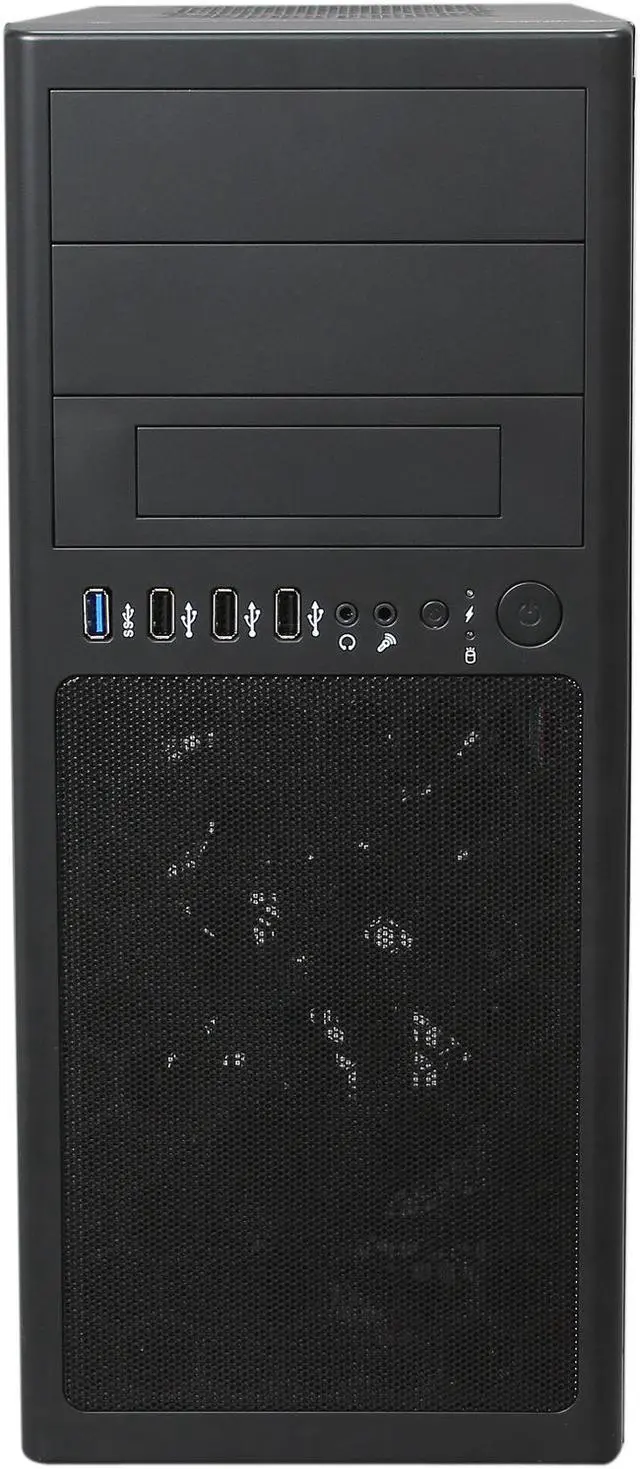
  • 1 x USB 3.0 and 3 x USB 2.0
  • Support up to 7 Fans
  • Pin It
  • Email this page
ICON Loading...

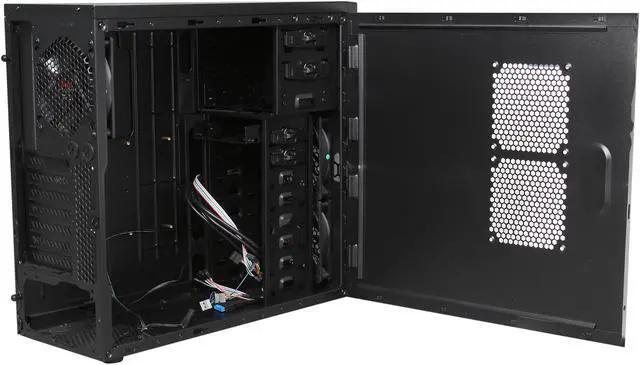
An aggressive cooling solution forged for your rig, the Rosewill LINE completes your fine-tuned machine. It expands its maximized ventilation through 2 front blue LED 120mm fans and 1 rear 120mm fan. Plus, it features an advanced bottom mounted PSU design for optimized cooling. If you are looking for a new cooling edge for your device, the Rosewill LINE will bring you the results of epic win.

  • Steel ATX Mid Tower
  • 1 x USB 3.0, 3 x USB 2.0
  • 3 Fans pre-installed, support up to 7 Fans
  • 3 External 5.25" Drive Bays
  • 6 Internal 3.5" Drive Bays
  • 7 Expansion Slots
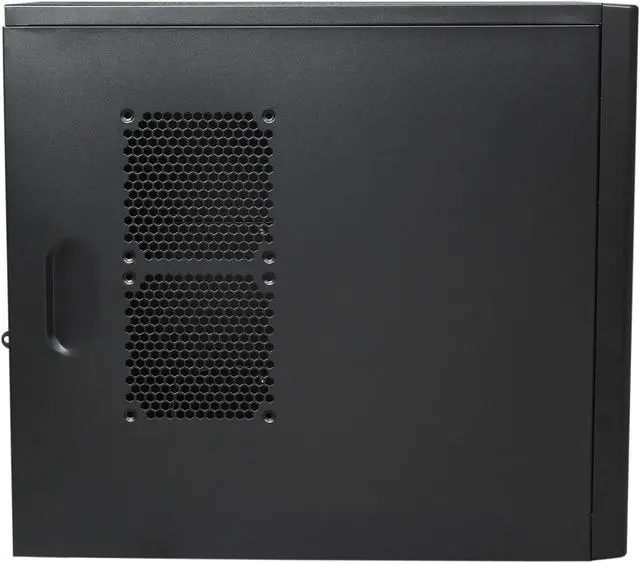
  • newegg Advanced cooling system Coming preinstalled with 3 fans, the Rosewill LINE cools your system efficiently. It also supports another 4 optional 120mm fans (two on top and two on side) for seamless, customizable system cooling.
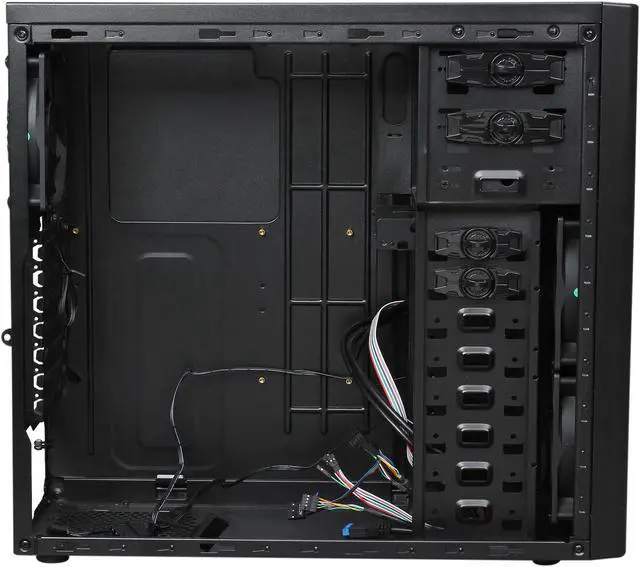
  • newegg Cable management The Rosewill LINE features smart side-storage cable management to keep your system neat and tidy.
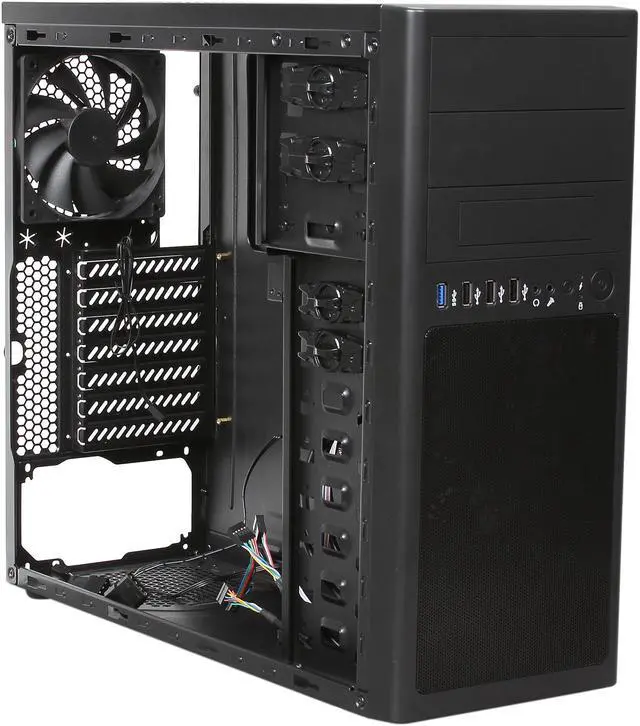
  • newegg Convenient front I/O panel The front I/O port area includes one USB 3.0 (internal header to MB only, please make sure your motherboard equipped with on-board USB 3.0 socket before purchasing.), three USB 2.0, Audio out and MIC in connectors for great convenience.
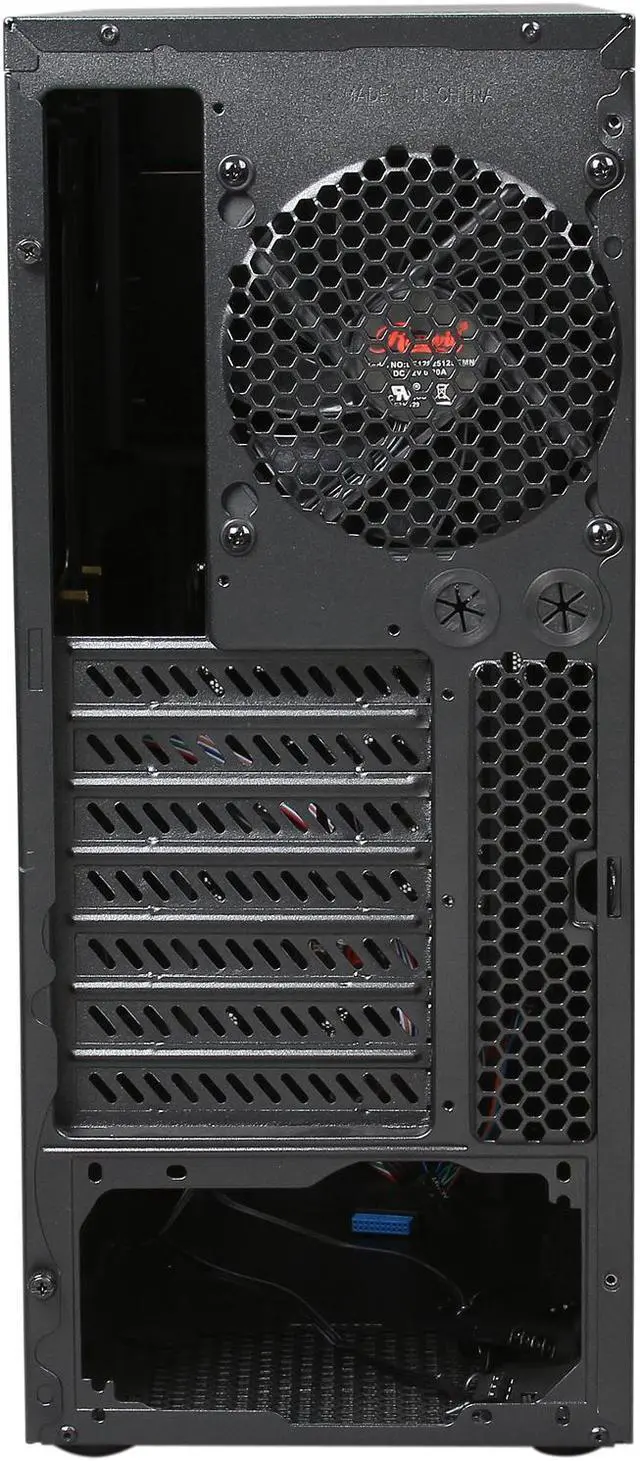
  • newegg Advanced bottom-mounted PSU design The bottom-mounted PSU design enables independent and optimized PSU cooling.
  • newegg Fan filter The dust filter for bottom vent helps prevent dust from entering.

Learn more about the Rosewill LINE

Model

Brand
Rosewill
Model
LINE

Spec

Type
ATX Mid Tower
Color
Black
Case Material
Steel
With Power Supply
No
Power Supply Mounted
Bottom
Motherboard Compatibility
Micro ATX / ATX
With Side Panel Window
No

Expansion

External 5.25" Drive Bays
2 (3)
External 3.5" Drive Bays
1 (0)
Internal 3.5" Drive Bays
8
Expansion Slots
7

Front Ports

Front Ports
1 x USB 3.0, 3 x USB 2.0, Audio In/Out(AC97, HD)

Cooling System

80mm Fans
No
120mm Fans
2 x Front 120mm Fan
1 x Rear 120mm Fan
Side Air duct
No

Physical Spec

Dimensions
7.09" x 16.54" x 18.51" (WxHxD)(Front panel included)
7.09" x 16.54" x 17.52" (WxHxD)( Front panel NOT included)
Weight
10.45 lbs.

Features

Features
NOTICE : Please make sure your motherboard equipped with on-board USB 3.0 socket before purchasing.

Advanced Cooling System :
-Front 2x 120mm Fan (pre-installed)
-Rear 1x 120mm Fan (pre-installed)
-Top 2x 120mm Fan (option)
-Side 2x 120mm Fan (option)

Side-Storage cable management

Come with one 3.5" HDD to dual 2.5" SSD adapter.

Front mounted IO ports- 1x USB 3.0(internal header to MB only), 3x USB 2.0, Audio out, MIC in.

Advanced Bottom-Mounted PSU Design.

Bottom dust filter.

Quick Info

Warranty

  • Limited Warranty period (parts): 1 year
  • Limited Warranty period (labor): 1 year


Customer Reviews of the Rosewill LINE

Do you own this product? Write a Review

Filter Results

Go
  • theredrabbit
  • 4/24/2013 11:56:04 PM
  • Tech Level: Somewhat High
  • Ownership: 1 day to 1 week
  • Verified Owner

3 out of 5 eggsNot worth the money

Pros: Well Sized case with room for a lot of drives.

Should be easy to make work for most needs.

3 fans (the front 2 have a psu and mobo compatible cord.)

Moderately good variety of front panel connectors.

Not bad looking as long as you don't touch it.

Cons: MOBO Stand holes are slightly off, (one of them appears to be unusable as metal from the top piece covers it.) This is really a big screw-up on Roswill's part

Bad metal

Flimsy (it's very annoying to get the sides on and off.)

Fans are a little loud, not too bothersome but slowly lead a noise sensitive person to mild insanity.

Side windows are too darn big.

Other Thoughts: This isn't a terrible case but there are many much better cases available for less cost.

I'm giving three stars because it works fine but

I would not buy again and will probably be replacing this case soon.

1 out of 1 people found this review helpful. Did you? Yes No

  • Mike
  • 4/10/2013 3:53:03 PM
  • Tech Level: Somewhat High
  • Ownership: 1 month to 1 year
  • Verified Owner

4 out of 5 eggsNot the best case, not the worst

Pros: Cheaper compared to other cases when it goes on sale
Pretty good amount of space
USB 3.0
Good ventilation

Cons: Very flimsy feel to the case
Mounting the motherboard was a bit of an annoyance since 2 of the screw holes were misaligned

Other Thoughts: I would recommend this case for first time or budget builds, when it goes on sale.

1 out of 1 people found this review helpful. Did you? Yes No

  • wegmand
  • 2/11/2013 9:40:46 AM
  • Tech Level: Somewhat Low
  • Ownership: 1 day to 1 week
  • Verified Owner

3 out of 5 eggsEdit - Front panel assembly quality problems

Pros: See my previous review.

Cons: The front panel HDD LED and the reset switch were inop after I finished the build. Oh, and the blue power LED is very bright, especially noticeable in a dark room when it's flashing in sleep mode.

Other Thoughts: I took the front panel off and examined the HDD LED. It wasn't in its socket. Upon bootup, it would flash only if I squeezed the wire and connector, indicating a bad connection. I was able to repair the connection with a little piece of electrical tape, and I used another piece of tape to secure the LED to its socket.

The reset button feature of the mobo works as verified by shorting the pins, but I didn't bother trying to fix the front panel button. It's probably just got a bad connection too.

I used another piece of black tape to cover half of the bright blue power LED.

Did you find this review helpful? Yes No

  • N/A
  • 2/5/2013 6:28:13 PM
  • Tech Level: Somewhat High
  • Ownership: 1 week to 1 month
  • Verified Owner

3 out of 5 eggsOkay...

Pros: -Comes with 3 fans
-Plenty of 3.5" bays
-Comes with 2.5" to 3.5" adapter
-USB 3.0
-Plenty of space and 120mm fan mounts
-Water cooling tube holes

Cons: -Seems Flimsy
-After awhile the fans get loud
-Mobo mounts are not in all the right places which makes hit hard to mount mobo

Other Thoughts: I got the case in a combo for $20. It was good for the price but if you have a higher budget buy something better. Again the case seems really flimsy.

Did you find this review helpful? Yes No

  • wegmand
  • 2/5/2013 6:01:14 AM
  • Tech Level: Somewhat Low
  • Ownership: 1 day to 1 week
  • Verified Owner

4 out of 5 eggsMy first build

Pros: Ample cooling with the pre-installed fans, adequate cable management, basic design for my home office computer build. I like the front panel location below the drive bays - personal preference. There are 3 pre-installed solid standoffs at the top and the case came with 6 more removable standoffs. Panel wires are all labeled.

Cons: Front panel is plastic and secured to the case by 6 'pegs'. I was afraid I'd break something when I removed the panel the first time, but eventually it came off. There's no way to reach inside to push the pegs through, you can only pull from the bottom so trying to do that without bending/breaking the upper pegs takes patience.

Other Thoughts: This was my first computer build. I found the standoff holes to be aligned just fine for my Asrock H77 Pro4/MVP motherboard - once I got the I/O shield fully snapped into place! The Rosewill Capstone 450W PS was also a snug fit. There's a little 'tab' bent inward to the case that keeps it that way. I guess you could easily bend it if you need more room but then it might get in the way of the motherboard.

Did you find this review helpful? Yes No

  • Flash
  • 1/29/2013 8:39:31 PM
  • Tech Level: Somewhat High
  • Ownership: 1 month to 1 year
  • Verified Owner

2 out of 5 eggsOhhh...

Pros: Has plenty of fans that move a lot of air & I am impressed at how quiet & cool the whole system is..

Cons: Well... I knew I was purchasing a cheap case so I did not expect it to be the best case I ever purchased.. the object at the time was to save money... I have to slam Rosewill a little on this one because when mounting the motherboard the screw holes are misaligned, forcing me to put a number of screws in crooked & cross threaded. When I put a card in a pci slot, it was off a little & the height was off also, putting added pressure on the motherboard as well... HHhhhhhmmmmmmmm......

Other Thoughts: Personally, I would not buy this product again...

1 out of 2 people found this review helpful. Did you? Yes No

  • Arc Light
  • 1/1/2013 1:10:52 PM
  • Tech Level: High
  • Ownership: 1 week to 1 month
  • Verified Owner

1 out of 5 eggsRosewill Line Case

Pros: They look good, that's about it!

Cons: My 1st thought when touching the cases was CHEAP. I needed two cases that were under 16.75" in height. The specs in the description are wrong, and don't include the height of the feet on the cases, so the case is 16.75" high with the .25" high feet. MB sits right against the top of the case, so forget about a cooler/radiator up top. The top fans positions are really too close to the MB also. Case is narrow, so the top of an EVO 212 cooler will touch the opposite side of the case. You can just get the side panel on, but can't use a fan in the top fan position on the side panel with this type of cooler. No cable management. Metal is thin!

Other Thoughts: I knew I was not getting a high quality case, but Rosewill cases have some pretty good reviews, so I was hoping for the best. I've probably had my hands on hundreds of cases over the years, and sorry to say (since I own two of them), that these cases are the lowest & worst quality, construction, design, and material that I have came in contact with.

0 out of 1 people found this review helpful. Did you? Yes No

  • Bostonbuoy
  • 12/30/2012 4:04:25 PM
  • Tech Level: Somewhat High
  • Ownership: 1 week to 1 month
  • Verified Owner

4 out of 5 eggsGood Case

Pros: Lots of expansion. No screws to attach the drives, just turn the dial and click...in. I like the bottom dwelling power unit. Got this in a combo deal with Win7 HP 64bit OS for $119 for both. Seemed OK to me.

Cons: Took 1 egg for a USB 3.0 issue. Not sure if it's a case issue or a motherboard issue. The USB 3.0 cable has to be bent in an unusual manner to connect to the motherboard due to a support structure in the case. COULDN'T have been a worse spot! Again, not sure if it's case or board and only time will tell what this positioning may cause.

Other Thoughts: I'm thinking about buying a 2nd one for my own build, provided it's on sale or included in another combo deal. I would recommend it to anyone who is trying to spend on the more critical components. (I also bought 4 additional 120mm fans to upgrade the cooling for $20)

Did you find this review helpful? Yes No

  • Gonzar
  • 12/5/2012 2:19:33 PM
  • Tech Level: High
  • Ownership: 1 day to 1 week
  • Verified Owner

4 out of 5 eggsGood Case

Pros: This is probably the 12th case I've started to build into over the yrs. The case isn't bad, and I concur with other reviewer that basic cable layout is good, and was impressed with the amount of cooling that came stock with the case (2 fans in front, 1 in rear, avg noise/push). A bracket near the PS was bent on the inside which reflects a bit on the craftsmanship at the factory level so docking a star, but otherwise this isn't a bad case. The CoolMaster is a better case in and of itself by far for this price (material quality is better, no dents either in my own exp), but this may be a better value if you require the extra cooling, and front ports off of the floor.

Cons: Dent, CoolMaster Better

Other Thoughts: Similar to other reviewer, I wasn't sure at first on taking a bit of a gamble on this one, but overall beyond the internal dent it met my needs. If you don't require the included fans or the mid/high level front access ports, the CoolMaster is a better solution, but overall this is still what I would consider a competitive package.

0 out of 1 people found this review helpful. Did you? Yes No

  • Chris
  • 12/3/2012 9:57:47 AM
  • Tech Level: High
  • Ownership: 1 week to 1 month
  • Verified Owner

5 out of 5 eggsGreat case

Pros: Comes with 3 fans, great labeled wires, ample space, good cable management, lightweight, bottom power supply, front USB ports, comes with 2.5" conversion, room for 4 more fans. Slim design.

Cons: The steel could be a little more solid/thicker

Other Thoughts: Skeptical because of it being new, but this turned out to be a great case with plenty of room. The built-in fans made it a cost saver. Awesome case overall - would highly recommend it.

2 out of 2 people found this review helpful. Did you? Yes No

ICON Loading...
Are you an E-Blast Insider? Subscribe Newegg e-Blast

Buzz

Great case

5 out of 5 eggs
Comes with 3 fans, great labeled wires, ample space, good cable management, lightweight, bottom power supply, front USB ports, ...
— Chris 12/3/2012

Not worth the money

3 out of 5 eggs
Well Sized case with room for a lot of drives.

Should be easy to make work for most needs.

3 fans (the ...
— theredrabbit 4/24/2013


PayPal
Shop without retyping payment details. Secure shopping made faster.
Check out with PayPal.

Financing


Home
Home > 
Computer Hardware > 
Computer Cases > 
Computer Cases > 
Rosewill > 
Item#: N82E16811147163
LOADING... LOADING...
Shop by Region: United States | Canada | China
Follow us:   RSS Feeds Youtube
VeriSign Reliability Seal1This site protected by Trustwave's Trusted Commerce program Inc500
Policy & Agreement | Privacy Policy  © 2000-2013 Newegg Inc.  All rights reserved.
If the Adobe Reader does not appear when you click on a link for a PDF file, you can download Adobe Reader from the Adobe web site. nassau