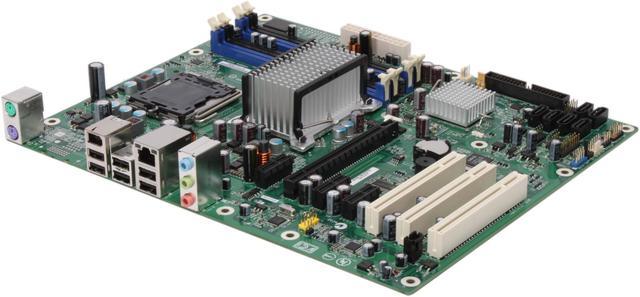
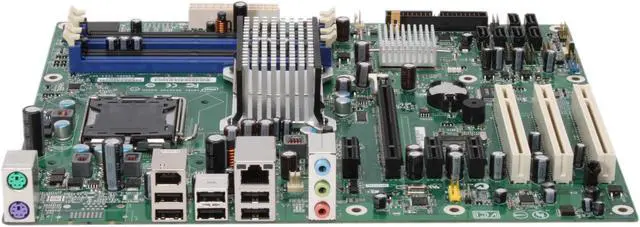
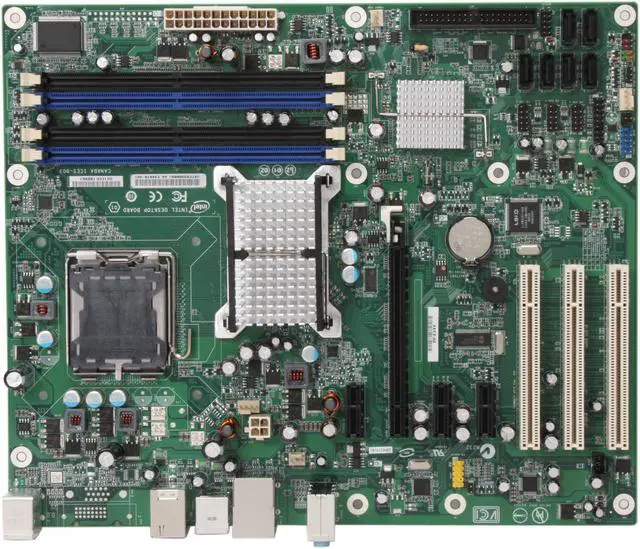
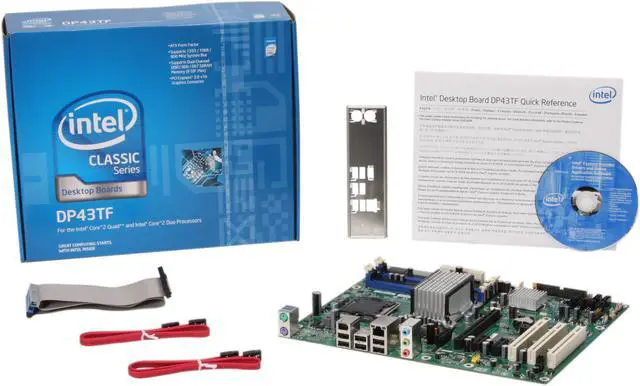
Intel makes your CPU; why not have them make your motherboard as well? The BOXDP43TF is an LGA775 board supporting processors from the Core 2 Quad to the Celeron so you can build a system powerful enough for your needs that you can easily upgrade later. You can add up to 8GB of DDR2 800 memory to support the operating system.
The motherboard is designed to support the advanced features that today's power users are looking for. It has a 6 channel audio system for true surround sound. It also has 6xUSB, 1xFireWire and a Gigabit Ethernet port.
File sizes are getting larger, especially for audio and video, so we need more secure ways to manage our data. There are 6xSATA internal ports so you can hook up plenty of drives. Since you have plenty of available connectors you can use one drive for the OS and software and have extra drives for data. This speeds up system performance, especially when multi-tasking.
Intel makes your CPU; why not have them make your motherboard as well? The BOXDP43TF is an LGA775 board supporting processors from the Core 2 Quad to the Celeron so you can build a system powerful enough for your needs that you can easily upgrade later. You can add up to 8GB of DDR2 800 memory to support the operating system.
The motherboard is designed to support the advanced features that today's power users are looking for. It has a 6 channel audio system for true surround sound. It also has 6xUSB, 1xFireWire and a Gigabit Ethernet port.
File sizes are getting larger, especially for audio and video, so we need more secure ways to manage our data. There are 6xSATA internal ports so you can hook up plenty of drives. Since you have plenty of available connectors you can use one drive for the OS and software and have extra drives for data. This speeds up system performance, especially when multi-tasking.
 Intel P43 Express Chipset for Intel CPUBased on the Intel P43 Express chipset, the Intel BOXDP43TF supports Intel LGA 775 (Socket T) processors including the Core 2 Quad, Core 2 Duo, and Pentium and Celeron series.
 PCI Express 2.0 InterfaceThe PCI-Express 2.0 interface provides twice the bandwidth of PCI-Express X16 to handle the data load of next-generation graphics cards while retaining compatibility with current PCI-Express cards.
 Gigabit Ethernet ConnectivityThe Intel BOXDP43TF features a fast Gigabit network interface for high-speed LAN connections at up to 1000Mbps data transfer rates with advanced security features to ward off malicious attacks. Gigabit LAN is ideal for supercharged seamless streaming of Internet audio and video content.
 IEEE 1394a SupportIEEE 1394 is a widely used standard of interface between personal computers and digital AV equipment. With IEEE 1394a you can easily connect digital devices such as a digital camcorder to the IEEE 1394a port provided on this motherboard for up to 400Mbps data transfer speeds.






 Intel P43 Express Chipset for Intel CPUBased on the Intel P43 Express chipset, the Intel BOXDP43TF supports Intel LGA 775 (Socket T) processors including the Core 2 Quad, Core 2 Duo, and Pentium and Celeron series.
 PCI Express 2.0 InterfaceThe PCI-Express 2.0 interface provides twice the bandwidth of PCI-Express X16 to handle the data load of next-generation graphics cards while retaining compatibility with current PCI-Express cards.
 Gigabit Ethernet ConnectivityThe Intel BOXDP43TF features a fast Gigabit network interface for high-speed LAN connections at up to 1000Mbps data transfer rates with advanced security features to ward off malicious attacks. Gigabit LAN is ideal for supercharged seamless streaming of Internet audio and video content.
 IEEE 1394a SupportIEEE 1394 is a widely used standard of interface between personal computers and digital AV equipment. With IEEE 1394a you can easily connect digital devices such as a digital camcorder to the IEEE 1394a port provided on this motherboard for up to 400Mbps data transfer speeds.