-
Deactivated Item
-
-

-
Manufacturer Contact Info
|
-
- 5
-

- 80%
- 4
-
- 0%
- 3
-

- 10%
- 2
-

- 10%
- 1
-
- 0%
| Product Rating: |
   
|
| Total Reviews: |
10 |
gigabyte is wonderful!
- Pros: i have the dd2 one-reliabily is golden never had much of the hic-up not into overclocking or anything just become 18 now dont want to burn it out now yea know.
- Cons: wish it came in black lol
- Other Thoughts: first ever mobo building ever made i was nurvous when i finished and turned it on and it booted like a dream flawless never gave me a fuss but the auto cloking setting of the cpu... my foult rilly.after reading aroud 75+ articals on parts and problems rilly did the trick! just keep your eye on memory compatabillity and power suply quality im serious about that.
Good board, what I need, but maybe not for all enthusiasts
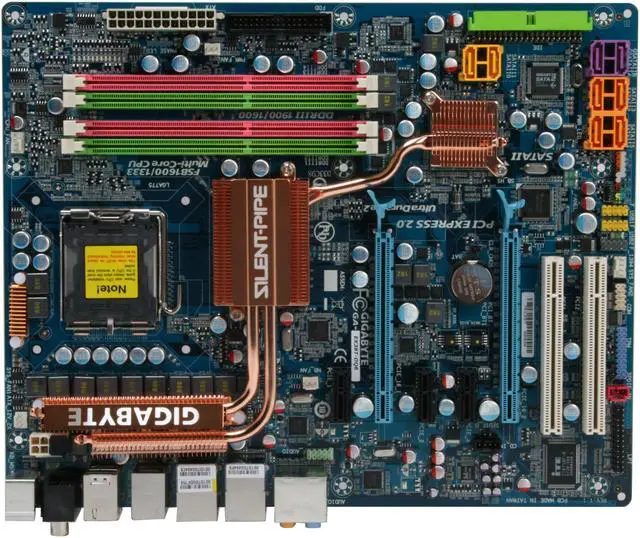
- Pros: Excellent board layout. The structure is very well-thought, with everything labeled appropriately, making installations easy and smooth. The instructions are pretty clear and straightforward, but of course if you're building a system you should have a pretty good idea of what you're doing in the first place. This board looks to be built for two specific functions: cooling and overclocking. There are instructions on the OC utilities in the manual; it's almost as if Gigabyte expects anyone who buys this board to be OC'ing it out of the box. I also noticed some previous reviews that mentioned you would have to remove the heatpipe for some types of heatsinks; this is true, but the instructions guide you on how to do that - not a big deal from what I can tell. I got a Thermaltake CL-P0401 cooler, which doesn't require the need to remove the heatpipe. Definitely a good consideration if you're an avid gamer, or graphics-intensive user.
- Cons: This board has two dual-channel setups for DDR3; however, if you buy any DDR3 1600 or 1900 (which the board supports), it will only support ONE module per channel - basically two chips, one in each channel. The instruction book states this, and I just got off the phone with Gigabyte customer service, who confirmed this. Not a big deal for me personally, but I know it might be a turn-off for others. Also, Gigabyte customer service was a pain, as I tried to call one day, was on hold for an hour, and couldn't get through before I had to go to work. I called again the next day and was on hold for half an hour before I hung up. I called back immediately and was on hold for about 2 minutes when someone got to me. The agent was helpful, so no complaints there, but it was just a huge pain to actually get through to talk to someone. I'm hoping my experience is limited, though. Also, I got the board for $5 cheaper than Newegg on a rival site (sorry, Newegg).
- Other Thoughts: This is my first computer build, and I'm looking to build a decently future-proof system (of course, "future-proof" in terms of technology is highly relative; the future is probably at most six months). The DDR3 woe mentioned in the "Cons" section above is kind of a bummer; but honestly, I really don't think I'll need 8 GB of DDR3 1600 or 1900. I'm looking to build a Media machine; I do a lot of video work, so I need something that is capable of handling HD footage and will make a good editing station. I like this board, and while my system is not complete yet, I know it will last me a good while and be a good choice for what I need. System components so far: this mobo; Intel Q9450 Quad-core; Antec P182 case; Thermaltake CL-P0401 processor heatsink; Diamond Radeon HD 3870 (single, not Crossfire configuration).
Just What I Needed
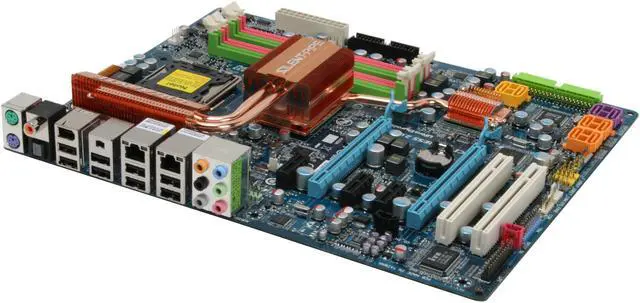
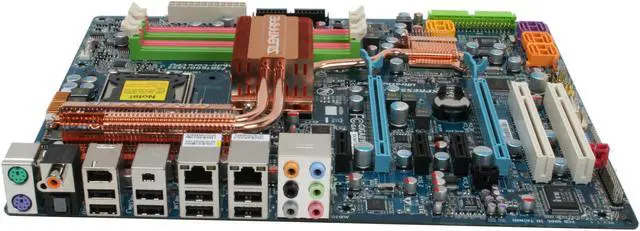
- Pros: Atractive motherboard. I would never buy on looks, but I have an antec 900 case and I can't stop looking at the big shinny coper heat sink/pipe. The letters are in silver and it just shines. This board reminded me why I bought a windowed case. Oh yes, the tech. The board booted right up, no problems. Layout is fine, little tight to get an IDE cable in if thats the last cable you connect, but who does that? Voltages are normal and are very flexable, guy below needs to read alittle more. I put a celeron e1200/1.6ghz/800mhz fsb in and overclocked it to 2.8ghz/1400fsb without one motherboard voltage adjustment needed. Now I did give the cpu alittle more electric but no need to mess with the board. This probably should be expected cause the board supports fsb333 nativly but I was expecting atleast a no boot or a boot loop, but I had no problems what so ever with this board. I did raise my fsb as high as 400mhz without any problems, cpu just got too hot.
- Cons: Not Nelhiem compatible. NOT SURE! but most likely not tri- and quad channel capable for future ddr3. Obsolete when Fall comes. Price? I paid it.... not regretably... but something to think about when comparing say a $150 motherboard and ddr2 performance compared to this w/ ddr3. Is it worth the extra money considering this board is kinda obsolete already? For minimal performance gains? For me it was, but I play games on my pc. What do you do?
- Other Thoughts: I want to rate down the PC Industry as a whole but New Egg won't let me do that. Why on earth does pc hardware not come with hardware??????? I paid $300 for a mother board and got not one mounting screw! This isn't on Gigabyte this is all pc companies. Yes I know people have different cases and need different mounting hardware but people like me who save a ton by just replacing mobo/cpu/ram are left with one short set of screws. I'm tired of it. GIVE ME MY SCREWS DA*N IT!
| Model |
| Brand |
GIGABYTE |
| Model |
GA-EX38T-DQ6 |
| Supported CPU |
| CPU Socket Type |
LGA 775 |
| CPU Type |
Core 2 Quad / Core 2 Extreme / Core 2 Duo |
| FSB |
1600/1333MHz |
| Chipsets |
| North Bridge |
Intel X38 |
| South Bridge |
Intel ICH9R |
| Memory |
| Number of Memory Slots |
4×240pin |
| Memory Standard |
DDR3 1900 |
| Maximum Memory Supported |
8GB |
| Channel Supported |
Dual Channel |
| Expansion Slots |
| PCI Express 2.0 x16 |
2 |
| PCI Express x1 |
3 |
| PCI Slots |
2 |
| Storage Devices |
| PATA |
1 x ATA100 2 Dev. Max |
| SATA 3Gb/s |
8 |
| SATA RAID |
0/1/5/10 |
| Onboard Video |
| Onboard Video Chipset |
None |
| Onboard Audio |
| Audio Chipset |
Realtek ALC889A |
| Audio Channels |
8 Channels |
| Onboard LAN |
| LAN Chipset |
Realtek 8111C |
| Max LAN Speed |
10/100/1000Mbps |
| Rear Panel Ports |
| PS/2 |
2 |
| USB 1.1/2.0 |
8 x USB 2.0 |
| IEEE 1394 |
2 x IEEE 1394a |
| S/PDIF Out |
1 x Optical, 1 x Coaxial |
| Audio Ports |
6 Ports |
| Onboard USB |
| Onboard USB |
4 x USB 2.0 |
| Onboard 1394 |
| Onboard 1394 |
1x 1394a |
| Physical Spec |
| Form Factor |
ATX |
| Dimensions |
12.0" x 9.6" |
| Power Pin |
24 Pin |
| Packaging |
| Package Contents |
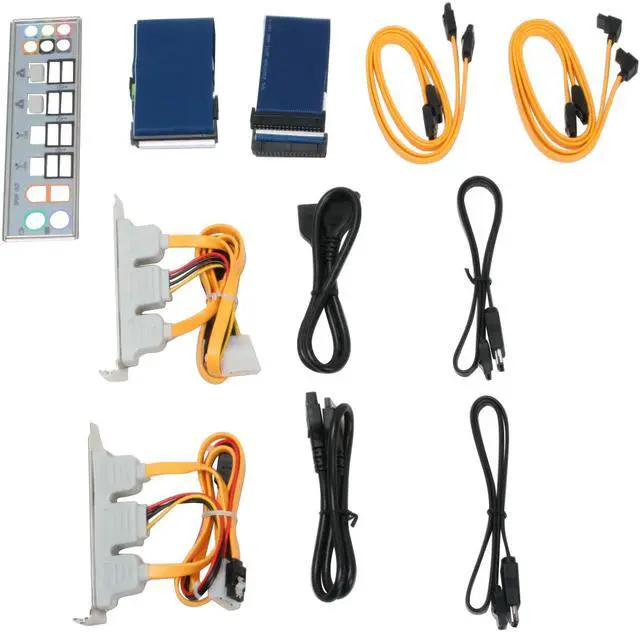
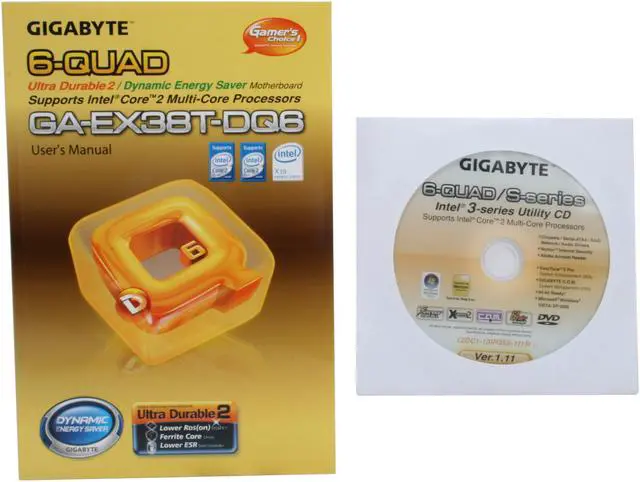
GA-EX38T-DQ6 Driver Disk User Manual Rear I/O Panel Shield IDE/PATA Cable FDD Cable 4 x SATA Cable 2 x e-SATA Bracket 2 x e-SATA Cable & Power Cord |
|