-
Deactivated Item
-
-

Similar Items
Not the product you're looking for? We can make some suggestions to help you decide on a product that fits your needs.
view similar products
-
Manufacturer Contact Info
|
-
- 5
-

- 74%
- 4
-

- 9%
- 3
-

- 11%
- 2
-

- 2%
- 1
-

- 4%
| Product Rating: |
   
|
| Total Reviews: |
45 |
Great board
- Pros: Stable - Good Reputation - Well Constructed - Great for Overclocking (Through BIOS)
- Cons: Software a bit iffy. Tried to overclock via software and became unstable. I may not be doing things quite right though. Never tried software based overclocking.
Great board
- Pros: Stable, once all drivers, firmware were updated, and the energy saving utility was removed.
- Cons: Energy saving utility is not so great. I don't recommend that software.
- Other Thoughts: I did not try to over-clock any components. I simply wanted a stable board, running cool, with no fan. This is a good one.
You can probably do better
- Pros: Has just about every feature you'd want.
X48 chipset
Gigabyte quality
Reasonably good layout
- Cons: Not fully stable when overclocked (even with relatively modest overclocks - E2180 from 2Ghz to 2.9Ghz which a BIOSTAR TP43D2A7 did easily while remaining totally stable)
Some BIOS options simply do not work, others are rather annoying and others are quirky. For instance, I like to set the speed of the PCI-X bus explicitly to 100Mhz to ensure the bus is _not_ overclocked, if you do that in the F7 BIOS, the system doesn't boot, you must leave the setting at "Auto" (which incidentally runs the bus at 100Mhz!). Once you enable the option to set the voltages manually, you get a _red_ flashing one liner warning you that "voltages are not optimized", if you let the BIOS "optimize" the voltages your boot sequence will be "very short" if you have overclocked the processor (which obviously will be the case). Other quirks come to mind but, I'm out of space.
Latest BIOS has been 5 months in Beta (is it their Rebate dept that is testing the BIOS and that's the reason it takes so long ?)
- Other Thoughts: I purchased this board to replace a BIOSTAR TForce TP43D2A7 because I wanted to have more than 2 monitors connected to my system, hence the need for a motherboard with more than one PCI-x16 slot.
This Gigabyte board gave me the two PCI-x slots I needed but, I lost the complete stability that the BIOSTAR board gave me. Initially no other changes were made to the system, yet it was not stable. Adding a second video card did not change the situation. Tweaking the settings for the last two months have not resulted in improvements either.
I've owned other Gigabyte boards in the past and have used other Gigabyte boards (the MA790X-UDP4 lately) for client builds and, generally I have been pleased with performance and quality. However, IMO, Gigabyte missed the boat with this board. This board is more than twice the money paid for the BIOSTAR I was using originally and its stability is nowhere near it.
If you do not overclock, this board is very likely a good choice.
| Model |
| Brand |
GIGABYTE |
| Model |
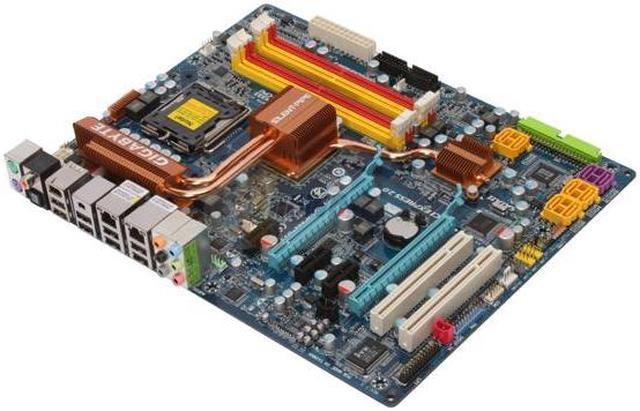
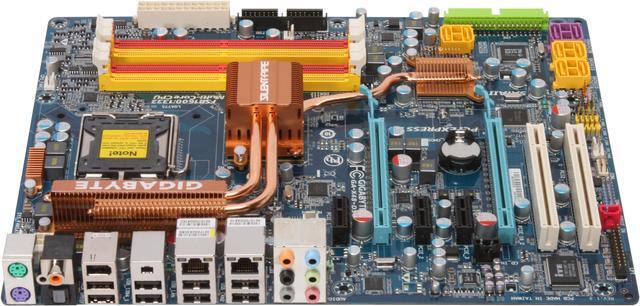
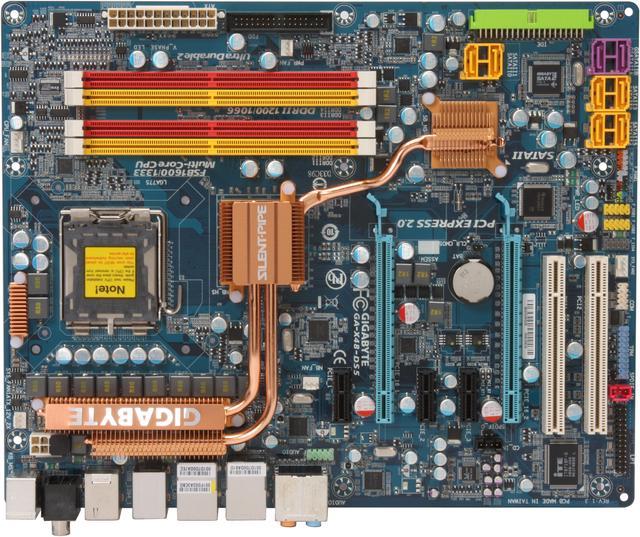
GA-X48-DS5 |
| Supported CPU |
| CPU Socket Type |
LGA 775 |
| CPU Type |
Core 2 Quad / Core 2 Extreme / Core 2 Duo |
| FSB |
1600/1333MHz |
| Chipsets |
| North Bridge |
Intel X48 |
| South Bridge |
Intel ICH9R |
| Memory |
| Number of Memory Slots |
4×240pin |
| Memory Standard |
DDR2 1200 |
| Maximum Memory Supported |
8GB |
| Channel Supported |
Dual Channel |
| Expansion Slots |
| PCI Express 2.0 x16 |
2 |
| PCI Express x1 |
3 |
| PCI Slots |
2 |
| Storage Devices |
| PATA |
1 x ATA100 2 Dev. Max |
| SATA 3Gb/s |
8 |
| SATA RAID |
0/1/5/10 |
| Onboard Video |
| Onboard Video Chipset |
None |
| Onboard Audio |
| Audio Chipset |
Realtek ALC889A |
| Audio Channels |
8 Channels |
| Onboard LAN |
| LAN Chipset |
Realtek 8111C |
| Second LAN Chipset |
Realtek 8111C |
| Max LAN Speed |
Dual 10/100/1000Mbps |
| Rear Panel Ports |
| PS/2 |
2 |
| USB 1.1/2.0 |
8 x USB 2.0 |
| IEEE 1394 |
2 x IEEE 1394a |
| S/PDIF Out |
1 x Optical, 1 x Coaxial |
| Audio Ports |
6 Ports |
| Onboard USB |
| Onboard USB |
4 x USB 2.0 |
| Onboard 1394 |
| Onboard 1394 |
1x 1394a |
| Physical Spec |
| Form Factor |
ATX |
| Dimensions |
12.0" x 9.6" |
| Windows Vista |
Certified for Windows Vista |
| Power Pin |
24 Pin |
| Packaging |
| Package Contents |
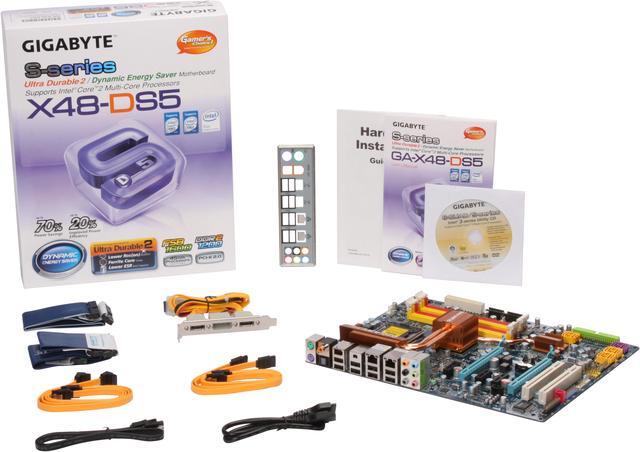
GA-X48-DS5 Driver Disk User Manual Rear I/O Panel Shield IDE/PATA Cable FDD Cable SATA Cable eSATA Bracket eSATA Cable & Power Cord |
|
|