Supporting the latest Intel Core i7 and Core i5 processors for the LGA 1156 socket, the Gigabyte GA-P55A-UD6 motherboard sets a new standard in high performance computing. With the memory controller integrated directly into the processor die, the motherboard supports dual channel DDR3 memory for blazing fast memory performance up to 2600+ MHz.
The Gigabyte GA-P55A-UD6 motherboard was designed to offer a stable, high-speed platform for delivering amazingly fast data transfer via the Gigabyte 333 onboard acceleration technologies. Featuring two USB 3.0 ports, the GA-P55A-UD6 allows users to take advantage of super fast USB transfer rates of up to 5Gbps, delivering 10x faster data transfer compared to USB 2.0. Utilizing the newest Serial ATA Revision 3.0 solution, the Marvell SE9128 controller, the GA-P55A-UD6 motherboard offers support for next generation high speed data storage devices with data transfer speeds of up to 6Gbps. Both ATI CrossFireX and Nvidia SLI are supported for ultimate graphics performance.
Armed with Gigabyte's exclusive technologies such as Ultra Durable 3 and DualBIOS, this motherboard can be the core of a High-End System.
Supporting the latest Intel Core i7 and Core i5 processors for the LGA 1156 socket, the Gigabyte GA-P55A-UD6 motherboard sets a new standard in high performance computing. With the memory controller integrated directly into the processor die, the motherboard supports dual channel DDR3 memory for blazing fast memory performance up to 2600+ MHz.
The Gigabyte GA-P55A-UD6 motherboard was designed to offer a stable, high-speed platform for delivering amazingly fast data transfer via the Gigabyte 333 onboard acceleration technologies. Featuring two USB 3.0 ports, the GA-P55A-UD6 allows users to take advantage of super fast USB transfer rates of up to 5Gbps, delivering 10x faster data transfer compared to USB 2.0. Utilizing the newest Serial ATA Revision 3.0 solution, the Marvell SE9128 controller, the GA-P55A-UD6 motherboard offers support for next generation high speed data storage devices with data transfer speeds of up to 6Gbps. Both ATI CrossFireX and Nvidia SLI are supported for ultimate graphics performance.
Armed with Gigabyte's exclusive technologies such as Ultra Durable 3 and DualBIOS, this motherboard can be the core of a High-End System.
 Intel P55 Express Chipset for Intel LGA 1156 CPUBased on the Intel P55 Express chipset, the Gigabyte GA-P55A-UD6 supports Intel's latest LGA 1156 processors including the Intel Core i7 and Core i5 processors.
 SLI and CrossFireX SupportThe Gigabyte GA-P55A-UD6 provides leading-edge graphics performance and flexibility with support for NVIDIA SLI and ATI CrossFireX on demand.
 Ultra Durable 3 TechnologyThe Gigabyte GA-P55A-UD6 features revolutionary Ultra Durable 3 technology with a 2oz copper PCB design to help reduce system temperature and dramatically enhance performance.
 Gigabyte 333 Onboard AccelerationThe Gigabyte GA-P55A-UD6 delivers all the killer next generation features that gaming enthusiasts and power users have been waiting for by incorporating Gigabyte's 333 Onboard Acceleration features with support for USB 3.0, Serial-ATA Revision 3.0 (6Gbps) and a 3x USB Power Boost.
 Smarter System ManagementGigabyte Smart 6 provides easier and smarter PC system management which allows you to speed up system performance, reduce boot-up time, manage a secure platform and recover previous system settings easily with a click of the mouse button.
 Dual Gigabit LANThe integrated dual Gigabit LAN design allows a PC to serve as a network gateway for managing traffic between two separate networks. Dual Gigabit LAN means rapid data transfers from WAN to LAN without any added arbitration or latency.



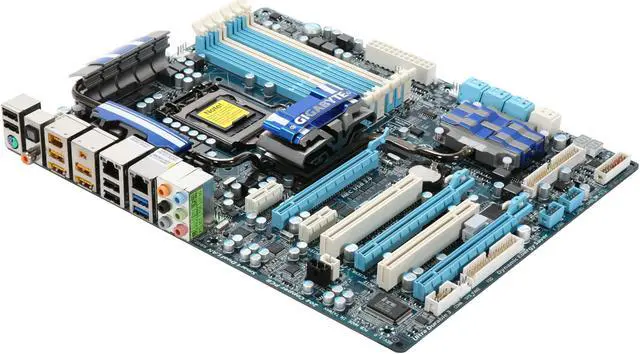
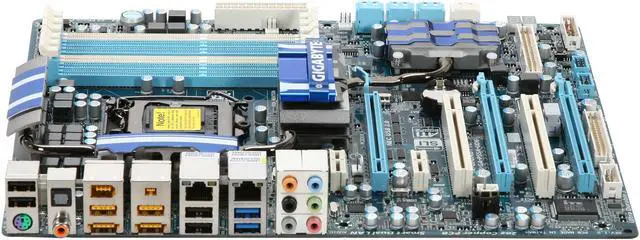
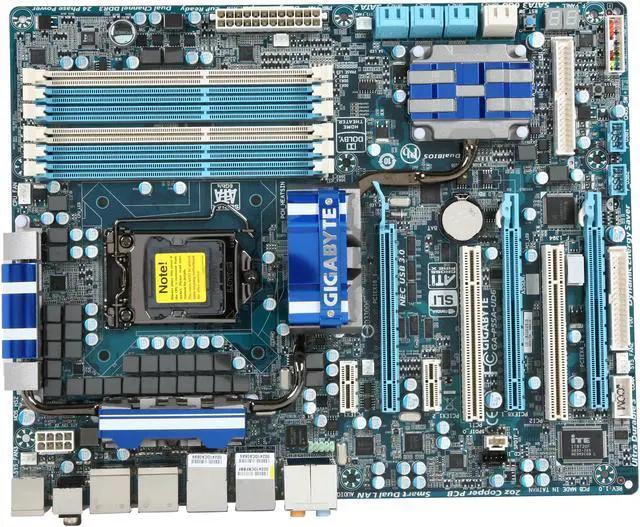
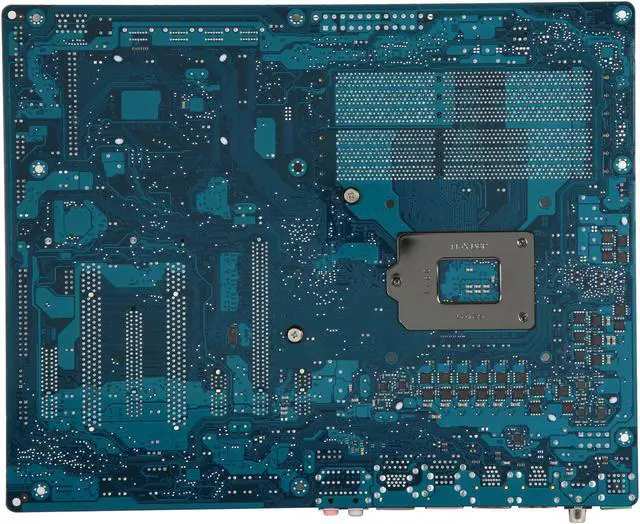
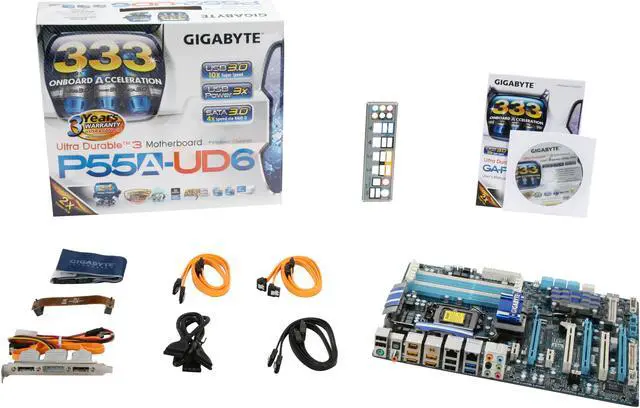



 Intel P55 Express Chipset for Intel LGA 1156 CPUBased on the Intel P55 Express chipset, the Gigabyte GA-P55A-UD6 supports Intel's latest LGA 1156 processors including the Intel Core i7 and Core i5 processors.
 SLI and CrossFireX SupportThe Gigabyte GA-P55A-UD6 provides leading-edge graphics performance and flexibility with support for NVIDIA SLI and ATI CrossFireX on demand.
 Ultra Durable 3 TechnologyThe Gigabyte GA-P55A-UD6 features revolutionary Ultra Durable 3 technology with a 2oz copper PCB design to help reduce system temperature and dramatically enhance performance.
 Gigabyte 333 Onboard AccelerationThe Gigabyte GA-P55A-UD6 delivers all the killer next generation features that gaming enthusiasts and power users have been waiting for by incorporating Gigabyte's 333 Onboard Acceleration features with support for USB 3.0, Serial-ATA Revision 3.0 (6Gbps) and a 3x USB Power Boost.
 Smarter System ManagementGigabyte Smart 6 provides easier and smarter PC system management which allows you to speed up system performance, reduce boot-up time, manage a secure platform and recover previous system settings easily with a click of the mouse button.
 Dual Gigabit LANThe integrated dual Gigabit LAN design allows a PC to serve as a network gateway for managing traffic between two separate networks. Dual Gigabit LAN means rapid data transfers from WAN to LAN without any added arbitration or latency.