
Your Browsing History





Any questions? Our AI beta will help you find out quickly.
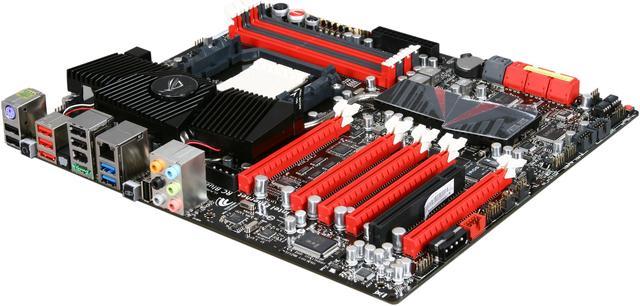
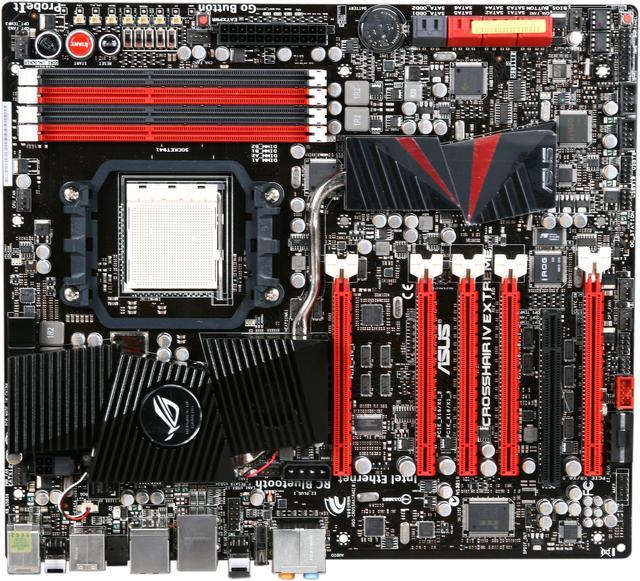
 AMD Phenom II X6 SupportThe Asus Crosshair IV Extreme supports AMD AM3 Phenom II, Athlon II, Sempron 100 Series processors with support for up to 5200MT/s HyperTransport 3.0 (HT 3.0) system bus speed and dual-channel DDR3 memory (2000(O.C.)/1600/1333/1066 MHz), providing unprecedented computing power to match the performance levels you are looking for.
 Multi-GPU TechnologyATI CrossFireX boosts image quality along with rendering speed, eliminating the need to scale down screen resolution to get high quality images. CrossFireX allows higher anti-aliasing, anisotropic filtering, shading, and texture settings. Lucid Hydra CrossLinx 3 makes it possible to combine multi-GPU graphics cards from any generation and vendor on the same motherboard giving PC users greater flexibility and enabling vastly increased performance, free of compatibility limitations.
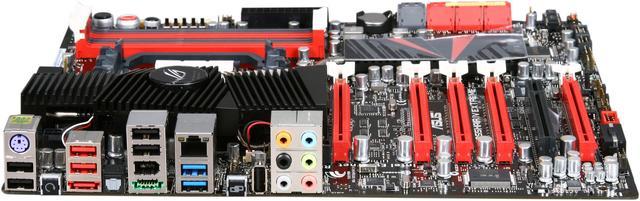
 Future Transfer TechnologyRevolutionary SuperSpeed USB 3.0 technology delivers up to 5Gbps bandwidth, which is 10x faster than USB 2.0 and boosts data transfer rate between PC and USB devices. Next-generation SATA Revision 3.0 interface provides up to 6Gb/s data transfer rates for enhanced performance, efficiency, convenience and flexibility.
 ROG ConnectROG Connect lets you monitor the status of your desktop PC and tweak its parameters in real-time via a notebook. It links your main system to a notebook through a USB cable, allowing you to view real-time POST code and hardware status readouts on your notebook, as well as make on-the-fly parameter adjustments at a purely hardware level.
 RC BluetoothRC Bluetooth brings you a whole new way to overclock! With a simple push of the button from the Back I/O on the RC Bluetooth card, overclockers can real-time monitor the desktop PC system status and tweak its parameters - such as voltages and frequency on the fly. When users want to use ordinary Bluetooth functions, just simply push the button once again & enjoy all the wireless convenience brought from RC Bluetooth.
 USB BIOS FlashbackUSB BIOS Flashback allows overclockers to try their BIOS in the simplest way one can imagine. No need to enter the BIOS or the operating system, just plug the thumb drive into the ROG Connect port and push the ROG Connect button for 2 seconds, BIOS would be automatically flashed under standby power. It's no doubt that USB BIOS Flashback gives overclockers the ultimate convenience!