Skip to: |

Newegg.com - A great place to buy computers, computer parts, electronics, software, accessories, and DVDs online. With great prices, fast shipping, and top-rated customer service - once you know, you Newegg.

If you are reading this message, Please click this link to reload this page.(Do not use your browser's "Refresh" button). Please email us if you're running the latest version of your browser and you still see this message.

Newegg.com - Computer Parts, Laptops, Electronics, HDTVs, Digital Cameras and More!

  • | Wish List
  • Help
Home
Home > 
Computer Hardware > 
Motherboards > 
Intel Motherboards > 
ASUS > 
Item#: N82E16813131798

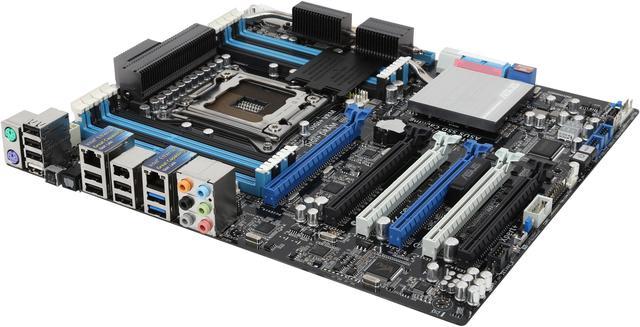
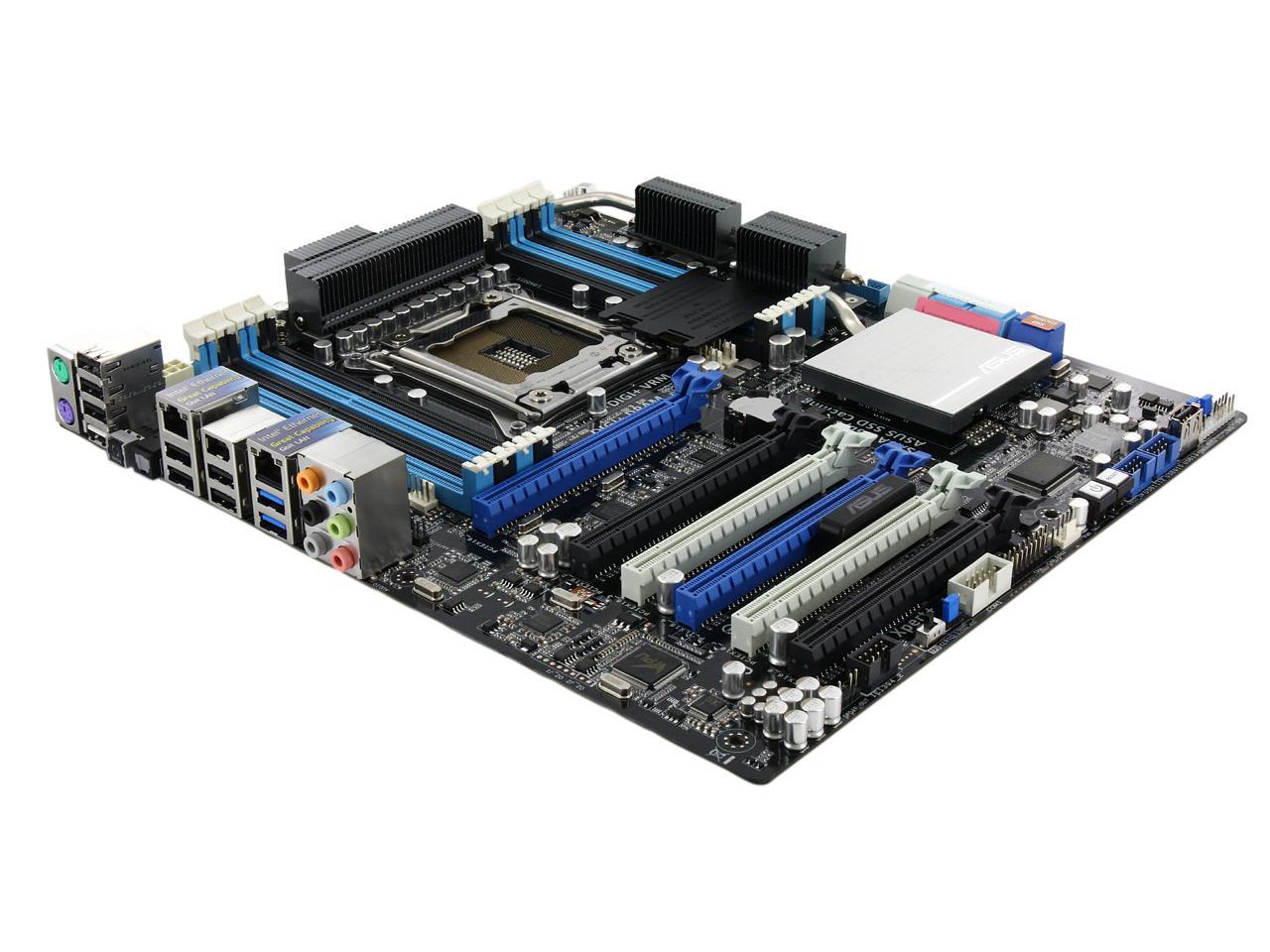
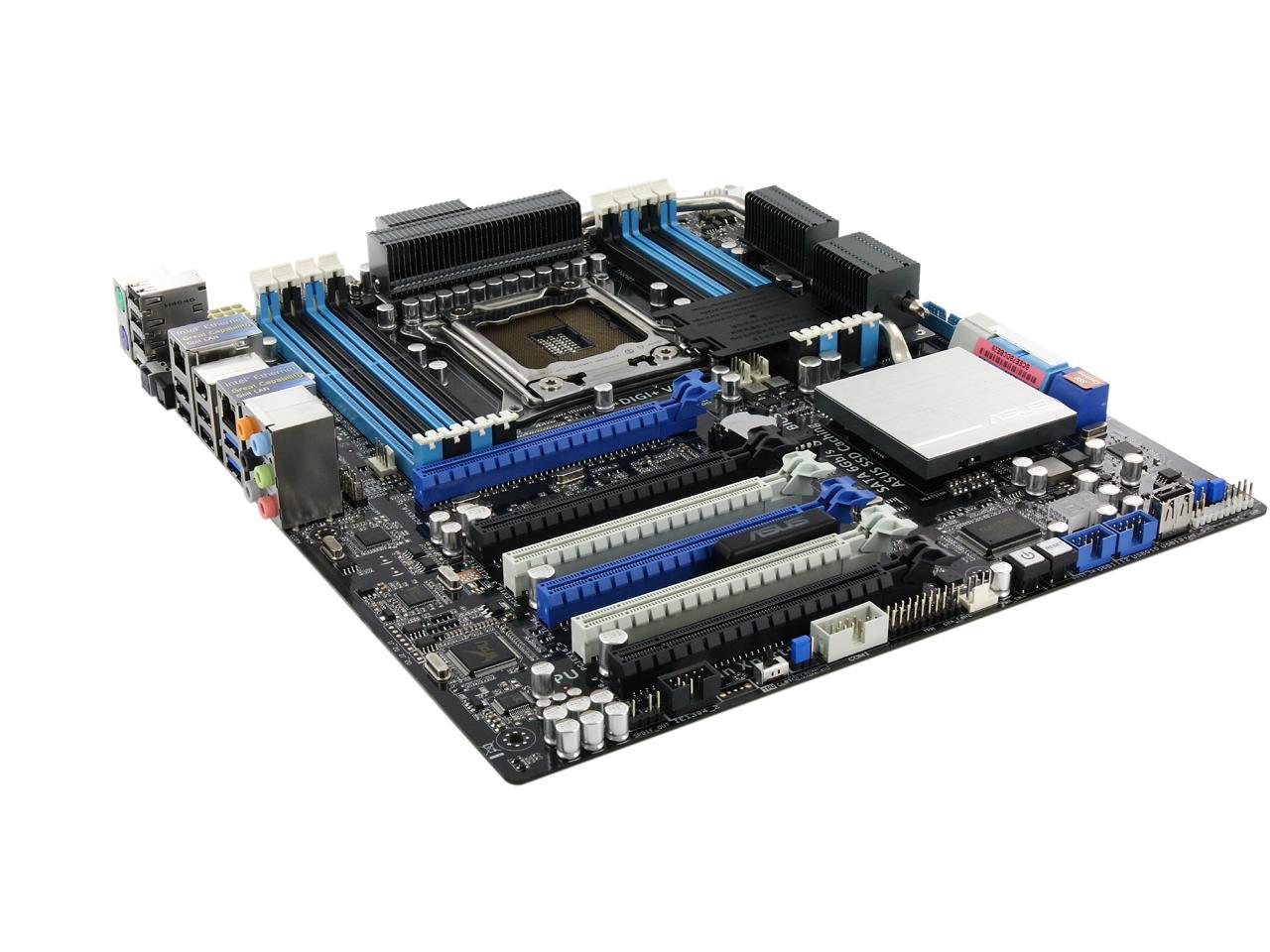
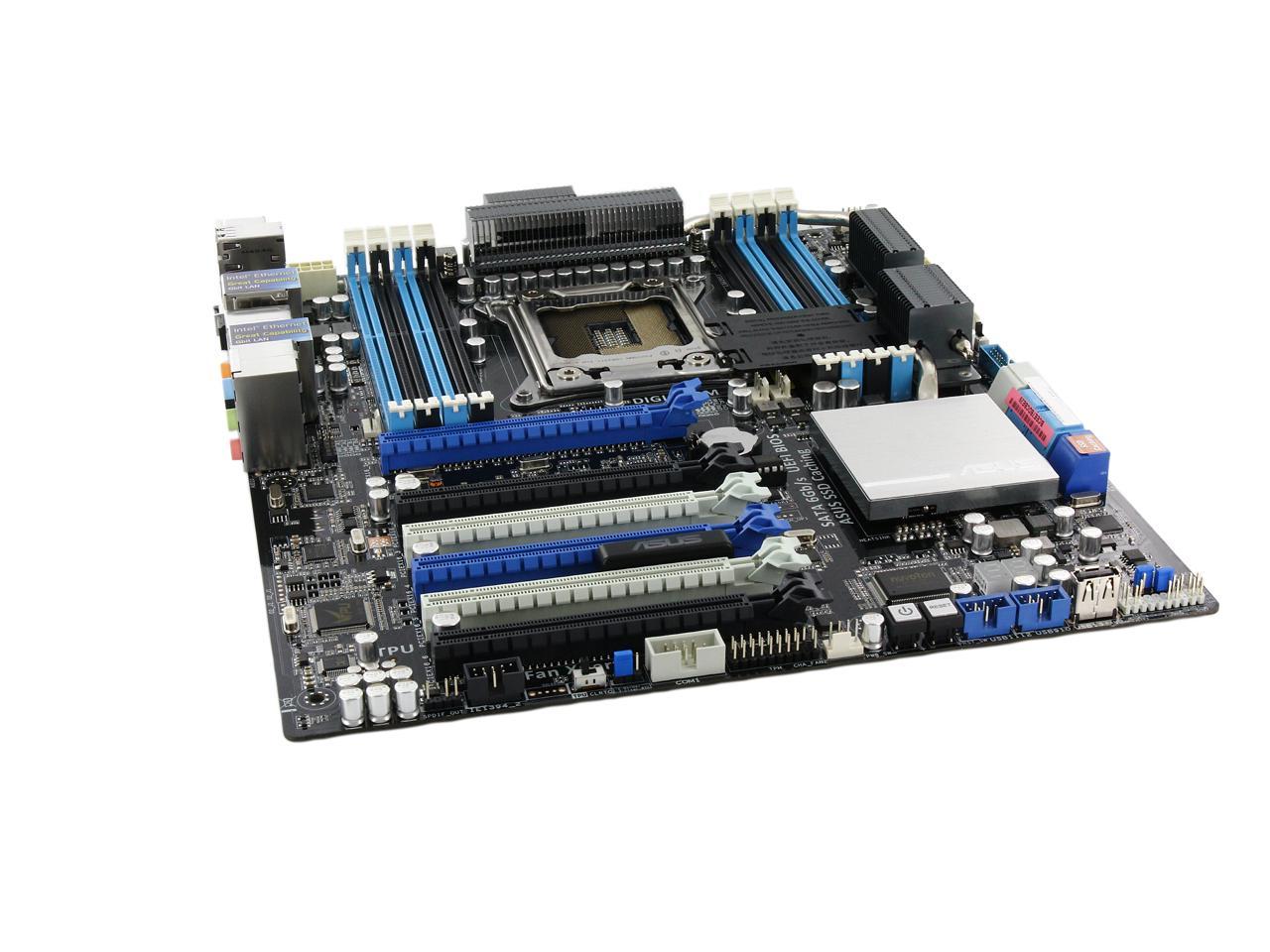
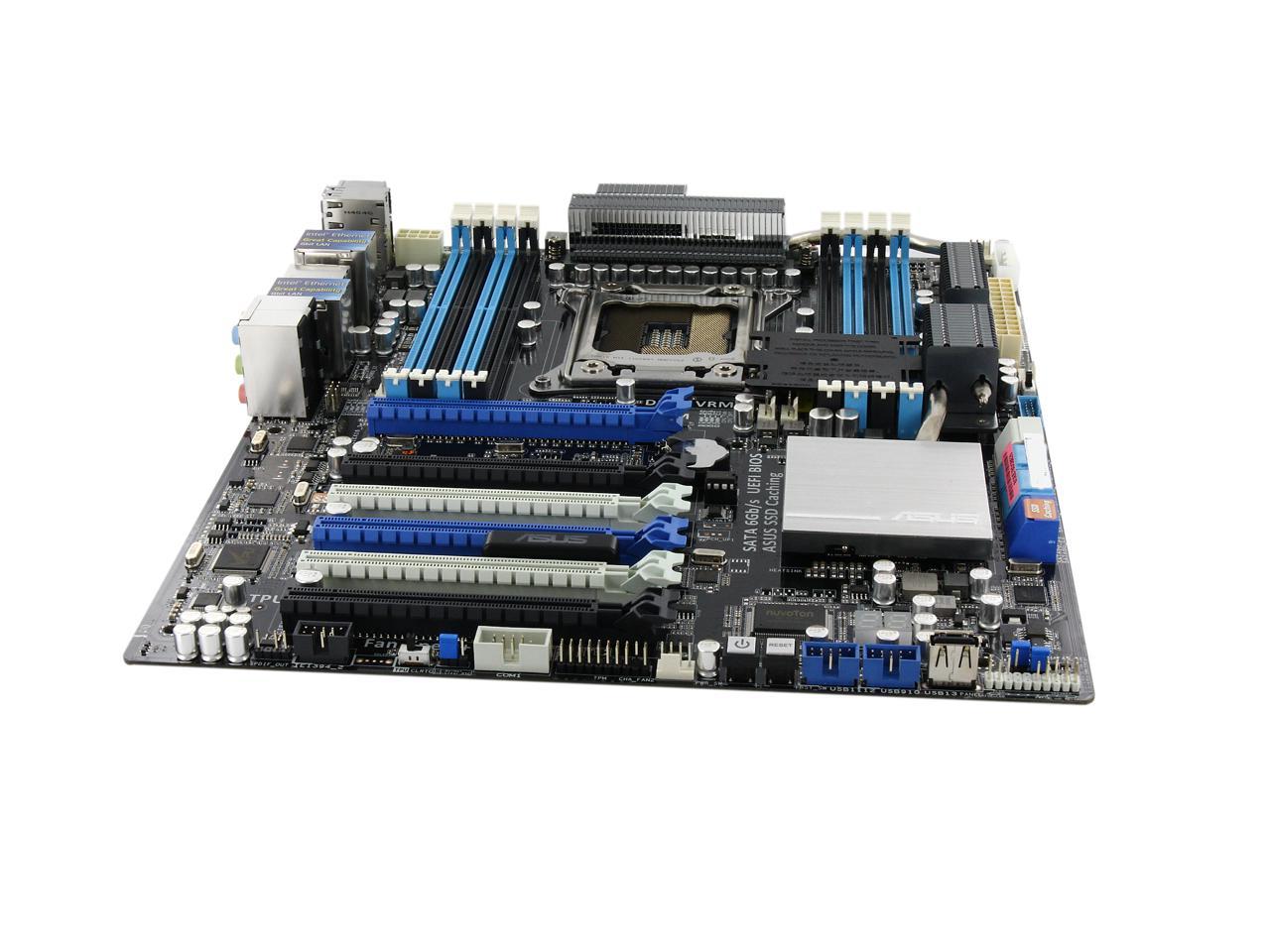
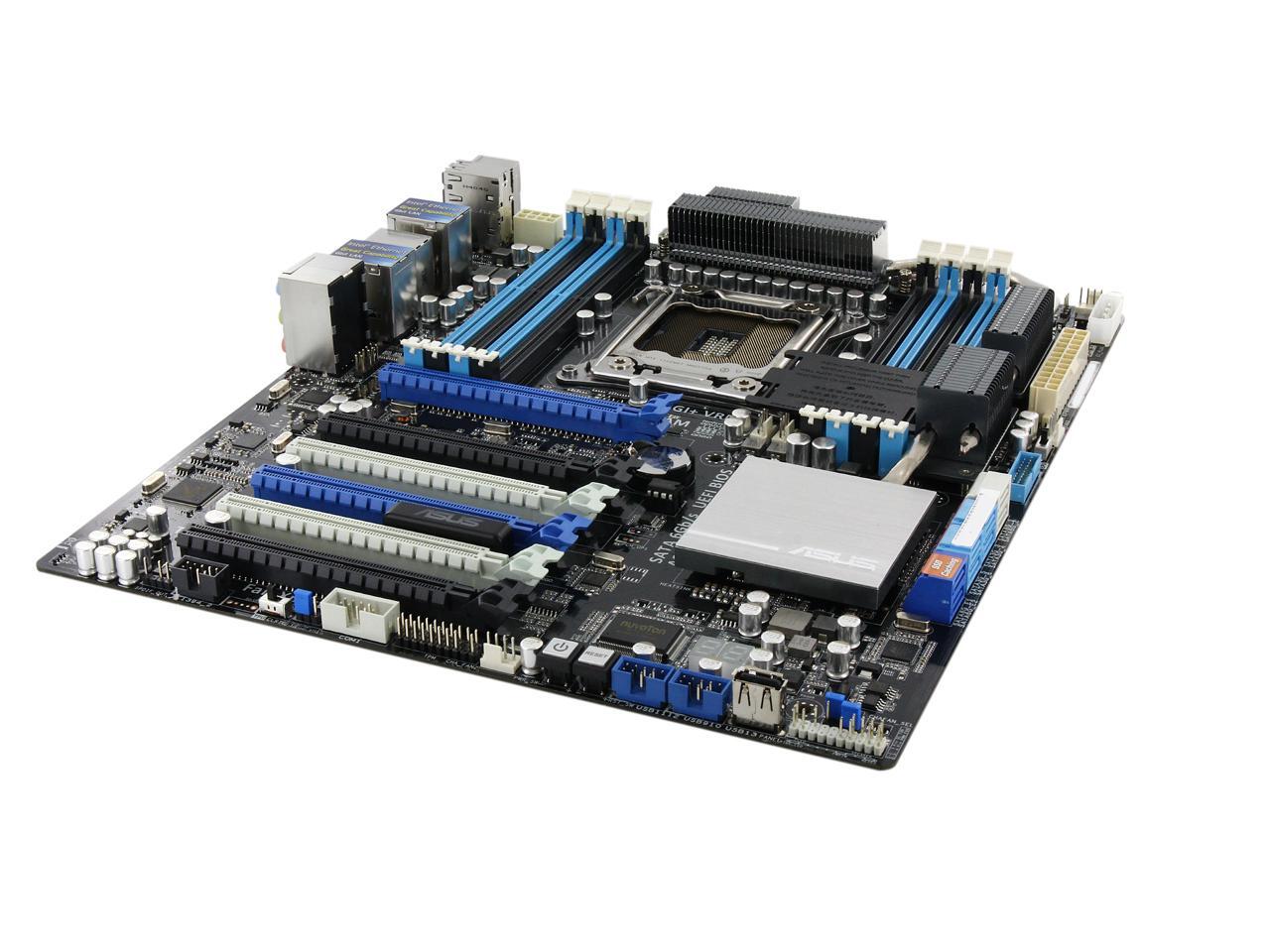
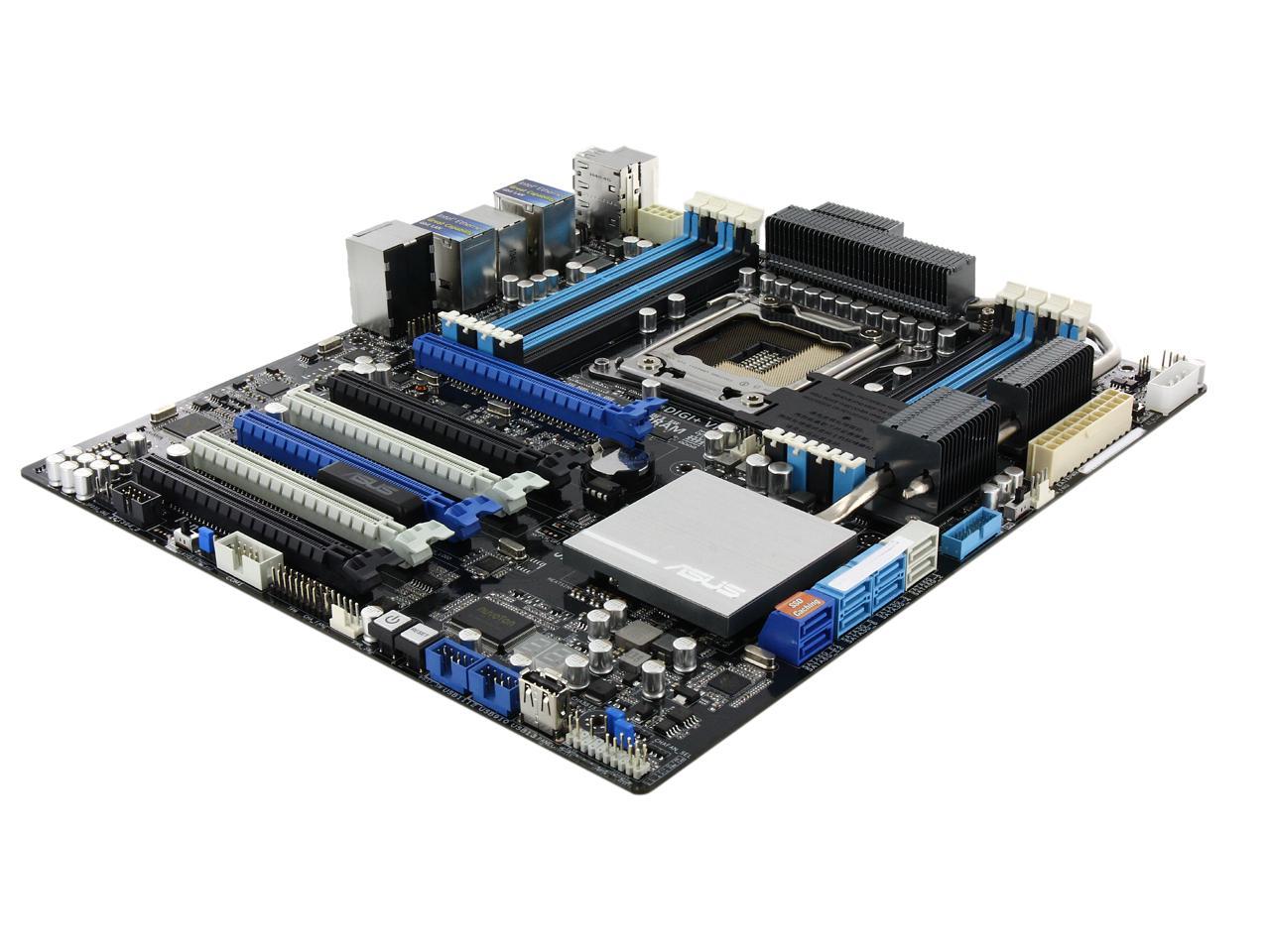
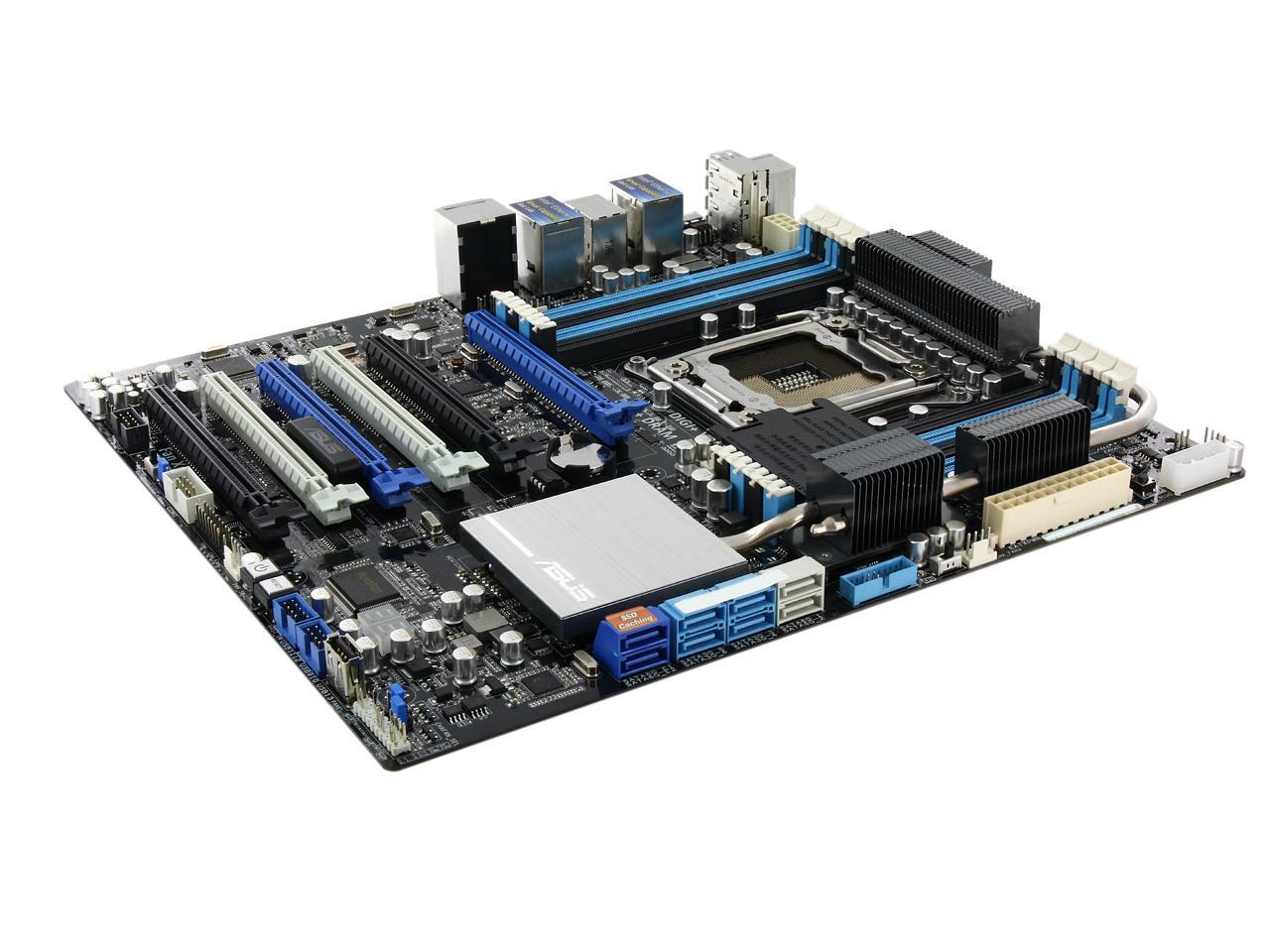
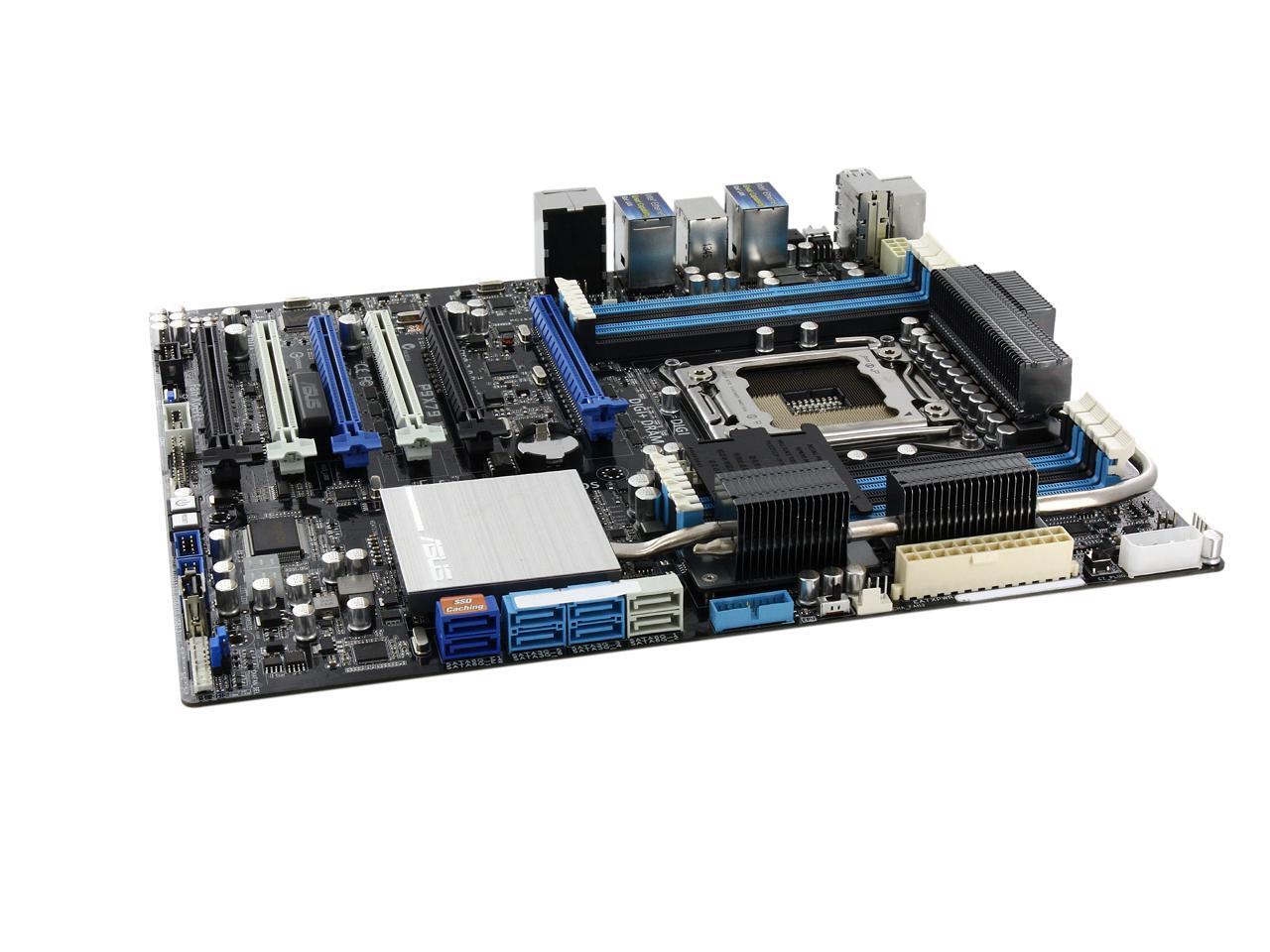
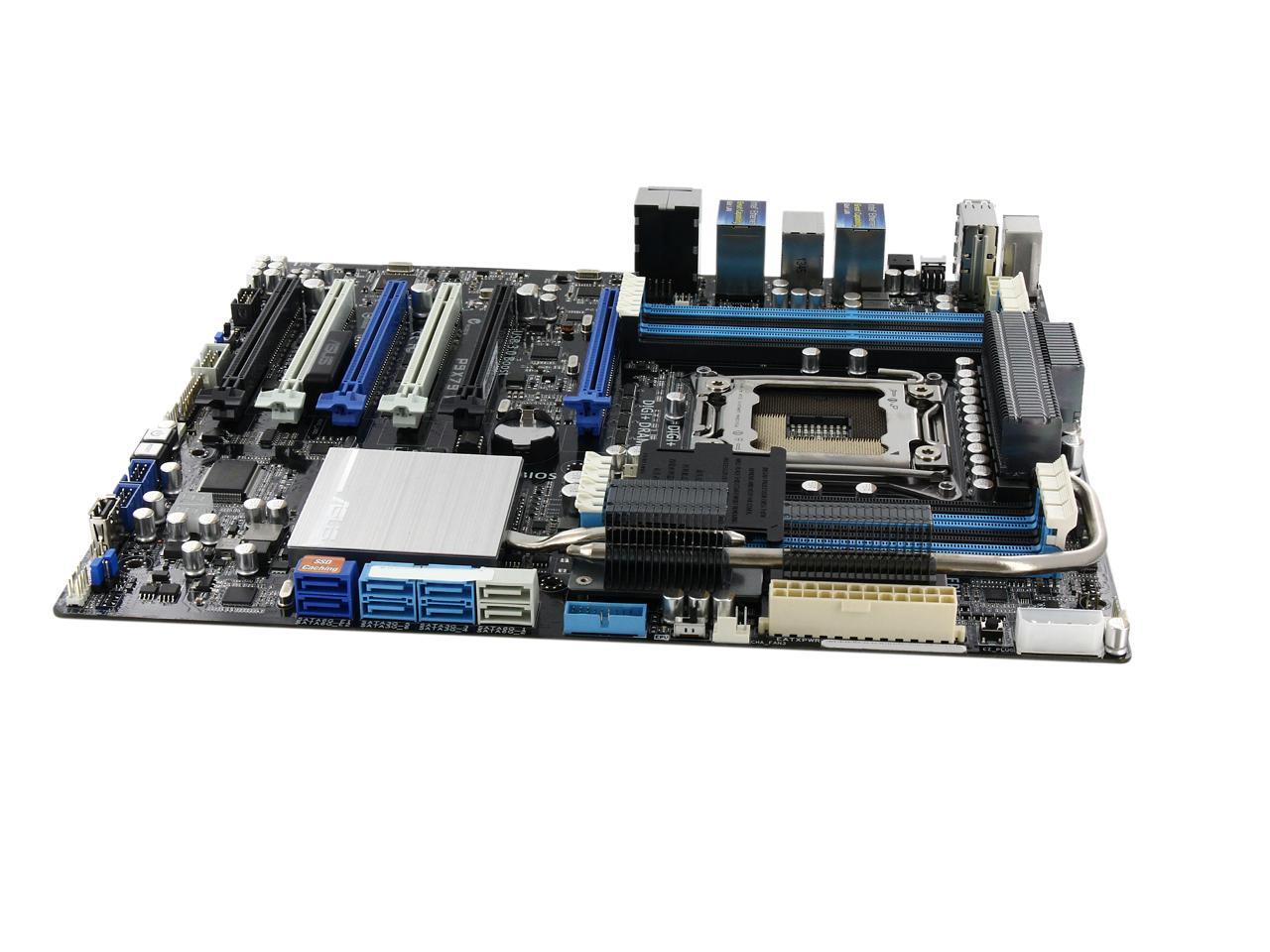
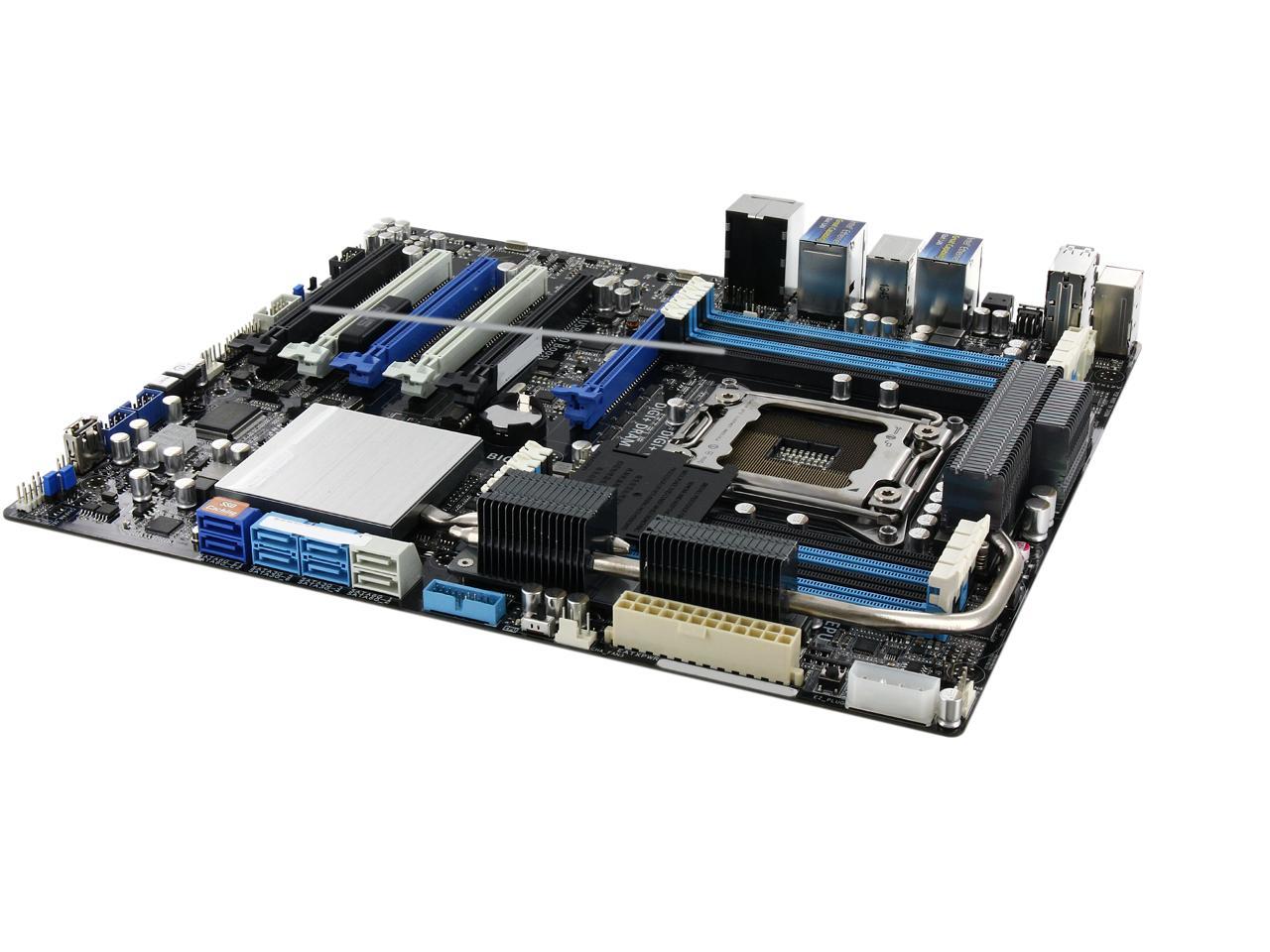
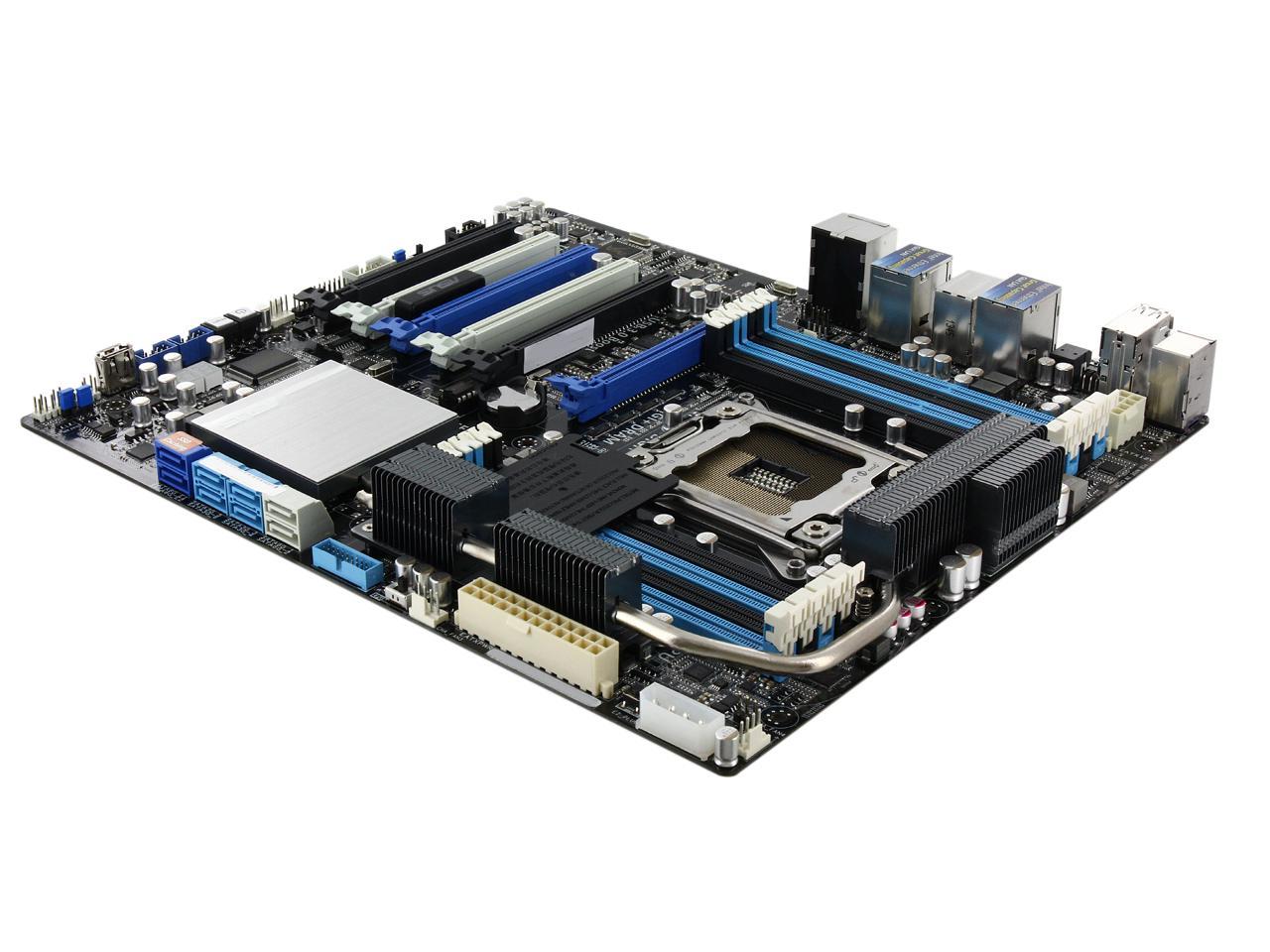
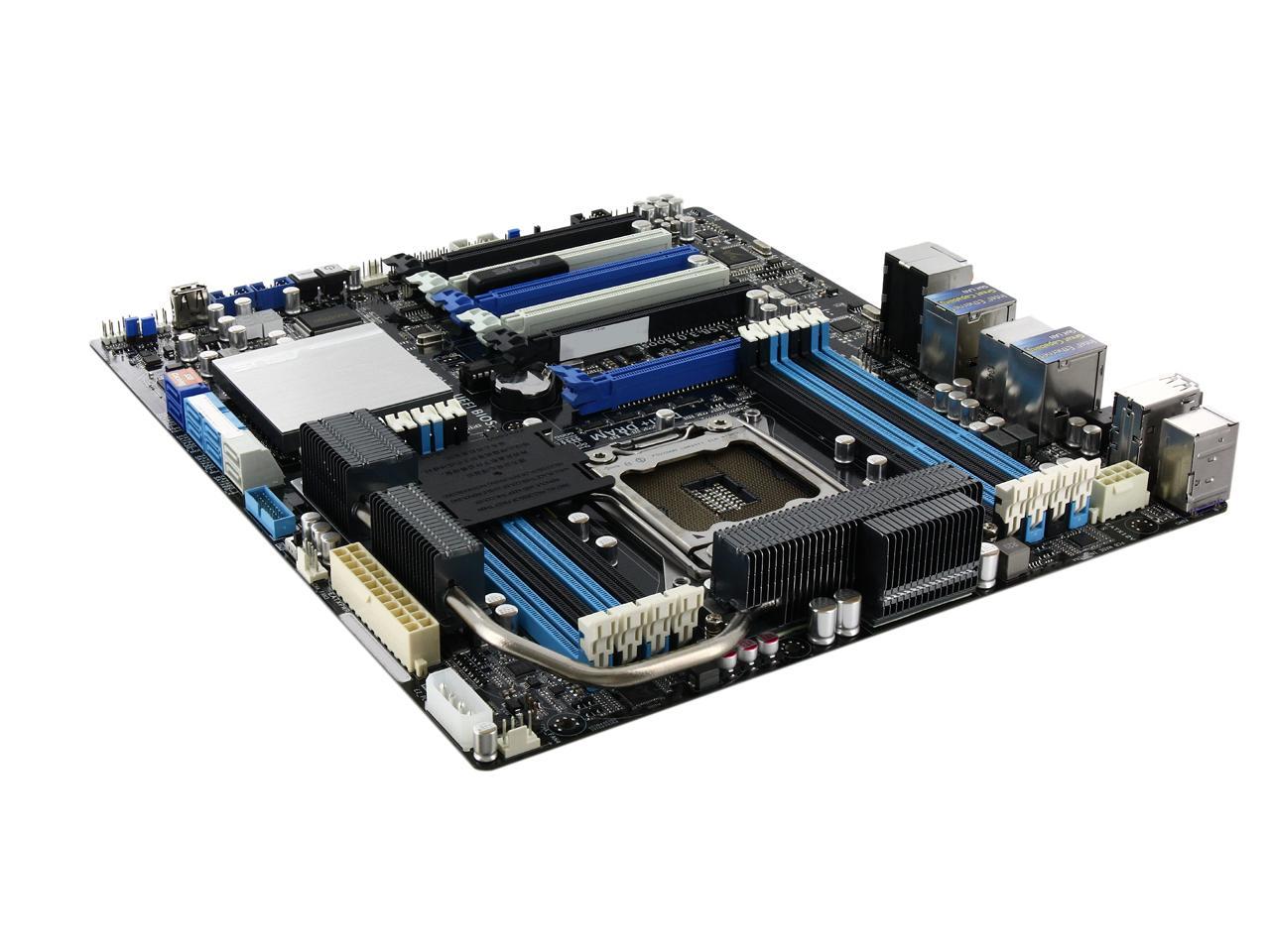
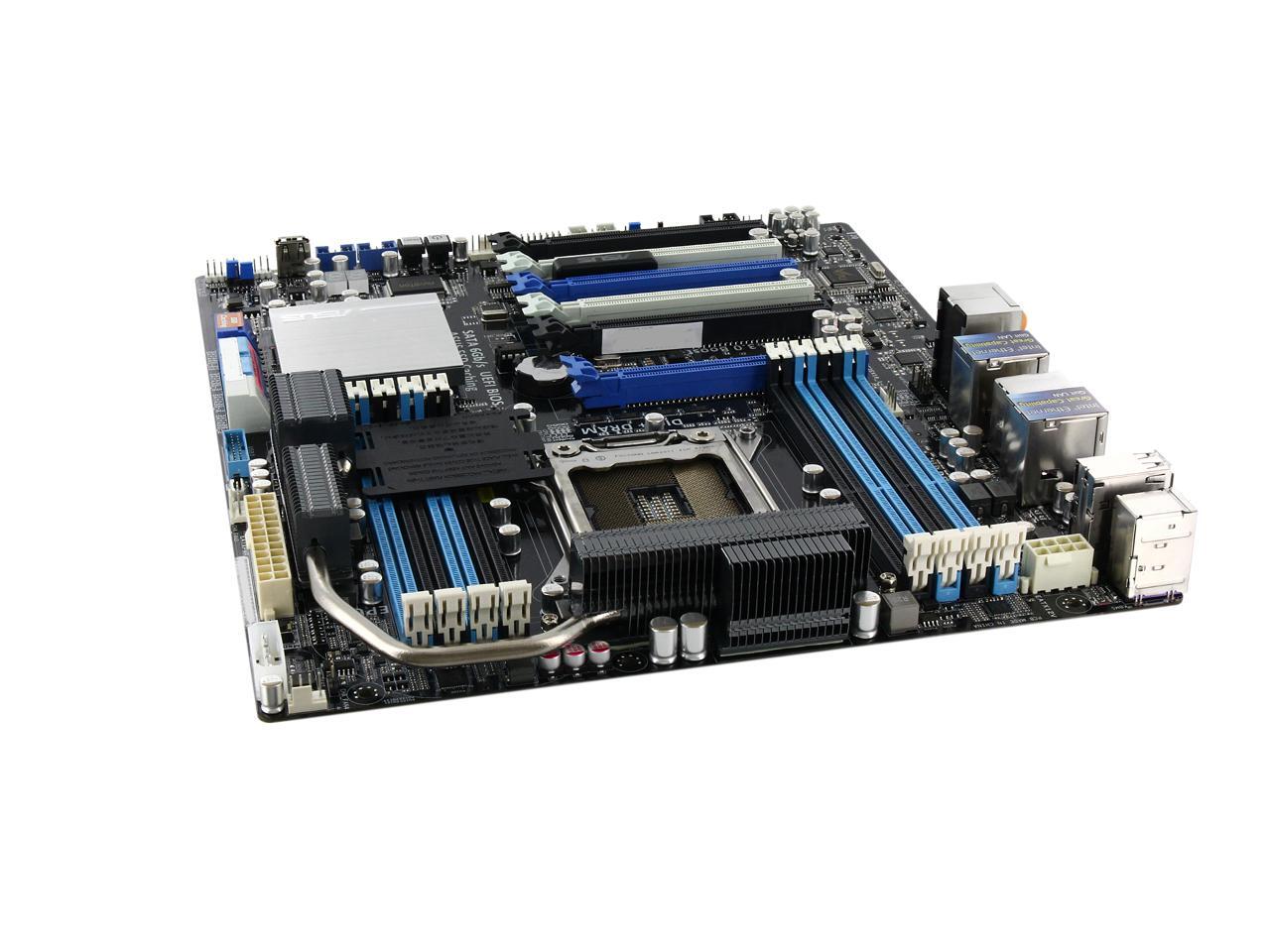
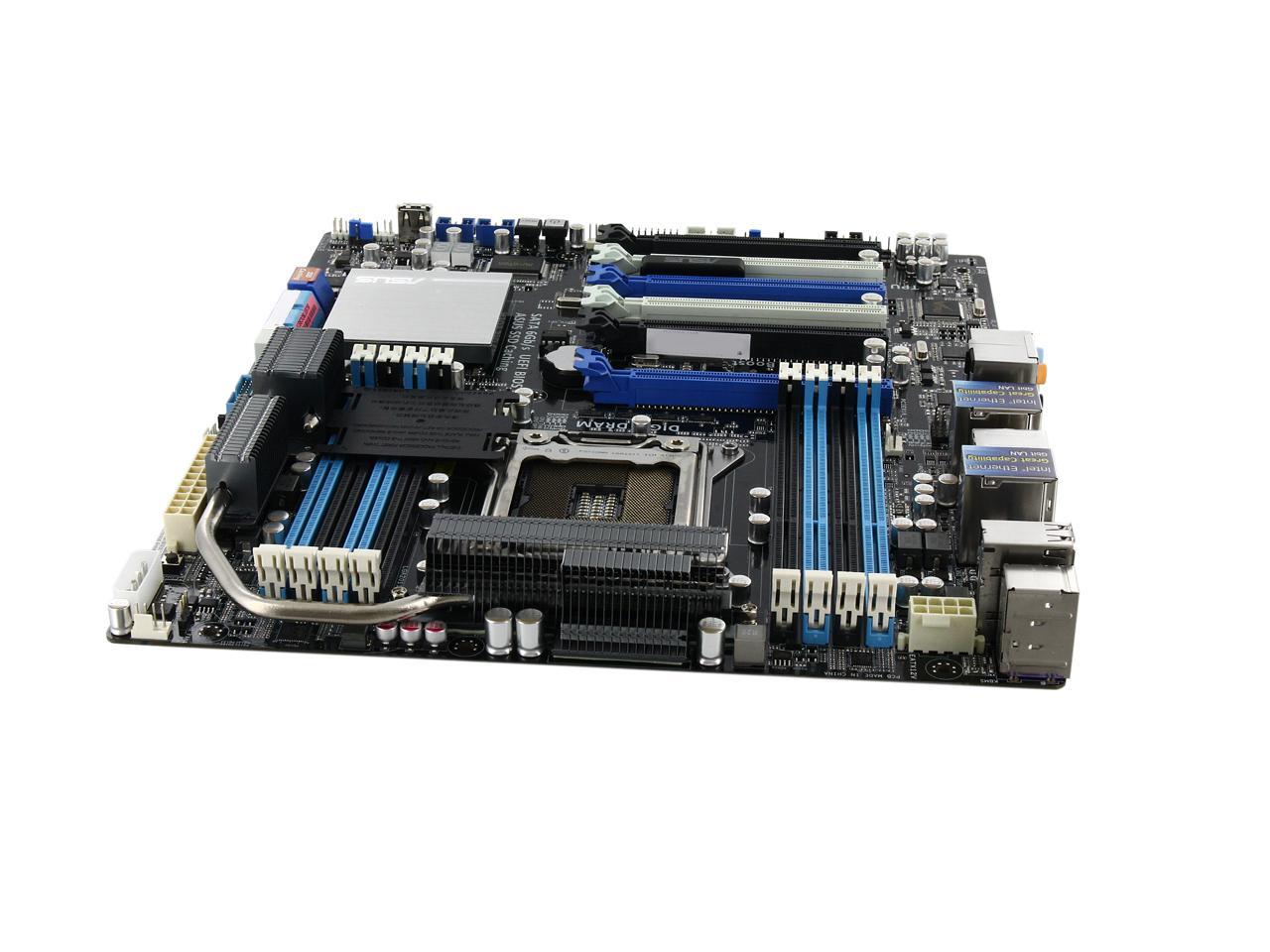
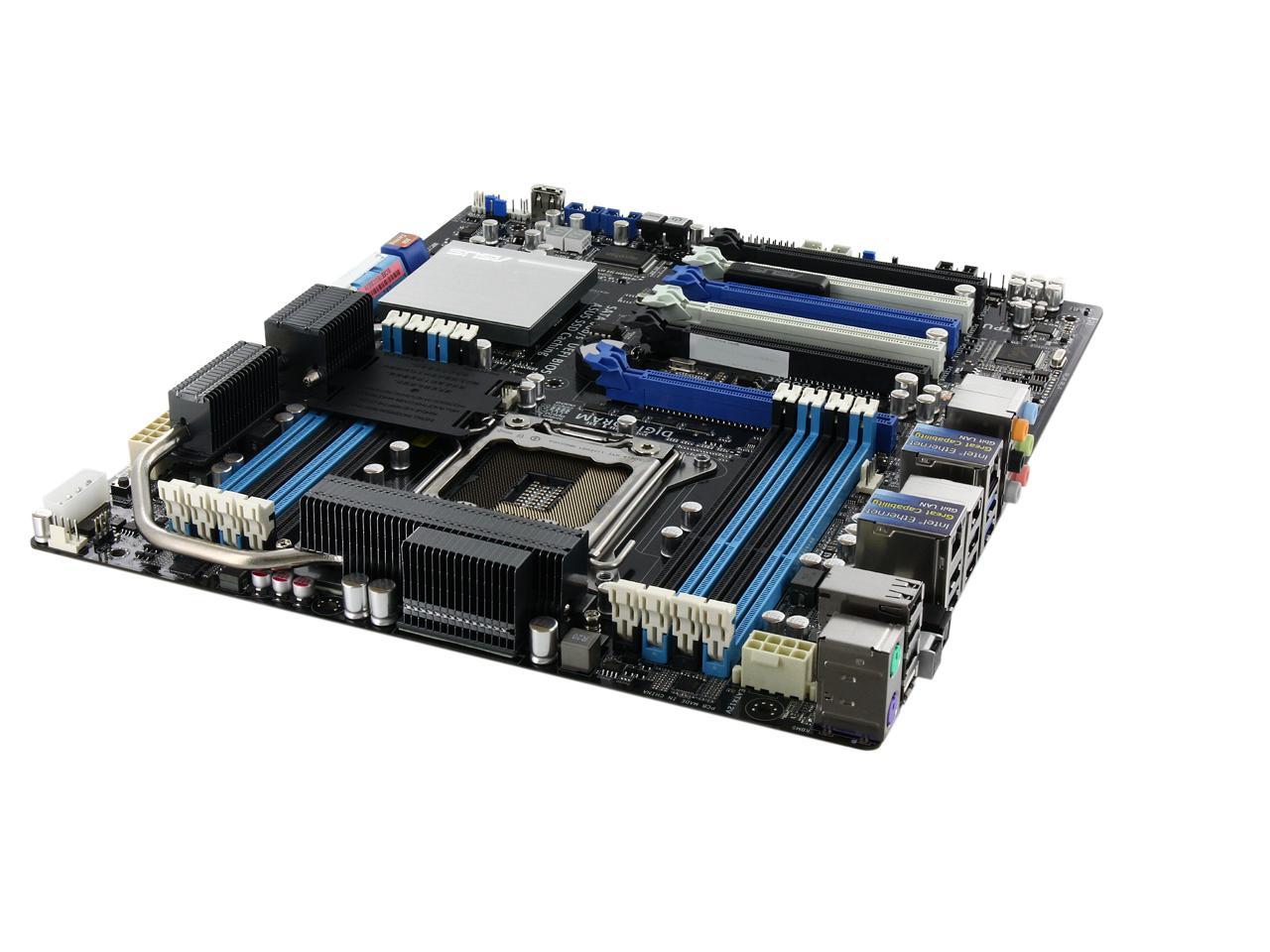
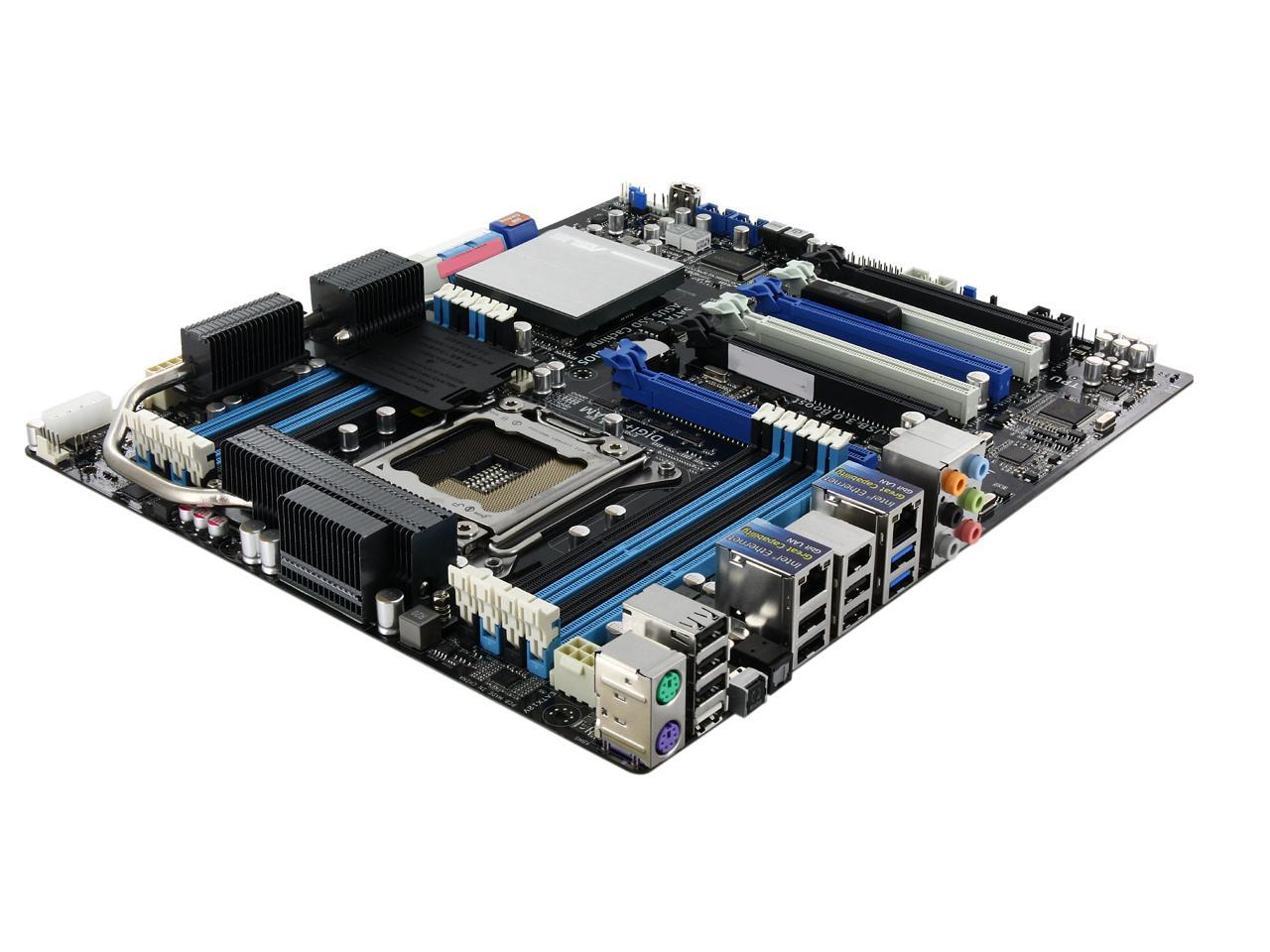
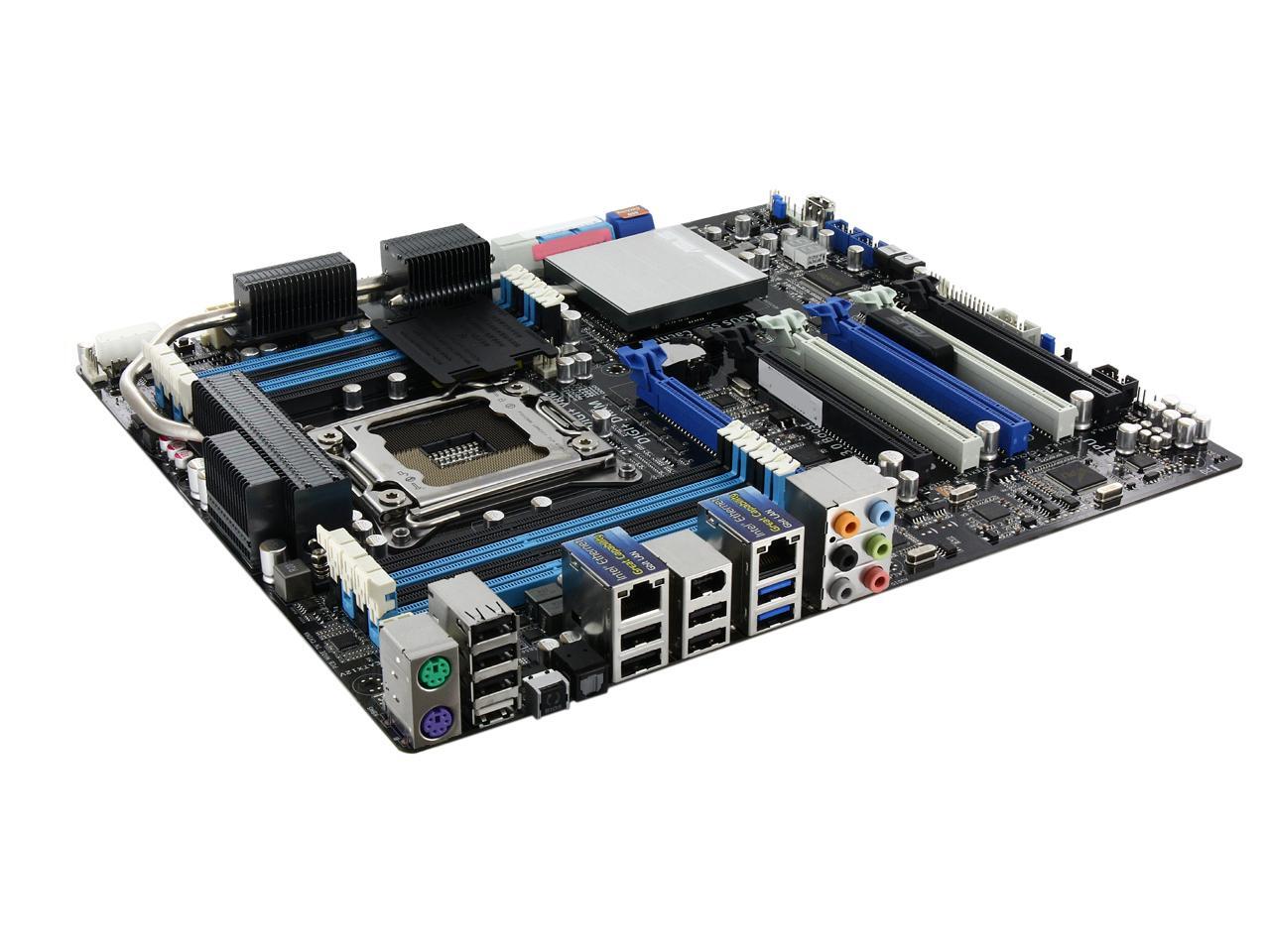
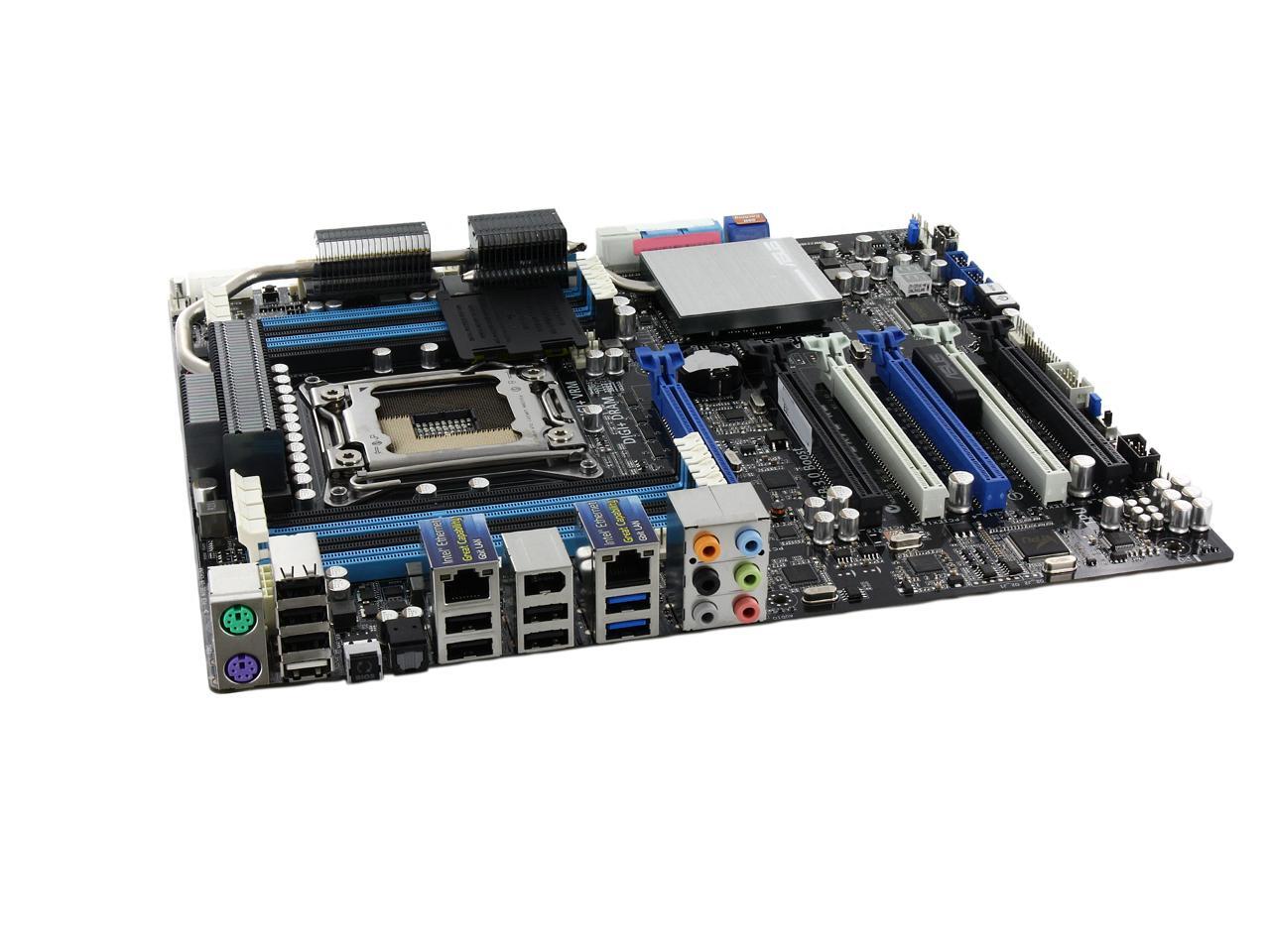
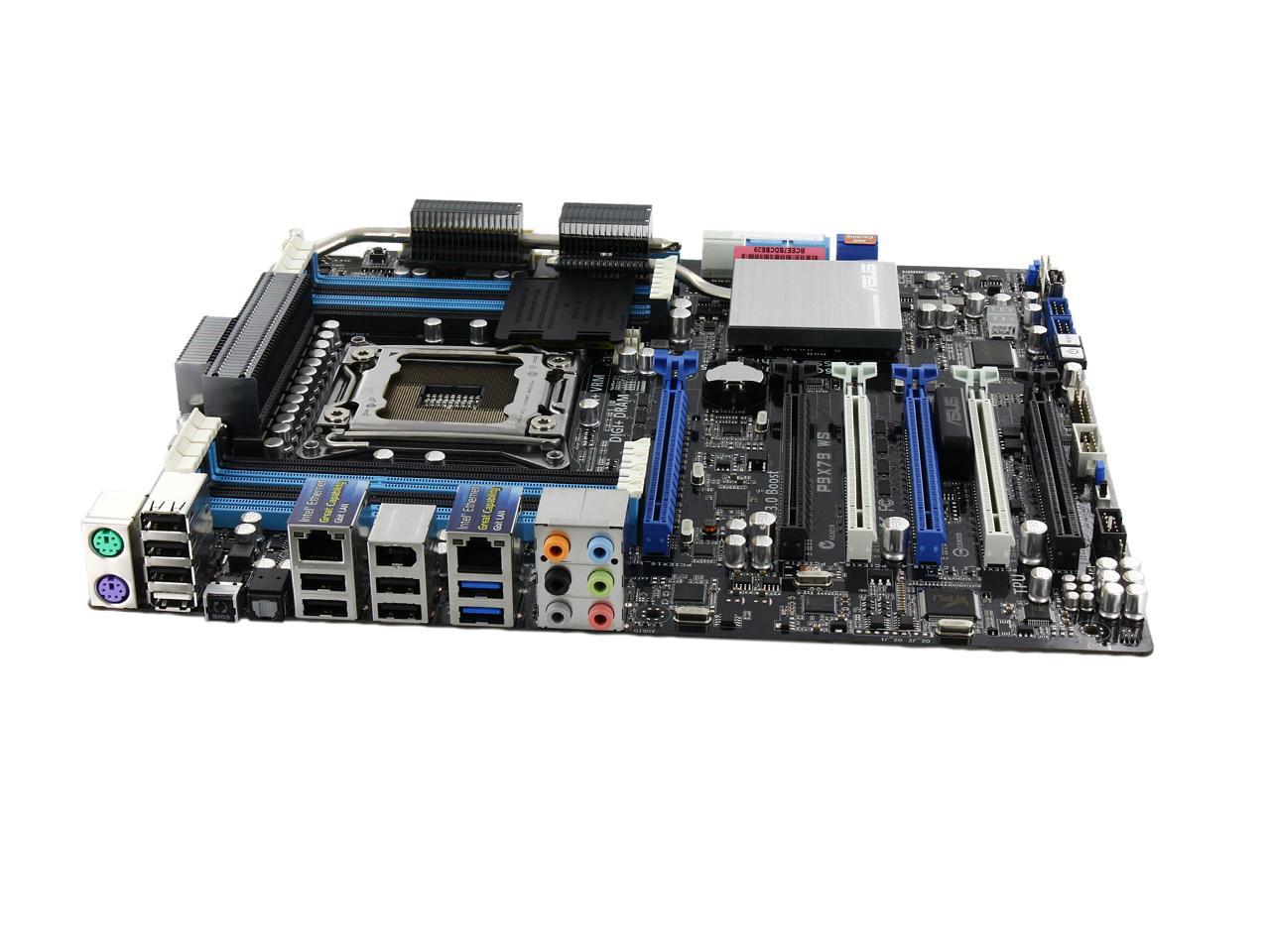
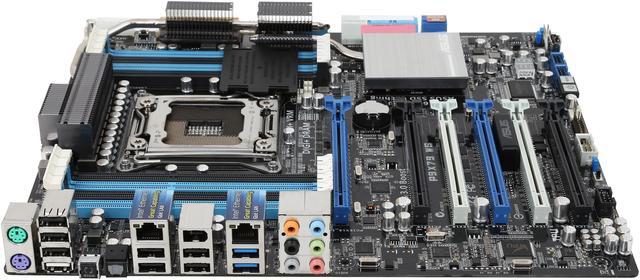
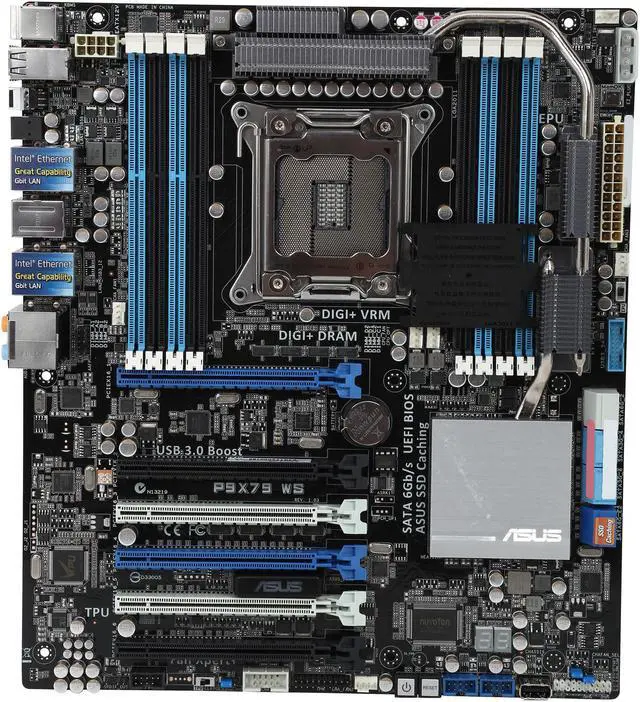
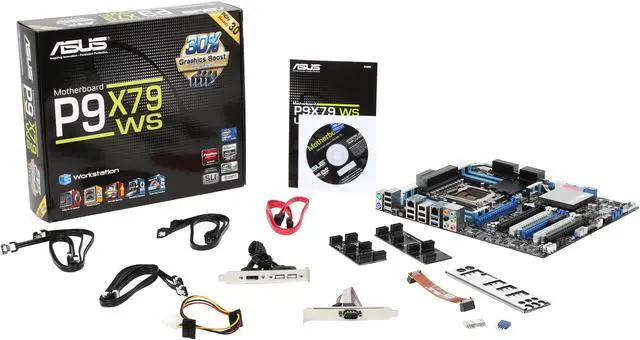
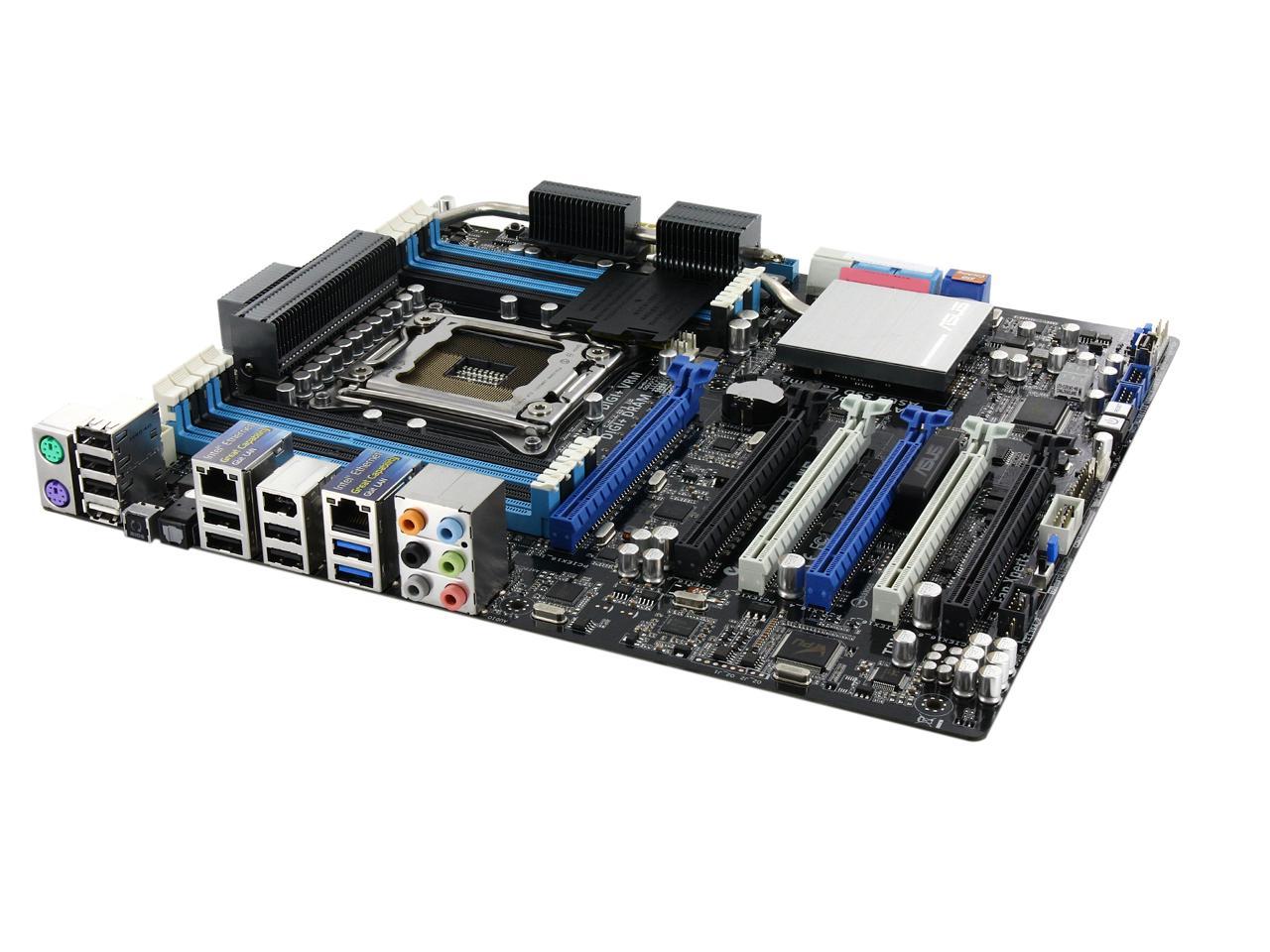
ASUS P9X79 WS LGA 2011 Intel X79 SATA 6Gb/s USB 3.0 SSI CEB Intel Motherboard with USB BIOS

  • LGA 2011
  • Intel X79
  • 8×240pin DDR3 2400(O.C.)/2133(O.C.)/1866/1600/1333/1066
  • Pin It
  • Email this page
ICON Loading...

  • Overview
    Overview
  • Mobo Overview
    Mobo Overview

The ASUS Workstation Series is the ideal foundation for a powerful PC. It delivers awesome power, dependable performance and unmatched multiple I/O scalability for the most demanding tasks and future upgrades. The ASUS Workstation Series intelligently reduces operating noise and dissipates heat through advanced and environmentally friendly methods to accommodate user needs. ASUS Workstation Series motherboards also bring you ultimate reliability and quality through ASUS's 24x24 initiative, which means 24-hour non-stop operation and a 24-month life cycle supply guarantee so you don’t change computers so often. Instead, let the ASUS Workstation Series improve the quality of your work and life.

  • newegg ASUS Workstation Exclusive Features For more reliable networking, the P9X79 WS features built-in dual Intel hardware-accelerated Gigabit LAN. This leads to lower 71% CPU utilization, increasing throughput to achieve outstanding performance as well as better support for diverse operating systems. Instant O.C Status Checking with 3-color LED provides at a glance workstation overclocking status with easy to understand color coding. Red means overclocked, blue means normal, while green denotes power saving mode. This is an essential and convenient tool to let users know more about overclocking conditions without entering the BIOS. The P9X79 WS also provides complete compatibility with RAID and LAN cards. Users enjoy a wider selection of devices and higher reliability. As a workstation motherboard that puts an emphasis on system integration, the P9X79 WS offers the benefit of greater confidence and convenience.
  • newegg All-New Digital Power Control for both CPU and DRAM ASUS X79 motherboards include New DIGI+ Power Control with three digital voltage controllers, including all-new DRAM controllers that offers ultra-precise memory tuning in addition to ultra-precise CPU voltage control. This evolution of innovative, industry-leading ASUS technology provides the best in class control for better efficiency, stability and performance.
  • newegg 8 DIMM in Quad Channel Design - X79 Done Right Support for up to 64GB of system memory with an 8-DIMM in 4-channel configuration on ASUS X79 motherboards provides the capacity for users to make full use of modern 64-bit software, ideal for rendering detailed images or manipulating large files without the bottlenecks of conventional storage. It also allows users to set up big RAM disks and speed up frequently accessed programs, minimizing the impact of storage transfer delays while maximizing user benefit.
  • newegg 3X faster performance at a click SSD Caching from ASUS is easier than ever. At 3X faster, this feature boosts system performance by using an installed SSD with no capacity limitations as a cache for frequently accessed data. Harness a combination of SSD-like performance and response and hard drive capacity with just one click, no rebooting needed and instant activation for complete ease of use, and even prevent data loss with included backup functionality.
  • newegg PCIe 3.0 Ready The latest PCI Express bus standard delivers improved encoding for twice the performance of current PCIe 2.0. Total bandwidth for a x16 link reaches a maximum of 32GB/s, double the 16GB/s of PCIe 2.0 (in x16 mode). PCIe 3.0 provides users unprecedented data speeds, combined with the convenience and seamless transition offered by complete backward compatibility with PCIe 1.0 and PCIe 2.0 devices. It’s a must-have feature for PC users aiming to improve and optimize graphics performance, as well as have the latest, most future-proof technology.
  • newegg The Best Graphics Performance You've Ever Experienced Based on extensive benchmarking, the 4-Way SLI offered by the P9X79 WS works up to 30% faster than standard 3-way SLI and up to 100% faster compared to 2-way SLI, giving professional and power users more graphics performance on demand. Using PCI Express 3.0 x16 links, the four GPUs can reach their full potential, perfect for both intense gaming and commercial uses such as mechanical and architectural design, interior design, aeronautics, plus audio and video production.
Learn more about the ASUS P9X79 WS

Model

Brand
ASUS
Model
P9X79 WS

Supported CPU

CPU Socket Type
LGA 2011
CPU Type
Core i7 (LGA2011)
Supported CPU Technologies
Turbo Boost Technology 2.0

Chipsets

North Bridge
Intel X79

Memory

Number of Memory Slots
8×240pin
Memory Standard
DDR3 2400(O.C.)/2133(O.C.)/1866/1600/1333/1066
Maximum Memory Supported
64GB
Channel Supported
Quad Channel

Expansion Slots

PCI Express 3.0 x16
4 x PCIe 3.0/2.0 x16 (dual x16, triple x16/8/8, quad x8, black+blue)
2 x PCIe 3.0/2.0 x16 (x4 mode, white)

Storage Devices

SATA 3Gb/s
4
SATA 6Gb/s
4 x SATA 6Gb/s
SATA RAID
2 x SATA 6Gb/s port(s), navy blue and 4 x SATA 3Gb/s port(s), blue support RAID 0, 1, 5, 10

Onboard Video

Onboard Video Chipset
None

Onboard Audio

Audio Chipset
Realtek ALC898
Audio Channels
8 Channels

Onboard LAN

LAN Chipset
Intel 82579V
Second LAN Chipset
Intel 82574L
Max LAN Speed
Dual 10/100/1000Mbps

Rear Panel Ports

PS/2
2
USB 1.1/2.0
8 x USB 2.0 (one port can be switched to USB BIOS Flashback)
USB 3.0
2 x USB 3.0
IEEE 1394
1 x IEEE 1394a
S/PDIF Out
1 x Optical
Audio Ports
6 Ports

Internal I/O Connectors

Onboard USB
2 x USB 3.0 + 4 x USB 2.0
Other Connectors
1 x Vertical USB 2.0 port(s)
1 x CPU Fan connector(s) (4 -pin)
4 x Chassis Fan connector(s) (4 -pin)
1 x Optional Fan connector(s) (4 -pin)
1 x S/PDIF out header(s)
1 x 24-pin EATX Power connector(s)
1 x 8-pin ATX 12V Power connector(s)
1 x 4-pin EZ_PLUG Power connector(s)
1 x Front panel audio connector(s) (AAFP)
1 x System panel(s) (Q-Connector)
1 x MemOK! button(s)
1 x TPU switch(es)
1 x EPU switch(es)
1 x Power-on button(s)
1 x Reset button(s)
1 x Clear CMOS jumper(s)

Physical Spec

Form Factor
SSI CEB
Dimensions
12" x 10.5"
Power Pin
24 Pin

Features

Features
4-Way GeoForce SLI/Quad CrossFireX on Demand – Incredible graphics performance with 4 way SLI and Quad-GPU CrossFireX on PCIe Quad x8 bandwidth

ASUS SSD Caching – One-click away from experiencing the benefits of both SSD and HDD without any capacity limitation

USB BIOS Flashback – Plug in USB with BIOS file and just click the button for simplest BIOS update

ASUS USB 3.0 Boost – Set USB 3.0 devices into 3 modes: Normal, Turbo, UASP to improve overall read/write performance instantaneously

DIGI+ Power Control – Flexible precise adjustments for System Stability, High Power Efficiency and Improved Performance Scaling on both CPU & RAM

ASUS 3-Color LED – Instant check overclocking status with onboard vivid LED

Quick Info

Warranty

  • Limited Warranty period (parts): 3 years
  • Limited Warranty period (labor): 3 years


Customer Reviews of the ASUS P9X79 WS

Do you own this product? Write a Review

Filter Results

Go
  • Just a Techie
  • 2/24/2013 10:11:27 AM
  • Tech Level: Somewhat High
  • Ownership: 1 month to 1 year
  • Verified Owner

5 out of 5 eggsWorkstation Class (whatever that means)

Pros: Socket 2011, lots of slots, lots of SATA ports, lots of USB ports, has Firewire, can update the BIOS with a USB thumbdrive.

Cons: None.

Other Thoughts: This is a big motherboard. It will probably require a case with a big tray, such as the Cooler Master HAF series or other such large tower cases. Before you buy, check the specs and make sure your case has the room.

2 out of 2 people found this review helpful. Did you? Yes No

  • LatinPolarBear
  • 2/10/2013 6:00:15 PM
  • Tech Level: High
  • Ownership: 1 month to 1 year

4 out of 5 eggsGreat Intel board... Just not perfect...

Pros: Feature rich, options galore...

Cons: Unstable Marvell chipset...

Other Thoughts: As wonderful a build I put together for a client, the RAID-1 created on the Marvell chipset kept failing randomly. And what added a sour taste to my mouth, when I tried to switch the RAID-1 from the Marvell chipset to the Intel chipset, the OS stopped booting properly. After reformatting all the drive using the Intel chipset, rebuilding the RAID-1, reinstalling the OS and drivers, the system is finally stable. For myself, I would consider buying this motherboard again. However, I won't even consider the Marvell chipset. Which in my professional experience, I never really had issues with Marvell. A shame though that this one chipset holds the board short of being the finest Intel motherboards I have ever worked with...

One other note, maxxing out the RAM underclocks memory speed. Purchased Corsair 1600 DDR3 only runs @ 1066...

-System Build-
Intel Xeon E5 2620 @ 2.0 / 2.5 GHz
64GB Corsair 1.6GHz (8x8GB automatically forces 1066MHz)
250GB WD Raptor SATA (OS)
128GB OCZ Agility 4 SSD (pagefile)
2x 1TB Toshiba HDD (RAID-1)
4GB nVidia Quadro K5000
LG DVD Recorder
MS Windows 7 Pro x64

2 out of 3 people found this review helpful. Did you? Yes No

  • N/A
  • 2/9/2013 2:28:23 PM
  • Tech Level: High
  • Ownership: 1 month to 1 year
  • Verified Owner

4 out of 5 eggsSolid as a rock

Pros: Great motherboard if you need workstation class features. Notable for me was the inclusion of dual intel NICs, 64GB memory support, and tons of PCIe expansion. A big part of choosing an ASUS x79 board was because of compatibility with professional non-GPU video capture cards (blackmagic/AJA - read the documentation for more info.) Comprehensive overclocking features make this thing into a beast.

Cons: 1] The spacing of the CPU socket can be problematic when using larger coolers. I have a Noctua NH-D14 for socket 2011, and had to modify the fan retention clips so they did not rub against the backplate of the GTX680 in the top slot. The large cooler also prevents access to memory slots, so install that first.

1.5] the spacing of the CPU socket prevents vertical mounting of large coolers, as they overhang the top PCIex16 slot. this forces a front->back airflow, so make sure you have a case with rear exhaust.

2] The BIOS version that shipped with the board had a problem with recognizing full memory capacity. The board would POST correctly and windows loads fine, but it would intermittently stop seeing up to 4 DIMMs worth of memory capacity (though the bios would report only 2-3 dimms missing at a time, it would display reduced capacity of the dimms it saw), causing windows to BSOD. Updating the BIOS to the latest revision fixed the issue.

Other Thoughts: running this with an i7-3930k OC'ed to 4.2 with a DH-414; 64GB gskil ddr3-1600, dual EVGA 4GB GTX680s, a corsair GT seres ssd and a seasonic x-1250. Primary uses are gaming and video editing/compositing/graphics.

2 out of 2 people found this review helpful. Did you? Yes No

  • N/A
  • 2/8/2013 11:57:01 AM
  • Tech Level: High
  • Ownership: 1 month to 1 year
  • Verified Owner

5 out of 5 eggsWMware Beast!

Pros: So far so good! Been running solid on this motherboard for about a month with no issues. Everything runs smooth, even with 7 VM's running. One of the few boards out there that supports 64gigs of RAM. Intel 82574L NIC should be supported by VMware ESXi. Both NIC's are supported by VMware workstation.

Cons: None thus far.

Other Thoughts: Good board for power users who want to run a lot of virtualized services.

Did you find this review helpful? Yes No

  • J
  • 1/18/2013 8:21:53 PM
  • Tech Level: Average
  • Ownership: 1 day to 1 week
  • Verified Owner

5 out of 5 eggsAwesome p9x79 ws

Pros: Board works flawless thus far. Flashed bios first thing. Running windows 8. Easy ssd caching. Use it for hd video editing Adobe cs6. Renders 3 hours of hd video to dvd in alittle over an hour! Old intel skulltrail board nothing but problems. Asus rocks.

My setup

Asus p9x79
i7-3930k
32 gigs Samsung 1.35v
Evga GTX680
TT 2.0 extreme watercooler
Corsair 1200xi power supply
Lian li a7110 case
Raid controller soon

Cons: None

Other Thoughts: Buy this board you will not regret it!

1 out of 1 people found this review helpful. Did you? Yes No

  • N/A
  • 1/11/2013 10:23:19 AM
  • Tech Level: Somewhat High
  • Ownership: more than 1 year
  • Verified Owner

5 out of 5 eggsthis board rocks

Pros: perfect match with Xeon E5-1660 and a cpu passmark mark 15779.
runs win8 as good if not better then 7. higher marks in 8 across the board and just plain faster and smoother

Cons: first board had to RMA :(

Other Thoughts: first let me say i tried windows 8 in my other xeon workstation and servers and did not like and it, it would not run a few of my programs so i had no intention of using it till microsoft worked out the bugs. after installing 7 and testing this board and the hardware for errors i decided why not and was amazingly surprised of the outcome it was like 8 was meant for this setup, All a flawless and smooth and all scores much higher across the board. that said

Working in computer field for almost 3 decades i wanted a fast errorless power house main computer for work also for gaming and this fit the bill perfect.
Now the cpu i picked was the only at the time with native pci-e 3.0 and native 1600mhz memory though at that time there wasn't any 1600mhz ecc memory on the market. I had tried a few different memories 2100mhz and 2400mhz all ran fine, This board also easily overclocked to 4.8ghz stable with no voltage increase. I did a custom water cool for temps and silence it never exceeds 2 degrees over ambient even with prime. I got kingstons first batch 1600mhz ecc 4 gig sticks now the 8 gig sticks are available

anyway my setup
Xeon E5-1660
ASUS P9X79 WS
16gigs of kingston 1600mhz ecc
samsung 830 256mb x 2 and a 128mb soon upgrading to the 840 pro 512mb
2x GeForce GTX 680 Classified 4GB sli
COOLER MASTER COSMOS case
pcpower cooling
i can now officially say i finally have dream machine.
now i just need time off from work to play :/

if you know what your doing as i changed a few bios settings as i do with all my boards and don't use any auto overclocking at all, this board rocks, the best yet!

Manufacturer Response:

Dear Valued Customer,

Thank you for providing feedback on this motherboard. It is always welcome and appreciated. If you have any questions or concerns, please feel to contact me at email below.

Regards,
Benson
ASUS Customer Loyalty
cl-benson@asus.com

2 out of 2 people found this review helpful. Did you? Yes No

  • Rustle Crowe
  • 1/6/2013 8:46:16 PM
  • Tech Level: High
  • Ownership: 1 month to 1 year

5 out of 5 eggsExemplary Motherboard.

Pros: This motherboard is Amazing. it is a Rampage IV Extreme in more mature clothing.

The board itself is really well made. Nothing feels flimsy, and nothing feels about ready to snap off. It is a SSI CEB board, but it is able to fit into normal ATX cases, and will fit snugly in a mid tower with room to spare for cabling.

The board itself is very good at overclocking. I have been able to get my 3930K to 5GHz using this board-and its not even made for overclocking. DRAM overclocking is quite nice too, I was able to attain 2200MHz on my Blackline Ridgebacks at cas9 thanks to the dedicated 2 phase power for the DRAM.

Which brings me to my next point. There is 10+2 Phase power just for the CPU itself, and the DRAM gets 2 phase power all to itself. In the BIOS, this is reflected with a vast array of Power settings, where you can set the DRAM LLC, the CPU LLC, CPU Phase Power limit (anywehre from normal to Extreme) and same with the DRAM. you can also overvolt the phase power up to 140% to get better overclocking performance out of it.

The only cons with this board have but two. The Power Limit setting (where you set the wattage power limit before the board shuts off) is broken. this means that on the 3930K and 3960X, you may have issues at higher overclocks (past 4.5GHz) in prime95, as the default is about 230W before trip, but you need about 250W to keep it from tripping and shutting off. This is a minor con, as you can use Wprime 1024M to test stability. But with that being said, this is a workstation board with overall reliability being the first concern, and overclocking ability being the second concern.


Final thoughts: Buy this board if you want robust features, and the ability to do 4 way SLI on 3.0 16x slots. Buy it if you want excellent rock solid stability while overclocking. Buy it if you want peace of mind that your board will not die on you. Do not buy it if you want to overclock the poop out of your processor. This board wont be the one for you if you're into suicide runs and like to OC past 5GHz.

Cons: stated in the "Pros"

1 out of 1 people found this review helpful. Did you? Yes No

  • N/A
  • 1/2/2013 10:39:04 AM
  • Tech Level: Average
  • Ownership: 1 month to 1 year
  • Verified Owner

1 out of 5 eggsNightmare without end

Pros: None

Cons: I purchased this board new TWO months ago, and I STILL do not have a fully functional board and I am at my wits end. Asus tech support has been an absolute nightmare to work with...and the nightmare is not over. LONG story short: everything on the new board worked fine except the audio panel on the back would not recognize anything plugged into it. I did as much troubleshooting on my own that I could, to no avail. Asus offered no solutions, set up an RMA, advanced replacement. I got the replacement board (which was clearly an old refurb, very disappointing), and assembled it. Powered on...dead in the water, no BIOS, nothing. Contacted Asus, they had me return that refurb, and then I had to return the original board (only one advanced replacement every 3 months they say), so I was without a computer, unable to work. Waited for the next replacement, and to my horror, they sent BACK the refurb I had just returned!! No surprises, it still didn't work! So now I'm on my 3rd RMA with Asus and no working board! After about an hour on the phone troubleshooting with support one of the more astute techs (and the only one who has actually taken initiative to help me) asked me to check the BIOS version on the board. We discovered that the board had an old version of the BIOS which did not support my processor! How did this not come into consideration when they sent me the same replacement (twice)!?! They knew which processor I was using! So, the tech assisted me in updating the BIOS and doing another hour of troubleshoots, updates, fixes, etc. Hoped at that point everything would be fixed. Nope. Two of the DIMM slots are dead...one reads "Abnormal," the other is "N/A." Checked each memory module one at a time, all work fine. So, it looks like I will have to send this board back yet again, be out of work for two weeks, and hope and pray that Asus sends me a board that actually works. I hope, but at this point, I have my doubts.

Other Thoughts: I will NEVER purchase from Asus again. Asus if you read this, and have a shred of caring for a frustrated customer, contact me and help me get this resolved! I've spent enough time on hold trying to get through to support on the phone to fill a lifetime.

Manufacturer Response:

Dear Valued Customer,

We're sorry to hear about the issue you had with the motherboard, its replacement, and our RMA service.

Please allow me to review your case and assist you with getting a proper replacement. Please email me at cl-benson@asus.com (reference #C1037-7657 in the subject line). Thank you.

For support, please visit http://support.asus.com. For service, visit http://service.asus.com. For motherboard warranty, visit http://www.service.asus.com/warranty.aspx#!Motherboard%20Warranty/c1c20.

Regards,
Benson
ASUS Customer Loyalty

6 out of 6 people found this review helpful. Did you? Yes No

  • N/A
  • 11/24/2012 11:02:49 AM
  • Tech Level: Somewhat High
  • Ownership: more than 1 year
  • Verified Owner

5 out of 5 eggsThis is the perfect Xeon motherboard

Pros: Fast stable flawless workstation motherboard from day one

Cons: Noda

Other Thoughts: This is a workstation motherboard people, it's design is for a stable heavy work load operations, if you want a board for overclocking asus makes boards for that. Don't buy the wrong board then leave negative reviews. This is only board that supports xeons and ecc memory for a reason it's a workstation motherboard. And stop leaving high tech level knowledge when you haven't got a clue. Just because you can snap together parts and be lucky enough it turns on and runs does not mean you know anything.

My setup
Xeon E5-1660
16 gigs Kingston 1600mhz ECC memory
Pc power cooling 1200w
2x Samsung 256 SSD
2x blueray burners
Cosmos case
Custom water cooling
680gtx 4gb classified
1.5 terabyte sate6 hd
128 Samsung SSD
16 foot diagonal yes foot thats not a typo 3D projection HDTV
9.2 sound system
Side note ; 7.9 windows expearience score
Not using windows 8 just from lack of software and drivers.

I also have much more computer parts and tested mamy memories in this board since this is what I do it's my job for the last 20 years and this motherboard rocks I built and tested just about every board that is available if you just into overclocking get a overclocking motherboard that's what there for
By the way the corsair Dominator worked fine for me it booted right into xmp no issues and I was able to exceed 5ghz with my xeon and water cooling with allmost no change in voltage. just for testing, I normally run at stock speeds with ECC memory also the asus auto overclocking is garbage infact I manually set everything in bios for a stable system do not depend and auto overclocking garbage thats for peaple that dont know anything about overclocking even in the boards it works it does not work as well as manually overclocking. just about every asus auto configuration is garbage.

5 out of 8 people found this review helpful. Did you? Yes No

  • WarDad
  • 11/2/2012 7:38:02 PM
  • Tech Level: Somewhat High
  • Ownership: 1 week to 1 month
  • Verified Owner

4 out of 5 eggsEasy

Pros: Quick and easy startup. Easy OC.

Cons: Well, after OCing I had to slow down the POST test. It kept skiping past the Delete key. I had to pull the SSD before I could get back into BIOS.

Other Thoughts: I hope this helps my sons buisness. Teach a man to compute and he eats for a lifetime.

0 out of 2 people found this review helpful. Did you? Yes No

ICON Loading...

Protect Your Investment!

    • (more options) read warranty details
Are you an E-Blast Insider? Subscribe Newegg e-Blast

Buzz

Nightmare without end

1 out of 5 eggs
I purchased this board new TWO months ago, and I STILL do not have a fully functional board and I am at my wits end. Asus ...
— 1/2/2013

Headache

4 out of 5 eggs
The board is overall great. The layout, expansion slots, UEFI options, all make for a slick board with a lot of great features.
— Shubniggurath 3/16/2012


PayPal
Shop without retyping payment details. Secure shopping made faster.
Check out with PayPal.

Financing


Home
Home > 
Computer Hardware > 
Motherboards > 
Intel Motherboards > 
ASUS > 
Item#: N82E16813131798
LOADING... LOADING...
Shop by Region: United States | Canada | China
Follow us:   RSS Feeds Youtube
VeriSign Reliability Seal1This site protected by Trustwave's Trusted Commerce program Inc500
Policy & Agreement | Privacy Policy  © 2000-2013 Newegg Inc.  All rights reserved.
If the Adobe Reader does not appear when you click on a link for a PDF file, you can download Adobe Reader from the Adobe web site. nassau