Skip to: |

Newegg.com - A great place to buy computers, computer parts, electronics, software, accessories, and DVDs online. With great prices, fast shipping, and top-rated customer service - once you know, you Newegg.

If you are reading this message, Please click this link to reload this page.(Do not use your browser's "Refresh" button). Please email us if you're running the latest version of your browser and you still see this message.

Newegg.com - Computer Parts, Laptops, Electronics, HDTVs, Digital Cameras and More!

  • | Wish List
  • Help
Home
Home > 
Computer Hardware > 
Motherboards > 
Intel Motherboards > 
ASUS > 
Item#: N82E16813131817

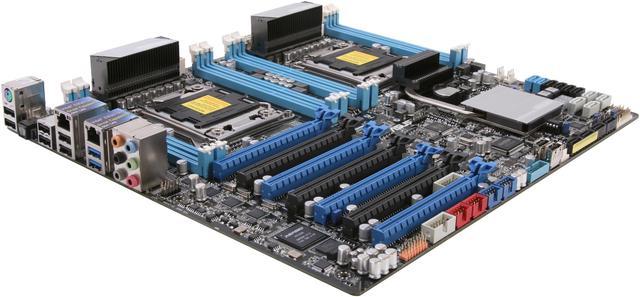
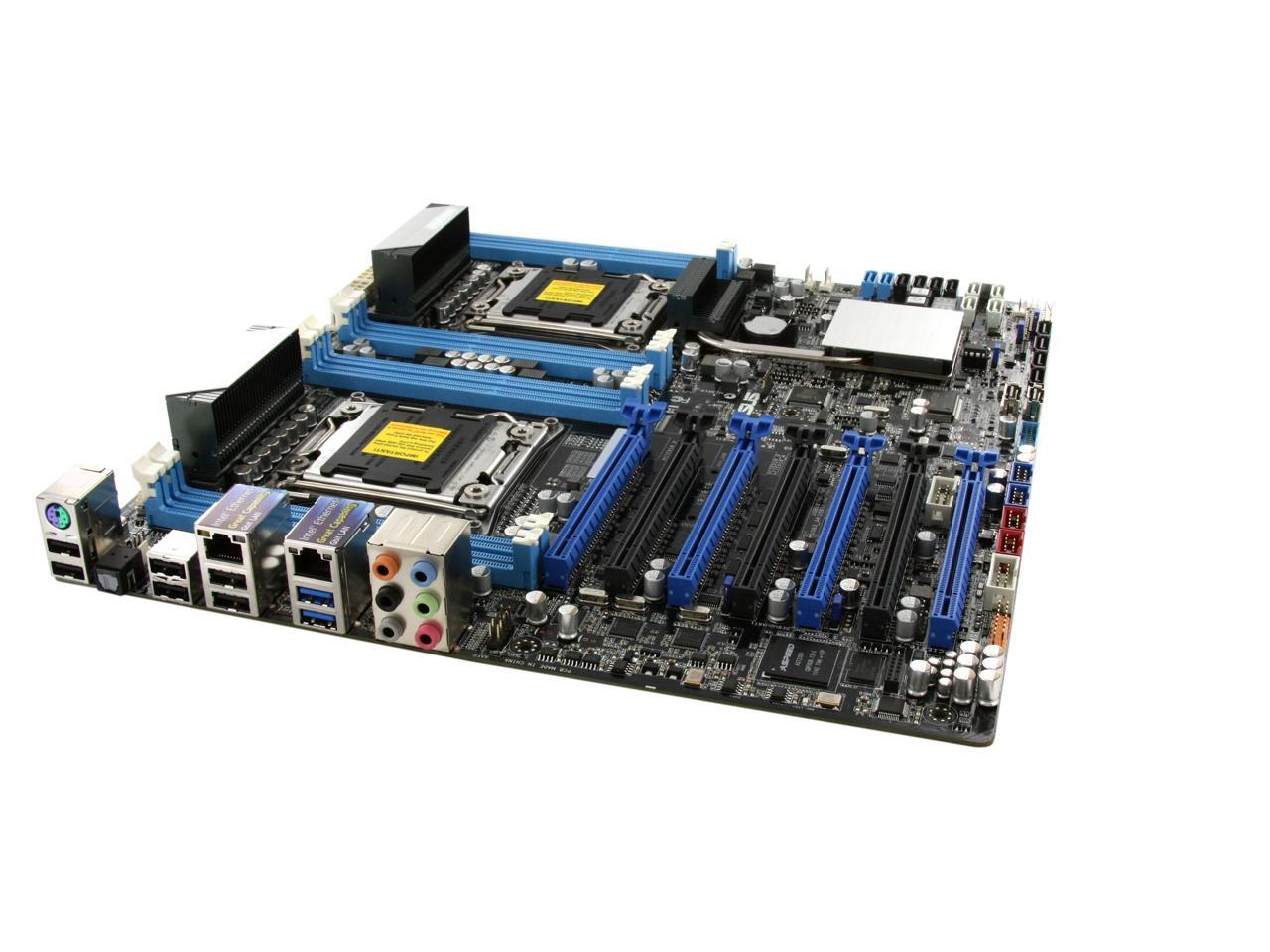
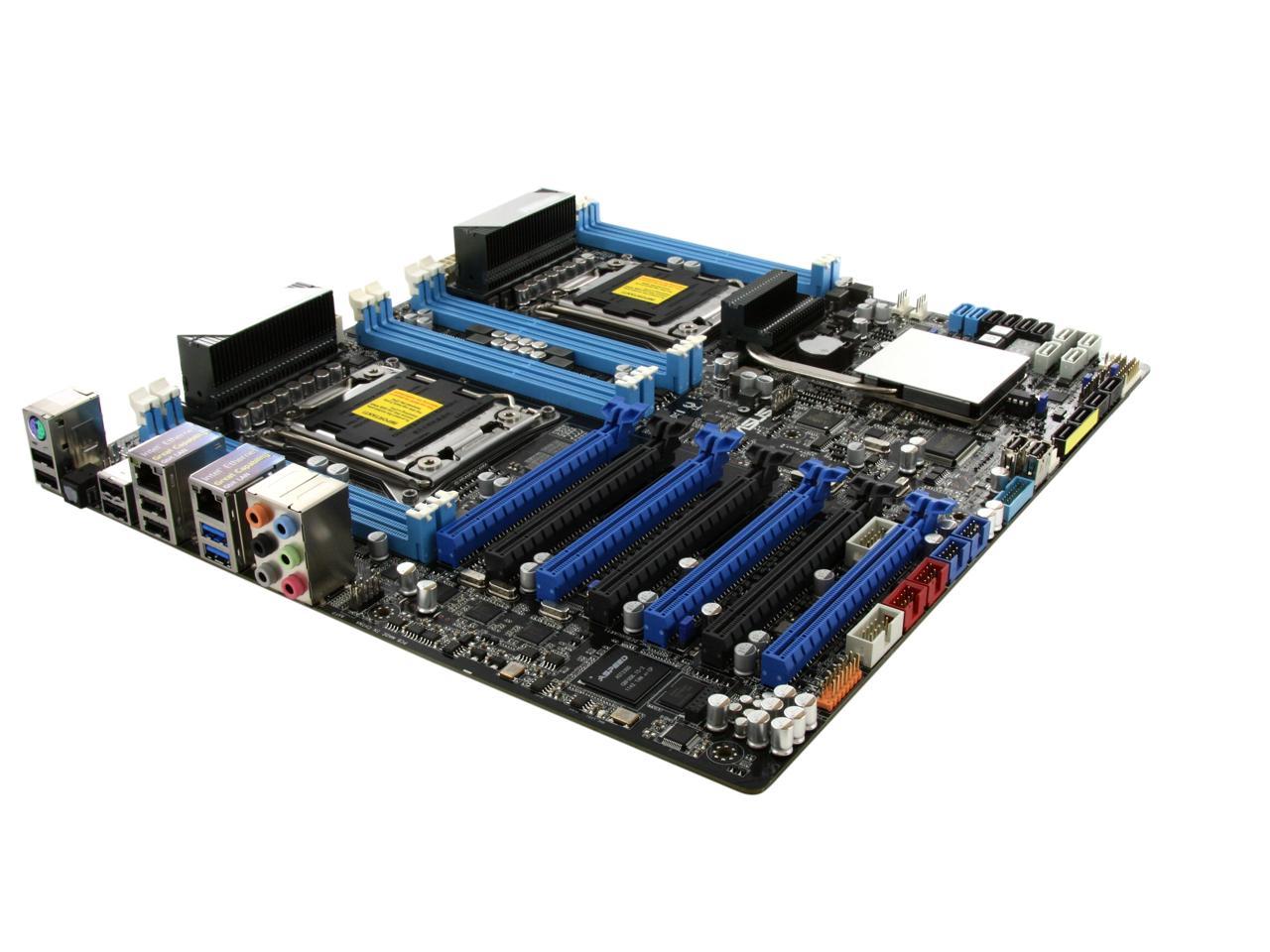
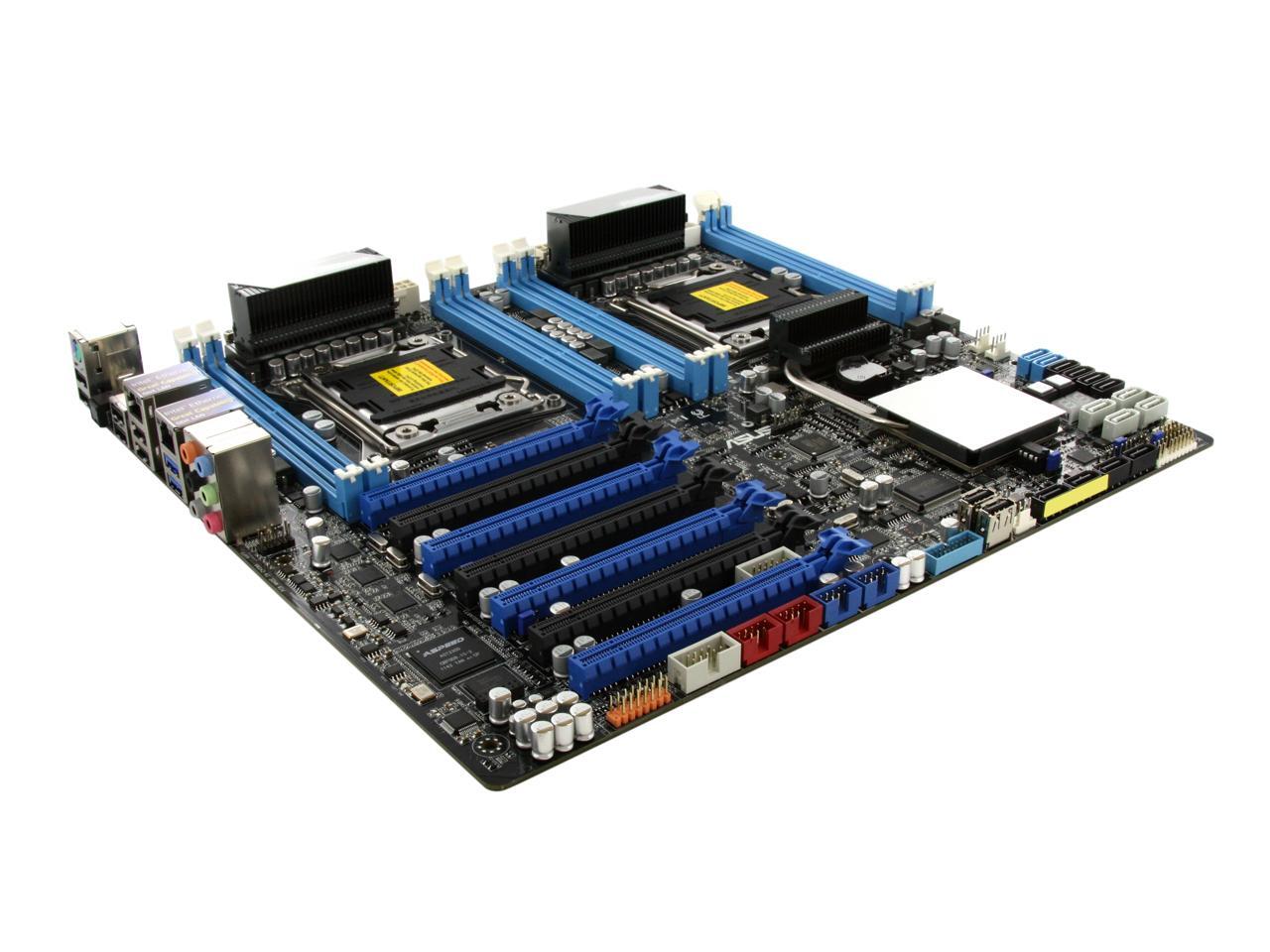
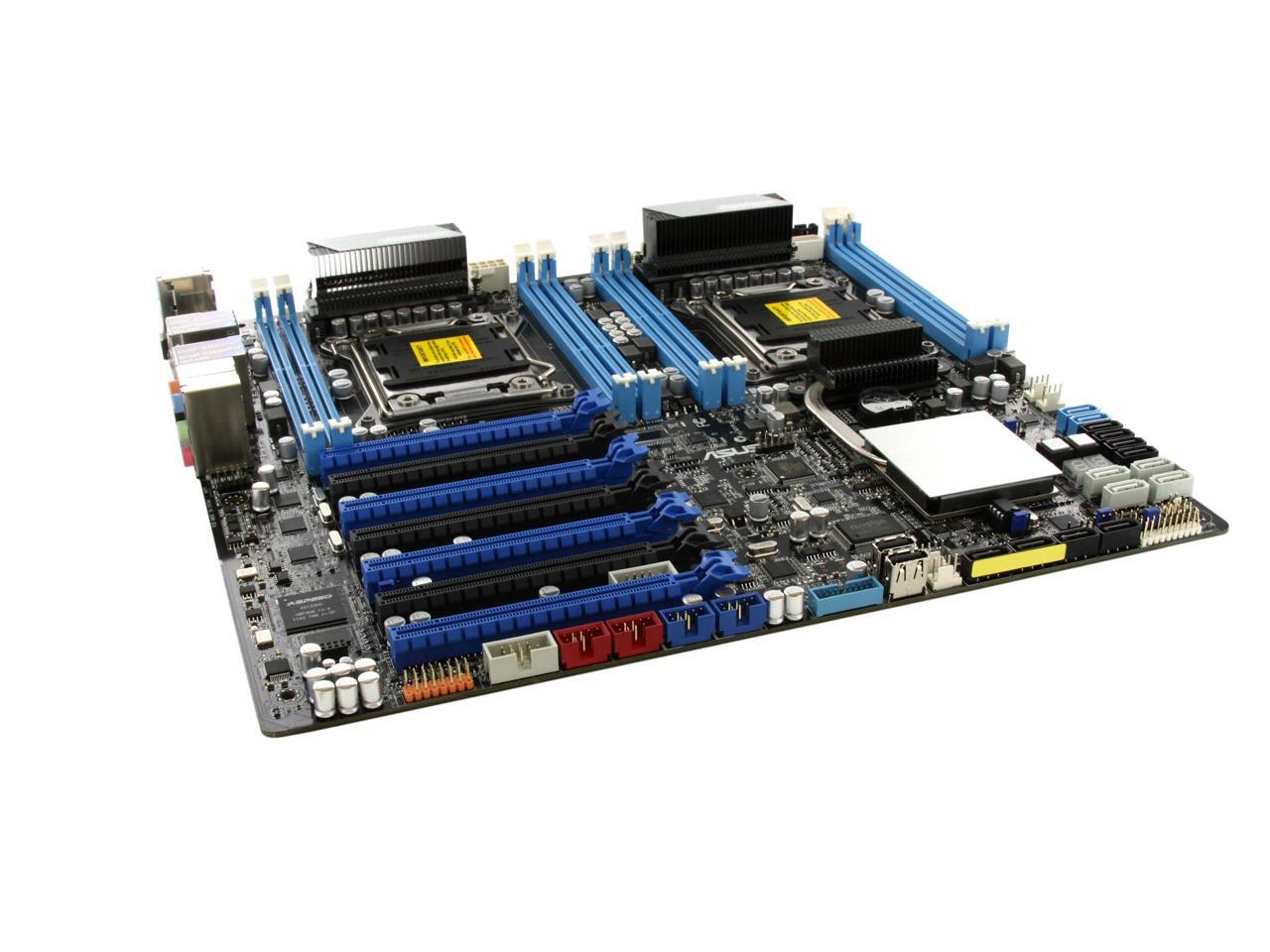
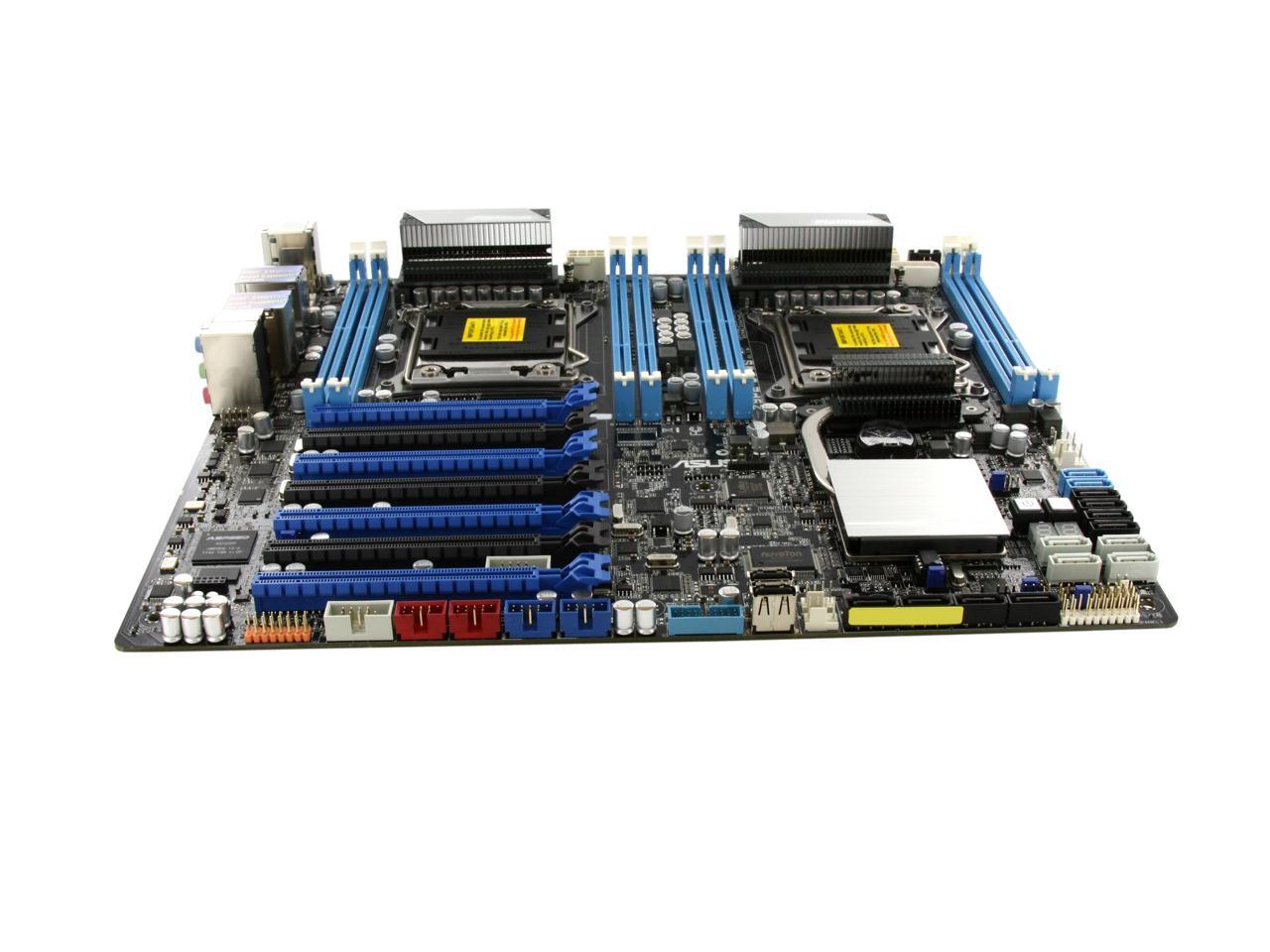
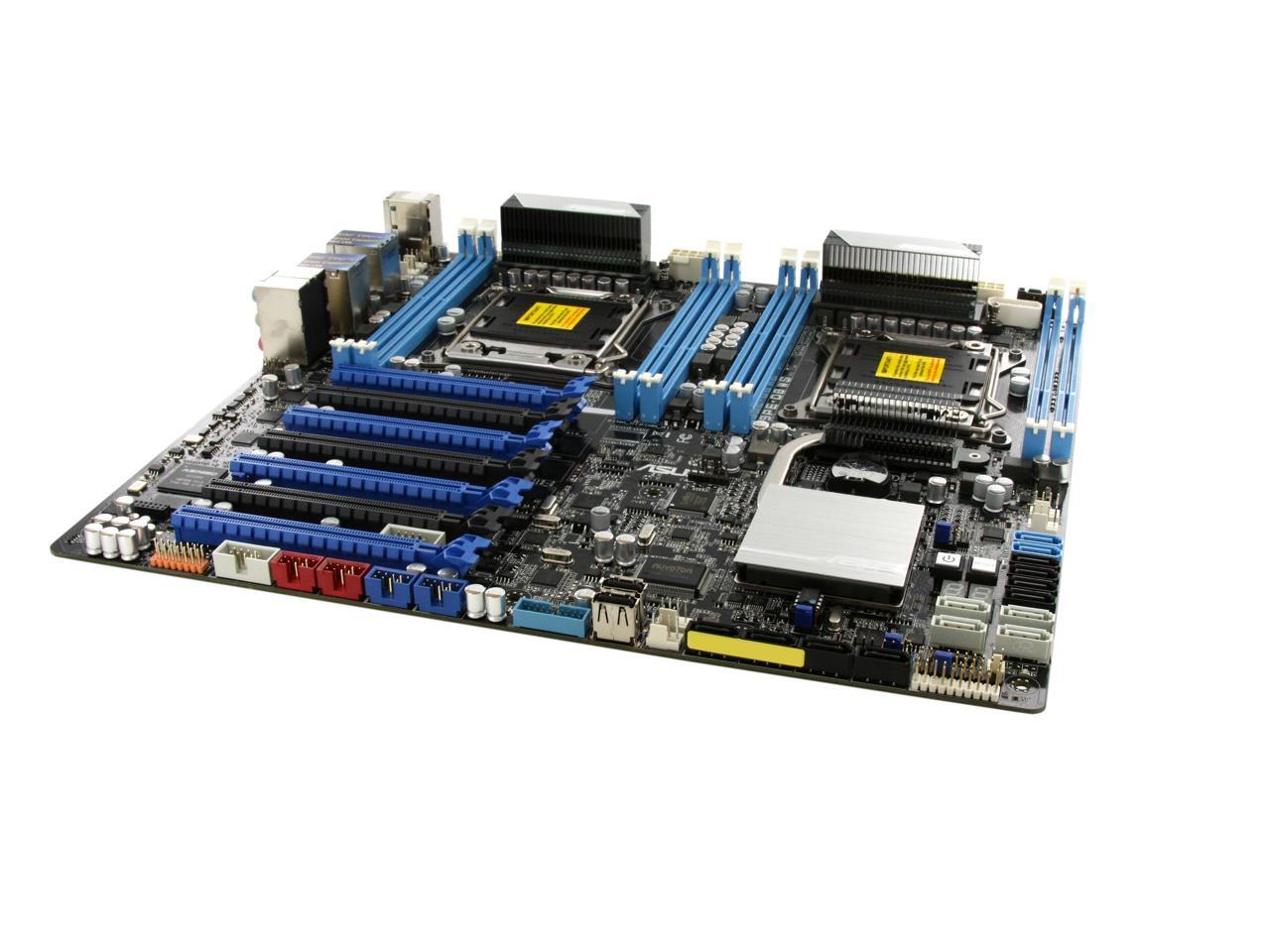
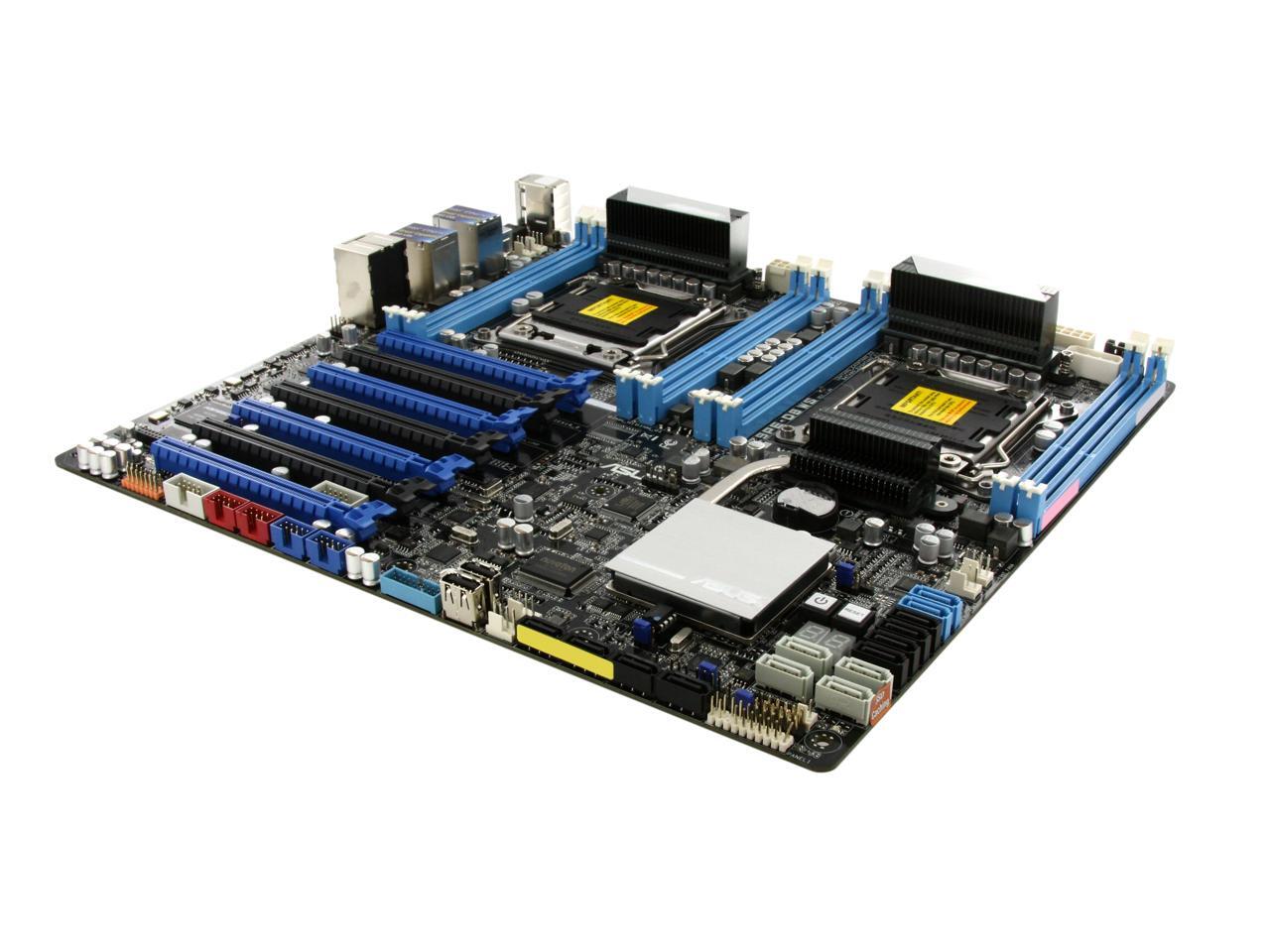
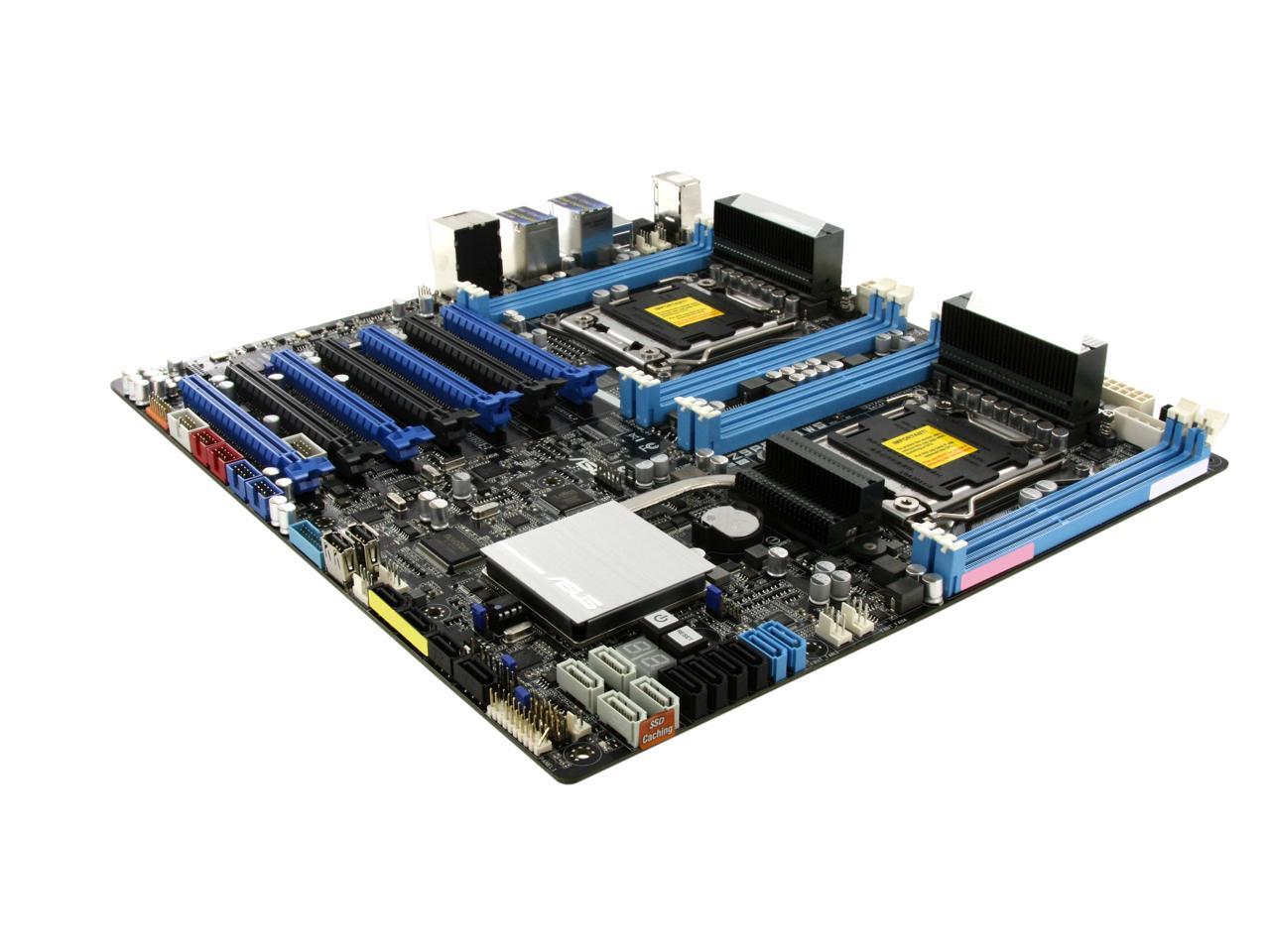
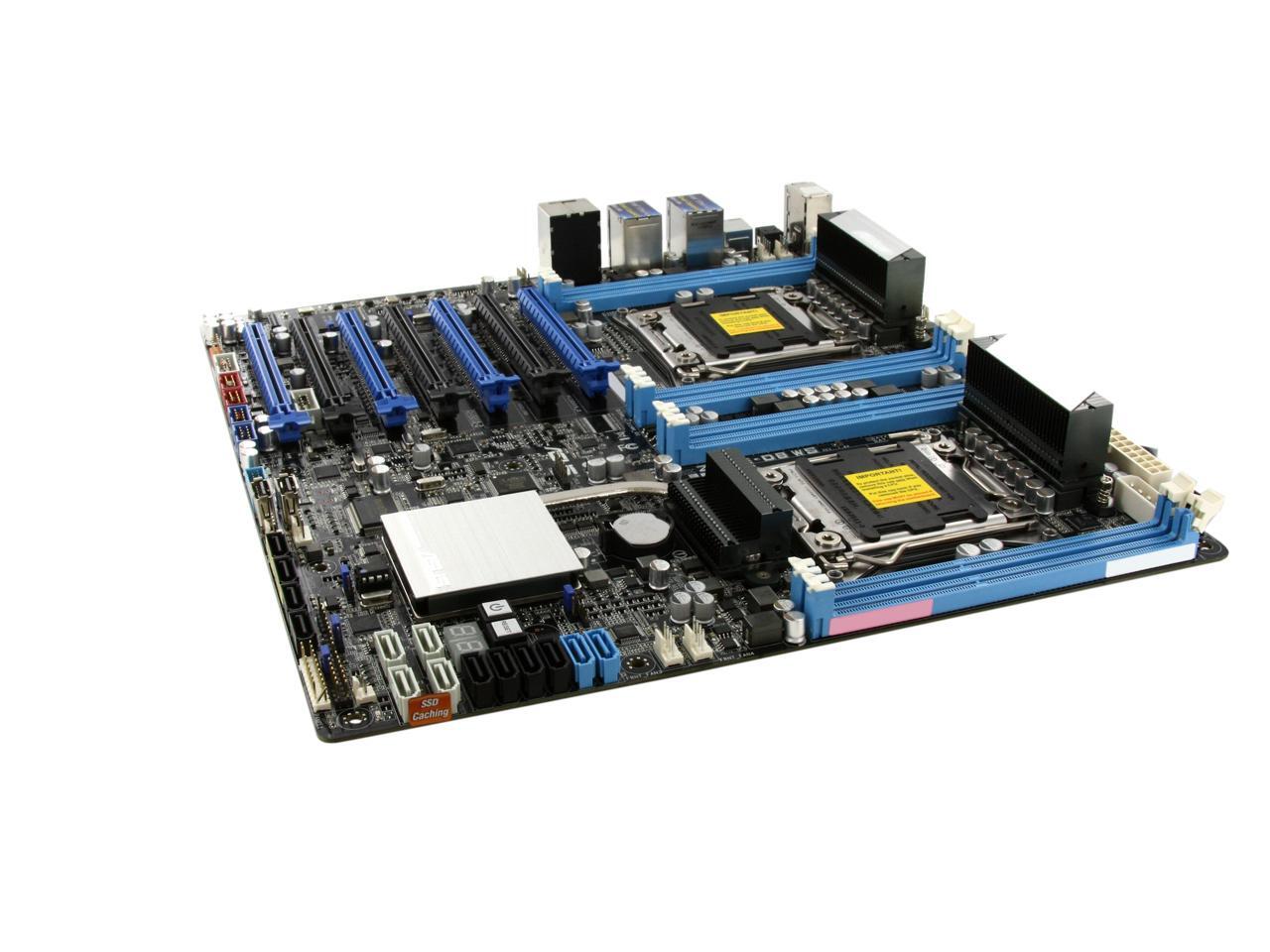
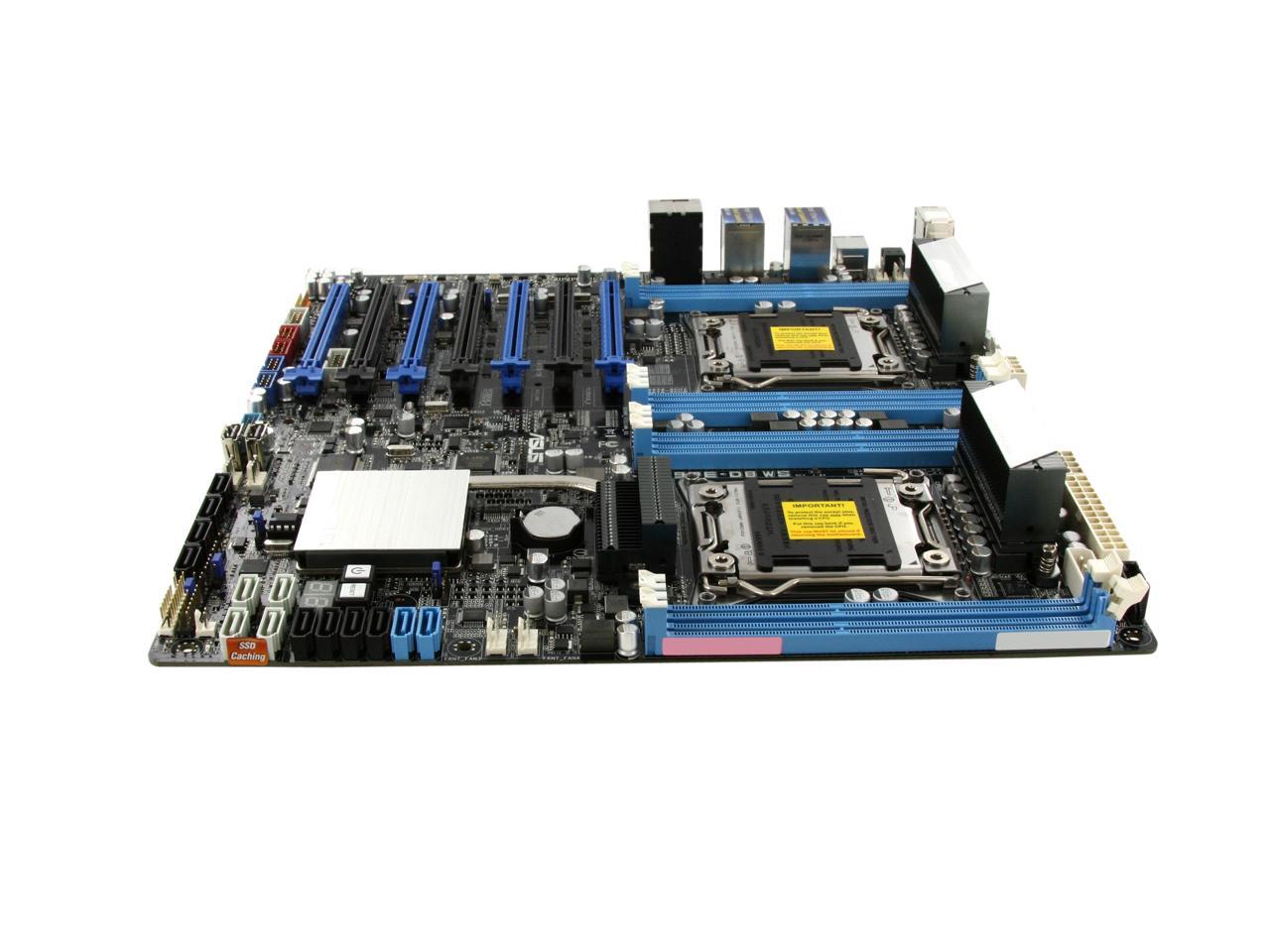
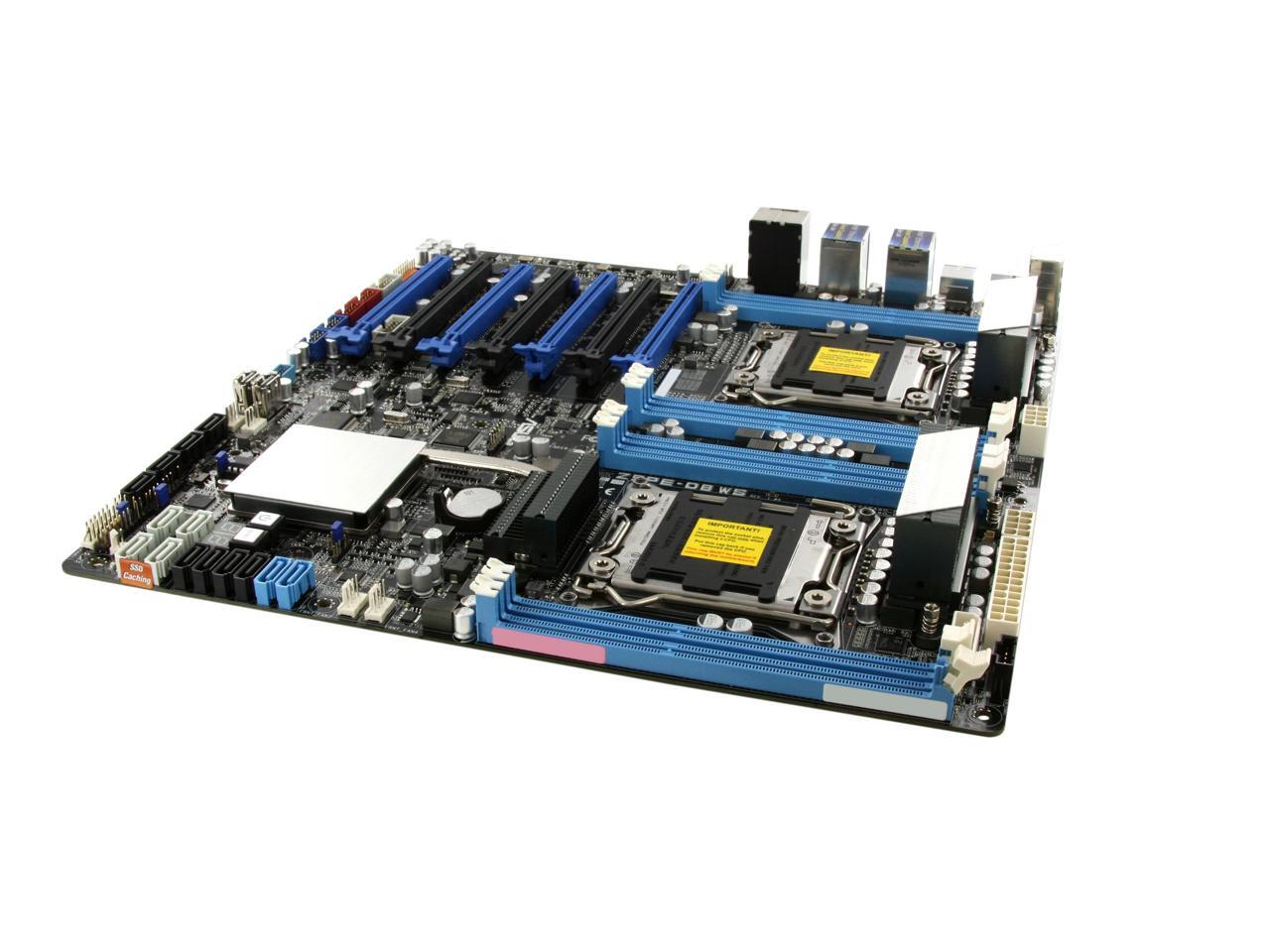
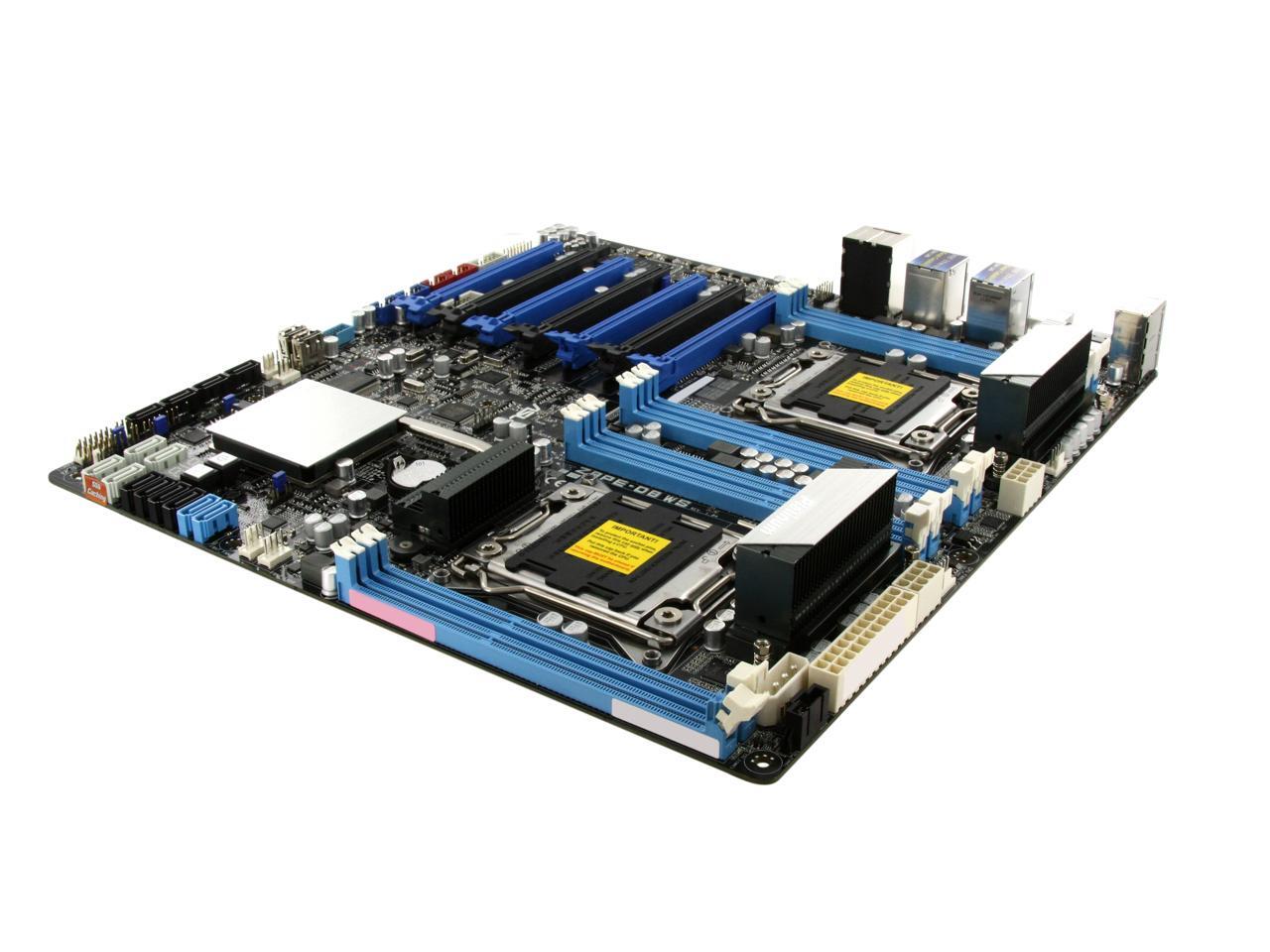
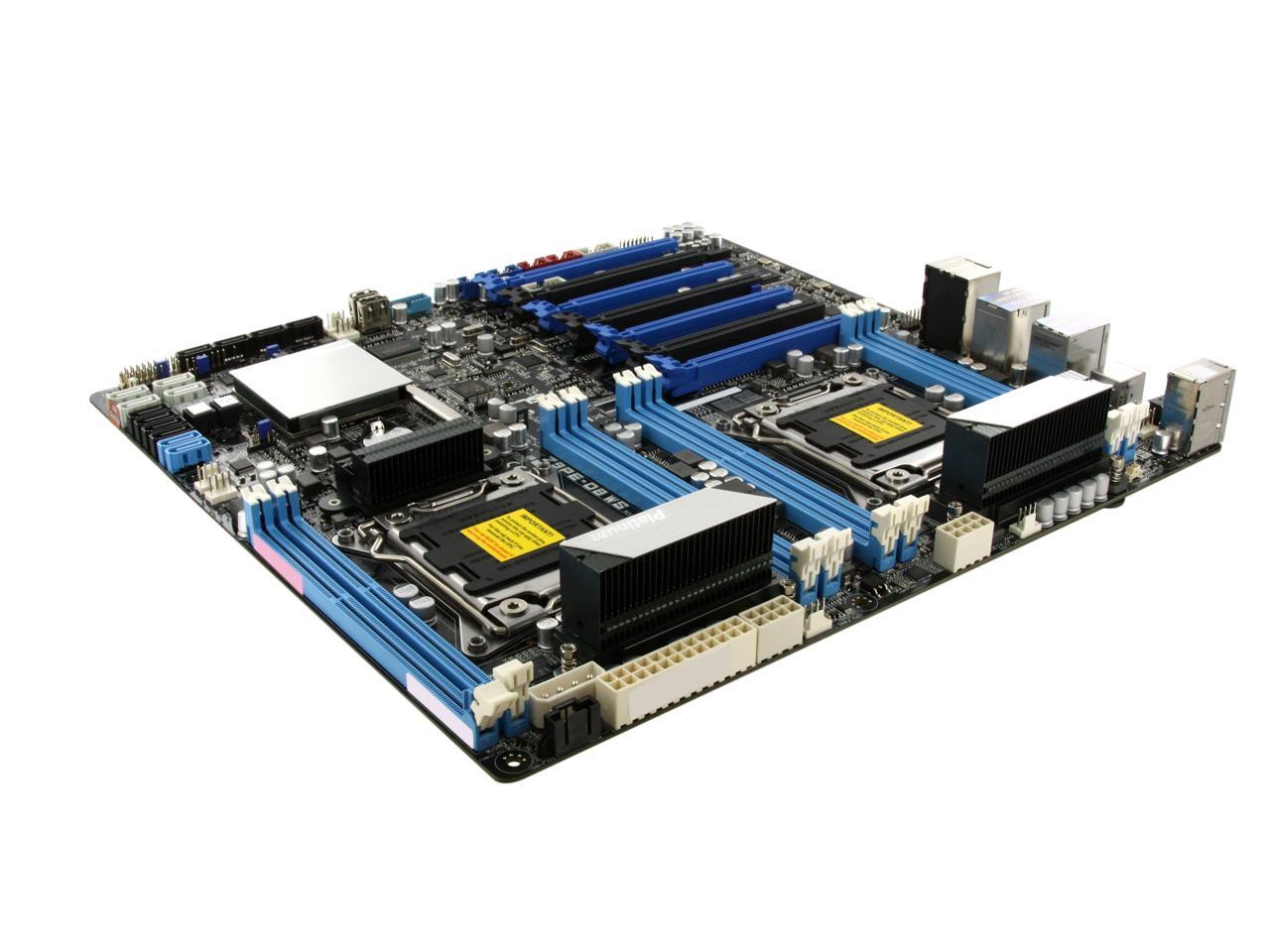
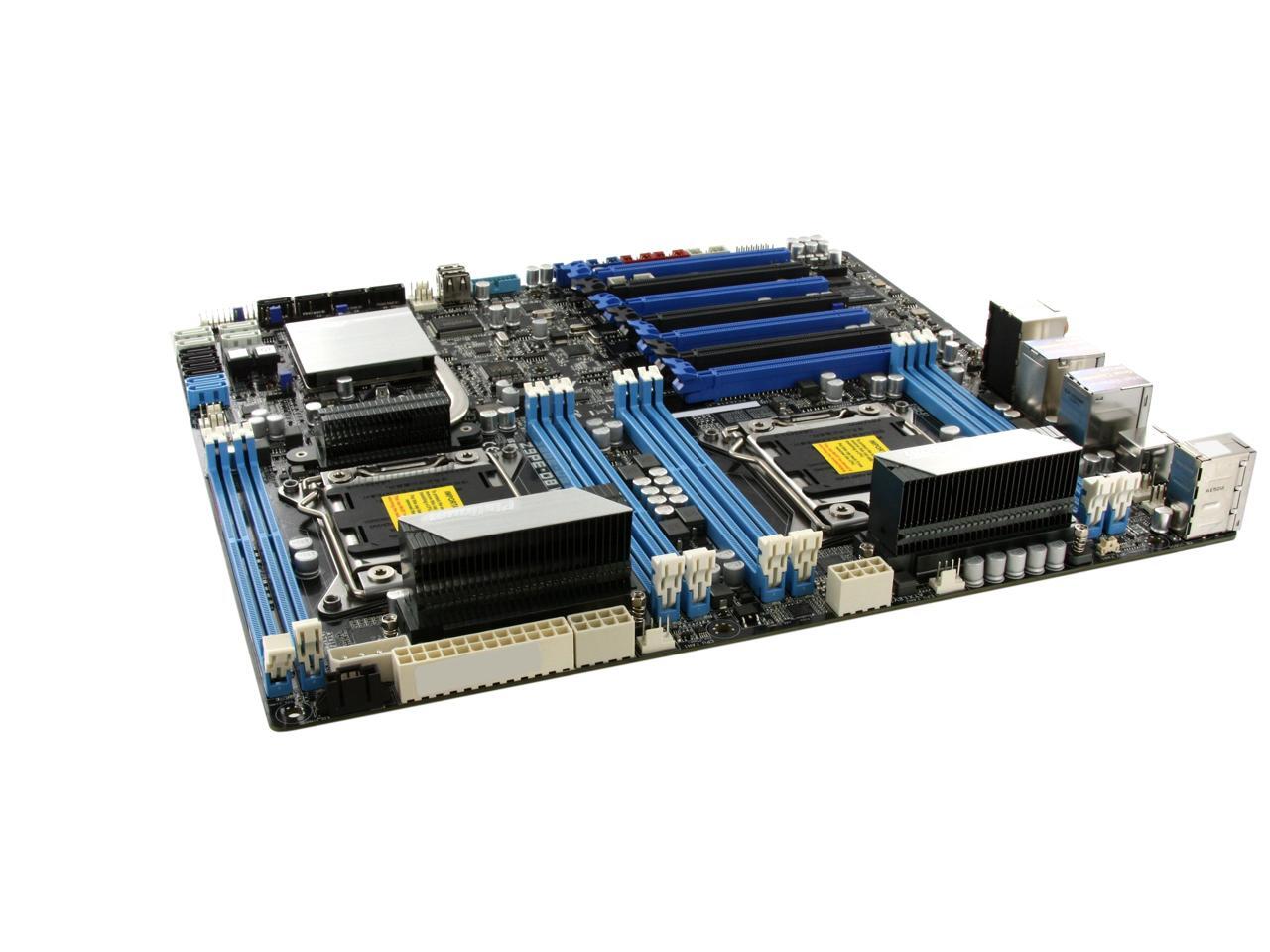
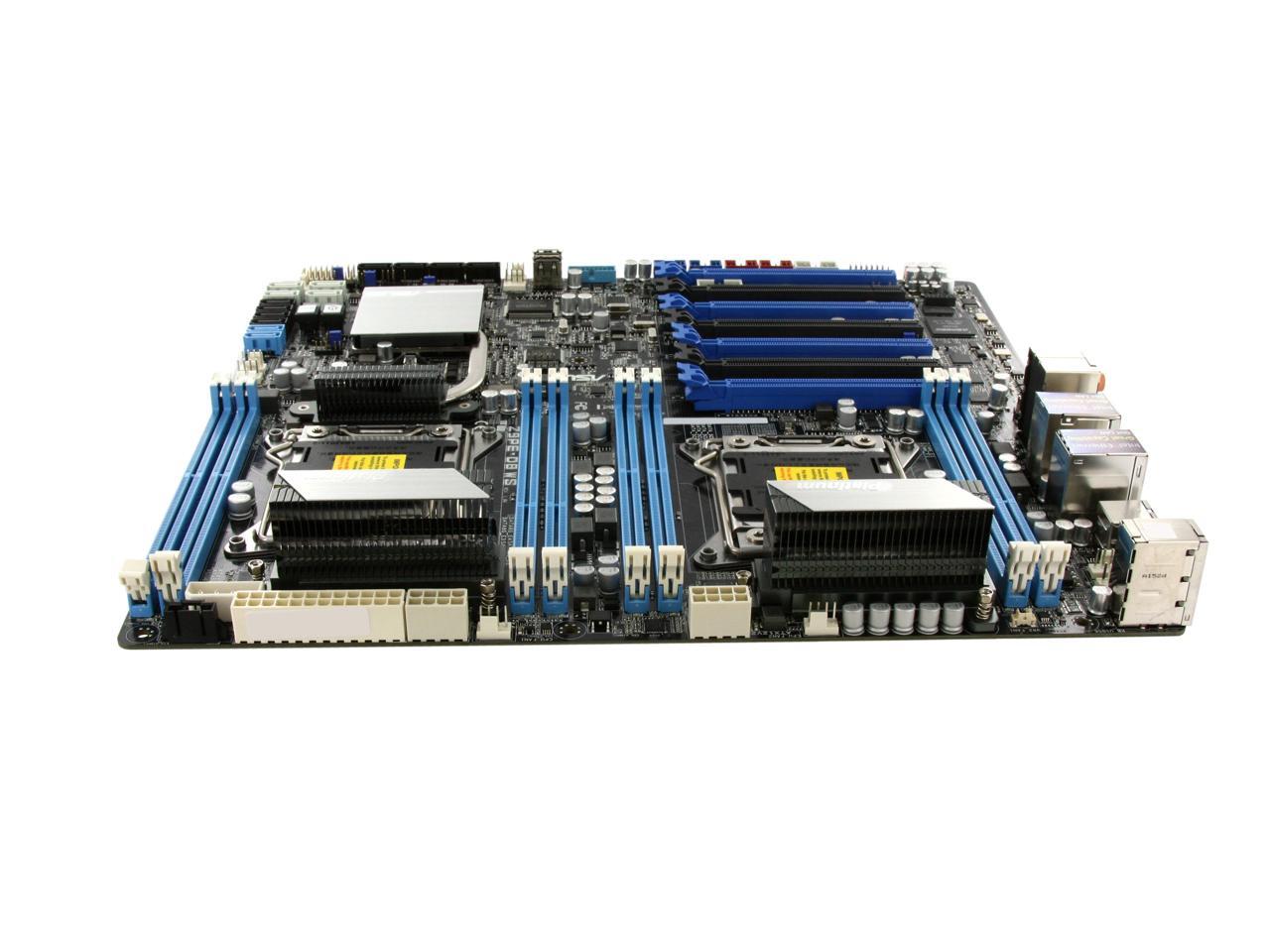
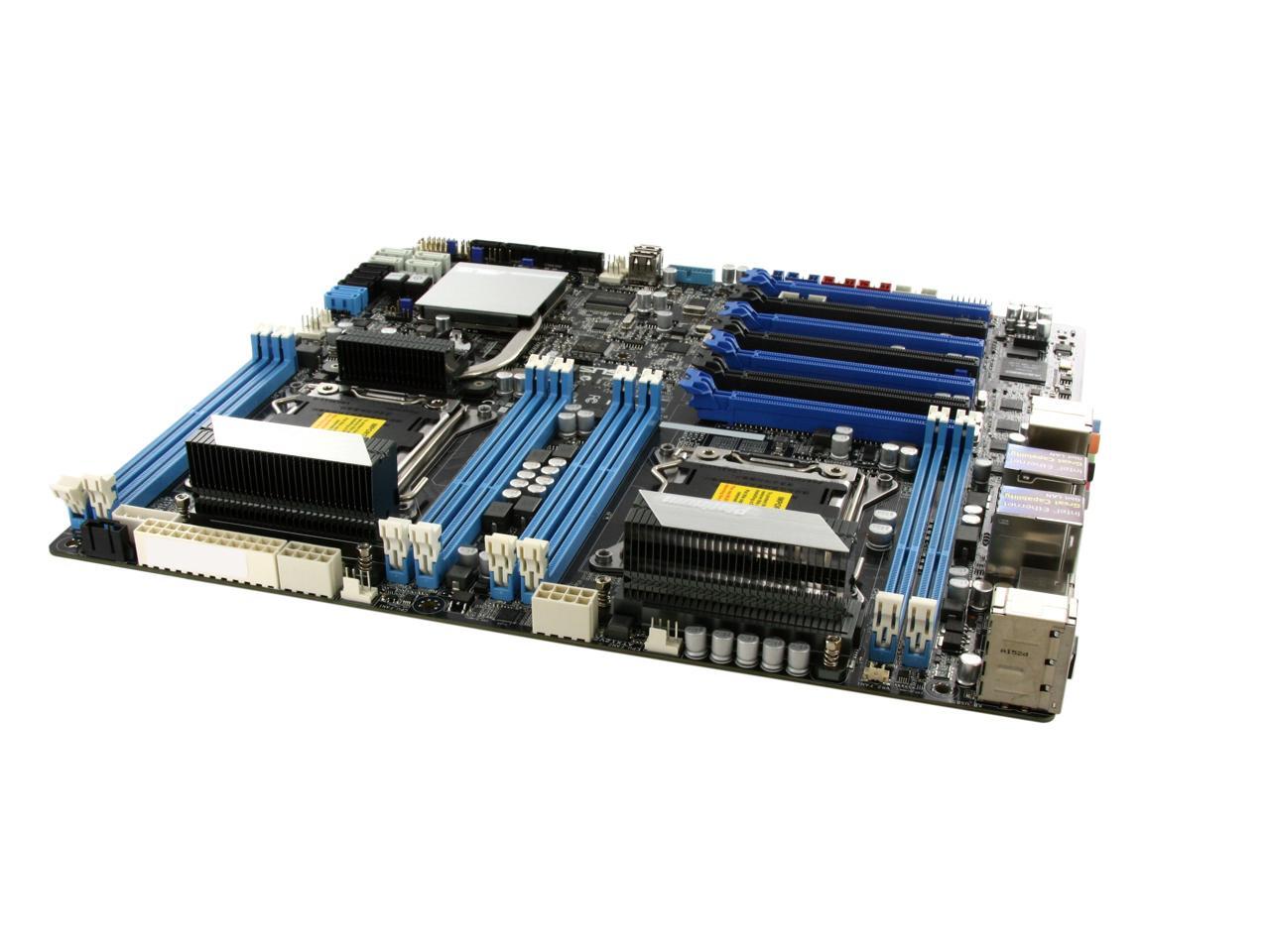
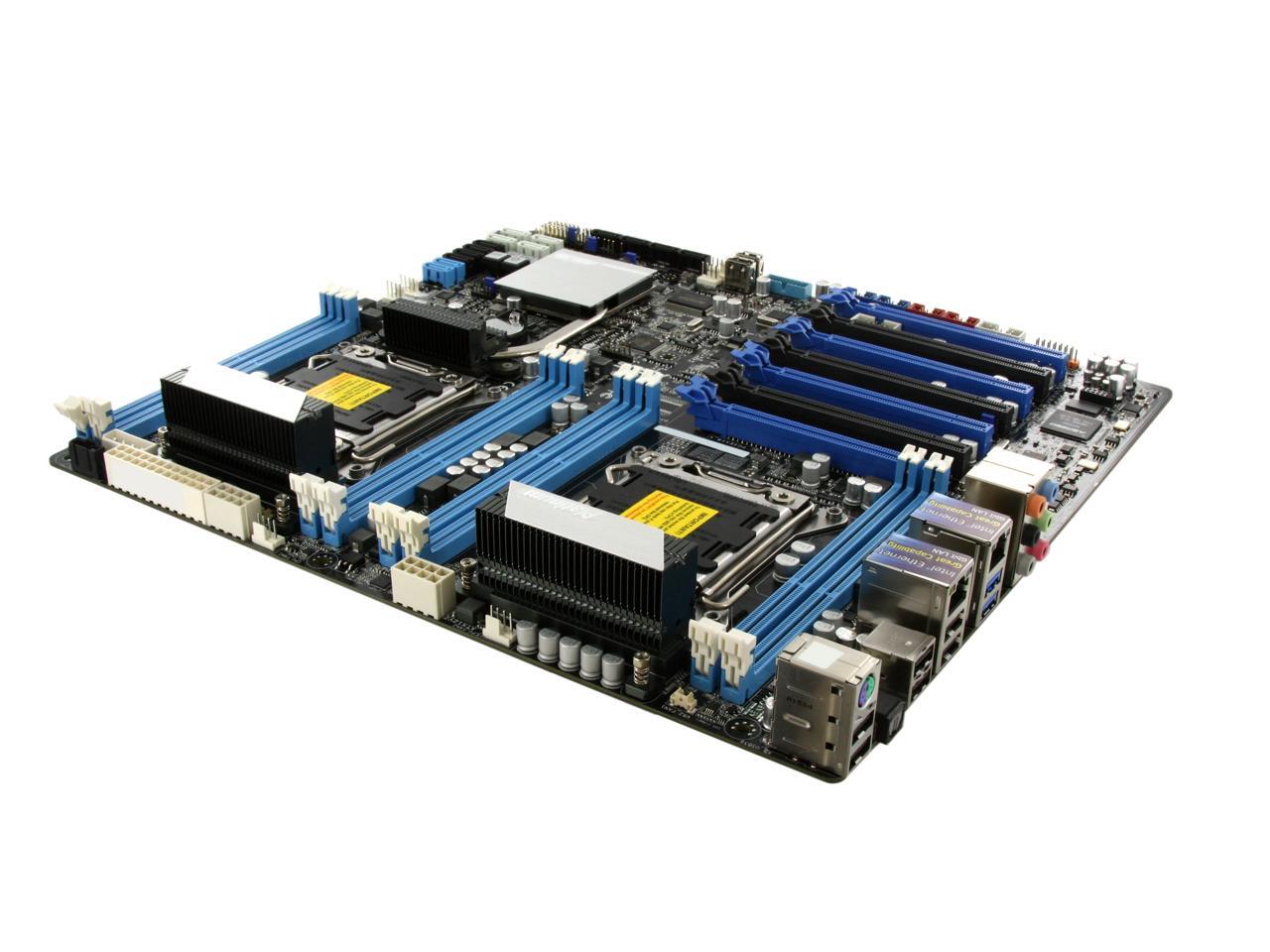
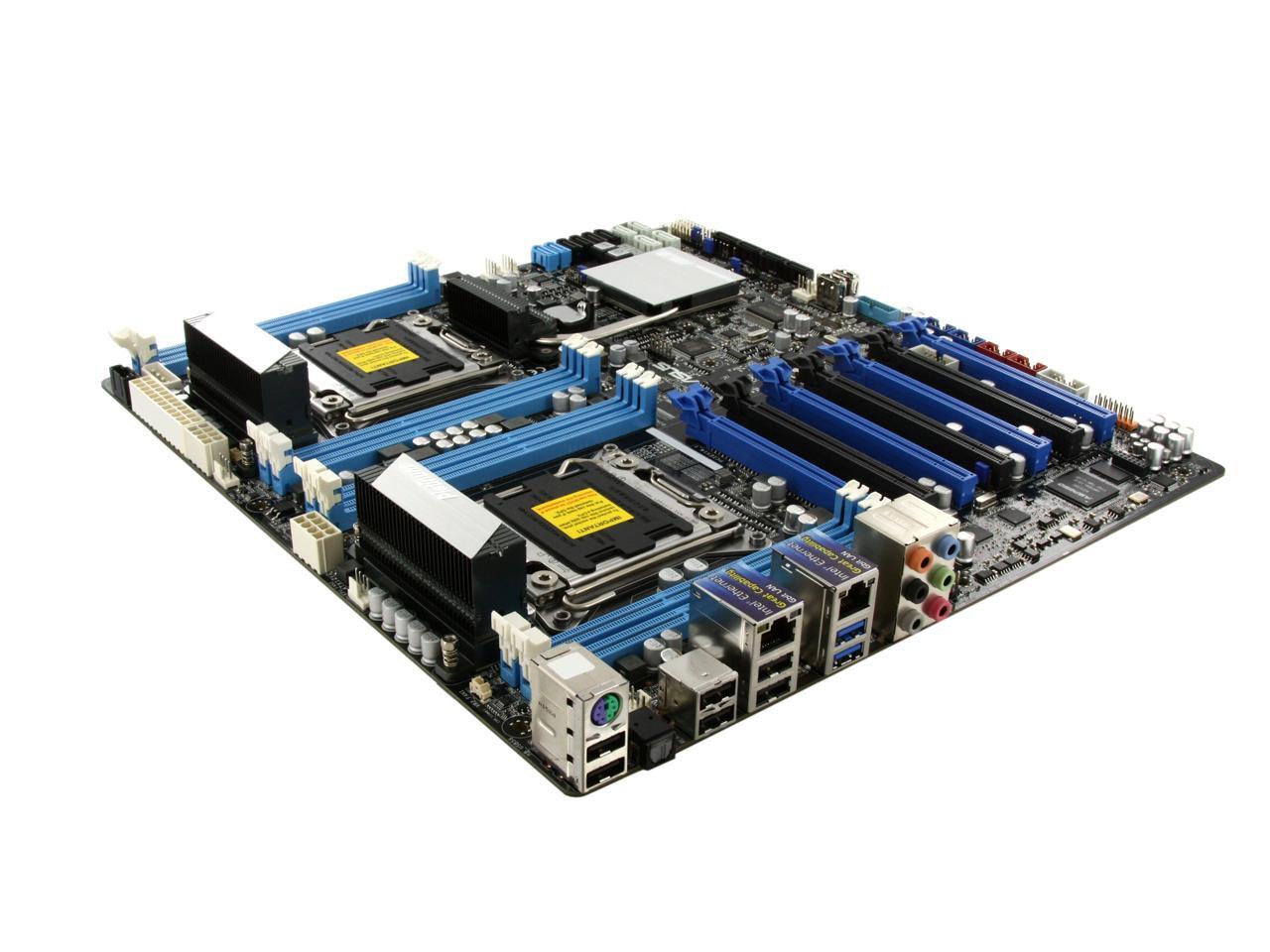
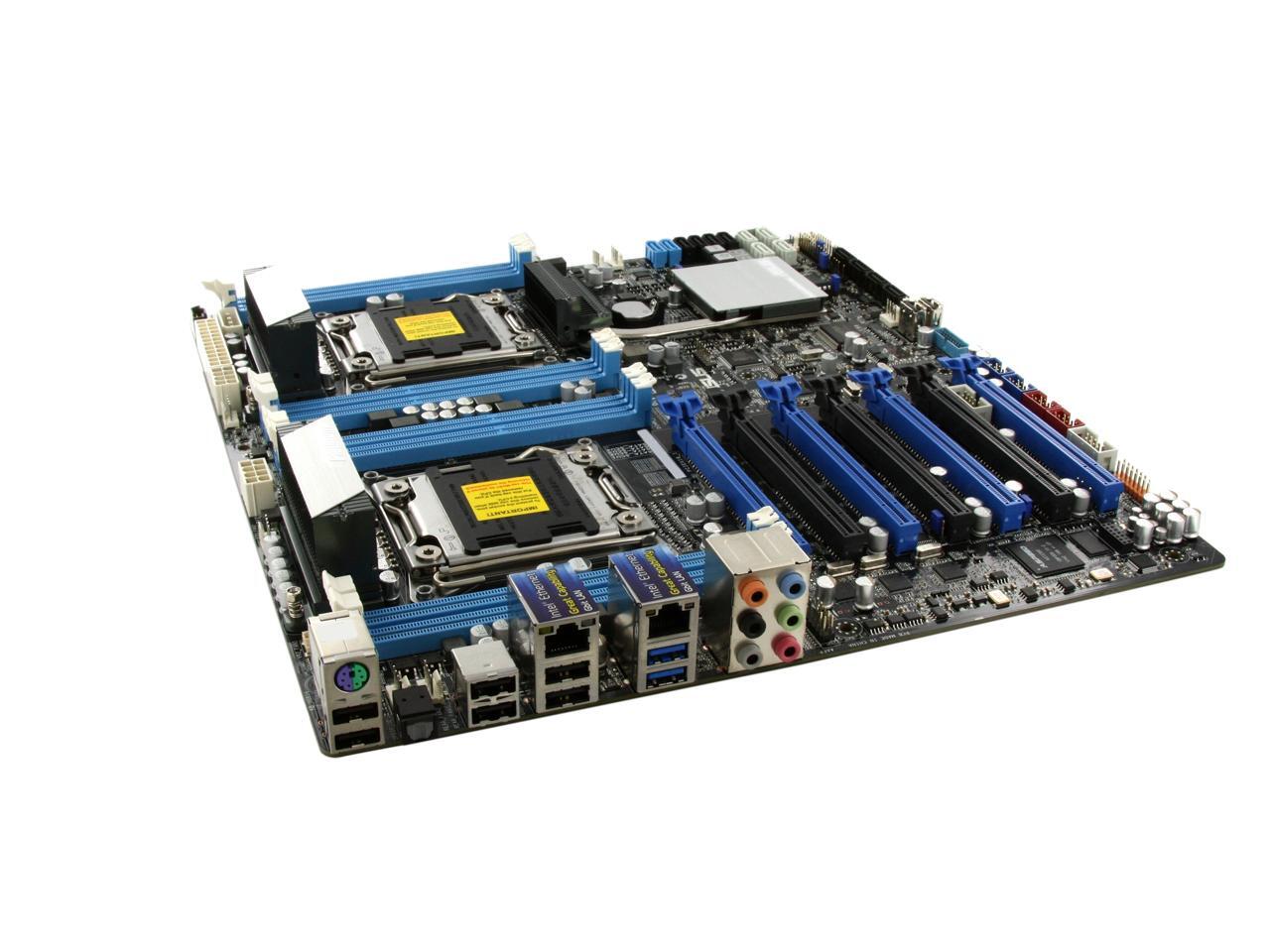
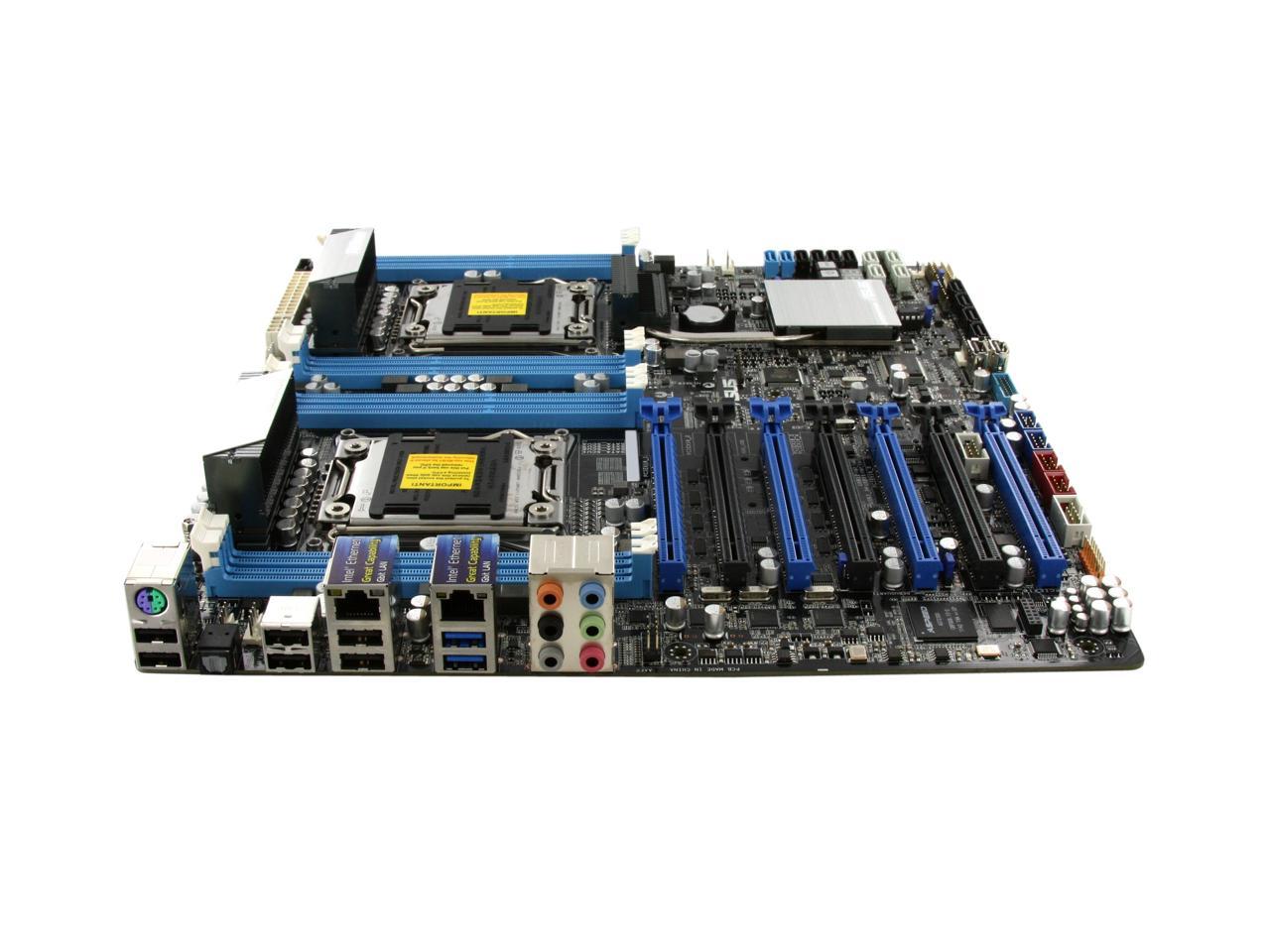
ASUS Z9PE-D8 WS Dual LGA 2011 Intel C602 SATA 6Gb/s USB 3.0 SSI EEB Intel Motherboard

  • Dual LGA 2011
  • Intel C602
  • 8×240pin DDR3 2133(O.C.)/2000(O.C.)/1866(O.C.)/1600/1333/1066
  • Pin It
  • Email this page
ICON Loading...

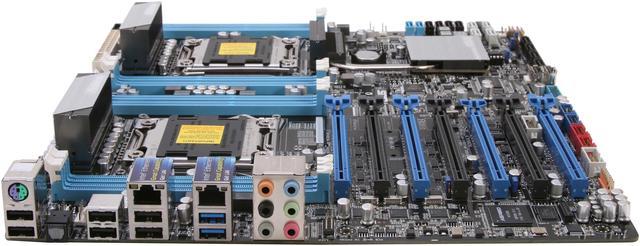
The ASUS Z9PE-D8 motherboard is an ideal foundation for a powerful PC. It delivers awesome power, dependable performance and unmatched multiple I/O scalability for the most demanding tasks and future upgrades. The Z9PE-D8 motherboard intelligently reduces operating noise and dissipates heat through advanced and environmentally friendly methods to accommodate user needs. And it also brings you ultimate reliability and quality through ASUS’s 24x24 initiative, which means 24-hour non-stop operation and a 24-month life cycle supply guarantee so you're not compelled to change computers often. Instead, let the ASUS Z9PE-D8 motherboard improves the quality of your work and life.

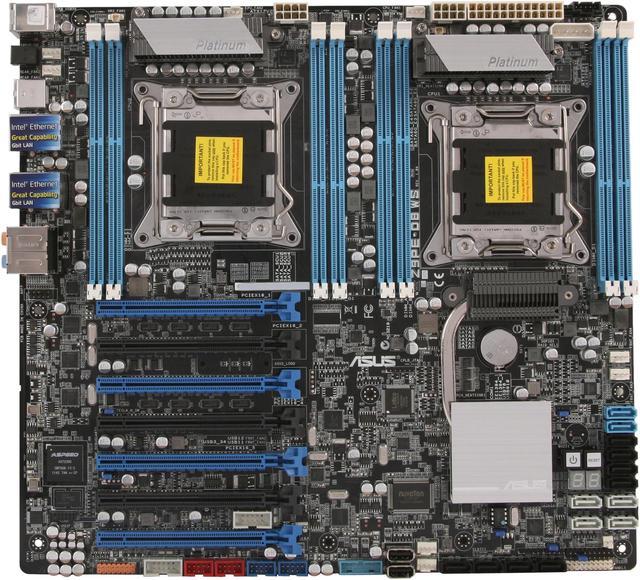
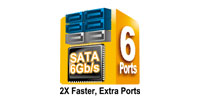
  • newegg Intel Xeon E5-2600 processor support and C602 Express Chipset The motherboard supports the latest Intel Xeon E5-2600 processor family with dual LGA 2011 sockets. Memory and PCI Express controllers are integrated alongside quad-channel 8-DIMM DDR3 memory and 80 PCI Express 3.0 lanes. This provides great graphics performance with superior energy efficiency. The Intel C602 Chipset improves performance by utilizing serial point-to-point links, allowing for increased bandwidth and stability. Additionally, the C602 comes with two SATA 6Gb/s and eight SATA 3Gb/s ports for faster data retrieval, doubling the bandwidth of current bus systems.
  • newegg Enhanced parallel GPU computing power with seven PCI Express 3.0 x16 slots Personal supercomputer-grade performance is achieved when working in tandem with discrete NVIDIA CUDA technology — providing unprecedented return on investment. Users can count on up to four Tesla cards with dual Intel Xeon E5-2600 processors for intensive parallel computing and massive data handling capabilities, delivering nearly 4 teraflops of performance.
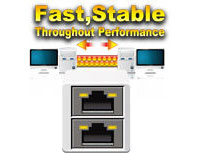
  • newegg Server-level Gigabit LAN and compatibility For more reliable networking, the Z9PE-D8 WS features built-in dual Intel Ethernet. This leads to lower CPU utilization, increasing throughput to achieve outstanding performance as well as better support for diverse operating systems. The Z9PE-D8 WS also provides complete compatibility with RAID and LAN cards. Users enjoy a wider selection of devices and higher reliability. As a workstation motherboard that puts an emphasis on system integration, the Z9PE-D8 WS offers the benefit of greater confidence and convenience.


  • newegg ASUS SSD Caching SSD Caching from ASUS is easier than ever. At 3X faster, this feature boosts system performance by using an installed SSD with no capacity limitations as a cache for frequently accessed data. Harness a combination of SSD-like performance and response and hard drive capacity with just one click, no rebooting needed and instant activation for complete ease of use, and even prevent data loss with included backup functionality.
  • newegg ASUS Crystal Sound To get the most out of your audio entertainment across all formats and quality levels, DTS Connect combines two enabling technologies DTS Neo:PC and DTS Interactive. Moreover, DTS UltraPC II delivers exceptional 7.1 surround through the most popular PC audio setups - your existing stereo speakers or headphones. In addition to virtual surround, it upgrades original sound to new levels with Audio Restoration, recreating the dynamic range of audio files. Symmetry mode improves the balance of perceived loudness across different input sources and Enhance boosts audio quality through high and low frequency equalization. With these technologies, users experience better home theater audio with ease.
  • newegg 4-Way SLI and Quad-GPU CrossFireX Support Both SLI and CrossfireX architectures work flawlessly on the new Z9PE-D8 WS motherboard, with PCI Express slots designed to accommodate the power of up to four graphics cards. Whether for professional graphics work, heavy duty multimedia or dedicated gaming, more than ample graphics power can be applied whenever needed.

Learn more about the ASUS Z9PE-D8 WS

Model

Brand
ASUS
Model
Z9PE-D8 WS

Supported CPU

CPU Socket Type
Dual LGA 2011
CPU Type
Dual Intel Xeon processor E5-2600 product family
Supported CPU Technologies
Turbo Boost Technology 2.0

Chipsets

North Bridge
Intel C602

Memory

Number of Memory Slots
8×240pin
Memory Standard
DDR3 2133(O.C.)/2000(O.C.)/1866(O.C.)/1600/1333/1066
Maximum Memory Supported
64GB
Channel Supported
Quad Channel

Expansion Slots

PCI Express 3.0 x16
4 x PCIe 3.0/2.0 x16 (dual x16 or quad x8)
2 x PCIe 3.0/2.0 x16
1 x PCIe 3.0/2.0 x16 (x8 mode)

Storage Devices

SATA 3Gb/s
8
SATA 6Gb/s
6 x SATA 6Gb/s
SATA RAID
Intel C602 chipset :
2 x SATA 6Gb/s port(s), blue
8 x SATA 3Gb/s port(s), black
Support Raid 0, 1, 5, 10

Marvell PCIe 9230 controller :
4 x SATA 6Gb/s port(s), gray
Support Raid 0, 1, 10

Onboard Video

Onboard Video Chipset
None

Onboard Audio

Audio Chipset
Realtek ALC898
Audio Channels
8 Channels

Onboard LAN

LAN Chipset
Intel 82574L
Second LAN Chipset
Intel 82574L
Max LAN Speed
Dual 10/100/1000Mbps

Rear Panel Ports

PS/2
1 x PS/2 keyboard/mouse port
USB 1.1/2.0
6 x USB 2.0
USB 3.0
2 x USB 3.0
S/PDIF Out
1 x Optical
Audio Ports
6 Ports

Internal I/O Connectors

Onboard USB
2 x USB 3.0 + 4 x USB 2.0
Onboard 1394
2 x 1394a
Other Connectors
2 x Vertical USB 2.0 port(s)
2 x COM port(s) connector(s)
2 x CPU Fan connector(s) (4 -pin)
6 x Chassis Fan connector(s) (4 -pin)
1 x S/PDIF out header(s)
1 x 24-pin EATX Power connector(s)
2 x 8-pin ATX 12V Power connector(s)
1 x 4-pin EZ_PLUG Power connector(s)
1 x RAID key header(s)
1 x ASMB6-iKVM connector(s)
1 x VGA connector(s)
1 x Front panel audio connector(s) (AAFP)
1 x AUX panel header(s)
1 x SMBus header(s)
1 x System panel(s) (Q-Connector)
1 x Power-on button(s)
1 x Reset button(s)
1 x Clear CMOS jumper(s)

Physical Spec

Form Factor
SSI EEB
Dimensions
12.0" x 13.0"
Power Pin
24 Pin

Features

Features
Dual Intel Socket LGA 2011/C602 chipset

Quad channel 8-DIMM memory

Enhanced parallel GPU computing power with seven PCI Express 3.0 x16 slots

Advanced and complete I/O with USB 3.0, SATA 6Gb/s and Intel Ethernet

Server-level capabilities with RAID, LAN, and capture cards

3X faster performance with ASUS SSD Caching

Quick Info

Warranty

  • Limited Warranty period (parts): 3 years
  • Limited Warranty period (labor): 3 years


Customer Reviews of the ASUS Z9PE-D8 WS

Do you own this product? Write a Review

Filter Results

Go
  • dcatcha
  • 4/4/2013 7:52:36 AM
  • Tech Level: High
  • Ownership: 1 day to 1 week
  • Verified Owner

5 out of 5 eggsAsus Z9PE-D8

Pros: We just got the motherboard a few days ago, and just completed the windows 7 Pro installation.
32GB Ram, 3 SSDs, SLI teamed video, 2 – E5 2620 Xeon Procs…
Install was a easy, and went as one would expect.

Cons: Areas that could be improved:
I/O Shield grounding was excellent, yet the shield itself is flexible and flimsy. This is an expensive board so I guess I expected this to be a higher quality.
Bios Documentation could use better explanations, not just regurgitate the Bios option like this controls zxyas and can be disabled. Well what the heck is zxyas? (note that name is not in the bios, just an example of my issue).
Overall I like the board, and like the fact you have 6 – Sata III connectors, too bad Asus Cache can be ran while utilizing the INTEL and Marvel Chipsets.

Other Thoughts: A few notes on posts that I read… Windows 7 Pro or Ultimate must be used if you wish to support two CPUs. When installing start your install with only 1 hard drive, add the others once all drivers \ firmware has completed. If you use a program like CPU Z to verify CPU clocking and you notice a difference in the rated speed and actual speed change your power scheme to Performance, to stop your CPU from clocking down.

1 out of 2 people found this review helpful. Did you? Yes No

  • Animator
  • 3/31/2013 12:04:32 AM
  • Tech Level: High
  • Ownership: 1 week to 1 month
  • Verified Owner

5 out of 5 eggsBEAST

Pros: Dual LGA 2011 Xeons, 4x PCI Express 3.0, Lots of SATA 6.0 ports. Came with second to the latest BIOS as of this review. Using this bad boy for 3D modeling and it does the job done just right. Faster render time nearly cut by a little over 50%. Combine with 32gig of ECC ram and two Intel Xeon E5-2630 this is one killer motherboard.

I don't know how others are having so much trouble with this board but I didn't have of the issues that are being mentioned by others.

Cons: None what so ever except for the price but that is to expect from server boards.

Other Thoughts: I originally bought a supermicro but it was DOA. Contact Newegg and as awesome as they are they gave me a refund for the supermicro board and I bought this board which I should have gotten right from the start.

Did you find this review helpful? Yes No

  • N/A
  • 3/16/2013 4:57:43 PM
  • Tech Level: Somewhat High
  • Ownership: 1 month to 1 year
  • Verified Owner

1 out of 5 eggsFrustrating to say the least

Pros: The specifications, what it says on the box.

Cons: I've had 3 of these boards now and each one comes RMA'd from ASUS so you'd think it would be tested and work. But each time there are massive problems.
The first board would constantly down clock my processors from 3.1GHz down to 1.2 GHz.
The 2nd board had a bad DIMM slot.
This last board has a similar problem to the first board. It constantly down clocks my processors from 3.1 to 1.2.
I'm running all tested components:
Intel 2687w processors X2
64 GB ram by G.Skill.
GeForce Titan
GeForce 680 Classified
I've never had the computer even open Windows 7 so I haven't seen these parts in action.
There seems to be a huge quality control issue with ASUS.

Other Thoughts: I would like ASUS to greatly improve their quality control.

Manufacturer Response:

Dear Valued Customer,

We're sorry to hear about the issues you had with the motherboard. Have you tried updating to the latest BIOS version? Please contact me at cl-benson@asus.com so we can take a second look at your RMA. Be sure to include your memory part no. and if possible, a screenshot of CPU-Z showing processor speed and BIOS > AI Tweaker menu. Thank you.

Regards,
Benson
ASUS Customer Loyalty
cl-benson@asus.com

3 out of 3 people found this review helpful. Did you? Yes No

  • N/A
  • 2/20/2013 1:56:42 PM
  • Tech Level: High
  • Ownership: more than 1 year
  • Verified Owner

1 out of 5 eggsClass Action!!!!!!

Pros: Fully loaded.

Cons: High end video cards still do not work!
Option Rom are never updated like all the other board manufacturers.
Why is this. We should get better support for this board considering all the money that was spent on building a system with this board.

Manufacturer Response:

Dear Valued Customer,

We're sorry for the experience you had with the motherboard. Can you tell me what video cards you used? Please email me at cl-benson@asus.com for continued support. Thank you.

For support information, please visit http://support.asus.com. For service, visit http://service.asus.com. For motherboard warranty, visit http://www.service.asus.com/warranty.aspx#!Motherboard%20Warranty/c1c20; Refurbished products/accessories: http://www.service.asus.com/warranty.aspx#!refurbished-warranty/c16us. For RMA status, visit: http://am.eservice.asus.com/rmaweb/search/rmCustomerQueryAction.do?.

Regards,
Benson
ASUS Customer Loyalty
cl-benson@asus.com

3 out of 4 people found this review helpful. Did you? Yes No

  • Meta
  • 2/20/2013 11:06:34 AM
  • Tech Level: Somewhat High
  • Ownership: 1 month to 1 year

1 out of 5 eggsUpdate - Still BAD .. Do Not buy

Pros: Works great ... if it works ...HUGE IF <<HUGE>>

Cons: Well I posted a long review late last year ... to this date the elevated Tech Support that cl-benson sent me chasing never ever called back. Since we already had all the other hardware we where really stuck with this board. I gave up any hope of ASUS sending out good product on the 5th RMA ...its hopeless... cut your losses ... to solve our problem, we had to buy a second brand new board, and the bad board sits here collecting dust. ASUS refuses to do right by the customer ... they just keep sending you the junk they cannot fix. So after your third or fourth try, if your still not getting a good board, suck it up and buy another new one, or if your case has the room go buy an evga and be happy. Those folks actually care if thier stuff works.

Other Thoughts: If you don't have the cash to be able to buy a second brand new board .... DON"T buy the first one, its that simple. You've been warned.

CL-Benson from ASUS do not bother responding ... you didn't do anything the last time but offer to send more repaired boards for us to trouble shoot for you and let you know "yes these really don't work". No thanks, we've had enough of our own company paying to do your job.

Manufacturer Response:

Dear Valued Customer,

We're sorry for the experience you had with this motherboard. Our motherboards that we replace through RMA are refurbished units, however they've been tested to function just well as a new unit would. We do not have new units to send as replacements.

Our goal is to provide you a working replacement. To continue support, please contact me at cl-benson@asus.com so that we can issue you a RMA. Thank you.

For support information, please visit http://support.asus.com. For service, visit http://service.asus.com. For motherboard warranty, visit http://www.service.asus.com/warranty.aspx#!Motherboard%20Warranty/c1c20; Refurbished products/accessories: http://www.service.asus.com/warranty.aspx#!refurbished-warranty/c16us. For RMA status, visit: http://am.eservice.asus.com/rmaweb/search/rmCustomerQueryAction.do?.

Regards,
Benson
ASUS Customer Loyalty
cl-benson@asus.com

8 out of 9 people found this review helpful. Did you? Yes No

  • N/A
  • 2/3/2013 3:56:15 PM
  • Tech Level: High
  • Ownership: 1 month to 1 year

3 out of 5 eggsStill issues with PCIe

Pros: With the exception of the PCIe issues (256mb memory BAR for the K5000, PCIe 2.0/3.0 dynamic handling) the motherboard works ok. When the display is detected for Quadro K5000 and GTX 6XX series cards the platform is rock stable past POST.

Cons: Sadly (ignoring the previous obnoxious comment RE: you're doing something wrong), i've been in a month long discussion between ASUS, nVidia, PNY and EVGA regarding poor coding practices which have lead the SBIOS to a number of display detection issues. Rest assured there are alot of people out there with this problem. The K5000 issues are related to a 256mb Memory BAR resource allocation problem at POST (Q-Code B2). With the help of a PNY tech, I have adjusted the memory BAR down to 128mb which then worked flawlessly - proving the resource allocation issue. I also have the Tesla K20 GPGPU - sadly though nVidia's drivers aren't up to scratch yet, resulting in a BSOD/spontaneous reboot once a day with this board. GTX issues are related to PCIe lane speed handling (2.0/3.0). EVGA have released a fix which locks the speed, solving this as the SBIOS has not accommodated this feature as of yet. All of the above has been acknowledged by the respective vendors as well.

Other Thoughts: Benson, please go check the ROG non-Intel thread for further information. Yes your techs have been able to successfully mimic some results, but not all. The K5000 issue still exists. The GTX issues still exist for any cards not made by ASUS, meaning your techs have probably locked the dynamic handling of PCIe lane speeds. I've been given the 3402 test SBIOS, however this still has not resolved the issue and may be some months out - at least until enough customers complain that the "buck passing" stops.

4 out of 5 people found this review helpful. Did you? Yes No

  • N/A
  • 1/29/2013 6:49:49 PM
  • Tech Level: High
  • Ownership: 1 day to 1 week

5 out of 5 eggsWorks fine...

Pros: First power on got all the way to the login prompt, not a single issue. Completely turn-key.

Right in my comfort zone, pretty much exactly what I expected from owning other ASUS boards in the past.

Great BIOS, as expected

Lots of server board bells and whistles, including two USB ports on the board YESS

The specs are unbeatable

Fairly priced

Cons: The e5's are locked (not this boards fault, but a huge downside to the platform. COME ON INTEL)

If they would make a high end unlockable E5 this would be unmatched.

Other Thoughts: I bet over half of the people complaining in these reviews just did something wrong. This board is excellent if handled by someone that crosses all the T's and dots all the I's.

Do your homework before purchasing, if it doesn't work, well, you probably did something wrong.

3 out of 7 people found this review helpful. Did you? Yes No

  • Slash-2CPU
  • 1/28/2013 12:20:26 AM
  • Tech Level: High
  • Ownership: 1 month to 1 year

1 out of 5 eggsStill broken.

Pros: Not many.

Cons: They refuse to acknowledge that this board does not work reliably with GTX 670, 680, or 690 cards. They keep trying to blame the card's manufacturer. It's a card that works in every other motherboard I try it in. BIOS 3402 doesn't fix anything either.

Other Thoughts: The problem is with this board not properly implementing PCIe 3.0 spec. The board is supposed to command the card at boot to run PCIe 3.0 at full self-clocked rate. It should then command the card to throttle down to wait state clocks as a power-saving feature. The motherboard is supposed to control this. Asus' BIOS misses that second step. It waits for the card to lower PCIe power level. The card waits for further commands, and the board never sends any. No boot.

The system works fine with 3x GTX 480's or with 2x GTX 560 Ti's, so for the Asus tech who said I wasnt giving the cards enough power or suggesting my RAM or CPU's were bad, you are wrong. Tried it with EVGA, Asus, and Zotac GTX 670's and 680's. None of them boot reliably. Maybe one time in 50 it will work if I hit reset enough times. The cards work fine when put into my SuperMicro board.

Manufacturer Response:

Dear Valued Customer,

Thank you for your feedback on hardware compatibility on this motherboard. If there exists an issue with the GTX 600 series cards, we will provide more information on our support site (http://support.asus.com). We appreciate your patience while we look into it. To continue support, please email me at cl-benson@asus.com. Thank you.

For support information, please visit http://support.asus.com. For service, visit http://service.asus.com. For motherboard warranty, visit http://www.service.asus.com/warranty.aspx#!Motherboard%20Warranty/c1c20; Refurbished: http://www.service.asus.com/warranty.aspx#!refurbished-warranty/c16us. For RMA status, visit: http://am.eservice.asus.com/rmaweb/search/rmCustomerQueryAction.do?.

Regards,
Benson
ASUS Customer Loyalty

7 out of 7 people found this review helpful. Did you? Yes No

  • doubled
  • 1/20/2013 10:24:47 PM
  • Tech Level: High
  • Ownership: 1 week to 1 month
  • Verified Owner

5 out of 5 eggsA-OK, No dissapointments

Pros: Server hardware for enthusiasts. Dual Zeon, 4 Graphics card support, on board video, quad channel, dual Lan....could go on all day. With the exception of the 600 series card issues, everything just works.

Works like a champ with B0 Stepping E5-2660s running Folding@Home 100% load across 32 threads 24/7 for 2 weeks without a single issue. Full CPU scaling and utilization. Love it.

On install, booted with a bad memory module, and gave me a code that prompted me to run memtest. Sure enough, module cause another machine to blue screen, but not this one. New module in same slot on this board cleared things right up.

Windows 7 and Linux friendly.

Cons: Server hardware can be purchased by those who don't understand server hardware, bios settings, compatibility issues with gaming gear and too-small power supplies.

600 series graphics card issues. My issues
Zotac 660TI works. MSI 660TI doesn't. Gigabyte 680 works, 680 MSI doesn't. I sympathize with those who also have cards that don't work, but some GPU manufacturers stuff works so I don't feel this is completely ASUS's problem if at all. I have a few that don't work but I'm not gonna cry about it, I'll send them off for firmware upgrades if need be. That's the nature of real cutting edge builds.

The board has challenges, but at this point they are well identified and fixes established on many forums and review sites.

Other Thoughts: At this point, anybody buying this board should know and accept that 600 series board support out of the box is hit and miss. Anybody buying a server board for gaming should expect a challenge along the way.

4 out of 5 people found this review helpful. Did you? Yes No

  • Workstation Builder
  • 1/20/2013 1:41:13 PM
  • Tech Level: High
  • Ownership: 1 week to 1 month
  • Verified Owner

5 out of 5 eggsGreat board

Pros: Great mother board worked right out the box with windows 8.

Cons: Cannot use cheap anything for this motherboard to work properly. Only buy the best parts and a get big case. Dont go less then 1200 platinum rated either on the PSU. Expensive to get the most out of the system.

Other Thoughts: Ok so I finished a build on my computer. I am running dual xeons 2670s in a cosmos II case. I have 64 gb of ram and multiple hard drives. Yes I set up the ssd caching worked like a charm. For the SSD caching to work you must boot into marvel and have a hdd and a good not cheap ssd. I went with crucial 128. Use the wizard then marry them. After this go to the hard drive manager in the OS and find your new hard drive to format. Basically my 3t HDD is now an SSD. I also kept my OS on a separate SSD to avoid any confusion and so it also can be plugged into the main controller port 1. For this I used a 256 Samsung 240 pro.

For a game system use as many gtx 280 as you can afford and SLI them. You will have the best game system on the market. Guaranteed.

For a workstation and for 3d video rendering use a quadro k5000 and if you can afford it a k20 tesla to pair. You will have your own personal render farm with this set up. I have this set up with out the tesla with 4 monitors total and with one 10 point windows 8 touch screen for the control station. Amazing and and very productive.

3 out of 4 people found this review helpful. Did you? Yes No

ICON Loading...
Are you an E-Blast Insider? Subscribe Newegg e-Blast

Buzz

SR2 Replacer

5 out of 5 eggs
I've only had this for a couple of days, and truthfully I'm not a big ASUS fan (I've had several other ASUS ...
— 3/20/2012

Love it except for a few things

5 out of 5 eggs
Excellent quality in all the parts. This board is very stable and sexy. I am running it with 2 E5-2687W CPUs and 64gigs @1600 ...
— Rob49152 4/22/2012


PayPal
Shop without retyping payment details. Secure shopping made faster.
Check out with PayPal.

Financing


Home
Home > 
Computer Hardware > 
Motherboards > 
Intel Motherboards > 
ASUS > 
Item#: N82E16813131817
LOADING... LOADING...
Shop by Region: United States | Canada | China
Follow us:   RSS Feeds Youtube
VeriSign Reliability Seal1This site protected by Trustwave's Trusted Commerce program Inc500
Policy & Agreement | Privacy Policy  © 2000-2013 Newegg Inc.  All rights reserved.
If the Adobe Reader does not appear when you click on a link for a PDF file, you can download Adobe Reader from the Adobe web site. nassau