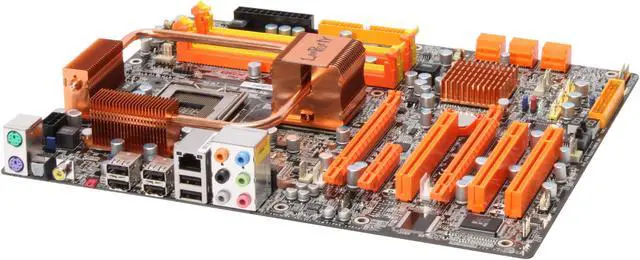
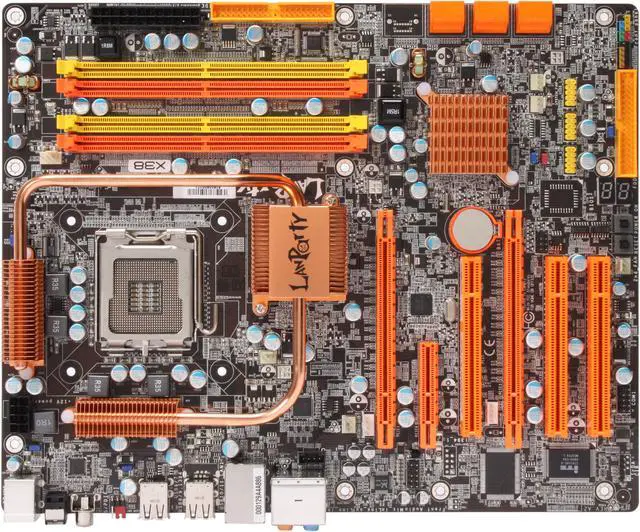
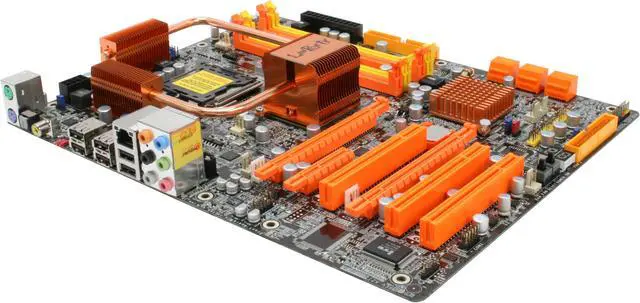
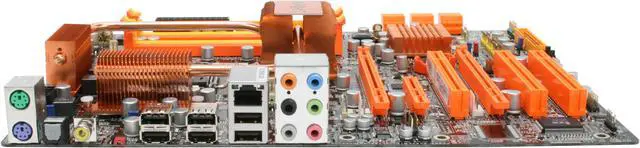
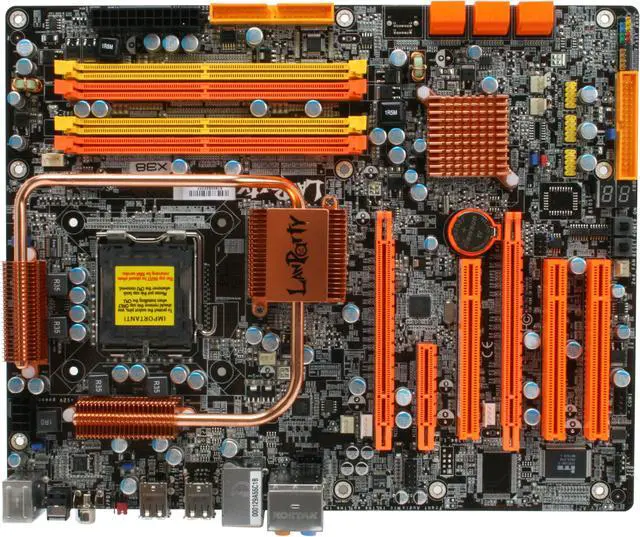
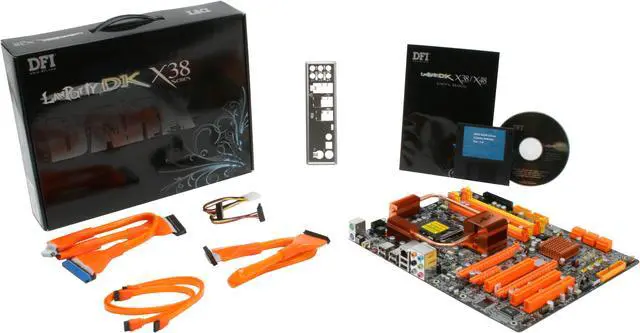
DFI has long had a notable reputation within the overclocking community and their DK X38-T2RB motherboard continues the trend. Based on Intel's X38 and ICH9R chipsets, this ATX board is ready to host the latest LGA775 Core2 quad-core processors along with Core 2 Duo CPUs.
Up to 8GB of DDR2 1333 can be installed with dual channel and Hyper Threading technology providing increased performance. A pair of PCI-Express 2.0 x16 cards can be mounted for cutting-edge graphic power with support for CrossFireX.
Get eight channels of HD sound from the Realteck ALC885 audio codec with high-performance DAC's offering 106db dynamic range. Connect up to six SATA devices at 3Gb/s for high-speed data transfers as well as the option for multiple RAID configurations. Integrated Gigabit Ethernet LAN allows bottleneck-free connections to other network devices at broadband speeds and a half-dozen USB 2.0 ports allows for nearly unlimited possibilities in connecting peripheral devices.
DFI has long had a notable reputation within the overclocking community and their DK X38-T2RB motherboard continues the trend. Based on Intel's X38 and ICH9R chipsets, this ATX board is ready to host the latest LGA775 Core2 quad-core processors along with Core 2 Duo CPUs.
Up to 8GB of DDR2 1333 can be installed with dual channel and Hyper Threading technology providing increased performance. A pair of PCI-Express 2.0 x16 cards can be mounted for cutting-edge graphic power with support for CrossFireX.
Get eight channels of HD sound from the Realteck ALC885 audio codec with high-performance DAC's offering 106db dynamic range. Connect up to six SATA devices at 3Gb/s for high-speed data transfers as well as the option for multiple RAID configurations. Integrated Gigabit Ethernet LAN allows bottleneck-free connections to other network devices at broadband speeds and a half-dozen USB 2.0 ports allows for nearly unlimited possibilities in connecting peripheral devices.
 Intel X38 Express Chipset for Intel LGA 775 CPUBased on the Intel X38 Express chipset, the DFI LanParty DK X38-T2RB supports Intel LGA 775 (Socket T) processors including the Core 2 Quad and Core 2 Duo.
 ATi CrossFireX Multi-GPU Technology SupportATi CrossFireX is the ultimate multi-GPU performance gaming platform, enabling two or more discrete graphics processors to work together for boosted system performance and a breakthrough gaming experience.
 SATA II with RAID SupportThe second generation SATA interface delivers up to 300MB/sec transfer speed, doubling that of the first generation Serial ATA. The on-board six SATA II ports support RAID 0, 1, 0+1 and 5 for better performance, enhanced data security, and flexible capacity upgrades.
 Gigabit Ethernet ConnectivityThe DFI LanParty DK X38-T2RB features a fast Gigabit network interface for high-speed LAN connections at up to 1000Mbps data transfer rates with advanced security features to ward off malicious attacks. Gigabit LAN is ideal for supercharged seamless streaming of Internet audio and video content.



 Holiday Shipping Details & Extended Holiday Returns


 Intel X38 Express Chipset for Intel LGA 775 CPUBased on the Intel X38 Express chipset, the DFI LanParty DK X38-T2RB supports Intel LGA 775 (Socket T) processors including the Core 2 Quad and Core 2 Duo.
 ATi CrossFireX Multi-GPU Technology SupportATi CrossFireX is the ultimate multi-GPU performance gaming platform, enabling two or more discrete graphics processors to work together for boosted system performance and a breakthrough gaming experience.
 SATA II with RAID SupportThe second generation SATA interface delivers up to 300MB/sec transfer speed, doubling that of the first generation Serial ATA. The on-board six SATA II ports support RAID 0, 1, 0+1 and 5 for better performance, enhanced data security, and flexible capacity upgrades.
 Gigabit Ethernet ConnectivityThe DFI LanParty DK X38-T2RB features a fast Gigabit network interface for high-speed LAN connections at up to 1000Mbps data transfer rates with advanced security features to ward off malicious attacks. Gigabit LAN is ideal for supercharged seamless streaming of Internet audio and video content.