If you are visually impaired and are having difficulty navigating this site, please call our Customer Support line via our toll free number (800) 390-1119.
Newegg.com - A great place to buy computers, computer parts, electronics, software, accessories, and DVDs online. With great prices, fast shipping, and top-rated customer service - once you know, you Newegg.
If you are reading this message, Please click this link to reload this page.(Do not use your browser's "Refresh" button). Please email us if you're running the latest version of your browser and you still see this message.
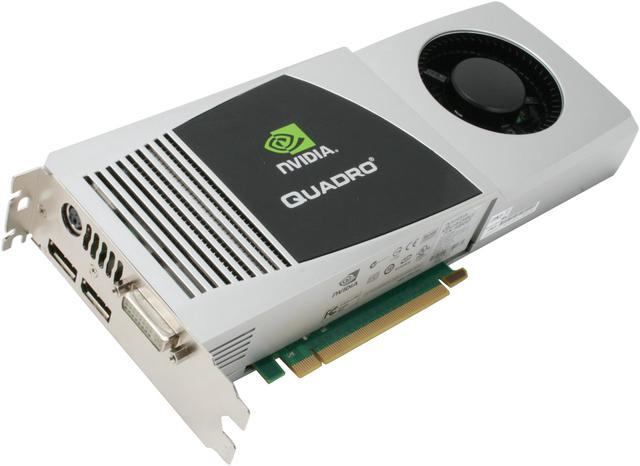
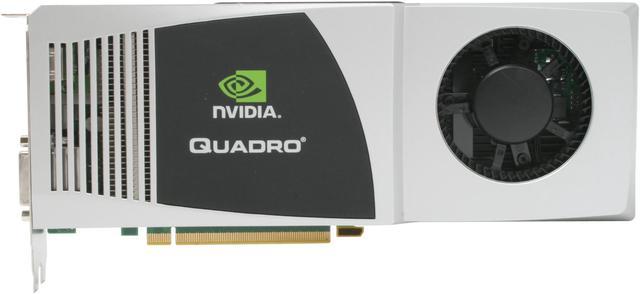
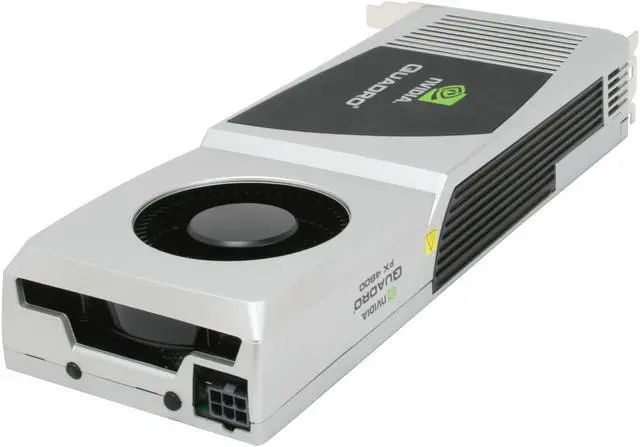
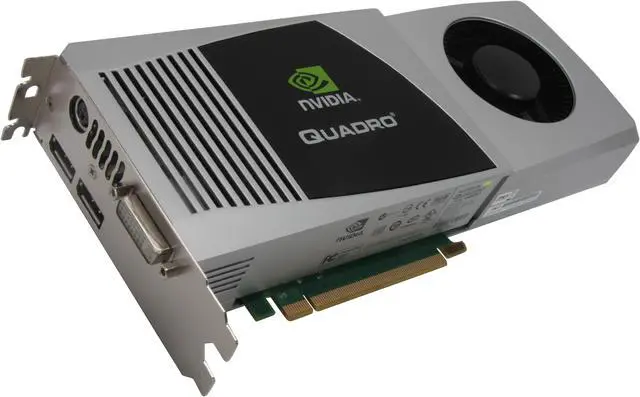
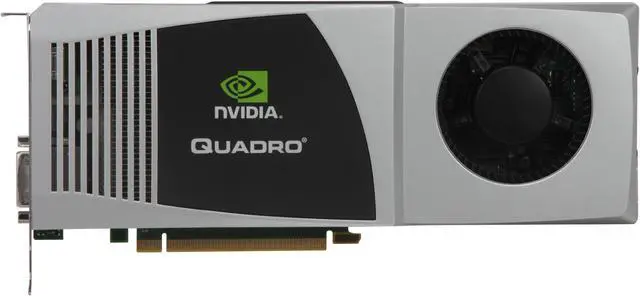
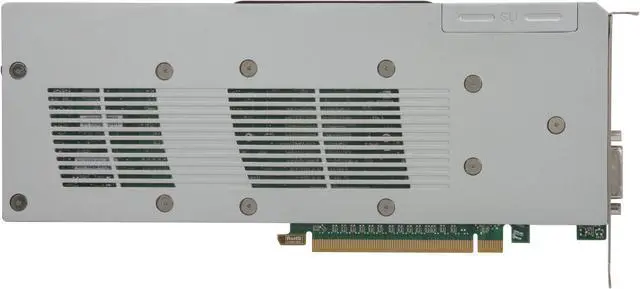
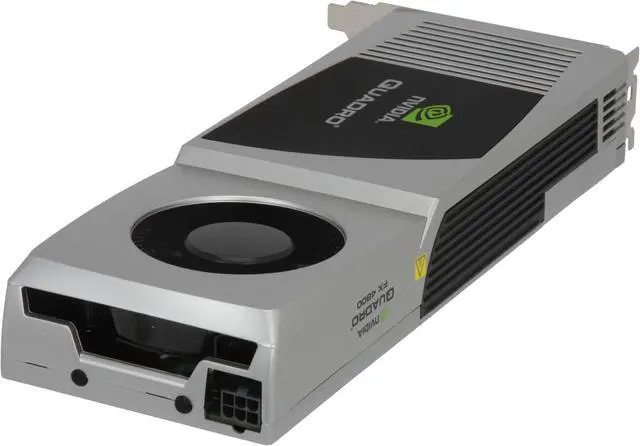
PNY Quadro FX 4800 VCQFX4800-PCIE-PB Quadro FX 4800 1.5GB 384-bit GDDR3 PCI Express 2.0 x16 SLI Supported Workstation Video Card - Retail
(limit 2 per customer)
Image Viewer
$1,549.99
$8.50 Std. Shipping*
* Std. Shipping is not available to AK, HI and PR.
Special Offers
No interest for up to 12 months. Minimum purchase required. Subject to credit approval. Details
No Payments for up to 6 months. Minimum purchase required. Subject to credit approval. Details
Similar Items
Not the product you're looking for? We can make some suggestions to help you decide on a product that fits your needs. view similar products
Manufacturer Warranty
Beyond any applicable Newegg return policy, this item is warranted independently by the product's Manufacturer. Below is a summary provided for convenience only and may not be accurate or current.
Use this link for full details.
Manufacturer Limited Warranty period (parts): 3 years
Manufacturer Limited Warranty period (labor): 3 years
Pros: Nvidia - if you are a Nvidia believer. Runs cool and quiet. I never write reviews, I am trying to save you some $$.
Cons: Way over priced. Bottom line is that if you are running a CAD application, you don't need this card. Your application will not tap the full power of the card, and therefore all you need is a FX 3800 at the most. I had lots of back and forth with Nvidia, and they admit that many users "over buy" graphics cards. They said there are very few applications that can benefit from this card, the example they use as a good fit for this card is oil exploration applications. I tested a number of cards in my HP Z800 workstation, but I wasted good $$ on the FX 4800. CAD is not a high frame rate app, and the large video buffer provides little benefit because the CAD app can't see the full buffer. If you are running high frame rates like video editing then get a gaming card. Go to the Nvidia site and compare the performance - the gaming cards wipe out the "professional" cards from a performance per $ standpoint. Also tried a GTX 295, it was no better than a 8400GS for CAD.
Other Thoughts: Have been solid modeling since 1988. Currently running Pro/E WF5 and SolidWorks 2010. Application is to import scan data and create surface models. Last scan job was 14 million polygons. Tried FX 1800 and it wasn't cutting it. Called and emailed Nvidia. They said the FX 4800 would do the trick. It ends up that both Pro/E and SolidWorks cannot tap the full power of this card. Pro/E handles the data better than SolidWorks, but that is the software not the card. If you are running high frame rate applications consider saving big $$ and buy a gaming card. There is a raging debate about whether you can use gaming cards for CAD. They are exactly the same hardware, so you are paying for the drivers. I tried a 8400GS gaming card and it worked great. I used it for a month, modeling every day in both Pro/E and SW. For $40 the performance was awesome. It did have some instability related to the driver so you have to decide if the driver is worth it. If you are running CAD buy a FX 1800 or 3800.
5 out of 5 people found this review helpful.
Did you?
Thanks for the valuable feedback you provided!
This card rocks!!!
Reviewed By: bkilen on 6/24/2009
Tech Level: high - Ownership: 1 week to 1 month
This user purchased this item from Newegg
Pros: I bought this card to put in a new workstation that I'm running SolidWorks and SolidWorks Simulation. With part detail turned to high this card doesn't miss a beat (frame). I've had no problems with this card at all. I'm running Windows 7 RC with one 5570 Nahelam 12GB RAM.
Cons: Pricey, but if you need the performance it's worth every dollar.
Other Thoughts: Buy this card again in a heart beat.
6 out of 6 people found this review helpful.
Did you?
Thanks for the valuable feedback you provided!
Exactly as expected
Reviewed By: Jake on 2/27/2009
Tech Level: somewhat high - Ownership: 1 week to 1 month
This user purchased this item from Newegg
Pros: Viewports in Maya are quick and responsive even with the heaviest scenes. Contrary to what the other reviewer said, I have had no problem with DisplayPort. I run my primary monitor off the DVI and a secondary off one of the DisplayPort and if anything, the secondary monitor is faster to wake up than the primary.
Low power consumption. Extremely fast and robust card. No complains.
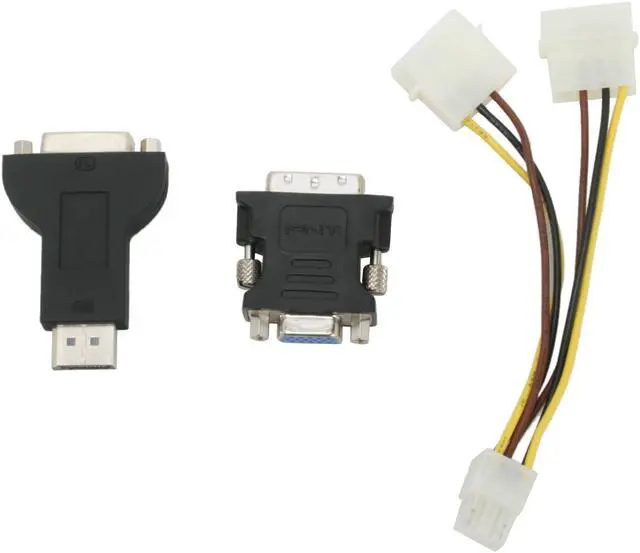
Cons: Large physical footprint but that is to be expected. Perhaps a second DVI port as opposed to 2 displayports would have been handy but an displayport to DVI adapter is included (which is very sleek) so it's no problem.
7 out of 7 people found this review helpful.
Did you?
Thanks for the valuable feedback you provided!
General
Brand
PNY
Series
Quadro FX 4800
Model
VCQFX4800-PCIE-PB
Interface
Interface
PCI Express 2.0 x16
Chipset
Chipset Manufacturer
NVIDIA
GPU
Quadro FX 4800
Stream Processors
192
Memory
Memory Size
1.5GB
Memory Interface
384-bit
Memory Type
GDDR3
3D API
DirectX
DirectX 10
OpenGL
OpenGL 3.0
Ports
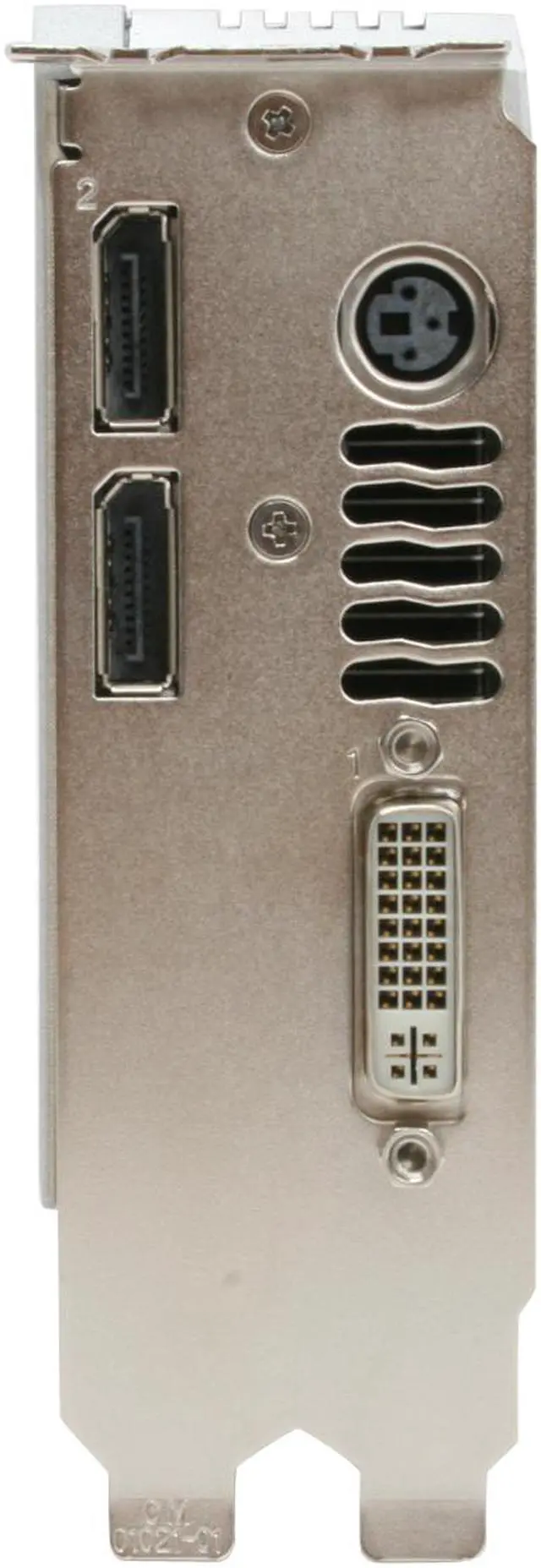
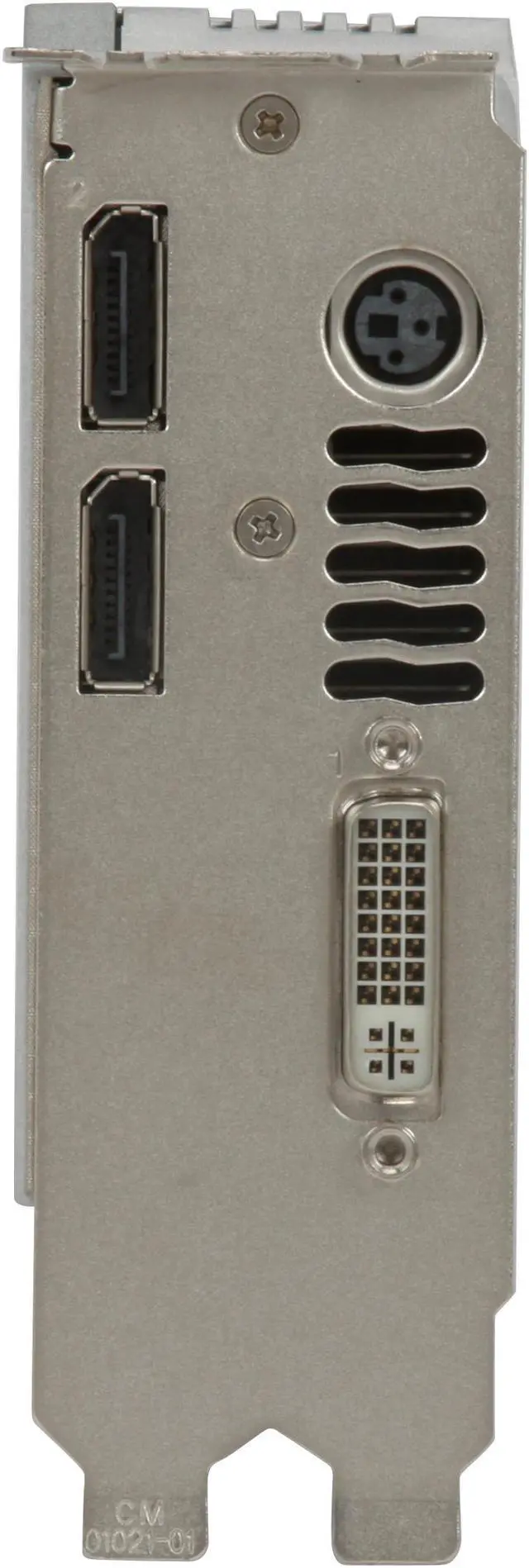
DisplayPort
2
DVI
1
Other Ports
Stereo
Spec
RAMDAC
400MHz
Digital Resolution
2560 x 1600
Analog Resolution
2048 x 1536@85Hz
SLI Supported
Yes
Cooler
With Fan
Dual-Link DVI Supported
Yes
Operating Systems Supported
Windows XP (64-bit and 32-bit), Windows 2000 Linux (64-bit and 32-bit) Solaris
System Requirements
PC compatible with Intel Pentium 4/Xeon or AMD Opteron class processor or higher Open PCI Express x16 lane slot Microsoft Windows Vista, XP, 2000, or Linux 512MB system memory 50MB of available disk space for full installation CD-ROM, DVD-ROM, or BD-ROM drive DVI-I or VGA compatible display(s) 750W power supply (higher capacity may be required for SLI)
Features
Features
128-bit color precision Unlimited fragment instruction Unlimited vertex instruction 3D volumetric texture support Hardware accelerated, antialiased points and lines Hardware OpenGL overlay planes Hardware accelerated two-sided lighting Hardware accelerated clipping planes 3rd-generation occlusion culling Window ID clipping functionality Hardware accelerated line stippling Full Shader Model 4.0 (OpenGL 2.1/DirectX 10 class) Long fragment instructions (unlimited instructions) Long vertex instructions (unlimited instructions) Looping and subroutines (up to 256 loops per vertex program) Dynamic flow control Conditional execution Optimized complier for Cg and Microsoft HLSL OpenGL 2.1 and DirectX 10 support Open source compiler Rotated Grid Full-Scene Antialiasing (RG FSAA) 32x FSAA dramatically reduces visual aliasing artifacts or ‘jaggies’ at resolutions up to 1920 x 1200 64x FSAA SLI Mode Single dual-link DVI-I outputs drives a digital display at resolutions up to 2560 x 1600 at 60Hz Dual DisplayPort connectors support an ultra high-resolution digital panel (up to 2560 x 1600) Internal 400MHz DAC – single analog display up to 2048 x 1536 at 85Hz (via DVI-I to VGA adapter, included) Advanced multi-display desktop and application management, seamlessly integrated into Microsoft Windows
Packaging
Package Contents
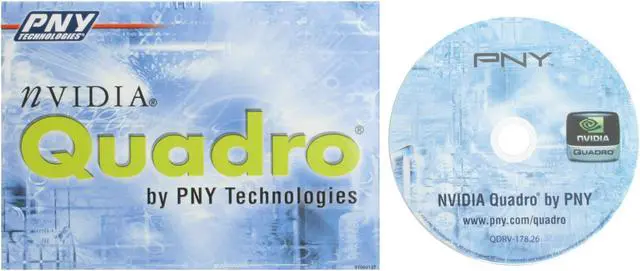
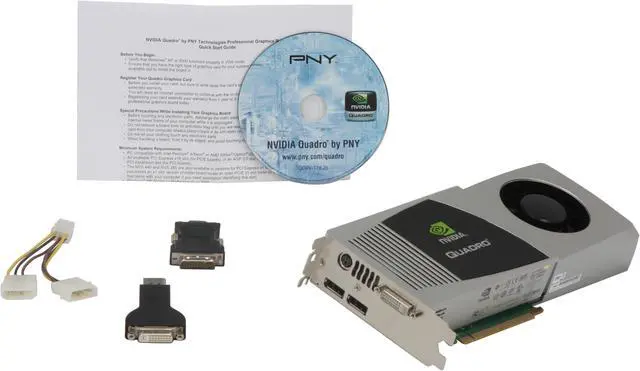
VCQFX4800-PCIE-PB Driver Disk User Manual Display Port to DVI Adapter DVI to VGA/D-sub Adapter