-
Deactivated Item
-
-

-
Manufacturer Warranty
Beyond any applicable Newegg return policy, this item is warranted independently by the product's Manufacturer. Below is a summary provided for convenience only and may not be accurate or current.
Use this link for full details.
- Manufacturer Limited Warranty period (parts): Lifetime
- Manufacturer Limited Warranty period (labor): Lifetime
Manufacturer Contact Info
Return Policies
This item is covered by Newegg.com's VGA Standard Return Policy.
- Return for refund within: 30 days
- Return for replacement within: 30 days
|
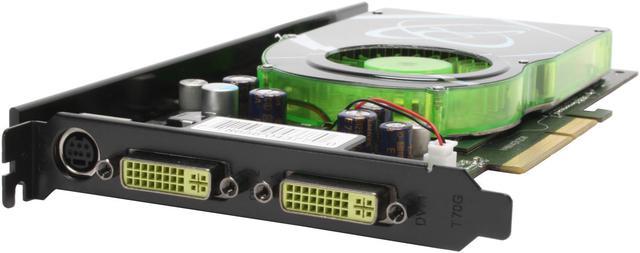
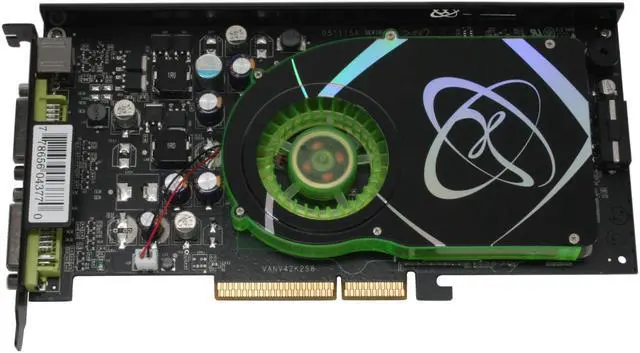
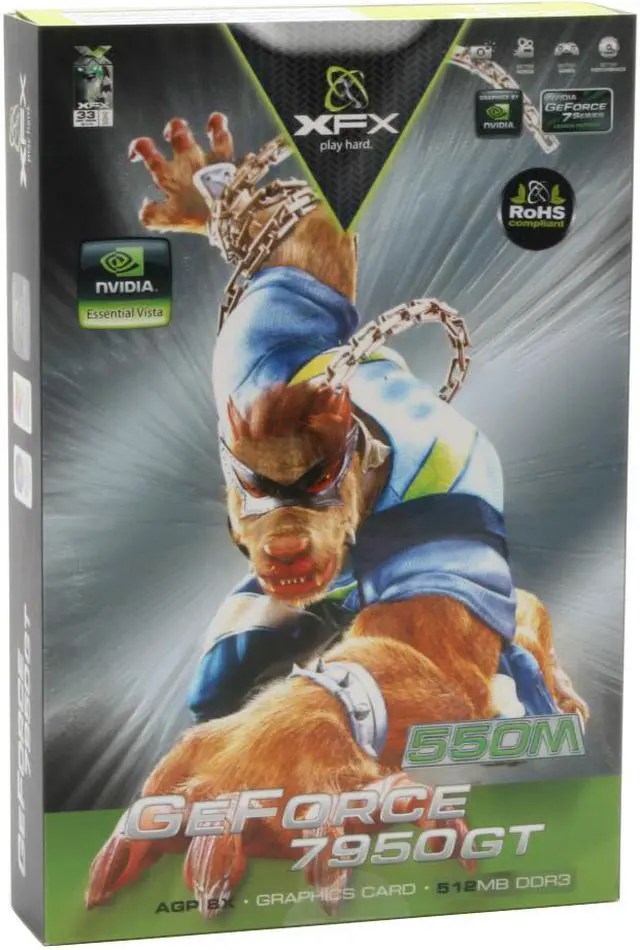
Do you have a system with an AGP slot and are bummed that you don’t get the coolest new toys? Cheer up! XFX has an 8x AGP card using the GeForce 7950GT GPU. They coupled it with 512MB of GDDR3 memory for a highly capable card. Dual DVI outs support 2560x1600 resolution and 1080i HDTV.
NVIDIA's PureVideo brings the technology from high-end video equipment to your computer. Dedicated processing cores and software delivers a vivid, lifelike picture free of the annoying artifacts and imperfections you get from standard PC-based video solutions.
Clear up your view and play at a higher level! XFX is ready for you -- are you ready for them?
-
- 5
-

- 39%
- 4
-

- 26%
- 3
-

- 8%
- 2
-

- 12%
- 1
-

- 15%
| Product Rating: |
   
|
| Total Reviews: |
129 |
Problems? Read this before sending back.
- Pros: Attention administrators, I know there are rules against this but please allow this post with the link it is to help your customers not have to return these cards. My card almost immediately, within an hour started going to a greenish hue and there were artifacts everywhere. Mark’s review lead me to fiddle with the VGA adapter. I know the cable is good because it is the same one I’ve been using. I had another DVI adapter that I tried and it produced the same results. Greenish hue and burgundy colored streaks to the side of the pointer and anything that moved really. So not being one to give up easily I went into my box of junk cables, cards and adapters (you know us tech nerds all have a box like this). I pulled out a DVI cable, and plugged it in. That’s when the true battle began. I could only get as far as the Vista loading bar, once it loaded the NVIDIA driver that came with the card I got “No signal detected” on my monitor. See, “Cons” for continuation of this.
- Cons: At first I thought the no signal thing was some issue with the monitor’s DVI setting, but then why would I get video during boot up. Out of a hunch, I tried booting into safe mode with DVI plugged in and sure enough it worked like a charm, with no artifacts. This told me right away that it was a driver issue. On a 22 widescreen 800x600 is almost unusable for net surfing so I plugged the VGA adapter in restarted and went on the net hunting for solutions. Turns out through the green hue of the screen there were people complaining about DVI driver issues in Windows VISTA with the 7950gt agp card. It was exactly what was happening to me, works fine until the driver loads and then “No signal” NVIDIA has done a terrible job in releasing up to date drivers for this card it is not recognized in the 7000 series “universal” driver. After a bunch of hunting I eventually found a driver that had its .inf file altered to include the 7950gt card so that setup would recognize it. Continued in “Other t
- Other Thoughts: This driver can be found here. http://downloads.guru3d.com/download.php?det=1621
Download 158.24 for your flavor of Vista 32 or 64. Be warned, when you download and try to install it you may get a message about the driver being for Windows XP and 2000 and can’t be installed. I had to right click on the setup program, Choose properties, then click the compatibility tab, and check “Run this program in compatibility mode for: Windows XP (service pack 2) The setup worked like a charm after that, and so did the DVI. You may ask why I was using an analog VGA adapter to begin with; well honestly I’m too cheap to go buy a new DVI KVM switch. My best guess as to why this is happening is there is something going on with stray frequencies coming from the memory, or the gpu which are screwing with the analog frequency of VGA. This might explain why a digital connection isn’t affected. Good luck to all and I hope this helps because this card is pretty sweet when it works.
Excellent AGP Platform Extender
- Pros: Among top AGP solutions;
1950 pro <7950gt <1950xt. Single slot, 512mb, cool running, simple cooling(more reliable). I got 4700 3dmark06 non OCed. It was 4475 with an RMA'd 1950 pro on my rig. Advantages over 1950xt; single slot, relatively less power requirements, less complex cooling. I found the 512mb makes a big difference when playing at 1600x1200 or above. Oblivian looks like a new game over my old 7800gs 256mb. There is almost no fade in of objects in the distance. All detail is there right from the start. I highly recommend this card for those wanting to extend the life of their old AGP rig until DX10 games truly take hold. This will play everything available now at top settings and at high resolutions.
- Cons: Slower than 1950xt
| Model | PVT71AYDF3 |
| Interface | AGP 4X/8X |
| Chipset Manufacturer | NVIDIA |
| GPU | GeForce 7950GT |
| PixelPipelines | 24 |
-
- 5
-

- 39%
- 4
-

- 26%
- 3
-

- 8%
- 2
-

- 12%
- 1
-

- 15%
| Product Rating: |
   
|
| Total Reviews: |
129 |
Please, Pay Attention to This!
- Pros: This is one of the fastest AGP boards. Finally got some decent drivers from the xfx website.
Got a 50 dollar price drop, (still overpriced)
I would give it a 1 because it is a poorly engineered product, but when it works, it REALLY works.
- Cons: This card will not last you the year, i can garuntee it. Forget about the fact that it run hot, it has a much more serious problem.
This card has a faulty fan. Read the other reviews, I'm not lying when I say this. The fan will slowly come apart and hit the top of the heatsink bringing it to a stop.
You can try to work around this by removing the entire top panel of the heatsink (raising ur gpu temp by 6 degrees C on average), or you can flip your whole computer tower upside down. I tried both, and that gave it about 2 more weeks of life, until the fan just died.
In addition to that, i had a faulty dvi connector out of the box... joy.
Read other thoughts
- Other Thoughts: Do not think that "oh, maybe mine wont be bad?" Come on people. I got it the day it came out and mine lasted longer then all of my friends. 3 of us got it, All of ours died (yes, this EXACT card). The card WILL DIE. It's inevitable.
The question becomes, are you willing to spend 200+ dollars for a few months of great speed, followed by complete failure?
This was the final straw. I had been relucntant to go to pci-e, but now it would be stupid to stay in agp any longer, especially with the 8800GT selling at the same price as this card.
This card is a failure... Save your money and upgrade. I only wish u do not have to go through the same pain i did...
Still Going Strong
- Pros: As many have already said, it extends the life of an AGP system. The earlier driver compatibily issues have been resolved. Just go to the XFX website to get the latest drivers. The 163.71 XP drivers installed without a problem.
- Cons: Runs a little hot but original cooling solution seems to be holding up so far.
- Other Thoughts: I bought this card and have had no issues with it other than with the first couple of driver releases having difficulty recognizing the card during install. If you do not want to go to PCI express just yet, I would consider this card to be a nice upgrade. Be aware that a few DX10 AGP cards are rumored to be in the works so you may want to wait. If they do show up, you will at least know where to buy one.........Newegg.com!!!!!
- Pros: Easy to install and easy to find the latest drivers,
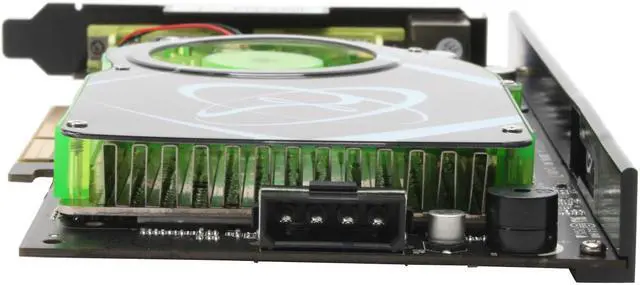
- Cons: Since it has its on fan you may need at least a 300 watt power supply to be safe.
- Other Thoughts: card is kind of long so be sure you have plenty of room.
| Model |
| Brand |
XFX |
| Model |
PVT71AYDF3 |
| Interface |
| Interface |
AGP 4X/8X |
| Chipset |
| Chipset Manufacturer |
NVIDIA |
| GPU |
GeForce 7950GT |
| Core Clock |
550MHz |
| PixelPipelines |
24 |
| Memory |
| Memory Clock |
1400MHz |
| Memory Size |
512MB |
| Memory Interface |
256-bit |
| Memory Type |
GDDR3 |
| 3D API |
| DirectX |
DirectX 9 |
| OpenGL |
OpenGL 2.0 |
| Ports |
| DVI |
2 x DVI |
| TV-Out |
HDTV / S-Video Out |
| VIVO |
No |
| General |
| Tuner |
None |
| RAMDAC |
400 MHz |
| Max Resolution |
2560 x 1600 |
| RoHS Compliant |
Yes |
| Cooler |
With Fan |
| Dual-Link DVI Supported |
Yes |
| Features |
| Features |
Microsoft DirectX 9.0 Shader Model 3.0 Support Next-generation Superscalar GPU Architecture NVIDIA CineFX 4.0 Engine NVIDIA Digital Vibrance Control (DVC) 3.0 Technology NVIDIA Intellisample 4.0 Technology NVIDIA PureVideo Technology NVIDIA UltraShadow II Technology nView Multi-Display Technology |
| Packaging |
| Package Contents |
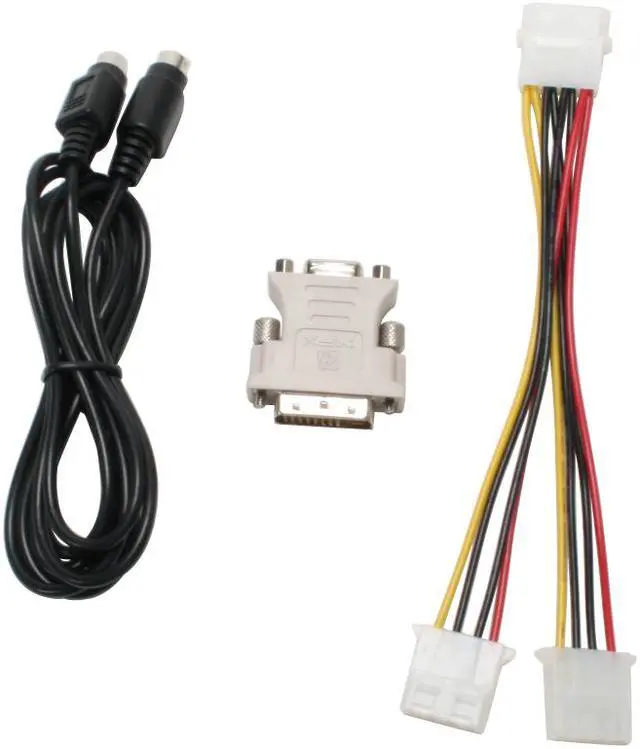
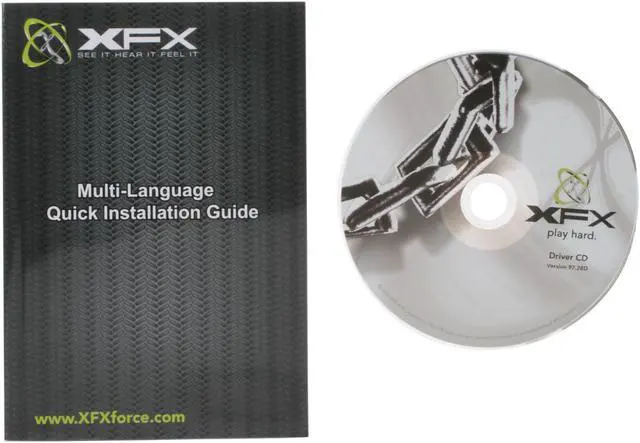
PVT71AYDF3 User Manual Driver Disk S-Video Cable Power Cable DVI to VGA/D-sub Adapter |
| Manufacturer Warranty |
| Parts |
Lifetime limited |
| Labor |
Lifetime limited |
Introduction
Do you have a system with an AGP slot and are bummed that you don’t get the coolest new toys? Cheer up! XFX has an 8x AGP card using the GeForce 7950GT GPU. They coupled it with 512MB of GDDR3 memory for a highly capable card. Dual DVI outs support 2560x1600 resolution and 1080i HDTV.
NVIDIA's PureVideo brings the technology from high-end video equipment to your computer. Dedicated processing cores and software delivers a vivid, lifelike picture free of the annoying artifacts and imperfections you get from standard PC-based video solutions.
Clear up your view and play at a higher level! XFX is ready for you -- are you ready for them?
Highlights
 |
AGP 4X / 8X Interface The XFX PVT71AYDF3 features an AGP 4X / 8X interface so you can upgrade your existing platform with boosted graphics performance for mainstream gaming.
|
 |
NVIDIA CineFX 4.0 Engine Delivers advanced visual effects at unimaginable speeds. Full support for Microsoft DirectX 9.0 Shader Model 3.0 enables stunning and complex special effects. Next-generation shader architecture with new texture unit design smoothes texture processing for faster and smoother gameplay.
|
 |
NVIDIA Intellisample 4.0 Technology The industry's fastest antialiasing delivers ultra-realistic visuals, with no jagged edges, at lightning-fast speeds. Visual quality is taken to new heights through a new rotated grid sampling pattern, advanced 128 tap sample coverage, 16x anisotropic filtering, and support for transparent supersampling and multisampling.
|
 |
NVIDIA PureVideo Technology The combination of high-definition video processors and decoder software delivers unprecedented picture clarity, smooth video, accurate color and precise image scaling for all video content to turn your PC into a high-end home theater.
|
 |
Dual Dual-link DVI Support Supports high-definition, unparalleled image quality on a pair of widescreen flat panel displays with resolutions as high as 2560x1600 for an ultra-realistic HD gaming experience.
|
 |
Built for Microsoft Windows Vista Built for Windows Vista, NVIDIA's third-generation GPU architecture offers users the best possible experience using the Windows Aero 3D graphical user interface available in Microsoft latest operating system.
|
Quick Specs
| Brand | XFX |
| GPU | GeForce 7950GT |
| Memory Size | 512MB |
| Memory Type | GDDR3 |
| Core Clock | 550MHz |
| DVI | 2 x DVI |
| TV-Out | HDTV / S-Video Out |
| Interface | AGP 4X/8X |
|