Skip to: |

Newegg.com - A great place to buy computers, computer parts, electronics, software, accessories, and DVDs online. With great prices, fast shipping, and top-rated customer service - once you know, you Newegg.

If you are reading this message, Please click this link to reload this page.(Do not use your browser's "Refresh" button). Please email us if you're running the latest version of your browser and you still see this message.

Newegg.com - Computer Parts, Laptops, Electronics, HDTVs, Digital Cameras and More!

  • | Wish List
  • Help
Network Attached Storage (NAS)
Search

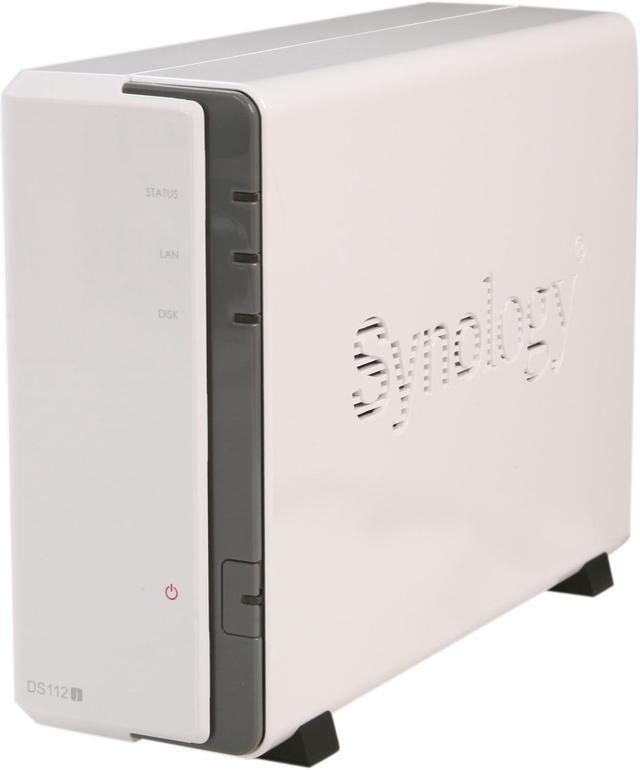
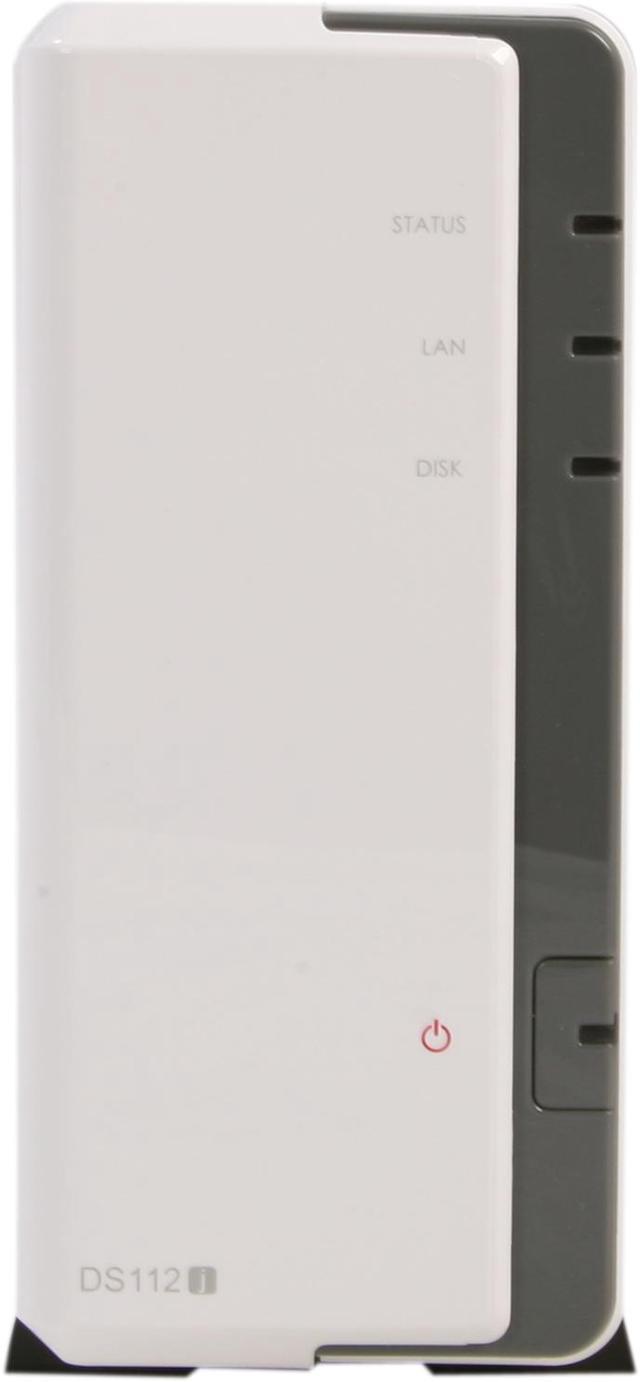
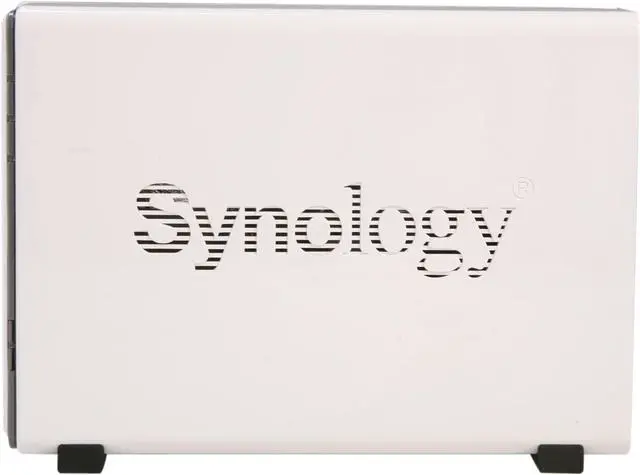
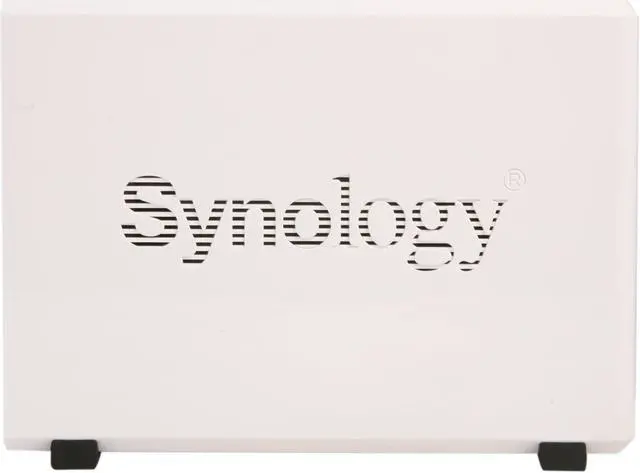
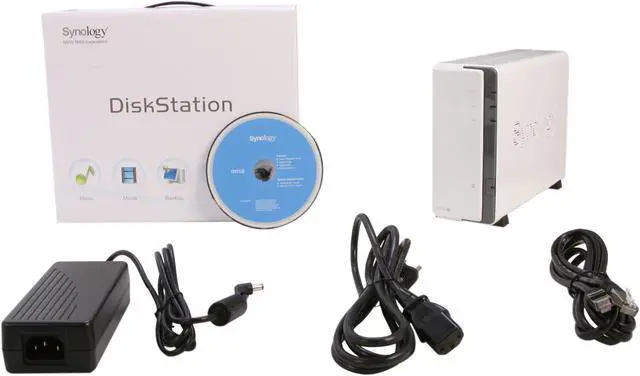
Synology DS112j Diskless System Budget-friendly 1-bay NAS server for Home Users

  • Desktop
  • Usage Backup & stream media through personal cloud
  • Diskless System
  • 1.0GHz Processor
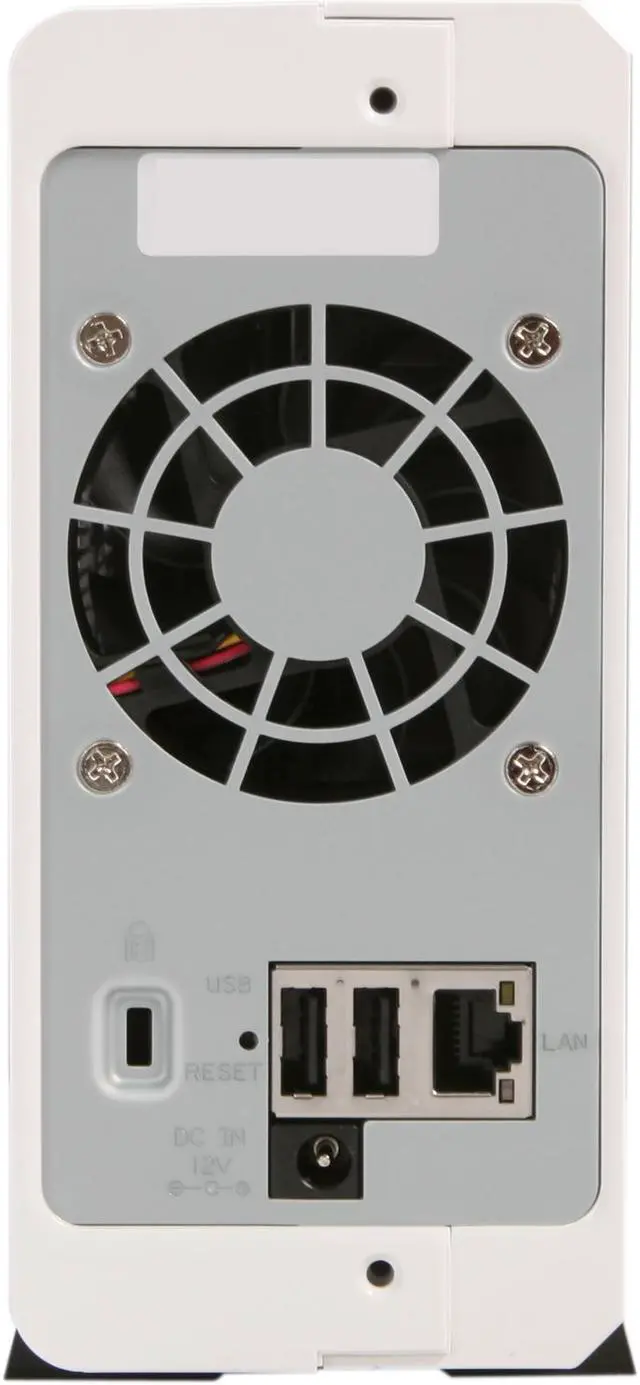
  • 1 x 10/100/1000M
  • 2 x USB2.0
  • Pin It
  • Email this page
ICON Loading...

Learn more about the Synology Inc. DS112j

General

Brand
Synology
Model
DS112j

Interfaces

Port RJ-45
1 x 10/100/1000M
Port USB
2 x USB2.0
HDD Interface
3.5" or 2.5" SATA(II) X1 (With optional 2.5" Disk Holder) (Hard drive not included)

Configuration

Form Factor
Desktop
Processor
1.0GHz
Default/ Max. Memory
128MB

Hard Drive Performance

Included HDD Capacity
Diskless System

Conveniences

Supported Protocols
Networking Protocols
- CIFS
- AFP
- NFS
- FTP
- WebDAV
- iSCSI
- Telnet
- SSH
- SNMP
Management
Storage Management
- Max Volume # : 1
- Max File System Size : 16TB
- Max iSCSI Target # : 10
- Max iSCSI LUN # : 10
- Supported RAID Type : Basic

Management
- Auto DSM Upgrade
- Administrator Group
- Email Notification
- SMS Notification
- Customized User Quota
- DDNS Support
- IPv6 Support
- PPPoE
- Resource Monitor
- UPS Management
- Scheduled Power On/Off
- Custom Management UI HTTP/HTTPS Ports

HDD Management
- HDD Hibernation
- S.M.A.R.T.
- Dynamic Bad Sector Mapping

Features

Features
24/7 Personal Cloud

2.5" and 3.5" HDD Support

Hardware Encryption Engine

Cool and Quiet Design

Power-saving with only 12.1 Watts in Operation

Running on Synology DiskStation Manager (DSM)
Usage
Backup & stream media through personal cloud

Dimensions / Weight

Dimensions
8.81" x 6.54" x 2.8"
Weight
1.59 lbs.

Environment

Temperature
5°C - 35 °C
Humidity
5-95% R.H

Quick Info

Warranty

  • Limited Warranty period (parts): 2 years
  • Limited Warranty period (labor): 2 years


Customer Reviews of the Synology Inc. DS112j

Do you own this product? Write a Review

Filter Results

Go
  • Tom
  • 5/14/2013 12:05:14 PM
  • Tech Level: Somewhat High
  • Ownership: 1 week to 1 month
  • Verified Owner

5 out of 5 eggsExcellent Value and Great Operation - a few caveats

Pros: Tons of functionality for the price, very power efficient, reliable and predictable software and hardware operation. Very slick and easy to use GUI available from any machine using the internet. Can access the actual OS using terminal connectivity (looks like LINUX). Great User Account controls. Great add on functionality which is all free through Synology. Cloud is easy to setup and keeps multiple machines in synch effortlessly. Android and Apple apps - wrok great and free.

Cons: Documentation is a bit useless - it sort of tells you everything you can get from the interface and the messages issued by the GUI but often does not go into details about what happens when certain selections are made.

Other Thoughts: The system is great and I am happy I purchased it. Some caveats though could help new buyers. As soon as you have it up and running go to the control panel and check for a DSM (system) update (nowhere is this suggested). If you plan on uploading photos, do so using the Synology photo up-loader (this is avail on the Synology site and uses the client CPU HP to generate thumbnails – saves tons of time). AudioStation is great (a bit limited in functionality but all the necessities are there). Register for the User community blog on the Synology site - big help. The PhotoStation software allows you to control which folders (which are essentially albums) your various users can access. This ability goes down 2 folders of granularity – it would be great if it went further perhaps a minimum of 5 levels. Would be nice if the AudioStation could use Cloud music files instead of a shared folder (minor issue for me).

Did you find this review helpful? Yes No

  • N/A
  • 5/3/2013 12:11:49 PM
  • Tech Level: Somewhat High
  • Ownership: 1 week to 1 month
  • Verified Owner

3 out of 5 eggsentry-level NAS

Pros: Good software
Easy to use
Easy to understand

Cons: Enclosure is very large and very empty
Processor is slow
Only 128MB RAM
Setup diagnostics mislead me into thinking I had a problem with my network switch (the HDD was bad)

Other Thoughts: I installed this device in a Structured Media Enclosure in the back of a closet and used this to serve the three computers in my house. I have one folder for media (pictures, movies, music) and one encrypted folder (personal information). Because I put this in a narrow space, I definitely noticed how large this device was relative to the size of the HDD; there's a lot of empty space--this is probably not a big deal to most users though.

The specs on this thing allow only light duty, at best. I attempted to install Java and Crashplan, and they alone maxed out the RAM. Encryption is exceedingly slow on this thing; I've used encryption on HDDs on my desktop and never had a significant performance hit. This is another story. Reads and writes are 10% of what they are with unencrypted data. Doing a large file copy and logging in as an administrator sometimes crashed the device.

I can't recommend this one, but I've since upgraded to the more robust version of their 1-bay NAS, and it's a world of difference. I've given up on the Crashplan, but the device is just so much more tolerant of heavy usage. The software to manage the device is just so much snappier and more responsive. The encrypted folder mounts considerably faster. File transfers are faster (still slower than what Synology advertises on its website, but definitely quick enough for me). This device could work for very light duty, but I have to recommend going with then next higher version for room to grow.

Did you find this review helpful? Yes No

  • f3hunter
  • 4/8/2013 6:42:46 PM
  • Tech Level: Somewhat High
  • Ownership: 1 week to 1 month
  • Verified Owner

5 out of 5 eggsFantastic!

Pros: 1.Easy Physical setup-Snap in HD and ready to go.
2.Build Quality-Very Good
3.GUI is the best I've ever seen-wow! So many things you can do with this unit.
4.Backs up my systems (work/home)-secure remote web services with nice GUI-Plays movies flawlessly to DNLA TV Setup/Streams music great. Iphones/Ipad/Computers all connect to this wonderfully.
5.Too many things to list.

Cons: 1.Better consolidation of settings and applications would be nice. example: the the privilege settings can get confusing as far as setting up, they are kind of all over the place. But by playing around with it-you get it down.

Other Thoughts: I was a Buffalo NAS user for some time-I am so glad I ventured off and found Synology, hands down the best I've seen!

Did you find this review helpful? Yes No

  • guillaumesoucy
  • 2/7/2013 11:27:13 AM
  • Tech Level: High
  • Ownership: 1 week to 1 month
  • Verified Owner

5 out of 5 eggsExellent Produit.

Pros: Je le reccomande a tous le monde, il est simple d'utilisation et il est frais et sciencieux... Et aussi il est tres performant en 1gbps.

Cons: Aucun!

0 out of 1 people found this review helpful. Did you? Yes No

  • N/A
  • 2/3/2013 7:06:00 PM
  • Tech Level: High
  • Ownership: 1 month to 1 year
  • Verified Owner

5 out of 5 eggsGREAT PRODUCT

Pros: VERY GOOD PRODUCT. YES , YOU MUST HAVE SOME TECH KNOWLEGDE WHEN IT COMES TO OPENING PORTS TO ACCESS THIS NAS DEVICE ANYWHERE IN THE WORLD REMOTELY ( BY ANDROID APP OR BY INTERNET ) OVERALL ITS A GOOD PRODUCT. VERY GOOD TO STORE YOUR IMPORTANT FILES AS BACK UP AND HAVE ACCESS TO THEM AT ALL TIMES

Cons: NONE!!!

Other Thoughts: YOU ALSO GET EMAIL ALERTS IF YOU LOOSE POWER ON THE DEVICE

ALSO YOU CAN SHEDULE IT TO BE ON FOR A CERTAIN AMOUNT OF HOURS. INSTEAD OF RUNNING IT 24HRS/ 7 DAYS A WEEK

I KEEP IT ON 12 HOURS AND IT SHUTS OFF AUTOMATICALLY, AND OPENS 12 HOURS LATER. DO YOU HONESTLY NEED THIS TO RUN WHEN YOU SLEEP. JUST A GOOD IDEA TO SAVE POWER AND HD LIFE !!

Did you find this review helpful? Yes No

  • N/A
  • 11/11/2012 6:48:58 PM
  • Tech Level: High
  • Ownership: 1 week to 1 month
  • Verified Owner

5 out of 5 eggsamazing

Pros: AMAZING GUI. IT TAKES A LITTLE BIT OF TECH KNOWLEGDE. SIDE NOTE, YOU HAVE TO OPEN SOME PORTS TO ACCESS THIS FROM YOUR EXTERNAL IP. GREAT PRODUCT VERY HAPPY. SO MANY FEATURES. YOU CAN SET A TIMER ON WHEN YOU WANT IT ONLINE OR OFFLINE. YOU CAN EVEN ADD YOU EMAIL FOR ALERTS/ NOTIFICATIONS ETC...VERY HAPPY. SUPPORTS A 4TB HD. I HAVE ALL MY IMPORTANT FILES ON THE GO VIA MOBILE OR INTERNET LOGIN

Cons: NONE

Other Thoughts: WORTH EVERY PENNY

1 out of 1 people found this review helpful. Did you? Yes No

  • MasterHD
  • 9/24/2012 11:56:03 PM
  • Tech Level: Somewhat High
  • Ownership: 1 month to 1 year
  • Verified Owner

5 out of 5 eggsMore than I bargained for

Pros: * Web interface is great, the GUI looks like a computer desktop.
* Cloud feature is amazing. I bought this 1-bay instead of the 2-bay so it could act as a redundancy to the files on my other computers. Now my PC's "My Documents" folder is always synced and backed-up on the NAS in case either one fails.
* Files can be accessed online, just be sure to use a strong password so that hackers can't break in, after setting your router to allow DMZ or port-forwarding.
* Ability to setup folders as mapped network drives so they are easily accessible through Windows Explorer on any PC.
*Android App to access files with a smart phone.

Cons: * The photo station software was a bit lacking. It was also very slow at converting images into thumbnails. I gave up using those features.
* Setting up some of the more complex features was sometimes confusing, but the help files were useful most of the time.

Other Thoughts: * Be sure to update to the latest software and apps before trying to setup anything.

Did you find this review helpful? Yes No

  • ARRRR
  • 6/20/2012 10:27:15 AM
  • Tech Level: High
  • Ownership: 1 week to 1 month
  • Verified Owner

1 out of 5 eggsWARNING: Won't power on after reboot

Pros: Web interface is OK, but A WORD OF WARNING. It will not power on after you power it down.

Cons: WARNING: I had the DS112j for about a week. I copied about 2TB of data to my HDD, and I thought I was all set. I turned the device off, and then it would not turn back on. Just a flashing blue LED. I tried everything, reseating HDD, powering with HDD in and also without, holding down power button to force a reboot, etc. Nothing. After reading Synology's forums, there seems to be a problem with the motherboard on the DS line of products. Many others have encountered this problem as well.

I contacted Synology support, and they confirmed that the motherboard was bad and said that I need to get an RMA. I say they need to fix the issue with their motherboards.

So now I have to send in for an RMA and pay for shipping again. Not too happy about that.

Other Thoughts: Newegg RMA process should look at options to compensate people for shipping when they receive a defective product. Why must I pay to ship this again when it is defective?

Or how about "RMA shipping insurance" - a $2.00 optional add-on at purchase. If you need an RMA, shipping will be covered if you purchased RMA shipping insurance. If not, then you pay for shipping. This could be a new source of revenue for NewEgg for all the people who opt-in and purchase RMA Shipping Insurance and don't use it. If too many people use it and you lose money, then increase the price.

8 out of 10 people found this review helpful. Did you? Yes No

  • Nick
  • 5/18/2012 1:12:24 PM
  • Tech Level: Somewhat High
  • Ownership: 1 day to 1 week
  • Verified Owner

5 out of 5 eggsWOW, Easy to Setup

Pros: This is my 1st NAS, for about 3 years I've been looking but didnt like what i was seeing on till I came to some Synology reviews. So i want to be cheap & i took a chance, I must say I am very please how easy it was to setup. it runs cool and quiet. Easy to use interface you can try out a demo on Synology's website.

Cons: After leaving it on for 3 days i got a error when trying to access my files, but a quick restart from DSM resolve my issue, no biggie. havent had a problem since then.

Other Thoughts: I put this together with a Samsung Ecogreen 2TB bare drive all together for $250. when you install DSM from the disc just update it to to 4.0.

I love useing this as a media server it plays most video files & and PS3 detects it with default shared folders.

I will deffently buy again from Synology

1 out of 1 people found this review helpful. Did you? Yes No

  • SS
  • 4/25/2012 2:13:16 PM
  • Tech Level: High
  • Ownership: 1 week to 1 month
  • Verified Owner

5 out of 5 eggsWonderful NAS

Pros: Synology consistently impresses me with their NAS boxes, of which I have had experience with 3 so far. What makes their implementation different from other NAS providers is their software. Most companies package a new software with each hardware revision. Synology continually develops their DSM (version 4.0 of this writing) to work behind each of their NAS boxes.

This is a constant refreshing surprise when a new DSM is released. You never have to worry about software versions, your NAS from 3 years ago will run the same software as your new NAS purchased yesterday, only on differing hardware platforms.

WebDAV works great, the FTP is easy to setup, and smartphone integration works surprisingly well.

I would be hard pressed to switch NAS providers, considering Synology's dedication to a consistent software platform and easy entry-point systems.

I put this system together with a WD-2TB Green drive for just around $250.

Cons: The smartphone applications need some reworking, however I have yet to find an Android application that is not updated fairly regularly.

NAS boxes are still for the tech inclined. Through no fault of their own, some applications (Windows 7 w/ webDAV, router port forwarding), is not yet mainstream. If you are looking for "plug and play" get an external hard drive.

Other Thoughts: Pick these up while they are under $180, they are easily worth that but at $150 you won't find a better deal... Until it floods there too...

1 out of 1 people found this review helpful. Did you? Yes No

ICON Loading...

Protect Your Investment!

    • (more options) read warranty details
Are you an E-Blast Insider? Subscribe Newegg e-Blast

Buzz

amazing

5 out of 5 eggs
AMAZING GUI. IT TAKES A LITTLE BIT OF TECH KNOWLEGDE. SIDE NOTE, YOU HAVE TO OPEN SOME PORTS TO ACCESS THIS FROM YOUR EXTERNAL ...
— 11/11/2012

WOW, Easy to Setup

5 out of 5 eggs
This is my 1st NAS, for about 3 years I've been looking but didnt like what i was seeing on till I came to some Synology ...
— Nick 5/18/2012


PayPal
Shop without retyping payment details. Secure shopping made faster.
Check out with PayPal.

Financing


LOADING... LOADING...
Shop by Region: United States | Canada | China
Follow us:   RSS Feeds Youtube
VeriSign Reliability Seal1This site protected by Trustwave's Trusted Commerce program Inc500
Policy & Agreement | Privacy Policy  © 2000-2013 Newegg Inc.  All rights reserved.
If the Adobe Reader does not appear when you click on a link for a PDF file, you can download Adobe Reader from the Adobe web site. nassau