Skip to: |

Newegg.com - A great place to buy computers, computer parts, electronics, software, accessories, and DVDs online. With great prices, fast shipping, and top-rated customer service - once you know, you Newegg.

If you are reading this message, Please click this link to reload this page.(Do not use your browser's "Refresh" button). Please email us if you're running the latest version of your browser and you still see this message.

Newegg.com - Computer Parts, Laptops, Electronics, HDTVs, Digital Cameras and More!

  • | Wish List
  • Help
Home
Home > 
Computer Hardware > 
Printers / Scanners & Supplies > 
Laser Printers > 
SAMSUNG > 
Item#: N82E16828112251

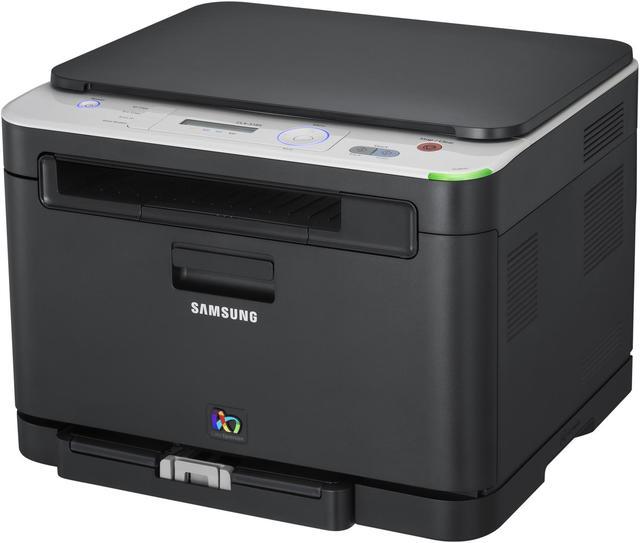
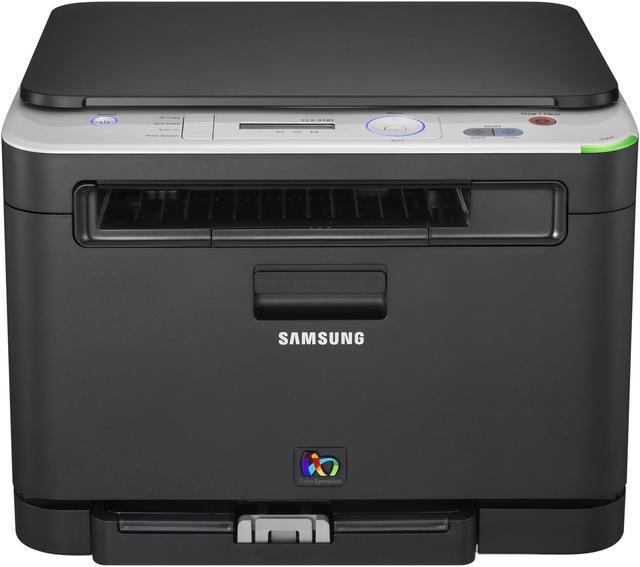
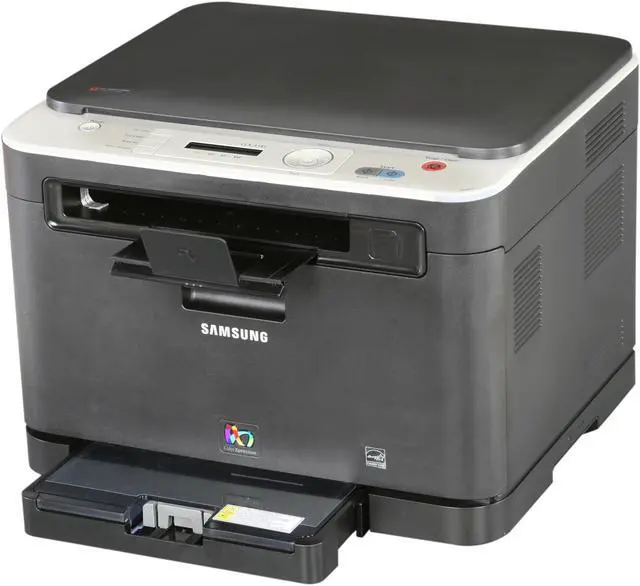
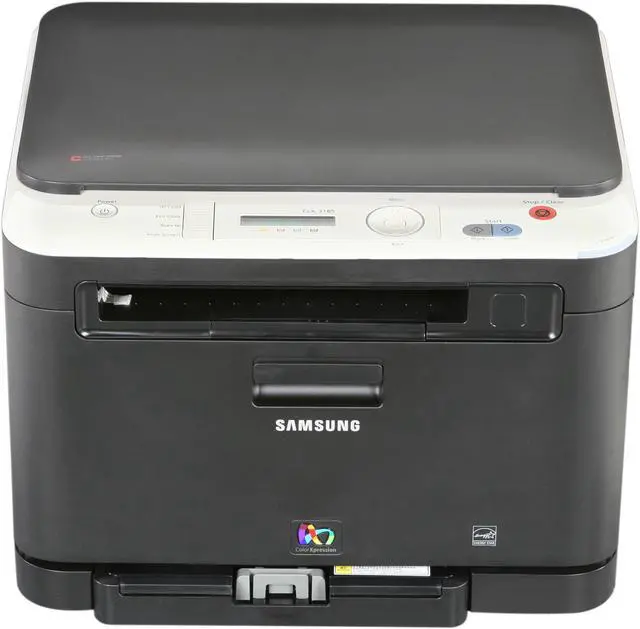
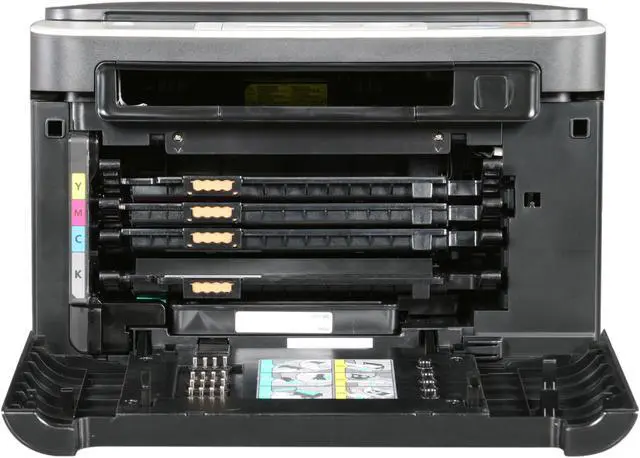
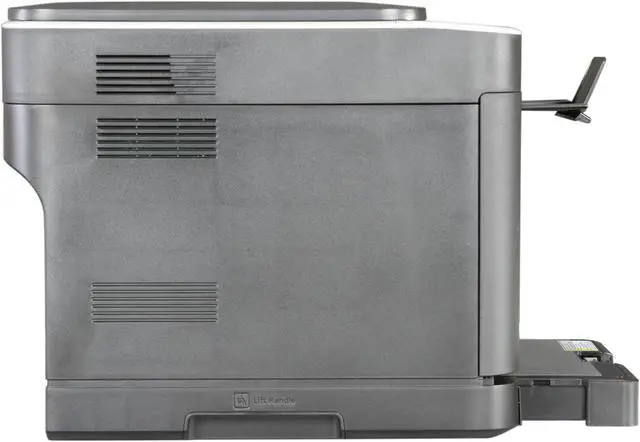
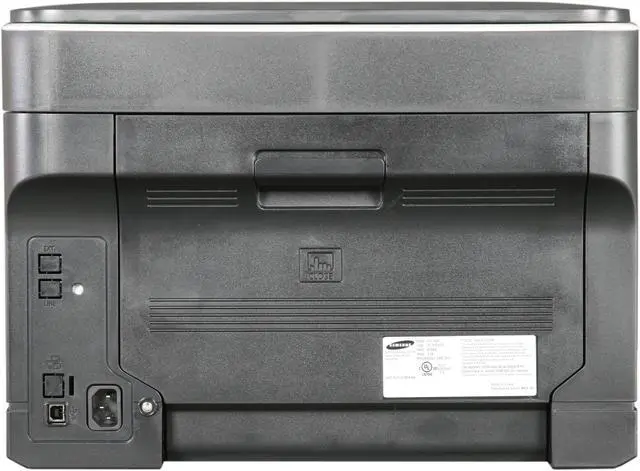
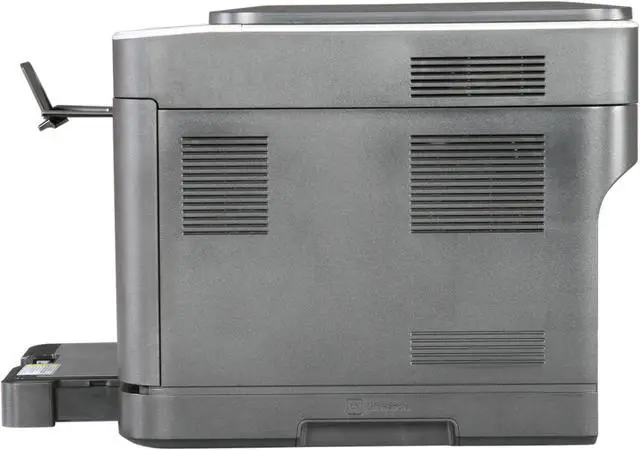
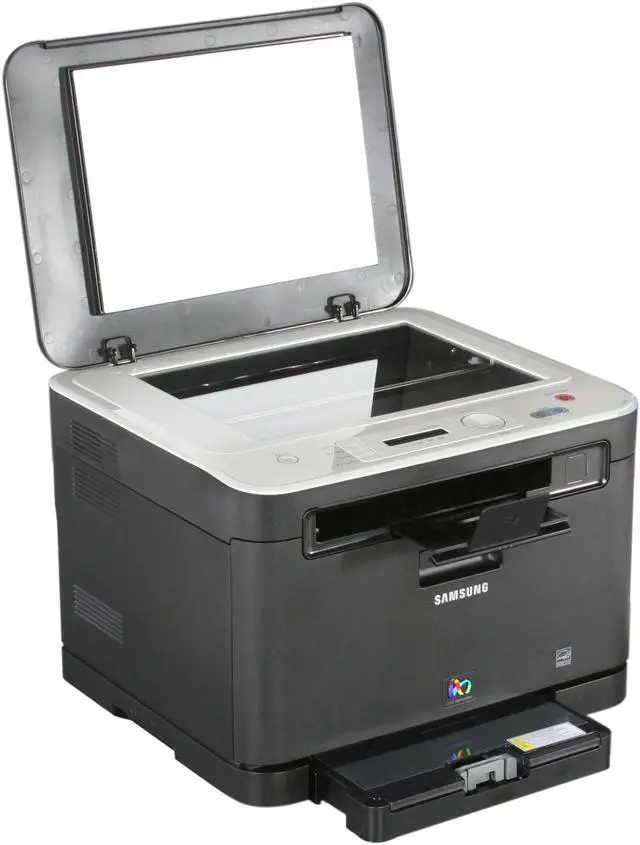
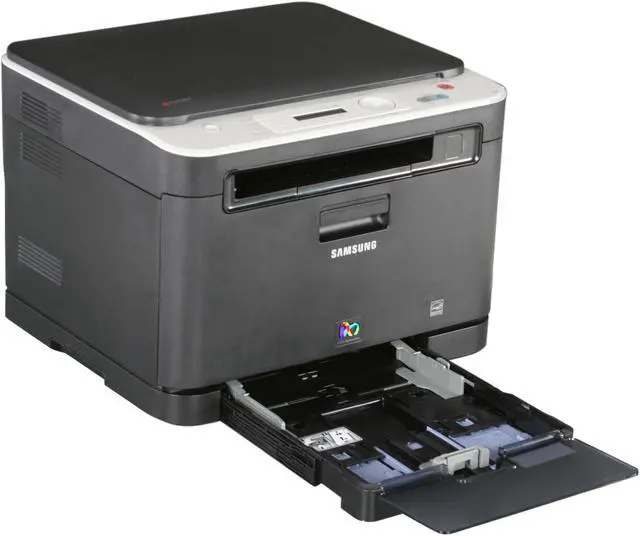
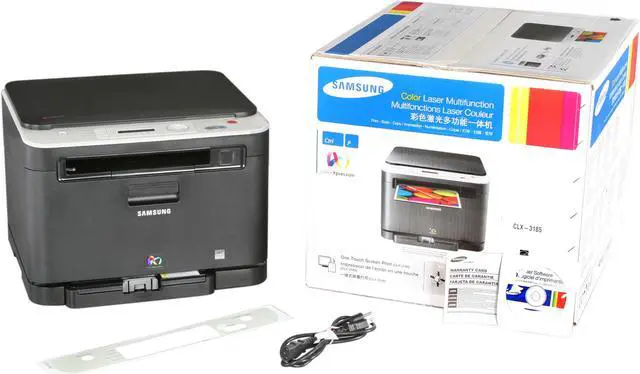
SAMSUNG CLX-3185 MFC / All-In-One Up to 16 ppm in A4 (17 ppm in Letter) Speed 2400 x 600 dpi Color Print Quality Color Laser Printer

  • CLX-3185
  • 2400 x 600 dpi
  • Max 20000 pages monthly
ICON Loading...


Whether you're printing out a presentation for that big meeting or scanning a few favorite photos to send to family members, the versatile 3-in-1 Samsung CLX-3185 printer lets you do it all. And do it with absolute convenience. Take the ultra-handy Print Screen button that lets you print everything on your screen. Just one quick touch and you're printing with impressive, high quality color with up to 2,400 x 600 dpi. And it's not only simple to use and powerful, it's quiet, fast and compact. And it does much more than print - its multi-purpose functions let you scan and copy.


Learn more about the SAMSUNG CLX-3185

General

Brand
SAMSUNG
Model
CLX-3185
Recommended Use
MFC / All-In-One
Display
2-Line LCD Display
Dimensions
16.38" x 14.88" x 12.22"
Weight
31.4 lbs.

Printing

Output Type
Color
Laser Technology
Laser
Black Print Speed
Up to 16 ppm in A4 (17 ppm in Letter) Speed
Color Print Speed
Up to 4 ppm in A4 (4 ppm in Letter) Speed
Black Print Quality
2400 x 600 dpi
Color Print Quality
2400 x 600 dpi
Time To First Page (seconds)
First print out time (Mono) Less than 14 seconds (From Ready Mode)
First print out time (color) Less than 26 seconds (From Ready Mode)
Emulations
SPL-C (Samsung Printer Language Color)
Duplex printing
Manual
Max. Duty Cycle
Up to 20,000 pages monthly

Copying

Copy Speed, Black
up to 16 cpm in A4 (17 cpm in Letter)
Copy Speed, Color
Up to 4 cpm in A4 (4 cpm in Letter)
Copy Quality, Color
Text/ Mixed/ Magazine Mode: Up to 600 x 600 dpi/ Photo Mode: Up to 1/200 x 1/200 dpi
Max. Document Enlargement
400%
Max. Document Reduction
25%
Max. Number of Copies
99

Scanning

Scan Resolution, Optical
1200 x 1200 dpi
Scan Resolution, Enhanced
4800 x 4800 dpi

Media Handling

Input Capacity, std.
130-sheet
Output Capacity, std.
80-sheet
Media Type
A4/ A5/A6/ Letter/ Legal/ Executive/ Folio/ ISO B5/ JIS B5/transparency(Mono Print Only)/ glossy photo220 g/m2/ Envelope/ labels/ cardstock/ recycled
Media sizes supported
76 x 152.4mm (3 x 6") - 216 x 355.6mm (8.5 x 14")

Ports

USB Ports
High speed USB 2.0

Hardware SPEC

Noise Level (Approx.)
Less than 46 dBA (Color)/ Less than 48 dBA (Black)/ Copying: Less than 50 dBA
Memory, std.
128 MB

Features

Features
Copy
First copy out time (mono) less than 18 sec
First copy out time (color) less than 45 sec
ID Copy/ Clone Copy/ N-UP Copy/ Poster Copy

Scan
Color flatbed Scanner
Scan to Client (PC)/ Folder function
Scan Function Compatibility with TWAIN: Win 2000/XP/2003/Vista/2008/Win7/2008 R2/ WIA: Win XP/2003/Vista/2008/Win7/2008 R2

OS Compatibility: Windows 2000/XP/2003/Vista/2008/ Windows 7/2008 R2/ Mac OS X 10.3 - 10.6/ Various Linux OS including Red Hat 8.0 - 9.0/ Mandrake 9.2 - 10.1/ SuSE 8.2 - 9.2 and Fedora Core 1 - 4

Quick Info

Warranty

  • Limited Warranty period (parts): 1 year
  • Limited Warranty period (labor): 1 year


Customer Reviews of the SAMSUNG CLX-3185

Do you own this product? Write a Review

Filter Results

Go
  • N/A
  • 10/27/2012 2:53:10 PM
  • Tech Level: Somewhat High
  • Ownership: 1 month to 1 year
  • Verified Owner

5 out of 5 eggsA Vast improvement

Pros: I bought this for home use to replace a ink jet printer. the quality of the images is great. The ink last much longer than the inkjet cartridges. The scanning and copy functions have been very useful. We really have had no issues to mention.

Cons: I would love if it had a higher quality scanner, but I can't really complain. Even on this one point, the quality is pretty good.

Did you find this review helpful? Yes No

  • TV-Tastic
  • 9/4/2012 12:57:21 PM
  • Tech Level: Somewhat High
  • Ownership: 1 month to 1 year
  • Verified Owner

3 out of 5 eggsDecent Unit For The Price, Has A Few Issues

Pros: - Excellent Quality Solid Machine
- Very Economical w/Toner
- Toner Incredibly Inexpensive
- Excellent Quality Text-Only documents
- Solid High Resolution Scanning
- Compact Size, Sturdy & Light weight
- Reliable Printing, No Jams Due to Machine Failure

Cons: - Poor Photo and Image Printing Quality
- Terrible and Limited software for Scanning
- No WiFi or Bluetooth Capability

Other Thoughts: I got this as a shell shocker for $99.99 and considering that the toner for my falling apart, six year-old KM Magicolor costs a minimum of $120.00 per cartridge it was kind of a no-brainer. The first thing I noticed is that unlike my KM (and my old Sammy CLP series) you don't need a forklift to move it.

Text documents are fantastic although not impressed with image/photo printing at all. It's pretty awful for a CLP and although there are a ton of different color options (too many, really) and none seem to help.

No wireless printing but I knew that going into it and the scanning software is terrible and takes over when you try to manually crop the area and won't allow the dimensions you want forcing you to overscan and edit after the fact.

Had six months (with two computers using it) before having to replace yellow and black which if you buy new OEM is $50.00 per cartridge as opposed to $120.00 for the KM Magicolor and you can get aftermarket cartridges as low as $20.00.

Did you find this review helpful? Yes No

  • dogleg1957
  • 9/4/2012 5:24:31 AM
  • Tech Level: Somewhat Low
  • Ownership: 1 month to 1 year
  • Verified Owner

5 out of 5 eggssamsung clx 3185 mfc

Pros: price! on xmas sale for under 100 bucks! works great, just plug in play then updated current drivers from samsung

Cons: ink replacements are expensive more than what i paid for the printer. no cable from printer to computer was supplied, had to buy.

Other Thoughts: only used scanner couple times but worked fine

Did you find this review helpful? Yes No

  • N/A
  • 8/31/2012 12:01:10 PM
  • Tech Level: Somewhat High
  • Ownership: 1 week to 1 month
  • Verified Owner

5 out of 5 eggsGreat Items

Pros: Great Item, Great deal.

Cons: Nothing.

Did you find this review helpful? Yes No

  • Hieyeque
  • 7/7/2012 10:14:18 AM
  • Tech Level: High
  • Ownership: 1 month to 1 year
  • Verified Owner

4 out of 5 eggsWorthy Printer

Pros: Prints beautifully. Don't have much more information - haven't had to buy toner yet which is the real gotcha on printers.

Cons: Can't get the scanner to work on Windows Server 2008 R2. I have this printer hooked up to a server in the house, but can't get the scanner driver to load.
Not Wifi
No document feeder
I know these cost more, but I really expect every printer to be Wifi these days. It's just they want you to pay more for that - it should just be standard.

Other Thoughts: I would buy this printer again (that is if I ever get the scanner going).

Did you find this review helpful? Yes No

  • piroisl33t
  • 6/11/2012 2:12:57 PM
  • Tech Level: High
  • Ownership: 1 month to 1 year
  • Verified Owner

5 out of 5 eggsGreat Printer

Pros: Linux support, color, cheap, built well, scanning and printing has amazing detail!

Cons: Linux support is very weak. While it does exist almost all Customer Support will ignore you or tell you that it isn't supported. I ended up having to prove they supported the printer by emailing them their own brochure saying it supported linux. I fought them for 5 months with them claiming no linux support.

Other Thoughts: Works great now, drivers are fixed, just need to make sure filters and backends are installed in proper directories. my distro for example uses /usr/libexec/cups not /usr/lib/cups. just symlink /usr/lib/cups -> /usr/libexec/cups and all is perfect.

Also Samsung just joined the Platinum Linux support group pledging $500,000 a yr to Linux foundation! I see great linux support in the future.

Did you find this review helpful? Yes No

  • N/A
  • 5/29/2012 1:40:56 PM
  • Tech Level: Somewhat High
  • Ownership: 1 week to 1 month

3 out of 5 eggsGood Printer when it doesnt JAM!

Pros: Price!! Decent Scanner, Quality Printing when it works!

Cons: Paper Jam Error out from the box! Test different paper, Will eventually work if I power cycle it down and pull paper tray in & out!

Other Thoughts: The link to the firmware that was posted in previous review doesn't work!!! I can't find the firmware update from Samsung website!

Did you find this review helpful? Yes No

  • N/A
  • 5/15/2012 3:02:34 PM
  • Tech Level: Average
  • Ownership: 1 day to 1 week
  • Verified Owner

3 out of 5 eggsDecent Print Quality but the Paper Jams

Pros: I paid about $150 for this printer and I'm satisfied with the printing and scanning so far. The print quality is crisp and clear, and the speed isn`t too bad either once it gets fired up.

Cons: The paper tray does jam if you load too much paper in it. I removed the whole stack and put in only 5-10 sheets and it worked without a problem. It is annoying, though, to have to refill the tray ever so often.

Manufacturer Response:

Thank you for purchasing the Samsung CLX-3185 printer.

We apologize for the paper jams you have encountered. Our engineers have identified the cause of the paper jams and have corrected this with a firmware update, which you can find at http://downloadcenter.samsung.com/content/FM/201202/20120222183257985/CLX-3180_FWUpdate1Click.exe
1. Please download and run the file above.
2. Make sure the printer is turned on
3. If any other printers are connected via USB, make sure to disconnect them from the computer
4. Select the “USB Connected Printer” button
5. After firmware update, please turn the printer off, and then back on again.
6. Paper jamming issues should be resolved
If you experience any problems, or wish to be guided through the installation, please contact customer support at 1-800-SAMSUNG

Did you find this review helpful? Yes No

  • Teepers
  • 5/10/2012 3:43:44 PM
  • Tech Level: Somewhat High
  • Ownership: 1 month to 1 year
  • Verified Owner

5 out of 5 eggsExceptional Printer

Pros: Quiet, prints SHARP detailed images. Dont listen to the people bashing this printer, this is the best one I have ever owned!!!!! Sure every company will have doa units but sumsung makes a good product here, with an excellent price to boot! Just wish I had spent the extra cash to get the networked version, oh well.

Cons: NONE!!!!!

Did you find this review helpful? Yes No

  • Joe S.
  • 5/9/2012 8:50:37 AM
  • Tech Level: High
  • Ownership: less than 1 day

5 out of 5 eggsFirmware Patch Site...

Pros: I was looking at the reviews here to decide whether or not to buy this item and was reading the reviews.

As I currently have a Samsung ML-2510 (B&W) Laser Printer I was thinking of upgrading to a NEW Multi-Function Printer, Copier, & Scanner & was thinking about this one.

I LOVE the Samsung Printer I (CURRENTLY) have but would like the option of having a Copier & a Scanner as well.

Plus I like the feature that EACH individual color cartridge is a separate cartridge that is sold by itself.

Plus when I searched for the cartridges themselves I saw that I could get them for around $35.00 each - which isn't TOO bad.

I also saw that some people were having problems with the FirmWare site being at the wrong address. So I did some searching.

I'm NOT SURE if this message will pass through the Product Review Guidelines or not, BUT if it does then...

See below in the "OTHER THOUGHTS" section, THIS is the CORRECTED Site address for the FirmWare Updates for this printer.

Hop

Cons: Keep up the GREAT JOB NewEgg. I LOVE NewEgg but...

Here's something for you people at NewEgg to consider...

In your Reviews Section, there should be an option of POSTING A REPLY to a review that others can read & reply to as well that will ALSO be sent to the Reviewer as well...

This is something that I think your customers will appreciate as well.

I know I would.

I hope you take this into consideration...

Like they say... JUST something to think about...

Other Thoughts: www.samsung.com/us/support/owners/product/CLX-3185/XAA


Just COPY & PASTE the above address into your Address Bar...

THEN click on the DRIVERS SECTION...

Hope this helps...

0 out of 2 people found this review helpful. Did you? Yes No

ICON Loading...
Are you an E-Blast Insider? Subscribe Newegg e-Blast

Buzz

Scanner does not work and tech support does not exist

1 out of 5 eggs
Scanner does not work.The machine does not scan. This is a known issue on the company website but the response to the FAQ ...
— 2/29/2012

Constantly Jams/Makes Noises

1 out of 5 eggs
Printer constantly jams and makes loud "grinding" noises internally... rendering it pretty unusable except for scanning ...
— 4/16/2012


More Resources

PayPal
Shop without retyping payment details. Secure shopping made faster.
Check out with PayPal.

Financing


Home
Home > 
Computer Hardware > 
Printers / Scanners & Supplies > 
Laser Printers > 
SAMSUNG > 
Item#: N82E16828112251
LOADING... LOADING...
Shop by Region: United States | Canada | China
Follow us:   RSS Feeds Youtube
VeriSign Reliability Seal1This site protected by Trustwave's Trusted Commerce program Inc500
Policy & Agreement | Privacy Policy  © 2000-2013 Newegg Inc.  All rights reserved.
If the Adobe Reader does not appear when you click on a link for a PDF file, you can download Adobe Reader from the Adobe web site. nassau