Skip to: |

Newegg.com - A great place to buy computers, computer parts, electronics, software, accessories, and DVDs online. With great prices, fast shipping, and top-rated customer service - once you know, you Newegg.

If you are reading this message, Please click this link to reload this page.(Do not use your browser's "Refresh" button). Please email us if you're running the latest version of your browser and you still see this message.

Newegg.com - Computer Parts, Laptops, Electronics, HDTVs, Digital Cameras and More!

  • | Wish List
  • Help
Search all
Search
Home
Home > 
Computer Hardware > 
Printers / Scanners & Supplies > 
Laser Printers > 
SAMSUNG > 
Item#: N82E16828112377

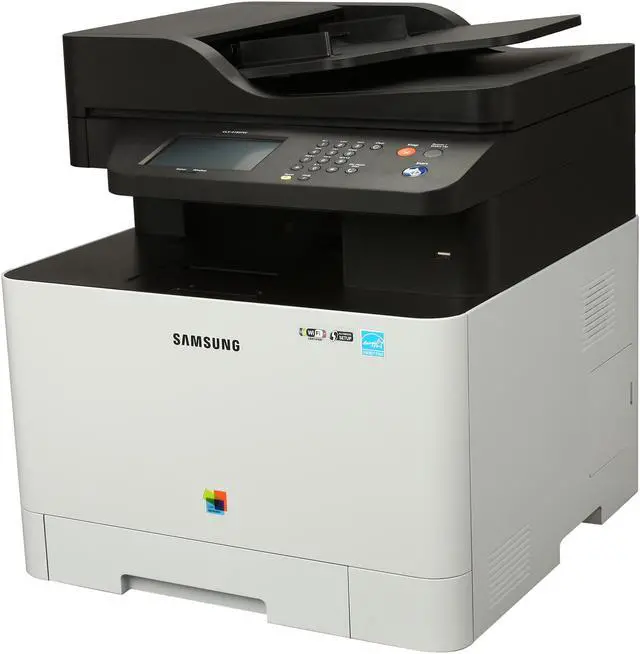
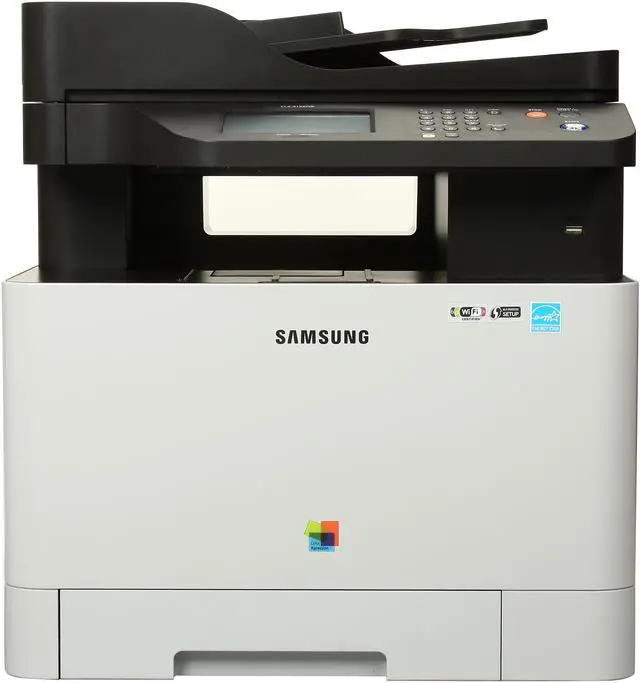
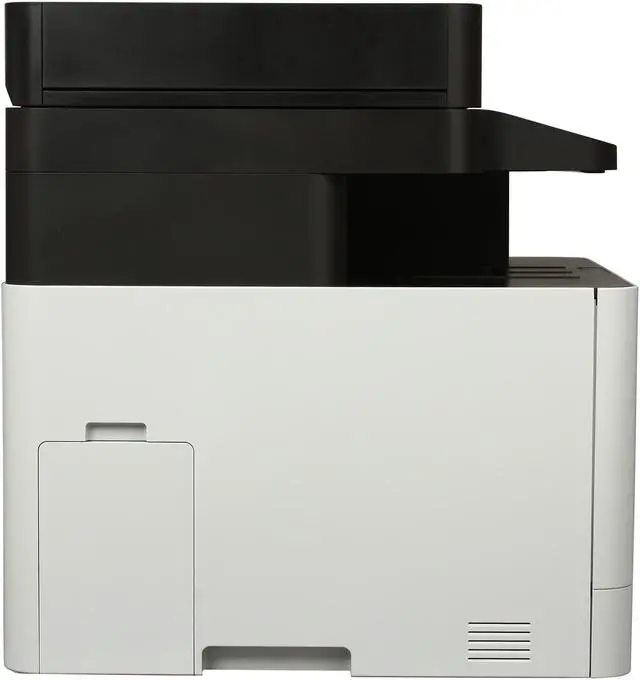
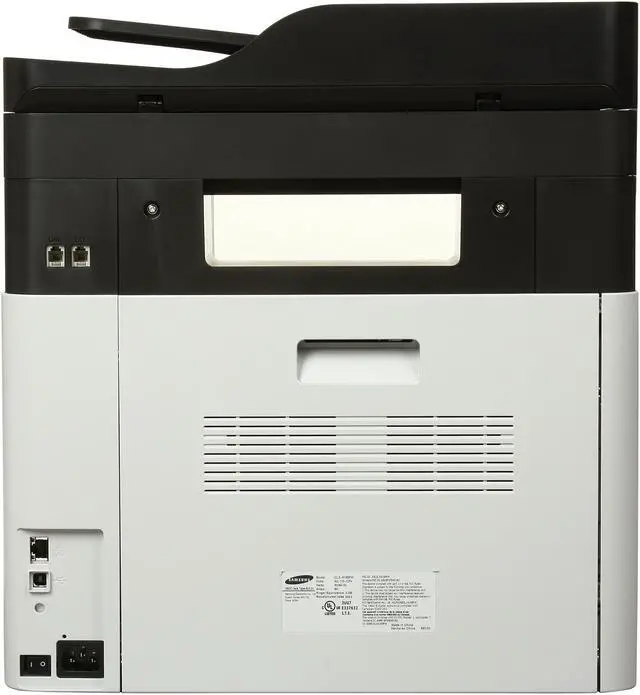
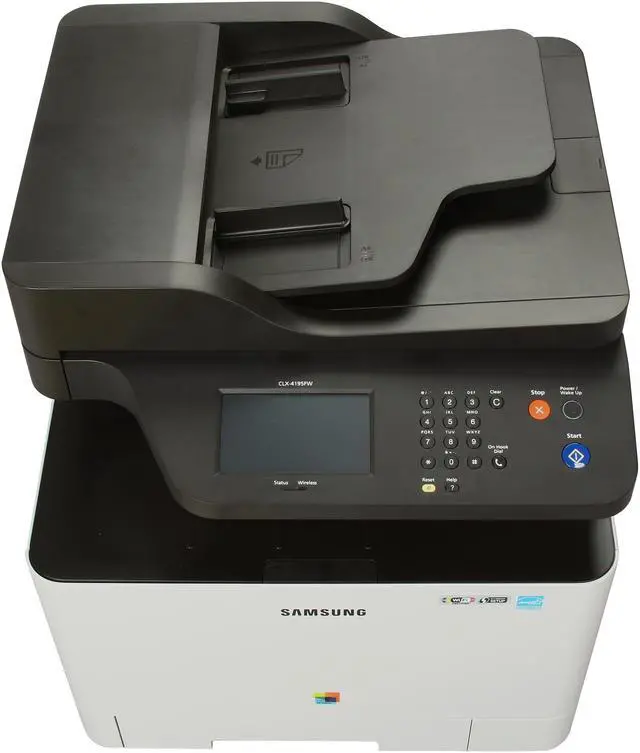
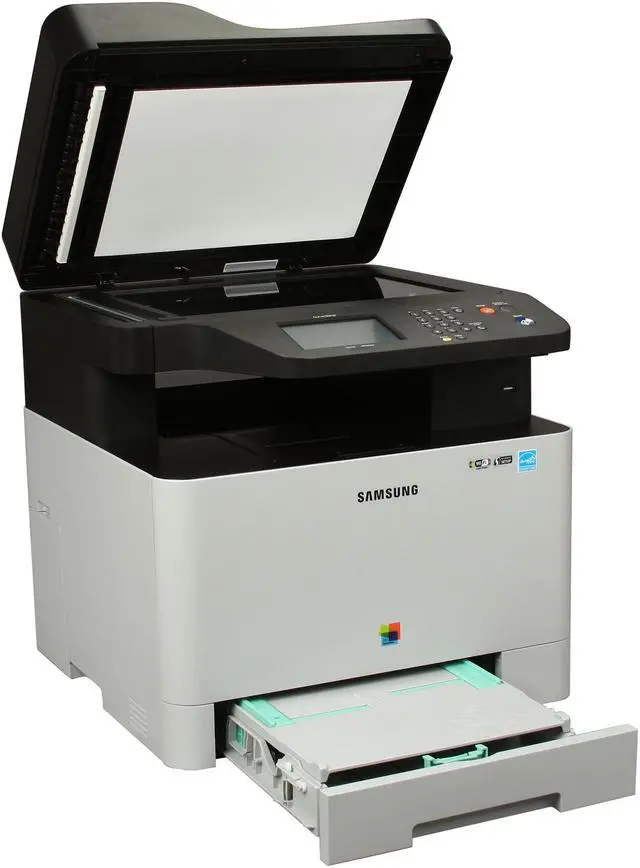
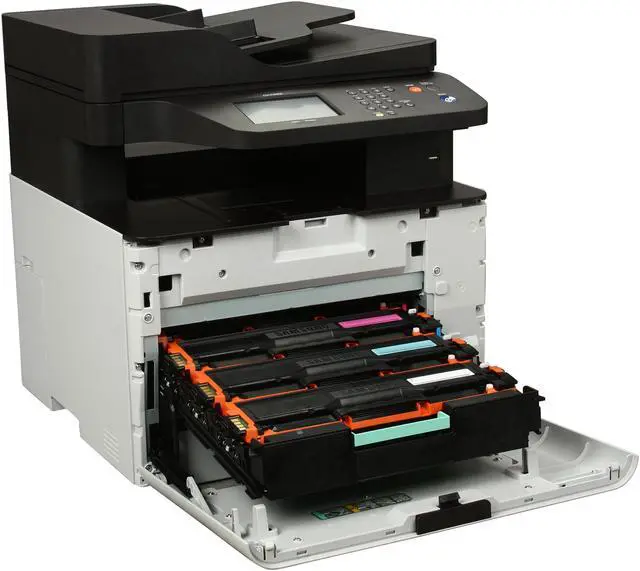
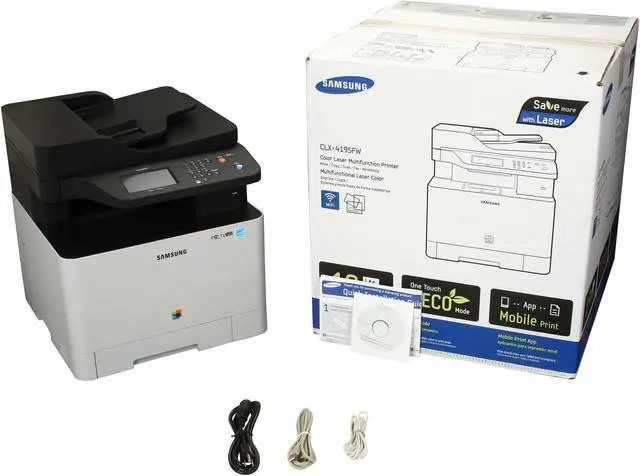
SAMSUNG CLX Series CLX-4195FW MFC / All-In-One Up to 19 ppm 9600 x 600 dpi Color Print Quality Color Wireless Laser Printer

  • Up to 19 ppm
  • 9600 x 600 dpi Black Print Quality
  • Gigabit Ethernet
  • Up to 40,000 pages monthly
  • 256 MB Memory, std.
  • Pin It
  • Email this page
ICON Loading...


4-in-1 Multifunction

With 4-in-1 versatility, the Samsung CLX-4195FW printer streamlines workflow and ensures that the office print operation is working as efficient as possible. With print, copy, scan and fax functionality, the CLX-4195FW offers flexibility and lets you work with less barriers. A host of innovative features like ID Copy, N-up copy, Scan-to-email and the convenient PC fax functionality ensure that your workforce has the necessary functionality needed to thrive in the modern world of business.


Learn more about the SAMSUNG CLX-4195FW

General

Brand
SAMSUNG
Series
CLX Series
Model
CLX-4195FW
Recommended Use
MFC / All-In-One
Display
4.3" Color Touchscreen
Dimensions
16.5" x 16.8 x 17.6"
Weight
47.3 lbs.

Printing

Output Type
Color
Laser Technology
Laser
Black Print Speed
Up to 19 ppm
Color Print Speed
Up to 19 ppm
Black Print Quality
9600 x 600 dpi
Color Print Quality
9600 x 600 dpi
Emulations
PCL5C/6, PostScript 3, PDF V1.7, SPL-C (Samsung Print Language)
Duplex printing
Manual
Max. Duty Cycle
Up to 40,000 pages monthly

Copying

Copy Speed, Black
Up to 19 cpm
Copy Speed, Color
Up to 19 cpm
Copy Quality, Black
1200 x 1200 dpi
Copy Quality, Color
1200 x 1200 dpi
Max. Document Enlargement
400%
Max. Document Reduction
25%
Max. Number of Copies
999

Scanning

Scan Element
CIS
Scan Color Depth
24bit
Scan Resolution, Optical
1200 x 1200 dpi
Scan Resolution, Enhanced
4800 x 4800 dpi

Fax SPEC

Fax Memory
6 MB
Fax Resolutions
Standard: 203 x 98 dpi, Fine: 203 x 196 dpi, Superfine: 300 x 300 dpi, Color: Up to 200 x 200 dpi
Modem Speed
33.6kbps
Fax Features
Fax to PC, Speed Dial, Auto Redial, On Hook Dial, Last Number Redial, Delayed Fax, Fax Forward to Fax/PC, Junk Fax Barrier, Auto Reduction

Media Handling

Input Capacity, std.
250 sheets
Input Capacity, max.
251 sheets
Output Capacity, std.
100 sheets
Media Type
Plain, Thin, Thick, Cardstock, Hole Punched, Transparency, PrePrinted, LetterHead, Recycled, Archive, Bond, Label, Envelope, Cotton, Colored, Glossy, Thicker Paper
Media sizes supported
3" - 6" ~ 8.5" - 14"

Ports

USB Ports
Hi-Speed USB 2.0, Direct USB
Network Ports
Gigabit Ethernet
Other Ports
Wireless 802.11 b/g/n, Wi-Fi Direct
Connectivity Technology
Wireless

Hardware SPEC

Noise Level (Approx.)
<50 dBA while printing
Processor(MHz)
533
Memory, std.
256 MB
Memory, max.
512 MB
Power Consumption
380 W (Printing), 50 W (Standby), 2.4 W (Sleep), 1.48 kWH (TEC)(Sleep), 1.48 kWH (TEC)

Compatibility

Windows Compatible
Windows (32/64 bit) XP/2003/ Vista/2008/7/2008 R2
Macintosh Compatible
Mac OS X 10.4 - 10.7
Other
Various Unix

Features

Features
4-in-1 Multifunction

Make Sharp Images and Text Even Sharper

Mobile Printing

Make Colors More Vibrant

A Higher Level of Printing Performance

Easy Operating Panel

Specification:
First Copy Out Time: As fast as 14 seconds
ID Copy, N-Up
Scan Compatibility: TWAIN, WIA
Scan to USB, Email, Network, PC
FAX Compatibility: ITU-T G3, ECM
ADF Capacity: 50 sheets
ADF Document Size: 5.6" x 5.8" - 8.5" x 14"

Quick Info

Warranty

  • Limited Warranty period (parts): 1 year
  • Limited Warranty period (labor): 1 year


Customer Reviews of the SAMSUNG CLX-4195FW

Do you own this product? Write a Review

Filter Results

Go
  • JC
  • 3/27/2013 10:57:10 AM
  • Tech Level: Somewhat High
  • Ownership: 1 week to 1 month
  • Verified Owner

5 out of 5 eggsGreat Customer Service

Pros: Extremely easy to setup printer, I'm using it on 1 wired and 3 wireless computers, in gigabit network, connected with no issues at all. All of my mobile devices - 2 iPhones and an iPad connected effortlessly
Print quality is fine for what I'm using it.

Cons: None so far, I was using Samsung products for years, my oldest printer - 6 years old b/w Samsung ML 1210 is till up and running flawlessly like a Champ, I'm not expecting anything less from the new addition.

Other Thoughts: Absolutely great customer service on Newegg site !!!
My regards to the outstanding job they did with the price alert, that's why I am with Newegg for so long and will always recommend it to friends and customers.

Did you find this review helpful? Yes No

  • N/A
  • 3/23/2013 6:56:49 PM
  • Tech Level: Somewhat High
  • Ownership: 1 month to 1 year
  • Verified Owner

1 out of 5 eggsTerrible

Pros: None

Cons: It is a terror to use and operate. Randomly Prints and does not print. Tried it on multiple computers, very random response. At times it works, 90% of the time it does not. Would not reccomend to anyone.

0 out of 3 people found this review helpful. Did you? Yes No

  • N/A
  • 3/12/2013 10:52:11 PM
  • Tech Level: High
  • Ownership: 1 day to 1 week
  • Verified Owner

3 out of 5 eggsGreat price but network scanning issues

Pros: Prints great, faxes fine, copies fine, scans fine (with USB).

Cons: The fax had some trouble, but it seems like when we switched the cable out, it was fixed. It's odd, though, I got a dial tone fine with the 'bad' cable when hooking it up to a phone, so not sure why it would not work with the fax.

Scan - Wireless scanning is SLOOOW. I have yet to have a wireless scan complete successfully, it usually tells me it lost connection to the scanner or something. I tried hooking up the printer through LAN and then scanning wirelessly from a laptop and it was not better. Had to hook it up to one computer through USB which I hate to do for customers, it looks bad. This is with a new router that I have recently installed for the same customer.

Other Thoughts: Great for the price point, just wish the scanning thing could be patched, or worked out.

Did you find this review helpful? Yes No

  • Aldon
  • 1/3/2013 8:09:49 PM
  • Tech Level: Somewhat High
  • Ownership: 1 month to 1 year
  • Verified Owner

5 out of 5 eggsSolid Printer

Pros: Good speed, good quality, low price, great features (including printing from my iPad or Android phone wirelessly)

Cons: Duplex printing cost $100 more. I would have considered it for around $50 or less.

Other Thoughts: Great printer for the price (on sale). I have had a brother laser all-in-one printer before this for about eight years and this one is smaller, lighter, faster and prints/scans with better quality. Color laser printers spoil you, until you have to shell out for new cartridges. This all-in-one has all the features you expect, plus a lot more I didn't. You can scan from the printer to a network PC, local PC or to email. I can print from my Droid Smartphone or my iPad (using the Samsung App). And of course you can scan or print from your PC with a few more options, like creating an e-book (which I haven't used. Everything has worked great on this printer so far (I don't use the FAX though), couldn't be happier. This printer also had an option to set up ad-hoc wireless access. I don't use this feature because have it hard wired to my network (I can still access it via Wi-Fi from my LAN). If you don't mind the cost of cartridges, color laser printers like this one are the way to go.

3 out of 3 people found this review helpful. Did you? Yes No

  • Hanhan2008
  • 12/15/2012 8:25:47 AM
  • Tech Level: Somewhat High
  • Ownership: 1 week to 1 month
  • Verified Owner

2 out of 5 eggsWireless scan doesn't work well

Pros: Reasonable price.

Cons: Wireless scan hardly works. Printer responds too slow and often fails. Waste a lot of time.

1 out of 3 people found this review helpful. Did you? Yes No

  • N/A
  • 11/6/2012 8:16:47 AM
  • Tech Level: High
  • Ownership: 1 day to 1 week
  • Verified Owner

5 out of 5 eggsExcellent multipurpose color printer/copier/scanner

Pros: - Superior print quality and color reproduction for a printer in this price range
- High resolution printing options
- Fast printing and copying speeds and time to print
- Advanced wireless networking options
- Onboard LCD touchscreen
- Low 3W idle power draw in standby mode

Cons: - Awkward location of paper output
- High power draw during warm-up phase and printing (~800-1000W)
- Expensive toner
- No auto-duplex mode; manual duplex only

Other Thoughts: This printer is designed for business workgroup use and has a lot of advanced networking options you would expect from a professional workgroup printer. I plan to use this for my home office and will probably use only a fraction of its capabilities. The printing, copying and scanning quality are phenomenal for a unit in this price range and the high printing speed is a nice bonus. My only complaint about this unit is the relatively high power draw during warmup and printing (800-1000W as measured by Kill A Watt). If you're planning to run this off a UPS or power conditioner make sure it can handle the power draw. I had to plug mine directly into the wall outlet and bypass my APC H10 power conditioner since it trips the circuit breaker. The goods news is that it draws only 3W of power in standby mode. Standby mode is programmable and the printer remains active on the wireless network. Setup was a breeze and it connected easily to by wireless router via WPS. Printer was recognized on the network and drivers were automatically installed in Windows 7 64-bit without issues. The administrative web console for configuring the printer options is nicely designed and simple to use and preferable to the touchscreen LCD interface.

3 out of 3 people found this review helpful. Did you? Yes No

  • N/A
  • 9/6/2012 7:06:56 PM
  • Tech Level: High
  • Ownership: 1 week to 1 month
  • Verified Owner

5 out of 5 eggsNice color Laser

Pros: Quick and easy setup / worked right out of the box (see other thoughts).

Color very good

Great set of features for the price

Works well as part of a wireless network

Cons: Expect to have to replace the initial shipping toner sooner than later.

Manual Duplex

Other Thoughts: Quick and easy setup but first page out was smeared and had drag marks, did some quick checking and paper path was clear talked with Samsung they said need to replace. Requested RMA from Newegg and even had them send me a shipping label for free. I have to say been doing business with Newegg since 2005 and they have never done me wrong. Sent it back and they turned it around in in one day and it was on its way back. Second one works like a charm.

5 out of 5 people found this review helpful. Did you? Yes No

ICON Loading...

Protect Your Investment!

    • (more options) read warranty details
Are you an E-Blast Insider? Subscribe Newegg e-Blast

Buzz

Nice color Laser

5 out of 5 eggs
Quick and easy setup / worked right out of the box (see other thoughts).

Color very good

Great ...
— 9/6/2012

Solid Printer

5 out of 5 eggs
Good speed, good quality, low price, great features (including printing from my iPad or Android phone wirelessly)
— Aldon 1/3/2013


PayPal
Shop without retyping payment details. Secure shopping made faster.
Check out with PayPal.

Financing


Home
Home > 
Computer Hardware > 
Printers / Scanners & Supplies > 
Laser Printers > 
SAMSUNG > 
Item#: N82E16828112377
LOADING... LOADING...
Shop by Region: United States | Canada | China
VeriSign Click for the BBB Business Review of this Computers - Supplies & Parts in Whittier CAThis site protected by Trustwave's Trusted Commerce program Inc500
Policy & Agreement | Privacy Policy  © 2000-2013 Newegg Inc.  All rights reserved.
If the Adobe Reader does not appear when you click on a link for a PDF file, you can download Adobe Reader from the Adobe web site. nassau