If you are visually impaired and are having difficulty navigating this site, please call our Customer Support line via our toll free number (800) 390-1119.
Newegg.com - A great place to buy computers, computer parts, electronics, software, accessories, and DVDs online. With great prices, fast shipping, and top-rated customer service - once you know, you Newegg.
If you are reading this message, Please click this link to reload this page.(Do not use your browser's "Refresh" button). Please email us if you're running the latest version of your browser and you still see this message.
Beyond any applicable Newegg return policy, this item is warranted independently by the product's Manufacturer. Below is a summary provided for convenience only and may not be accurate or current.
Use this link for full details.
Manufacturer Limited Warranty period (parts): 1 year
Manufacturer Limited Warranty period (labor): 1 year
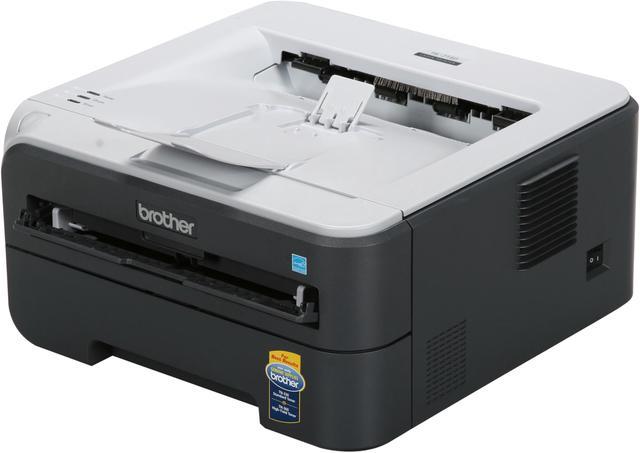
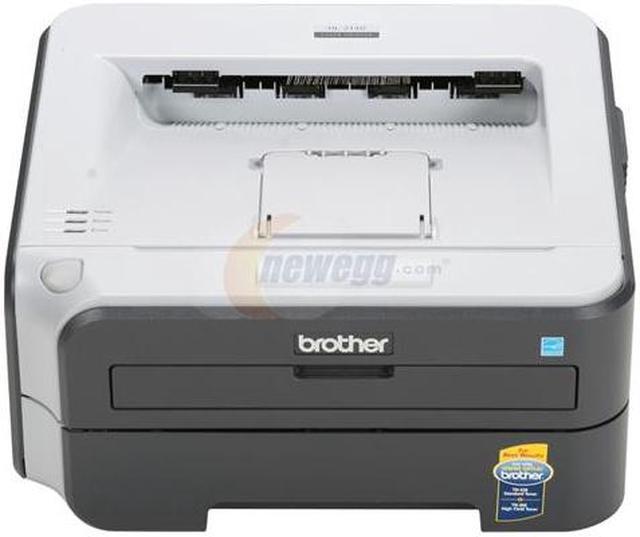
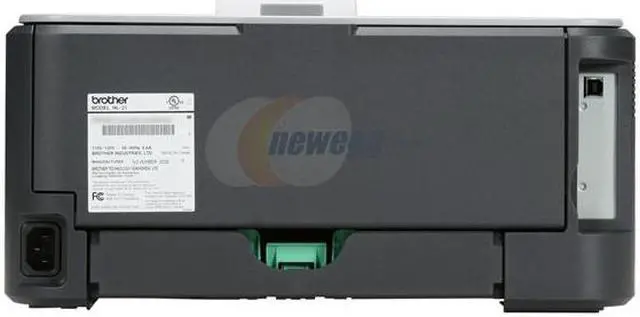
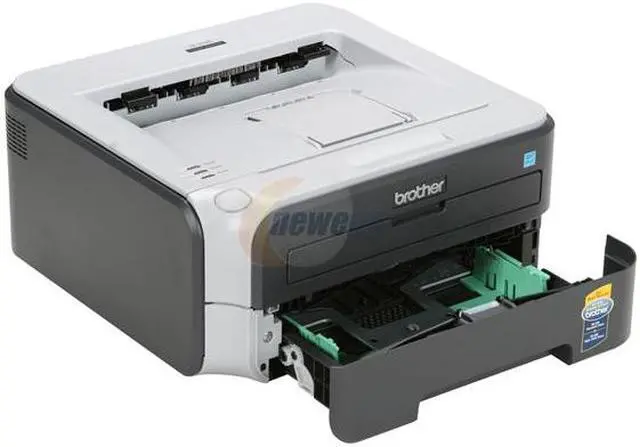
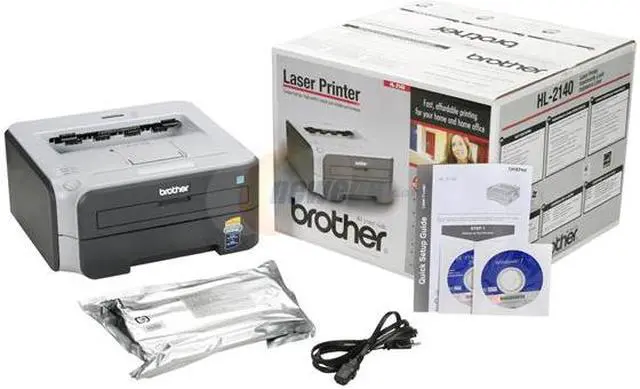
This Brother HL series printer offers you sharp laser printing, and a 10,000-page duty cycle, so it's ready to take on whatever your small office throws at it! The HL-2140 holds up to 250 sheets of letter or legal-sized paper, and prints envelopes effortlessly. With print resolutions up to 2400 x 600 dpi, all your documents will look sharp and polished.
The toner cartridges are front-loading, making it neat and easy to change them. The included toner cartridge prints about 1,000 pages. Select Toner Save mode for in-house documents, for even better toner mileage. The economical HL-2140 puts the power of laser printing in reach of your small office or home office.
Tech Level: average - Ownership: 1 week to 1 month
Pros: Fast printer. Does what I need.
Cons: There are visible minor creases in the paper when it prints. If I send a job to the printer when it is off then turn it on, the first page usually jams. Best to wait until the printer is on and warmed up before sending a job to it. Maybe this can be remedied by carefully selecting the paper type.
33 out of 34 people found this review helpful.
Did you?
Thanks for the valuable feedback you provided!
Great Little HL-2140 Brother Laser Printer
Reviewed By: drgold2000 on 11/11/2008
Tech Level: high - Ownership: 1 month to 1 year
Pros: Price after rebate that ends at end of year Quality of print is great - 600 dpi standard or 1200 dpi if select it Enclosed 250 page paper holder 2X Fast as my old printer -- 23 pp per minute
Cons: Noise from printing, cooling fan and clicks that it makes. Much more noise than my 5 year old Minolta PagePro 1250W laser. Toner Hi Yield is less than with most at only 2500 pages vs 6000 pages & drum less pages
Other Thoughts: Get this baby on sale now with the $20 off from Brother before 2008 ends ... too, a very fast rebate from Brother which was nice. --
Too, the tape trick found on the internet may make this even better on toner ... the printer has a laser system that measures toner and cuts the printer off and makes it unusable when the toner is getting low. So take the cartridge unit out of the printer and place on a newspaper - remove the toner cartridge from the drum - some toner will leak out so wash your hands if necessary. Place masking tape on each round window on each end. This trick may give you 25% more prints or more. --
Too if you get a drum message of it going bad then try resetting it per the instructions on the web in the user's guide. --
I put my Kill-A-Watt meter up to both my old and new printer and both use a lot of energy to print then go to a sleep mode. --
Kilowatt meter as measured 11-10-08: Brother 2140: Nothing happening: 3 watts Fan on : 4 watts 450-925 W
28 out of 28 people found this review helpful.
Did you?
Thanks for the valuable feedback you provided!
Great Printer
Reviewed By: on 1/8/2010
Tech Level: high - Ownership: less than 1 day
Pros: I have the wireless version. Prints fast. Great b/w image prints.
Cons: Power draw. Just like another reviewer wrote, this thing draws 480 watts. And made my UPS beep for a minute. Draws power like a hair dryer. Need to plug this into a different outlet.
Other Thoughts: You can save money by refilling the cartridge yourself. Don't need to buy a new one. Just buy new toner. Can't tell you where. Open up the big round clear plastic cap in the cartridge. Pour out the old toner powder. Pour in new toner powder. And make sure you use electrical tape to block the clear hole, the low toner sensor hole.
6 out of 6 people found this review helpful.
Did you?
Pros: Absolutely the best laser printer for the money. High quality output (similar to other products) and inexpensive replacement cartridges.
Cons: None
Did you find this review helpful?
Thanks for the valuable feedback you provided!
Excellent printer!
Reviewed By: on 7/27/2010
Tech Level: high - Ownership: 1 month to 1 year
This user purchased this item from Newegg
Pros: Fast output, inexpensive print cost and quick first print. This has been an extremely reliable printer - best I've had so far in my office setting. Print about 2,500 prints per month and not one jam so far!
Cons: The toner cartridge which comes with the unit only yielded about 800 pages.
Other Thoughts: I am purchasing a second unit for our shipping department. Much better choice for the money than an inkjet - and cheaper cost per page!
Did you find this review helpful?
Thanks for the valuable feedback you provided!
Great little printer.
Reviewed By: on 7/27/2010
Tech Level: somewhat high - Ownership: 1 week to 1 month
This user purchased this item from Newegg
Pros: Quite, VERY fast compared to ink jet. Ubuntu Linux picked it right up, no problem. Stores vast amounts of paper (250 sheets) and is cheap to operate. What more can you ask? We've come a long way from 9 pin dot-matrix printers, haven't we.
Cons: None yet. The starter (boxed) toner cartridge doesn't have much toner in it, but there is a workaround using tape to cover the sensors. This information is available by search engine all over the net, so there is no excuse to whine about the starter cartridge "only printed (fill in the blank)___ number of pages"! Buy a spare full cartridge... heck, they are cheap. Doesn't print in color. No kidding. (Does anyone order this thinking that it DOES)?
Other Thoughts: First of all, I ordered this printer on a Thursday morning, and it was on my doorstep before noon on Friday. Thanks Newegg for great service! Good job. Brother says that the regular toner cartridge should be good for 2500 pages before replacement, but I am looking into replacing just the toner itself. I continue to be amazed at the speed of this thing. A page full of print takes just about two seconds to feed through the printer. I would take a careful look at the reports here that a negative. Not saying that there are no lemons out there, but there are a lot more people on computers that don't know what the heck they are doing and don't want to take the time to learn.
This Brother HL series printer offers you sharp laser printing, and a 10,000-page duty cycle, so it's ready to take on whatever your small office throws at it! The HL-2140 holds up to 250 sheets of letter or legal-sized paper, and prints envelopes effortlessly. With print resolutions up to 2400 x 600 dpi, all your documents will look sharp and polished.
The toner cartridges are front-loading, making it neat and easy to change them. The included toner cartridge prints about 1,000 pages. Select Toner Save mode for in-house documents, for even better toner mileage. The economical HL-2140 puts the power of laser printing in reach of your small office or home office.
Highlights
Improved Productivity The Brother HL-2140W features breathtaking print speeds of up to 23ppm in monochrome for efficient business printing.
Excellent Print Quality With print resolutions of up to 2400 x 600 dpi, the Brother HL-2140W provides B/W documents with sharp text and graphics.
Large Capacity Paper Tray The easy-to-access, large-capacity paper tray holds up to 250 sheets to reduce the time spent reloading paper.