Skip to: |

Newegg.com - A great place to buy computers, computer parts, electronics, software, accessories, and DVDs online. With great prices, fast shipping, and top-rated customer service - once you know, you Newegg.

If you are reading this message, Please click this link to reload this page.(Do not use your browser's "Refresh" button). Please email us if you're running the latest version of your browser and you still see this message.

Newegg.com - Computer Parts, Laptops, Electronics, HDTVs, Digital Cameras and More!

  • | Wish List
  • Help
Home
Home > 
Computer Hardware > 
Printers / Scanners & Supplies > 
Laser Printers > 
XEROX > 
Item#: N82E16828118702

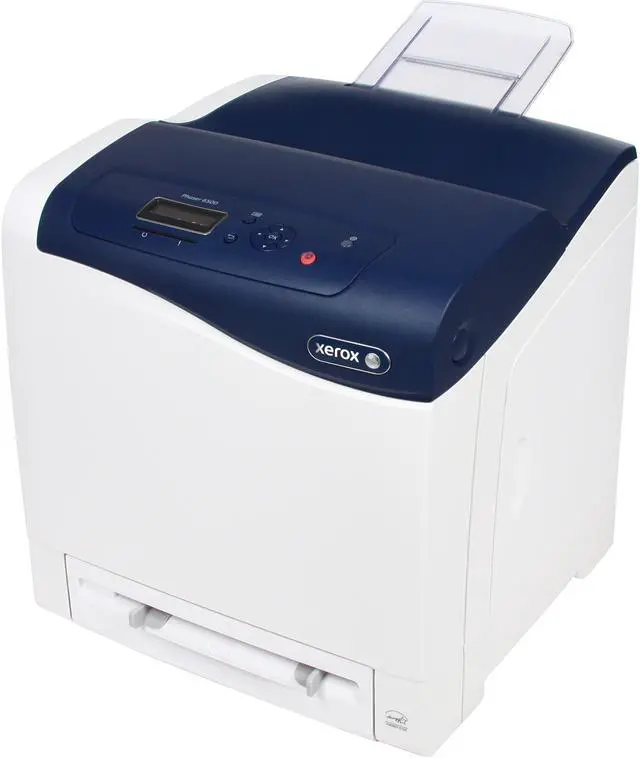
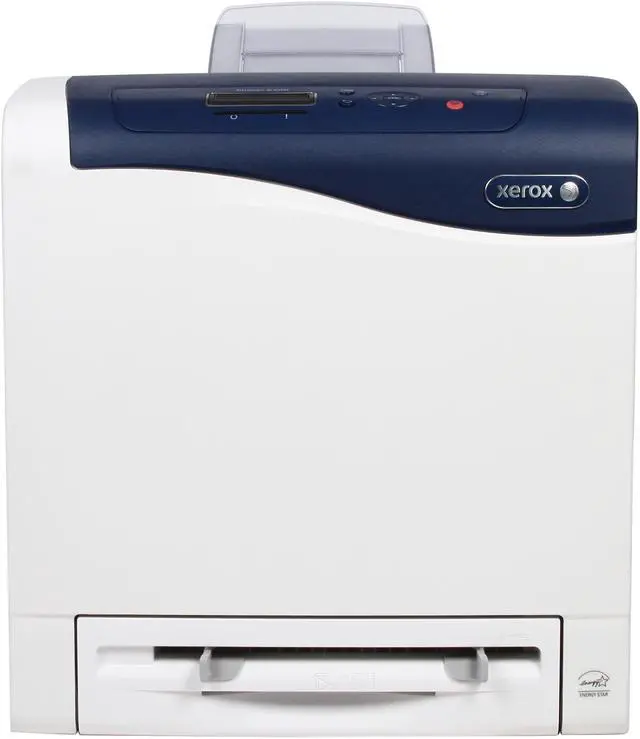
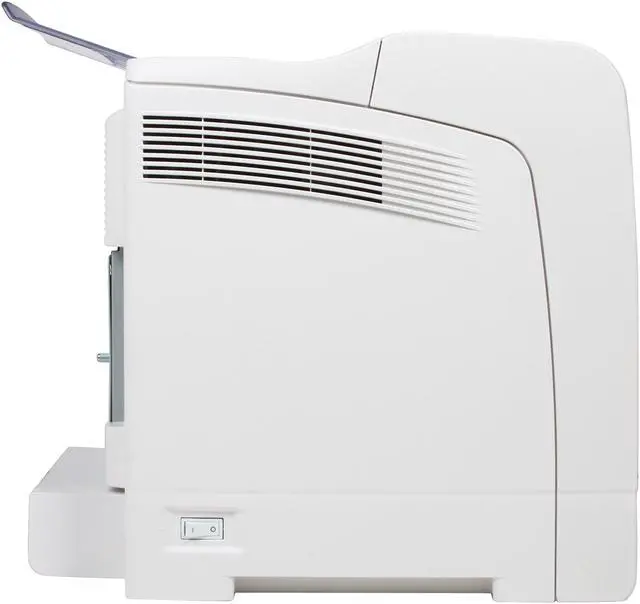
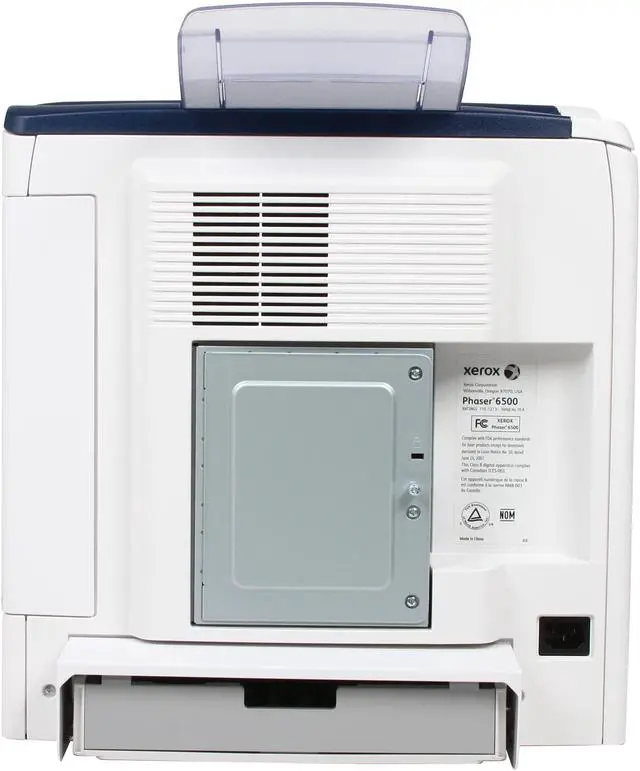
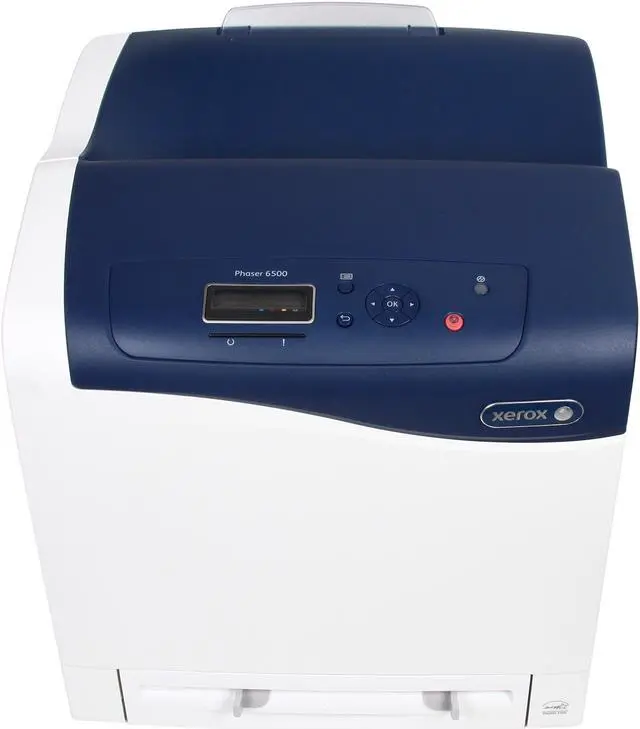
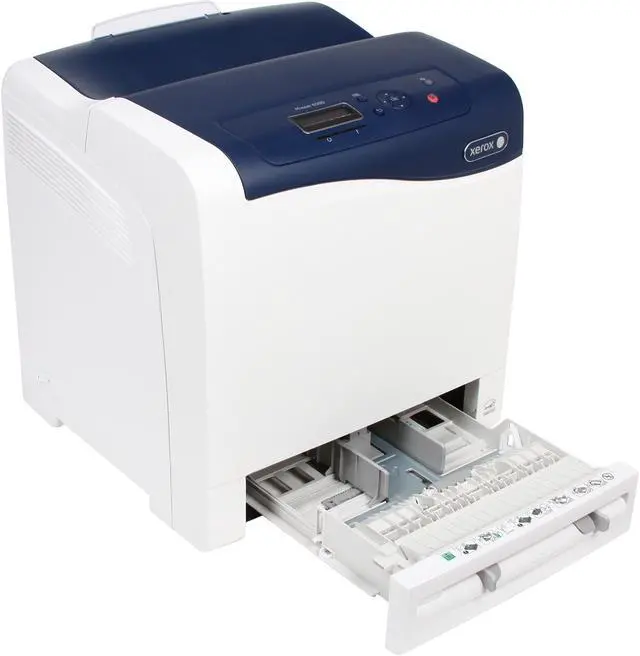
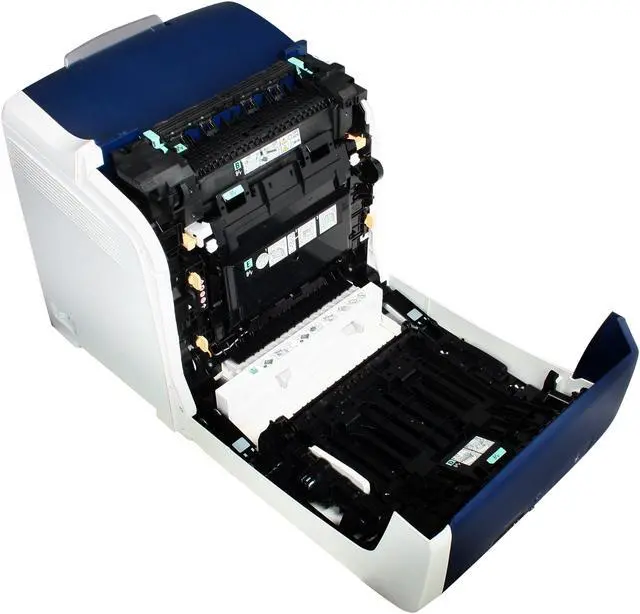
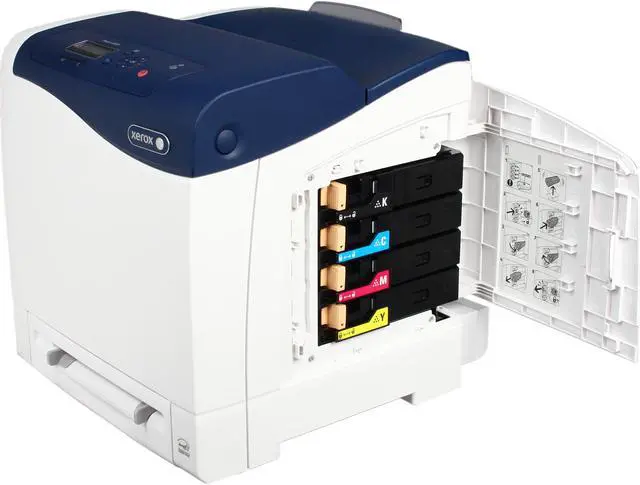
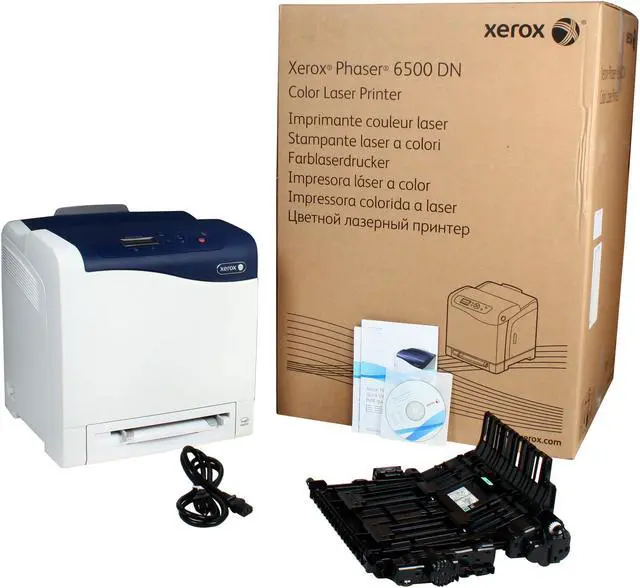
XEROX Phaser 6500/DN Workgroup Up to 24 ppm 600 x 600 dpi Color Print Quality Color Laser Printer

  • Up to 24 ppm
  • 600 x 600 dpi Black Print Quality
  • Ethernet 10/100/1000BaseTX (RJ-45)
  • Up to 40,000 pages monthly
  • 256 MB Memory, std.
  • Pin It
  • Email this page
ICON Loading...


Learn more about the XEROX 6500/DN

General

Brand
XEROX
Series
Phaser
Model
6500/DN
Recommended Use
Workgroup
Dimensions
15.9 x 16.75 x 16.4 in.
Weight
40 lbs. (min)

Printing

Output Type
Color
Laser Technology
Laser
Black Print Speed
Up to 24 ppm
Color Print Speed
Up to 24 ppm
Black Print Quality
600 x 600 dpi
Color Print Quality
600 x 600 dpi
Time To First Page (seconds)
As fast as 13 seconds color / 12 seconds black and white
Print Languages, std.
Adobe PostScript 3, PCL 6 emulation
Duplex printing
Yes
Max. Duty Cycle
Up to 40,000 pages monthly

Media Handling

Input Capacity, std.
Tray (Manual feed slot): 1 sheet
Tray 1: 250 sheets
Input Capacity, max.
501 sheets
Output Capacity, std.
150 sheets
Output Capacity, max.
150 sheets
Media Type
Tray (Manual feed slot): Business card stock, Card stock, Envelopes, Glossy, Labels, Plain paper
Tray 1: Business card stock, Card stock, Envelopes, Glossy, Labels, Plain paper
Media sizes supported
Tray (Manual feed slot): Custom sizes: 3 x 5 in. to 8.5 x 14 in. (76 x 127 mm to 216 x 356 mm)
Tray 1: Custom sizes: 3 x 5 in. to 8.5 x 14 in. (76 x 127 mm to 216 x 356 mm)

Ports

USB Ports
USB 2.0
Network Ports
Ethernet 10/100/1000BaseTX (RJ-45)

Hardware SPEC

Processor(MHz)
400
Memory, std.
256 MB
Memory, max.
768 MB
Power Consumption
Operating : 375 W
Standby : 55 W
Power save: 15 W

Compatibility

Windows Compatible
Windows 2003 Server, Windows 2008 Server, Windows 7, Windows Vista, Windows XP
Macintosh Compatible
Mac OS version 10.5 or higher

Features

Features
Banner sheets, Booklet printing, Covers, Draft mode, Fit-to-page, N-up, Overlays, Poster printing, Run Black, Separator pages, Skip blank pages, Watermarks

Color management tools: PANTONE Color approved solid-color simulations

Security features: 802.1x, Audit log, IP filtering, IPSec, IPv6, SNMPv3, Secure HTTPS (SSL)

Device management features: Email alerts, PrintingScout Alert Notification, Xerox CentreWare Internet Services, Xerox CentreWare Web

Quick Info

Warranty

  • Limited Warranty period (parts): 1 year
  • Limited Warranty period (labor): 1 year


Customer Reviews of the XEROX 6500/DN

Do you own this product? Write a Review

Filter Results

Go
  • TBubba
  • 5/3/2013 10:37:51 PM
  • Tech Level: High
  • Ownership: 1 month to 1 year
  • Verified Owner

5 out of 5 eggsGood network color laser with duplexing

Pros: + Automatic duplexing
+ Ethernet
+ Color
+ Speed
+ Expandable memory

Cons: - Color lasers are still expensive to buy and supply.
- Transparencies are not supported.

Other Thoughts: Overall, I'm very happy with the purchase. The printer has good quality output and speed and I've had no issues with drivers under Linux or Windows. As far as noise, its far from silent but reasonable for the job and speed at which it does it.

Did you find this review helpful? Yes No

  • mark-in-seattle
  • 4/30/2013 2:31:09 AM
  • Tech Level: Somewhat High
  • Ownership: 1 month to 1 year

4 out of 5 eggsGood print quality

Pros: Very good print quality in this price range for a range of document types. My wife was in commercial print production for 20 years and has a more discerning eye than mine. She likes the Xerox more than our Konica Minolta 1690. We had a Minolta 2250 fail under only light use at home. So far the Xerox has done well.

Cons: Prints slower than expected from a large color photo submitted by our iMac 2013. Might be the LPD based network protocol used. We hear that HP JetDirect based protocol is faster in a CUPS print subsystem, but haven't tested that fully yet.

Other Thoughts: Quiet when idle, fans go to sleep. Purchased from newegg in June 2012.

Did you find this review helpful? Yes No

  • Nick
  • 3/19/2013 2:21:46 PM
  • Tech Level: High
  • Ownership: 1 day to 1 week

3 out of 5 eggsXerox 6500 DN

Pros: Great price from Newegg when purchased under one of their quick deals last week!
Print quality has been good for my first 50 documents, alignment on page is good as well. Most color laser printers I have used in the past have issues with lining up margins correctly.
I have been very surprised with photo and graphic prints, quality it way better than I would have guessed.
Toner from online third parties is very reasonable.
Document prints are fast even with some graphics within the text.

Cons: Loud fans and mechanics in the printer while printing.
Fans at idle are louder than most desktop and tower computers (annoying white noise).
Not a quiet printer!
Printing little red dots up the length of my paper on every page!
Seems to be a power hog while printing. Going to hook up to my watt meter to be sure, but lights dim in my office when I print.
Memory Upgrade options seem over priced.

Other Thoughts: Tested printing in black only and still a couple of red dots appeared. I would guess that a cleaning is in order? Calling tech support for help or returning for replacement. I shouldn't need to purchase a cleaning kit for a new laser printer.

Did you find this review helpful? Yes No

  • Non
  • 5/7/2012 3:05:59 PM
  • Tech Level: Somewhat High
  • Ownership: 1 month to 1 year
  • Verified Owner

4 out of 5 eggsA real printer

Pros: Beautiful printing and photos. Don't buy a dot matrix--they don't last, and feeding them ink will eat you out of house and home. I had a 6120 before this, the ink lasted 4 YEARS. Duplexer to print two sides is very, very cool.

Cons: I haven't tried off-brand ram sticks yet. Looks like it takes DDR3 laptop memory. Xerox wants a stupid price for it.

Other Thoughts: Costs more up front, but saves you $$$$ on the ink over an ink jet.

1 out of 4 people found this review helpful. Did you? Yes No

  • WarTech
  • 3/18/2012 6:41:55 AM
  • Tech Level: Somewhat High
  • Ownership: 1 week to 1 month
  • Verified Owner

4 out of 5 eggsNice Printer

Pros: Duplexer kit - Takes all of about 10 seconds to install.
Generic Toner cartridges are available out there
Runs on gigabit although this is not a huge deal.

Cons: Memory sucks, I replaced my 6130/N Phaser with the 6500/DN Phaser so I could do duplexing and add an extra paper tray but I gave up memory. I am part of a home school group so 256Mb is not enough for our printer load on some days. Try printing out two textbooks at the same time... ugh.
I was going to expand the base memory like I did with my old printer but the 6500 uses an odd set of RAM and I refuse to pay $150 for 512Mb of memory.. That is a insane price for an older memory stick from Xerox.

Other Thoughts: If you do not have a heavy printer load or if you do not print HUGE files, this is a very good printer.

I would recommend Xerox to anyone, both of my Phaser printers have been great and run as they should.

I reduced this system the 1 egg becuase of the memory issue.

2 out of 2 people found this review helpful. Did you? Yes No

  • buzzlebee69
  • 2/24/2012 8:46:36 AM
  • Tech Level: High
  • Ownership: 1 week to 1 month
  • Verified Owner

5 out of 5 eggsXerox 6500 DN

Pros: My old Xerox 6130 committed sucide while printing my tax forms this year so I bought the 6500. This new one is faster and with the duplexer, it saves paper as it prints to both sides of the paper. The colors are brighter and easier to hook up on the network than the old printer was. Physical set up was also a breeze follow the instructions and you will be printing in no time.

Cons: None

2 out of 2 people found this review helpful. Did you? Yes No

  • Xerox
  • 1/24/2012 8:17:21 PM
  • Tech Level: High
  • Ownership: 1 day to 1 week
  • Verified Owner

4 out of 5 eggsAwesome Value - Great Alternative

Pros: Excellent quality/price balance
Auto-duplexing
Fast printing
Built-in networking
Cheap toner (3rd party brands available)

Cons: -Duplexer ships as separate unit (same package) must be installed
-A little bulky (to be expected)
-Took a bit of configuration to get aligned and printing colors properly

Other Thoughts: Duplexer was installed in 5 mins. flat, and the calibration/color alignment took me about 20 mins to get spot-on. I am an IT guy so it wasn't really too hard for me, but I think the average person may have a few issues with calibration, maybe even the duplexer. However, once all is working correctly, this thing delivers without a doubt.

If you hate the horrible quality and service associated with the big 2 letter brand these days, join the club. Xerox is a great alternative at a very reasonable price.

3 out of 4 people found this review helpful. Did you? Yes No

ICON Loading...

Protect Your Investment!

    • (more options) read warranty details
Are you an E-Blast Insider? Subscribe Newegg e-Blast

Buzz

Nice Printer

4 out of 5 eggs
Duplexer kit - Takes all of about 10 seconds to install.
Generic Toner cartridges are available out there
Runs on gigabit ...
— WarTech 3/18/2012

Xerox 6500 DN

5 out of 5 eggs
My old Xerox 6130 committed sucide while printing my tax forms this year so I bought the 6500. This new one is faster and ...
— buzzlebee69 2/24/2012


PayPal
Shop without retyping payment details. Secure shopping made faster.
Check out with PayPal.

Financing


Home
Home > 
Computer Hardware > 
Printers / Scanners & Supplies > 
Laser Printers > 
XEROX > 
Item#: N82E16828118702
LOADING... LOADING...
Shop by Region: United States | Canada | China
Follow us:   RSS Feeds Youtube
VeriSign Reliability Seal1This site protected by Trustwave's Trusted Commerce program Inc500
Policy & Agreement | Privacy Policy  © 2000-2013 Newegg Inc.  All rights reserved.
If the Adobe Reader does not appear when you click on a link for a PDF file, you can download Adobe Reader from the Adobe web site. nassau