Skip to: |

Newegg.com - A great place to buy computers, computer parts, electronics, software, accessories, and DVDs online. With great prices, fast shipping, and top-rated customer service - once you know, you Newegg.

If you are reading this message, Please click this link to reload this page.(Do not use your browser's "Refresh" button). Please email us if you're running the latest version of your browser and you still see this message.

Newegg.com - Computer Parts, Laptops, Electronics, HDTVs, Digital Cameras and More!

  • | Wish List
  • Help

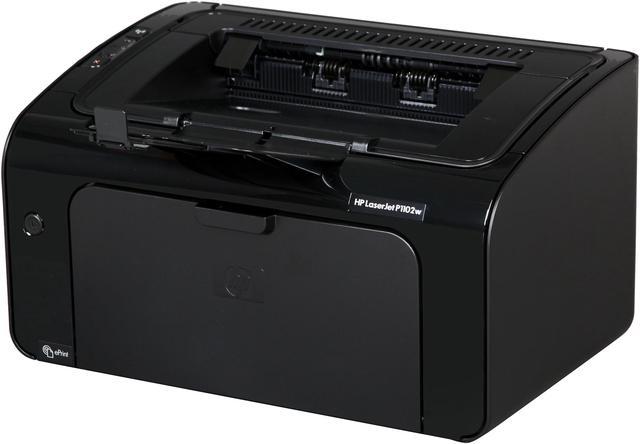
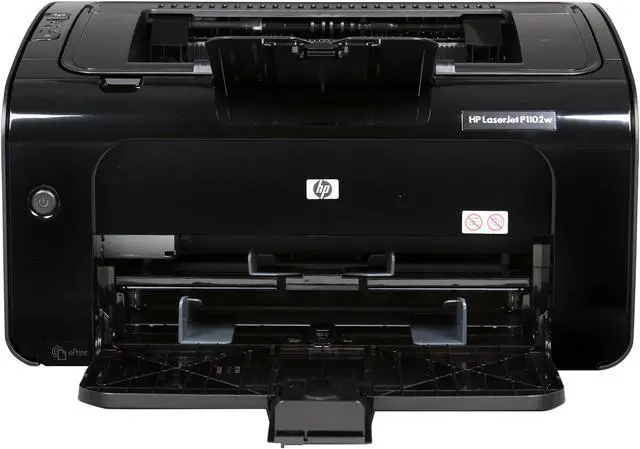
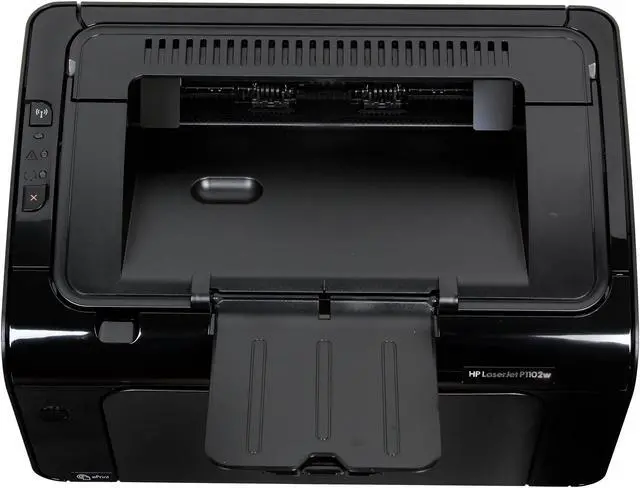
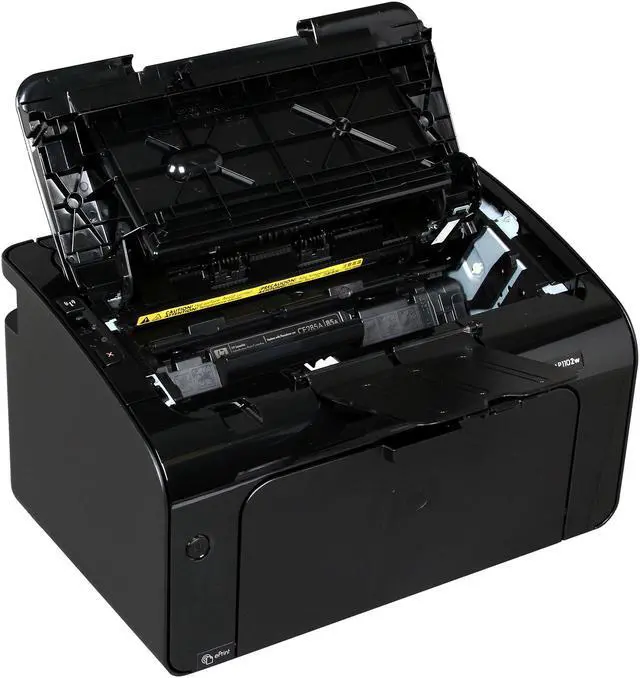
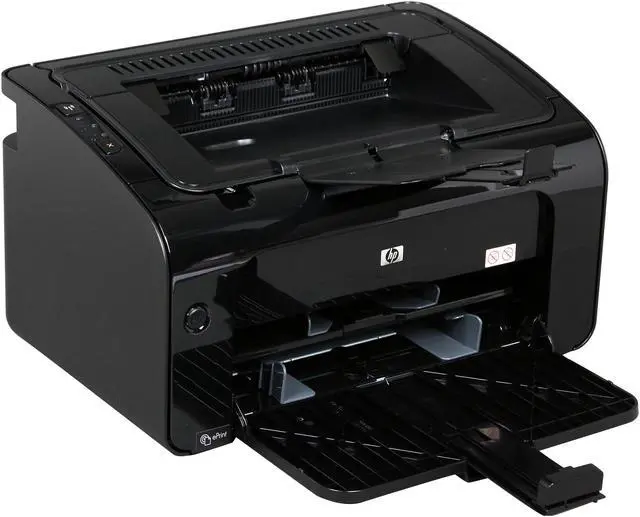
HP LaserJet Pro P1102w Workgroup Up to 19 ppm Monochrome Wireless Laser Printer

  • Up to 19 ppm
  • Up to 400 x 600 x 2 dpi (600 dpi effective output) Black Print Quality
  • Up to 5,000 pages monthly
  • 8 MB Memory, std.
  • Pin It
  • Email this page
ICON Loading...

Affordable, shared, wireless HP LaserJet printing in the home or office. Stay productive on the go with HP ePrint. Plug and print with HP Smart Install - no CD required. Save with the most energy-efficient laser printer on the planet.

Business users with small offices who want an affordable, wireless HP LaserJet printer-one of the most energy-efficient laser printers on the planet.


Learn more about the Hewlett-Packard Pro P1102w

General

Brand
HP
Series
LaserJet
Model
Pro P1102w
Part#
CE658A
Recommended Use
Workgroup
Dimensions
13.74" x 9.38" x 7.71"
Weight
11.6 lbs.

Printing

Output Type
Monochrome
Laser Technology
Laser
Black Print Speed
Up to 19 ppm
Black Print Quality
Up to 400 x 600 x 2 dpi (600 dpi effective output)
Duplex printing
Manual
Max. Duty Cycle
Up to 5,000 pages monthly

Media Handling

Paper Trays, std.
1
Paper Trays, max.
1
Input Capacity, std.
10-sheet priority feed slot, 150-sheet input tray
Output Capacity, std.
100 sheets
Media Type
Paper (laser, plain, photo, rough, vellum), envelopes, labels, cardstock, transparencies, postcards
Media sizes supported
Letter, legal, executive, postcards, envelopes (No. 10, Monarch)

CUSTOM MEDIA SIZES
150-Sheet input Tray: 5.8 x 8.27 to 8.5 x 14 in (147 x 211 to 216 x 356 mm)
Priority Feed Slot: 3 x 5 to 8.5 x 14 in (76 x 127 to 216 x 356 mm)

Ports

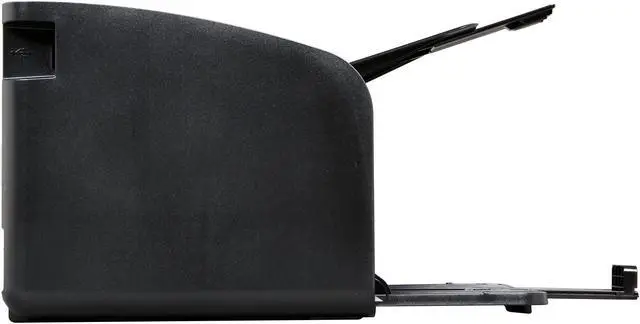
USB Ports
Yes
Other Ports
WiFi 802.11b/g/n
Connectivity Technology
Wireless

Hardware SPEC

Processor(MHz)
266
Memory, std.
8 MB
Power Consumption
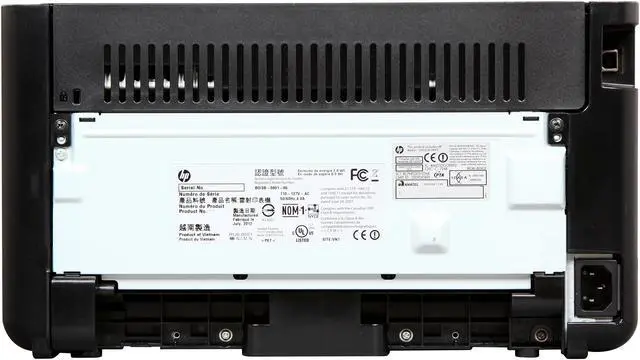
370 watts active, 0.6 watts off, 2.0 watts (Auto-Off) power save, 2.7 watts standby

Compatibility

Windows Compatible
Microsoft Windows 7 (32-bit/64-bit), Windows Vista (32-bit/64-bit), Windows XP (32-bit/64-bit), Windows Server 2008 (32-bit/64-bit), Windows Server 2003 (32-bit/64-bit)
Macintosh Compatible
Mac OS X v10.5, v10.6, v10.7
Other
Linux

Features

Features
Print wirelessly in your home or office.
- Network the printer without extra cables, using 802.11 b/g wireless networking.
- Print up to 19 ppm letter/18 ppm A4.
- Start and finish printing sooner with Instant-on Technology.
- Print on a wide variety of media, using the 150-sheet paper tray and 10-sheet priority input slot.

Stay on task - easy mobile printing, fast setup.
- Print from virtually anywhere with HP ePrint.
- Easily print from mobile devices - without a network - using HP ePrint Wireless Direct Printing.
- Plug and print - no CD required with HP Smart Install.
- Receive consistent results with Original HP cartridges and easily reorder with HP SureSupply.

Reduce your impact and protect your bottom line.
- Conserve resources and save money with energy- and paper-saving features.
- Reduce wasted paper by printing only the content you want, using HP Smart Print.
- Save space with an ultra-compact printer with a sleek, industrial design.
- HP helps reduce your impact - less packaging, plus free cartridge recycling with HP Planet Partners.

Create professional, cost-effective prints.
- Produce professional-quality business prints with bold, crisp text and sharp images.
- Receive improved print quality with HP FastRes 1200.
- Shop for and purchase Original HP cartridges in just a few clicks with HP SureSupply.
- Confirm your cartridge is Original HP for reliable performance, using HP Cartridge Authentication software.

Packaging

Package Contents
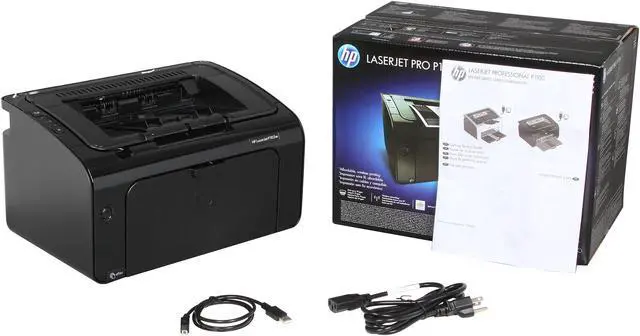
HP LaserJet Pro P1102w Printer, introductory HP Black LaserJet Toner cartridge (~ 1400 pages), Power cord, Printer documentation and software on CD-ROM, Getting Started guide, Support flyer, Installation guide, Warranty guide
Software Included
HP Usage tracking, HP Status and Alerts, Control Panel Simulator, Print Driver, Software Installer/Uninstaller

Quick Info

Warranty

  • Limited Warranty period (parts): 1 year
  • Limited Warranty period (labor): 1 year


Customer Reviews of the Hewlett-Packard Pro P1102w

Do you own this product? Write a Review

Filter Results

Go
  • Bayshore CTO
  • 3/27/2013 7:08:23 AM
  • Tech Level: High
  • Ownership: more than 1 year
  • Verified Owner

5 out of 5 eggsGreat desktop printer

Pros: This printer is the successor to the venerable HP LaserJet 1020. It uses the same paper transport assembly which means IT IS RELIABLE. We've been using this family of printers for six or seven years. This latest model adds WiFi print capability and self-contained drivers. The Direct Print feature is untested, but looks like a win for smartphone users. (Can print directly from smartphone to the P1102w.) Installation is effortless as the drivers are burned into ROM on the printer. When you connect the USB cable, a 'USB drive" shows up and drivers load automatically.

Some sales outlets indicate that this printer does not support duplex printing. That is not correct. DUPLEX PRINTING IS SUPPORTED, but it is a two-step process. I use it quite a bit for user manuals, etc. You set Printer Properties for manual duplex and hit Print. The first side is printed, a pop-up tells you to pull the paper out of the delivery tray and load into the paper tray, then the second side prints. NEVER had a jam in many, many duplex dox.

The most wonderful feature of this printer is that it is absolutely unremarkable. It prints FINE and LASTS FOREVER. This printer is part of our standard workstation set up for each of our office workers.

Cons: Over the years we have lost a couple of HP LaserJet 1020's to labels. When printing labels, they would [rarely] stick to the drum or toner cartridge or some internal roller. This basically kills the printer. It is extremely rare, but when it happens, the printers are virtually impossible to take apart.

Other Thoughts: Lower-end HP products are nothing like this unit. This is a robust, reliable, trustworthy partner to offer your employees. Fast enough, clean print, and good quality renderings.

1 out of 1 people found this review helpful. Did you? Yes No

  • N/A
  • 3/22/2013 6:59:49 AM
  • Tech Level: Somewhat High
  • Ownership: 1 day to 1 week
  • Verified Owner

4 out of 5 eggsCute, noisy and tricky to install

Pros: Very reasonable in cost, small footprint, and very fast on start up and print. It is a very good, light duty laser printer

Cons: The HP laser printers I have had, all sound like a 767 revving up when it starts to print. This one is no different. Hmm, is there a quiet laser printer out there? Unlike my old HP 2100, this one feels cheap, but you get what you pay for. I don't need a heavy duty printer. The real tricky part is when you go to install it. Read below

Other Thoughts: Installing this printer can be very frustrating. If you pick the wireless install, it won't work - period. Yes, it does prompt you for the cd and it does install the software, and locates you wireless network. But, it still did not print the test page. What I found to work was put in the cd, connect up the usb cable to your pc and when you are given the choice of wireless install or usb install, pick the usb install. At the end of the install you will be prompted to reboot - then all is well.

Did you find this review helpful? Yes No

  • N/A
  • 1/30/2013 11:39:08 AM
  • Tech Level: Somewhat High
  • Ownership: 1 day to 1 week
  • Verified Owner

4 out of 5 eggsWorks with Ubuntu

Pros: It's small and relatively quiet compared to other printers. Starts up quickly and does not take long to warm up to print.

Cons: Hplip installer and Smart Installer.

Whoever wrote the hplip installers for this printer did a very sloppy job. The installer references firmware that doesn't exist. This alone drove me insane for a few hours until I finally figured out which firmware file had to be renamed in order for the installer to find it.

The printer comes with the Smart Installer enabled. The Smart Installer made the printer appear as a CDROM drive in Ubuntu, which caused the computer not to recognize the printer. I had to find a Windows box to run the SIUtility.exe program to disable the Smart Installer. With the Smart installer disabled, the printer now works perfectly with Ubuntu.

Other Thoughts: HP printers used to be plug-and-play with Linux and the printer quality used to be top-notch. HP should disable the Smart Installer by default. The printer comes with a driver CD anyway. I hate loading all that extra bloatware. Just give me the driver and leave it at that.

Did you find this review helpful? Yes No

  • RickyDee
  • 1/28/2013 12:38:11 PM
  • Tech Level: High
  • Ownership: more than 1 year

5 out of 5 eggsGreat Little Baby Printer

Pros: Small Format, Wireless works like a champ. Easy setup under Win7.

Cons: None so far

Other Thoughts: I have had this in the office for a while now with no problems. Like not having to route the cables. I recommend this printer to all home users that do not need color. Inkjets just clog up too much when not used on a regular basis. Am ordering another one today.

Did you find this review helpful? Yes No

  • Mike
  • 1/13/2013 10:57:54 PM
  • Tech Level: Somewhat High
  • Ownership: more than 1 year
  • Verified Owner

5 out of 5 eggsLove these printers

Pros: I do love this specific model printer.
This is now the third one I've purchased (one for work, one for home, now an additional one for work at another location).
Prints fast and has a small footprint.

Cons: None.

Did you find this review helpful? Yes No

  • Licher
  • 1/12/2013 8:01:27 PM
  • Tech Level: Somewhat High
  • Ownership: 1 month to 1 year

5 out of 5 eggsGreat Lasre Printer

Pros: Prints quickly and has great print quality. Have never had an issue with is not connecting wirelessly. Very easy driver installation. This can be found VERY cheap when on sale. [Manual] duplex.

Cons: I really wish this had auto duplexing as it is a pain to figure out which way to insert the printed pages again for duplexing. Also, the cost of toner can be pretty expensive, and I have read several bad experiences using off-brand toner.

Other Thoughts: If you want a reliable home printer, this is a great choice, especially since it is wireless. Like I said in the cons, I wish this auto-duplexed, but since I paid less than $100 for this, I can deal with it. I have recommended this to friends/family and none have had an issue.

Did you find this review helpful? Yes No

  • cth338mag
  • 11/15/2012 11:09:31 AM
  • Tech Level: High
  • Ownership: more than 1 year
  • Verified Owner

5 out of 5 eggsGreat Printer

Pros: Great Little Printer and works great with airprint

Cons: None

2 out of 2 people found this review helpful. Did you? Yes No

  • POWERTOWER
  • 10/16/2012 6:27:21 PM
  • Tech Level: High
  • Ownership: 1 day to 1 week

4 out of 5 eggsWireless Notice

Pros: Fast prints, low laser power compared to most. Print straight from my ipad and iphone! I also have a HP 8600 ProPlus and its a beautiful compbination.

Cons: For those of you having trouble connecting to your home wireless. This product does not support wireless SSID's with spaces in it. If you name your network "Bobs Wireless" then it won't work. Change your BSSID to "BobsWireless" (No space) and bazing!

4 out of 5 people found this review helpful. Did you? Yes No

ICON Loading...

Protect Your Investment!

    • (more options) read warranty details
Are you an E-Blast Insider? Subscribe Newegg e-Blast

Buzz

Great Printer

5 out of 5 eggs
Great Little Printer and works great with airprint
— cth338mag 11/15/2012

Great desktop printer

5 out of 5 eggs
This printer is the successor to the venerable HP LaserJet 1020. It uses the same paper transport assembly which means IT ...
— Bayshore CTO 3/27/2013


PayPal
Shop without retyping payment details. Secure shopping made faster.
Check out with PayPal.

Financing


LOADING... LOADING...
Shop by Region: United States | Canada | China
Follow us:   RSS Feeds Youtube
VeriSign Reliability Seal1This site protected by Trustwave's Trusted Commerce program Inc500
Policy & Agreement | Privacy Policy  © 2000-2013 Newegg Inc.  All rights reserved.
If the Adobe Reader does not appear when you click on a link for a PDF file, you can download Adobe Reader from the Adobe web site. nassau