Skip to: |

Newegg.com - A great place to buy computers, computer parts, electronics, software, accessories, and DVDs online. With great prices, fast shipping, and top-rated customer service - once you know, you Newegg.

If you are reading this message, Please click this link to reload this page.(Do not use your browser's "Refresh" button). Please email us if you're running the latest version of your browser and you still see this message.

Newegg.com - Computer Parts, Laptops, Electronics, HDTVs, Digital Cameras and More!

  • | Wish List
  • Help
Home
Home > 
PCs & Laptops > 
Tablets & Accessories > 
Tablets > 
SAMSUNG > 
Item#: N82E16834131399

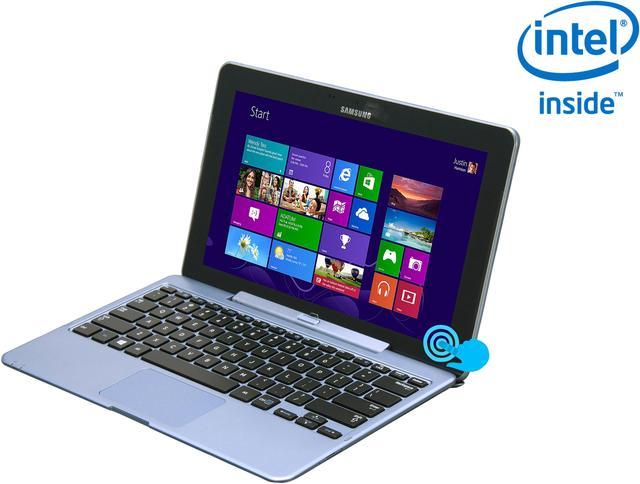
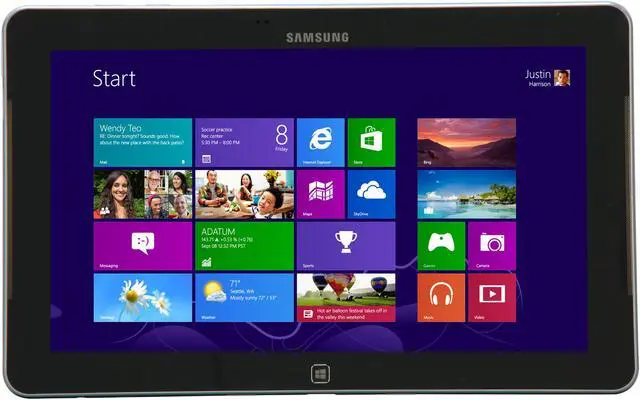
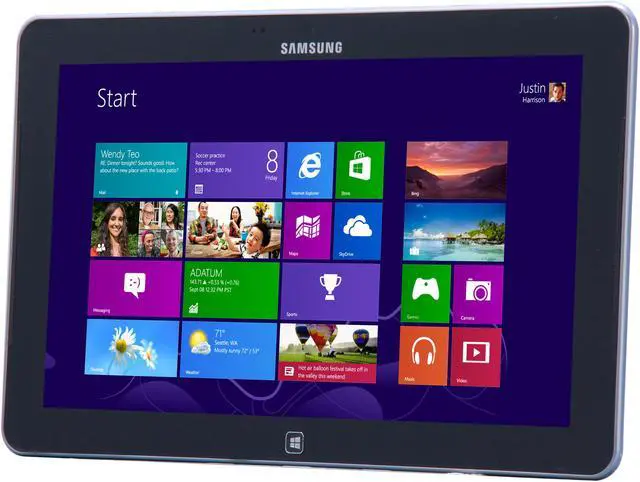
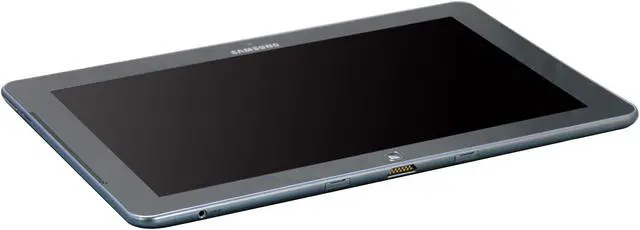
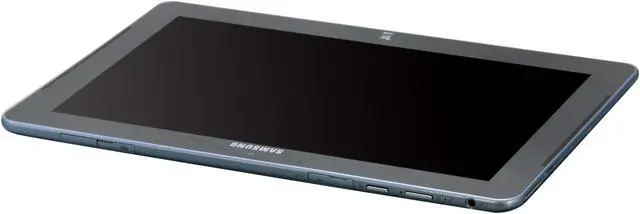
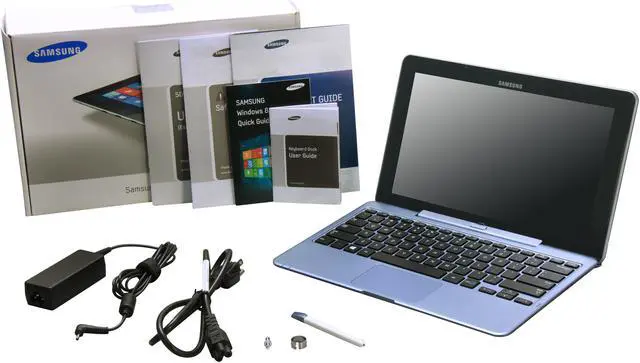
Samsung ATIV SmartPC XE500T1C-A01US 11.6-inch Windows 8 Tablet – 64GB

  • Intel Atom Z2760(1.80GHz)
  • Windows 8 32-Bit
  • Touchscreen
  • Pin It
  • Email this page
ICON Loading...


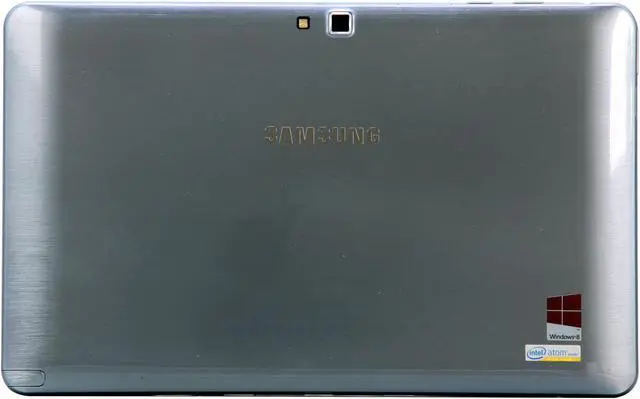
Combining the power of a notebook PC and the convenience of a media tablet, the Samsung ATIV Smart PC XE500T1C-A04US revolutionizes your mobile computing in a sleek, lightweight package. The state of the art components including Intel Atom processor, 2GB DDR3 memory and 64GB SSD empower you to multitask with ease, while the latest Windows 8 allows you to run your favorite programs, such as Office, without compatibility issues, keeping you productive on the go. 11.6" display with 1366 x 768 resolution offers a big viewing real estate you can not find on other tablets. Wi-Fi, Bluetooth connectivity and 2.0 MP HD (Front) & 8.0 MP HD (Rear) webcams are also crammed into the stylish frame, powered by Samsung's world class industry design, allowing you to compute in complete convenience and confidence.

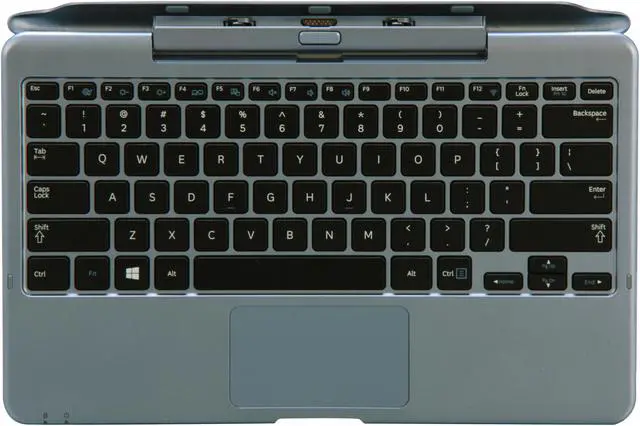
  • newegg Take Advantage of an Intuitive, Ultra-Thin Design Empower your mobile life with the Samsung ATIV Smart PC 500T. The lightweight design and long battery life can take you anywhere, while the docking keyboard provides the flexibility to shift from notebook to tablet effortlessly. Use the S Pen to take notes, sketch instructions and send messages in your own handwriting.
  • newegg Get the Full PC Experience on a Tablet It may be small, but this tablet is mighty—the same power and speed as a desktop computer. Featuring Windows 8 so you can run your favorite software, including Microsoft Office. The Samsung ATIV Smart PC enables you to create, edit and share documents with anyone safely, and without compatibility issues. Or multitask wherever you go: Powerful processors can run multiple apps at once, simultaneously, browse the Web, and help you do all you need to do—just like a desktop.
  • newegg Share Apps and Content Across Multiple Devices Connect your Samsung ATIV Smart PC 500T with multiple compatible devices via WiFi or the Internet. Use SW Update to update and download AllShare Play technology to share new content or share existing content to a Samsung Smart TV, smartphone or camera.
  • newegg Discover the New, Beautiful, Fast and Fluid Windows 8 Reimagined to be all about you, Windows 8 lets you personalize your desktop and gives you instant access to all your favorite people, apps, sites and more. Use SW Update to keep your PC running smoothly with the latest software and drivers, and to download Samsung’s Quick Starter feature, which adds a toolbar and start button for easy navigation in the desktop view. Plus, connect to SkyDrive and store files, photos, videos and more, so wherever you go, you’re connected to the cloud.
  • newegg Abundant Ports Features 1x USB 2.0 port, 1x Micro HDMI port, 1x microphone jack and 1x headphone jack for enhanced expandability and connectivity.

Learn more about the SAMSUNG XE500T1C-A01US

Model

Brand
SAMSUNG
Series
Series 5
Model
XE500T1C-A01US

Operating Systems

Operating System
Windows 8 32-Bit

CPU

CPU Type
Intel Atom
CPU Speed
Z2760(1.80GHz)
CPU L2 Cache
1MB

Display

Screen Size
11.6"
Touchscreen
Yes
LCD Features
Gloss, 16:9, 400 nits SuperBright Plus Technology
Touch Screen with Digitizer S Pen
Resolution
1366 x 768

Graphics

GPU/VPU
Integrated Graphics
Video Memory
Shared system memory

Hard Drive

HDD
64GB

Memory

Memory
2GB DDR2

Communications

LAN
10/100/1000Mbps
WLAN
802.11a/b/g/n Wireless LAN
Bluetooth
Bluetooth 4.0

Ports

USB
1 x USB 2.0
HDMI
Micro HDMI
Docking Connector
1
Audio Ports
Yes (Headphone/MIC combo)

Audio

Audio
1.6W Stereo Speaker (0.8W x 2)
HD Audio
SoundAlive

Supplemental Drive

Card Reader
1 Micro SD
Webcam
2.0 MP HD(Front)

8.0 MP HD (Rear)

Power

AC Adapter
40-watt AC adapter
Battery
2 cell / Li-Po 30Wh

Physical spec

Dimensions
11.6" x 7.2" x 0.38"
Weight
1.65 lbs.

Quick Info

Warranty

  • Limited Warranty period (parts): 1 year
  • Limited Warranty period (labor): 1 year


Customer Reviews of the SAMSUNG XE500T1C-A01US

Do you own this product? Write a Review

Filter Results

Go
  • Chinadall206
  • 5/7/2013 12:07:16 PM
  • Tech Level: Somewhat Low
  • Ownership: 1 week to 1 month
  • Verified Owner

2 out of 5 eggsNot a fan

Pros: It comes with a detachable keyboard. Has a descent camera, is pretty sturdy and has a great digital pen.

Cons: It freezes up a lot making it so that you have to reboot it often. It is pretty heavy even without the keyboard. There is nothing that would make me choose this perticular one over another brand.

Did you find this review helpful? Yes No

  • Hyperiox
  • 4/23/2013 5:37:50 PM
  • Tech Level: High
  • Ownership: 1 week to 1 month
  • Verified Owner

4 out of 5 eggsQuirky, but Amazing (Keyboard Solution in "Other Thoughts")

Pros: -S-Pen gives outstanding note-taking utility, and tucks away inside the screen
-Price (I got it at an outstanding price)
-Full Windows 8 allows use of all your favorite programs (see other thoughts about my take on Win8)
-New Atom processor really delivers
-Nice screen
-Nice features
-Long battery life, I'd say about 8-9 hours on. (Read other thoughts)
-Samsung's S-Note app is outstanding
-Keyboard dock has very responsive keys, and multi-touch mouse-pad with 2 USB ports
-Cameras both work well, recorded sound is acceptable
-Starts up quick
-Responds quickly (once configured, see Cons)
-Sound is very impressive for such a small device
-Screen is true widescreen, and quite large (11.6")
-Surprisingly plays some mid-ranged desktop games
-Works with all hardware I've tried with it, including keyboards, gaming mice, gaming keypads, headsets, flash drives, external hard drives...

Cons: -Dock is horrible... as it comes anyways... I really want Samsung to make this right though
-S-Pen doesn't have an 'eraser' like Surface does
-Very difficult to configure correctly, had to "Reset" the tablet twice to get it right, which is easier with Windows 8 than it used to be with other OS
-Must update drivers for proper functionality, if you don't do it correctly, and immediately, the device will be unusably laggy (particularly trying to write with S-Pen)
-Keyboard dock does not have a battery, nor a full sized SD card slot
-HUGE PROBLEM with keyboard docks connectivity, though there are several simple ways to fix this (see other thoughts)
-Plastic bezel
-Sometimes doesn't come out of standby, requiring a hard reset
-Windows store is a bit flawed, it doesn't like when you queue a large amount of Apps to install or update
-SSD is normal flash memory, so don't expect the speeds you'd get from the memory-module SSDs
-No USB 3.0, but that's to be expected with this type of chipset

Other Thoughts: First and foremost, the dock is a total catastrophe... very disappointed with Samsung on this. It types very well, its mouse is accurate, the ports work... but it does not stay connected AS SHIPPED. You CAN fix this though.

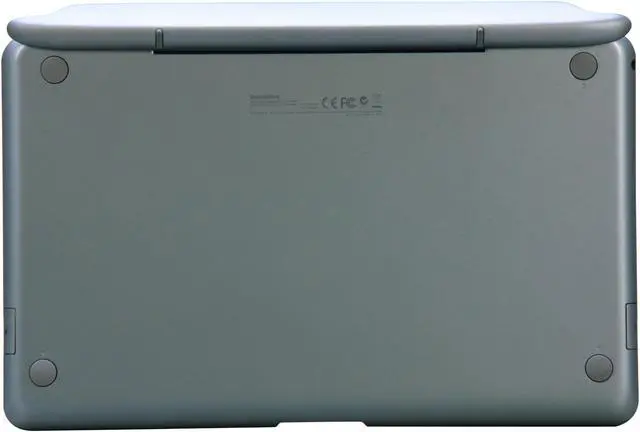
The issue is physical, and there's a number of solutions to fix this, but the easiest way is to adjust the way the tablet rests on the back-rest of the metal joint (on the dock). However you do it, the end result needs to be that the tablet is pushed further forward (towards the user) than it is now. You can put bigger sliding pads on it (the 3 square pads on the metal along the inside), you can put thicker adhesive on the existing pads... you can put something over the existing pads, put something on the tablet where it rests on the metal backing... or you can bend the metal backing itself.

Just to prove it to yourself before you go and do something drastic with it, just rip up some tissue or paper towel, and stuff it behind the tablet when you connect it. It should no longer have it's chronic and completely unacceptable disconnects. For some reason, Samsung designed the dock with too loose of tolerances. When the dock sits down, the clamps on either end are both too close (so that torque on the device has a much higher effect), and don't hold down tight enough. Pair this with the fact that the device leans back a bit, the connection ends up as being unreliable... thus disconnects.

The solution pushes (from the back) the tablet further onto the spring-loaded connector pins, which are surface contacts and not an actual plug (stupid design).

-------------------------------------------------------

The battery life is great. While I'm disappointed with the fact that the mount (ugh... so bad...) doesn't have a battery, I'm still able to use the device all day without any issues. I'd give a rough guess of 8-9 hours of solid use, BUT I do have to say, the standby isn't all that great. The standby drain on the battery IS noticeable, and somewhat strange.

-----------------------------------

Windows 8 gets a bad reputation, but it doesn't deserve it. I've owned Windows 8 on my home desktop computer since it came out. It works very well, just as compatible with everything as windows 7 is (in some cases, more compatible, as surprising as that is). The ONLY significant change is that the OS has essentially become Two-Faced.

On one side, you have the Meta's Touch-Friendly interface that works great with tablets. On the other side, you have the same desktop you grew to love with Windows 7 and all of it's predecessors. On my desktop, I hardly ever touch the Meta interface, on the Tablet, I use the Meta interface about 50% of the time.

Windows 8 is great, it's fast, very user friendly. Don't be scared off by it, it's not a Vista or ME... it works great.

---------

Processor is a duel core, hyperthreaded, low power unit built specifically for Windows 8 tablets, and it shows. It performs very well.

3 out of 3 people found this review helpful. Did you? Yes No

  • Curt
  • 4/15/2013 8:42:29 AM
  • Tech Level: High
  • Ownership: 1 week to 1 month
  • Verified Owner

3 out of 5 eggsGood but not great!

Pros: Light weight even with keyboard attached. Nice screen and pretty good viewing angles. Works with 64GB SDHC card. Battery life about the same as IPAD 3. No trouble yet with keyboard disconnects. Would have been nice with second battery built in keyboard.

Cons: Plastic case makes it light weight but not easy to hold. Very easy to slip out of hands if not careful. Atom processor just plain sucks! very sluggish and becomes unresponsive just surfing the internet. With no other software installed just stock Windows. Reminds me of those cheap netbooks. WIFI dual band chip is horrible. Both bands great range and are steady but very slow!! Max connection speed is 65MBps where is the N speed? Aren't we in 2013? I have Comcast 105/20 max speed I can get standing next to router is 42/20 on 5GHz and 2.4GHz is half that speed. Its not the tablet because I hooked USB Ethernet up and also a dual band USB WIFI dongle and it will do full speed. Plain and simple cheap and junkie WIFI chip. I have a Samsung galaxy note 10.1 and it gets full speed. Touch pad just acts weird for no reason I guess driver issue? Would not buy again to many issues for price!

Did you find this review helpful? Yes No

  • Glenn
  • 3/5/2013 3:24:01 PM
  • Tech Level: Somewhat High
  • Ownership: 1 day to 1 week
  • Verified Owner

2 out of 5 eggsLesson learned

Pros: Works well NOW, docks into the keyboard fine and programs i installed works properly.

Cons: 1st tablet they shipped me didn't have windows properly installed and wouldn't work at all. Had to deal with RMA to get it fixed... when it came back for some reason there's 2 boxes now and they tell me I ordered it twice. I had to get with RMA again to get the 2nd one sent back from my own pocket.

Other Thoughts: This wasn't an isolated incident, getting headaches with shipping with newegg. I'm done with this site till they get their act together, and I'll be sure to spread the word for people to think twice before shopping here.

0 out of 4 people found this review helpful. Did you? Yes No

  • djinn78
  • 2/28/2013 2:46:42 AM
  • Tech Level: Somewhat High
  • Ownership: 1 week to 1 month
  • Verified Owner

5 out of 5 eggsLove it!!!

Pros: 100 times more functional than IPAD, SDXC not SDHD so have 64gb sd card space. No issues with keyboard dock or wifi disconnect. 4 ipad owner friends are ordering today.

Cons: keyboard battery would be nice but multitouch mouse pad beats out competition.

Did you find this review helpful? Yes No

  • Steverino
  • 2/27/2013 9:06:32 PM
  • Tech Level: Somewhat High
  • Ownership: 1 month to 1 year
  • Verified Owner

4 out of 5 eggsAll in one is here

Pros: -Gets the job done for both casual read/watch use and at work for IT project management. Have a huge work issue laptop, though take this with me for meeting notes, travel, etc.
-Battery goes a long way. I set to sleep when power button pushed and have gone for days.
-Solid build. Dropped from five feet and the plastic only got scrapes.. did not break. Has some war wounds now for character.
-Performance. I installed Office 2010 pro and it runs just fine on the Atom processor.
-Built in s-pen. Great how that keeps it handy. Use it all the time on legacy windows programs and with OneNote.
-11.6 display. Great for notes, about the size of a piece of paper and fits in notepad folios.

Cons: -The keyboard touch pad. Have to push too hard to click. Needs additional right and left click buttons or track point. Would like if it extended further.
-Occasionally doesn't wake up from sleep and need to hard reset.
-64 GB isn't much storage space. Find nearly filled with OfficePro. Buy an additional 32GB microSD card or wireless hard drive. Should have wiped upon purchase to get rid of bloat.
-Bluetooth headset drivers not available.
-Occasionally need to disable and re-enable wireless.
-Windows8: Have run into compatibility issues with Cisco IP/Sec VPN Client and a couple other things like Flash websites on metro apps. Not many Windows8 apps even still.
-Power plug: Proprietary is annoying. Would be nice to charge over a wall USB.

Other Thoughts: Windows8 is still rather new so this is a solid offering out of the gate. For $650 now it is a real value for what you get.

3 out of 3 people found this review helpful. Did you? Yes No

  • sheilakmcd
  • 2/17/2013 8:29:58 AM
  • Tech Level: High
  • Ownership: 1 day to 1 week
  • Verified Owner

4 out of 5 eggsGreat little unit

Pros: Exactly what I wanted. A full Windows 8 tablet that I could take to the couch or bed for web surfing and video watching, with a long battery life so I didn't have to have to be tethered to a power cord. And an attachable keyboard dock for sitting at the table and doing more intensive computer tasks.

Cons: This is my 2nd unit. I didn't have the keyboard dock connect/disconnect issue, but the touchpad did not work, despite every effort of updating, uninstalling, and reinstalling drivers, even the full OS. It had to go back. TGIFreddy with Newegg's EggXpert Community kept that from being the major hassle it started out to be. I want to thank him and thank Newegg for offering that user forum.

If you plan on docking and undocking this thing on the fly, lot of us with this unit and other brands like it are having major issues. The USB crashes, the keyboard and trackpad no longer work and it requires full reboot to bring it back. Sometimes it doesn't come back at all. This is a Windows 8, USB, and driver issue that will hopefully be solved. So far this replacement unit does okay as long as I fully power down before undocking, and dock before I power up. I cannot just undock it and walk to the next room, with everything up and running. That is a serious drawback to the functionality, since being able to do that was one of the reasons I picked this unit.

1 out of 1 people found this review helpful. Did you? Yes No

  • N/A
  • 1/23/2013 12:32:53 PM
  • Tech Level: Somewhat Low
  • Ownership: 1 month to 1 year
  • Verified Owner

4 out of 5 eggsmuch better experience with replacement

Pros: fast, great battery, full Windows 8

Cons: Still seems a little glitchy and delicate, So far all issues have been dealt with by updates and help from a savvy son.

Other Thoughts: I'm glad I received a replacement that seems to be functioning as it should be. When it is working without issues I'm very pleased with this purchase.

Did you find this review helpful? Yes No

  • N/A
  • 1/22/2013 6:41:46 PM
  • Tech Level: High
  • Ownership: 1 month to 1 year
  • Verified Owner

5 out of 5 eggsHow to fix the keyboard disconnect problem

Pros: An excellent tablet if it weren't for the disconnecting dock problem.

Actually it can be fixed: The reason the keyboard disconnects is because the docking station clamp is made too loose. This can be corrected with a pair of channel lock pliers and a rag (to avoid scratching the docking station). You'll notice the attachment point is made of metal. Remove the tablet from the dock and close the dock. You'll want to squeeze on the outside of where the teflon contact points are. Be careful not to squeeze on the plastic. Make small adjustments and try the tablet.

After the adjustment my tablet never disconnects.

Cons: The worst thing about this computer is the disconnecting issue. But now that I've fixed mine I absolutely love my tablet. There is no better option if you want windows 8 and a digitizer pen.

Obviously samsung has failed on the QA of the docking station.

4 out of 4 people found this review helpful. Did you? Yes No

  • Cybervirtue
  • 1/20/2013 7:29:17 PM
  • Tech Level: High
  • Ownership: 1 month to 1 year
  • Verified Owner

3 out of 5 eggsI should have waited

Pros: 1. Good placement of features (speakers, buttons, and USB)

2. Great battery life

3. Thin

4. Perfect size (11.6") for tablet

5. Enough CPU power to run most Windows 8 applications smoothly

Cons: 1. The keyboard. Aaaarrrggghhh!!! I should have listened to other reviewers. The keyboard would get disconnected randomly. Bad Samsung design.

2. WIFI stop working randomly. I had to restart Windows to get connected again. Updated with all latest drivers and still no luck.

Other Thoughts: 1. It would be nice if Samsung added a battery inside the keyboard.

2. I hate class-action lawsuits, but this time I would happily sign up for a class-action lawsuit for the randomly disconnected keyboard and WIFI issue.

2 out of 3 people found this review helpful. Did you? Yes No

ICON Loading...

Protect Your Investment!

    • (more options) read warranty details
Are you an E-Blast Insider? Subscribe Newegg e-Blast

Buzz

How to fix the keyboard disconnect problem

5 out of 5 eggs
An excellent tablet if it weren't for the disconnecting dock problem.

Actually it can be fixed: The reason ...
— 1/22/2013

An excellent alternative to locked down tablets

4 out of 5 eggs
-Full Windows OS that runs everything your current PC can, and isn't locked down like iOS, Android and Windows RT
-Still ...
— 12/18/2012


PayPal
Shop without retyping payment details. Secure shopping made faster.
Check out with PayPal.

Financing


Home
Home > 
PCs & Laptops > 
Tablets & Accessories > 
Tablets > 
SAMSUNG > 
Item#: N82E16834131399
LOADING... LOADING...
Shop by Region: United States | Canada | China
Follow us:   RSS Feeds Youtube
VeriSign Reliability Seal1This site protected by Trustwave's Trusted Commerce program Inc500
Policy & Agreement | Privacy Policy  © 2000-2013 Newegg Inc.  All rights reserved.
If the Adobe Reader does not appear when you click on a link for a PDF file, you can download Adobe Reader from the Adobe web site. nassau