Skip to: |

Newegg.com - A great place to buy computers, computer parts, electronics, software, accessories, and DVDs online. With great prices, fast shipping, and top-rated customer service - once you know, you Newegg.

If you are reading this message, Please click this link to reload this page.(Do not use your browser's "Refresh" button). Please email us if you're running the latest version of your browser and you still see this message.

Newegg.com - Computer Parts, Laptops, Electronics, HDTVs, Digital Cameras and More!

  • | Wish List
  • Help
Search all
Search
Home
Home > 
PCs & Laptops > 
Tablets & Accessories > 
Tablets > 
ASUS > 
Item#: N82E16834230876

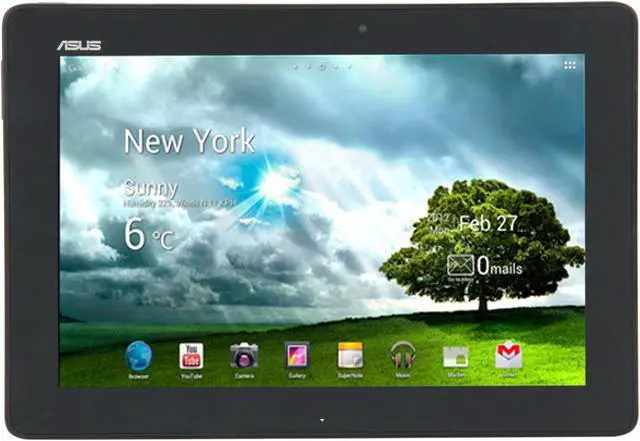
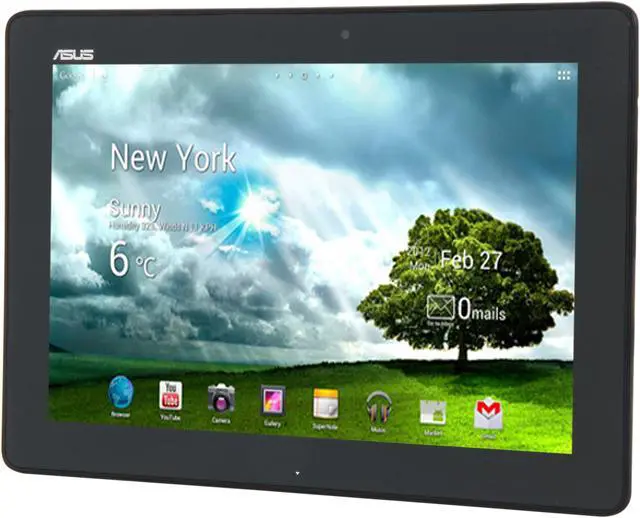
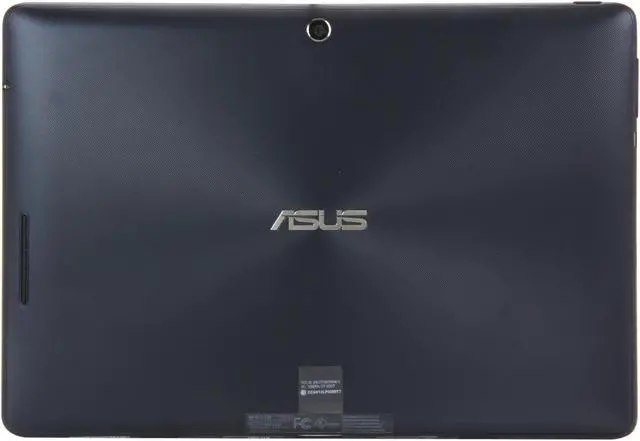
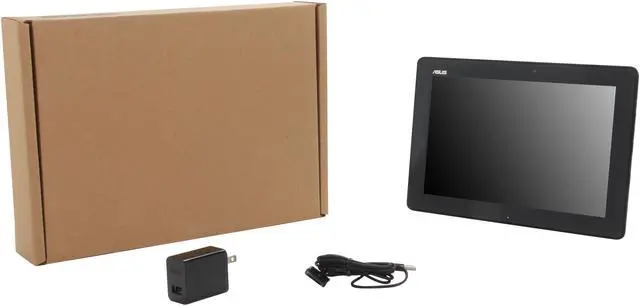
ASUS Transformer Pad TF300T Tablet - Blue NVIDIA Tegra 3 1.20GHz 10.1" Wide XGA 1GB DDR3 Memory 32GB Flash NVIDIA ULP GeForce

Refurbished newegg

  • NVIDIA Tegra 3 1.20GHz
  • Android 4.0 (Ice Cream Sandwich)
  • NVIDIA ULP GeForce
  • Pin It
  • Email this page
ICON Loading...

Available in Blue, the ASUS Transformer Pad TF300T offers the most stylish choice available in a tablet. The innovative design with the mobile docking station not only seamlessly provides the user with a keyboard, touchpad and expandability options, but also extends the battery life to an amazing 15 hours for all-day computing and productivity.

The ASUS Transformer Pad TF300 also features the NVIDIA Tegra 3 4-Plus-1 Quad Core CPU, the latest Android 4.0 Ice Cream Sandwich OS, a 1.2MP front camera for video conferencing and an 8MP rear camera with a large F2.2 aperture, 5-element lens for high quality images. You can also enjoy the incredible audio experience with ASUS Sonicmaster Technology.

  • newegg IPS Panel provides vivid images on the go A brilliant IPS Panel brings viewable angles up to 178 degrees wide, while presenting excellent and vivid graphic images that produces 50% better and more accurate color range. Displayed in high brightness, it’s able to tolerate the sunlight, so you can enjoy it regardless of the environment that you’re in.
  • newegg Transform to notebook mode with a full QWERTY chiclet keyboard mobile dock and long battery life Admit it! You miss the touch and feel of a real QWERTY keyboard. The Transformer Pad offers you a choice to enjoy both notebook mode and tablet mode with the optional mobile dock. The mobile dock offers a full QWERTY keyboard with touchpad and USB port, while also extending battery life to an incredible 15*hours for all day computing on the go. (*Battery life is measured under power saving mode, playing 720p video playback, Brightness:60nits, default volume with headphones.)
  • newegg 8MP rear auto-focus camera with large F/2.2 aperture The Transformer Pad is equipped with the most advanced CMOS sensor, large F/2.2 aperture and 5-element lens design to ensure sufficient light exposure and the ability to defocus the background and put emphasis on the object, making your photos bright and clear. With the high speed auto-focus and color enhancement design, it provides 30% better color enhancement for crisp and vivid colors, allowing the Transformer Pad to capture a clear and breathtaking image.
  • newegg SuperNote - super great app for more than note taking SuperNote is a versatile note taking app that allows users to take notes and information through a variety of options, including the keyboard, finger input, photo and video capture or audio notes.
  • newegg Polaris Office 3.0, a professional mobile office Solution Preloaded on the Transformer Pad is Polaris Office 3.0, a professional mobile office solution which enables users to edit various types of office documents including documents (.doc), spreadsheets (.xls) and presentation files (.ppt), making the 300T very attractive for professional use. In addition, the ultra-convenient 8GB of ASUS WebStorage space provides worry-free cloud computing, and best of all, is free for life!
  • newegg Android 4.0 Ice Cream Sandwich with ASUS Waveshare UI Android 4.0 Ice Cream Sandwich is a revolutionary operating system specially designed and optimized for tablets, and enables users a full web experience for on-the-go web browsing, communicating and casual computing. Supporting Adobe Flash and the ever growing Google Play, entertainment is a finger swipe away. The convenient ASUS Launcher also allows users to easily launch software, manage content and access online services and connect devices with a few simple taps.

Learn more about the ASUS TF300T

Model

Brand
ASUS
Series
Transformer Pad
Model
TF300T
Part#
TF300T-B1-BL
Color
Blue

Operating Systems

Operating System
Android 4.0 (Ice Cream Sandwich)

CPU

CPU Type
NVIDIA Tegra 3
CPU Speed
1.20GHz
Tech
Quad-core CPU

Display

Screen Size
10.1"
LCD Features
LED Backlight
IPS Touch Panel
10 finger multi-touch support
Display Type
Wide XGA
Resolution
1280 x 800

Graphics

GPU/VPU
NVIDIA ULP GeForce
Video Memory
Shared system memory

Hard Drive

HDD
32GB Flash

Memory

Memory
1GB DDR3

Communications

WLAN
802.11b/g/n Wireless LAN
Bluetooth
Bluetooth V3.0+EDR

Ports

HDMI
1 x micro HDMI
Docking Connector
1
Audio Ports
1 x 2-in-1 Audio Jack (Headphone / Mic-in)

Audio

Audio
Internal Speaker and Mic

Supplemental Drive

Card Reader
Micro SD Card Slot
Webcam
1.2MP front camera
8MP auto-focus rear camera with 5-element lens, large F/2.2 aperture & back-illuminated CMOS sensor

Power

Battery
22Wh Li-polymer Battery
Battery Life
Up to 10 hours

Physical spec

Dimensions
10.35" x 7.12" x 0.31" - 0.41"
Weight
1.2 lbs.

Features

Software Included
ASUS launcher
MyLibrary
MyNet
MyCloud
@Vibe Music
asus webstorage
File manager
ASUS sync
SuperNote
App Locker
App Backup
TegraZone
Other Features
Sensor: G-Sensor, Light Sensor, Gyroscope, E-compass, GPS
Function
Internet Tablet

Quick Info

Warranty

  • Limited Warranty period (parts): 90 days
  • Limited Warranty period (labor): 90 days


Customer Reviews of the ASUS TF300T

Do you own this product? Write a Review

Filter Results

Go
  • N/A
  • 5/30/2013 7:22:23 PM
  • Tech Level: High
  • Ownership: 1 month to 1 year

2 out of 5 eggsBeware of ASUS Refurbs

Pros: The product itself is good and was nice when it worked - that's what the two eggs is for.

Cons: About a week after the 3 month manufacturer's warranty ended my screen was inexplicably cracked after sitting still in a hard case on my desk overnight. When I say "cracked" i mean there was a distinct black circle about the size of a nickel and the rest of the screen was on but only showing vertical lines.

I opened the thing up to see the part number of the screen to replace it and noticed that there was something small and square soldered to the back of the lcd panel exactly on the other side of where the the crack was and about the same size. This didn't look right at all because there wasn't enough clearance for the case to fit on with no space which means there was a constant stress point on the back of the lcd. Comparing photos of the screen to ones of the same model (hsd101pww1) I was able to confirm that this piece was soldered on by ASUS during their refurb process and was basically a ticking timebomb that would inevitably crack the panel eventually.

Even though I was just slightly out of the warranty period (I'm talking a week or two) I decided to call asus about getting this repaired or replaced since the damage was clearly due to whatever prior "fix" they applied and got the expected runaround from the first support person I spoke to who then said a supervisor will have to review my case and then call me. Today I got a call telling me that the department I call only does repairs and that if I want a replacement I need to call a different department (no number given) and that I would likely have to pay for the replacement charges.

I've never bought a refurbished product that wasn't restored to factory performance before but then again I've never bought one from ASUS. If I had know that I was paying $250 for a product that was set to self-destruct I clearly would have just passed.

Other Thoughts: Be sure to make plenty of backups if you get this thing and good luck getting one without a piece of metal pressed between the back of the lcd screen and the case.

Manufacturer Response:

Dear Valued Customer,

I understand that you have contacted ASUS support, but when you called, did you inquire about repair costs? You could send the tablet in to our technicians and have them assess the damage of the unit. I am not sure what the cost would be to repair the unit, but once our technicians look at the tablet, they would be able to give you a repair quote. If you are interested, please contact me. My email is cl-mark@asus.com. Have a great day!

Regards,

Mark
ASUS Customer Loyalty

4 out of 4 people found this review helpful. Did you? Yes No

  • N/A
  • 5/25/2013 11:30:22 AM
  • Tech Level: High
  • Ownership: 1 month to 1 year
  • Verified Owner

1 out of 5 eggsTouch screen hardware problems - do not buy

Pros: While it worked it was a good tablet, not as snappy and responsive as my Nexus 10 but that is likely due to the fact that I am accustomed to running stock Android.

Cons: Touch screen becomes unresponsive after a while and it seems to be a hardware related issue. The problem didn't appear within my 30 day RMA window so now i am stuck with a tablet where the touch screen occasionally goes nuts like someone else is trying to use it at the same time or else where the accuracy of the touchscreen is off and you cannot reliably hit the on screen icons to navigate. Basically makes it useless. I got this for my wife as a travel machine and now she is back to stealing my Nexus because it just works reliably even if it doesn't have a keyboard.

Other Thoughts: TL;DR: This device _will_ break, do not buy. I have bought other ASUS products and enjoyed them but this refurb unit is a time bomb that will leave you having to pay for a repair out of pocket, thereby nullifying any savings on it.

I am a longtime newegg user and this is the first time that i have purchased something here that is defective that I am now stuck with because the defect doesn't become apparent immediately.

Manufacturer Response:

Dear Valued Customer,

I would recommend sending the device in before your 90 day warranty expires. If you would like to send the tablet to ASUS, please contact us. I have a direct line to one of our RMA specialists you could contact. The RMA specialist's email is cl-jolene@asus.com. Thank you, and have a nice day!

Regards,

Mark
ASUS Customer Loyalty

1 out of 1 people found this review helpful. Did you? Yes No

  • Gman
  • 4/30/2013 5:55:13 AM
  • Tech Level: Somewhat High
  • Ownership: 1 day to 1 week
  • Verified Owner

5 out of 5 eggsMost bang for the buck!

Pros: First & foremost, Neweggs shipping was lightning fast! 1 day shipping at no extra charge?? Don't know how or why but I likes it! Ordered Wed April 24 2013, arrived Thurs April 25 2013. This tablet is in perfect-new shape! Its a refurb but you wouldn't know it. It comes with little to no charge so you must charge it before trying to play with it! Found my wireless instantly! Apps & movies runs fast & smooth. This is only a week old, and for now performs flawlessly. I will update review down the road after a few months use.

Cons: None yet. Only have a week. Does everything it should and arrived fast and in perfect brand new condition.

Other Thoughts: If you are cautious and hesitant about purchasing one of these factory refurbs. let me put your mind at ease. Mine arrived looking brand new and so far not one operational hiccup......I guess it's a gamble but you could buy a brand new one and have problems with it too.

Did you find this review helpful? Yes No

  • Uncle Andrew
  • 4/23/2013 2:15:18 PM
  • Tech Level: Somewhat High
  • Ownership: 1 month to 1 year
  • Verified Owner

2 out of 5 eggsAll the Money I Saved Buying Refurbished, I'm Spending on Shipping for Warranty Repair

Pros: -Much faster and stingier with the battery than my Tegra2 tablet
-Screen is bright and easy to read
-ASUS is keeping up with current versions of Android
-Keyboard Dock is versatile and adds both storage and a ton of battery life

Cons: -Case material seems kind of insubstantial
-Ridged texturing on back kind of bothers me, but that's a matter of preference
-Both Tablet and Refurbished Dock malfunctioned went south on me, and since ASUS wants me to pay to ship them in for repairs, there goes the money I saved buying refurbished units.

Other Thoughts: Okay, so I know that it didn't cost me nearly the difference between a new TF300T and a refurbished one to ship this thing back to ASUS for warranty work. But between the time spent on hold, the time lost using the product, the frustration, etc., I feel I am out more than 80 bucks. It would have been nice for ASUS to foot the bill for a lousy call tag.

About a month after getting the refurbished tablet and a refurbished dock, two of the keys on the dock lost the ability to spring back after being pressed. So I sent it in for repair. About two weeks after that, the screen on the tablet started to go crazy at random intervals, acting as though phantom fingers were dragging themselves all over the screen. So the tablet went in for repairs just as the dock came back.

I can understand one or the other going bad on me as being the luck of the draw, but both? Let's just say, my confidence is shaken. If the tablet comes back and everything is peachy, I may revise my review upwards. As of right now, I would not recommend either of these products, at least the refurbs.

Manufacturer Response:

Hello Uncle Andrew,

Thank you very much for taking the time to leave a review on our products. I am very sorry that you have had issues with both your dock and tablet. Especially when having to send both products back and forth between repairs. I can completely understand how frustrating that can be. As you may know already, we back our entire refurbished line by our 90 day warranty for both parts and labor. In the future, if either product malfunctions, or if you would want to check the status of your RMA, please let me know by sending me an email at CL-Mark@ASUS.com; and I will do my best to help you.

Regards,
Mark
ASUS Customer Loyalty

Did you find this review helpful? Yes No

  • N/A
  • 4/22/2013 9:19:35 AM
  • Tech Level: High
  • Ownership: 1 month to 1 year
  • Verified Owner

3 out of 5 eggsUPDATE DIGITIZER IS BORKED!

Pros: Tablet was great, had already integrated it into my every day life. It saved me so much power than having my behemoth gaming desktop on all the time, and actually helped lower my electric bill.

Cons: The screen is defective? I don't know how else to describe it. I was using the device on a normal base to frequently get updates from Flipboard, and look at the news while in dream-mode. I picked up the device and began to use it when all of a sudden a large crack started to appear before my eyes from the left portion of the digitizer to the top of the digitizer. The tablet, though still in one usable piece, stopped recognizing touch period. I have owned around 23 different tech items such as this tablet, and it has NEVER happened before other than on an old BlackBerry. I honestly don't know what to expect now but reading other reviews it recently seems like digitizers are becoming more and more of a problem....

Other Thoughts: Waiting on RMA now, we will see how it goes... *gulps*

Manufacturer Response:

Dear Valued Customer,

Thank you for taking the time to post a review on one of our products. We definitely appreciate your comments and feedback. I am very sorry to read that your tablet has cracked and the touch screen is not working anymore.

You mentioned that you have sent in the device and have an RMA, have you heard anything back yet? I would be glad to check the status of the RMA for you. Please send me an email including your RMA and the tablet's serial in the email, and I would be happy to look into the case for you

Best regards,
Mark
ASUS Customer Loyalty

Did you find this review helpful? Yes No

  • gsinctown
  • 4/13/2013 4:16:35 PM
  • Tech Level: Somewhat High
  • Ownership: 1 week to 1 month
  • Verified Owner

3 out of 5 eggsfailed update?

Pros: great screen, specs, price, everything.

Cons: pretty sure its bricked now.

Other Thoughts: i ran an OTA update that failed and took me into bootloader, tried to go into recovery and when that failed ran the wipe device to start over and now I get an "unrecoverable bootloader error (0x00000000)". chances are its something I did but not sure where to go with it next. They mention fastboot recovery flashing on the forums but I dont think thats going to help me at this point... then again its not like its working now. Hoping to contact ASUS and get an idea of my options here. I have always bought asus products and will still continue to do so even after this little mishap.

Manufacturer Response:

Dear Valued Customer,

Sorry to hear about your bricked tablet. Is your device unlocked or rooted at all? If the OTA is interrupted, it’s possible that your tablet could be bricked. That’s why it’s important to leave it plugged in so it can complete updating uninterrupted. This also could be caused by a failed attempt at flashing, which I hope you didn’t try because that would void the warranty. If your tablet is completely stock and this happened, please e-mail me at cl-tien@asus.com. If worse comes to worst, we could have it sent in to have the o/s reinstalled for you under the warranty.

Best Regards,

Tien
ASUS Customer Loyalty

Did you find this review helpful? Yes No

  • Majyk
  • 4/5/2013 6:44:15 AM
  • Tech Level: High
  • Ownership: 1 month to 1 year
  • Verified Owner

1 out of 5 eggsBe very careful.... or DON"T BUY

Pros: In the perfect world, very nice tablet. Worked great while it worked until digitizer damaged.

Cons: Came home opened the case and the digitizer was cracked. No clue why.. No kids, no pets, live alone. Mine has the 5158n-FPC-1 digitizer. If it comes with that one and it gets damaged, may as well throw it away. Only replacement I found listed (and it was out of stock) cost more then the tablet. I will NEVER buy another ASUS product as a result.

Other Thoughts: This tablet come with 4 different screens. If you are able to determine which digitizer the tablet will come with (numbers on the data ribbon) AVOID the one I listed as all cost. The other digitizers are relatively inexpensive BUT WILL NOT WORK on a tablet that comes with the 5185n. Waste of money

Manufacturer Response:

Dear Valued Customer,

I apologize for the broken display. Although we do not cover physical damage to the tablet, we can still offer a repair on it. You can send it in to be assessed and evaluated. We look at things like this on a case by case basis so we can inspect your device. Usually, when the damage is “customer induced”, there will be signs that the technicians look for. It’s worth a try. Also, a paid repair through us is a lot cheaper than one from a third-party repair store. If you would like to send your tablet in, please e-mail me at cl-tien@asus.com. And I’ll be more than happy to help you through the process.

Best Regards,

Tien
ASUS Customer Loyalty

1 out of 1 people found this review helpful. Did you? Yes No

  • N/A
  • 4/5/2013 6:11:28 AM
  • Tech Level: High
  • Ownership: 1 week to 1 month
  • Verified Owner

1 out of 5 eggsCheck the Memory Size

Pros: It's a very nice piece of tech.

Cons: I didn't get the correct item.

Other Thoughts: Make sure you check the serial numbers and the memory size IMMEDIATELY. Hopefully Newegg accepts my RMA for this item. Make sure you get the 32 gig version and not the 16 gig version.

Manufacturer Response:

Dear Valued Customer,

Sorry to hear you got the wrong version of the tablet. There was probably an error when processing the order. Or did the box indicate one size but another size was inside the box? Was it refurbished? Please e-mail me at cl-tien@asus.com, as I have a few more questions. Hopefully we can get this straightened out so future customers will not have to go through his.

Best Regards,

Tien
ASUS Customer Loyalty

1 out of 1 people found this review helpful. Did you? Yes No

  • N/A
  • 4/3/2013 4:41:06 AM
  • Tech Level: High
  • Ownership: 1 month to 1 year

3 out of 5 eggsfrustrating

Pros: Strong processor
Lot space 32gb
Price 350$
Optional keyboard

Cons: It started REBOOTING with a big electrical shock at anytime 3 month after I bought it.
Most apps are made for phone
Almost all GPS apps needs internet connection
Assembly is cheap, the cassing is loose

Other Thoughts: I use it all the time, in my backpack for music, I do play some games on it and to work remotly but since it reboot itself almost 10 times a day, I dont use it much.

Manufacturer Response:

Dear Valued Customer,

I would update to the latest Android version (4.2) to see if it will help with the rebooting. It could be caused by a software conflict so I would also try a few cold-boots and maybe a factory reset on the device. For Google Play, I would filter out the search results to display tablet apps only. Like the Apple App Store, all the apps are lumped together so the person downloading should filter them out accordingly. If you are still having issues with the rebooting, please e-mail me at cl-tien@asus.com. I’ll be happy to help you out.

Best Regards,

Tien
ASUS Customer Loyalty

1 out of 1 people found this review helpful. Did you? Yes No

  • N/A
  • 3/22/2013 1:04:18 PM
  • Tech Level: High
  • Ownership: 1 day to 1 week
  • Verified Owner

4 out of 5 eggsfun on a bun

Pros: This tablet has improved a lot since its older brother the prime came out. Having owned several tablets (iconia tab. A500, tf201, and galaxy tab 2 10.1) I can honestly say this one, with Android 4.2.2 is the best. Sure it doesnt get as bright as the tf201 but everything else is almost near the same, and out of box wifi and gps are better. This time buying a tablet I had to choose between the Nexus 7 and this tablet.

I had a 32gb Nexus 7 in my shopping cart for a week becore I noticed this tab for $20 more refurbished. I spent about three days researching which was better. As they both use the same hardware (basic anyway) for $20 more you get: an 8mp rear camera, hdmi, ability to dock, 3 more inches of screen space,and a micro sd slot. These bonuses alone are worth the 20 dollar difference.

THe only advantage of the nexus was NFC and the simole fact it is a nexus, meaning updates will come out more quickly. Seeing how they have almost the same hardware, and are also made by the same company, the tf300 should have any problems getting the latest software.

Cons: The bezel is still way to big at .8 of 1 inch. Some people like it, however the tablet could be signifantly reduced in size if it wasnt so huge. Also by default when you turn the screen off wifi goes off. You manually have to change this if you want to keep downloading while your screen is off.

Other Thoughts: Great steal sub $300 refurbed is the exact same price category of a nexus 7 at $260~

3 out of 3 people found this review helpful. Did you? Yes No

ICON Loading...

Protect Your Investment!

    • read warranty details
Are you an E-Blast Insider? Subscribe Newegg e-Blast

Buzz

Beware of ASUS Refurbs

2 out of 5 eggs
About a week after the 3 month manufacturer's warranty ended my screen was inexplicably cracked after sitting still in ...
— 5/30/2013

fun on a bun

4 out of 5 eggs
This tablet has improved a lot since its older brother the prime came out. Having owned several tablets (iconia tab. ...
— 3/22/2013


PayPal
Shop without retyping payment details. Secure shopping made faster.
Check out with PayPal.

Financing


Home
Home > 
PCs & Laptops > 
Tablets & Accessories > 
Tablets > 
ASUS > 
Item#: N82E16834230876
LOADING... LOADING...
Shop by Region: United States | Canada | China
VeriSign Click for the BBB Business Review of this Computers - Supplies & Parts in Whittier CAThis site protected by Trustwave's Trusted Commerce program Inc500
Policy & Agreement | Privacy Policy  © 2000-2013 Newegg Inc.  All rights reserved.
If the Adobe Reader does not appear when you click on a link for a PDF file, you can download Adobe Reader from the Adobe web site. nassau