Skip to: |

Newegg.com - A great place to buy computers, computer parts, electronics, software, accessories, and DVDs online. With great prices, fast shipping, and top-rated customer service - once you know, you Newegg.

If you are reading this message, Please click this link to reload this page.(Do not use your browser's "Refresh" button). Please email us if you're running the latest version of your browser and you still see this message.

Newegg.com - Computer Parts, Laptops, Electronics, HDTVs, Digital Cameras and More!

  • | Wish List
  • Help
Home
Home > 
Computer Hardware > 
Networking > 
Security & Surveillance > 
Surveillance Cameras > 
Keebox > 
Item#: N82E16881623001

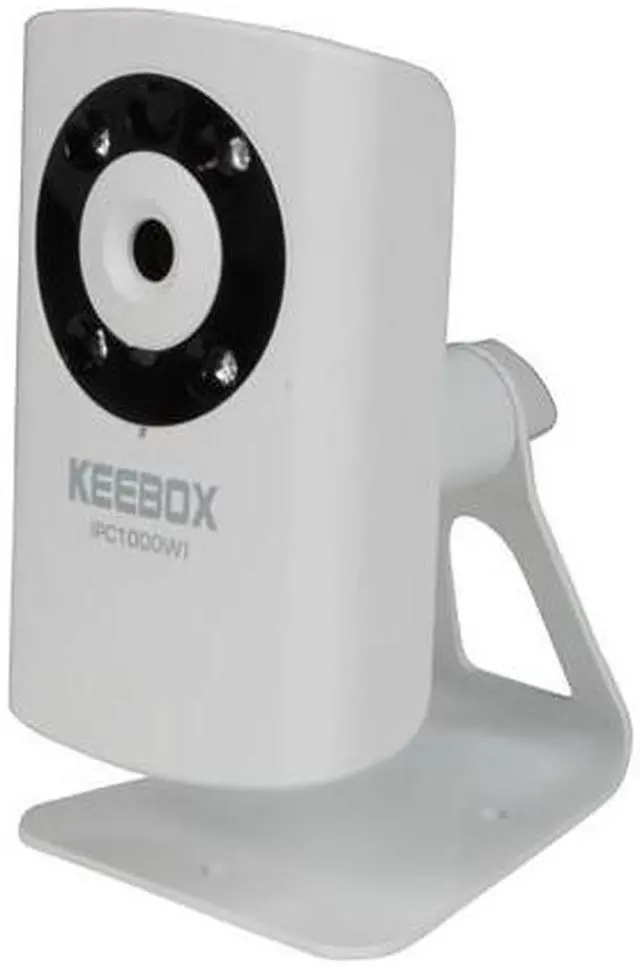
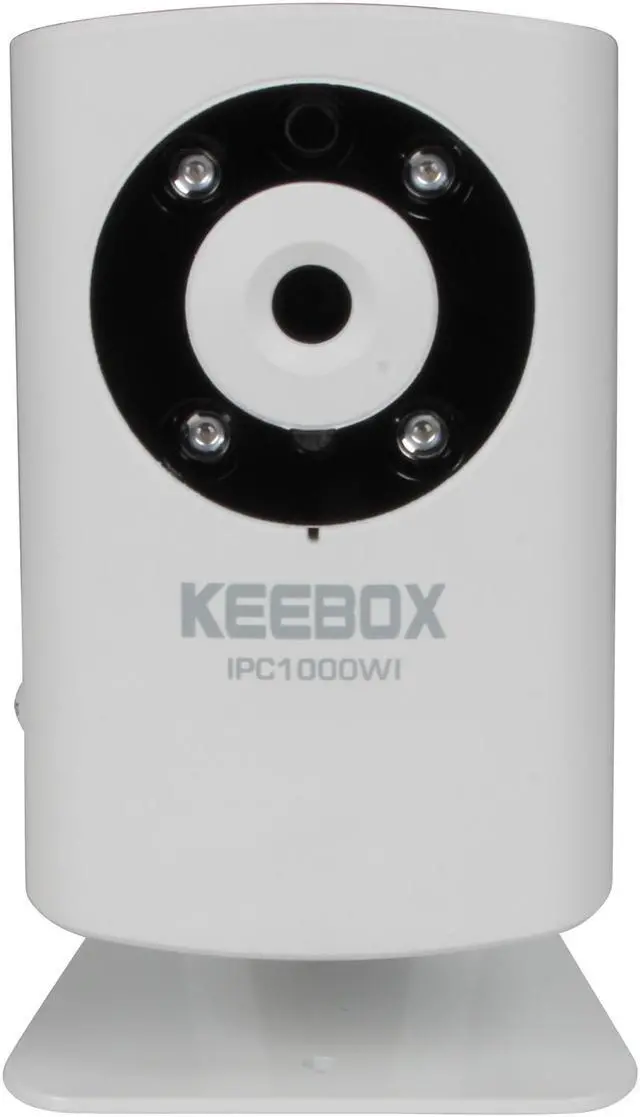
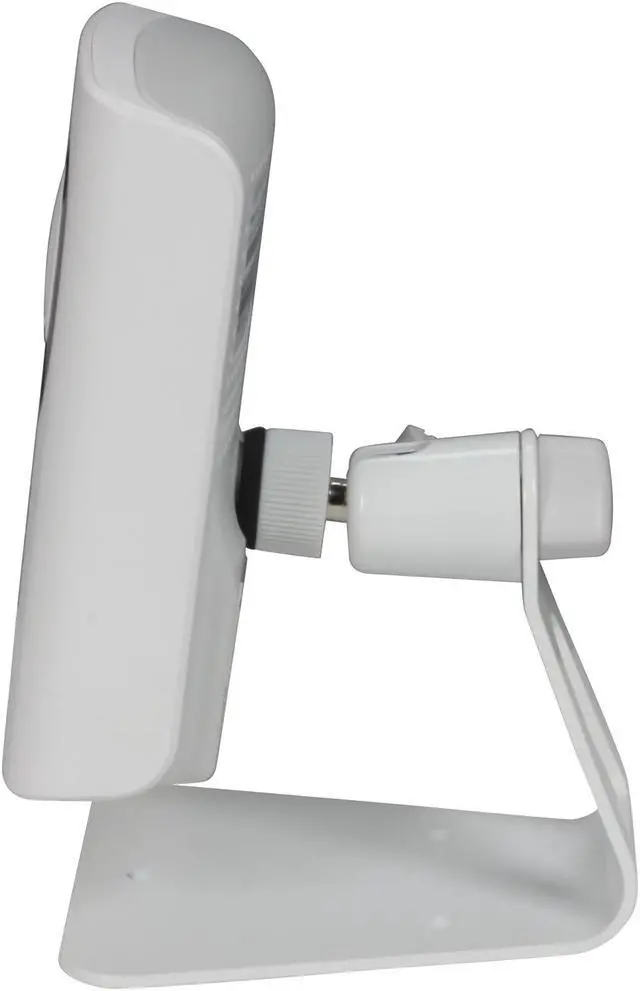
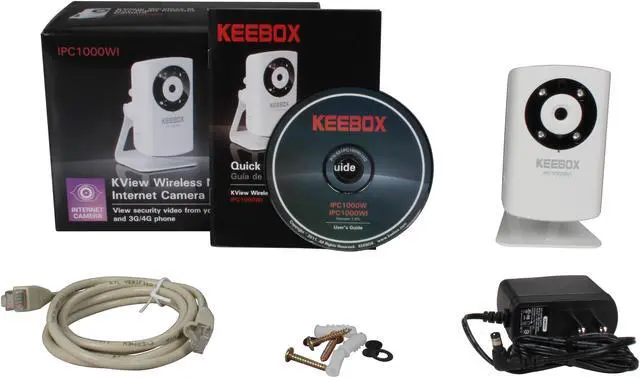
Keebox IPC1000WI 640 x 480 MAX Resolution RJ45 KView Wireless N Day/Night Internet Camera

  • Wireless Camera
  • RJ45
  • VGA color CMOS Sensor
  • 640 x 480 MAX Resolution
  • Pin It
  • Email this page
ICON Loading...

The Keebox IPC1000WI is a feature-loaded, stand-alone and night viewable system that can be connected directly to wired Ethernet or to an 802.11b/g/n wireless. This versatile camera provides high quality images with motion detection and automated email alerts for security.

Record audio with the built in microphone. Simple web browser access and control from any PC over the Intranet or Internet. Your best solution for remote monitoring and recording of high quality video images.

  • newegg Viewable over the Internet The internet ready Keebox IPC1000WI allows you to view streaming video in real time from any Internet connection.
  • newegg Night Vision up to 16 ft This camera provides you with a clear, crisp, and enhanced image at 640 x 480 pixel resolution. The camera also has infrared lens allowing you to see in the darkness, up to 16 feet away!
  • newegg Record audio with the built in microphone The built-in microphone records audio, allowing you to “listen” to the camera while watching.
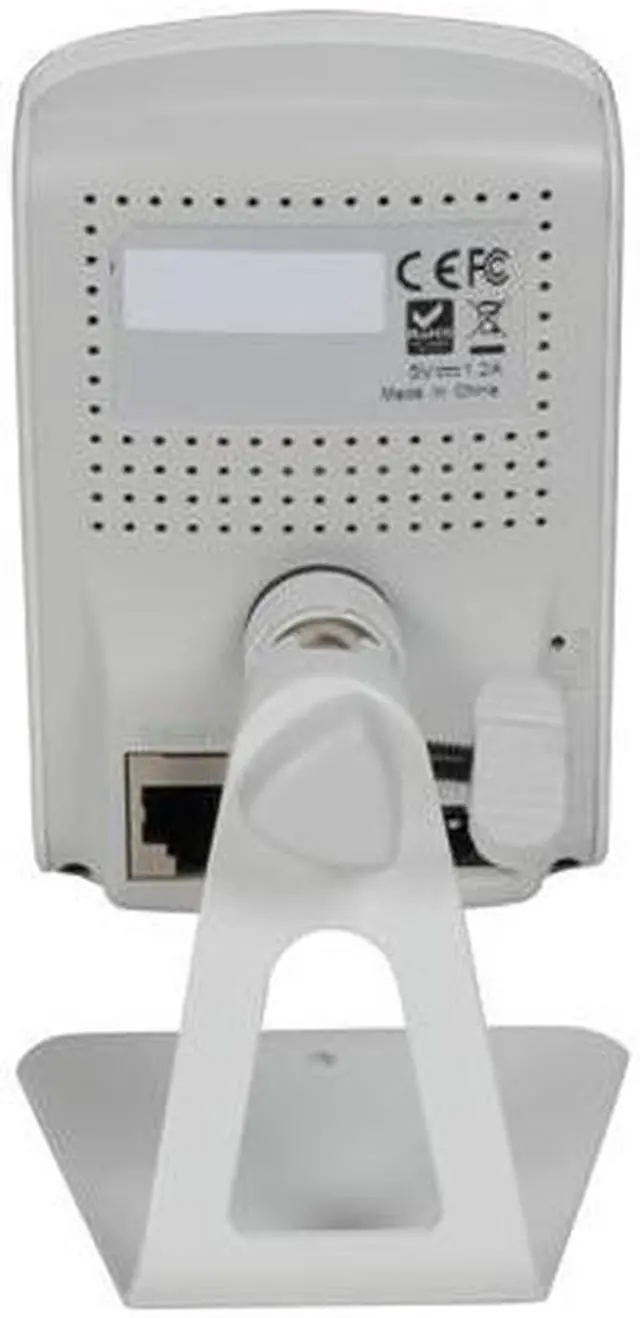
  • newegg Link to your network with a wired or wireless connection The Keebox IPC1000WI uses the 802.11n wireless protocol to connect to your wireless network which is also backwards compatible with IEEE 802.11g and IEEE 802.11b. Besides, it also provides RJ45 Ethernet port for wired network connection. With these flexible connectivity options, control and monitor of the camera from any remote PC in the network with a standard web browser.
  • newegg Program motion detection and scheduled recordings The motion detection feature means that the security of your property is secure. Once a suspect object is detected, an automated email alert will be sent to a preset email address. You can also create motion detection fields of any shape over the viewing area and define a recording schedule, continuous recording, or motion detection recording with complimentary software.
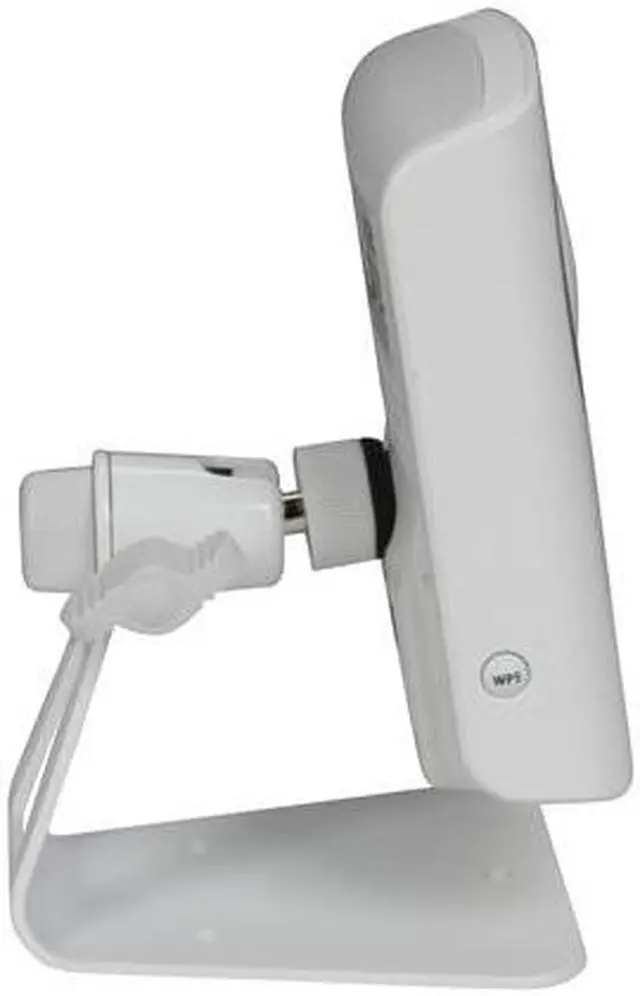
  • newegg WiFi security and WPS button The Keebox IPC1000WI supports 64/128-bit WEP and WPA/WPA2-PSK wireless encryption for high level of security. And you no need to remember Wi-Fi setting parameter (SSID, Encryption key...) - just press the WPS button to complete the secure connection setting.

Learn more about the Keebox IPC1000WI

Model

Brand
Keebox
Model
IPC1000WI

Spec

Type
Wireless Camera
Connection Type
RJ45
Wireless Standard
IEEE 802.11b/g/n
Wireless Frequency
2.4 ~ 2.497 GHz ISM band
Wireless Data Rate
Up to 150Mbps
Wireless Antenna
Built-in printed antenna
Networking Protocol
IPv4, ARP, TCP, UDP, ICMP
DHCP Client, NTP Client, DNS Client, DDNS Client, SMTP Client, FTP Client
HTTP
PPPoE
UPnP
Pan/Tilt/Zoom
4x digital zoom
Sensor
VGA color CMOS Sensor
MAX Resolution
640 x 480
Lens Type
Focal Length: 3.15mm
F/No: F2.8
Security
64/128-bit WEP, WPA/WPA2-PSK
Night Vision
Yes
Audio
Built-in omni-directional microphone
Sensitivity: -40dB +/- 4dB (5 meters max.)
Frequency: 20~20000Hz
S/N: >58dB
Codec: PCM
Power
5V DC, 1.2A external power adapter

Feature

Features
One touch WPS connection button
Infrared lens enables night vision for distances up to 5 meters (16 feet)
Power and activity LED indicators (can be disabled)
Hear sounds with 1-way audio
MJPEG video compression
Image controls: Brightness, contrast, saturation, frequency, and vertical/horizontal mirror image
Define a recording schedule, continuous recording, or motion detection recording with complimentary software
Create motion detection fields of any shape over the viewing area
Supports TCP/IP networking, Email, HTTP, and other Internet protocols
KView compatible with Windows operating systems

Quick Info

Warranty

  • Limited Warranty period (parts): 1 year
  • Limited Warranty period (labor): 1 year


Customer Reviews of the Keebox IPC1000WI

Do you own this product? Write a Review

Filter Results

Go
  • SC
  • 6/11/2012 1:25:49 PM
  • Tech Level: Somewhat High
  • Ownership: 1 month to 1 year
  • Verified Owner

2 out of 5 eggsKeebox IP Cams

Pros: Easy to setup, compact, wireless, selectable motion detection zones.

Cons: Terrible in daylight. Picture gets washed out completely.
Night vision range is pretty bad. Only good for indoor use or use with no direct sunlight. Setup software cd is garbage. Tech support is horrible.

Other Thoughts: Go with the Foscam FI8918W. 100% better. Has PTZ, guest access, preset motion zones, great in bright sunlight. Decent night vision range.

1 out of 1 people found this review helpful. Did you? Yes No

  • Aces
  • 6/4/2012 4:41:15 PM
  • Tech Level: Average
  • Ownership: 1 day to 1 week
  • Verified Owner

4 out of 5 eggsDoes what I intended it for

Pros: I think the picture quality is just fine for what I wanted it for, which was my front porch, or other close areas.

Its hooked up to my wireless router, I log in and watch it all day at work which is great!

Completely portable for different locations around my house as needed.

Cons: The night vision part is great inside, however the reflection (glare) of the red lights on my window facing outside blinds itself, so its of no use for that. I have to keep it on daylight mode all the time.

Luckily my boyfriend is tech saavy, or else it wouldn't be running. He complained about the software CD being 'garbage' and manually installed it online.

I have it set on motion detection which sends me photo emails. I've had to set the sensitivity down pretty low since the tree outside has been setting it off and I've gotten a slew of emails.

Other Thoughts: Its great for the price, I'll probably purchase another one for the other side of my house.

1 out of 1 people found this review helpful. Did you? Yes No

  • Baka
  • 4/26/2012 6:32:04 AM
  • Tech Level: Somewhat High
  • Ownership: 1 month to 1 year
  • Verified Owner

3 out of 5 eggs

Pros: Cheap value if on sale. Very easy setup and operation. Cameras do exactly what I bought them for, at the level I expected.

Cons: Noisy audio - I ordered two of them when they were on sale, both have considerable noise when audio is on. I turn it off most of the time unless I have a specific reason to have it on.
Image quality is what you expect for a cheap camera - Don't order this expecting quality. It has all of the clarity of your standard, cheap, webcam.

Other Thoughts: If all you want is a networked webcam to use for light duty, put a price watch and free shipping watch on this one and consider it disposable at $60. Anything more than that would be better spent on something better quality.
IOs Netcamviewer and Android IP Cam Viewer Lite work just fine when set to DLink.

Did you find this review helpful? Yes No

  • camguy
  • 2/17/2012 2:30:27 PM
  • Tech Level: High
  • Ownership: 1 day to 1 week

5 out of 5 eggsnice so far...got it the way I wanted

Pros: Good deal with promo so purchased 3 units to go with my existing two Linksys units. Software setup was a breeze but I had to install the software and config from there and not use the camera setup from cd. Once configured, wireless setup worked great. Next step was to set them up on my android for external viewing when I'm not home. A breeze. Use ipcamview from the market and use the Airlink AIC250 Series driver to get it to work.

People have to remember to set up a special port for use with your WAN ip address and also use port forwarding via your modem/router so that your firewall doesn't block it. This will allow you to view externally without problems.

No need for a dynamic ip service as Internet cable companies rarely change your ip. You just have to use a special port. I've been using the same ip since I got Internet...and it's supposed to be dynamic!

Cons: None yet. Hopefully these cameras last as long as my linksys cams have lasted.

Other Thoughts: To the guy who can't find how to turn off the signal lights...it's in the configuration page :)

I haven't played with email or motion detection yet so hopefully this works. I don't really need this function for these cams though.

2 out of 2 people found this review helpful. Did you? Yes No

  • Natureskid
  • 1/31/2012 11:03:13 PM
  • Tech Level: High
  • Ownership: 1 month to 1 year
  • Verified Owner

2 out of 5 eggsnot quite as good as hoped

Pros: Relatively inexpensive, easy to set up. Daylight picture is acceptable.

Cons: Not made for exterior uses, and both the focus and motion monitoring lack acceptable performance.
Night view is bright, yet unless you knew the person being monitored, you could not tell who it was (a very blurry photo).
The on light (connection etc.) is very bright and cannot be turned off. To conceal the unit one must place tape over the led (I guess).

Other Thoughts: I am very disappointed with these units, I bought 3 to focus on various approaches to the house, but had to settle for monitoring the doors from inside. At approx, 10 ft. , the motion sensors fail 80% of the time. I guess I have to make the intruder walk right up to the device to activate it.

2 out of 2 people found this review helpful. Did you? Yes No

  • Ken
  • 1/28/2012 5:22:35 AM
  • Tech Level: Average
  • Ownership: 1 week to 1 month
  • Verified Owner

3 out of 5 eggsUpdate

Pros: I decided to return the item. Could not get it to work in the capacity that I intended the item to be used for.

Cons: I bought 4 of these cameras to monitor my property from a remote location using a dynamic dns - i used "no-ip.com". This turned out to be quite a challenge. Setup was smooth and straightforward with no-ip, my router drink 655 had a bit of a learning curve with "virtual router" setup and static ip settings. But alas, no cigar. Did not work...I could see the camera from behind my router, but not from my work...could have been "no-ip.com" issue with my router's ip, but this was getting to be a pain to troubleshoot. Companies selling IP cameras should provide a better way to access their products from remote places without too much of a hassle.I will try another product.

Other Thoughts: Useless if viewing from outside your home and outside of your network.

1 out of 2 people found this review helpful. Did you? Yes No

  • N/A
  • 1/24/2012 9:17:42 AM
  • Tech Level: Somewhat High
  • Ownership: 1 week to 1 month
  • Verified Owner

3 out of 5 eggsNot worth 80 bucks

Pros: This camera works. Decent image, decent audio. But it is lacking in other areas such as the Night vison and User interface. Others have also voiced similar complaints. And trying to view it remotely poses a challenge, unless you either have a server or willing to leave your PC on 24/7

Cons: Now here is why i received only 3 eggs: If you are trying to view this over the internet, then you will have to use a dynamic service such as Dyndns (no longer free) or something similiar. The probelm is if you have a dynamic ip address on your router, then you will need to utilize a program which will have to upate your dynamic service on a regular basis with the ever changing ip address of the router. Most individuals dont seem like they are accessing the camera from a remote location (away from their premises) In order to do this you will have to run an application on your machine which will constantly feed the info to the dynamic service. It comes down to leaving your PC on 24/7, or setting up some viable solution so that your Dynamic DNS service will keep track of your ever changing IP. Either this or purchase a static IP. I hear this will cost you though.

Other Thoughts: I would buy an IP camera would would act as a server with a static IP and I can log into directly, from anywhere in the world thereby bypassing this dynamic IP and port forwarding, or virtual server mess.

1 out of 4 people found this review helpful. Did you? Yes No

  • N/A
  • 1/17/2012 10:07:23 AM
  • Tech Level: Somewhat High
  • Ownership: 1 week to 1 month
  • Verified Owner

4 out of 5 eggsSurprising

Pros: Surprisingly good for the price. Configuration is simple, video stream is VGA and usable.
For android, use TinyCam to view the stream. For iOS, I found Netcamviewer to work fine. Neither plays an audio stream, but it could be the device does not send audio expect via the web browser and the ActiveX or Java viewing option.

Cons: Sound is poor at best, lost of distortion with the audio. Still usable, just noisy.

Other Thoughts: catch them on shell shocker and you have a pretty easy way to have network cameras for whatever purpose you have.

3 out of 3 people found this review helpful. Did you? Yes No

  • N/A
  • 1/6/2012 4:43:22 PM
  • Tech Level: High
  • Ownership: 1 month to 1 year
  • Verified Owner

5 out of 5 eggsExcellent Product!

Pros: I bought one used for baby monitor a couple of months ago. It works great. I can use it with either PC or my android phone to see my baby anywhere.
Bought another one later since it is on sale. great value!

Cons: it is little tricky to use the ip cam with tinycam software on android phone. there is no Keebox product listed when choosing the ip cam brand. I just chose dlink one and it worked.

4 out of 4 people found this review helpful. Did you? Yes No

  • Yetti
  • 11/15/2011 9:31:43 AM
  • Tech Level: Somewhat High
  • Ownership: 1 week to 1 month
  • Verified Owner

4 out of 5 eggsDoes the job

Pros: Fairly easy to set up, easy to access online. I've played around with the motion sensor and it works as advertised.

Cons: The only real issue I have is with the recording software. I left it recording for about 40 hours and it only recorded about 30 minutes worth, some at the beginning and some at the end of the period. The most annoying part was the recordings were split up into 1 minute intervals. Maybe this is something I need to look into to tweak but these are certainly not good default settings.

Other Thoughts: Overall, it is a good product, especially for the price.

1 out of 4 people found this review helpful. Did you? Yes No

Compare Offers from All Sellers

Seller Name & Rating Offer Details  
ICON Loading...
Are you an E-Blast Insider? Subscribe Newegg e-Blast

Buzz

Excellent Product!

5 out of 5 eggs
I bought one used for baby monitor a couple of months ago. It works great. I can use it with either PC or my android phone ...
— 1/6/2012

Nice camera, software needs work

4 out of 5 eggs
Decent image quality, MJPEG streaming; camera has a web interface that lets you set wireless networking, frame rate and ...
— TBubba 10/22/2011


More Resources

PayPal
Shop without retyping payment details. Secure shopping made faster.
Check out with PayPal.

Financing


Home
Home > 
Computer Hardware > 
Networking > 
Security & Surveillance > 
Surveillance Cameras > 
Keebox > 
Item#: N82E16881623001
LOADING... LOADING...
Shop by Region: United States | Canada | China
Follow us:   RSS Feeds Youtube
VeriSign Reliability Seal1This site protected by Trustwave's Trusted Commerce program Inc500
Policy & Agreement | Privacy Policy  © 2000-2013 Newegg Inc.  All rights reserved.
If the Adobe Reader does not appear when you click on a link for a PDF file, you can download Adobe Reader from the Adobe web site. nassau