
Your Browsing History
 Holiday Shipping Details & Extended Holiday Returns Holiday Shipping Details & Extended Holiday Returns

Joined on 07/07/06
Excellent Consumer SSD Using 3D TLC NAND
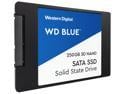
Pros: A lot of reviewers have already posted performance specs (e.g., random read/write, sequential read/write, 512, 4K, random, etc.) so I'm not going to rehash all of that except to affirm WD's stated claims of 550MB/s read and 525MB/s write. It's difficult to differentiate offerings like SSDs for a lot of technical reasons and difficult to validate "marketing". It's not like I can reverse engineer the firmware to corroborate how wear-leveling and ECC actually takes place vs a competitor's product. That said, it uses some pretty dense NAND technology, 3D/TLC meaning the cells have 3-layers and at stacked to increase capacity volumetrically vs widening the footprint. While this enables increased capacities, there are some tradeoffs discussed in the cons. However, if you’re an average consumer and you’ll be using this in conjunction with a backup device (as everyone should) this is an excellent choice of high-performing storage at a solid price. If you need more capacity, consider some of the larger capacities. All of the above is largely true of all products in this consumer category and price point. The differentiator is this product carries the Western Digital name and reputation and leverages their acquisition of SanDisk, a leader in NAND flash memory technology. So, buy with confidence in their reputation as industry leaders.
Cons: As noted above, to increase capacity this disk uses 3D TLC NAND, but with a major drawback that the technology inherently shortens the number of write cycles available for the cell over MLC and SLC NAND to about 5,000 before failure at the cell level compared to about 100,000 cycles for SLC and 10,000 for MLC. Still, I’ve never had a single MLC or TLC drive fail in 7 years. So the odds are remote that you’ll see a failure under normal consumer usage for 7-14 years. That said, it is something you’ll want to be aware of. However, know that this problem is consistent for all manufacturers using TLC NAND. This is why warranty is so important. Western Digital offers it’s typical 3-year warranty for it’s Blue line for this drive, which is fairly risk averse from their perspective. Under strenuous write cycles the disk should last at least 3.5 years. The warranty only covers up to 3 — one might infer that they’re only covering the bare minimum for this drive and don’t consider longevity to be a key differentiator. That said, this warranty is pretty standard across the industry. It’s important to note that the mean time before failure is 1.75 million hours, which is just shy of 200 years. That doesn’t mean your drive will last 200 years, it just means that, on average, there’s an estimated 1 failure resulting in total device downtime in 1.75 million hours of usage. Obviously, cells may failure sooner, but the disk as a whole should continue functioning, holistically, for much longer, and the now ubiquitous wear-leveling technology should mitigate the risk of short cell life.
Overall Review: WD acquired SanDisk in 2016. SanDisk is a leading manufacturer of memory technologies so this offering from WD is expected to leverage their deep knowledge base. I think you can certainly buy with confidence, and I still enthusiastically recommend, just make sure you're indeed buying this for consumer purposes and be cognizant of the degree of write cycles your usage requires so you're not caught unaware. Again, I've never personally had an SSD failure in 7 years and I'd consider myself an average user with moderate write cycles in my normal usage. I also don't believe WD would put their reputation on the line for a series of SSDs that underperformed. So, buy with confidence and plan accordingly.
Ultra-compact with great read performance, okay write performance.
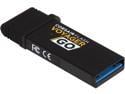
Pros: The primary feature most striking is the compact size. It would be incredibly difficult to make the form factor any smaller without compromising either the micro-USB or USB 3.0 connections. It is tiny. The second best feature is the read performance. Using USB 3.0, the flash drive can serve up ~120 MB/s consistently making it very useful for storing video to share between devices. However, getting gigabytes onto the flash drive is another story, see below, prepare to hurry up and wait.
Cons: Okay, the bottom here is write performance is beleaguered in the 20 MB/s range. For a USB 3.0 flash drive, this could be greatly improved upon for $30. It's this combination of lackluster write performance that leads me to conclude that the price is all about size and little to do with substance, which is disappointing.
Overall Review: While the compact size is nice, I couldn't really find an application that requires a stick this compact -- with the exception of trying to be discreet hanging off a tablet. Of course, that's the intended usage. That said, in almost all other cases, I would have gladly traded size for better write performance. Also, I intentionally used this device for over a month straight to ensure it continued operating optimally. If you've ever had flash drives that were DOA or trashed after a few weeks -- you can relate to this. I didn't expect any issues being a Corsair product, and there weren't any in the reliability department.
Great drive for the purpose -- just needs more capacity
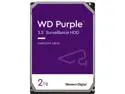
Pros: The single greatest upside is how relatively inexpensive it is as a 5400 RPM 2TB drive intended for continuous write of up to 64 cameras with simultaneous reads. ATA streaming support effectively allows user configurable formatting of the drive into zones to better facilitate continuous writes with simultaneous reads to minimize seek time which could lead to a cache burst scenario and dropped frames as a result. Residential configurations, which often consist of write often but read rarely configurations, are served extremely well by these drives, since they’re intended for commercial use with many writes at once and simultaneous reads for video playback by active monitors. So, whether you’re residential or commercial, these drives offer improvements over standard desktop drives at a price point that’s reasonable for either class. Finally, from a technological standpoint, these drive is designed for constant 24/7 usage in less than ideal environments. Surveillance systems often lack the ventilation/cooling of server racks and are often found in location subject to a lot of vibration. Thus, these drive incorporate some of WD’s anti-vibration technologies to ensure heads remain in the intended location while being able to withstand locations lacking robust environmental controls like HVAC.
Cons: The one primary drawback to this model is capacity. Modern cameras capable of 4K H.265 encoding in a 4 camera system with just 5 days of storage comes to over 16 GB. So a 2TB drive won’t get you very far. Even using 4 cameras at 1080p and H.264 encoding for 5 days requires about 3 TB. So, unless you’re running super low-res tech and/or 2 cameras or so, you’ll need a larger capacity drive. Fortunately, they offer them up to 10TB. Finally, Western Digital’s standard 3 year warranty applies here. Personally, I feel like 3 year warranties on storage devices should be the bare minimum for commercial drive intended for 24/7 operations in hot environments with lots of potential for vibration. It would be great to see a 5 year warranty offered for these.
Overall Review: I would definitely recommend the drive for older or more modern systems depending on the number of cameras and their resolution/encoding. I would even more enthusiastically make a recommendation upon understanding the cameras and technology in the desired system -- as I believe more capacity is likely needed, especially for multi-camera 4K H.265 30 fps cameras.
Outstanding mainstream power supply!
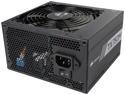
Pros: - Sufficient to meet most single-GPU (even high-end) system needs. - Semi-modular to minimize cable management difficulties (24-pin and 4+4-pin not modular). - All black design and included cable ties ensure minimal aesthetic disruption in the most dynamic or austere designs. - 80 PLUS Gold certification ensures power is efficiently converted and delivered from AC to DC. I've used many Corsair PSUs over the years and can honestly say the TX-M series is an impressive step up from the CM series, which I abandoned years ago in favor of the TX line. For the features noted above, the price tag is right but you can occasionally find it on sale for a bit cheaper. That said, it might be a few dollars more than it's competitors, but for the excellent build quality, efficiency, regulation, and minimal ripple, you can't argue with extra dollars. If anything goes wrong, you have 7 years of protection. This offering from Corsair is an outstanding choice and should be at, or near, the top of your short list.
Cons: Candidly, the only feature I'm not fond of is the quality of the modular cables. I've never once had one fail -- but they feel cheap and lack the nylon sheathing the 24-pin and 4+4-pin cables do and that difference is obvious. But again, never had or seen a failure so no deduction. Otherwise, I have absolutely no cons related to this power supply.
Overall Review: I always recommend determining your maximum power needs and purchasing a power supply with sufficient overhead to ensure you're not running the PSU at maximum capacity for extended periods. The ratio I typically use is: Max Need / 0.8 = Max PSU. The other factor is maximum amps on the +12v rail(s) which is where all of the power intensive functions will draw power from. Latest-generation high-end graphics card require about ~330 watts at max. If we use the 80% rule here, too, we need to ensure we can dedicate ~400W for graphics. Most modern systems, processors, etc., use relatively little power compared to just a few years ago. So let's assume we need just 200W more total to run the rest of the system at max, which allows generously for various configurations and components. Applying the 80% rule there equates to about ~250W. This brings our total system needs, estimate only, your specific configuration will vary, to about ~690W total. That's well under the 744W maximum on the +12v rail and the overall 750W rating for the PSU overall and ensure it won’t be taxed to premature failure.
Solid board, budget price, and lots of features
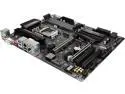
Pros: This is a solid board at a budget price loaded with relevant features. I won't waste time rehashing all the features but just want to share my experience and likes. My experience with this board was very similar to my experience with it's bigger, more expensive, brother. First, and this is rare, I had no significant issues at all getting it up and running. In fact, there wasn't a single blue screen or issue. I just connected everything, fired it up, did an initial BIOS config, and installed Windows 10. Done. Well, I should quite say done as I did spend a lot of time looking at all the BIOS settings -- but let's be honest, that's part of the fun for enthusiasts. From a tech/build perspective, I like the board layout. It's simple, things are thoughtfully placed, and the design aesthetics shine for their base simplicity. However, it's rare that I find a motherboard I can't complain about due to layout tradeoffs (see Cons below for more). But where this board really shines (pun intended) aesthetically is in the LED layout and header for additional add-on LEDs in RGBW (yes, white, too). The customization in color, zones, and cycling is awesome and really lights up the board inside a case or on a bench. Kudos for low power but thoughtful color integration. The addition of USB 3.1 Type C coupled with the other USB 3.1 ports provides some nice versatility against standard ports on the I/O panel that should offer years of future proofing for peripherals while the location of the M.2 connections ensure limited interference PCIe slots, which in my mind, is a must. The metal reinforced PCIe slots add a degree of rigidity and strength so those heavy GPU cards stress the plastic slot less -- a simple and elegant solution -- whether the problem actually exists or not (it isn't something I've ever experienced, honestly). Let's be honest, if you're building a computer today, even on a budget, don't skimp on storage IO performance. With this board, you don't have to. Another nicety is knowing that with this chipset, I can connect a second HDMI cable to my monitor directly from the I/O panel so that if something goes wrong with my GPU overclocks, I have a way to still see what's happening if things go horribly wrong. Nothing worse than a GPU RMA with no backup graphics options -- but with this setup, backup video is laying in wait. It's not bad either and capable of pushing 4K in Windows and video playback rather nicely with no notable choppiness, tearing, or performance issues. It also has, which now feels very old, a DVI connection if you're monitor isn't new. I can't imagine getting this board and using the DVI port, though. While there are a lot of other little customizable features -- none of which I really utilize -- there is one final piece that stands out as noteworthy: stability. To maintain stability you need to control temperatures. I use a combination of fans and closed-loop water cooling. That means there are pumps, radiator fans, and case fans involved. I like how this board uses modular connections that sense what is connected (e.g. pump vs fan) and several temperature sensors to fully customize the cooling options for both air and water cooled solutions alike. While this isn't an overclocking board, and temps should never be an issue, I still like this feature. Finally, this CPU and chipset sip power (less than ~100 watts). It's pretty easy to just pop things in and fire it up. As is, without GPUs and peripherals, etc., at stock speeds, we're talking about less than 100W. That's great. A few short years ago we were talking 140W alone for a CPU. In other words, it does a good job with efficiency while maintaining solid power. The board didn't appear to flinch in testing as power levels remained very steady throughout. Which brings me to a final feature, USB power. I'm not sure if it's additional capacitors or a chip, or both, but they've worked to eliminate ripple and fluctuations in power to the USB ports to provide constant voltage/currant to USB devices. In the real world, I'm not sure how much this matters, but I like it. It demonstrates continued thoughtfulness bringing features to market that express quality at minimal extra cost.
Cons: Okay, so what didn't I like? As a guy who loves raw power and throughput, having PCIe lanes at x16/x4 vs x16/x8 always has me question if this board will make me happy. This was a big deal in the PCIe 2.0 days, which saw only nominal losses in power but this is PCIe 3.0 and is intended to be largely a single GPU board unless you're an AMD Crossfire person. I'm not and I think your performance will still suffer a bit in a Crossfire configuration being limited to only 20 lanes total in a x16/x4 configuration. But, while I'd like to complain about that, I really can't. It's an H-chipset design trade off at this budget price -- not a choice by board manufacturers. If you really want NVIDIA SLI, unhindered AMD Crossfire, or overclocking, you probably need to stop here and go directly to a Z-chipset. Any other legitimate gripes? - All that software (e.g. bloatware). Some of these software offerings are cool (e.g. LED and fan software), but let's be honest, it's overhead that, when running, robs the system of resources and performance. Never been a huge fan but I see the appeal for some. I'd just prefer to do it all in the UEFI-BIOS and call it done (which you can do with this board). And anti-virus that comes bundled? Forget it, trash. - Finally, if you're going to give us all these garbage software utilities, why not provide a thumb drive vs driver CD, and use one of those utilities to keep that thumb drive updated with the latest so it's always ready to go?
Overall Review: I'm super picky about my motherboards. Honestly, I usually prefer other manufacturers and avoid budget boards. But this board demonstrates that Gigabyte has a winner in the budget gaming category. I deducted just one egg for the cons but they were slight. Overall, this is a good and solid board for at a price anyone can swallow.
Great board, good price, with lots of little features!
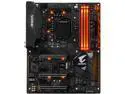
Pros: I really like this board. I won't waste time rehashing all the features but just want to share my experience and likes. First, and this is rare, I had no significant issues at all getting it up and running. In fact, there wasn't a single blue screen or issue. I just connected everything, fired it up, did an initial BIOS config, and installed Windows 10. Done. Well, I should quite say done as I did spend a lot of time looking at all the BIOS settings -- but let's be honest, that's part of the fun for enthusiasts. From a tech/build perspective, I like the board layout. It's simple, things are thoughtfully placed, and the design aesthetics shine for their base simplicity. However, it's rare that I find a motherboard I can't complain about due to layout tradeoffs (see Cons below for more). But where this board really shines aesthetically is in the LED layout and header for additional add-on LEDs in RGBW (yes, white, too). The customization in color, zones, and cycling is awesome and really lights up the board inside a case or on a bench. Kudos for low power but thoughtful color integration. The addition of USB 3.1 Type C coupled with the other USB 3.1 ports provides some nice versatility against standard ports on the I/O panel that should offer years of future proofing for peripherals while the location of the M.2 connections ensure limited interference for 2x SLI setups, which in my mind, is a must for enthusiasts with money to burn. Speaking of powerful GPUs, the metal reinforced PCIe slots add a degree of rigidity and strength so those heavy cards stress the plastic slot less -- a simple and elegant solution -- whether the problem actually exists or not (it isn't something I've ever experienced, honestly). Another nicety is knowing that with this chipset, I can connect a second HDMI to my monitor directly from the I/O panel so that if something goes wrong with my GPU overclocks, I have a way to still see what's happening if things go horribly wrong. Nothing worse than a GPU RMA with no backup graphics options -- but with this setup, backup video is laying in wait. It's not bad either and capable of pushing 4K in Windows and video playback rather nicely with no notable choppiness, tearing, or performance issues. While there are a lot of other little customizable features -- none of which I really utilize -- there is one final piece that stands out as noteworthy. When you OC, you need stability. To maintain stability you need to control temperatures. I use a combination of fans and closed-loop water cooling. That means there are pumps, radiator fans, and case fans involved. I like how this board uses modular connections that sense what is connected (e.g. pump vs fan) and several temperature sensors to fully customize the cooling options for both air and water cooled solutions alike. Finally, this CPU and chipset sip power (less than ~100 watts) and OC reasonably well. It's pretty easy to just pop things in, fire it up, and achieve a stable 4.7 GHz OC. As is, without GPUs and peripherals, etc., at stock speeds, we're talking about less than 100W. That's great. A few short years ago we were talking 140W alone for a CPU. In other words, it does a good job with efficiency while maintaining solid power. The board didn't appear to flinch in testing as power levels remained very steady throughout. Which brings me to a final feature, USB power. I'm not sure if it's additional capacitors or a chip, or both, but they've worked to eliminate ripple and fluctuations in power to the USB ports to provide constant voltage/currant to USB devices. In the world, I'm not sure how much this matters, but I like it. It demonstrates continued thoughtfulness bringing features to market that express quality at minimal extra cost.
Cons: Okay, so what didn't I like? As a guy who loves raw power and throughput, having PCIe lanes at x8/x8 vs x16/x16 always has me question if this board will make me happy. This was a big deal in the PCIe 2.0 days, which saw only nominal losses in power but this is PCIe 3.0 and things hang tough and x8/x8 holds its own and can often exceed x16/x16 setups in graphics processing intensive tasks like ultra detail, high resolution gaming. So, while I'd like to complain about that, I really can't. Besides it's a CPU/chipset design trade off at this mid-point of price/performance -- not a choice by board manufacturers. Any other legitimate gripes? - No on-board power/reset with LED debug code. There's a ton of lights on this board already -- you mean they couldn't fit useful buttons and displays? I feel like this was a definite miss for bench testers -- looking cool won out here over functionality. - All that software (e.g. bloatware). Some of these software offerings are cool (e.g. LED and fan software), but let's be honest, it's overhead that, when running, robs the system of resources and performance. Never been a huge fan but I see the appeal for some. I'd just prefer to do it all in the UEFI-BIOS and call it done (which you can do with this board). And anti-virus that comes bundled? Forget it, trash. - Finally, if you're going to give us all these garbage software utilities, why not provide a thumb drive vs driver CD, and use one of those utilities to keep that thumb updates with the latest so it's always ready to go whenever you accidentally nuke things on an OC going horribly awry? That's it, surprisingly.
Overall Review: I'm super picky about my motherboards. Honestly, I usually prefer other manufacturers for enthusiast boards. But this board demonstrates that Gigabyte deserves my attention in the consumer mid-range/enthusiast category. I deducted no eggs for the cons because they were slight. Overall, this is a great board for what I want it to do at a price I can swallow.