
Your Browsing History
 Holiday Shipping Details & Extended Holiday Returns Holiday Shipping Details & Extended Holiday Returns

Joined on 11/22/04
believe it or not
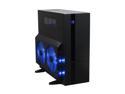
Pros: this is my 3rd windtunnel, but the other 2 are 3 years old ive learned the benefit of easy access to my harddrives long ago the problem with the fan wall is real though, the plug being weak and the sata drive cables and electrical computers can be in the way at times... but you adapt by buying 4 or 5 lasko fans 22 inch and maybe a few more oscillating fans to run when you turn on your computer(s). a fan blowing on everything from psu to graphics cards and harddrives, dont forget ram- you got a cooling system equal to that of water cooling, minus the price
Cons: there is an led readout for the interior 'motherboard' temp. that's not a con they axed the top fan(200mm), but they have a bunch of well finished holes in the roof for ventilation.
Overall Review: they upgraded the harddrive rail system to include carriages. smoother finish on the outside it's big and beautiful i have both sides off one of them allowing for complete air flow in and out that one has a hole in the roof where i removed the beautiful blue led fan that i broke by hooking it up wrong there are 6 spots for hdds, 5 huge bays for dvd/blu ray recorders, and 2 slots for floppy drives, or possible 2 slots for the newer ssd harddrives... note your motherboards possibilities, most only support 6 sata, so after 2 dvd/blu ray drives, you got possible only 4 harddrives, unless you go pata... this board has plently of room with the capacity to reach everything easily the huge fans on the side worked great when i used them the whole thing depends on cable management if youre going stock with this one o yeah, they stopped shipping the rear fan, but i got a free one from my psu supplier(120mm blue led!) they still have the front fan, no blue leds..
steam blows, its nothing like predecessor

Pros: none
Cons: steam slows everything down. this game is nothing like warhammer 40,000, which is an awesome game...
Overall Review: all steam games should be required to have the fact they are 'steam' games made prominent this game has squads of soldiers premade with none of the building requirements of its predecessor you can play offline though which is a blessing, but the ai is wicked... i expect a game series to be of the same type as the rest in its series. be it rpg, strategy, fps, whatever the upgrades do nothing to help against the ai you face alone good luck
i want to thank newegg for thanking me

Pros: the picture of the logo on this page is, to my best guess, the same size it is in real life no markings on the front 3 eggs, 1 golden I finally get to be part of the in crowd only us cool cats get stickers er, right... thanks for the thought
Cons: none
Overall Review: I suggest a sticker with a cool dragon, with dragon eggs, and the word newegg integrated it would draw more eyes, be used on more computers and would generate tons more positive attention yeah, I understand it's free, so it has to be cheap, but... dragon eggs tie into a certain tv series and dragons are really the best for catching eyes and then eating them
finally a secure os
Pros: everything use a harddrive that's faster then your ram and you are good to go along with 75Mb/s or faster internet don't use wireless, ever.... I have my xbox one feeding windows 10 pro on a 6000 dollar machine I built the graphics of my xbox one are quite tight on my big screen now. the os is helping in all aspects of operation, including security. adding a foreign security to windows 10 pro gives the exact opposite affect you want non ms progs have to be updated, where you might ask, and I would tell you, the internet. now we all know that the internet is the safest place in the world and that any downloading or installing off the internet is fun fast and will never ever cause any problems. so when your new security software takes over your computer, you can laugh along with the hackers. wonder why you keep getting memory leaks from webroot? because you got a parasite that road the connection into your computer.
Cons: nothing, I am extremely proud of ms the cost is not a sale though, shrugs I don't agree with making the complete working edition, windows 10 pro, cost more than an unfinished version in windows 10 home edition. when people find out that windows 10 home is just a beta version of windows 10 pro, they are going to be very annoyed especially if there is no physical disc upgrade from one to the other for a reasonable price.
Overall Review: I'm going to get another key. listen, buy the first copy of windows 10 pro on physical disc or flash drive do not download your os off the internet and expect no problems after you have the disc, you can buy activation codes if you want just always use the disc or flash drive to install win 10 pro upgrade to the anniversary edition, like windows 7 has a sp1 I believe they re comparable. lock out all incoming ports with your firewall, except those for network and internet use go to 192.168.0.1 and turn off the setting that allows your router to input unknown file packages while you are updating windows or surfing the net. update defender and scan, use it. other programs don't have the proprietary abilities of defender and ms firewall and they are not a wildcard update and install, they actually stop others from masquerading as the Microsoft website. ive tried every security software over many years. none integrates with the os like the latest versions. cheers! thank you finally Microsoft, please keep up the wonderful security, such as Microsoft edge has as well hackers hate Microsoft edge I love it and you get some weird points for searching the web using it I'm saving up for a xbox live year contract I almost got half way to my goal in a year, haha whatever last note, if adobe flash runs, turn it off, you don't need it with ms edge - better than g oo gle chr ome hug a hater
overheats
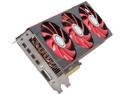
Pros: fast, lotsa memory, incredible bit rate.
Cons: i put two in crossfire and they overheated. yeah, i have a xclio wind tunnel so no lack of airflow on my part.
Overall Review: these should come stock with waterblocks. especially at the price. luckily the vendor i used gave me back my money. i used it on two sapphire cards. they were cheaper and came with more adapters. i took off the case's side panel and now have a 20" lasko fan blowing on my machine whenever it is powered up. it would've cost me 450 dollars to use water instead of the less than 30 i spent on a house fan. 2 year warranty was quite a shock. i have other cards by xfx that are guaranteed for life, that's why i got these, i didnt realize they changed. ive also had sapphire in the past, i see no difference, but price and number of adapters. they look exactly the same except the fan decals and the name on the cards.
im ready to upgrade, youre not
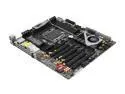
Pros: super updated awesome motherboard with everything I want.
Cons: too many bad reviews. no phone support. no 30 day replacement policy. too expensive to be playing games with whether or not I get one that works.
Overall Review: seems I have to keep waiting. hasn't it been over a year and half since they put out the 2011? looking at all the bad reviews I cant justify buying this motherboard. bent pins, really? no 30 day replacement policy from either manufacturer or seller? what is up with that, ive never heard of such a thing on newegg. no phone service for a 600 dollar motherboard? 11 dollars for a sticker you didn't put in a box? haha bios that don't work with all known cpu's? raid that doesn't work with every buyer? no compatible memory for 64 gigs of ram? how long does the list have to get before they fix their motherboard instead of having a pub rep come here and tell us we are clowns that don't know how to build computers? I guess I know why they went back to quads with the 1150 sockets. I doubt they will be supporting this socket much longer. good thing I waited. what was that one socket, o yeah, the 1366, whatever happened to that? no way im buying a 1150 since it's just another quad. good going asrock way to keep the tech moving up. feel free to contact me when you get a motherboard with these stats that has a 30 day return policy. thanks