
Your Browsing History


William S.
Joined on 02/14/04
0
0
product reviews
- 10
Nice upgrade from my ancient ASUS P6T

ASUS Prime Z390-A LGA 1151 (300 Series) Intel Z390 ATX Intel Motherboard
Pros: AI Suite 3 and BIOS has come a long way. Very easy for anyone to get a decent and stable over clock with three clicks of the mouse in the BIOS. The upgrade plus a clean install of Win10 resolved various issues I was having with demanding games such as BF V and Modern Warefare. Most likely less about processing power and more about old chips sets with drivers last updated by vendors almost a decade ago.
Cons: The plastic shrouding around the rear output jacks wouldn't clear the rear top mounted 120mm case fan (bummer). Fortunately, even with the removal of one of the previous four fans, the whole system runs very cool even when the i9 9900K is overclocked from 3.6 to 4.8 GHz. But one wonders what would have happened if they had a two fan liquid cooler.
Overall Review: Really, press a couple of buttons in the BIOS and the system sets and runs increasingly aggressive overclock settings until it hits temperature thresholds you set. That and select the most aggressive XMP memory profile and behold your i9 9900K is running faster then some stock 20 and 24 thread processors.
12/28/2019See more detail
Installation extremely difficult
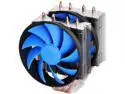
DEEPCOOL FROSTWIN-CPU Cooler 4 Heatpipes Twin-tower Heatsink Dual 120mm Fans One with PWM Metal Mounting Kit
Pros: Pretty much the most effective air cooler short of models that are borderline to large to fit a lot of cases or interfere with memory modules. That is why I selected it. It is very difficult to be sure if some of the largest models will actually fit based on their size specifications. It is a very effective cooler. I am able to over lock my I7 920 DO from it's stock 2.67 GHz to 3.89 GHz while keeping the CPU cores at around 58-65 C under load with a room temperature of 66 F.
Cons: The installation is brutally difficult. Either the back plate rubber pad is too thick, the mounting lugs too short or the plastic spacer posts too long, take your pick. You have to forcibly press the back plate flanges really hard on order to expose enough lug thread through the heat sink mounting brackets to actually thread the mounting bracket nuts. My fingers literally ached trying to achieve this and I had to have my son help because there was no way I could achieve it on my own. I was fearful that I might damage my ASUS P6T motherboard by putting so much pressure on the backplate.
Overall Review: In the end I was able to get it done, there was adequate clearance for everything on the motherboard and within the case and nothing was damaged. The cooling was very effective and quiet.
11/16/2014See more detail
Decent SSD for a good proce
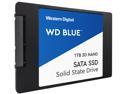
WD Blue 3D NAND 1TB Internal SSD - SATA III 6Gb/s 2.5"/7mm Solid State Drive - WDS100T2B0A
Pros: The price promotion was very attractive. Installed and recognized by the BIOS with no issues
Cons: Much prefer my Samsung SSDs primarily because their utility software is superior. No mounting screws
Overall Review: It's a 1Tb SSD for a great price that works.
1/2/2020See more detail
Performs as advertised and achieves 3200 so long as you select the most aggressive XMP profile
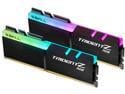
G.SKILL TridentZ RGB Series 16GB (2 x 8GB) 288-Pin PC RAM DDR4 3200 (PC4 25600) Desktop Memory Model F4-3200C16D-16GTZR
Pros: Great deal to help with my system upgrade. Supporting a decent stable over clock.
Cons: None
Overall Review: Combined this with and ASUS Prime Z390 A motherboard, an i9 9900K and a Zotac RTX 2070. A solid combination that is easily overclocking from 36. to 4.8 and running cool with an add on Nocturna air cooler with two 90mm fans and three 120mm case fans.
12/28/2019See more detail
Nice upgrade from my 11 year old i7 920
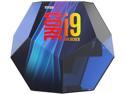
Intel Core i9 9th Gen - Core i9-9900K Coffee Lake 8-Core, 16-Thread, 3.6 GHz (5.0 GHz Turbo) LGA 1151 (300 Series) 95W BX80684I99900K Desktop Processor Intel UHD Graphics 630
Pros: Over clocks quite easily and runs fairly cool even under extended full load with a Noctua air cooler with two 90mm fans and three 120mm case fans and a power supply fan.
Cons: Intel's packing is ridiculous. If they sell enough of these horrible overly large heavy plastic dodecahedrons the earth may spin off it's orbit.
Overall Review: Combined this with an ASUS Prime Z390A motherboard and G.SKILL TridentZ RGB Series 16GB (2 x 8GB) 288-Pin DDR4 SDRAM DDR4 3200 (PC4 25600). The system is benching approximately 5 times faster then my old ASUS P6T mobo and i7 920 processor.
12/28/2019See more detail
Frustrating promotion and product - not even Newegg support knew what was going on at first
NVIDIA Gift - Call of Duty: Modern Warfare, Offer Valid in the US, Excluding Puerto Rico
Pros: It was free (well sort of, but because it is unplayable not really).
Cons: You cannot redeem the code until the Zotac video card is installed on your PC along with GeForce Experience. Besides controlling where and when you can install it, the stupid dead lines put you at risk of missing the promotion all together, especially around the holiday season. None of this is mentioned on the website.
Overall Review: Now to the whole point of the deal. I specifically bought a Zotac RTX 2070 so I could use Ray Tracing on BF5 and oh yeah cool the free Modern Warfare game also has Ray Tracing Support. Well guess what, if you turn on Ray Tracing BFV crashes, Modern Warfare crashes even with Ray Tracing disabled. So the game won't run with the video card it is bundled with. Brilliant! If you can get past that well then you will realize that they should have bundled a free SSD drive as well because the game take almost 170 Gb of disk space. Just a joke. I've been a Newegg customer since they were GoogleGear. This is the first time I ever had negative feelings about their product representations or support. Shame.
12/16/2019See more detail