

Your Browsing History


Fred L.
Joined on 11/25/01
0
0
product reviews
- 22
The Little NAS That Could
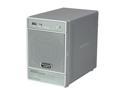
Netgear ReadyNas NV+ 4-bay NAS Drive Enclosure w/ Gigabit & speeds up to 25MBps (Diskless)
Pros: The pros/cons have been hashed out pretty good by the rest of the reviews so I'm going to provide my experience. 1) I understand the concepts on how to get this thing set up correctly. I have configured everything I can on my network. I get between 6-8MB/s sustained transfer with my current setup. I suspect this is actually about average unless you have a top-notch switch/NIC setup. 2) While the setup *IS* simple enough to get started and get "live" it really does help if you have some understanding of networking, fileshares, and NAS devices in general. If you don't though don't sweat it, this device is easy enough to accommodate anyone, just be sure to visit the support forums before you come back here screaming. 3) To revisit #1: Please make sure you understand the difference between MB/s and Mb/s, it's subtle but very important.
Cons: -Web interface is a bit slow. I've worked with Multi-million dollar NAS setups (Data Domain) before and their web interfaces can be just as laggy so I wasn't too shocked. I just expected a little more pep out of a small system like this. -Does not play too nicely with PS3 "out of the box". If you're planning on using this with a PS3 you had better do some reading and planning first. -No onboard file management or CLI.
Overall Review: -iSCSI, and De-Dupe would make this thing super great. But for the price it's really not bad. If you want a robust NAS that's expandable and flexible you could definitely do worse than this thing.
12/6/2010See more detail
Okay fan.
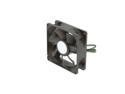
Cooler Master Blade Master 80 - Sleeve Bearing 80mm PWM Cooling Fan for Computer Cases and CPU Coolers
Pros: -PWM. -Good air flow.
Cons: -Does get loud at max RPM. -Not as cheap as I feel it should be.
Overall Review: "Long life sleeve"... Long life compared to what? A Mayfly? I bought 2 of these for a small server and a year later they're already rattling around. Obviously YMMV based on your usage. I've been running them near continuously for the past year so that may factor heavily but I didn't expect them to fail this soon. CoolerMaster generally makes quality product so it's a bit disappointing... I have 4 CoolerMaster ball bearing 80mms that I use as a heat exhaust system for a cabinet that have run nearly non-stop for the better part of the last 6 years and they run as silent and smooth as the day I installed them... Heck they are so old that the CM stickers have fallen off the hubs! Granted they are much lower RPM/CFM but it speaks to the general quality of CM's fans.
12/17/2012See more detail
Very expensive doorstop.
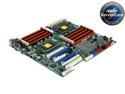
ASUS KGPE-D16 SSI EEB Server Motherboard
Pros: I never got it to work so I can't list any Pros. I've read many positive reviews on it so I'm sure if you can get it to work then it's every bit as good as the other people claim. Unfortunately I never could get mine to work. I sent it back several times with the same result. I doubt ASUS ever actually did anything other than waste my time with the process and drag it out so long that I could no longer return the board for a refund. I am not a "beginner". I have nearly 20 years of experience in the IT field from desktops to servers and currently am a datacenter administrator, but I always put "Average" on tech knowledge because I'm not an engineer... I don't think that building a lot of computers necessarily makes one an expert but I know my way around the inside of a computer case is what I'm trying to convey here...
Cons: I can't list any specific cons other than I never got mine to work as in get passed POST. No screen, no beeps, no nothing. The PSU wouldn't even power up all the way when I hit the power button. I tried several known good PSUs too (even bought a couple based on what others claim to have used), all with the same result. I could go on at length to describe the multitude of troubleshooting steps I took and different parts I tried in the system to resolve this but I'll just say that I tried REALLY hard to make this work... Much harder than ASUS did to help me out. As others have said ASUS tech support is really unhelpful with this board. I tried having a conversation a couple times with them but they are clueless, the only information they have on it is what's listed on their web site. Forget trying to have a "technical" conversation with anyone as it seems their only real function is to issue RMA#s and say essentially "Did you try turning it off and on?" or, "Sorry 'bout that.".
Overall Review: The last time I got my board back from ASUS and it failed to work I was so disgusted I put it back in the box and it now sits in my garage as a very expensive doorstop as it was passed the point I could get a refund. It's unfortunate and I tried really hard to make this work but there comes a point when my time is just worth more than the cost of the hardware. If you do decide to buy one of these then I'd highly suggest making sure you have all the parts for your project on hand in advance so you can fire up the board immediately upon arrival to make sure the board is going to work. Don't waste any time. If it works on the first try I'm reasonably sure it will be good from then on. If it doesn't work do not delay in getting a replacement or refund...
9/25/2013See more detail
Great Little Notebook
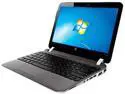
HP ProBook 3115m B2C43UT 11.6" LED Notebook E-450 1.65GHz
Pros: -Small/Light weight. -Bright screen. -HDMI Out -Radeon Graphics (Not that "Intel HD" garbage that pervades notebooks these days) -Good battery life. -Will run Win7 x64 Ultimate. -Built in SD Card reader. -Touch pad can be turned off. -Warranty.
Cons: -While it is small, I feel the power adapter could be slimmer. -Great for web surfing and movie watching but it doesn't take much to bring the system to it's knees, especially in the graphics department. It does have a real graphics chip in there that is a little better than your average Intel HD chip but it's not by much.
Overall Review: It's a shame this unit is discontinued, but if you can find one and are looking for something in this size range I'd definitely recommend it. For what it is, it's a nice 11.6" laptop. It fits my needs perfectly. I maxed out the memory and slapped an SSD drive in it and it clips along quite nicely. It's also great on battery. I would like to point out one item that may not be obvious: This notebook is technically a BUSINESS class notebook (Hence "ProBook") and thus the support works a little bit differently. In short: They don't mess around. If you have a problem and can identify the cause and communicate it effectively to the rep on the other end you can have a part on your doorstep tomorrow no questions asked. I'm always amused when I read negative reviews of notebook support when dealing with CONSUMER class models... Well of course the support is questionable at best. Sure the extra price on those business models turned you off and made you go the cheaper route... But you'll pay for it anyway eventually... One way or another. ;)
4/1/2013See more detail
Great if you want to dip your toe into water...
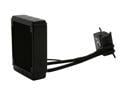
CORSAIR Hydro Series H80 (CWCH80) High Performance Liquid CPU Cooler
Pros: -Will definitely cool your CPU better than straight air. -Relatively easy to install and definitely works with Socket 2011. -Fairly quiet: I guess I got lucky, I have the pump set to the max setting and I barely hear it. No rattles or anything. The fans can get a bit loud under full load but isn't that how its SUPPOSED to work? -Low cost for a beginner/maintenance free CPU water cooling solution. -Looks nice, very clean when everything is installed.
Cons: -Water pump housing is flimsy: The top cover that has the control button easily snaps off. It goes back on just as easy but it can be a bit frustrating when working in tight spaces and trying to plug in the fans and *click* the cover has just come off. -The stock fans leave a lot to be desired. -The fan mounting procedure needs work. Those long screws can be a pain to install. -The CPU block is NOT lapped. (By far the biggest offense IMO) Really, Corsair? Really? you couldn't possibly cut your margin a couple extra points and lap it for us? I don't know why this isn't standard these days.
Overall Review: I've had this thing for a few months now but wanted to make sure I gave it a fair shot before I posted anything about it. Overall I'm pleased with it but as I outlined above it could use some work. One thing to look out for is the fan orientation; Make sure they work with your rigs air flow. The default recommendation by Corsair has the fans pulling air in from outside the case. The logic is that it will be pulling cooler air. I found that this was not optimal for my setup and set them up as a traditional exhaust. YMMV. ***************************************************************************************************************** I gotta laugh whenever I see "Tech level - High" Can you troubleshoot down to the component level and surface mount a bad chip if need be? Didn't think so ;) Also; Don't post a super long URL to your "build" in the review. Nobody cares, and you look like an armature. tynurl 4TW... Just sayin'
5/25/2012See more detail
notbad.jpg
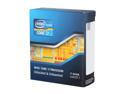
Intel Core i7-3930K - Core i7 3rd Gen 6-Core 3.2GHz (3.8GHz Turbo) LGA 2011 130W Desktop Processor - BX80619i73930K
Pros: -Relatively Fast -Able to handle a heavy workload: I've used this chip for trying to break RAR file password encryption. With the right software you can max out all 12 cores and get an impressive amount of passwords tried per second. Obv, I wouldn't recommend trying to run anything else while doing this but if you need to crack that password... This CPU will definitely pull it's weight. Only way to do better would be to build a multi-socket system with 16 core opertons but I digress... -Stable: In the above password cracking scenario I let the system run at full crank (100% load over all 12 cores) for nearly a month and the system didn't even bat an eye... How's that for burn in? (This is on Win7 x64 BTW) *Note: I build my systems with mid to high quality parts, The CPU is supported by high quality memory, motherboard, PSU, cooling, and Video card. YMMV... If you cut corners on your components they'll cut corners on you. And then you'll come crying here giving 1 egg... ;)
Cons: -Can get warm if you don't plan properly: I usually use lower wattage chips as I favor quiet/cool operation over all out speed but I decided to give this chip a try. -Socket 2011 seems like a dead end: (Pure Opinion naturally) I build my systems to have a 3+ year lifespan (This chip replaced a Q9650 if that tells you anything) anyway so it's not really an issue for me but if you like to upgrade as opposed to ripping everything out of your case and starting over this chip/socket might not be for you. -Price: Actually I think it's silly to list price as a con but I can definitely see how the price of this chip can be off-putting. If you're just playing Games then it may be overkill but I subscribe to the "Better to have it and not need it, than need it and not have it" Philosophy. Multimedia work, and database apps will definitely find this chip agreeable. -CPU cap is not lapped: I don't know why they aren't just doing this by default now.
Overall Review: This chip has its faults but I couldn't find anything to subtract any eggs for. I paired this chip with a Corsair H80 and am very pleased with the results. Even at 100% load over all 12 cores for nearly a month of solid run time temp never gets above 49C... Could be lower but I have low noise fans and the PC is in an enclosed cabinet to reduce noise so I'm okay with a little more heat. ***************************************************************************************************************** I gotta laugh whenever I see "Tech level - High" Can you troubleshoot down to the component level and surface mount a bad chip if need be? Didn't think so ;) Also; Don't post a super long URL to your "build" in the review. Nobody cares and you look like an armature. tynurl 4TW... Just sayin'
5/25/2012See more detail