
Your Browsing History


Pete L.
Joined on 07/31/04
0
0
product reviews
- 9
Vista Drivers Update
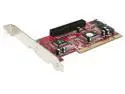
StarTech 2S1I PCI SATA IDE Combo Controller Adapter Card
Pros: Now appears to be working in Vista 64. It has been solid for about a month.
Cons: Kicked rating up from my previous review but still not a 5 because of the initial mixed info on support for OS.
4/13/2009See more detail
High End Problems
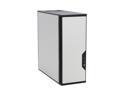
Antec Performance One P180 Silver cold rolled steel ATX Mid Tower Computer Case
Pros: In general - nice case.
Cons: Antec' Tech Support usually takes a couple of days to get back with you. There is no live / chat / phone support option. Antec's TruePower 1000 PS DOES NOT FIT even though it recommends the TurePower line in the case’s specs (imagine that)!!! It's an oversize PS (length wise) & the case's riveted fan position in the lower chamber has the cables from the PS up against the fan shroud (if you can get the PS in the case in the first place. The data and power cables from the lower drive section can easily also hit the case's riveted fan on the non-shrouded side. I needed to form a backstop using zip ties i=on this side of the fan. I was going to use the two fan combo (optional push/pull setup) in the mid drive section but power cables into my 4870 video card would not allow use of the second fan. I was also sorry to loose one of the two PCI slots because of the doublewide video card.
Overall Review: Antec Support's response was to direct me to their high end gaming case.......not a good sign in my book.
3/13/2009See more detail
Easy to install - works like a champ!
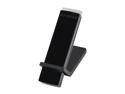
NETGEAR WNDA4100-100NAS Ultimate Performance N900 Dual-Band Wireless Adapter IEEE 802.11a/b/g/n USB 2.0 Up to 450+450Mbps Wireless Data Rates
Pros: Installation was a breeze. Now getting faster speeds and longer range (along with other network options what were out of reach of my other wireless).
Cons: none so far
Overall Review: I wanted to keep my Toshiba laptop internal WiFi (not to delete drivers) but wanted fater speeds and a longer range at times that I would have heavier WiFi needs. Was looking for a USB device that was not bulky. I initially tried a ASUS USB-AC56 however had blue screen of death (Win 8.1) every time I plugged the device in due to conflict with the Toshiba drivers (even though the Toshiba drivers were disabled). The Netgear WNDA4100 installed like a breeze and works like a champ even with the Toshiba WiFi drivers active! This is just what the doctor ordered!
1/13/2014See more detail
Please with Software

Malwarebytes Anti-Malware Lifetime
Pros: Blocks what it should
Cons: None so far
Overall Review: Tried the free tiral - was pleased so purchaed
1/3/2013See more detail
Sweet Spot
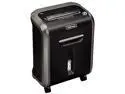
Fellowes 79Ci Powershred 79Ci 100% Jam Proof Cross-Cut Shredder
Pros: Quite, large shredding capacity, pull out bin (with plastic bag) is less messy, longer shedding times before having to cool down that most other models.
Cons: None so far
Overall Review: Great price point at NewEgg at 20% below list. Blows the competition away (once again)!
1/3/2013See more detail
Shoehorned into an uATX Case
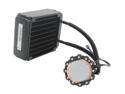
CORSAIR Hydro H70 CWCH70 120mm High Performance CPU Cooler
Pros: Have not fired this baby up just yet for it look's SWEET!
Cons: Man - in an uATX case you barely have room to breath. With the two fax push/pull set up on the radiator, the inner most fan sits on top on the CPU block. The radiator is totally covering a chipset heatsink. The main issue was locating the CPU block so that with the inlet/outlet pipes and accompanying hoses did not bump up against anything - especially since I'm assuming that you have to have the radiator inlet / outlet pipes on the heatsink need to be on the bottom on the install and not the top (up side down) when installing the radiator.
Overall Review: Instructions could be clearer. They are very sparse. I STRONGLY recommend reviewing the video on CORSAIR's website regarding the install. It does help clarify a number of questions I had (but not all).
12/3/2010See more detail