
Your Browsing History
 Holiday Shipping Details & Extended Holiday Returns Holiday Shipping Details & Extended Holiday Returns

Joined on 03/02/10
Just awesome
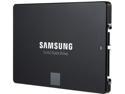
Pros: Fast Fast Fast. Multi-tasks well. Long-ish warranty. Put it in and go. Just about spot on speeds. Top 10 performance on nearly every benchmark, at less than $0.38/GB
Cons: Not an 850 Pro. Doesn't tuck me in at night.
Overall Review: When these drives go on sale, they cost nearly the same as the mainstream drives, for top-end performance. I spent too much time looking at benchmarks and watching for deals, only to come back to the Samsungs. There were other drives that would pop up here and there, but you can save yourself a lot of research if you just get this drive.
update: not so great
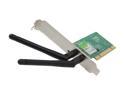
Pros: PCI slot, free's up a usb port (theoretically), plug and play in linux (theoretically).
Cons: plug and crash windows 7, reception starts to drop out after a couple of months.
Overall Review: Previously I reviewed this with 4 eggs for working immediately with Linux. It is still recognized right away, and shows as connected to my router most of the time, but actually accessing the internet, or any sustained data transfer causes it to drop almost instantly. My first inclination was my router, as we've had issue with that in the past, but I have 3 other wireless devices within a 10 foot radius, and all others have access to the internet when this one is dropping. Swapping wireless nics moves the problem to whatever machine this card is installed in.
Way faster than they claim!

Pros: FAST reads! Specs say 45 MB/s, I got 75.8 MB/s! (Transcend USB 3.0 card reader in USB 3.0 port) Works well for my 20 Mpix camera
Cons: Not a full con, but ho-hum write speeds of 20 MB/s (Same card reader and port). Since I bought it for a camera, write speeds are kind of important
Overall Review: Write speeds are disappointing, but it works still, so no biggie
Good Reader
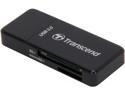
Pros: USB 3.0 Most SD and MicroSD formats Looks nice (piano or gloss black, clean rectangular shape) Works like it should Feels solid Cap fits tight enough to not fall off, not so tight you can't get it off.
Cons: Its wider, so it will cover adjacent USB ports on many laptops, BUT I knew this going in, and it would be difficult to make a full size SD card reader that holds the card securely and wasn't an inch wide. No eggs off.
Overall Review: Yes. I bought it to offload digital pictures from my camera faster than the included USB 2.0 cord included with the cam, which it does flawlessly. Because of its size however and card slot locations, I wouldn't use it as an everyday flash drive.
Great Ram
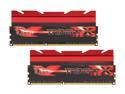
Pros: Very fast ram, especially running at 1.6V. Great value for such performance. Red is the color du jour, and the red heatsink tops on this one makes a presence in my case. Heatsink top is removable if you need clearance, Clarence. For my latest board (ASRock 990FX Exteme 9), XMP 1.2 and 1.3 work and test stable using OCCT & Prime95. You can use the heatsink as weapon if everyone loses power and we go back to the dark ages.
Cons: It didn't work at anywhere near advertised speeds in my previous board: Gigabyte 990FXA-UD5 rev 3.0. Not only would XMP not work, but I couldn't manually get it close either. Best I could get was somewhere around an 8-9-9 at 1600 (not horrible, but...)
Overall Review: Though it certainly should have worked on the Gigabyte board, I'm not holding the performance on the Gigabyte board against this ram. I couldn't get another set of Ram to work on it at advertised speeds either. Didn't really like going above 1600 MHz.
Great Memory
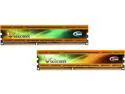
Pros: (Was) inexpensive. Overclocks as advertised. So far very stable. Gold looks good on a black motherboard
Cons: Not as affordable as it was.
Overall Review: Installed to 1600 default, but opted for XMP #1 in BIOS (advertised speeds) and voila. Installed on ASRock FM2A78M ITX+ with A10-6800K. I was astounded by the speed difference between 1600 CL9 (stock) and 2133 CL11(ish, cause its 10-12-12...). It does bump the heat a few degrees too, but that makes sense since the proc spends less time at idle waiting for data from memory.