
Your Browsing History


Brian H.
Joined on 03/11/08
0
0

product reviews
- 7
Runs great!
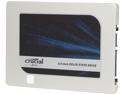
Crucial MX200 2.5" 500GB SATA 6Gbps (SATA III) Micron 16nm MLC NAND Internal Solid State Drive (SSD) CT500MX200SSD1
Pros: My second SSD from Crucial and my first in a SATA3 machine. Anvil rates the drive as: 512MB/s Read 472MB/s Write 79k 4K QD16 IOPS Read 88k 4K QD16 IOPS Write This makes it only a little (~10MB/s and ~15K IOPS read) slower than a much more expensive Samsung 850 Pro (same 512GB) that I got for comparison. I'll be grabbing these the next time I'm looking for an SSD.
Cons: Not free.
9/29/2015See more detail
Runs okay, but not great.
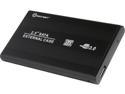
Syba SY-ENC25049 USB 3.0 2.5" USB 3.0 to SATA Hard Drive External Enclosure Case
Pros: It was very easy to swap out drives on with this. Even without screws it was held in just enough to that I could pull it out with a light tug, but I wasn't concerned about the drive slipping out as I carried it.
Cons: The enclosure's speed was slower than another enclosure (a Rosewill RX200) I tested. Both tests used a slightly older Samsung 840 Evo 120GB. I'm no testing expert, but I have a test I throw at most of my new drives. In particular, I tried using the GNOME Disk Utilities disk benchmark with mostly default settings (I upped it to 1000 samples instead of 100). About 1/3 of the way into the benchmark, the write speeds on the drive dropped to almost 10% of the original speed for the remainder of the test. The read speed was also slower than the other enclosure (260 vs 320 megabytes/second). I know SSD write speeds drop once they run out of RAM, have to garbage collect, etc., but the other enclosure kept a level write speed (the few speed drops lasted a couple seconds at most each), had higher read speed, and slightly lower random access times throughout the tests.
Overall Review: I think this enclosure would be "fast enough" for most people (260 megabytes per second is pretty fast), but anyone with a heavy write load may want to think twice or give it some extra testing before using it in production.
11/29/2016See more detail
Looks nice, does what it has to
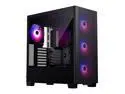
Phanteks XT Pro Ultra, Mid-Tower Gaming Chassis, 4x M25-140 Fans Included, High Airflow Performance Mesh, Tempered Glass Window, USB-C 3.2 Gen2, Black
Pros: -Lots of room -Easy mounting options on top -Lots of little holes for as much or as little cable management as you'd like -Fans have very flexible RGB support (see pictures of the stock "wave" effect from an AM5 Gigabyte board)
Cons: -Side panels can get stuck a little in a corner when removing them. Maybe I'm just doing it wrong, but another reviewer mentioned the same thing, so maybe I'm not crazy. Every build has its quirks. -Only 2 USB ports up front (not a big con)
Overall Review: It was easy to install everything, and even though I don't care a ton about RGB, the fans and board played nice to make a nice out of the box rotating rainbow look. You get one USB-A and one USB-C ports on top. That's not a negative for me, but it could be for some.
4/24/2025See more detail
"Just worked"
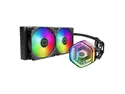
Cooler Master MasterLiquid 240 Atmos ARGB AIO Liquid Cooler, Customize Pump, Sickleflow Edge PWM Fans, 360mm Radiator, CryoFuze, AMD Ryzen AM5/AM4, Intel LGA 1851/1700/1200 (MLX-D24M-A25PZ-R1)
Pros: -Keeps the 9800X3D running around 25C above idle on max load in a slightly warm room (based on a 30s Ryzen Master test) -Being smaller than a 360mm cooler gives you more flexibility in where you mount it and can run the wires. -Has most of the cooling potential of a 360mm at a lower price point -RGB can sync with other stuff through your board if it supports it (not my cup of tea, but the stock rainbow looks nice on an AM5 gigabyte board) -Long warranty
Cons: -Lots of little wires to manage (or just leave hanging around like I did). Maybe "extenders" exist for the RGB/fan cables for better management in the back of the case?
Overall Review: My first AIO cooler, so I'm mildly concerned about its lifespan compared to a traditional fan cooler, but the warranty is generous. After trying another cooler that wasn't sitting on the CPU right, this one has "just worked", even when the room runs a little warm.
4/24/2025See more detail
Good so far, but...
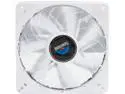
ENERMAX T.B.VEGAS SINGLE UCTVS12P-W PWM 120mm White LED Case Fan w/ APS control
Pros: Got two of these with a PWM splitter cable to be top exhaust fans for a HAF 912. Relatively quiet and can move enough air for me. Lowered my temps on the Intel Extreme Tuning utility by ~10C. The speed limiting switch is pretty neat. The biggest pro for me is being able to turn off the LED ;)
Cons: Nothing major.
Overall Review: A couple little things... Air flows towards the speed switch, which for a top mounted (and probably a rear exhaust) fan means the switch can't be easily reached without removing it. I set mine to1800 RPM max and used software (like Speedfan) to run it slower. Make sure you have needle-nose pliers and/or some kind of lubricant around to install the mounts in case they get stubborn. Mine wouldn't get into the fan without them.
7/23/2015See more detail
Does what it's supposed to!
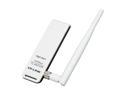
TP-LINK TL-WN722N Wireless N150 High Gain USB Adapter, 150Mbps, w/4 dBi High Gain Detachable Antenna, IEEE 802.11b/g/n, WEP, WPA/WPA2
Pros: This is my second one. Both worked right out of the box with N speeds on my Windows 7x64 and Arch Linux bootable drives with no trouble at all. The bundled cable/dock piece also helped.
Cons: None that I could see.
11/29/2014See more detail
seller reviews
- 1
No extra flair, just works!
Found an earlier revision of this kit on the official list for the Gigabyte X870E Aorus Pro, and it "just worked". Set it to EXPO and it passed memtest with no trouble.
On-time
Delivery
Product
Accuracy
Customer Service
Satisfactory
4/15/2025See more detail