
Your Browsing History
 Holiday Shipping Details & Extended Holiday Returns Holiday Shipping Details & Extended Holiday Returns

Joined on 08/30/04
it works
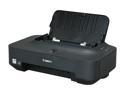
Pros: compact easy to set up lightweight drivers it works
Cons: none
Overall Review: I got this printer about 5 months ago for less than the price of one color ink cartridge so I didn't expect much from it... still it works just fine
Great for Gaming but Be Informed
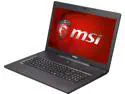
Pros: It will play any 2013/2014 game you throw at it at 1080p with decent-to-excellent framerate Cool keyboard backlights Cool fast-charger for phones via USB thin. thinner that most regular laptops, not just gaming ones fast as a bullet very pleasing aesthetics better speakers than you'd expect from a laptop screen looks good and is very bright nice features minimal bloatware
Cons: Weird CTRL key problem not really meant for gaming on your lap non-standard keyboard key arrangement (who do they think they are, getting rid of the left Win key?) kills 120W power supplies (the stock one included)
Overall Review: Definitely the most convenient and low-profile gaming laptop I've ever seen. It smashes through games like XCOM Enemy Within at 60fps, 1080p, high settings without breaking a sweat... except that if I put it on my lap, I'm the one who has to break a sweat. I don't blame the laptop though, since its so thin, its hard to imagine having this much power in such a small chassis without the heat output. After reading all the bad comments about the touchpad, and before I even tried to use it, I immediately updated its driver and turned palm-sensing down to the minimum setting. If you do this, the touchpad is actually much better than your average Windows laptop touchpad. Still, its no match for the Mackbook Pro touchpad. I just don't know why no Windows laptop-maker seems to be able to match its accuracy. Also be very careful when handling this laptop with one hand from the left/right side. I've found this to be a problem with pretty much ANY LARGE LAPTOP, but it seems particularly bad with this one since its so thin. Just make sure you grip it from the front/back if you one-hand it, not the left/right side and you'll be fine. Always carry it two-handed if you’re grabbing left/right. My only real complaint is that the CTRL key seems to randomly get stuck... even though I didn't press it :( This appears to be a defect, but I really can't afford to be without a laptop, so I guess I'll just live with it Finally, this laptop burned out its stock 120W power supply; I bought a third-party 120W power supply and it killed that one too; I ended up having to get a third-party 180W psu and that works fine. Even the stock 120W ran dangerously hot before it died. This "Prudent Way" brand 180W psu keeps cool even during long 3-hour gaming sessions.
solid and relatively low priced
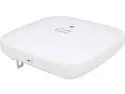
Pros: inexpensive relative to the rest of the aironet line runs Cisco IOS very solid good range
Cons: doesn't have dual band
Overall Review: this version requires a controller. if you're not going to use a WAP controller, use the AIR-SAP702I-A-K9 model. Also, no Cisco WAPs come with power adapters, so you have to order that separately if you're not going to use PoE
Odd problems embarrass an otherwise good product
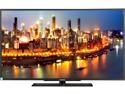
Pros: boots fast good IQ above-average built-in speakers great input selection
Cons: included VESA mount screws are too short to be useful fuzzy display from PC via HDMI very limited display settings (especially over VGA)
Overall Review: I took one egg away because the TV won't allow native 1080p input from 3 out of 4 PCs I tried. The best I could get was 1360x768 scaned to 1080p on those three machines, which looks awful on this TV. These same PCs output 1080p beautifully to a Hannspree TV I have with no issues, so I know the PCs aren't just broken. Oddly, it accepts 1080p input natively from the PS3 and PS4 without issue. So I was like "fine whatever, I'll use VGA" which sucks because I can't adjust sharpness, tint, or saturation on VGA input. This results in inferior color settings as compared to my older 42" Hannspree. This resulted in another egg deduction. Based on these problems, I would not buy another Changhong. I only kept it because it was free with my GS70 laptop (which ironically is one of the PCs that this TV won't do native 1080p for)
Love It
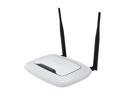
Pros: looks good good range good interface works WDS mode works great lots of features
Cons: don't expect extremely high range like with an ASUS router
Overall Review: This is good for a medium sized apartment, but don't expect insane range like the $180 ASUS routers. I use two of them in WDS mode because my XBOX 360 S has an awful wifi antenna that can't keep up with streaming recorded HD from an HDHomeRun Prime unless its right next to a wifi source. So I WDS'd two of these routers, and wired my XBOX 360 to the second one. Works great now!
Fully Windows 8 Compatible
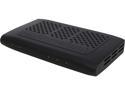
Pros: easy setup reliable versatile low profile saved me a sack of money now works with DLNA (PS3) great with XBOX 360 and PC
Cons: requires a reboot once every two weeks doesnt have an android app
Overall Review: I reviewed this when I first got it; now its 13 months later and its still going strong with constant improvements and updates by SiliconDust