
Your Browsing History
 Holiday Shipping Details & Extended Holiday Returns Holiday Shipping Details & Extended Holiday Returns

Joined on 12/15/04


So far it's been a great drive
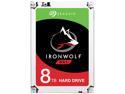
Pros: The drive is massive in capacity. Relatively quiet for a NAS drive (not super loud but certainly not completely silent). The large cache really seems to help with speeds (see speeds below in Other Thoughts). To that note, the drive also seems to be able to spin up quite quickly. Even when under full load it manages to maintain a peak temperature of less than 35C at all times. I’d say that’s pretty good. Looking at the architecture, I’d wager that it’s built to last, with its large bearing/motor design. However, time will tell. You really see this drive excel in random reading and writing of small files. Which is probably what most people would be using NAS drives for. So far, it's held up to many many torture tests for this review.
Cons: Not a lot to put here. Obviously, this drive is still nearly 300 bones at the time of this review. That’s still a good chunk of money for a hard drive. That being said, it is 8TB. Seagate in recent years has had some problems with QA in some of their drive models. I can only hope that those days are behind them now. The drive is insanely heavy. Not that this matters a whole lot, but its over 700 grams!
Overall Review: Speed tests performed with Crystal DiskMark: ----------------------------------------------------------------------- CrystalDiskMark 5.1.2 x64 ----------------------------------------------------------------------- Sequential Read (Q= 32,T= 1) : 173.884 MB/s Sequential Write (Q= 32,T= 1) : 190.660 MB/s Random Read 4KiB (Q= 32,T= 1) : 2.174 MB/s [ 530.8 IOPS] Random Write 4KiB (Q= 32,T= 1) : 2.159 MB/s [ 527.1 IOPS] Sequential Read (T= 1) : 172.183 MB/s Sequential Write (T= 1) : 189.994 MB/s Random Read 4KiB (Q= 1,T= 1) : 0.677 MB/s [ 165.3 IOPS] Random Write 4KiB (Q= 1,T= 1) : 2.111 MB/s [ 515.4 IOPS] Test : 32768 MiB [D: 67.4% (5019.7/7451.9 GiB)] (x5) [Interval=5 sec] Date : 2017/01/12 5:39:17 OS : Windows 10 Professional [10.0 Build 14393] (x64) Sequential Read (Q= 32,T= 1) : 173.477 MB/s Sequential Write (Q= 32,T= 1) : 189.500 MB/s Random Read 4KiB (Q= 32,T= 1) : 2.826 MB/s [ 689.9 IOPS] Random Write 4KiB (Q= 32,T= 1) : 2.374 MB/s [ 579.6 IOPS] Sequential Read (T= 1) : 188.747 MB/s Sequential Write (T= 1) : 186.639 MB/s Random Read 4KiB (Q= 1,T= 1) : 0.895 MB/s [ 218.5 IOPS] Random Write 4KiB (Q= 1,T= 1) : 2.392 MB/s [ 584.0 IOPS] Test : 1024 MiB [D: 67.4% (5019.7/7451.9 GiB)] (x5) [Interval=5 sec] Date : 2017/01/12 5:50:24 OS : Windows 10 Professional [10.0 Build 14393] (x64) Sequential Read (Q= 32,T= 1) : 203.825 MB/s Sequential Write (Q= 32,T= 1) : 170.063 MB/s Random Read 4KiB (Q= 32,T= 1) : 53.370 MB/s [ 13029.8 IOPS] Random Write 4KiB (Q= 32,T= 1) : 4.997 MB/s [ 1220.0 IOPS] Sequential Read (T= 1) : 187.258 MB/s Sequential Write (T= 1) : 174.877 MB/s Random Read 4KiB (Q= 1,T= 1) : 31.483 MB/s [ 7686.3 IOPS] Random Write 4KiB (Q= 1,T= 1) : 5.468 MB/s [ 1335.0 IOPS] Test : 50 MiB [D: 67.4% (5019.7/7451.9 GiB)] (x5) [Interval=5 sec] Date : 2017/01/12 5:55:25 OS : Windows 10 Professional [10.0 Build 14393] (x64)
Mine has been working fine thus far
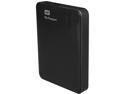
Pros: The drive is small and lightweight but feels pretty solid. The casing feels sturdy and well-built. The plastics also have a very nice look and feel to them. Having a single cable for power and data is very nice (especially for a large capacity drive like this one). I have another HDD of the same capacity/style from another company and this one feels much nicer. I like the fact that these can be easily stowed in a bag or pocket without issues. Currently, this drive is being used as a backup device for a NAS at my home. Speeds are quite decent and right on par for what is expected from this type of drive. Speeds are listed down in the "Other Thoughts" section. The LED light on the front is a nice touch for showing activity/power/connection. Came with some drive replication software and some other things on the drive out of the box. I formatted over all of it as it isn’t much use to me. Although, this is a nice touch for a user that just needs to migrate a drive without hassle. In the box is also a small quick start guide. Although, I’m not sure how many people are unaware of how to connect a cable to the drive and connect the drive to the computer.
Cons: Remember that LED light in the Pros? Well here are the issues with it. When the drive is inactive, the light just sits there and blinks at a regular interval constantly. This wouldn't be an issue if it wasn't for the fact that the light illuminates an entire room by itself. A tiny piece of electrical tape seems to have remedied this issue pretty quickly. Speed is slightly slower than my other drive of the same capacity (also a single cable USB3.0 design). The response time is very slow (spin up takes a long time from off; longer than any other mechanical drive I have in use) so it takes a long time to wake the thing up and start moving things. While it seems to suffer of absolutely no problems through USB2.0, it seems to be sort of choosy about what USB3.0 chipsets it likes. I have a few devices here that all have USB3.0 capabilities. Some of them transfer files back and forth beautifully. I really put this drive through a lot of file moves and deletes on each device to really test it out. I will preface this by saying that one of the USB3.0 chipsets on a PC I have here has a lot of problems with device compatibility. This drive did not work with it. You start a file transfer and the connection will drop somewhere around a minute in. Other USB3.0 drives have done this on this PC but some seem to suffer absolutely no problems. Using USB2.0 on this computer yields typical results. I can only assume that some USB3.0 devices and chipsets in the early stages of this technology aren't that compatible (the motherboard on the PC is about a year old so it is pretty close to the first of motherboards introduced with USB3.0 built in). When the USB3.0 side of this device works, it performs well but not as fast as some of the other drives with the same specs (1TB capacity, small form factor, and single cable design) which is mostly why I had to knock an egg off. If you are having connectivity issues on USB3.0 with this device I would probably venture to guess that you are facing the same issue as I have observed with certain USB3.0 chipsets interfacing with one another.
Overall Review: Speeds over all were pretty decent. Moving 20GB of ~4.5MB (each) mp3 files to the drive using USB2.0 averaged around 25MB/s over about 10 transfer sessions. Moving 950 GB of 4-32GB .mkv files yielded a slightly lower 23MB/s over 10 times on USB2.0. This drive slows down pretty significantly while writing toward the very edge of its capacity (but that is (pretty common). loading 500GB of random files (documents, music, movies etc. ranging from 1K to 20GB) averaged around 23GB/s for USB2.0 USB3.0 (as expected) yields much faster speeds. transferring the same amount of music as mentioned above ran at 45MB/s for the duration of the transfer tests. transferring the same amount of movies as mentioned above came in at 44.5MB/s for the average. transferring the same batch of random files from above averaged 42MB/s. I will say that the drive became very warm (almost concerning) during testing on USB3.0 with a very large batch of files. Obviously, the typical use for this drive will most likely not involve transferring almost 1TB of data every time it is used but this is something to think about if that is your intention with the drive. The drive did suffer from disconnecting/reconnecting during testing on the aforementioned computer with USB3.0. However, another computer I have on hand did not suffer from the disconnects during transfers. I did have to take another egg off for this as I can see how it would be very frustrating for a user to deal with this long term (especially if this user is using this drive on multiple computers).
Tiny and mighty
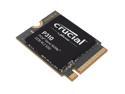
Pros: Such a tiny drive for 2TB. Speeds are exceptional as you can see in the photos attached. The product was well packaged and held up well in shipping. Obviously I like it because it has an all black look.
Cons: So small that I couldn't find a good place to install it on some of my machines that do not possess a super short M.2 hold down location.
Overall Review: Overall this is a fantastic NVME. It doesn't get very hot under load (no more than 50C in my setup with a heatsink on it). It's super tiny so it won't cause any issues with installation on laptops and other handhelds that support m.2 drives. I'm only disappointed that I couldn't get to max speeds that Crucial cite on my machines despite using a PCIe gen4 slot. I think it was down to configuration on my end or overall bandwidth of my machine. Otherwise, this is an outstanding drive and I imagine that it being Crucial, it will last.
Great drive, good value
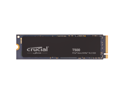
Pros: Love the black color and the price for the speed is really a good value in my opinion.
Cons: Not really a con for the drive, but I maxed out my system and wasn't able to confirm the max transfer speed for this drive. That being said, it's real fast. Expensive if you're just trying to get something for capacity and don't really care about maximum transfer speeds. It runs pretty hot, but NVMe drive have that tendency so it's not wildly unexpected.
Overall Review: Crucial has been making drives for a long time and I imagine that this drive will be just as reliable as all of the other products I've ever had from them. I feel like this drive, for the speeds it produces, is a great value for money and just representative of how cheap this stuff is getting these days. I've attached the benchmarks that I was able to achieve but note that this is on PCIe v3.1 and not v4. Turns out that's a major bottleneck that I didn't account for.
It just works
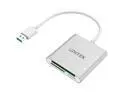
Overall Review: I bought this to replace an aging and sad looking SD Card reader and it just works as I wanted. No real complaints here!
IronWolf drives, great as always
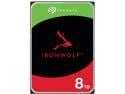
Pros: I've really never had an issue with these drives and so I keep on buying them when I need.
Cons: Some of them can be a little loud, but the premise there I suppose is that you're giving up a little in NVH for reliability. I don't really mind though as they go into NASs that aren't near where I work. Being that they are NAS drives, using them in other capacities works well enough. However, you have to be aware that the spinup time takes longer.
Overall Review: Overall, it's a great drive and I have a bunch of them now.
Seller delivered item on time and it was as described
Nothing really more or less here. Item arrived on time and was exactly as stated.